Trusted 1M+ designers, founders, and product teams
AI design review for every screen you ship
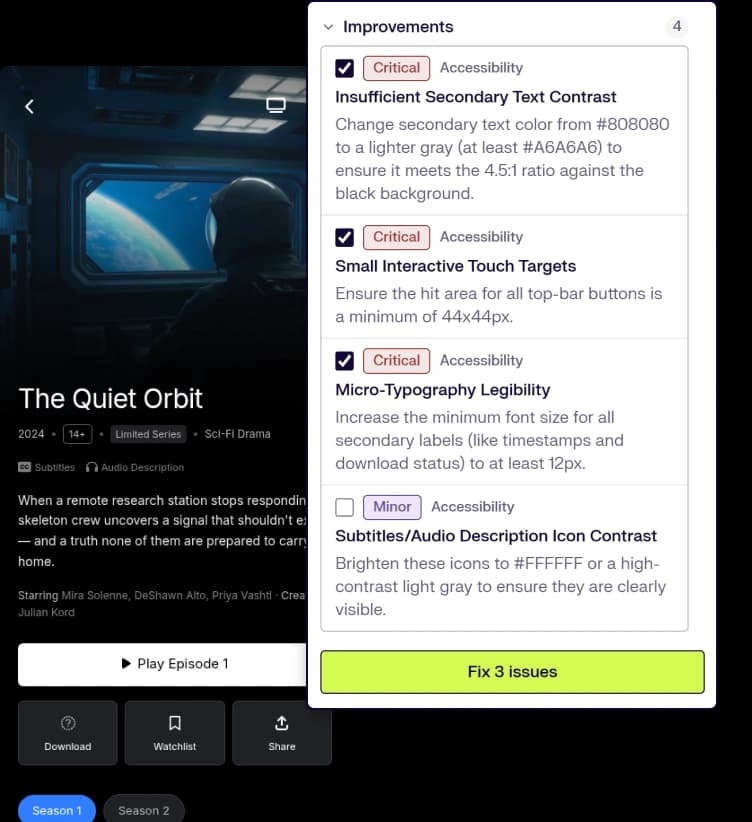
Your design gets UX feedback in seconds, before you share it with your team or hand it off to engineering. UX Pilot reviews your screen for usability, accessibility, and visual design. Each issue is rated by severity, from critical to minor, and comes with a suggested fix. Like a fix? UX Pilot can apply it for you.
Included on the Free planNo credit card needed
// Trusted by top product teams globally


What the review checks
A single review covers several things on the same screen.
How to run an AI design review
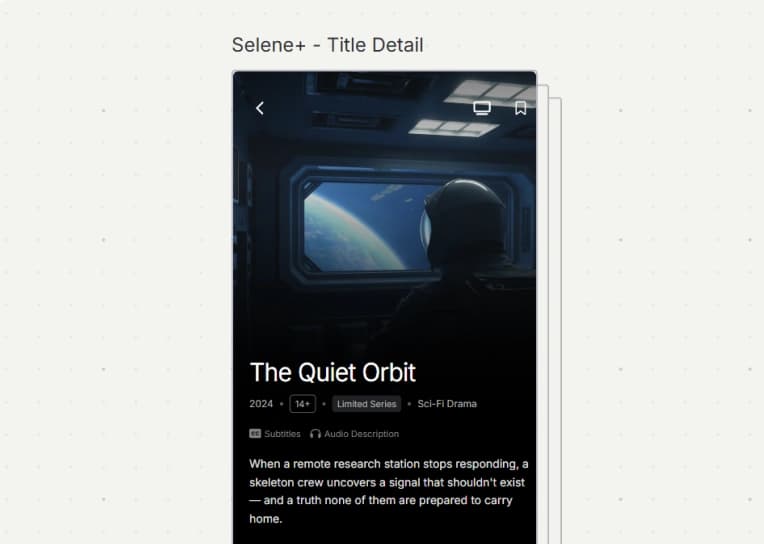
Add your design
Use the UX Pilot plugin to send frames from Figma. You can also open something you built in UX Pilot or upload a screenshot.
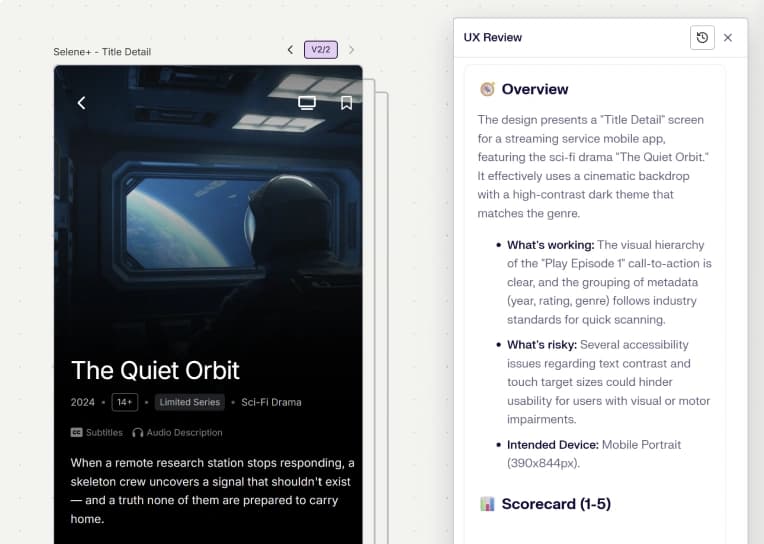
Run the review
Say what the screen is for and who'll use it. With that context, the feedback gets sharper.
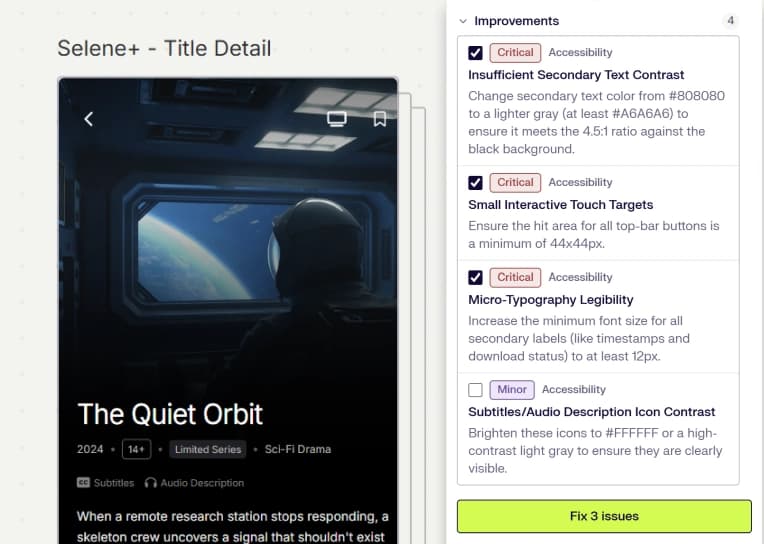
Fix and check again
Apply the fixes and run another review to confirm nothing's left.
// Where AI review fits in your design review process
// Where AI review fits in your design review process
Teams usually look at a design three times: at a design crit, at the stakeholder review, and in a final pass before handoff. Run an AI review just ahead of each.
- Before a design crit. Get spacing, contrast, and hierarchy out of the way, so the discussion can stay on the idea.
- Before a stakeholder review. A persona audit shows you the objections a manager or client will likely bring up.
- Before handoff. Accessibility gaps are cheap to fix now. They won't be later.
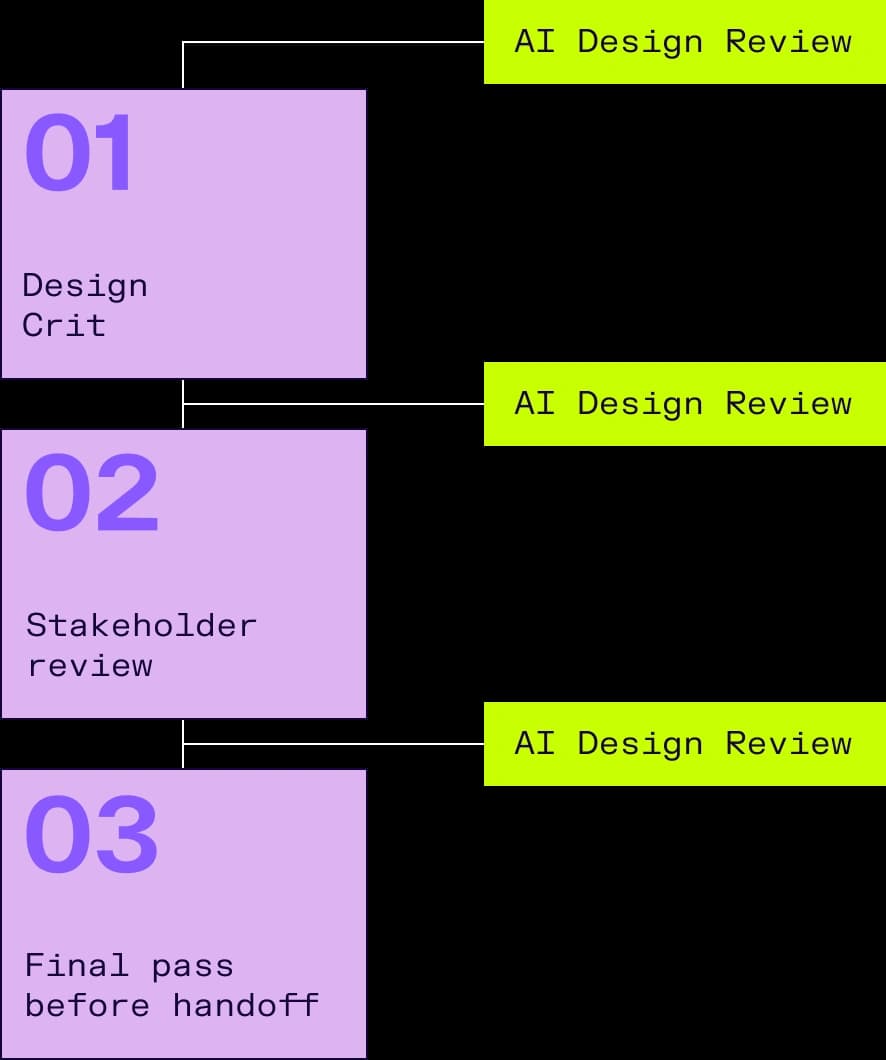
Teams usually look at a design three times: at a design crit, at the stakeholder review, and in a final pass before handoff. Run an AI review just ahead of each.
- Before a design crit. Get spacing, contrast, and hierarchy out of the way, so the discussion can stay on the idea.
- Before a stakeholder review. A persona audit shows you the objections a manager or client will likely bring up.
- Before handoff. Accessibility gaps are cheap to fix now. They won't be later.
// AI design review vs human design review
// AI design review vs human design review
AI reviewers and human ones have different strengths. AI handles the checks you repeat for every version, like hierarchy, contrast, spacing, accessibility, and common usability issues. People are better for decisions that depend on your business, brand, or unique cases your team knows best.
Use AI review throughout your process. When you need more context, ask a senior designer, a peer, or an agency for input.
AI reviewers and human ones have different strengths. AI handles the checks you repeat for every version, like hierarchy, contrast, spacing, accessibility, and common usability issues. People are better for decisions that depend on your business, brand, or unique cases your team knows best.
Use AI review throughout your process. When you need more context, ask a senior designer, a peer, or an agency for input.
Who uses AI design review
Product designers
They deal with the obvious issues before a review instead of during it.
Product managers
They test a direction before engineering picks it up.
Agencies and freelancers
They can spot problems before the client does.
Founders
With no design team, they can get structured UX feedback without hiring a reviewer.
Questions & answers
What you need to know about AI design review in UX Pilot.
Run your first AI design review free
Get expert feedback and a predictive heatmap on your next screen in seconds. No card required.