Figma Make
UX Pilot vs Figma Make Head to Head Comparison of Features, Alternatives and Pricing
No credit card needed
At a glance: UX Pilot vs Figma Make feature comparison
A comprehensive comparison of UI design features to help you make an informed decision.
| Compare Features |  |  |
|---|---|---|
| Output format | High-fidelity design screens (design-first) | React components (code-first) |
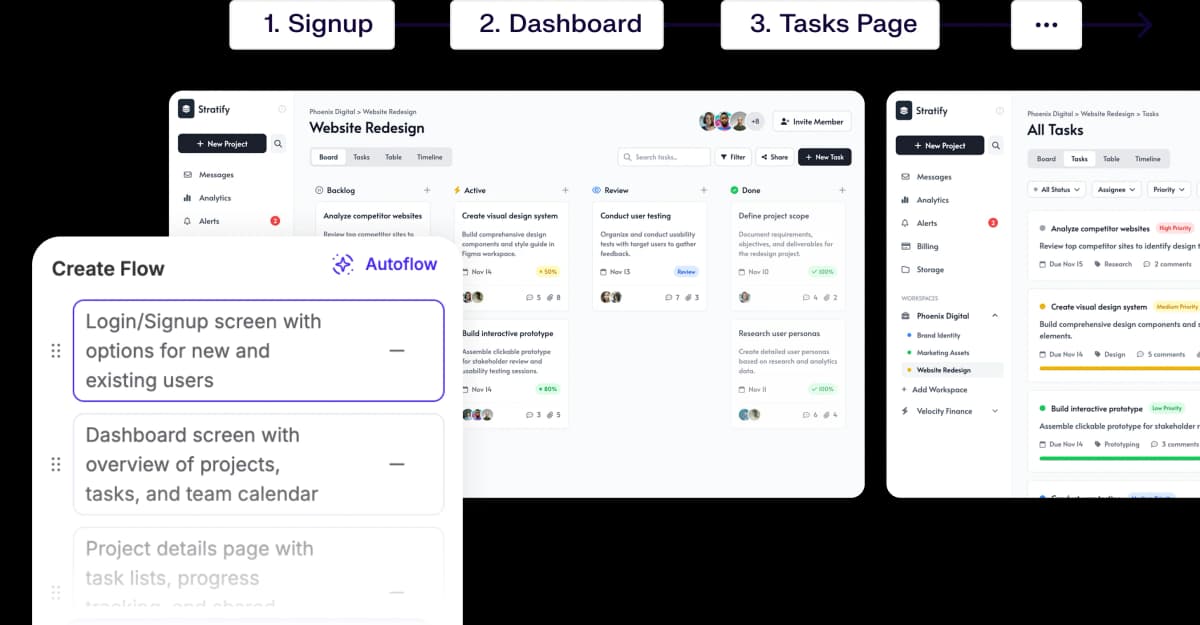
| Multi-screen flow generation | Built-in Autoflow with connected screens | Not supported natively |
| Website Cloning | High-fidelity clone from URL or screenshot | Loosely interprets reference sites |
| Design variations | Multiple variations per generation | No |
| Wireframe mode | Built-in wireframe and hi-fi modes | No |
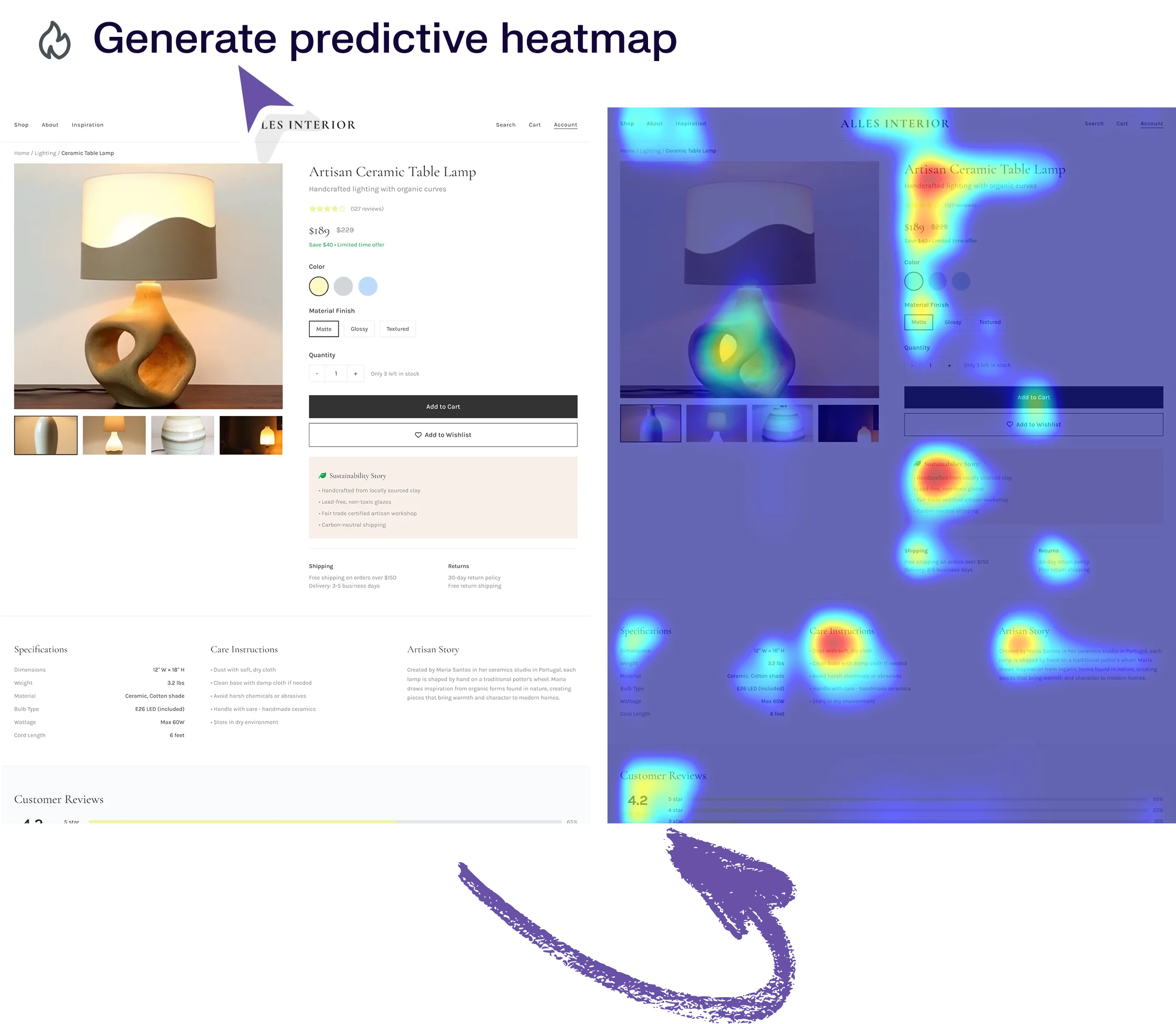
| Predictive heatmaps | Yes | No |
| Automated design review | Built-in accessibility and UX review | No |
| Design from references | High-fidelity interpretation from images or URLs | Limited |
| Natural language editing | Chat-based and manual editing | Supported via chat |
| Code output | HTML/CSS export | React components with backend connections |
| Design system support | Upload custom design system to train model | Connects to Figma team libraries |
| Learning curve | Minimal, accessible to non-designers | Requires Figma proficiency |
| Best suited for | Ideation to production-ready design for any team | Teams already deep in Figma wanting AI-assisted prototyping |
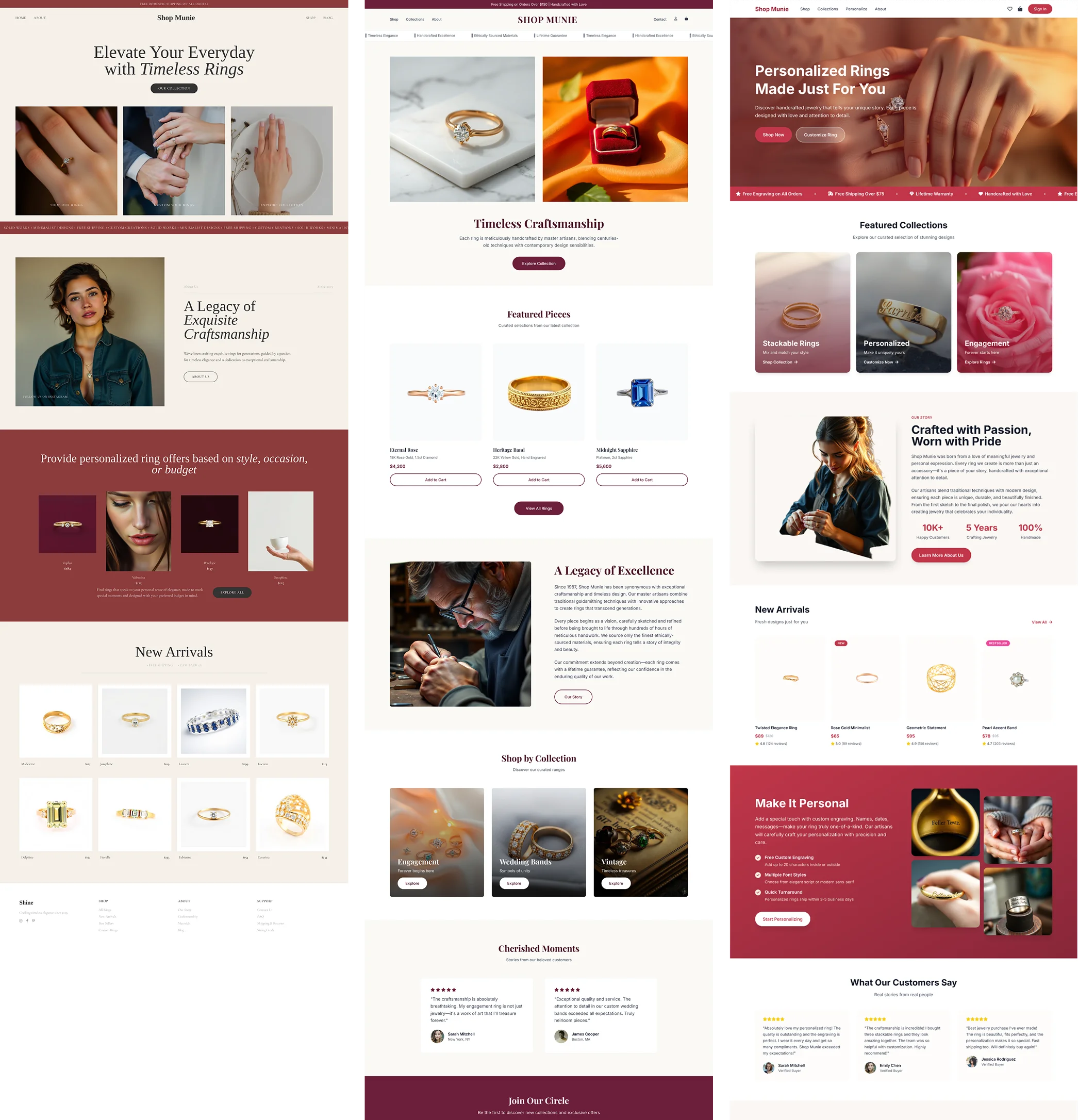
Immersive websites, made in UX Pilot
Websites with motion and depth
UX Pilot designs immersive marketing sites too, with bold type, depth and motion.
Real estate
Made in UX PilotProduct launch
Made in UX PilotE-commerce
Made in UX PilotDesign studio
Made in UX PilotTravel
Made in UX PilotFintech
Made in UX PilotFashion lookbook
Made in UX PilotMusic festival
Made in UX PilotArchitecture studio
Made in UX PilotFashion drop
Made in UX PilotAudio hardware
Made in UX Pilot
UX Pilot vs Figma Make: Design Output Comparison
Comparing the same prompt in both tools.
PROMPT 1: SaaS landing page for a B2B contract lifecycle management platform“Design a SaaS landing page for a B2B contract lifecycle management platform. Include a hero section with headline and demo CTA, three feature blocks with icons, a workflow animation placeholder, customer logos bar, ROI calculator section, testimonials, and pricing tiers. Keep the design clean, corporate, and conversion-focused.“ | 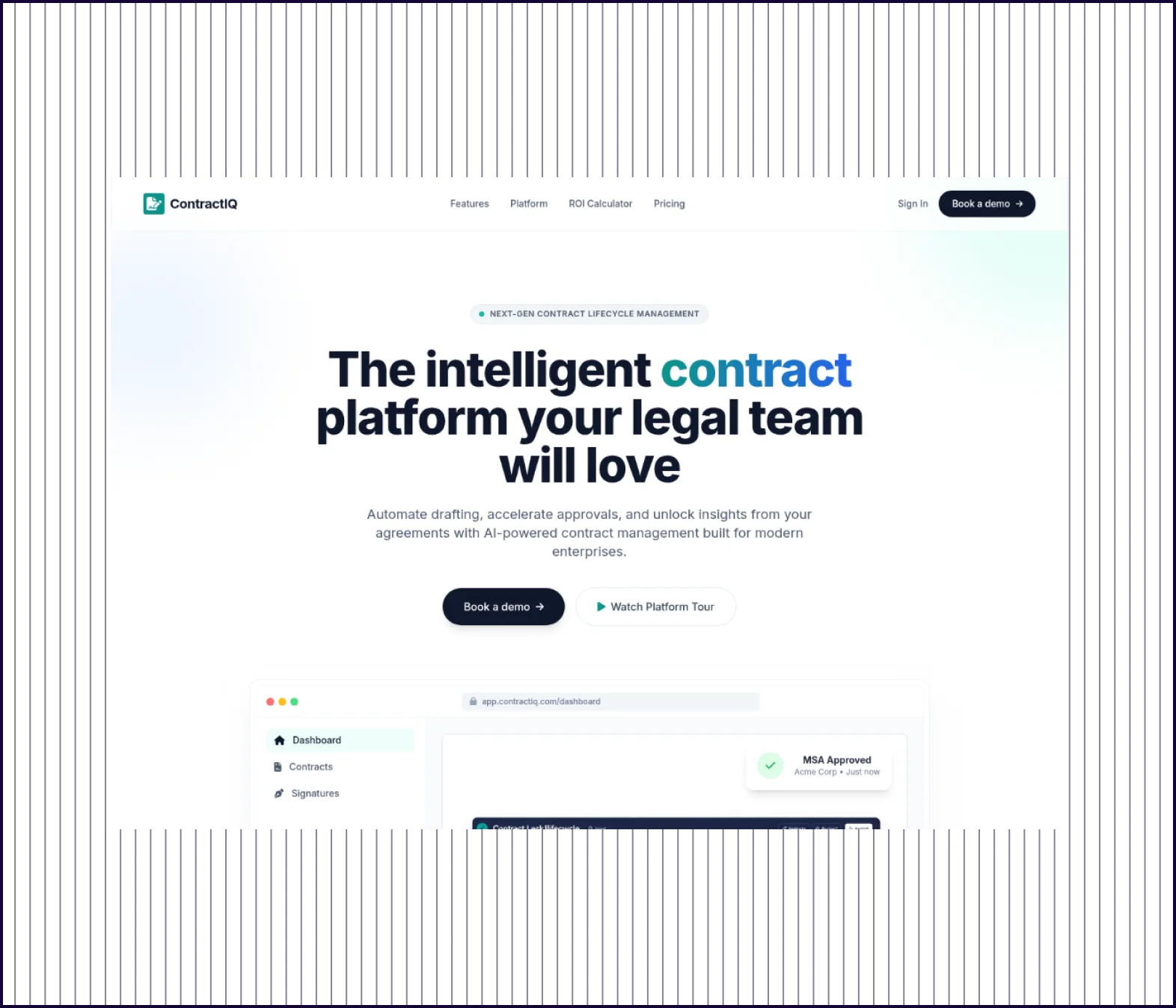 | 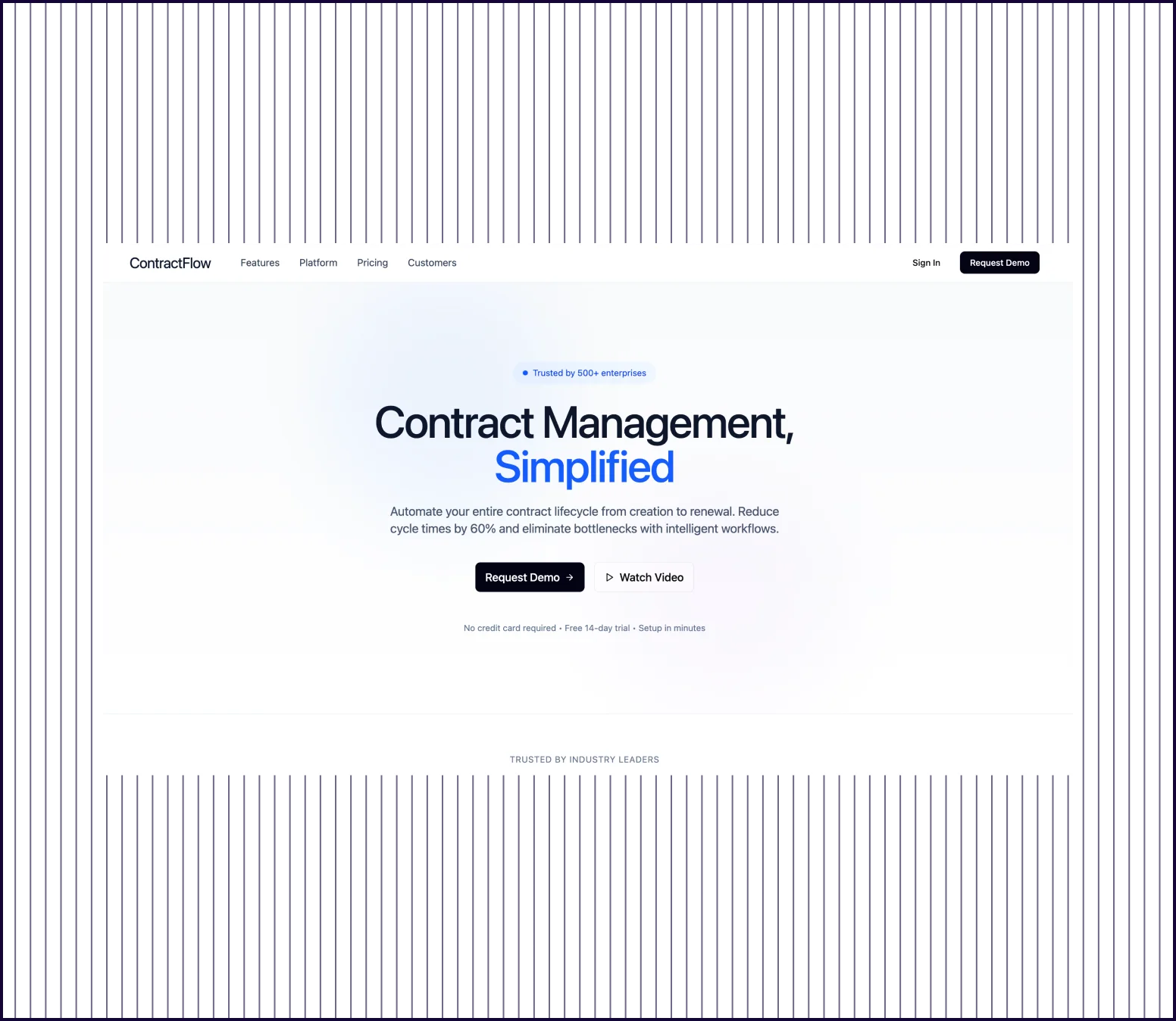 |
|---|---|---|
| Design quality | Full-length page with hero, features, ROI calculator, pricing tiers, and testimonials | Clean page with headline and CTA, but design is generic |
| Prompt Adherence | All requested sections present: hero, features, logos, ROI calculator, testimonials, pricing | Includes hero and CTA; missing ROI calculator, testimonials, pricing, and logos bar |
| Launch Readiness | Scroll-ready marketing page that could be presented to stakeholders as-is | Starting point that covers one viewport; significant sections still need to be built |
PROMPT 2: Desktop analytics dashboard for an employee engagement platform““Design a desktop analytics dashboard for a B2B employee engagement platform used by HR directors. Include a top nav with user profile, KPI summary cards for engagement score, eNPS, participation rate, and attrition risk, a trend chart showing engagement over 12 months, a department comparison table, an alerts sidebar, and a quick-action panel. Use strong data hierarchy and enterprise credibility.“ | 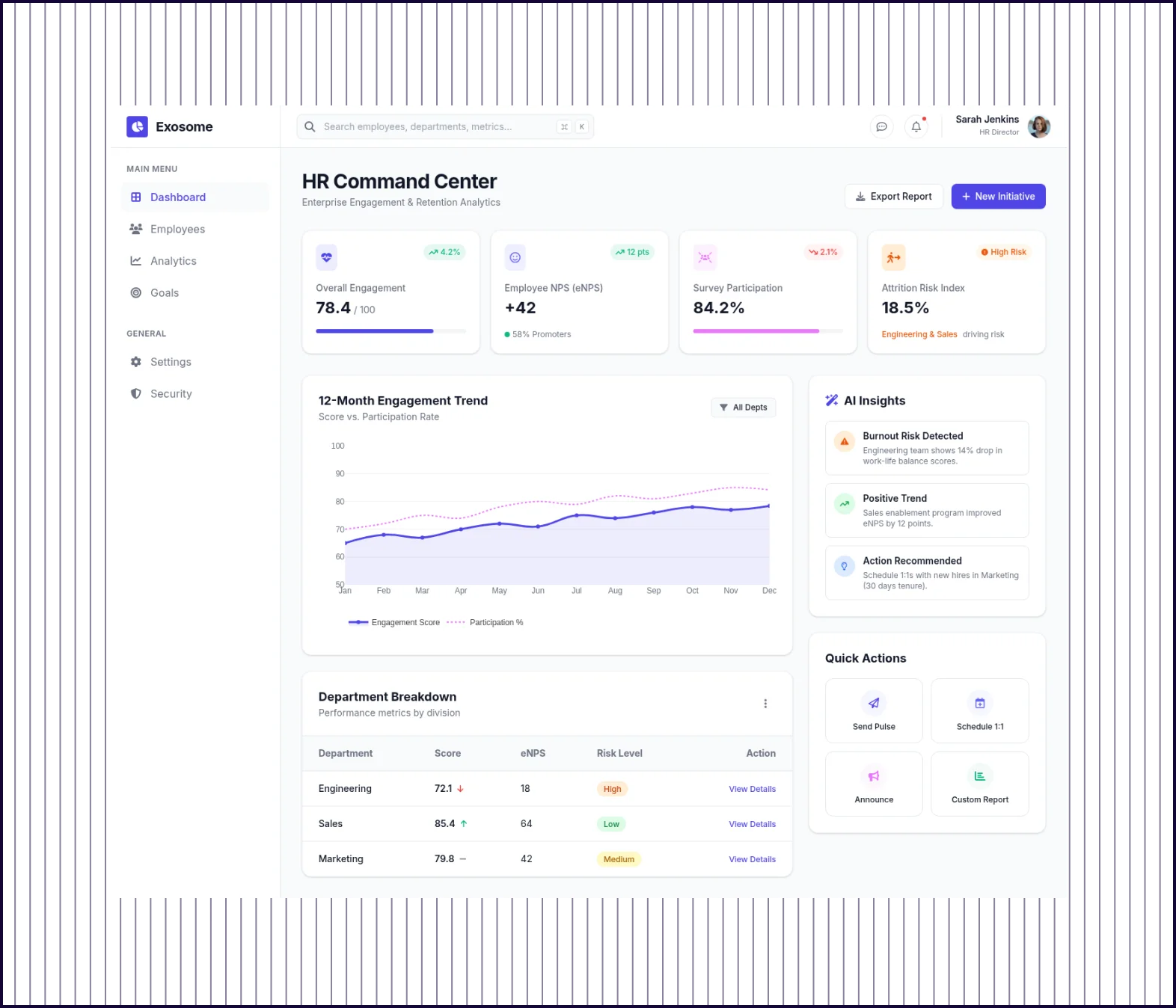 | 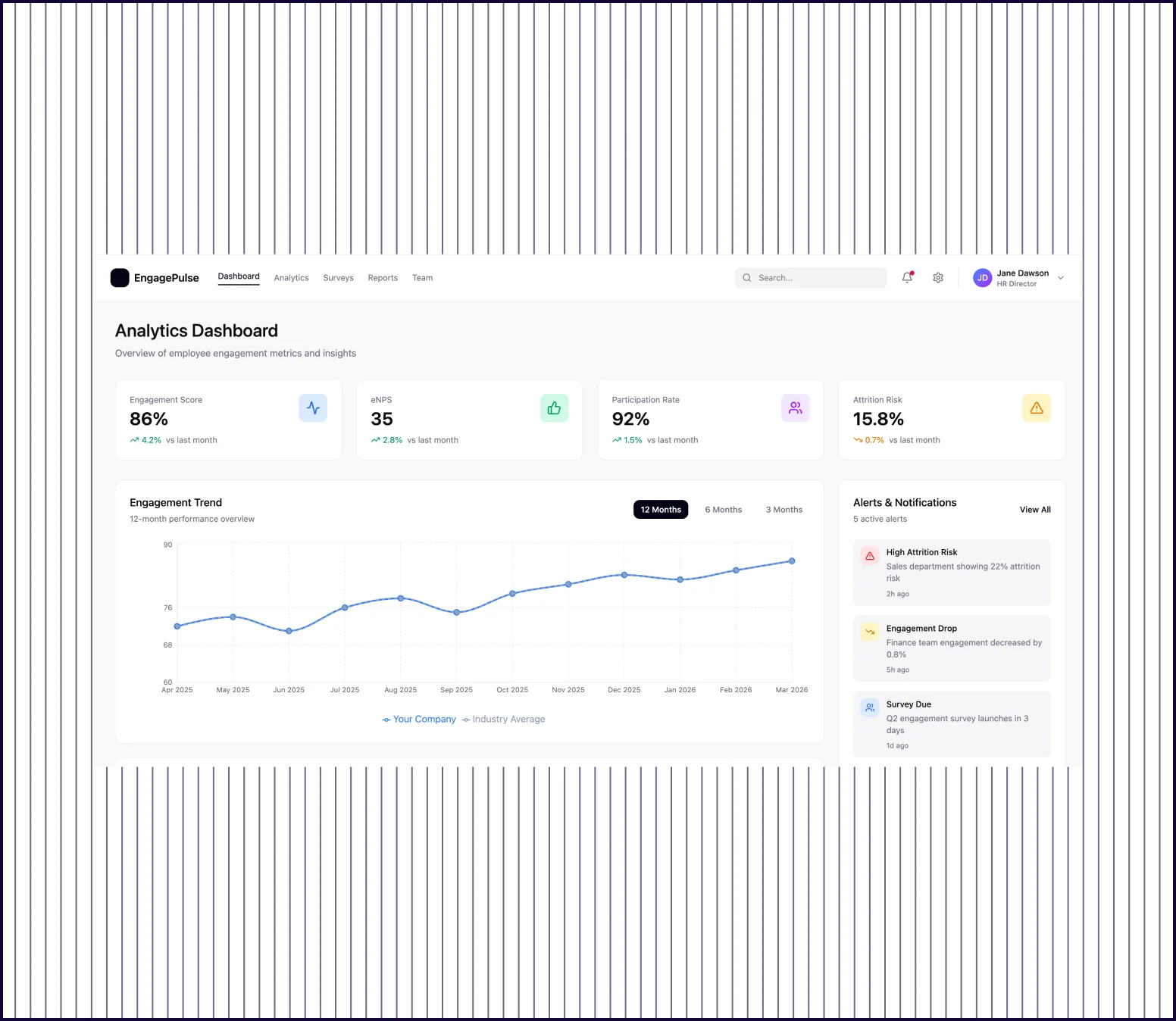 |
|---|---|---|
| Design Quality | Comprehensive dashboard with KPI cards, trend chart, AI insights, department table, and quick actions | Clean layout with KPI cards, trend chart, and alerts panel; well-structured data hierarchy |
| Prompt Adherence | All requested elements present including department breakdown table and quick-action panel | Includes KPI cards, trend chart, and alerts; department comparison table is minimal |
| Stakeholder Readiness | Production-ready interface with enough detail to hand off to development | Functional dashboard layout suitable for early design review |
PROMPT 3: 4-screen onboarding flow for a B2B team collaboration tool“Create a 4-screen onboarding flow for a B2B team collaboration tool. Include a welcome screen with value proposition, a team size and role selection step, a workspace customization step with integrations toggles, and a confirmation screen with next steps. Design for first-time admins setting up their organization. Keep it modern, scannable, and suitable for stakeholder review.“ | 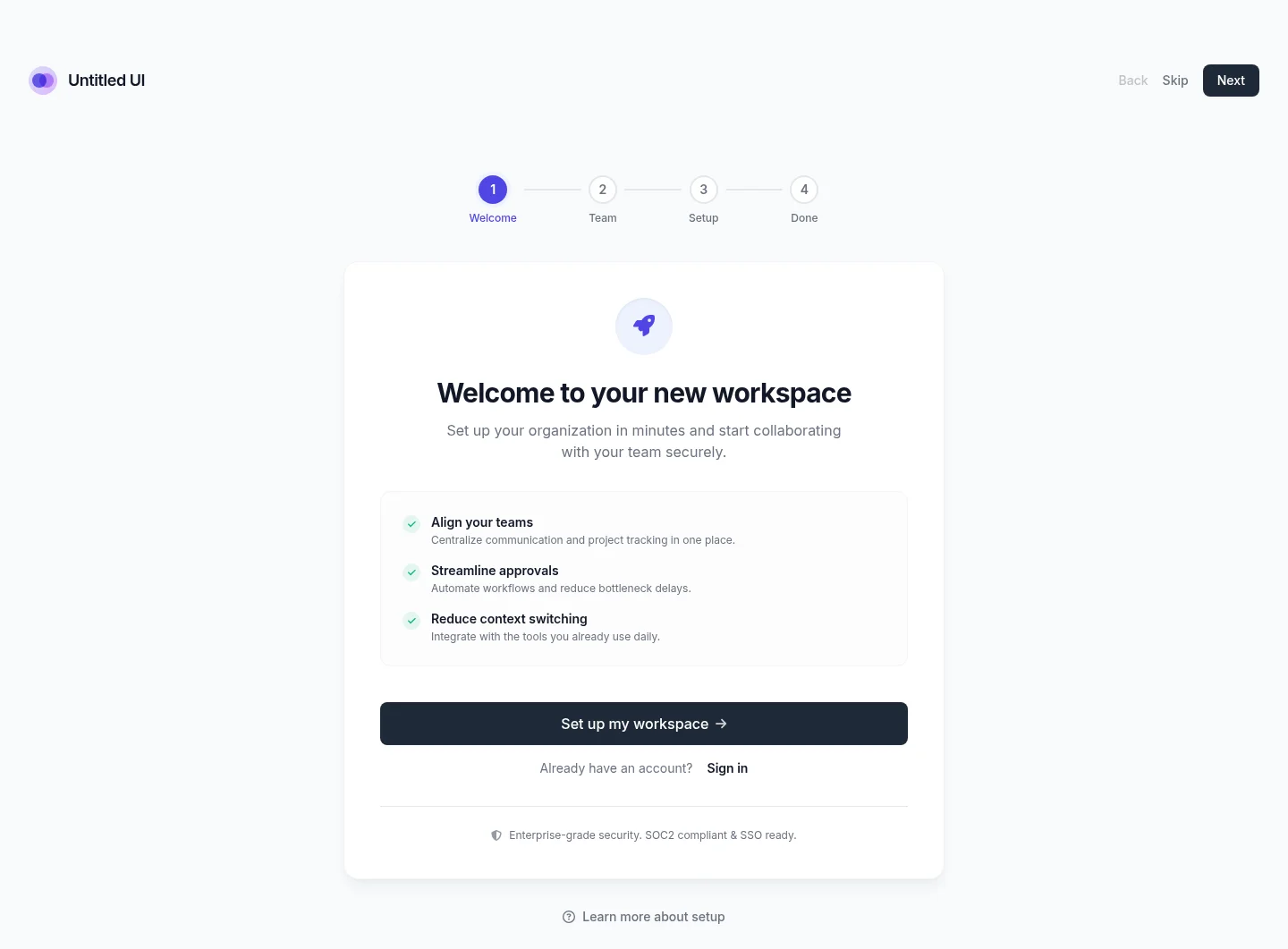 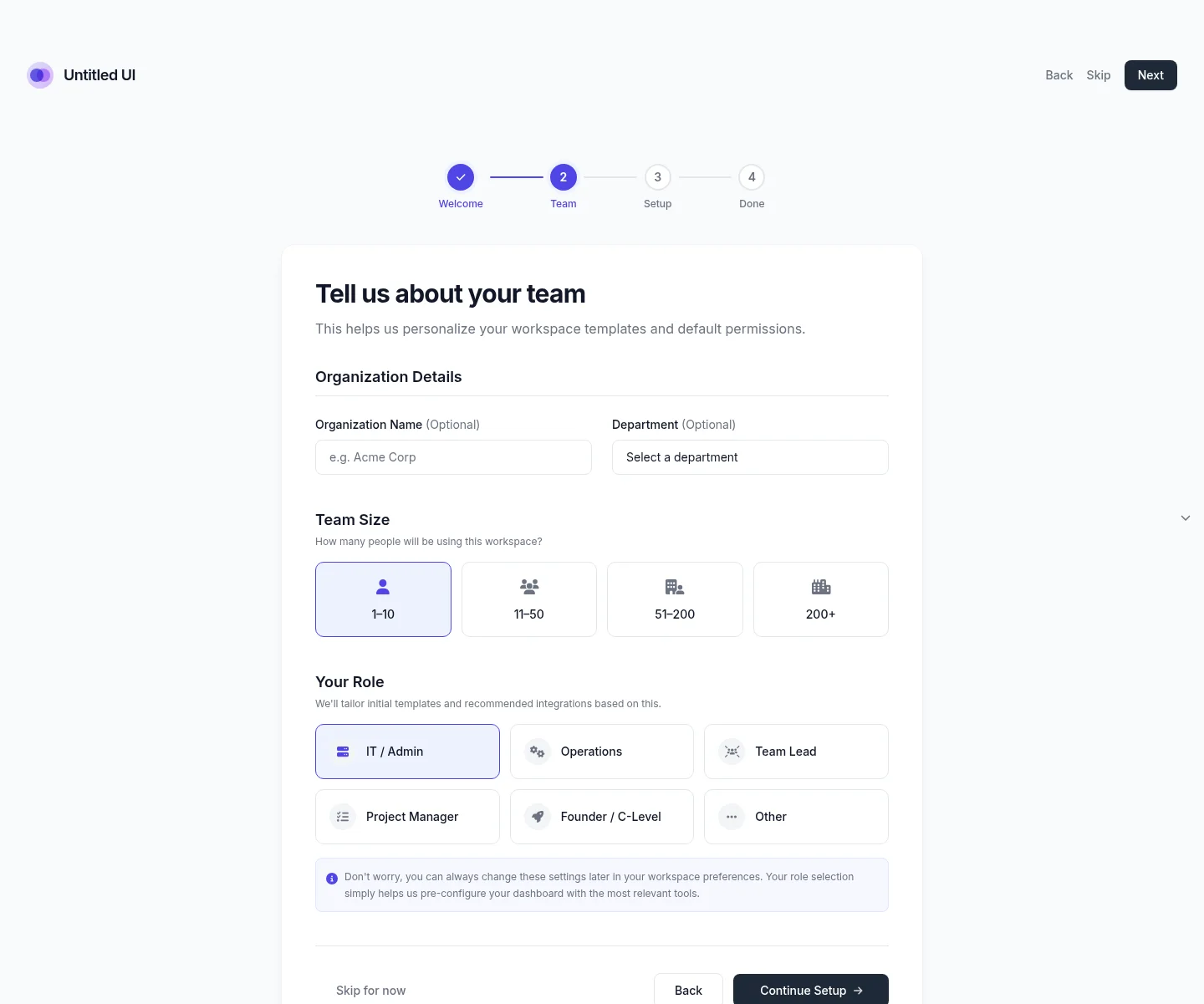 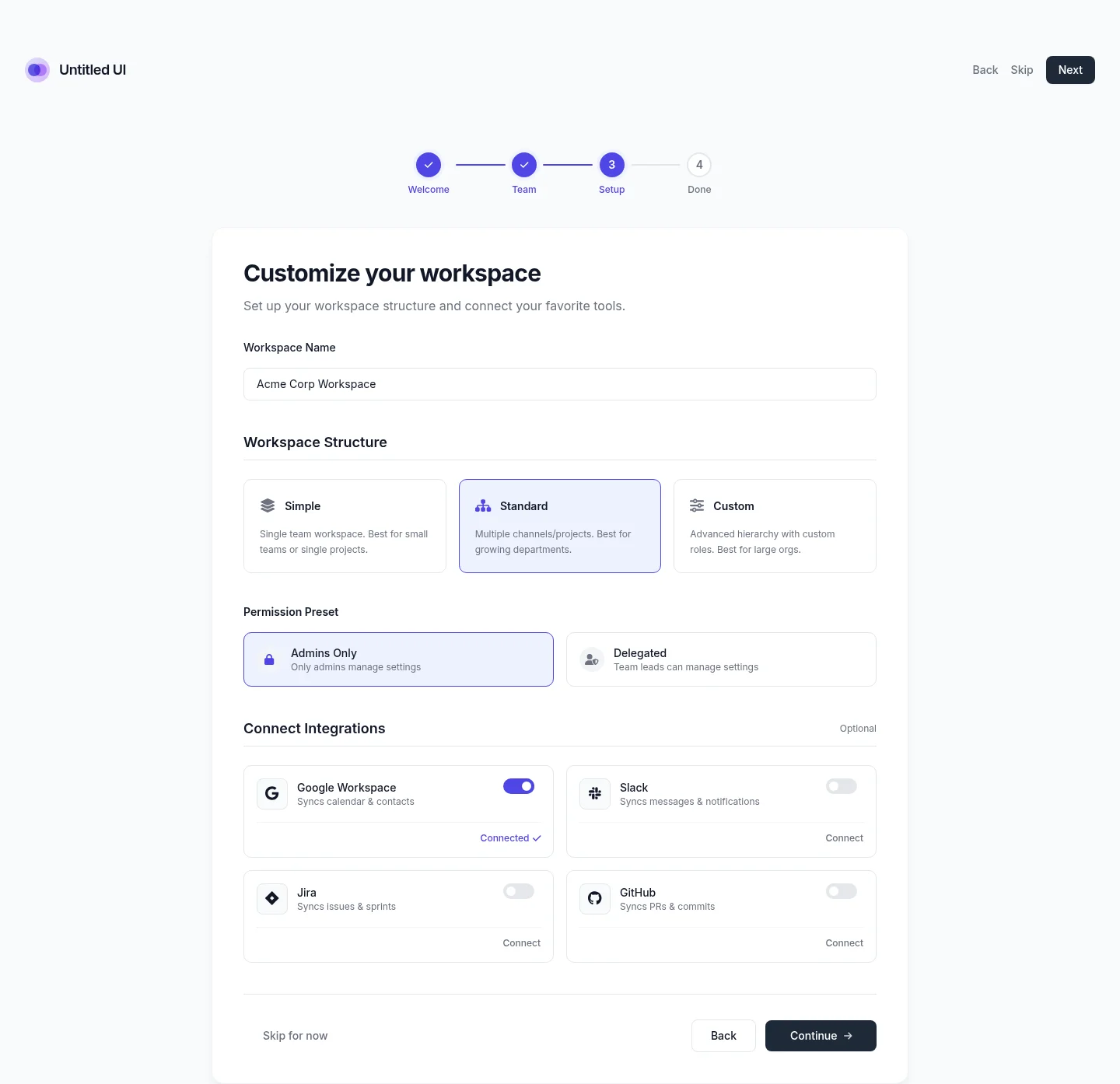 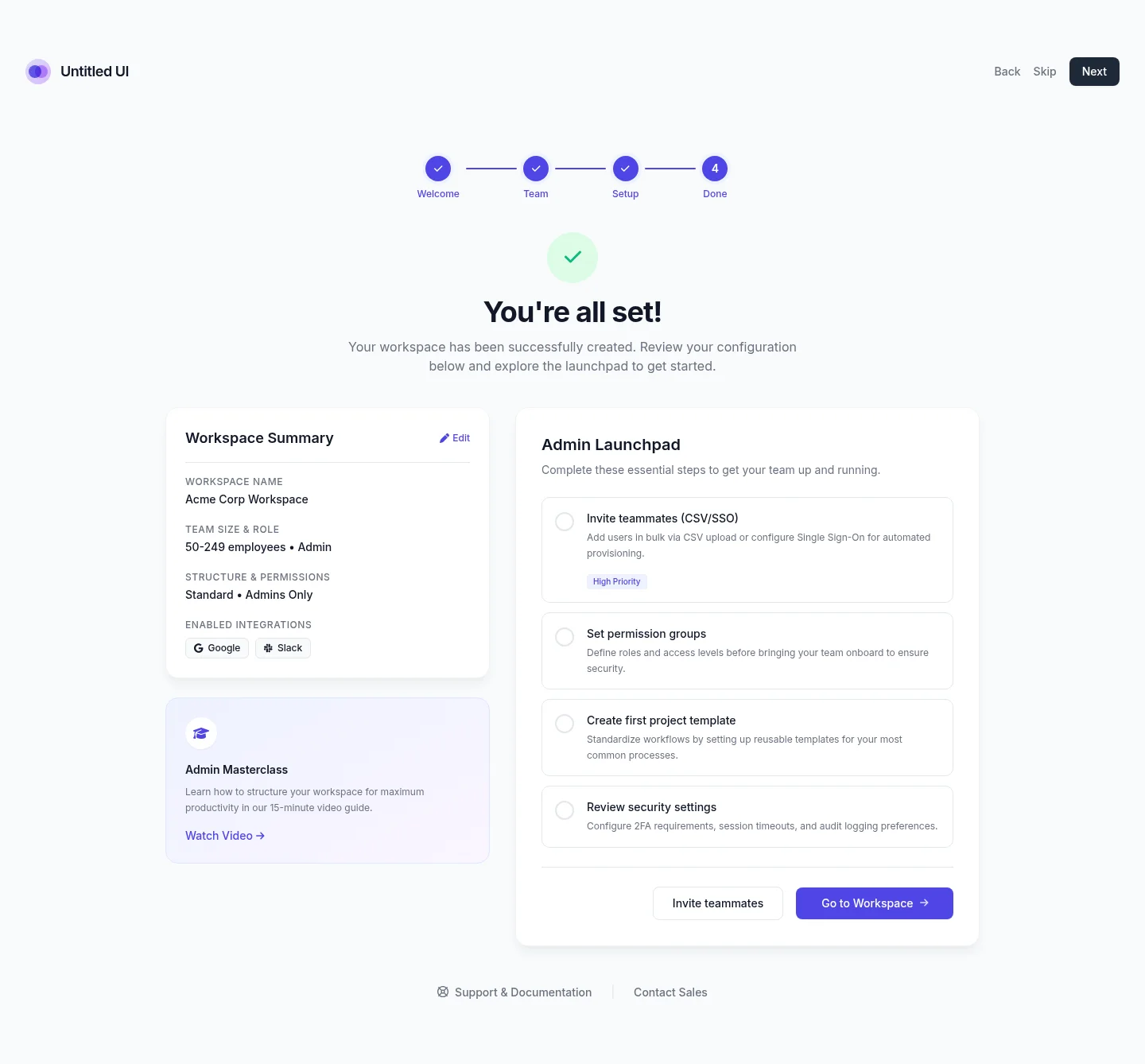 | 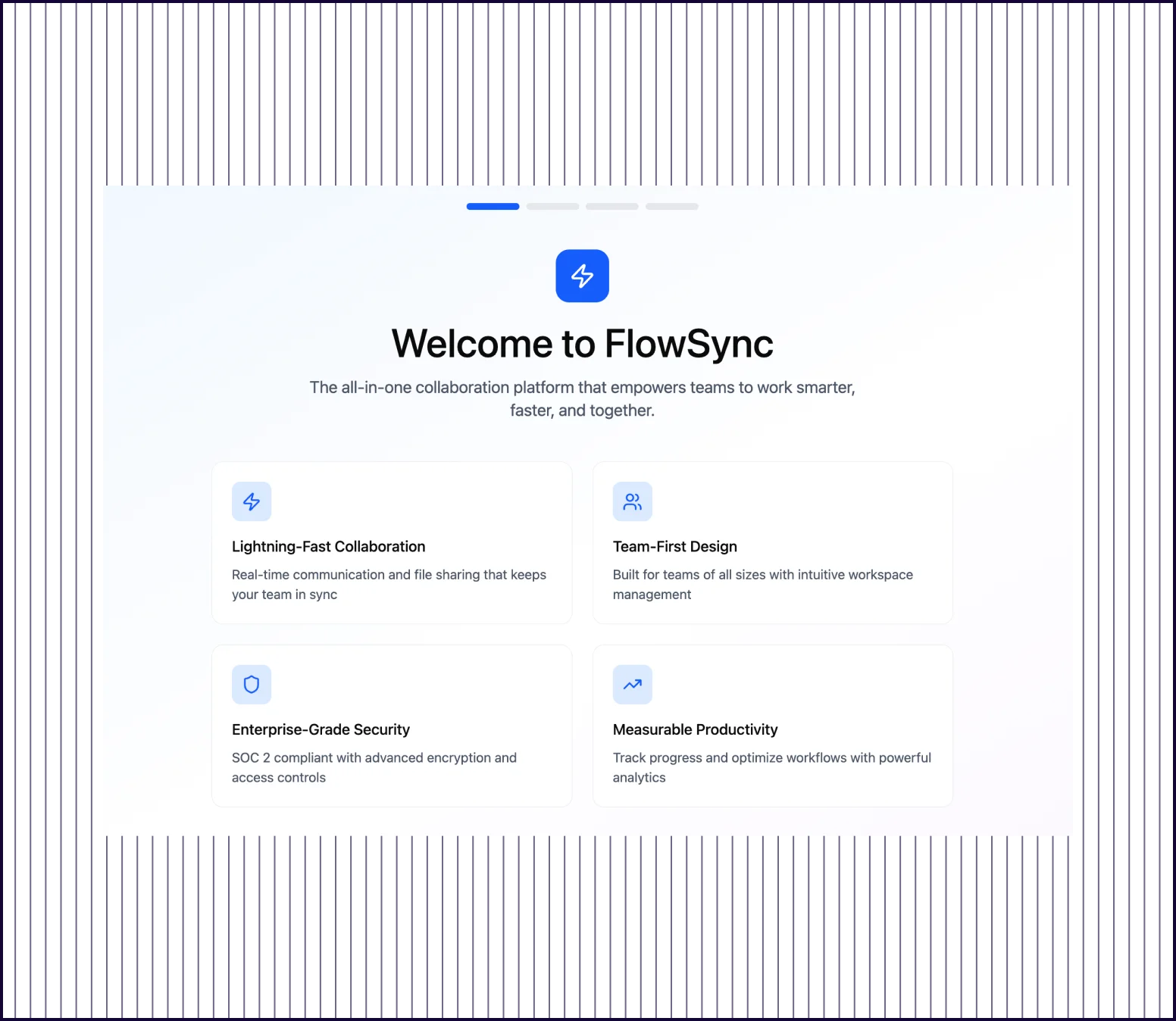 |
|---|---|---|
| Flow Completeness | Full 4-screen flow: welcome, team setup, workspace config, and confirmation with progress indicators | Generates a single welcome screen; does not produce a connected multi-screen flow |
| Prompt Adherence | Each screen matches the requested step with appropriate form elements, toggles, and CTAs | Welcome screen includes value proposition cards but remaining 3 screens are absent |
| Launch Readiness | Complete onboarding flow ready for stakeholder review or developer handoff | One screen that would need to be duplicated and manually adapted for each step |
PROMPT 4: Feature page for an AI-powered meeting notes product“Design a feature page for an AI-powered meeting notes product targeting sales leaders. Include a hero section with headline and product screenshot placeholder, a section showing how it works in three steps, a feature grid with six capabilities, a comparison table against manual notes, a testimonial block, and a bottom CTA. Keep the layout structured, credible, and optimized for scroll depth.“ | 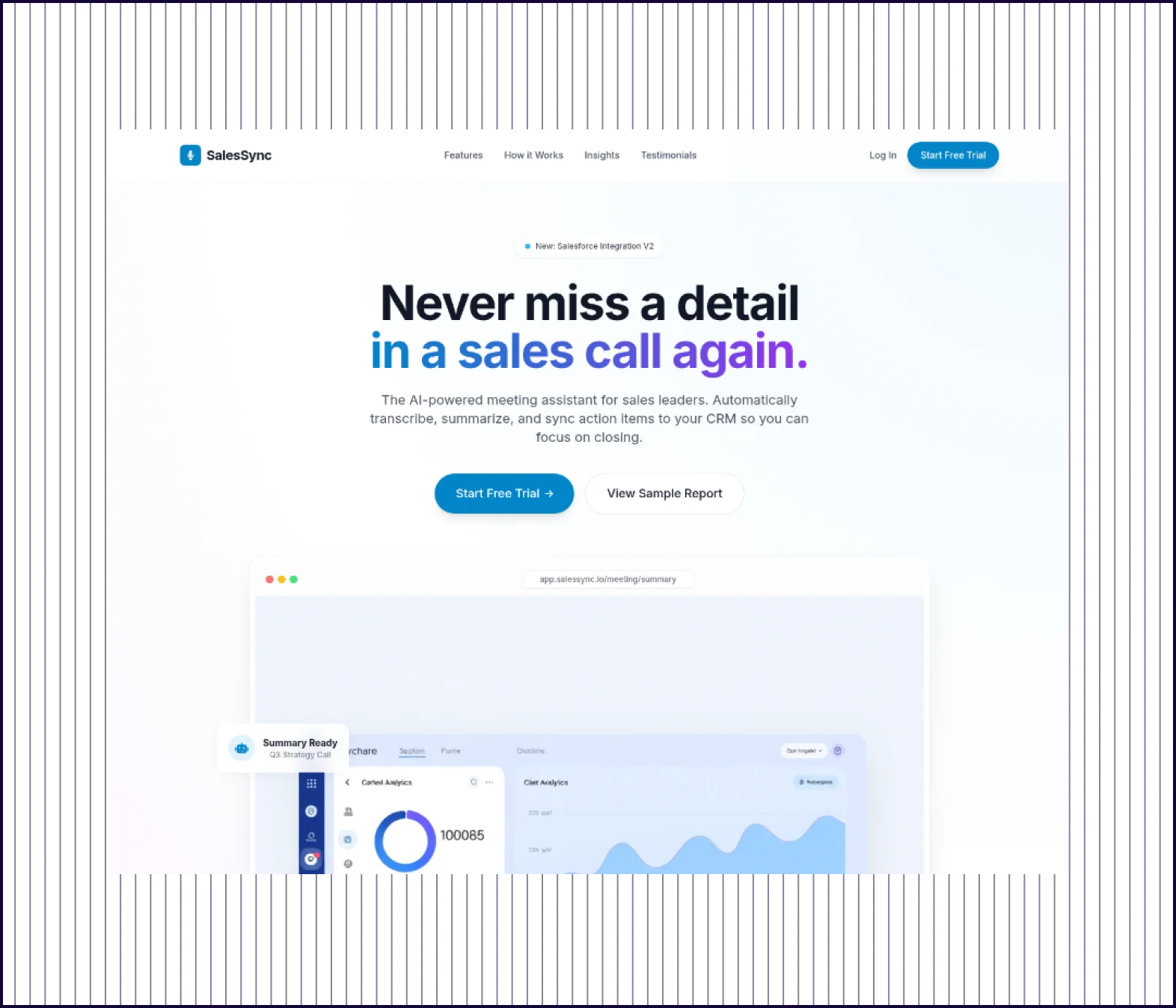 | 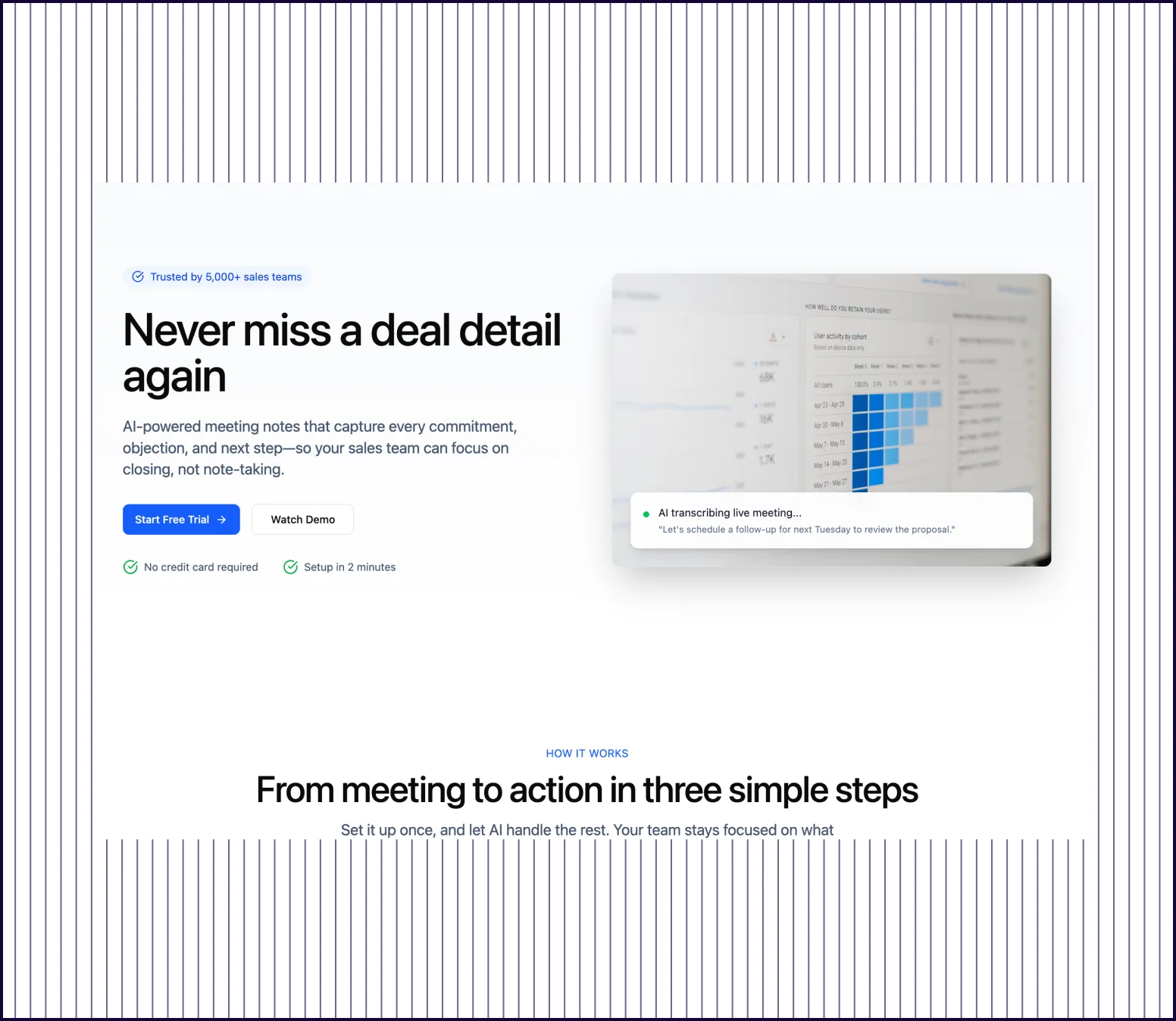 |
|---|---|---|
| Design quality | Full-length page with hero, three-step process, feature grid, comparison table, testimonials, and CTA | Strong hero section with headline, screenshot, and CTA; “how it works“ section starts below |
| Prompt Adherence | All six requested sections present with appropriate content and visual hierarchy | Hero and partial “how it works“ section visible; feature grid, comparison table, and testimonials missing |
| Launch Readiness | Complete feature page optimized for scroll depth, suitable for stakeholder presentation. | Partial page that covers the top section; remaining content needs manual creation. |
PROMPT 5: Clone designs from existing websites and references“Clone landing page designs from Zoom.com“ | 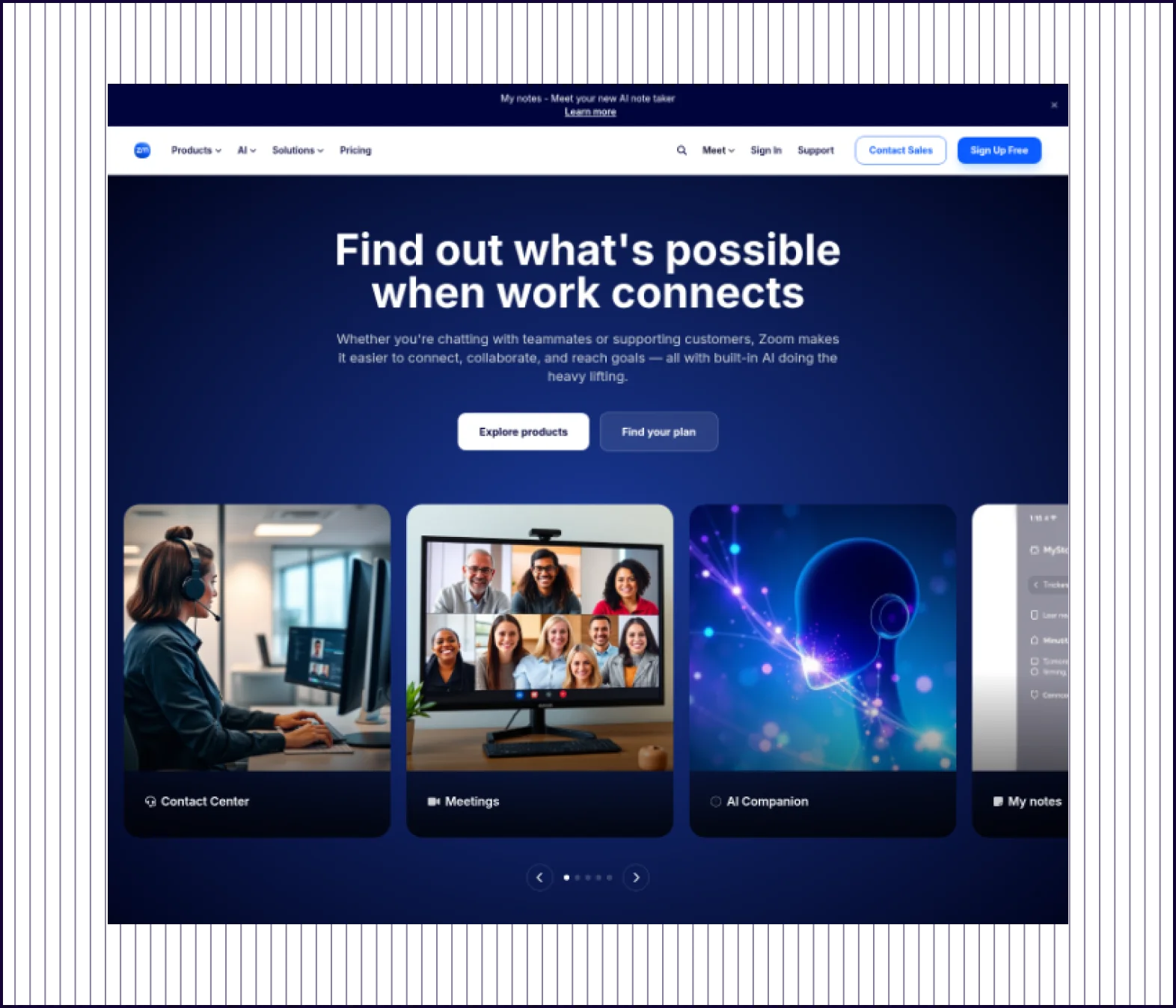 | 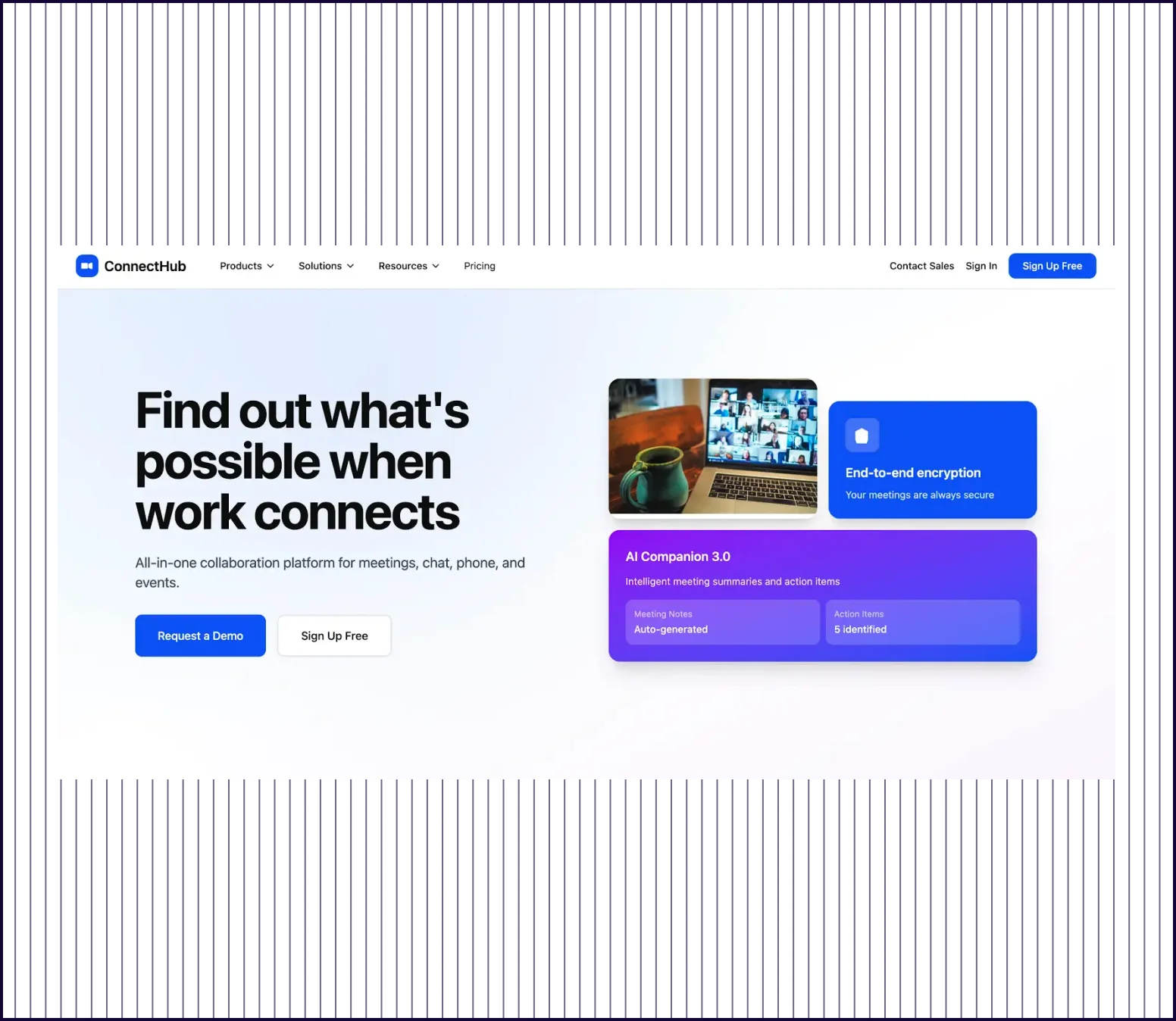 |
|---|---|---|
| Design Quality | Close reproduction of Zoom's homepage layout, color palette, hero imagery, and section structure. | Produces a generic “ConnectHub“ page loosely inspired by Zoom's layout and color scheme |
| Prompt Adherence | Captures Zoom's headline, navigation structure, feature sections, and visual identity with high fidelity | Interprets the request as “create something similar“ rather than cloning the actual site |
| Launch Readiness | Recognizably similar to zoom.com; usable as a starting point for redesign or competitive analysis | A new design inspired by Zoom; would not be recognized as a clone of the original |
What makes UX Pilot different from Figma Make?
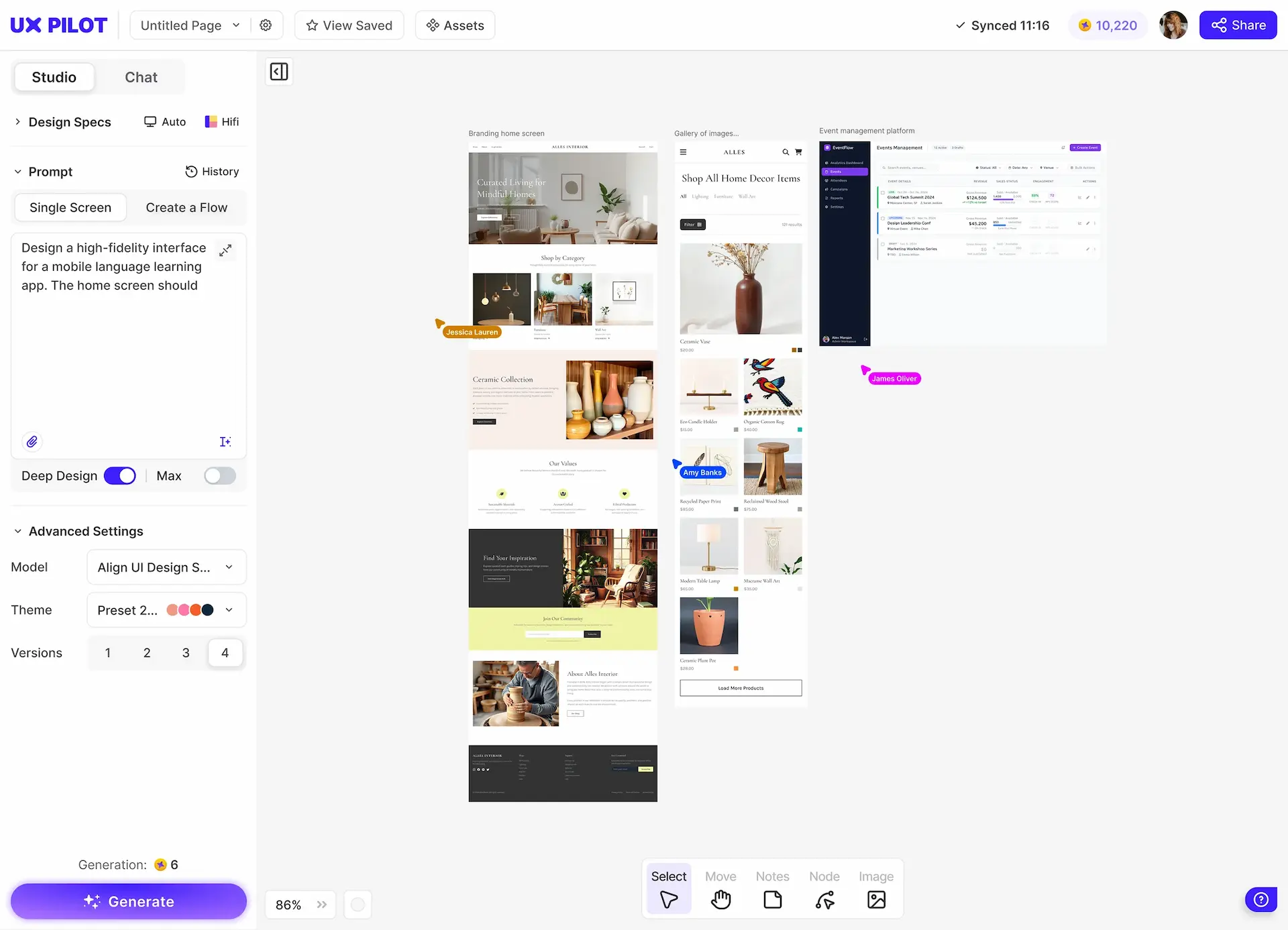
UX Pilot is a standalone AI design platform, while Figma Make is an AI feature within Figma's broader product suite. When you enter a prompt, UX Pilot generates complete, structured screens and flows that closely match what you described. Figma Make generates React components that often require additional prompting or manual assembly to reach the same level of completeness.
UX Pilot is also more accessible for teams without deep Figma expertise. There is no assumption that you have a design system already configured or that your team works in React.
Full-page and full-flow output from a single prompt
Figma Make generates clean layouts, but its output typically covers a single viewport or screen. UX Pilot generates the entire page, including sections further down the scroll. For multi-screen flows, Figma Make does not currently support connected screen generation. UX Pilot's flow feature produces all screens in a flow with consistent styling and progress indicators.
Clone, redesign, and explore variations without starting from scratch
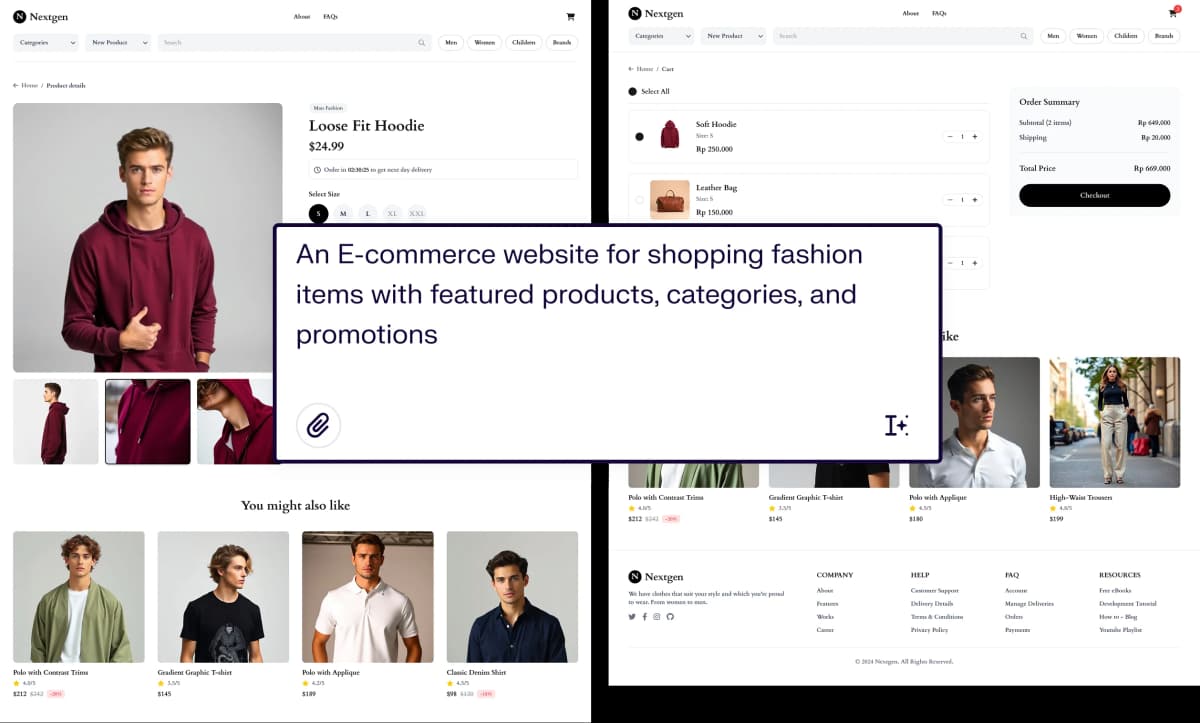
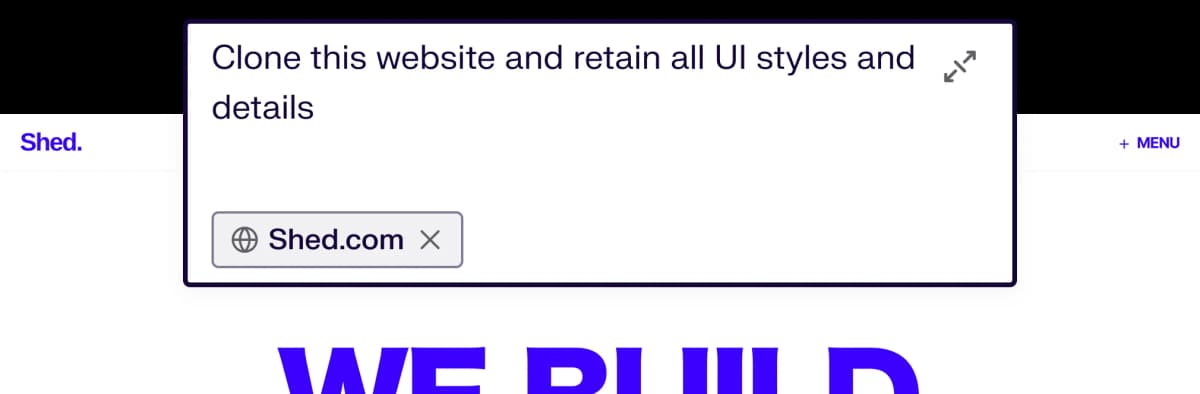
UX Pilot lets you paste a URL or upload a screenshot and generates an editable, high-fidelity reproduction of the design. This is useful for competitive analysis, redesign projects, or building on existing patterns. Figma Make interprets reference prompts more loosely, producing original designs that are inspired by but not faithful to the source material. UX Pilot also generates multiple design variations from a single prompt, letting you compare directions before committing.
Validation tools built into the design workflow
UX Pilot includes predictive heatmaps that show where users are likely to focus their attention, automated accessibility reviews, and layout feedback. These features help teams test assumptions before building anything.
Design systems in UX Pilot
Bring your design system, or build one
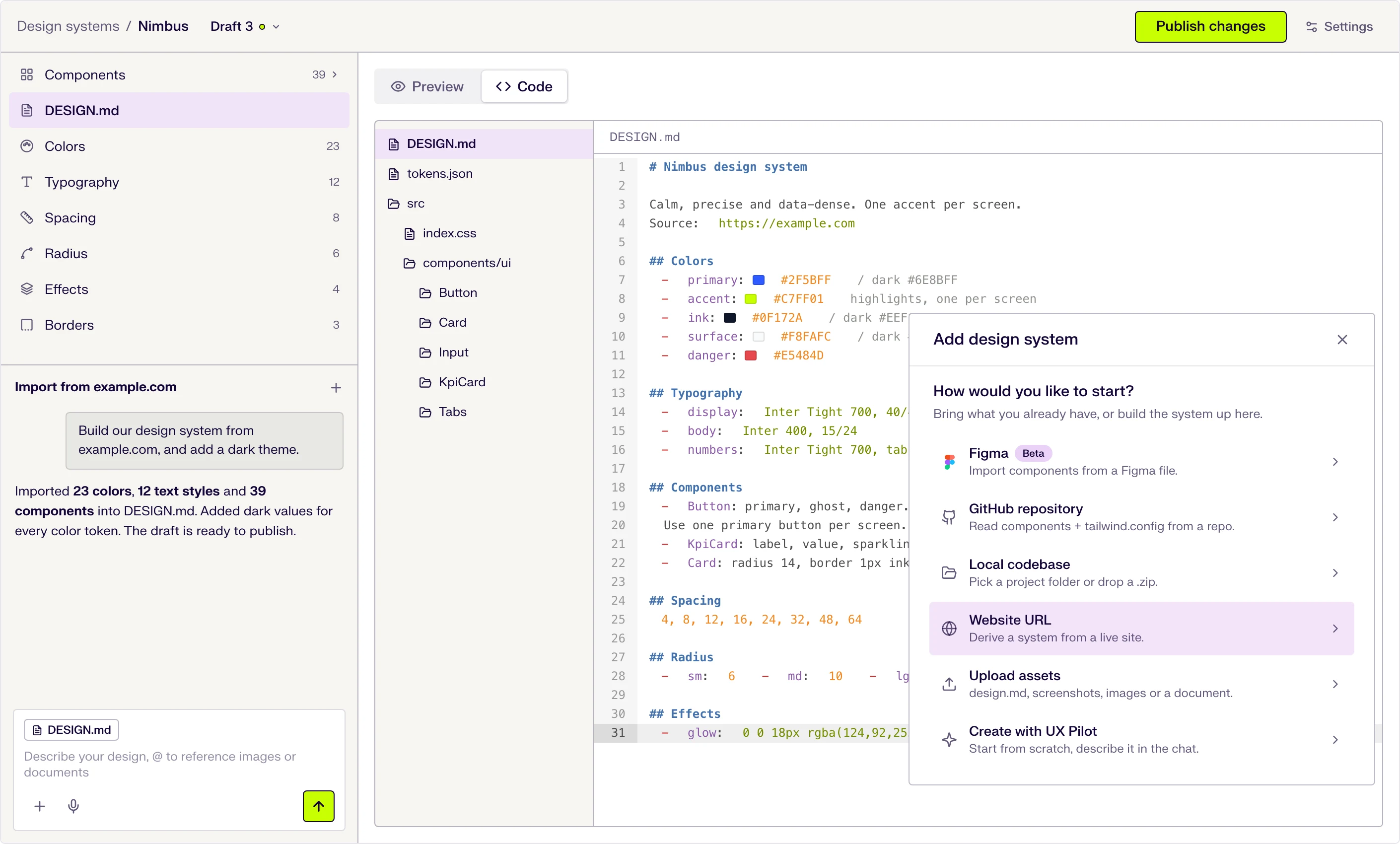
Start from scratch with AI, or import from a website, a Figma file, a GitHub repository, your codebase or a DESIGN.md. New screens then use your tokens and components.
Six ways to start
Describe it in the chat, or import from a website URL, a Figma file (beta), a GitHub repository, a local codebase or uploaded files.
DESIGN.md at the core
Tokens and usage guidance live in one DESIGN.md file that the AI follows when it designs. Edit a token and the file updates.
Draft, publish, repeat
Changes stay in draft until you publish them, and version history keeps every release.

Kresimir Retih,
Project Manager"It has been a game-changer for me! Since signing up, my workflow has become much smoother, and my productivity has increased significantly. I love how intuitive and user-friendly the platform is, making UX tasks much easier and more efficient. Highly recommend it to anyone looking to streamline their UX process!"
What makes UX Pilot a great Figma Make alternative?
UX Pilot is a standalone design environment where you can go from idea to complete design without prerequisite tooling. Figma Make is an AI layer inside Figma's ecosystem, optimized for teams already embedded in that workflow.
Like Figma Make, you can generate screens from prompts, iterate with natural language, and export your work. But with UX Pilot, you can also generate complete multi-screen flows, clone existing websites, create design variations, run predictive heatmaps, and get automated design reviews, all from within a single tool.
From concept to complete screens in seconds
UX Pilot is built for speed at the ideation stage. You describe a product, page, or flow in plain language and receive a coherent, multi-section design in seconds. This makes it practical to explore multiple directions, test hypotheses, or unblock stakeholder discussions without configuring a design system or writing React components first.
Presentation-ready output for stakeholder alignment
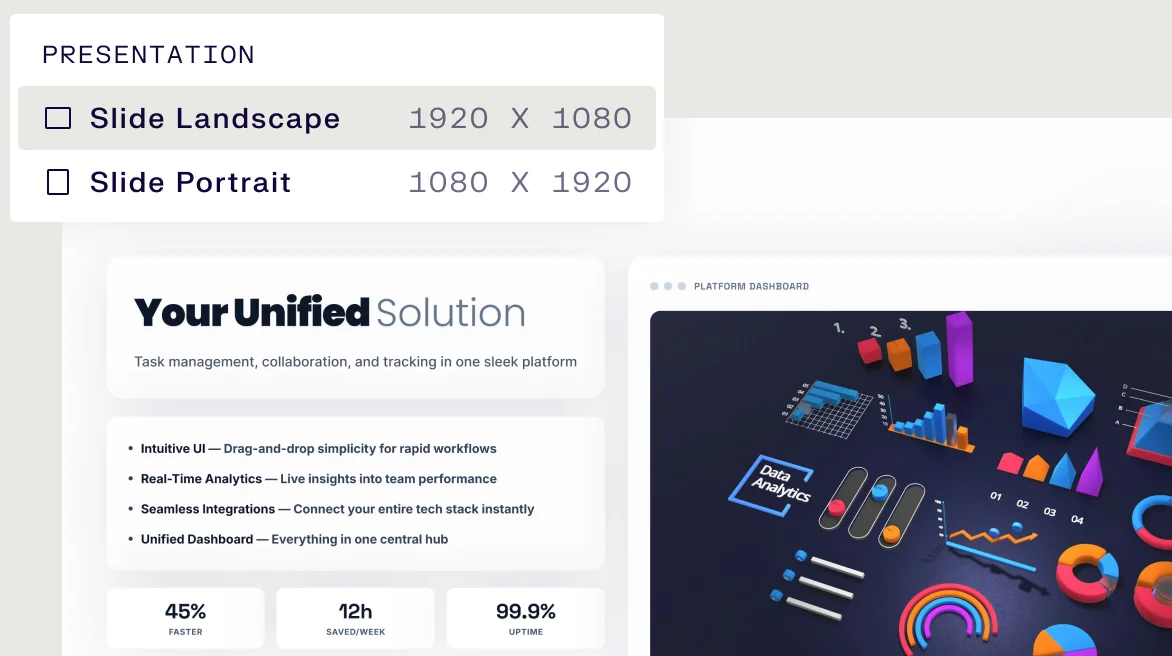
UX Pilot's designs are visually complete enough to share with stakeholders, clients, or investors immediately after generation. The layouts include realistic content, proper hierarchy, and consistent styling.
Explore alternatives with variations and cloning
UX Pilot generates multiple variations from a single prompt, letting you compare layout approaches side by side without regenerating from scratch. The cloning feature lets you start from an existing design or competitor's site and iterate from there. These workflows help teams move through the exploration phase faster and with more options on the table.
Free Plan differences
Both tools offer free tiers that let you try AI design generation before committing to a paid plan.
Figma Make's AI credits are shared across all Figma AI features, including search, auto-layout suggestions, and other AI-powered tools within Figma. This means design generation in Make competes with other AI usage across the platform. UX Pilot's credits are dedicated entirely to design generation.
Figma Make requires a Figma subscription as a prerequisite. For teams that do not already use Figma for their design workflow, this adds cost and onboarding. UX Pilot does not require prerequisite subscriptions.
UX Pilot vs Figma Make: Which is right for me?
Figma Make is the right choice if your team already works in Figma and wants AI to accelerate parts of your existing workflow. It connects to your design system libraries, generates React components, and fits naturally into a Figma-centered process.
UX Pilot is a better fit if you need complete designs from a single prompt, want to generate multi-screen flows, or need to move from idea to stakeholder-ready output without configuring a design system first. It is also the stronger choice for website cloning, design variations, and built-in validation features like predictive heatmaps.
Frequently asked questions
Everything you want to know about UX Pilot vs Figma Make
From prompt to production-ready design
Whether you are building landing pages, product interfaces, or user flows, with UX Pilot, you skip the rough draft stage and start with something you can actually present, test, or hand off.
Generate designs in seconds