Uizard
Uizard Head to Head Comparison of Features, Alternatives and Pricing
No credit card needed
At a glance: UX Pilot vs Uizard feature comparisons
| Compare Features |  |  |
|---|---|---|
| Natural language editing | Advanced | Basic |
| Prompt adherence | Full | Partial |
| Output quality | Production-ready | Prototype-level |
| Screen generation speed | Seconds | >1 minute |
| High-fidelity UI generation | Limited | |
| Design variations | Limited | |
| Import your own components | ||
| Export to Figma | Export directly with plugin | Export as SVG then import |
| Design system setup | Enterprise only | |
| Team collaboration | Teams plan | Business plan and above |
| Shared pool of credits | Teams plan | |
| Custom integration | Teams plan | Enterprise only |
| Seats and roles management | Teams plan | Enterprise only |
Immersive websites, made in UX Pilot
Websites with motion and depth
UX Pilot designs immersive marketing sites too, with bold type, depth and motion.
Real estate
Made in UX PilotProduct launch
Made in UX PilotE-commerce
Made in UX PilotDesign studio
Made in UX PilotTravel
Made in UX PilotFintech
Made in UX PilotFashion lookbook
Made in UX PilotMusic festival
Made in UX PilotArchitecture studio
Made in UX PilotFashion drop
Made in UX PilotAudio hardware
Made in UX Pilot
UX Pilot vs Uizard: Design Output Comparison
We compared results for the same prompts for a variety of scenarios.
PROMPT 1: Landing Page for a SaaS Marketing Website“Design a modern SaaS landing page for a B2B project management tool for remote teams. Include a hero section, value proposition, key features, social proof, pricing overview, and clear CTA. Style should be clean, professional, and conversion-focused, optimized for desktop with responsive layout considerations.“ | 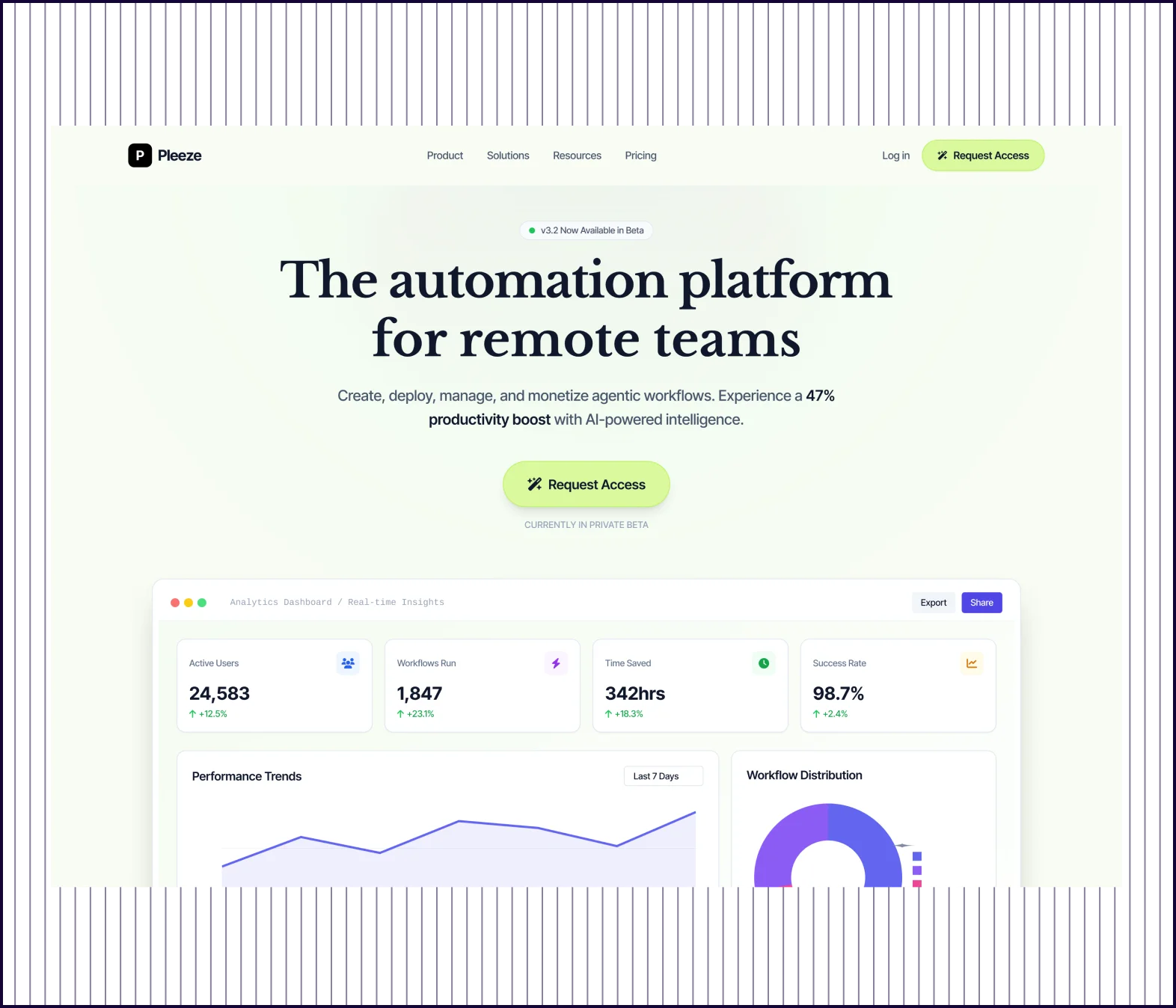 | 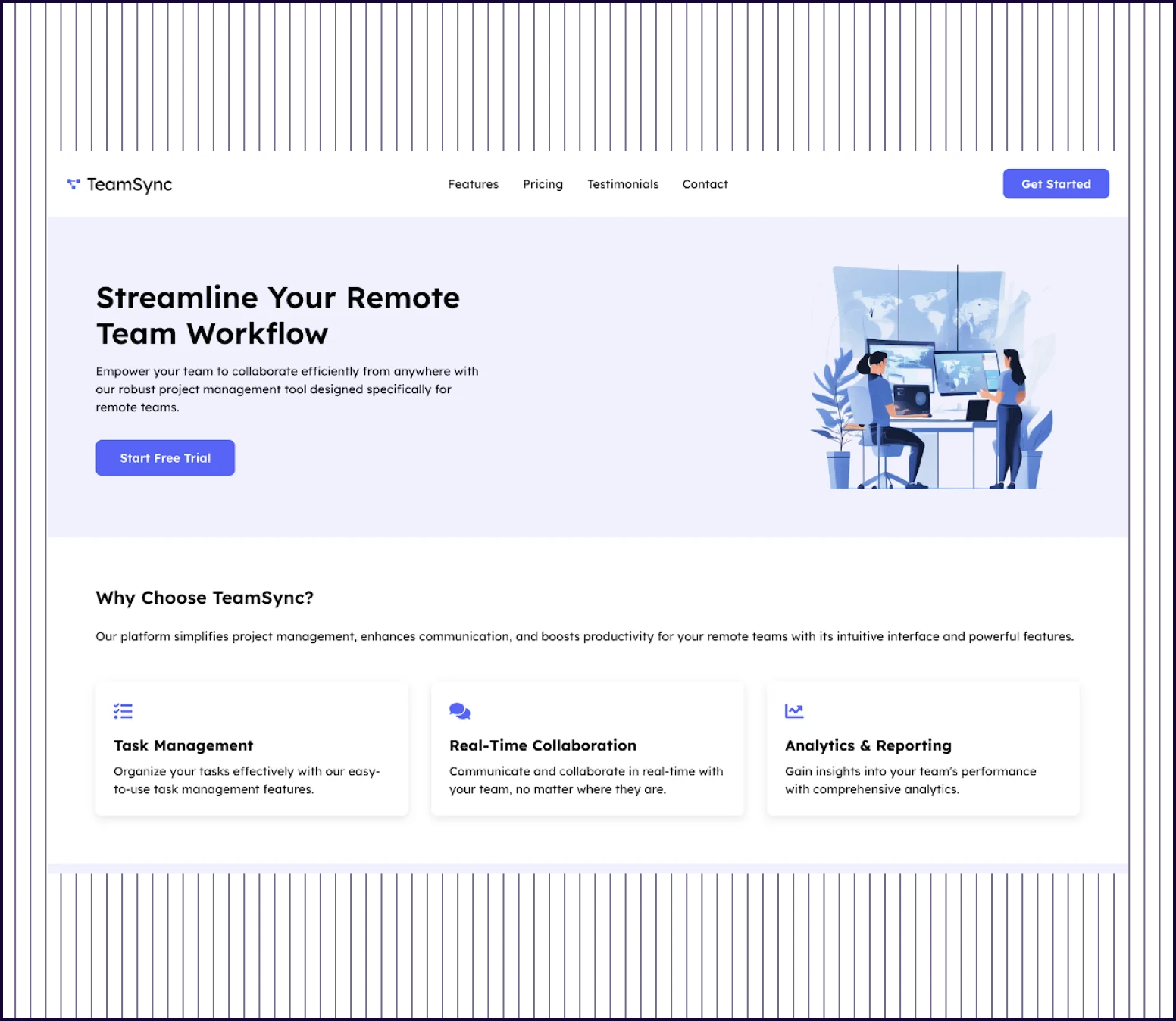 |
|---|---|---|
| Design quality | Visually rich landing page with data visualization, integration grids, and high-fidelity graphics. | Basic, text-heavy layout with standard sections. |
| Information Architecture | UX Pilot offers compelling, specific value propositions like “47% productivity boost,“ “AI-powered intelligence,“ and “Enterprise-grade security“. | Uizard provides generic benefit statements about “simplifying project management.“ |
| Content Depth | UX Pilot guides the user from awareness to technical validation to risk minimization and education with FAQs. | Uizard is very text-heavy but leaves gaps in positioning the product, assuming the user is ready to buy. |
| Launch Readiness | UX Pilot's page includes a “Contact Sales“ option and 14-day free along with detailed metrics, and a library of integrated tools. | Uizard's page looks like a “Minimum Viable Page“ covering the basics. |
PROMPT 2: Mobile App Onboarding Screen for a Finance App“Design a mobile app onboarding screen for a personal finance app that helps users track expenses and set monthly budgets. The design should feel friendly, simple, and trustworthy, with clear copy, strong visual hierarchy, and a smooth progression toward account creation.” | 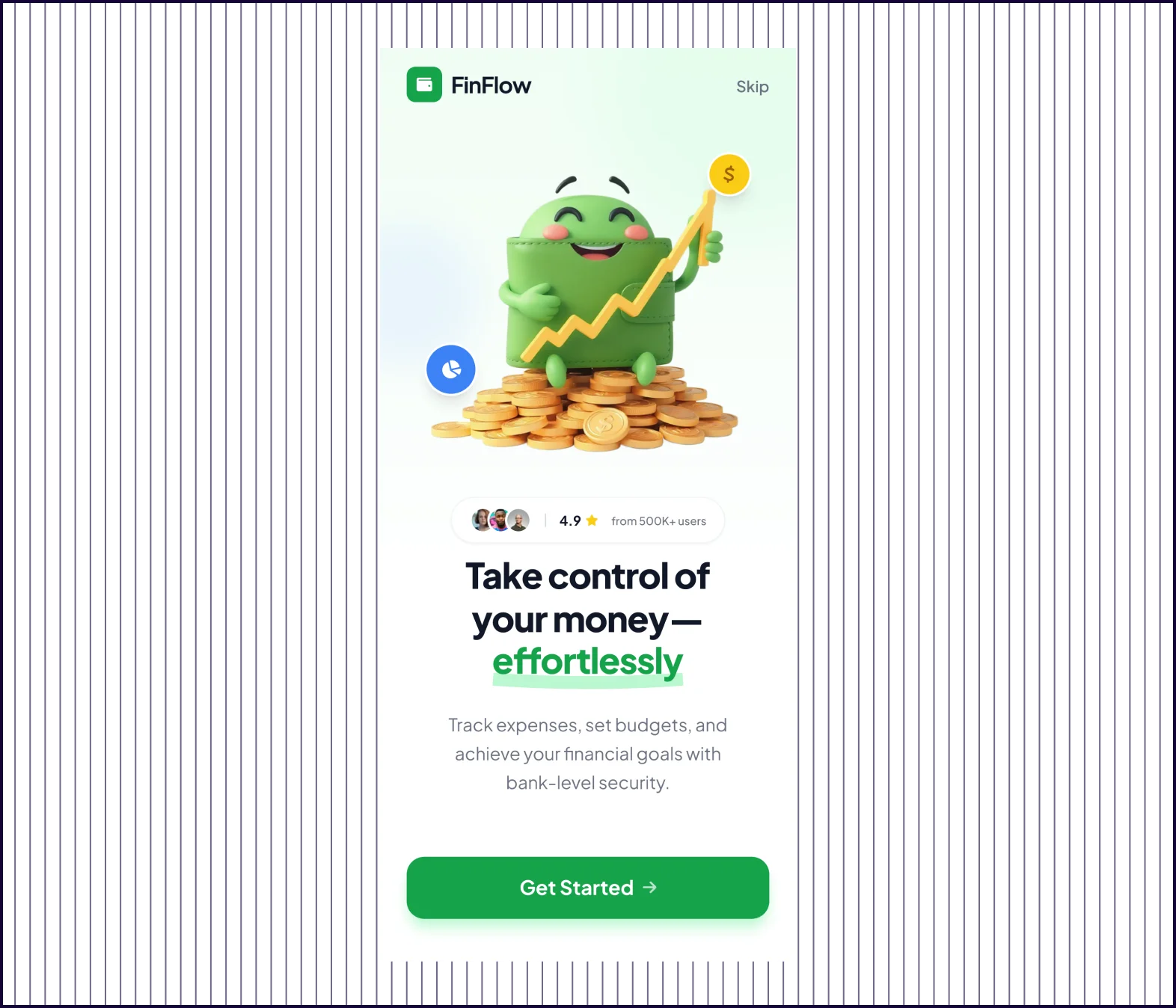 | 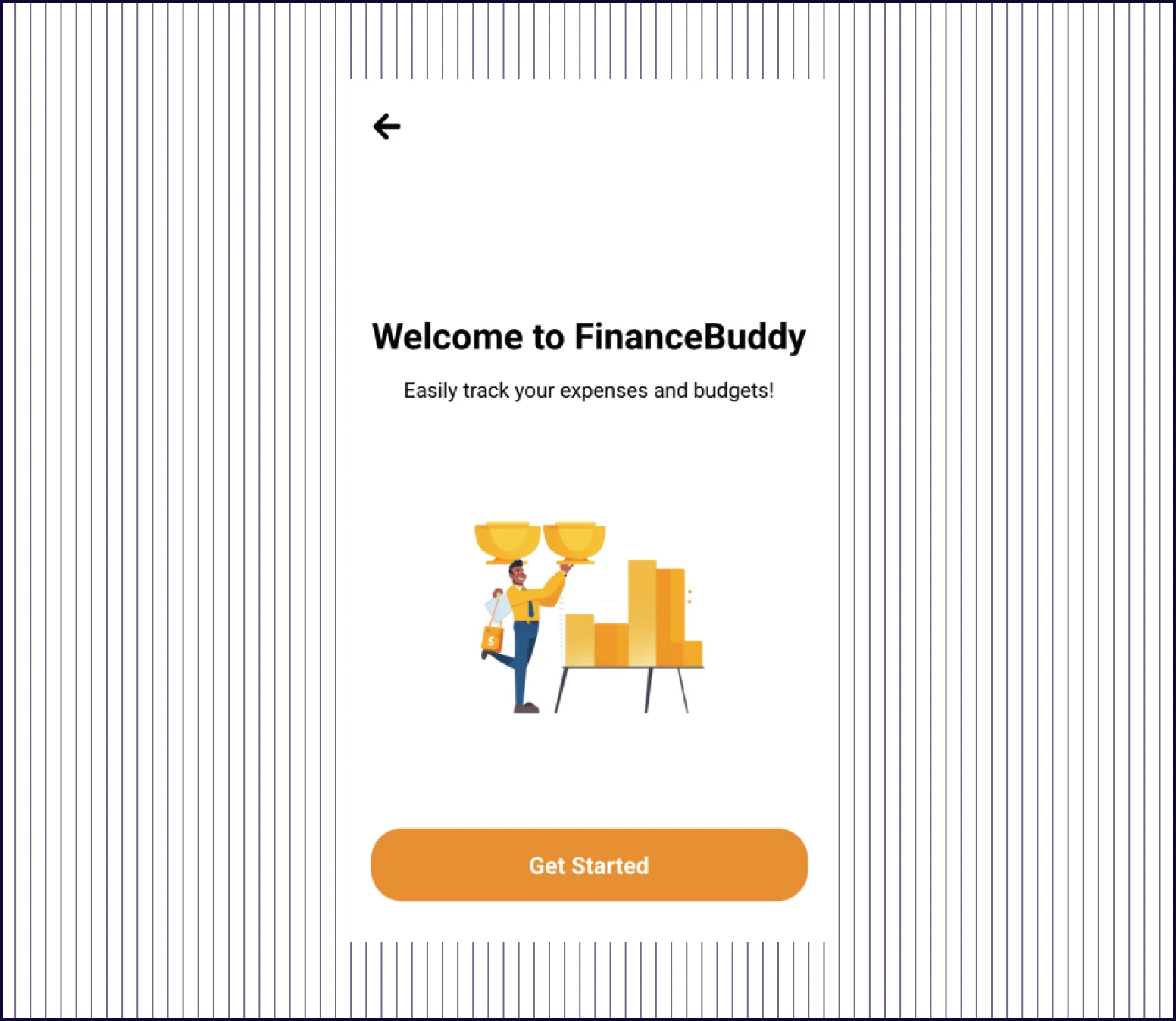 |
|---|---|---|
| Design quality | Polished high-fidelity screens with 3D graphics, gradients, and modern components | Basic flat illustrations with simple icons and standard UI patterns |
| Visual Hierarchy | Clear focal points, contrast, and visual weight guide users through each screen | Even spacing with minimal emphasis—nothing draws the eye first |
| Content Depth | Specific value props like “500K+ users,“ “4.9 rating,“ and “bank-level security“ | Generic statements like “Easily track your expenses and budgets“ |
| Conversion Design | Conversion-optimized with social proof, urgency and a free trial. | Functional onboarding focused on collecting user information. |
PROMPT 3: Desktop version of an E-commerce Product Detail Page“Design a product detail page for a modern DTC e-commerce brand selling premium wireless headphones. Include product imagery, key features, pricing, variants, reviews, and an add-to-cart CTA. The layout should be clean, visually driven, and optimized for conversion on desktop.” | 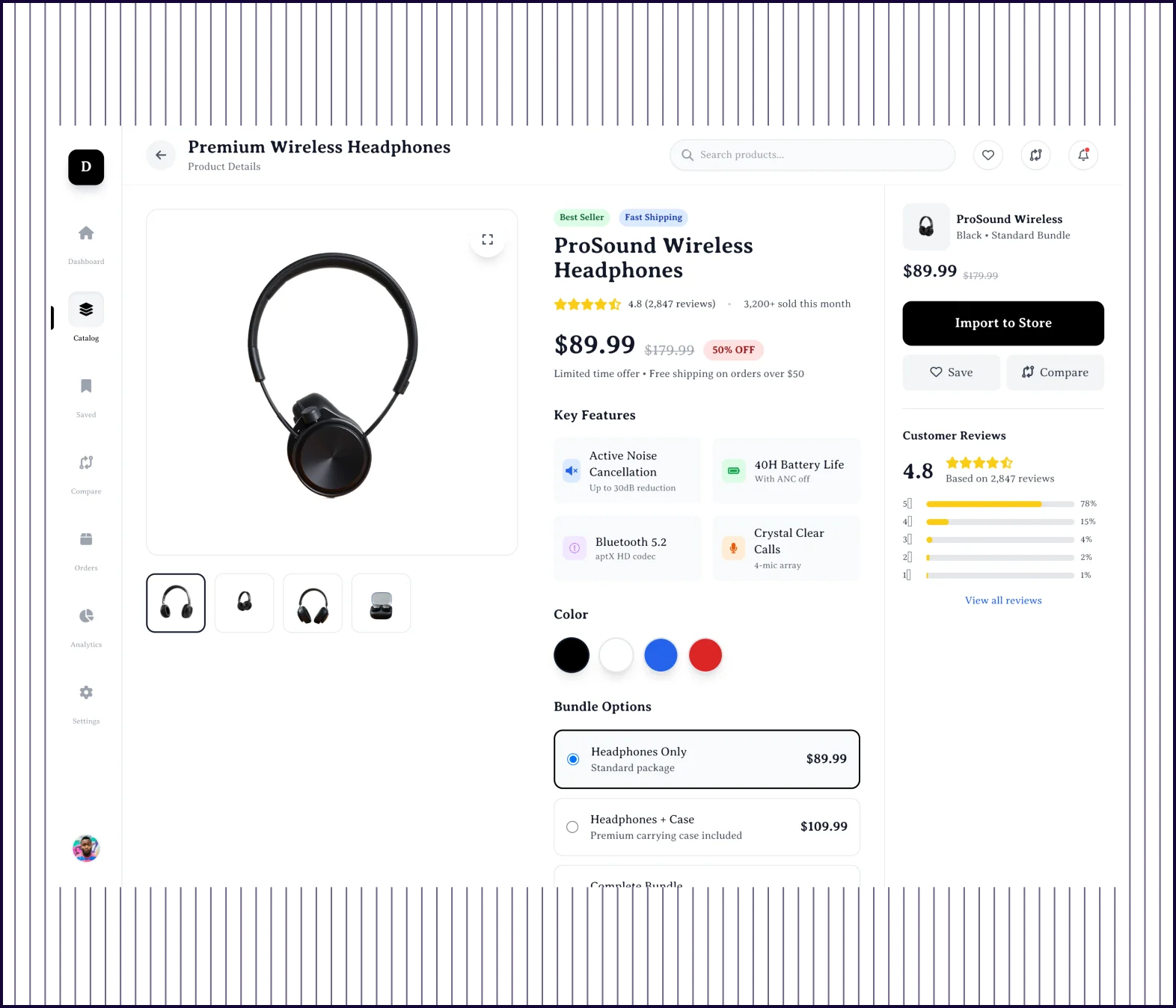 | 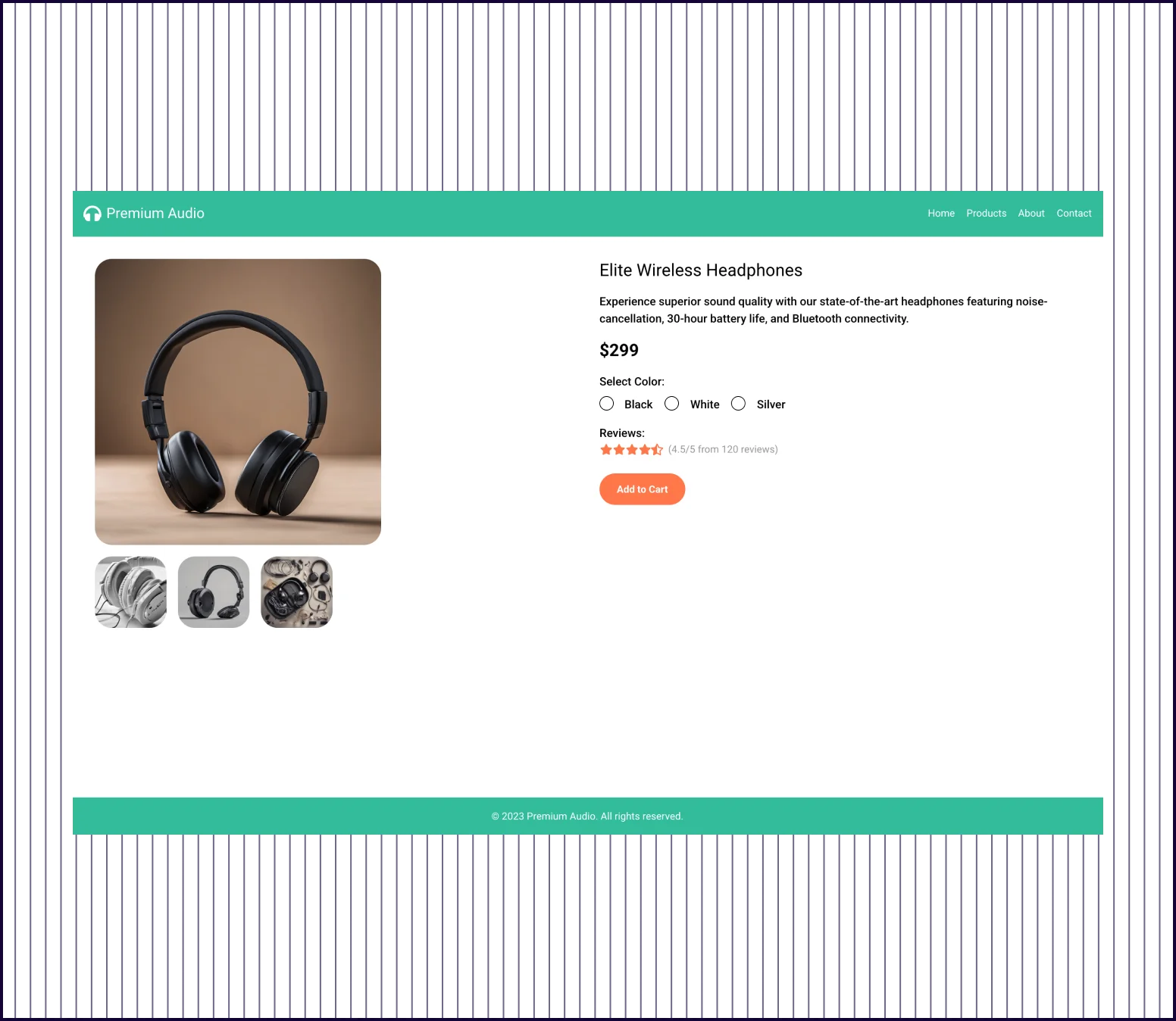 |
|---|---|---|
| Design quality | Polished full-page design with modern components, trust badges, and visual depth | Basic two-column layout with standard elements and excessive white space |
| Content Completeness | Comprehensive—features, specs, what's in box, model comparison, reviews, and FAQs | Minimal—image, price, color selector, reviews count, and one CTA button |
| Conversion Elements | Multiple CTAs, trust badges, urgency pricing, social proof, and risk reducers throughout | Single “Add to Cart“ button with basic star rating |
| Product Description | Full feature breakdown with benefits, technical specs, and use-case context | One-line feature description with no supporting details |
| Social Proof | Rating breakdown, written reviews with photos, verified badges, and review submission | Shows “4.5/5 from 120 reviews“ with no actual review content |
| Prompt Adherence | Fully addressed—imagery, features, pricing, variants, detailed reviews, and conversion optimization | Partially addressed—has imagery, price, variants, and CTA but misses features and reviews |
PROMPT 4: Web Dashboard UI for Analytics Software“Design a web dashboard for an analytics platform used by marketing teams to track traffic, conversions, and campaign performance. Include navigation, KPI cards, charts, filters, and a table view. Prioritize clarity, scannability, and data hierarchy over visual flair.” | 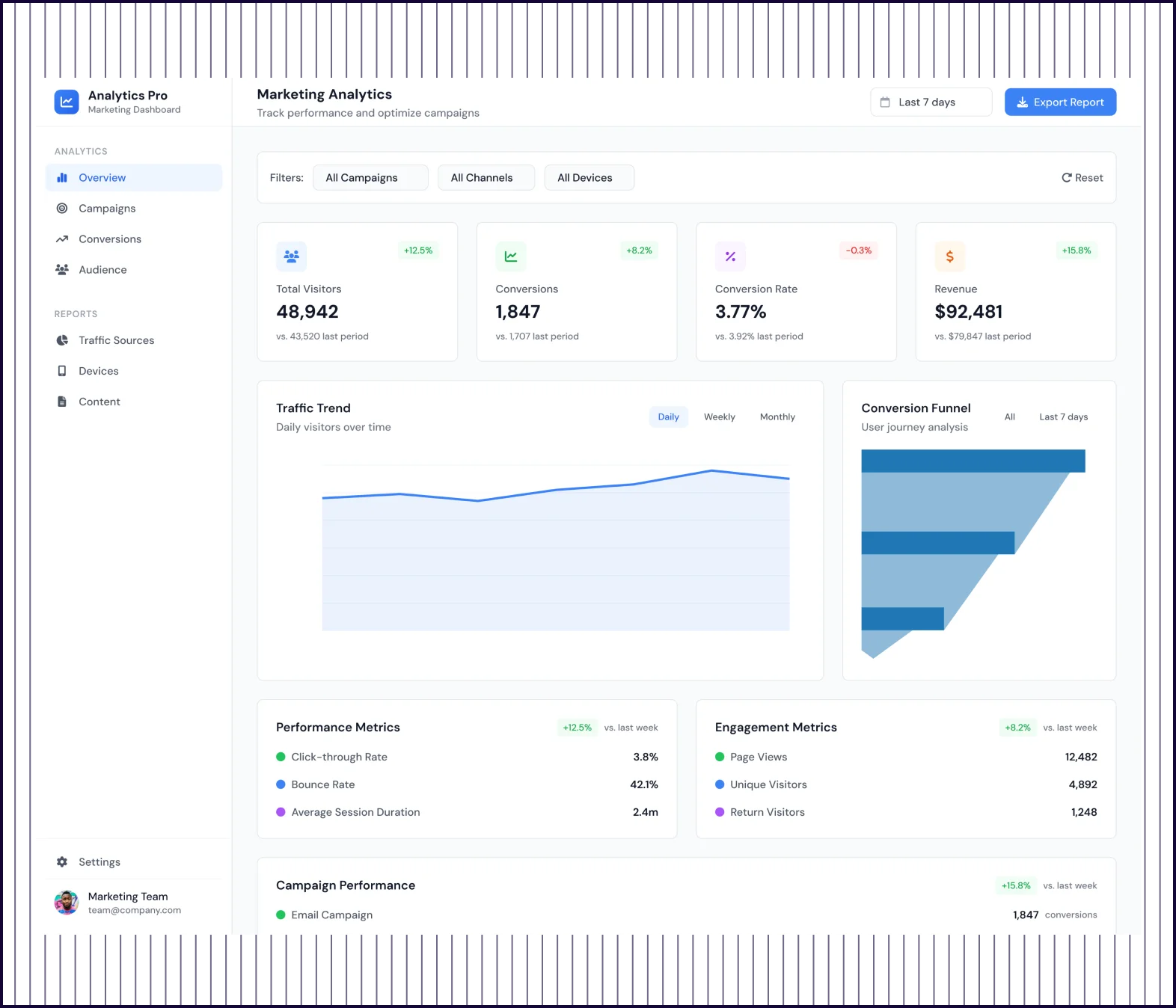 | 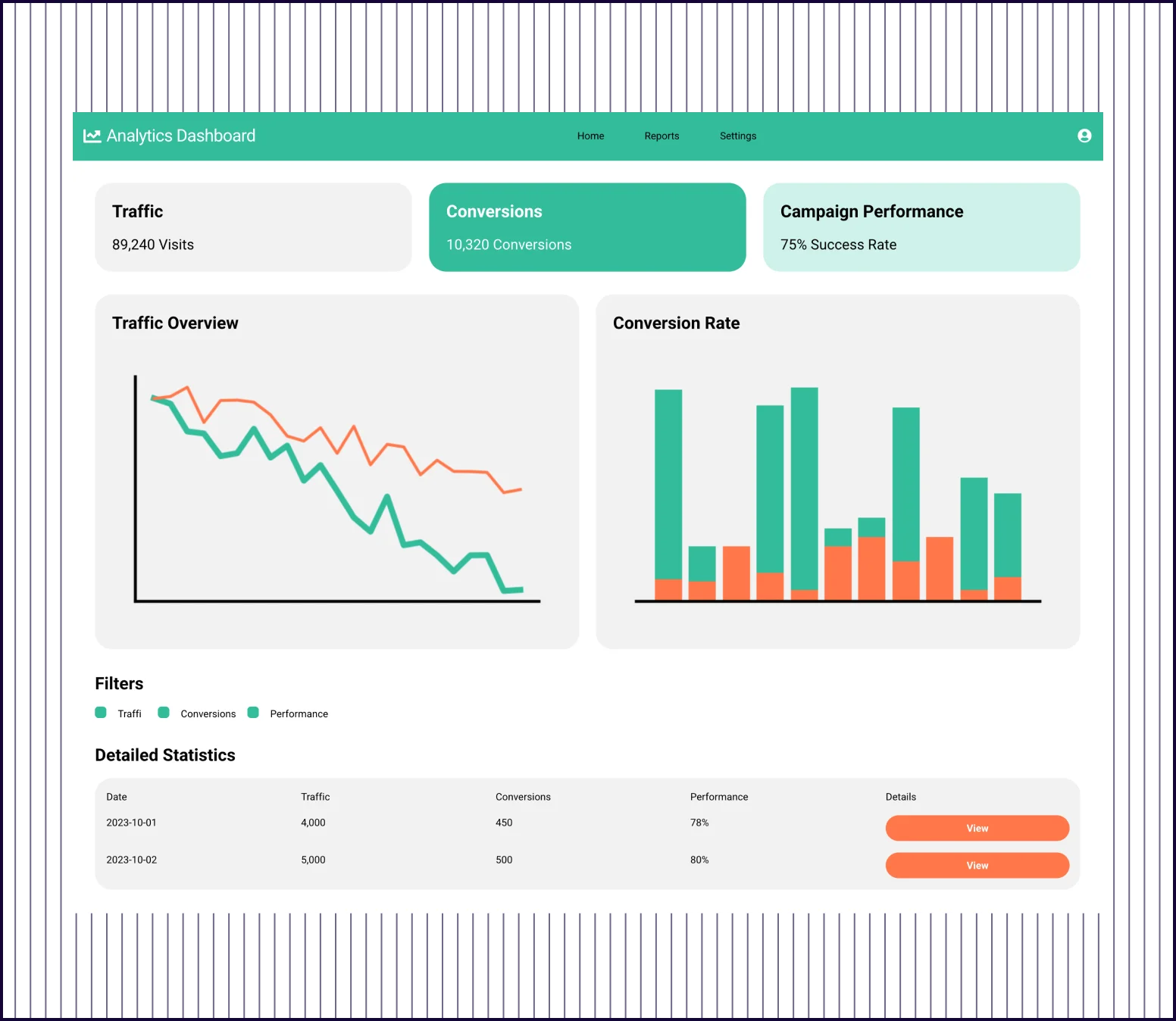 |
|---|---|---|
| Design quality | Polished interface with sidebar nav, organized sections, and modern data visualization | Basic layout with simple cards, charts, and a minimal data table |
| Design Depth | Full analytics suite—KPIs, funnel, sources, devices, locations, campaigns, and content | Three high-level KPIs with two basic charts and a two-row table |
| Visual Hierarchy | Clear hierarchy—summary KPIs first, then trends, then breakdowns, then detailed tables | Flat structure where all elements feel equally weighted on the page |
| Feature Complexity | Includes filters, alerts, AI recommendations, goal tracking, and real-time activity | Shows data but offers no path to dig deeper or take action on insights |
| Prompt Adherence | Fully addressed—navigation, KPIs, multiple chart types, filters, and detailed table views | Partially addressed—has KPIs, charts, filters, and table but lacks depth |
PROMPT 5: Mobile App Flows for a Healthcare Appointment Scheduling App“Design a mobile app flow that allows patients to book appointments with doctors. Include doctor search, availability calendar, appointment details, and confirmation. The design should feel calm, accessible, and trustworthy, with clear steps and minimal cognitive load.” | 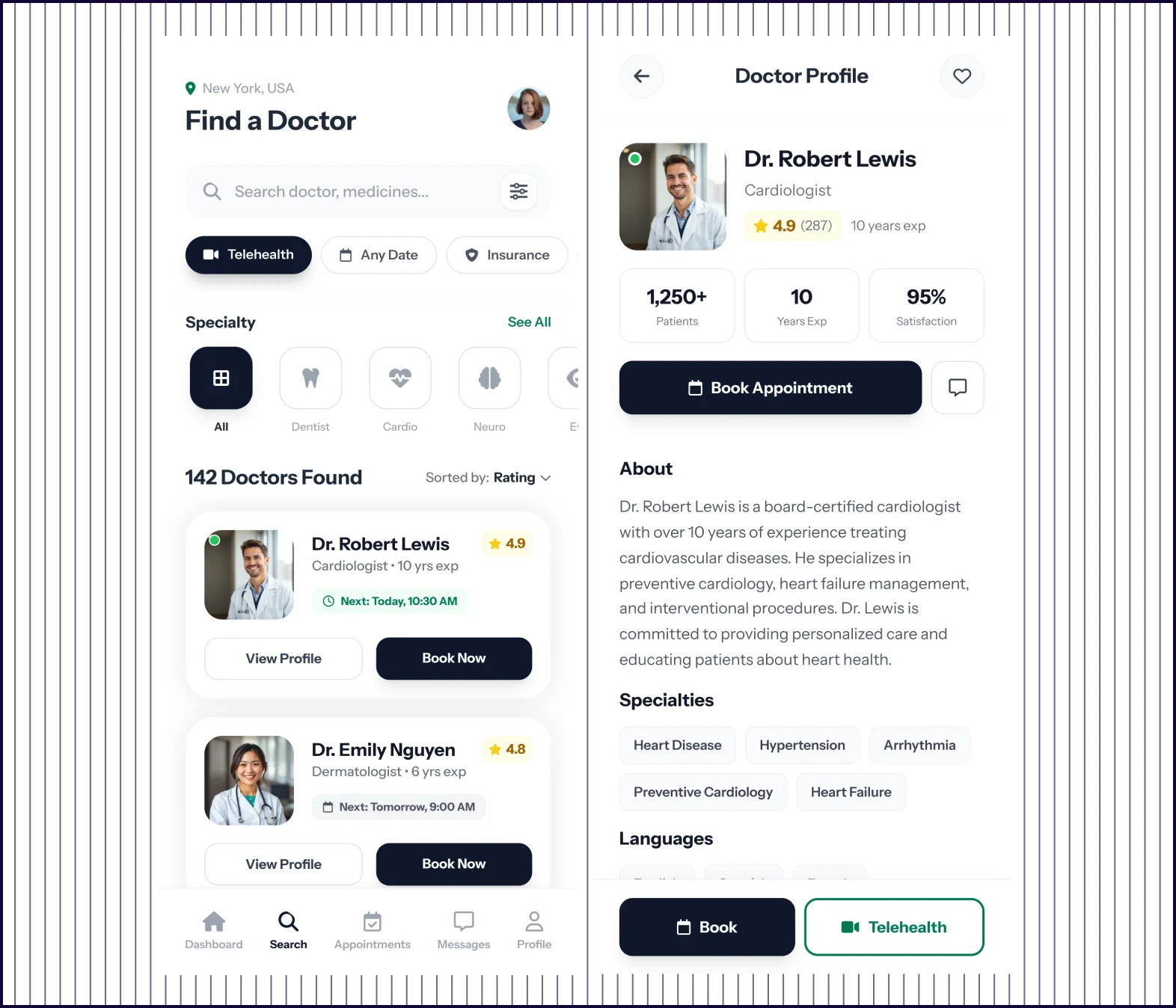 | 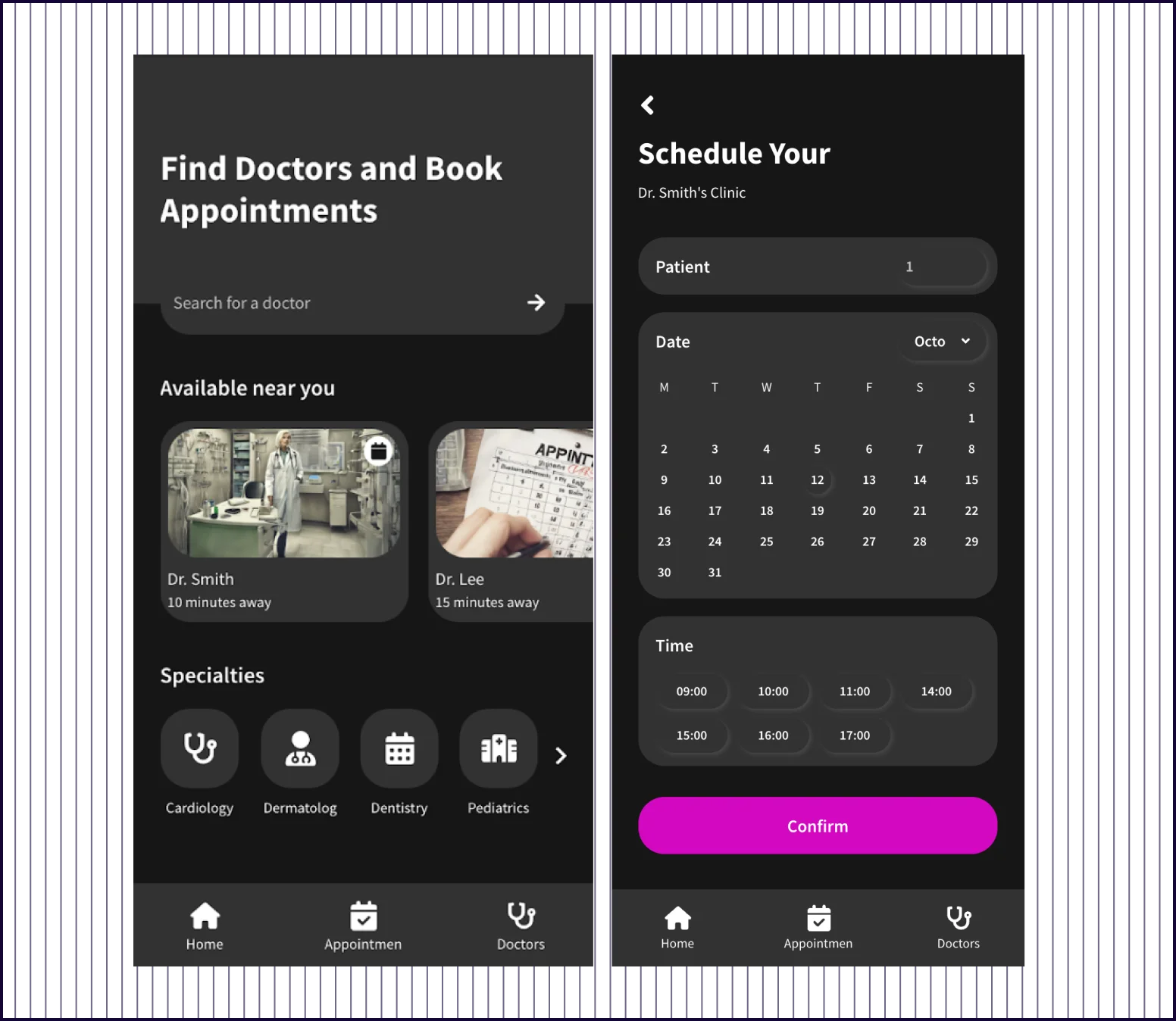 |
|---|---|---|
| Design quality | Clean, light interface with polished components and consistent visual language | UI with basic components and AI-generated stock imagery |
| Flow Completeness | Complete journey—search, profile, calendar, details, confirmation, and dashboard | Disjointed screens—mixes medication reminders and login with booking flow |
| Doctor Profiles | Full profile with experience, ratings, reviews, bio, education, and certifications | Shows name and distance only—no credentials or trust-building details |
| Booking Experience | Structured flow—select time, choose visit reason, describe symptoms, then confirm | Generic calendar and time picker with no context about the appointment |
| Prompt Adherence | Fully addressed—all requested screens present with calm, accessible, low-friction design | Partially addressed—has search and calendar but adds unrelated screens, misses confirmation |
PROMPT 6: UI for an Educational Course Platform“Design a web interface for an online learning platform offering video-based courses. Include course catalog, course detail page, lesson player, and progress tracking. The design should feel structured, distraction-free, and easy to navigate.” | 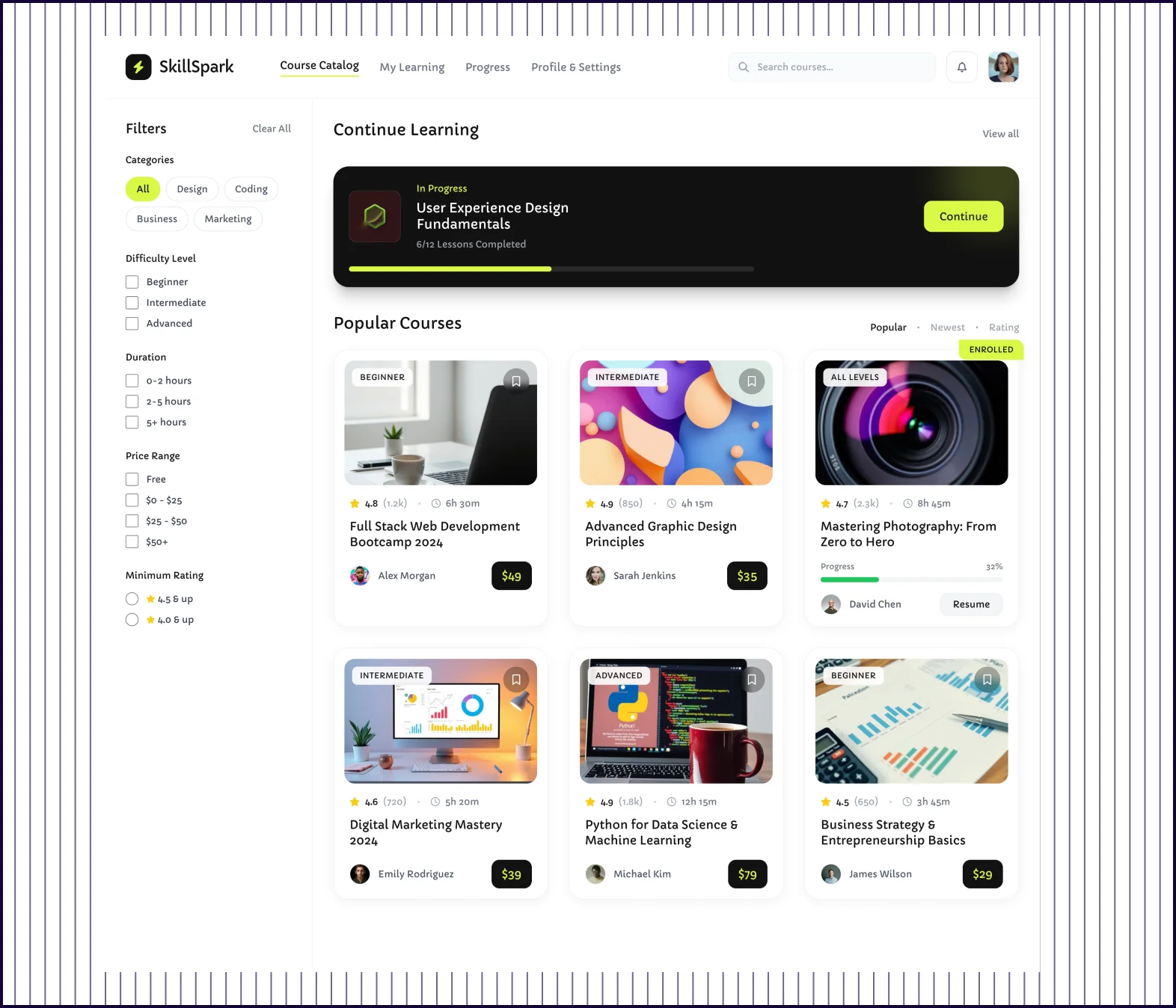 | 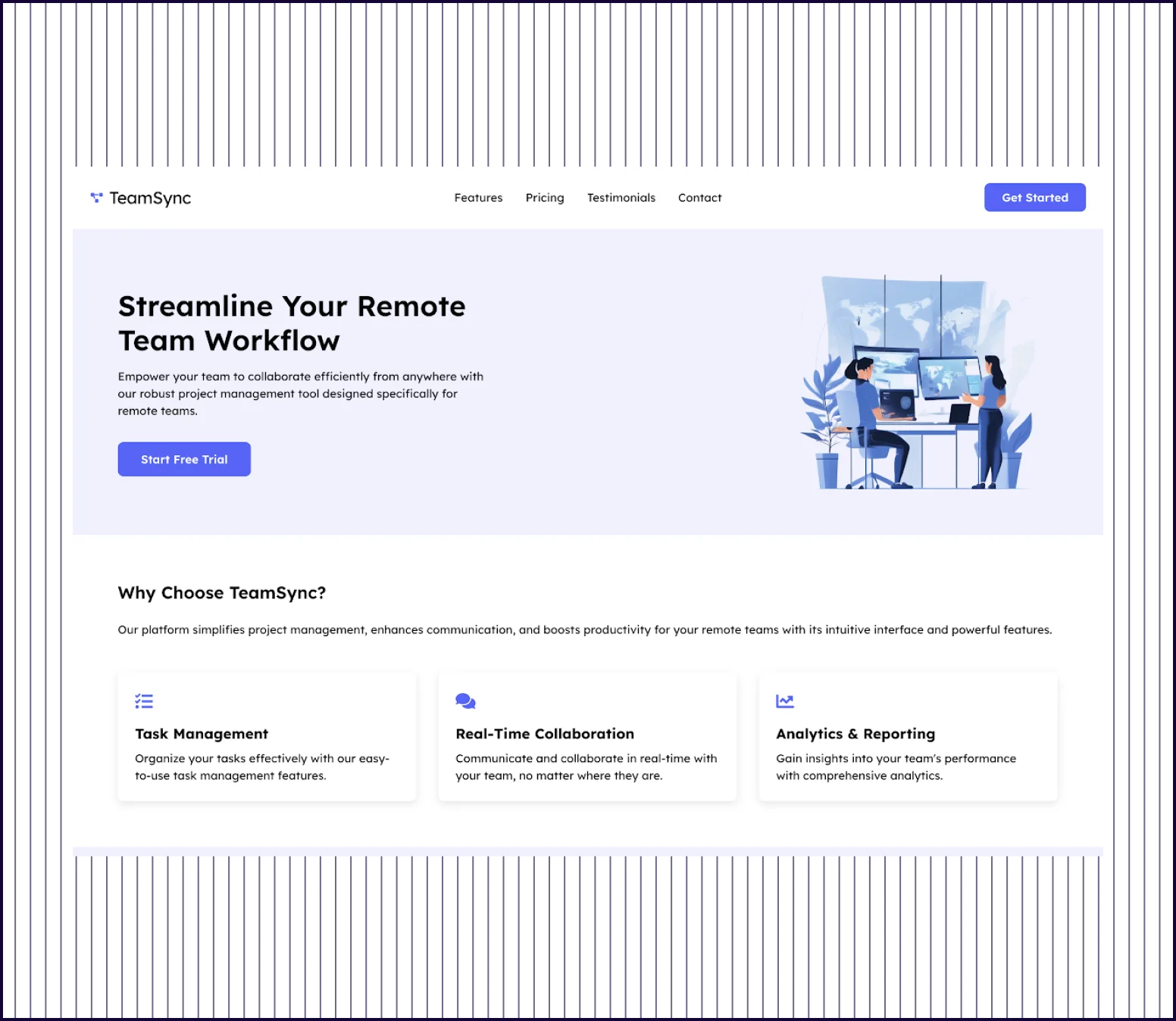 |
|---|---|---|
| Design quality | Polished interface with custom components, clean typography, and modern styling | Basic dashboard layout with stock 3D images and simple card components |
| Information Architecture | Logical flow—catalog, lesson player, progress sidebar, and discussion clearly organized | Confusing structure—mixes healthcare elements (doctors, appointments) with course content |
| Content Depth | Complete lesson view with objectives, code examples, downloads, quiz, and instructor bio | Surface-level course cards showing titles, dates, and basic progress indicators |
| Prompt Adherence | Fully addressed—course catalog, detail page, video player, and progress tracking all present | Partially addressed—shows courses but adds unrelated features and misses lesson player |
| Launch Readiness | Production-ready design that could ship as a functional learning platform today | Concept-level mockup requiring significant rework to match the original brief |
What makes UX Pilot different from Uizard?
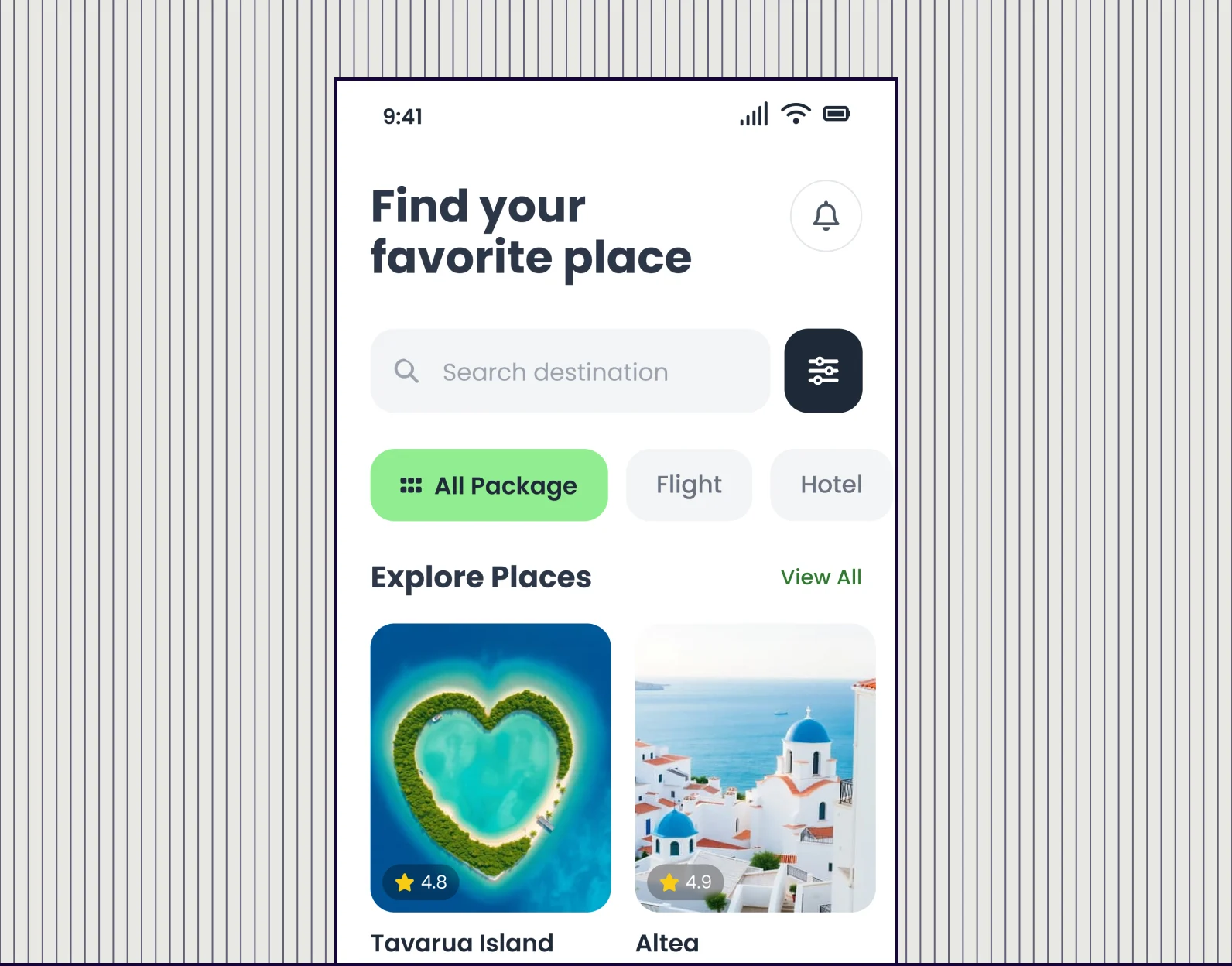
Designs that match the prompt
UX Pilot pays closer attention to what you ask for. Request a SaaS landing page with a hero, features, and pricing—you get all three, structured logically. Uizard often delivers partial interpretations or adds unrelated elements.
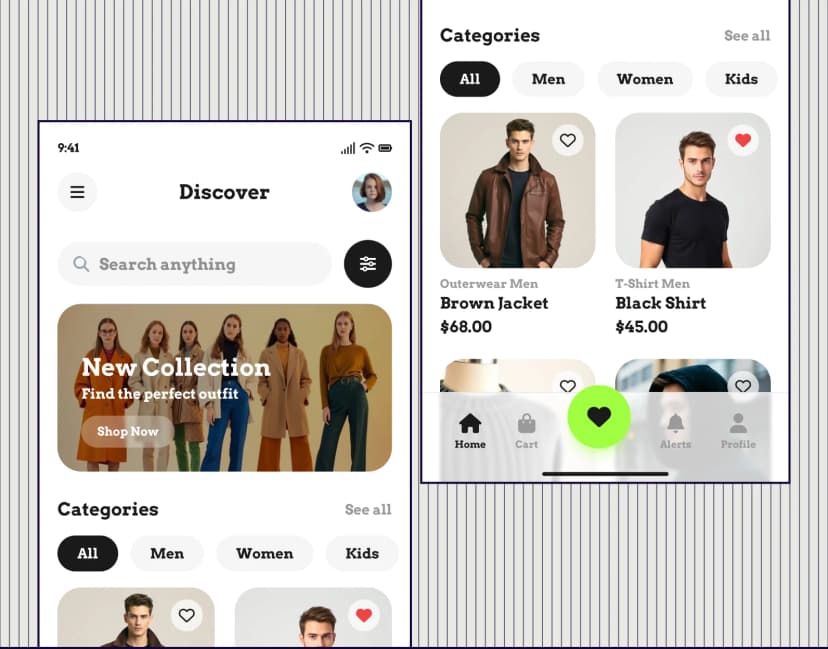
Screens you can actually use
UX Pilot generates production-grade UI. The visual quality, content depth, and conversion structure are closer to what a professional designer would deliver, not a starting point that needs significant rework.
A workflow that goes beyond generation
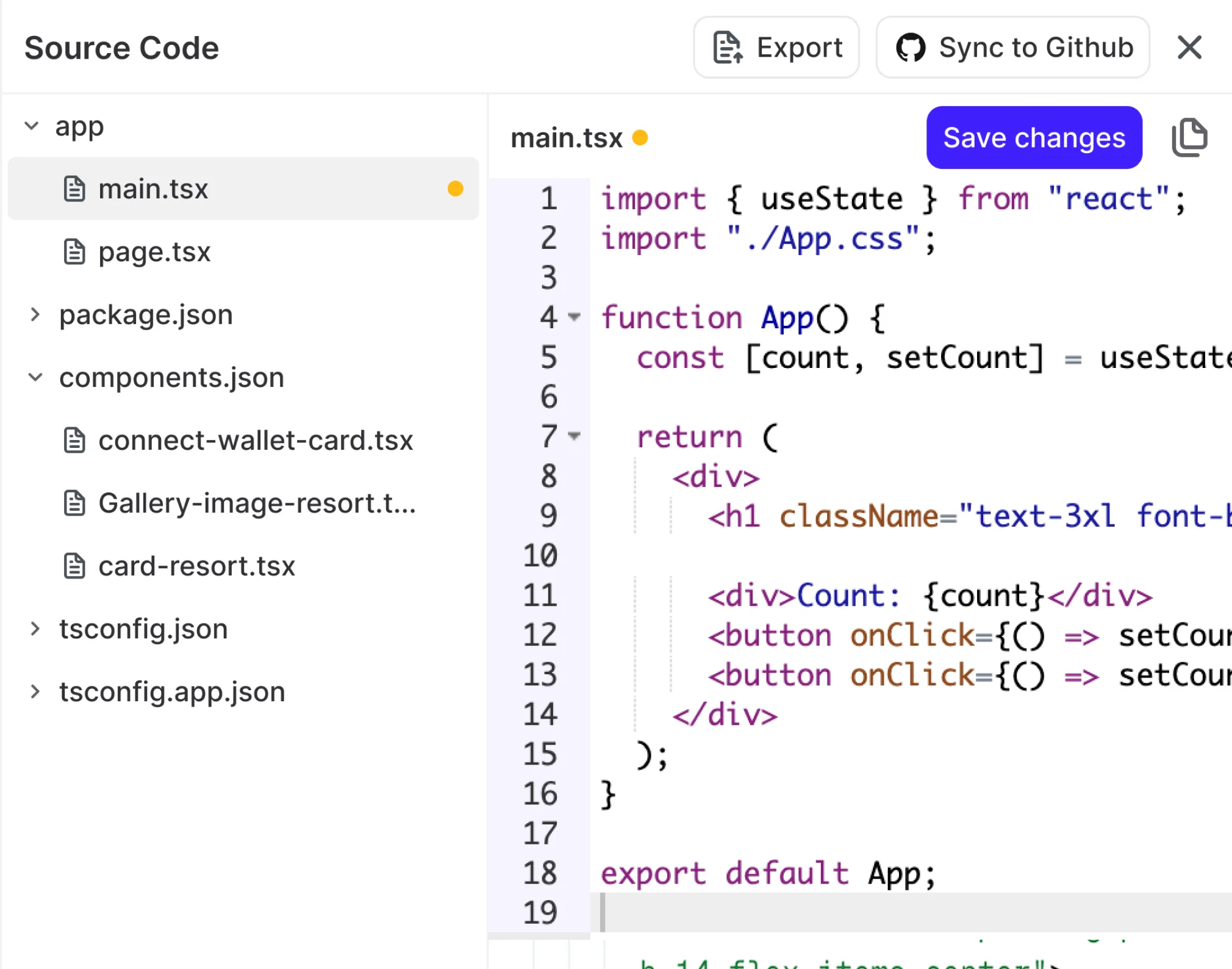
UX Pilot supports the full design process: create variations, edit sections independently, generate responsive versions, preview heatmaps, then export to Figma or code. It's a design environment, not just a generator.
Design systems in UX Pilot
Bring your design system, or build one
Start from scratch with AI, or import from a website, a Figma file, a GitHub repository, your codebase or a DESIGN.md. New screens then use your tokens and components.
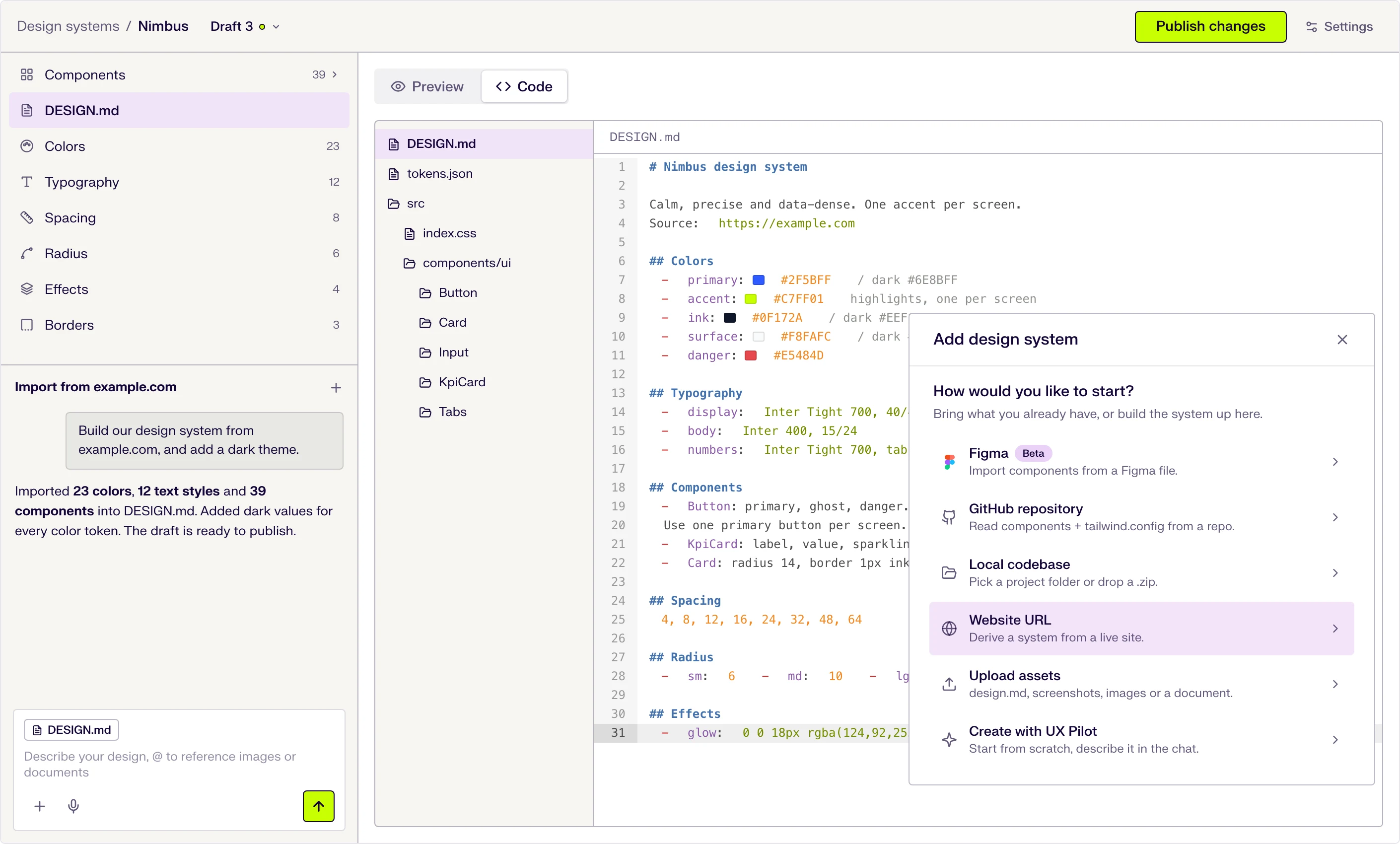
Six ways to start
Describe it in the chat, or import from a website URL, a Figma file (beta), a GitHub repository, a local codebase or uploaded files.
DESIGN.md at the core
Tokens and usage guidance live in one DESIGN.md file that the AI follows when it designs. Edit a token and the file updates.
Draft, publish, repeat
Changes stay in draft until you publish them, and version history keeps every release.

Kresimir Retih,
Project Manager"It has been a game-changer for me! Since signing up, my workflow has become much smoother, and my productivity has increased significantly. I love how intuitive and user-friendly the platform is, making UX tasks much easier and more efficient. Highly recommend it to anyone looking to streamline their UX process!"
What makes UX Pilot a great alternative to Uizard?
Both UX Pilot and Uizard use AI to generate designs from text prompts. Where they differ is in what happens after you hit 'generate'—how usable the output is, how much you can refine it, and whether the result is something you'd actually ship or just a starting point that needs more work.
Build prototypes that behave like real products
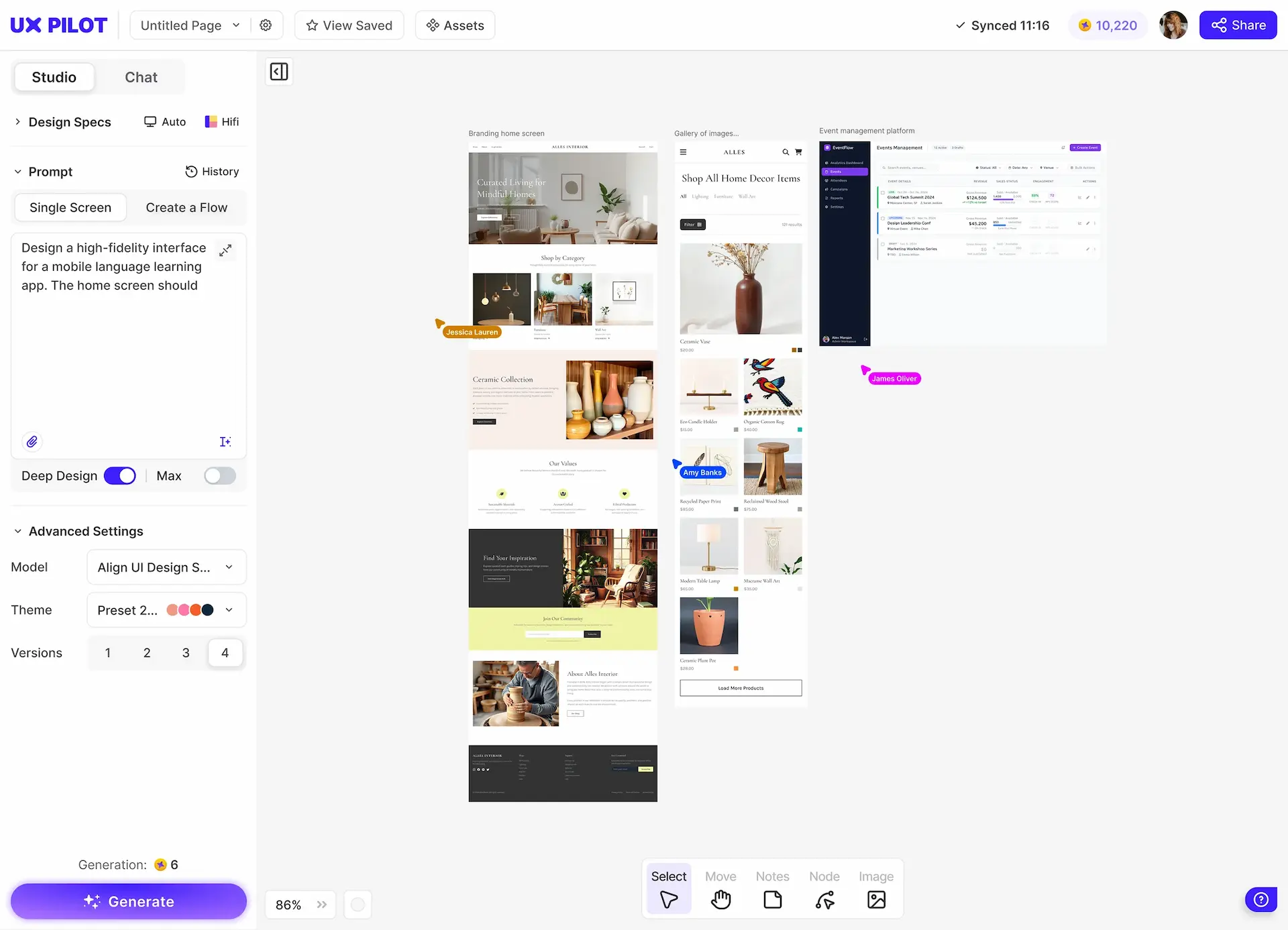
UX Pilot generates interactive prototypes with responsive components, so you can click through something that feels like the real thing. This makes it easier to test assumptions, gather feedback, and validate ideas before investing in development.
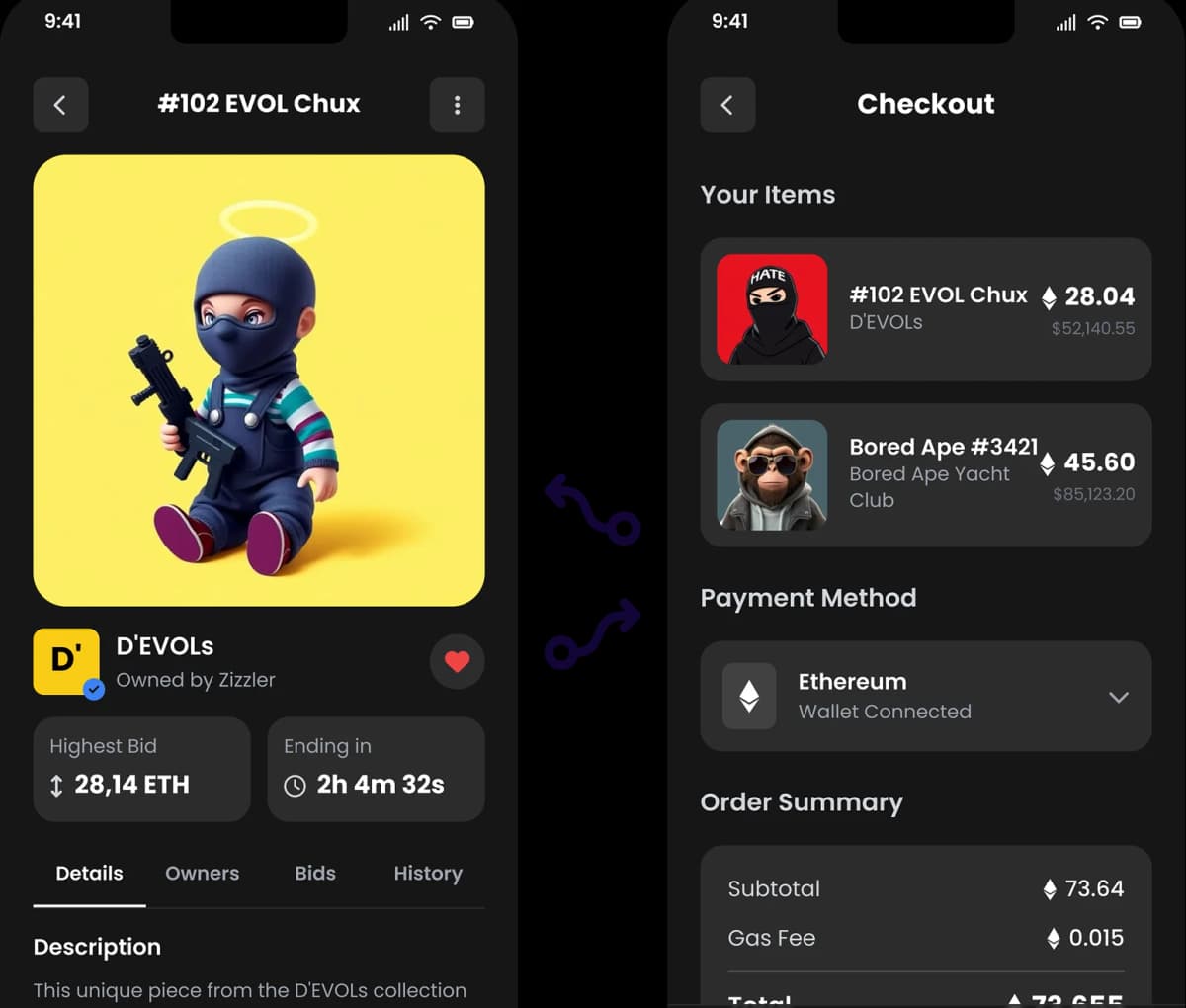
Handle complex designs without losing consistency
UX Pilot is built to handle complex dashboards with multiple data views, apps with layered navigation, or flows that span a dozen screens while maintaining visual consistency. Colors, components, and the overall design language remain uniform even as the project scales. In comparison, Uizard tends to produce results that feel less cohesive when the scope expands beyond a few screens.
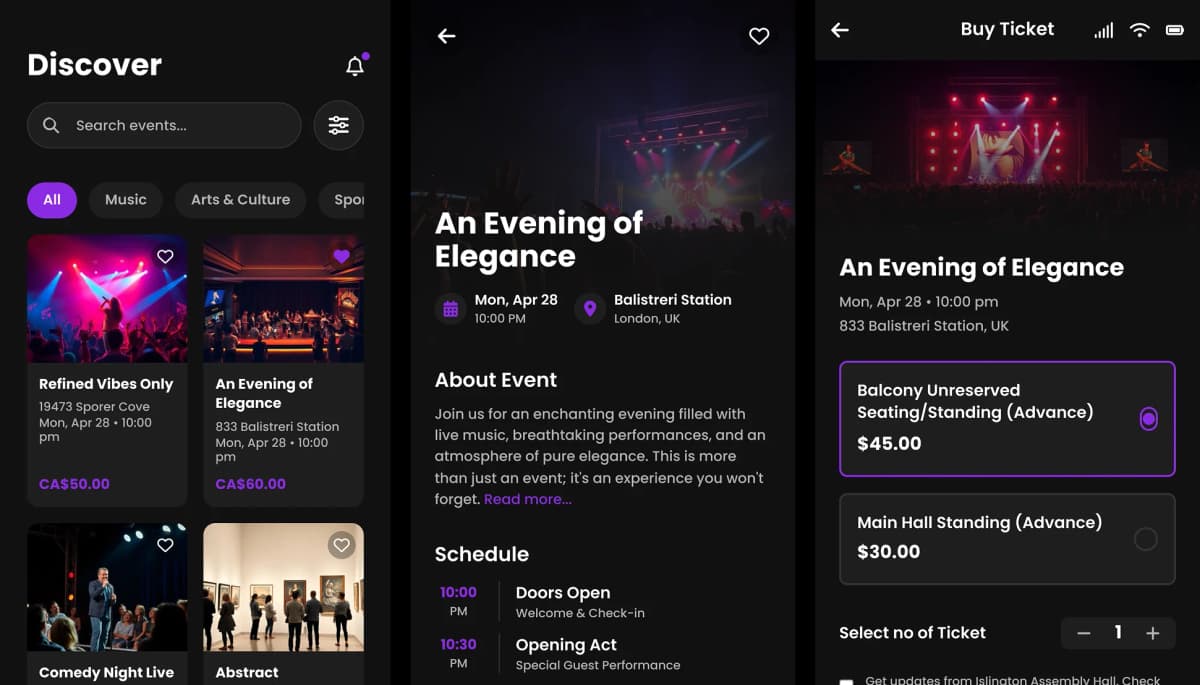
Make exact edits and retain control
UX Pilot's localized editing helps you adjust a single section, swap out a component, or tweak the copy manually or using AI. You can also generate responsive versions for different screen sizes, create design variations to explore alternatives, and view predictive heatmaps that show where users are likely to focus their attention.

Turn image references into polished designs
Stop designing one screen at a time. With Autoflow, simply prompt 'A checkout flow for an e-commerce app,' and UX Pilot creates the cart, payment, and success screens simultaneously—all logically connected.
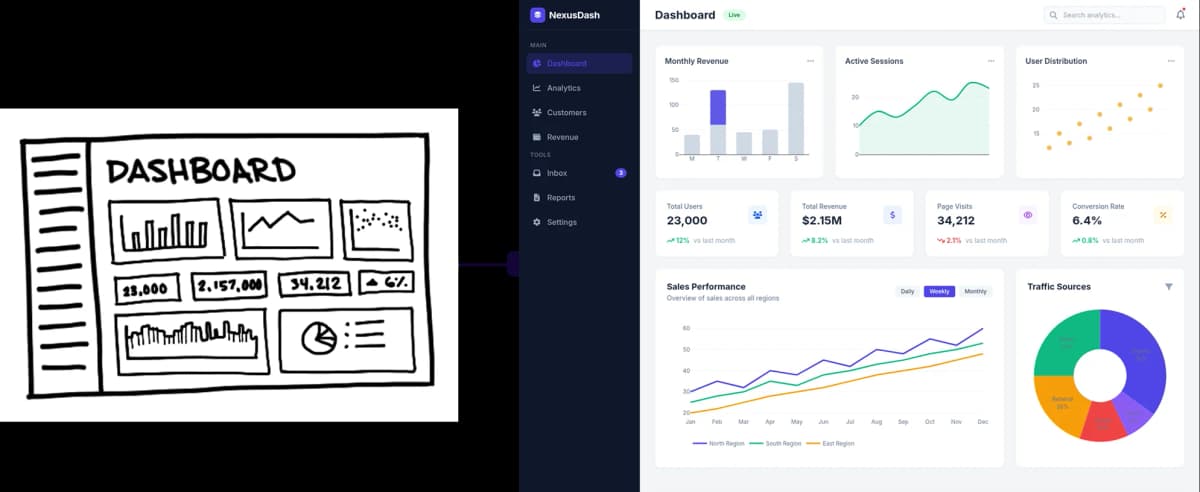
UX Pilot does everything Uizard does, but takes it a step further
You can export production-ready HTML to hand off to developers, push directly to Figma if your team works there, or continue iterating within UX Pilot using natural language prompts. The tool also supports collaboration features, reusable design systems, and enterprise-level security.
Free Plan differences
UX Pilot's free plan is designed to let you create polished, export-ready designs from day one. Even without upgrading, users get access to core capabilities such as high-fidelity UI generation, wireframes, section-level editing, design review, and predictive heatmaps, making it suitable for real design work.
While Uizard's free plan allows users to test basic workflows, limitations around output quality, feature depth, and exports mean the results are typically prototype-level, rather than production-ready.
UX Pilot vs UIZARD: Which is right for me?
Both tools can help you turn ideas into designs but they're built for different design needs.
UX Pilot is an AI-powered design tool that generates complete, high-fidelity interfaces from text prompts. You describe what you need—a landing page, a mobile app flow, a dashboard—and UX Pilot builds it: layout, copy, components, and visual styling included.
It's designed for anyone who needs professional-quality UI without starting from scratch. Founders use it to build product pages before hiring a designer. Product teams use it to prototype flows before involving engineering. Designers use it to skip the blank canvas and start with something they can refine. Uizard keeps things simple if you just need a quick visual in the stages of a project when you're not yet concerned with polish or production-readiness. But if you're designing something that will be seen and used by paying customers, UX Pilot is the better choice.
Frequently asked questions
Everything you want to know about UX Pilot vs Uizard
When design quality matters, UX Pilot is the better choice
If you're creating landing pages, product interfaces, or workflows that need to look finished, not like rough drafts—UX Pilot is built to deliver that level of output. Turn your prompts into finished UI designs.
Generate designs in seconds