Google Stitch

Google Stitch Head to Head Comparison of Features, Alternatives and Pricing

No credit card needed45 free credits

Google Stitch's Design output vs UX Pilot: A side by side comparison

Comparing the same prompt in both tools.

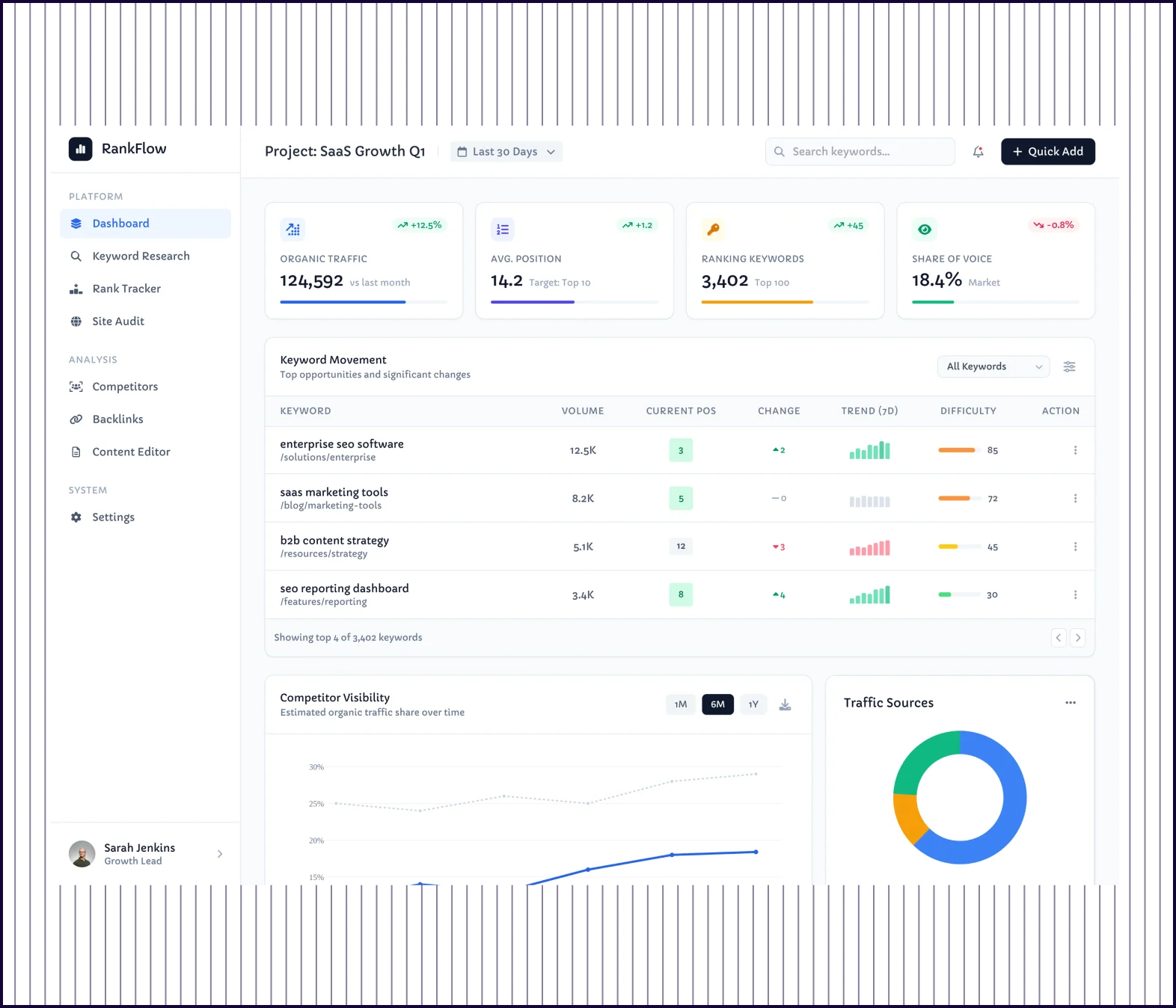
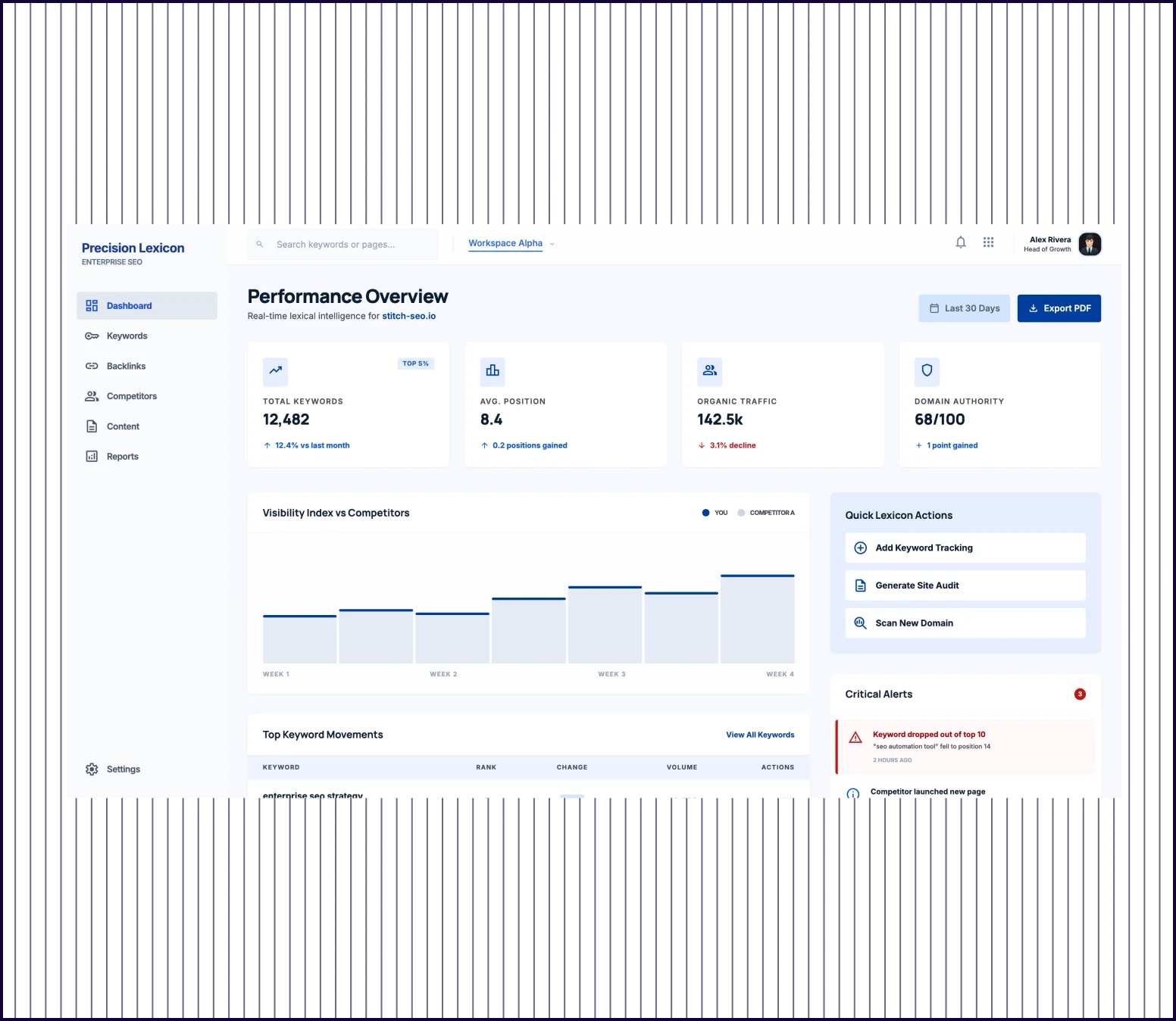
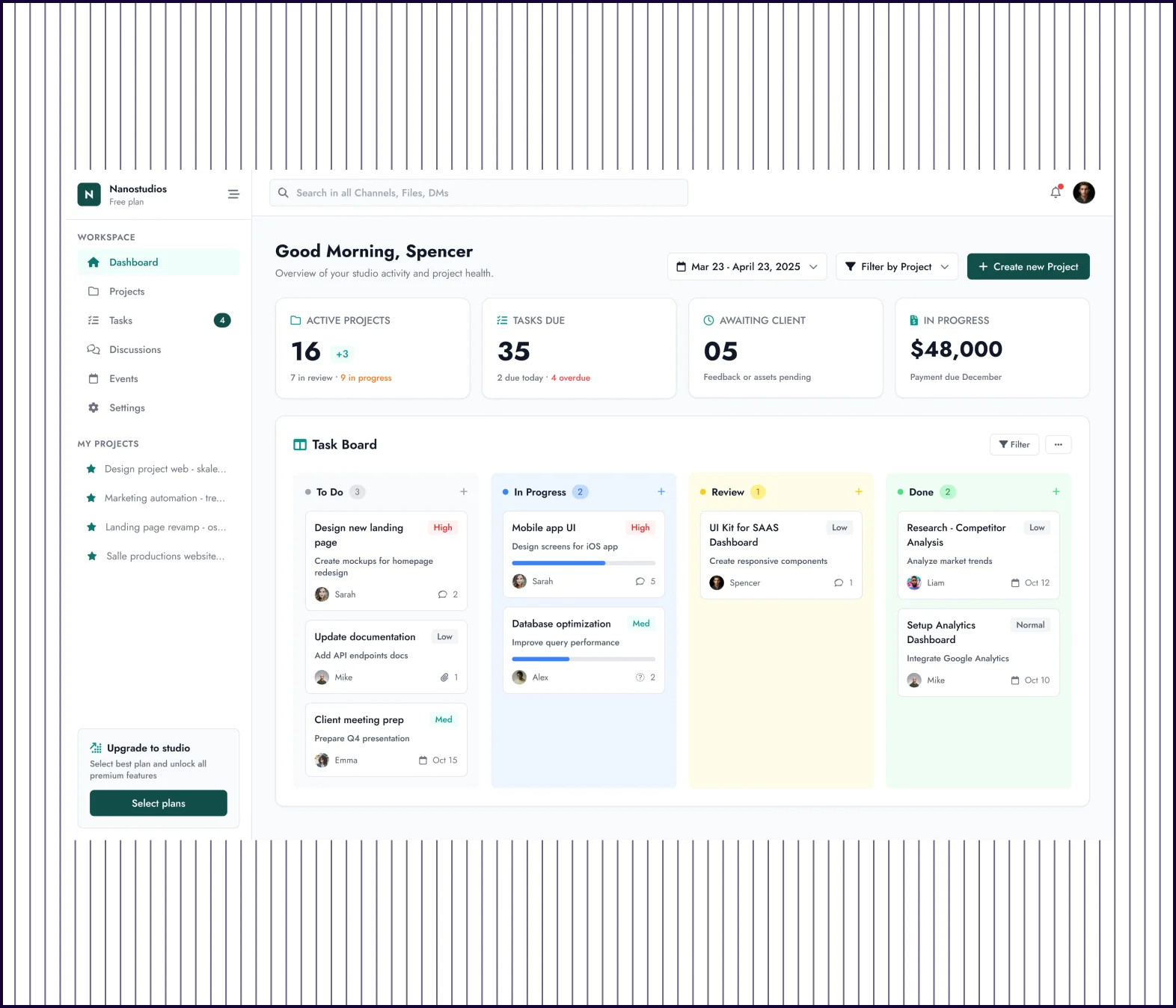
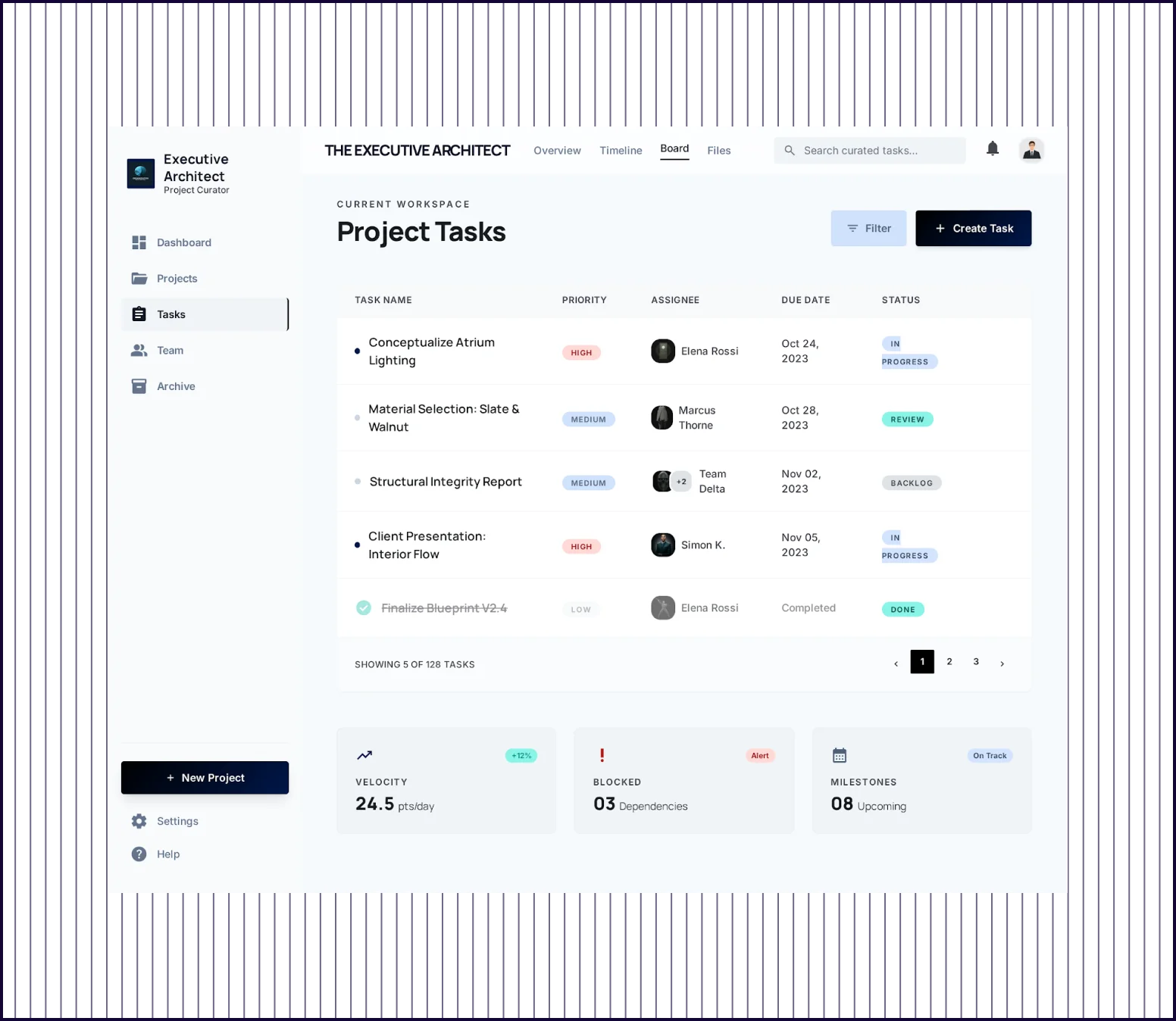
PROMPT 1: B2B dashboard for a mid-market SEO platform

“Design a responsive web app dashboard for a mid-market SEO platform used by content marketers and growth leads. Include a left nav, KPI cards, keyword movement table, competitor visibility chart, alerts panel, and quick actions. Make it feel polished but not flashy, with strong hierarchy, dense information design, and enterprise SaaS credibility.“

Google StitchGoogle Stitch screenshot
UX PILOTUX PILOT screenshot
Design quality
Clean layout, consistent color palette, and well-structured sidebar navigation
High-fidelity interface with sidebar nav, data-dense KPI cards, and component depth
Data Visualization
Basic chart placeholders and metric cards with limited data density
Multiple chart types, keyword tables with trend indicators, competitor visibility graphs
Feature Complexity
Covers core dashboard elements but generates a sparse layout
Includes filters, export, notifications, quick-action menus, and data summaries
Launch Readiness
Solid starting point though sections need visual refinement
Production-ready with detail and polish to present or use as a functional specification

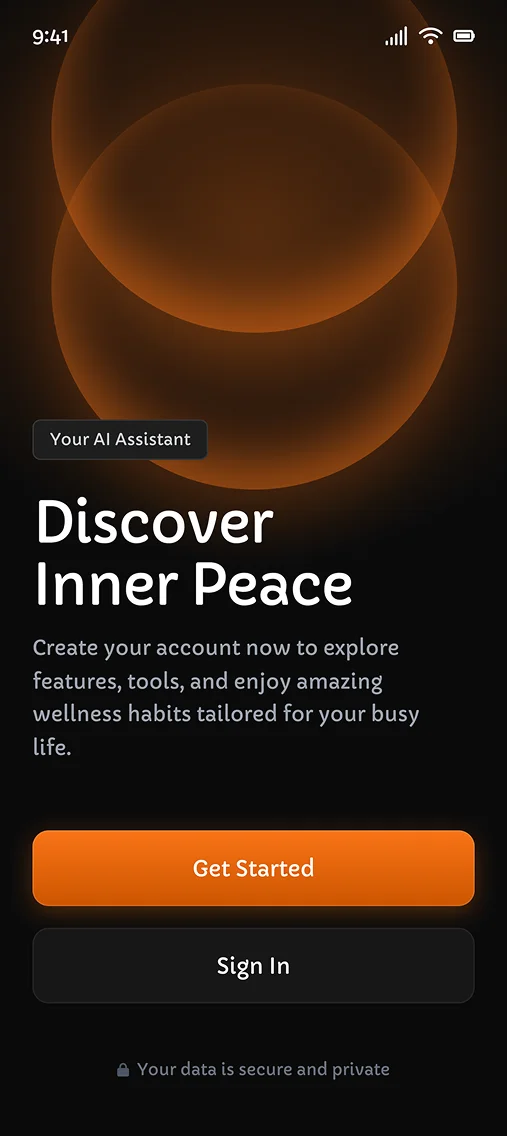
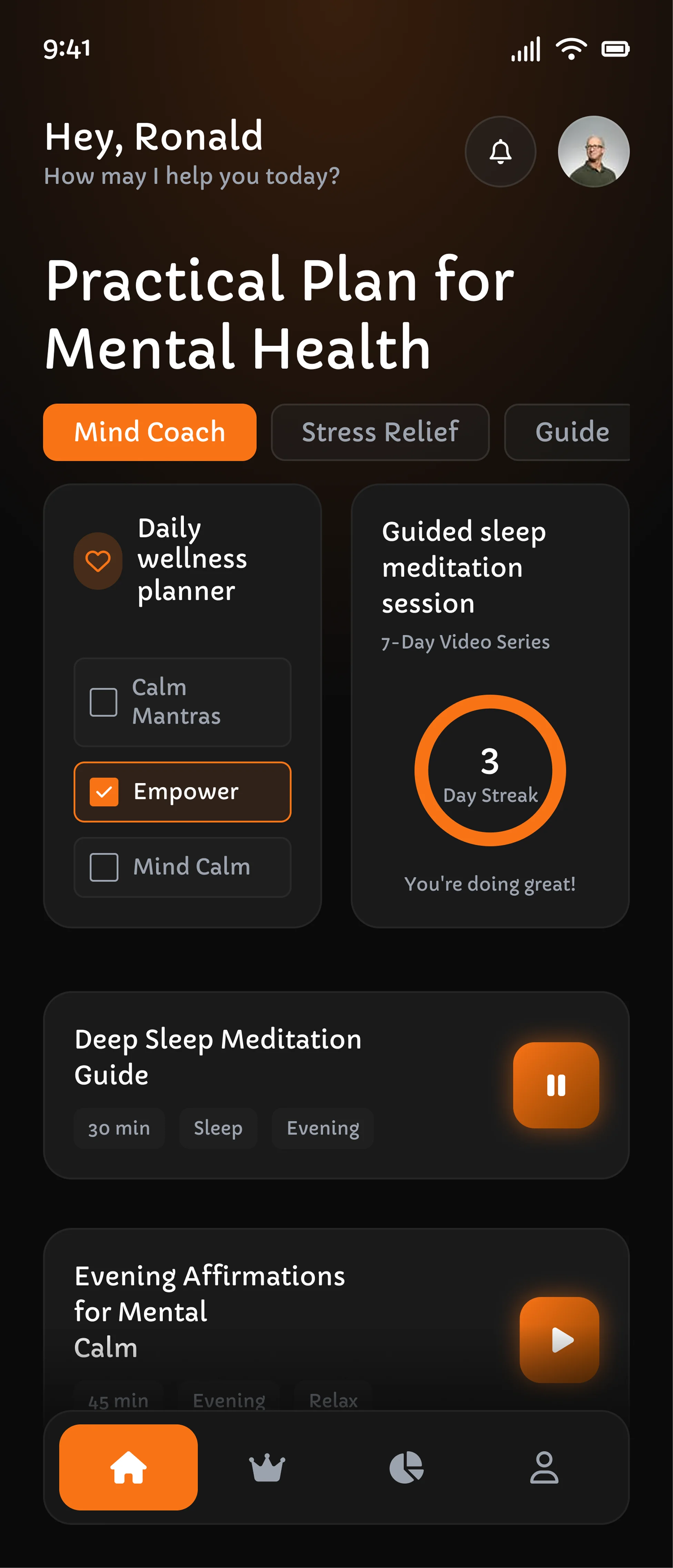
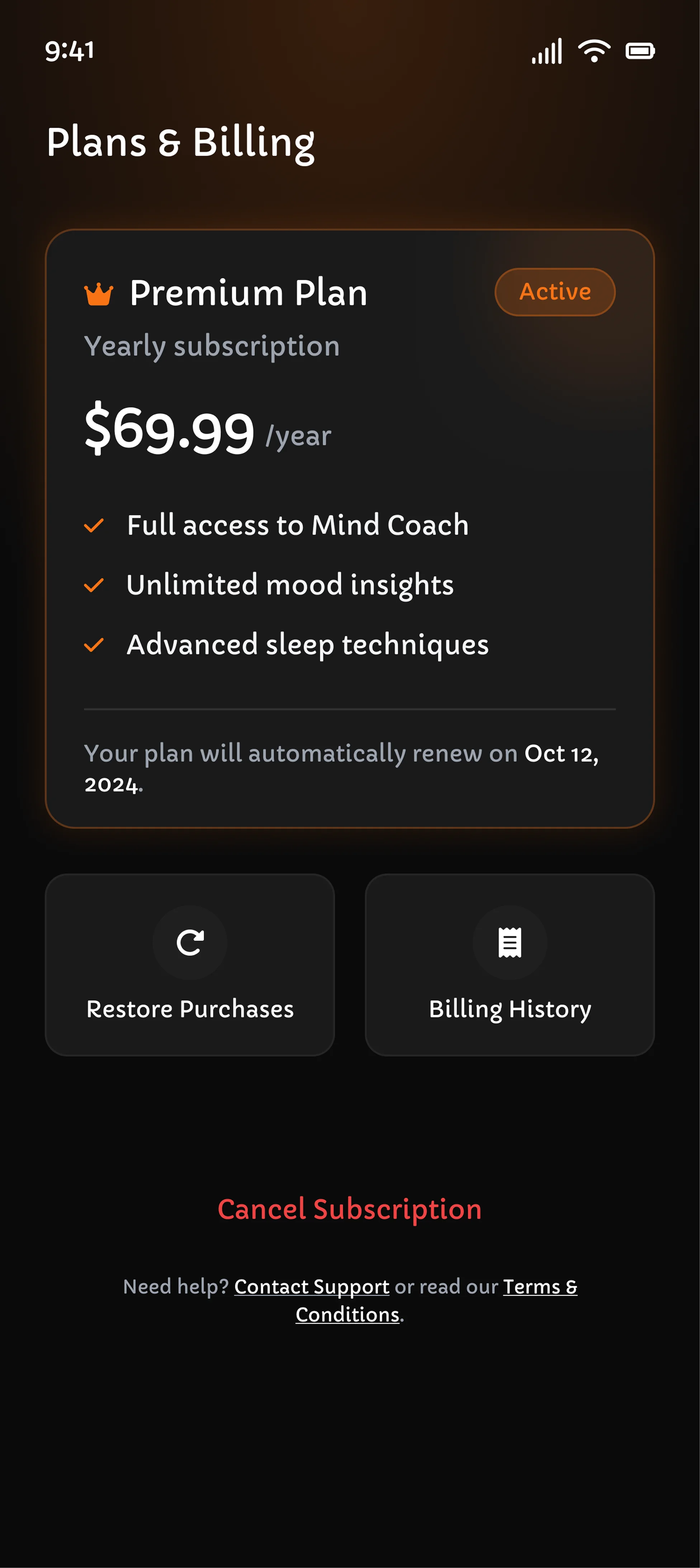
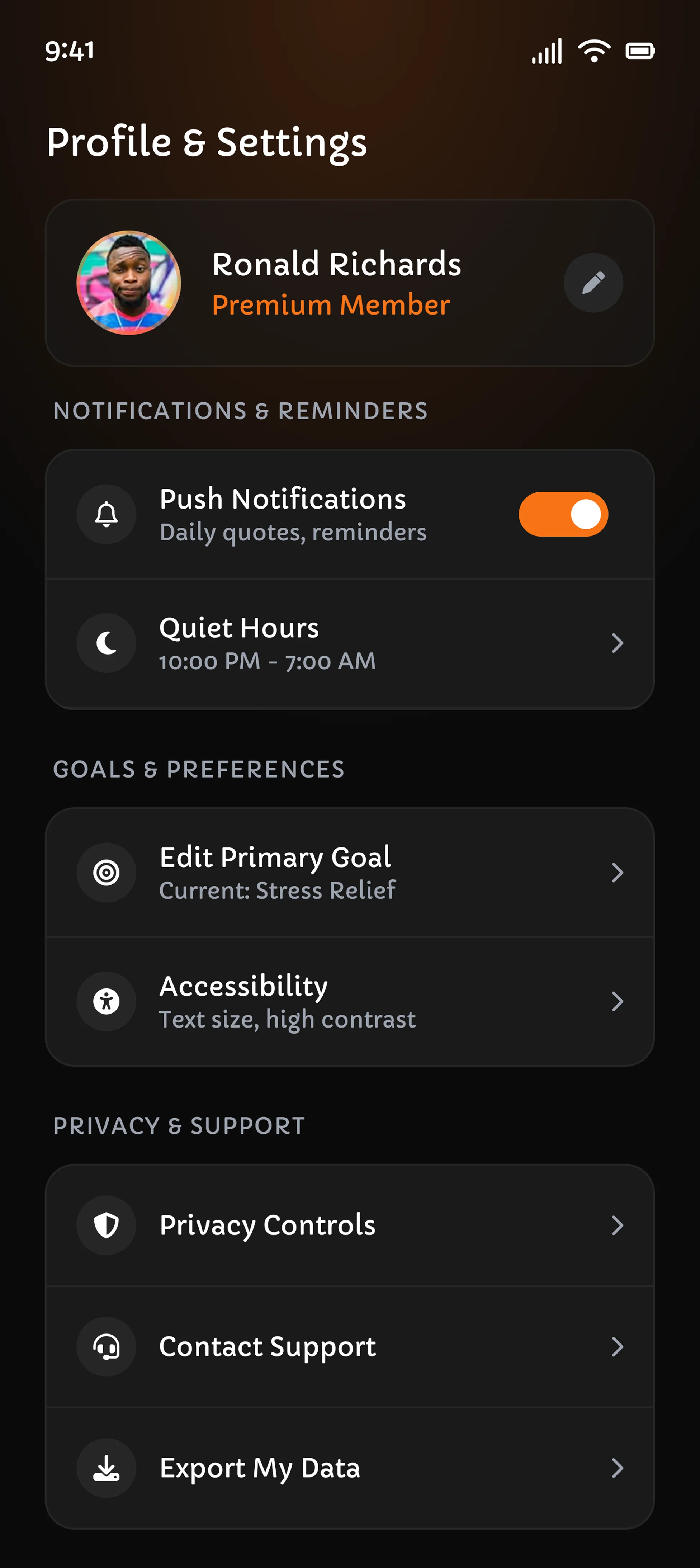
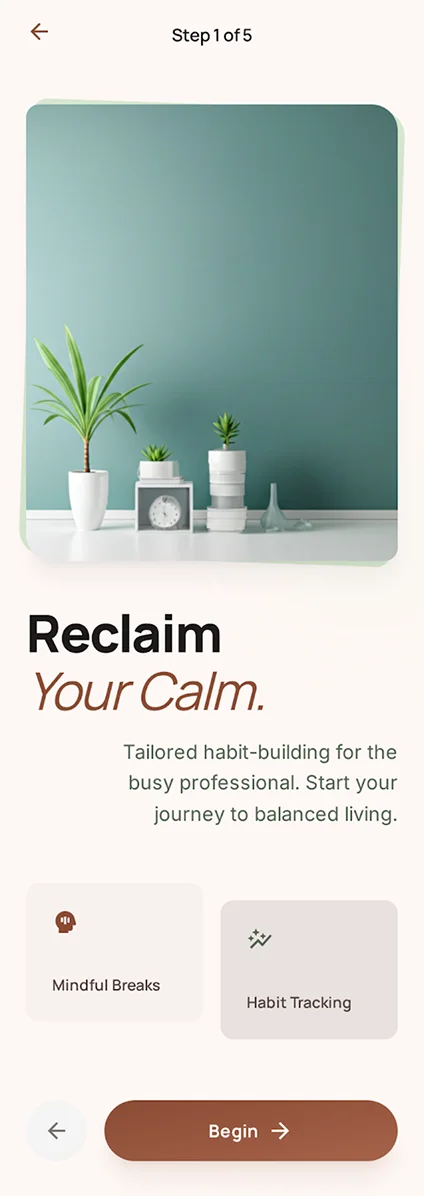
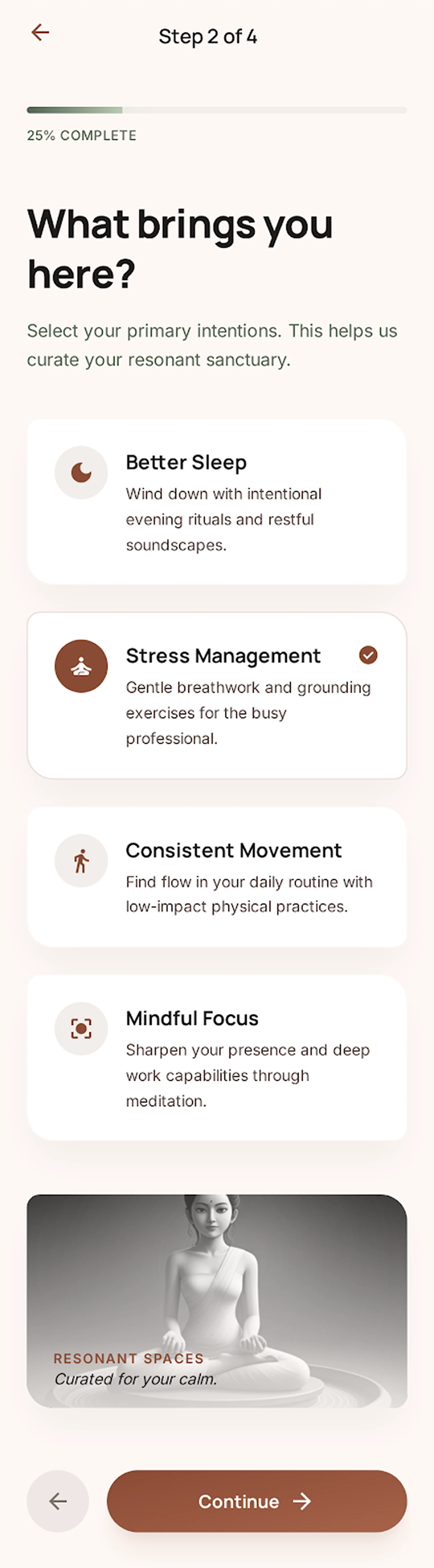
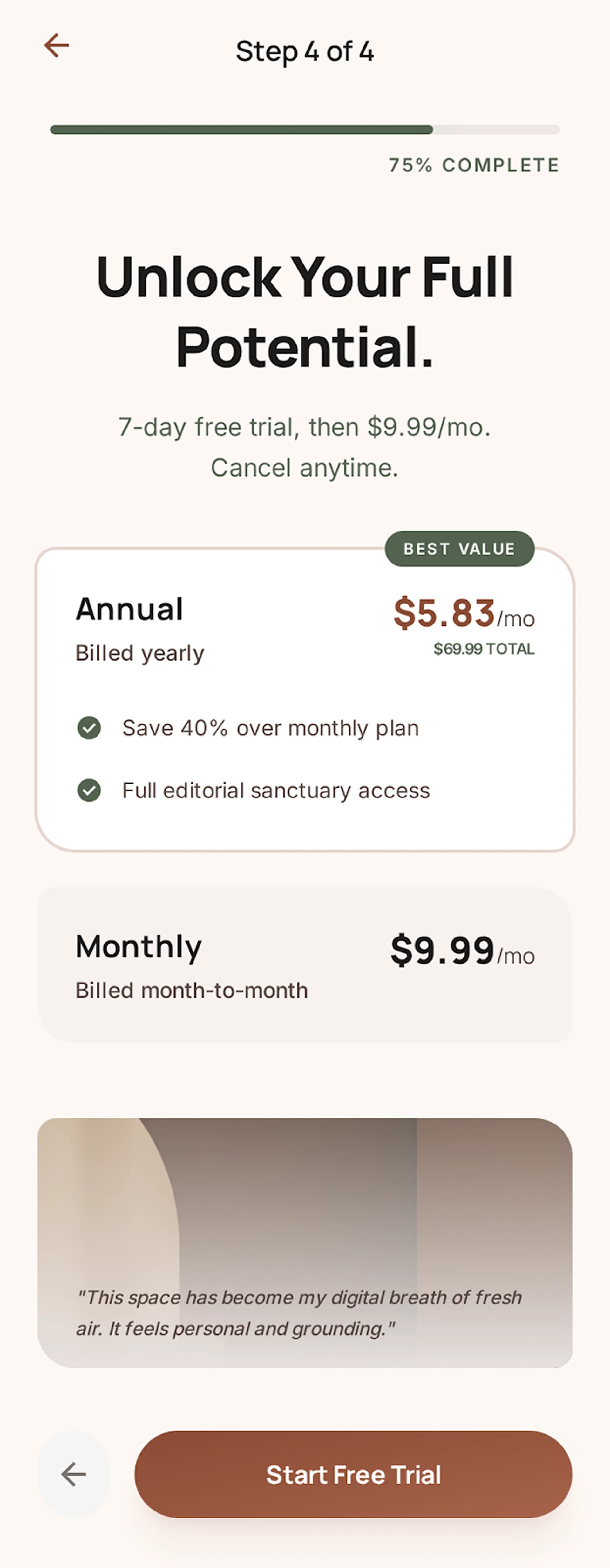
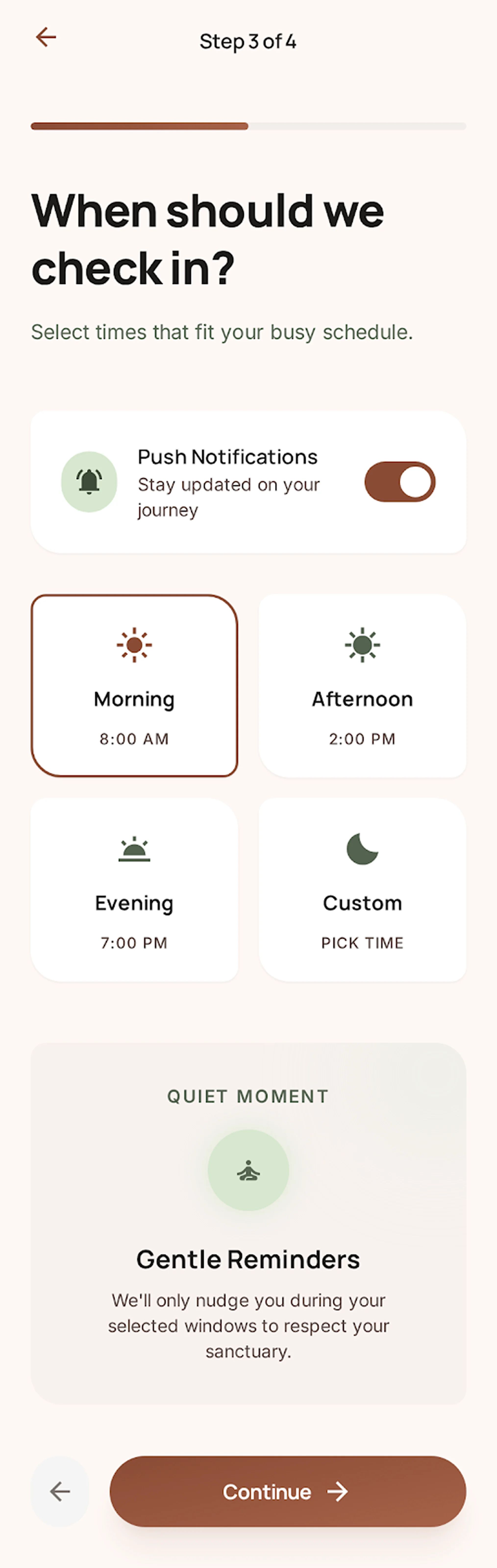
PROMPT 2: Consumer mobile onboarding for a wellness app

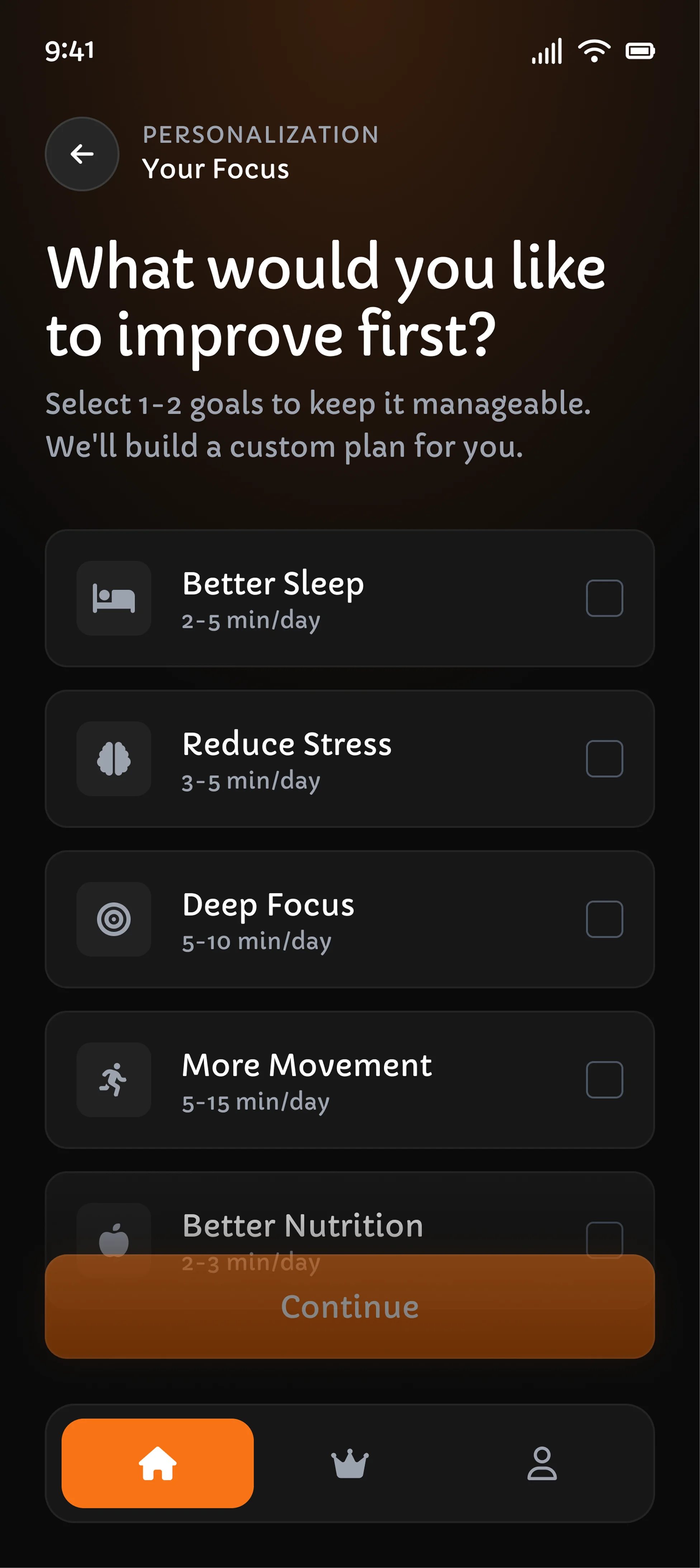
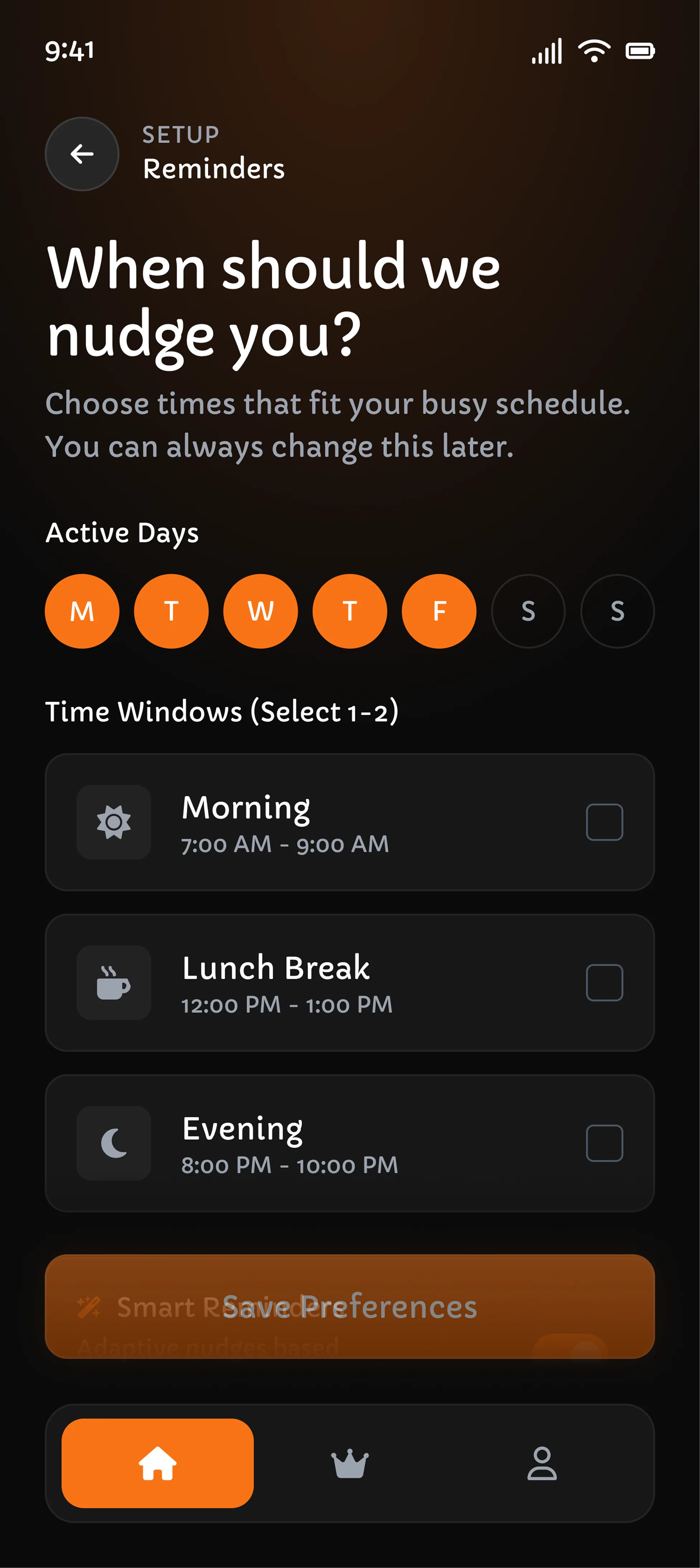
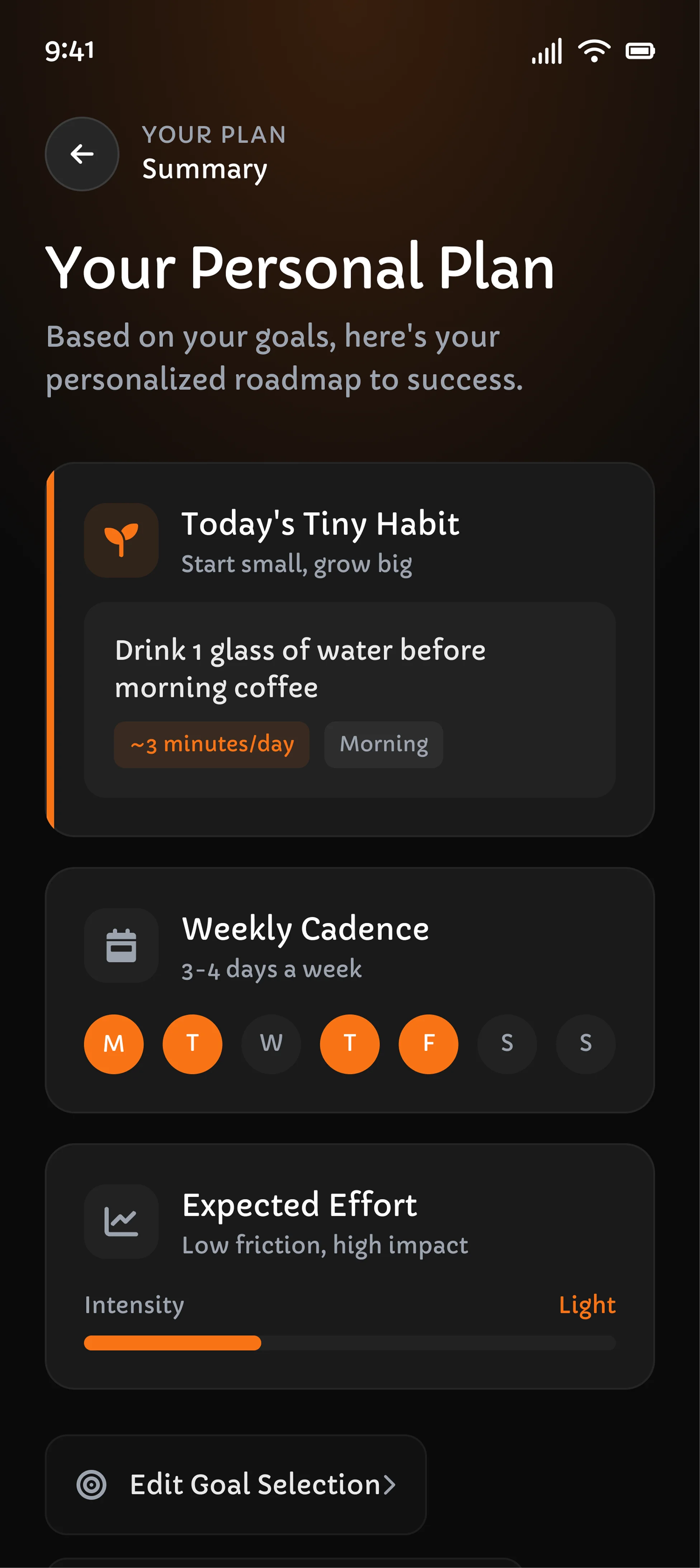
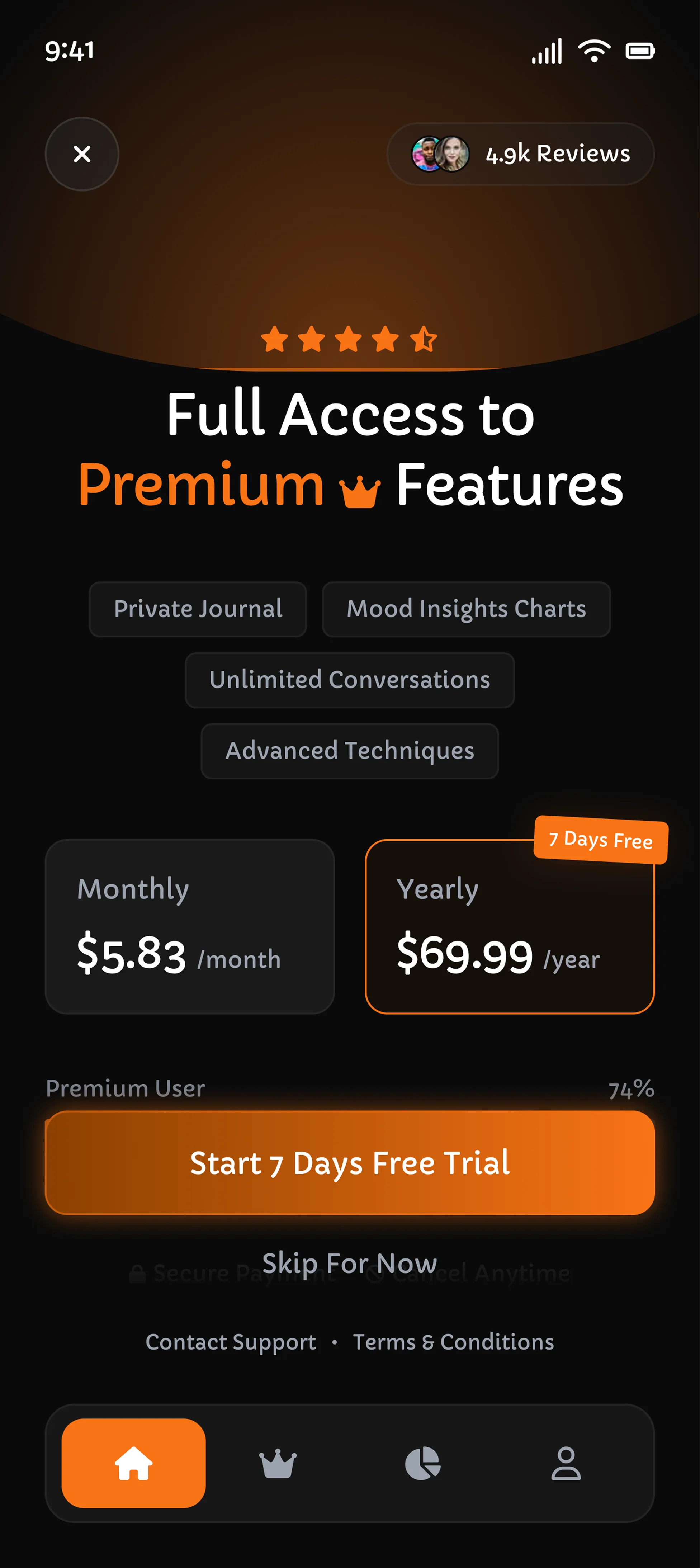
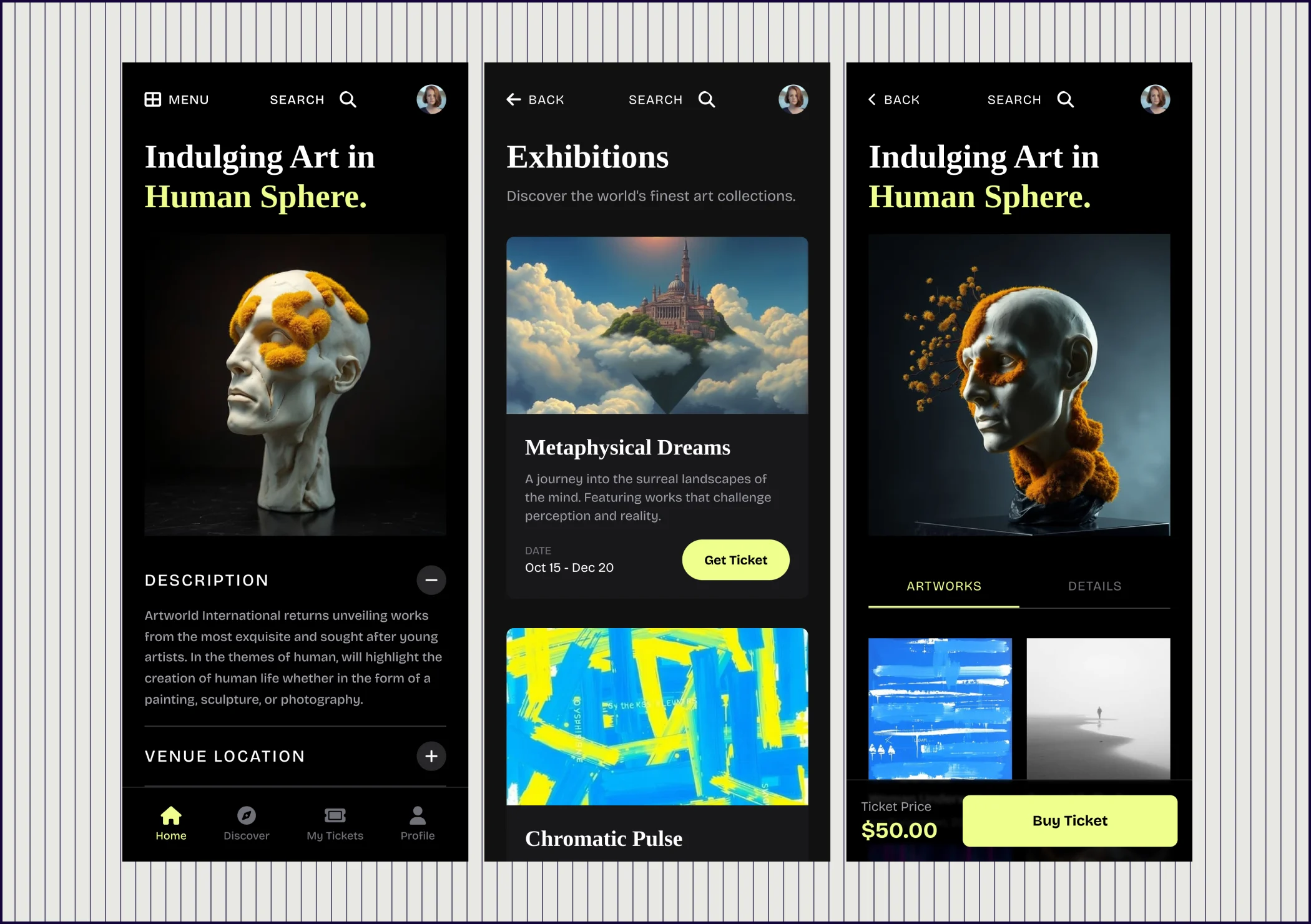
“Create a mobile onboarding flow for a habit-building wellness app aimed at busy professionals aged 25 to 40. Show welcome, goal selection, preferred reminder times, and pricing preview screens. Use warm, calming visuals, accessible typography, and subtle delight. Optimize for trust, low cognitive load, and high completion without looking generic“

Google Stitch
Google Stitch screenshot 1 of 4
Google Stitch screenshot 2 of 4
Google Stitch screenshot 3 of 4
Google Stitch screenshot 4 of 4
UX PILOT
UX PILOT screenshot 1 of 8
UX PILOT screenshot 2 of 8
UX PILOT screenshot 3 of 8
UX PILOT screenshot 4 of 8
UX PILOT screenshot 5 of 8
UX PILOT screenshot 6 of 8
UX PILOT screenshot 7 of 8
UX PILOT screenshot 8 of 8
Visual Hierarchy
Minimal dashboard with KPI cards, revenue chart, and churn table. No sidebar navigation or filters.
Full dashboard with sidebar nav, KPI sparklines, revenue chart, churn table, donut chart, and campaign empty state.
Prompt Adherence
Missing sidebar and filters. Covers KPIs, revenue, and churn but skips key requested elements.
All requested elements present. Exceeds prompt with a subscribers-by-plan breakdown.
Launch Readiness
Usable as a starting wireframe. Significant additions needed before stakeholder review.
Production-ready layout suitable for functional spec or developer handoff.

PROMPT 3: Design-system consistency for a project management tool

“Generate a desktop UI for a project management tool with a reusable design system. Include a task list page, project overview page, and modal for creating tasks. Define consistent buttons, cards, tabs, badges, inputs, empty states, and toast notifications. Make the interface modern, scalable, and suitable for handing off to engineers.”

Google StitchGoogle Stitch screenshot
UX PILOTUX PILOT screenshot
Design quality
Generates a formal design system before producing the UI screens
Consistent component styling, modern layout patterns, and visual depth
Visual Hierarchy
Well-structured pages but generated layouts lean toward template patterns
Clear page organization with distinct treatments for separate functions
Prompt Adherence
Covers task list, project overview, and creation modal as requested
Addresses all elements including empty states, toast notifications and patterns
Launch Readiness
Notable asset for handoff, though screens need refinement for production
Production-ready and comprehensive to serve as a working specification

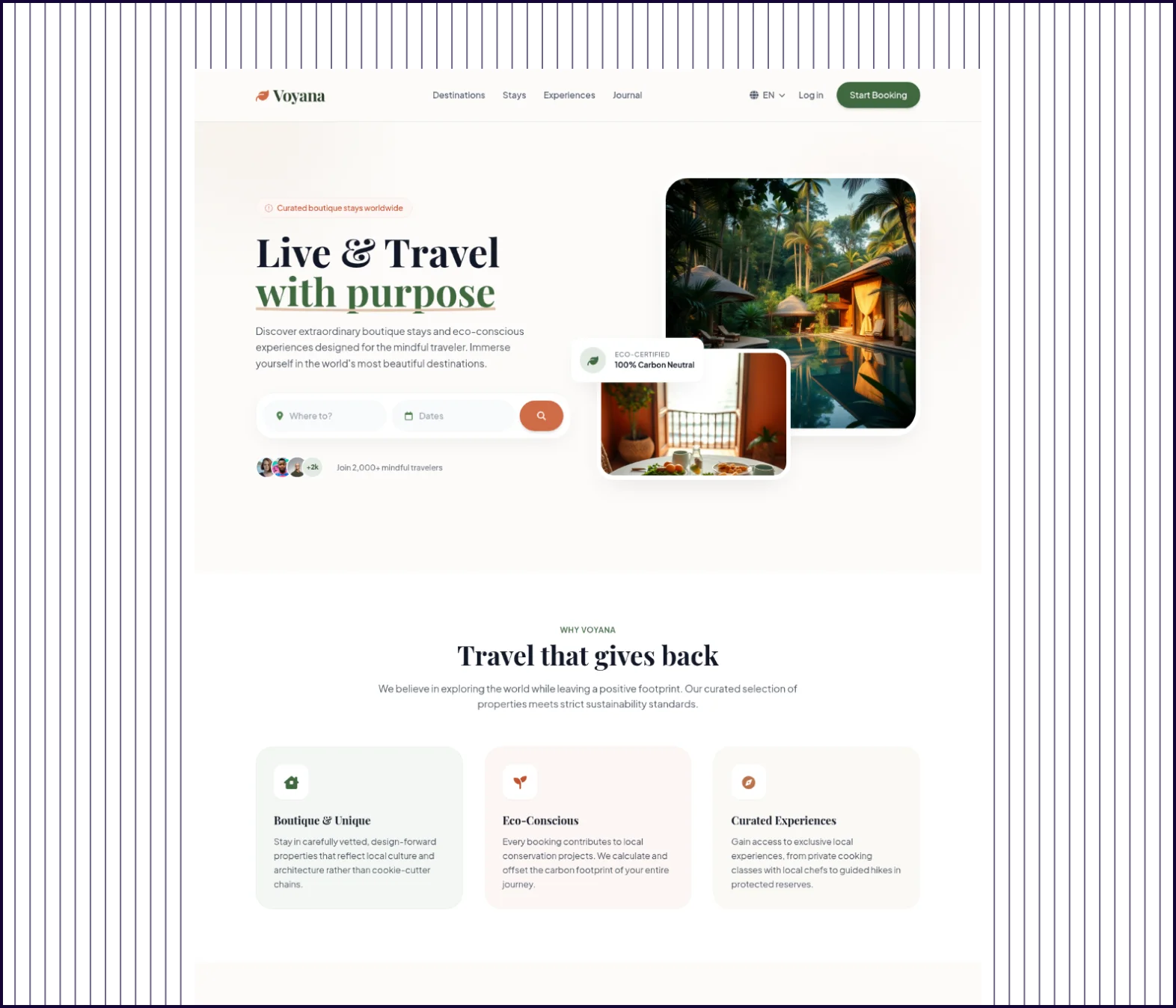
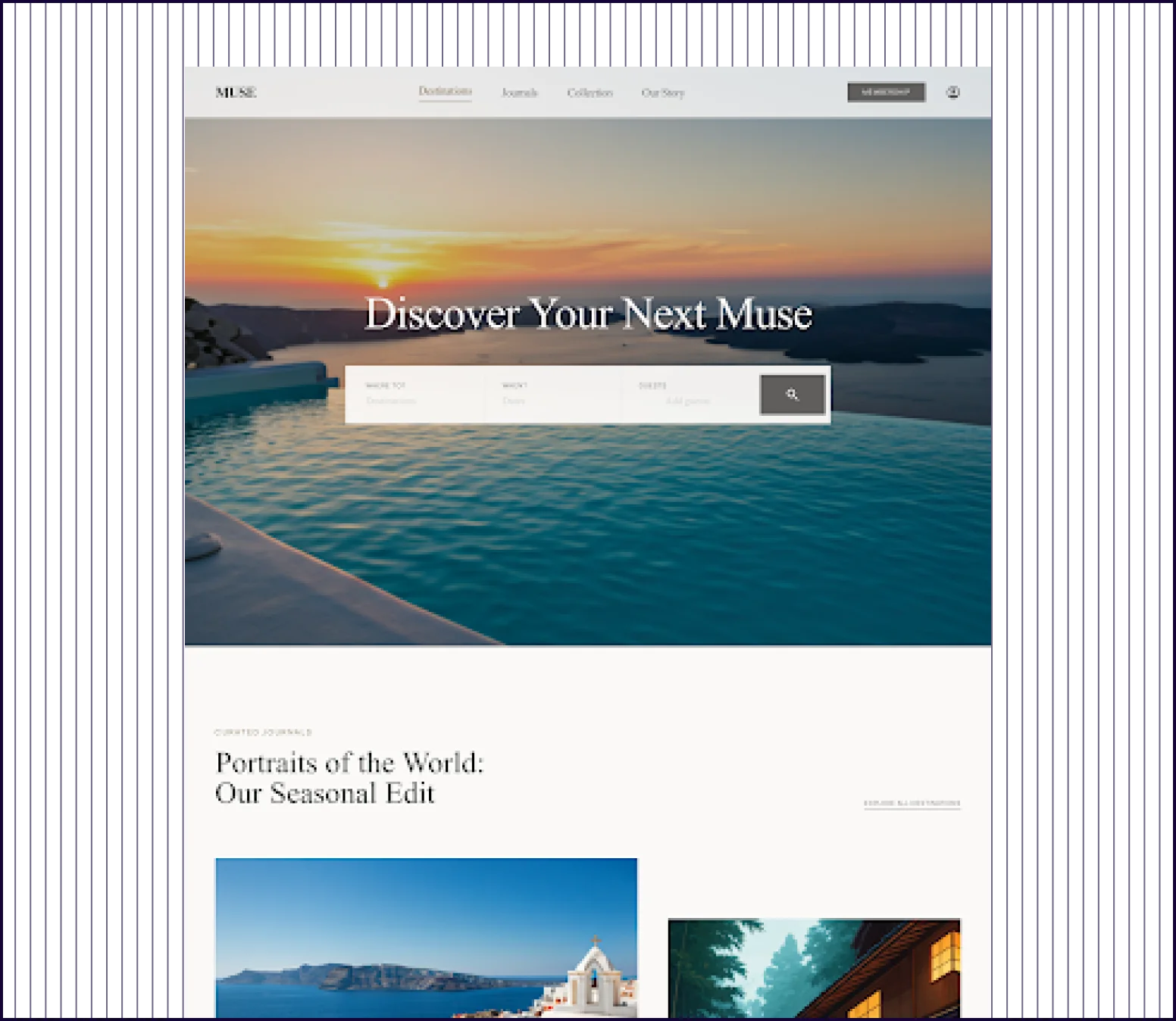
PROMPT 4: Luxury travel landing page with editorial visual style

“Using a premium, editorial visual style inspired by a luxury travel magazine, design a landing page for a boutique stays booking platform. Include hero search, curated destinations, featured properties, testimonials, and a membership section. Prioritize beautiful typography, strong imagery placeholders, and a layout that feels expensive, calm, and conversion-oriented”

Google StitchGoogle Stitch screenshot
UX PILOTUX PILOT screenshot
Design quality
Elegant layout with tasteful typography and a restrained color palette
Magazine-inspired design with destination cards and a cohesive luxury aesthetic
Visual Hierarchy
Clean sections with appropriate spacing but follows conventional patterns
Full-bleed hero, destination grid, large property features, and testimonial cards
Flow Completeness
Covers hero, destinations, and basic page structure, with a design system
Hero search, flights and hotels sections, reviews, newsletter and navigation
Prompt Adherence
Clean typography and muted tones, understated editorial magazine feel
Closely matches the prompt with all requested sections present
Launch Readiness
Captures the right tone but needs additional sections and content population
Production-ready landing page with requested sections, conversion-oriented CTAs

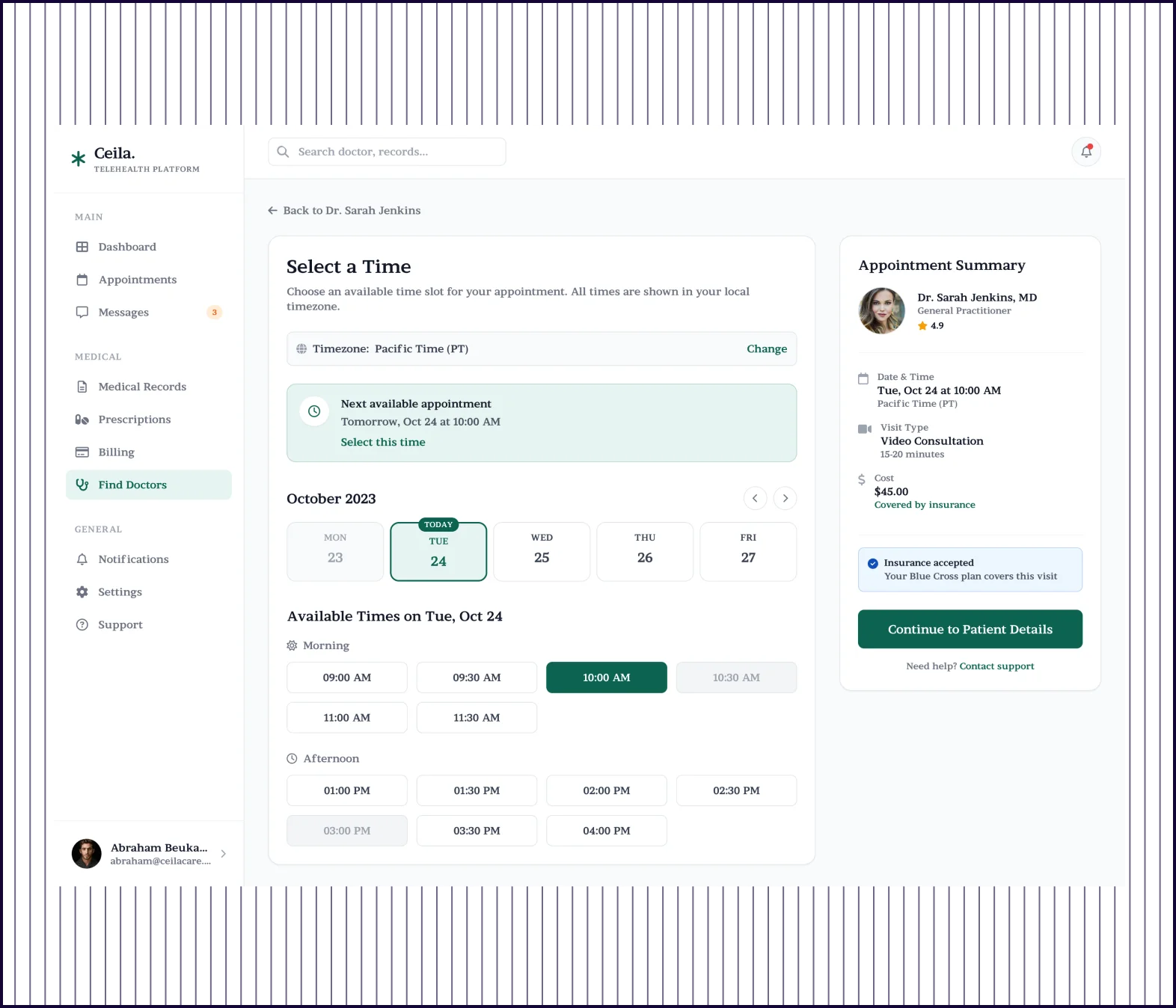
PROMPT 5: Multi-screen tele-health appointment booking flow

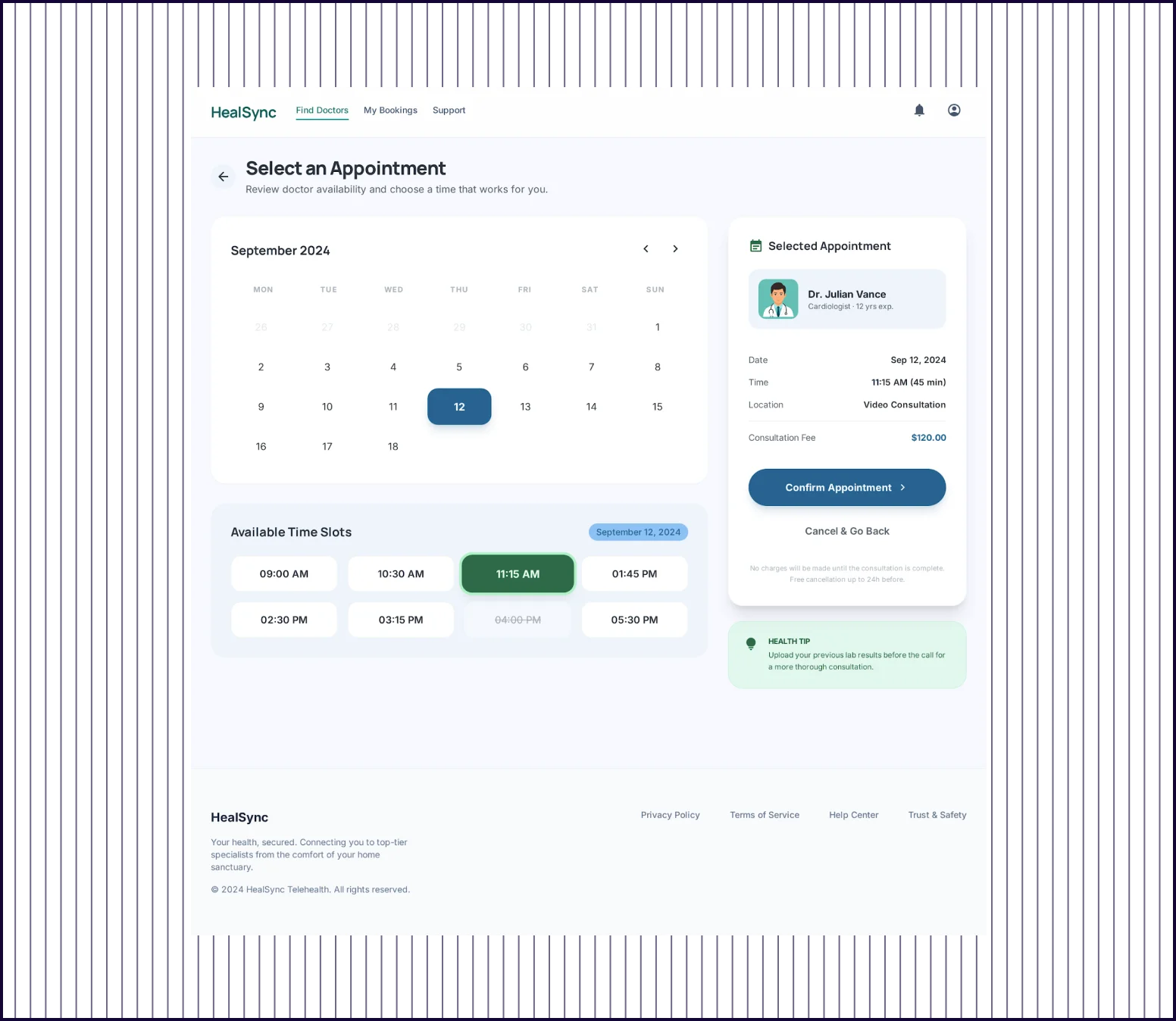
“Create a multi-screen web flow for booking a telehealth appointment. Include doctor search results, doctor profile, time-slot selection, patient details, payment, and confirmation. Design for anxious first-time users who need clarity and reassurance. Keep the flow friction-light, medically credible, and accessible, with obvious next steps and strong state transitions.”

Google StitchGoogle Stitch screenshot
UX PILOTUX PILOT screenshot
Design quality
Clean, medical-credible interface with calming colors across each screen
Trustworthy design with HIPAA compliance callouts, security badges, testimonials
Flow Completeness
Generates screens covering search, profile, scheduling, and confirmation
Comprehensive screen flow including welcome with care disclaimer, sign-in, intake search, doctor results
Prompt Adherence
Covers the key booking steps but compresses the flow into fewer screens than specified
Adds onboarding reassurance, guest access, intake screening, support
Launch Readiness
Functional prototype that needs expansion to include all user-facing states
Production-ready flow with enough depth, trust signals, and edge-case coverage
Show Cookie Preferences

Embrace an AI-Native Design Workflow

Google Stitch and UX Pilot both take an AI-first approach to UI design. Stitch uses Google's Gemini model to generate screens from natural language prompts, and the results are visually clean with consistent styling.

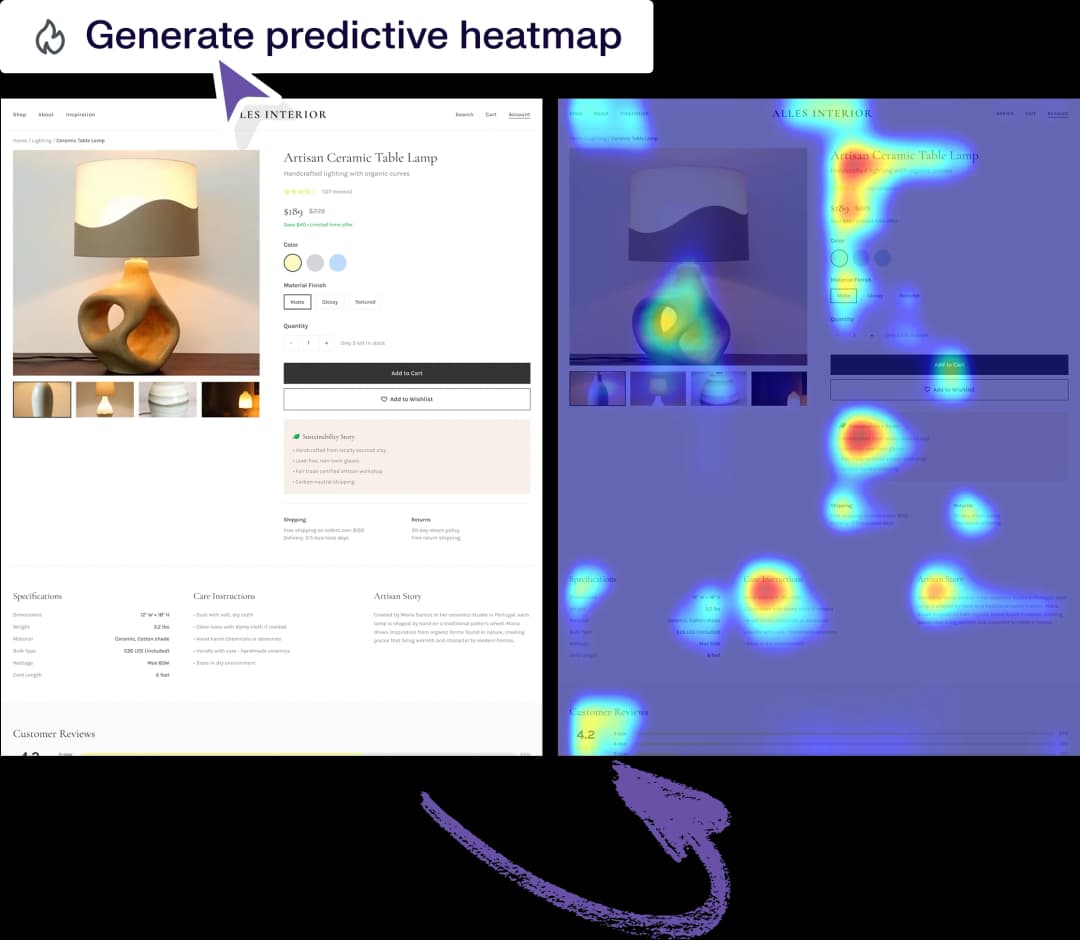
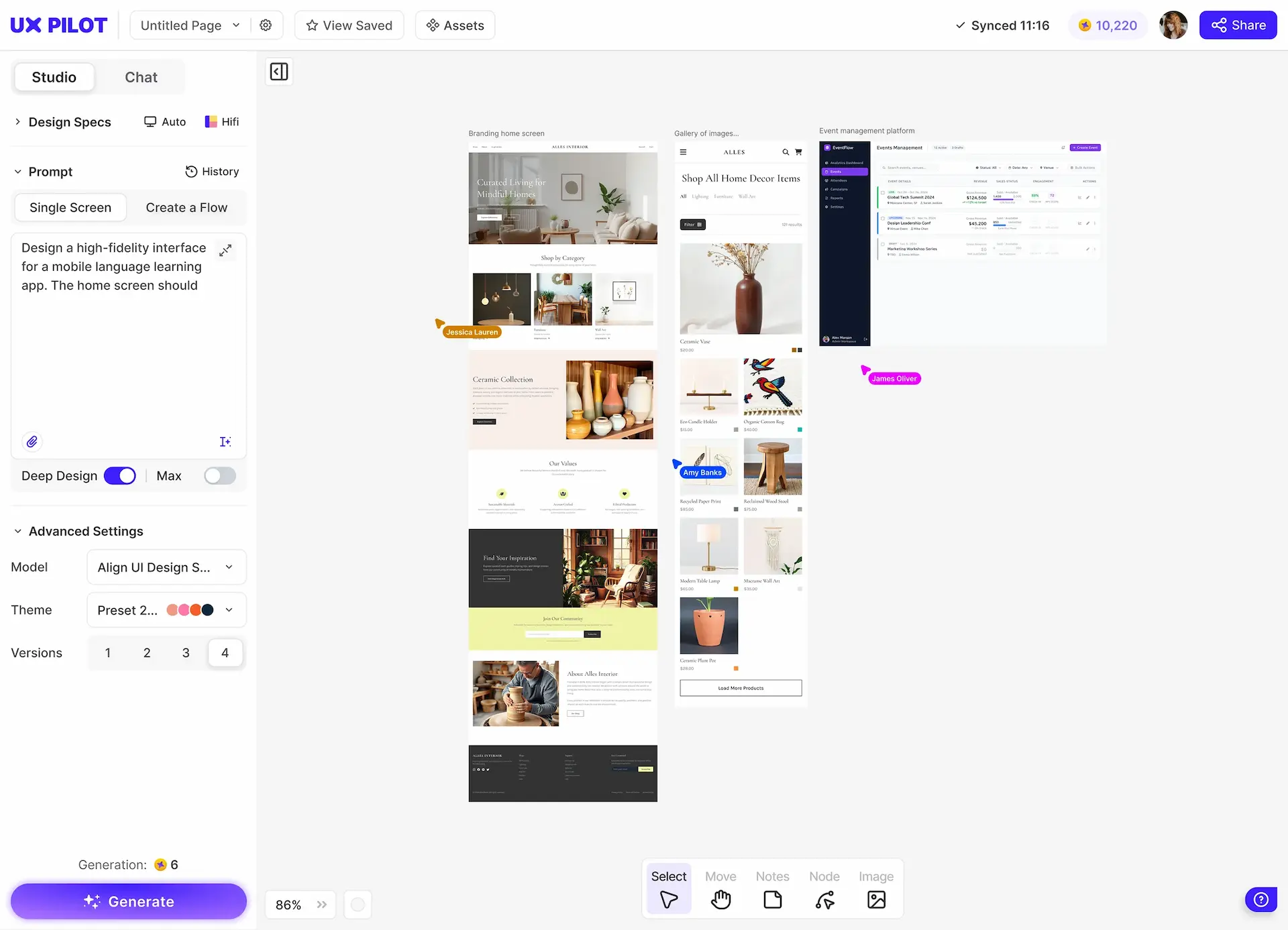
UX Pilot treats each prompt as the start of a full design workflow. You can generate a screen, then iterate with chat-based editing, create responsive versions across screen sizes, run predictive heatmaps, and export directly to Figma.

uxpilot-vs-uizard-comparison

What makes UX Pilot a great alternative to Google Stitch?

UX Pilot is a strong alternative to Google Stitch because it extends the AI generation workflow with tools for iteration, validation, and handoff.

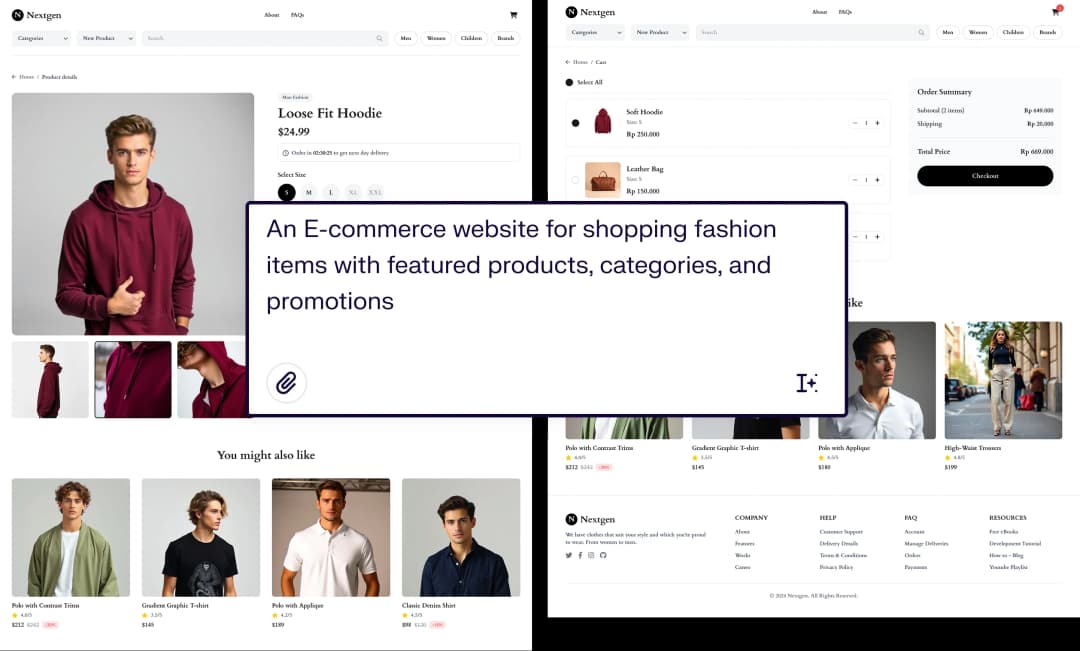
Like Stitch, you can describe what you want in natural language and get structured UI screens in seconds. UX Pilot also offers multi-screen generation, chat-based editing for targeted changes, predictive heatmaps, Figma two-way sync, and the option to upload your own design system. These features reduce the gap between what AI generates and what your team actually ships.

Speed of ideation

Speed of ideation

Both tools let you go from an idea to a visual design quickly. Google Stitch generates clean screens quickly, and its design system generation step adds a layer of consistency from the start. UX Pilot adds Blitz mode for even faster generation, plus the ability to generate up to 4 design variants per prompt so you can explore multiple directions without re-entering prompts.

Early validation and stakeholder demos

Early validation and stakeholder demos

UX Pilot's interactive flows, realistic layouts, and consistent styling make it easier for non-designers to understand the product vision and give meaningful feedback. Its outputs are presentation-ready for internal reviews, stakeholder walkthroughs, or early user validation. You can also run predictive heatmaps to support design decisions with data rather than opinion.

Make exact edits and retain control

Make exact edits and retain control

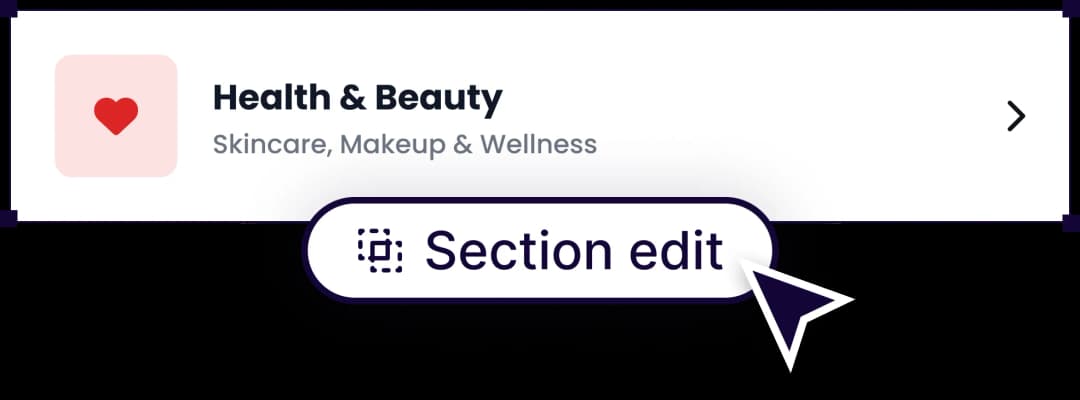
Stitch offers Edit mode where you select a screen and describe changes, plus Edit Theme for global adjustments like color, font, and corner radius. UX Pilot provides similar chat-based editing and adds the ability to generate responsive versions for different screen sizes, create design variations, and view predictive heatmaps to check attention distribution.

UX Pilot vs Google Stitch: Which is right for me?

Google Stitch is a strong choice if you want to explore visual directions quickly, work primarily in code-based workflows, or need a free tool for early-stage prototyping. Its auto-generated design system and HTML export make it practical for developers and technical founders who want to move from concept to code without a traditional design tool.

UX Pilot is the better fit if you need to move from idea to production-ready design inside a single tool. It covers multi-screen flows, design review, Figma sync, responsive variants, and design system alignment so you spend less time stitching together outputs from different tools.

Choose Google Stitch when you are exploring ideas and building quick prototypes. Choose UX Pilot if you need complete flows, stakeholder-ready presentations, Figma integration, or production-grade design output from day one.

uxpilot-vs-uizard-comparison

What makes UX Pilot different from Google Stitch?

Google Stitch is a capable AI design tool, especially for quick ideation and early-stage prototyping. It generates clean UI from prompts and automatically creates a design system with colors, typography, and component tokens.

UX Pilot is built for the full arc from idea to production-ready design. It handles more of the workflow inside a single tool, from multi-screen flows, design review, Figma sync to responsive variants so you spend less time moving between tools or rebuilding what AI generated.

Deeper multi-screen flow generation

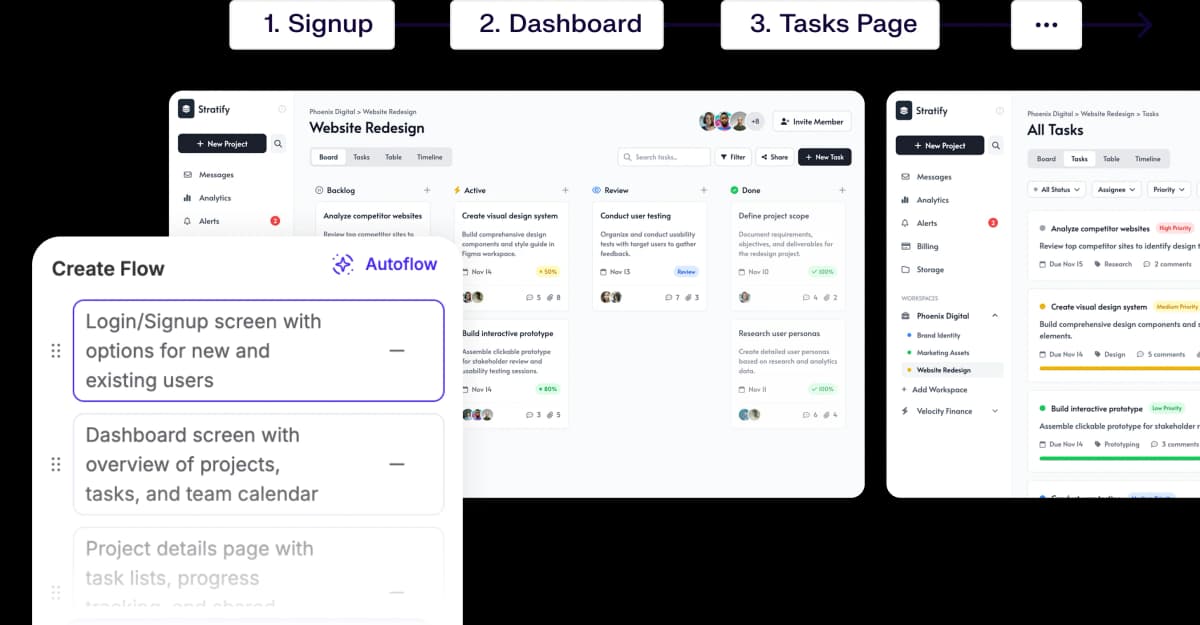
Google Stitch generates up to 5 screens per prompt, which works well for simple flows. UX Pilot's Autoflow mode generates 9 or more screens from a single prompt, covering edge cases, onboarding steps, and secondary views that Stitch leaves out.

AI generated designs that match the prompt

Responsive design across screen sizes in one step

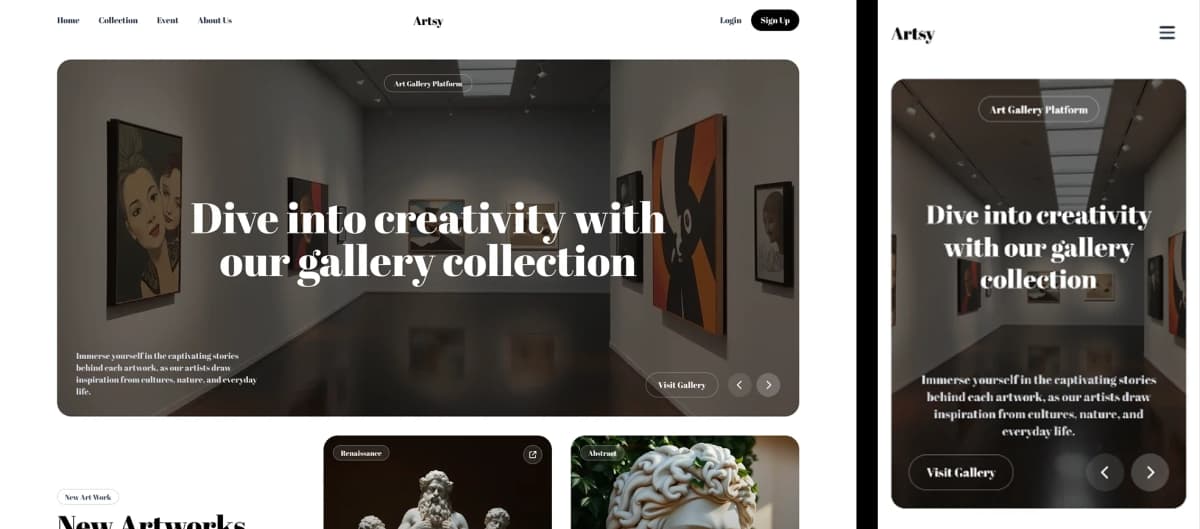
UX Pilot lets you generate and switch between Desktop, Desktop HD, Tablet, and Mobile layouts from the same prompt. You pick a screen size before generation or create responsive variants afterward, so the same design adapts across breakpoints without re-prompting. Stitch offers App and Web modes, but does not generate responsive variants of the same screen across multiple breakpoints in a single workflow.

Ideas to finished UX designs

Design system upload for brand-consistent output

UX Pilot lets you upload your existing design system, which trains a custom model to generate screens that match your brand's components, spacing, and visual language. This means AI output stays aligned with established design standards instead of starting from a generic baseline every time.

Stitch generates its own design system automatically during creation, which is useful for new projects, but does not support importing an existing system to constrain the output to your brand.

Integrated with Figma

Frequently asked questions

Everything you want to know about UX Pilot vs Google Stitch

Product

AI Wireframe GeneratorAI UI GeneratorAI Dashboard GeneratorAI Landing Page GeneratorAI Website BuilderAI Diagram GeneratorAI Flowchart GeneratorAI Website DesignerWebsite GeneratorWebsite ClonerMockup GeneratorPrototype GeneratorImage to HTMLFigma AIFigma Plugin

Compare UX Pilot

Galileo AIUizardUXPinMagic PatternsPaper DesignGoogle StitchPencil.devRelume AIBoltLovable

Resources

Figma GuideBlogsMobile TemplatesWebsite TemplatesUX WorkshopsTestimonialsAffiliates

Company

About usPricingUX Pilot for AgenciesCareersContact Us

Legal

Privacy PolicyTerms of Service

©2026 UX Pilot AI

Follow

TwitterTikTokInstagramLinkedInYoutube

From prompt to production-ready design

UX Pilot is built for workflows where design quality matters from day one. Whether you are building landing pages, product interfaces, or user flows, the output is polished enough to use immediately. You skip the rough draft stage and start with something you can actually ship or present.

Free to start
No credit card
No design skills required

Generate designs in seconds

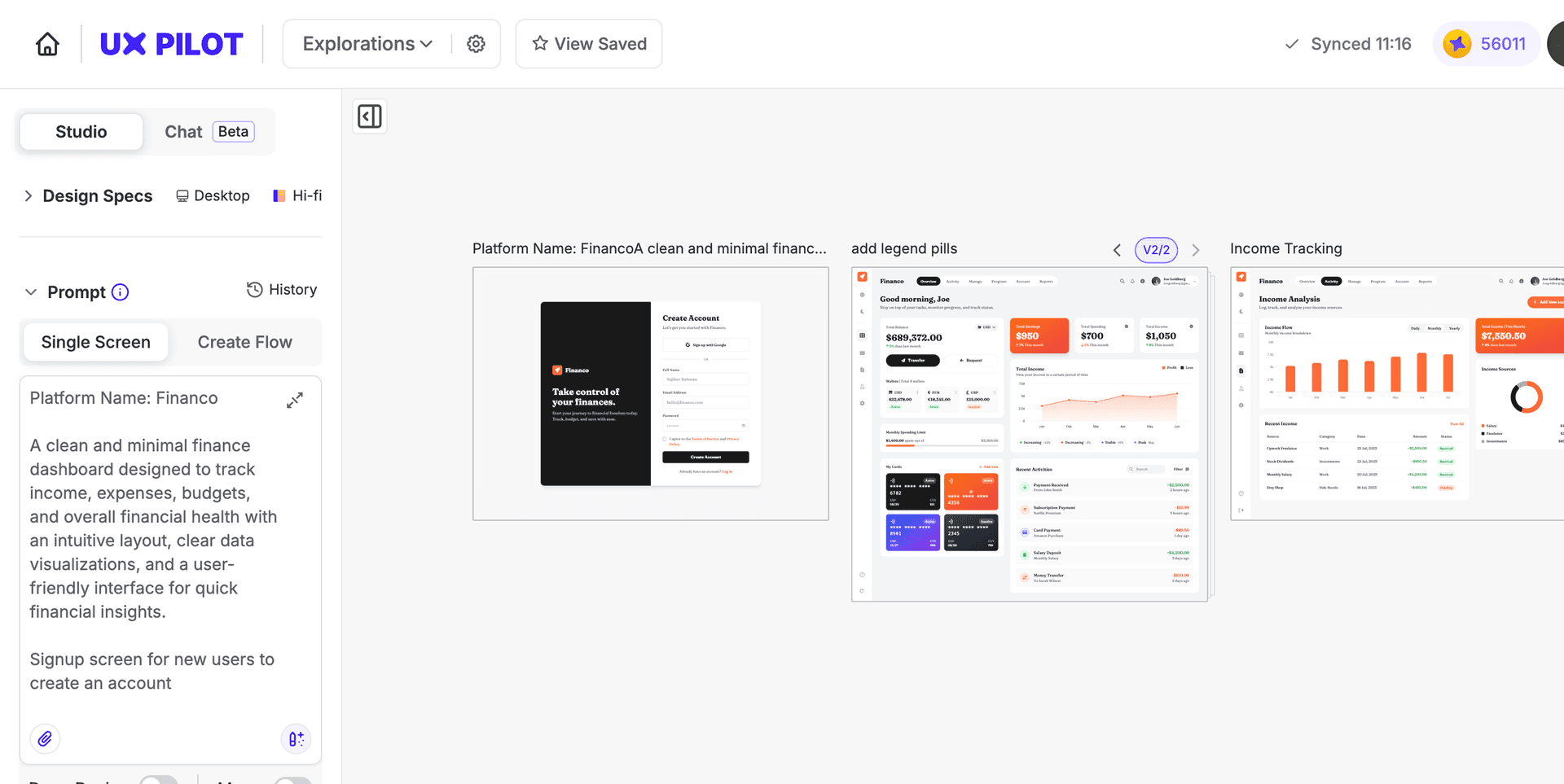
UX Pilot Dashboard