CLAUDE DESIGN
Claude Design Head to Head Comparison of Features and Pricing
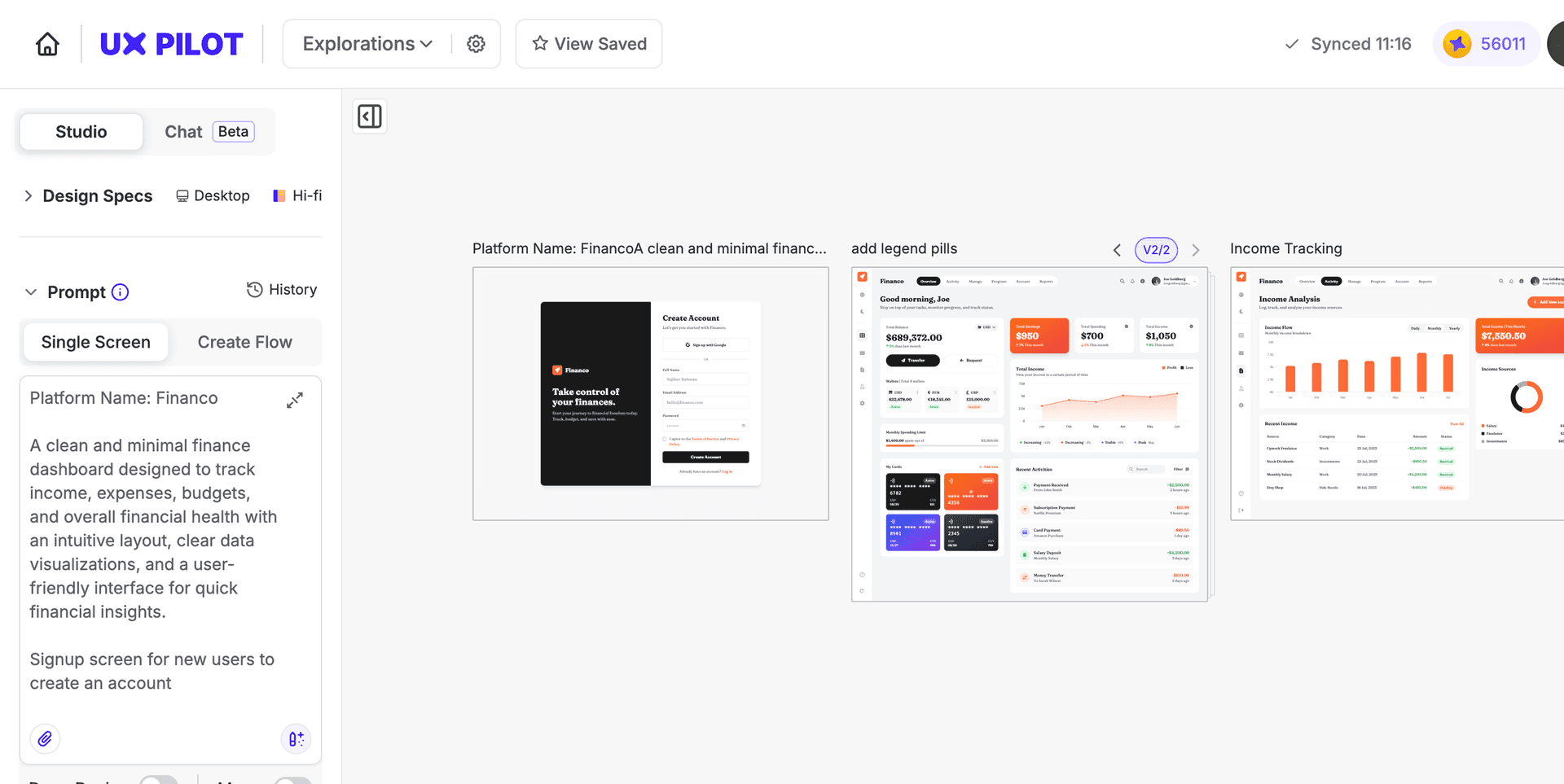
Claude Design helps founders and marketers turn a prompt into a polished web page or marketing asset. UX Pilot gives you a dedicated AI design environment built for shipping production-ready UI, complete with multi-screen flows, predictive heatmaps, and Figma export.
No credit card needed
UX Pilot vs Claude Design comparisons
| Compare Features |  |  |
|---|---|---|
| Prompt-to-design flow | Four variations per run | Single draft, then iterate |
| Multi-screen flow generation | Autoflow for connected journeys | Supported via prompting |
| Predictive heatmaps | Built-in | Not available |
| Accessibility review | Automated WCAG checks in canvas | Not available |
| Real-time collaboration | Team seats with shared editing | Group chat with Claude |
| Export to Figma | Yes | Not supported |
| Export to code | HTML, CSS & Tailwind | HTML bundles |
| Token usage | Credit based | Heavy usage |
| Free plan | Yes | No |
| Starting paid plan | From $19/month billed annually (Pro) | Bundled in Claude Pro at $20/month |
| Subscription dependency | Standalone | Claude Pro, Max, Team, or Enterprise |
| Best suited for | Teams who want a dedicated, validated design workflow | Teams already working inside the Claude ecosystem |
Immersive websites, made in UX Pilot
Websites with motion and depth
UX Pilot designs immersive marketing sites too, with bold type, depth and motion.
Real estate
Made in UX PilotProduct launch
Made in UX PilotE-commerce
Made in UX PilotDesign studio
Made in UX PilotTravel
Made in UX PilotFintech
Made in UX PilotFashion lookbook
Made in UX PilotMusic festival
Made in UX PilotArchitecture studio
Made in UX PilotFashion drop
Made in UX PilotAudio hardware
Made in UX Pilot
Ship a full design project in one sitting
Teams doing real design work need a tool that can handle a full project in one go, not one that pauses halfway through.
UX Pilot is built for uninterrupted design sessions, with predictable screen credits and visible usage without pausing for quota resets or pushing you to a higher subscription tier mid-project.
You can explore a dozen directions, iterate through rounds of feedback, and export a finished flow inside the same working session.
Claude Design inherits Claude's weekly usage allowances. For teams evaluating a primary design tool, UX Pilot offers a dedicated environment where design is the whole focus, not one feature among several.
What makes UX Pilot different from Claude Design
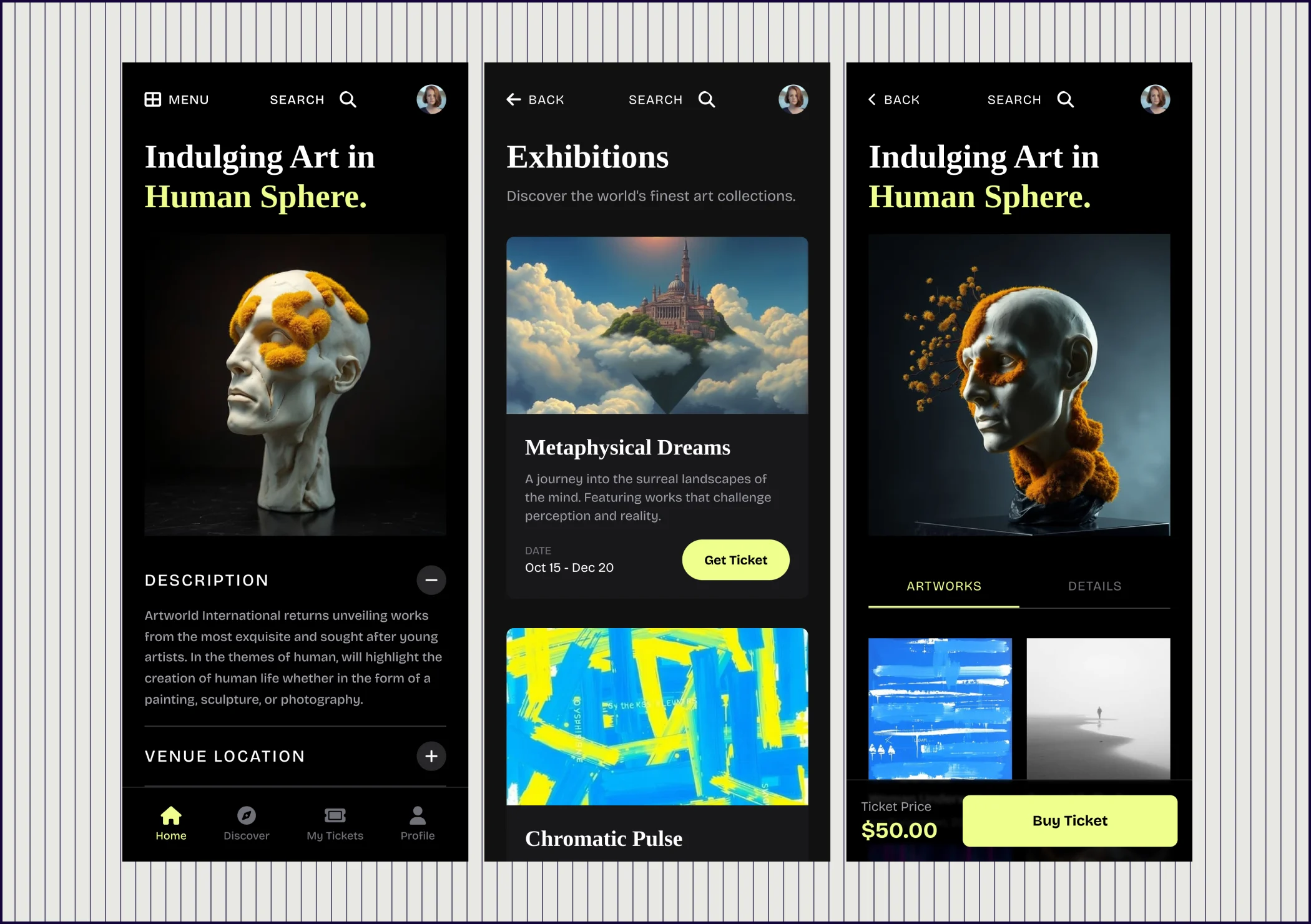
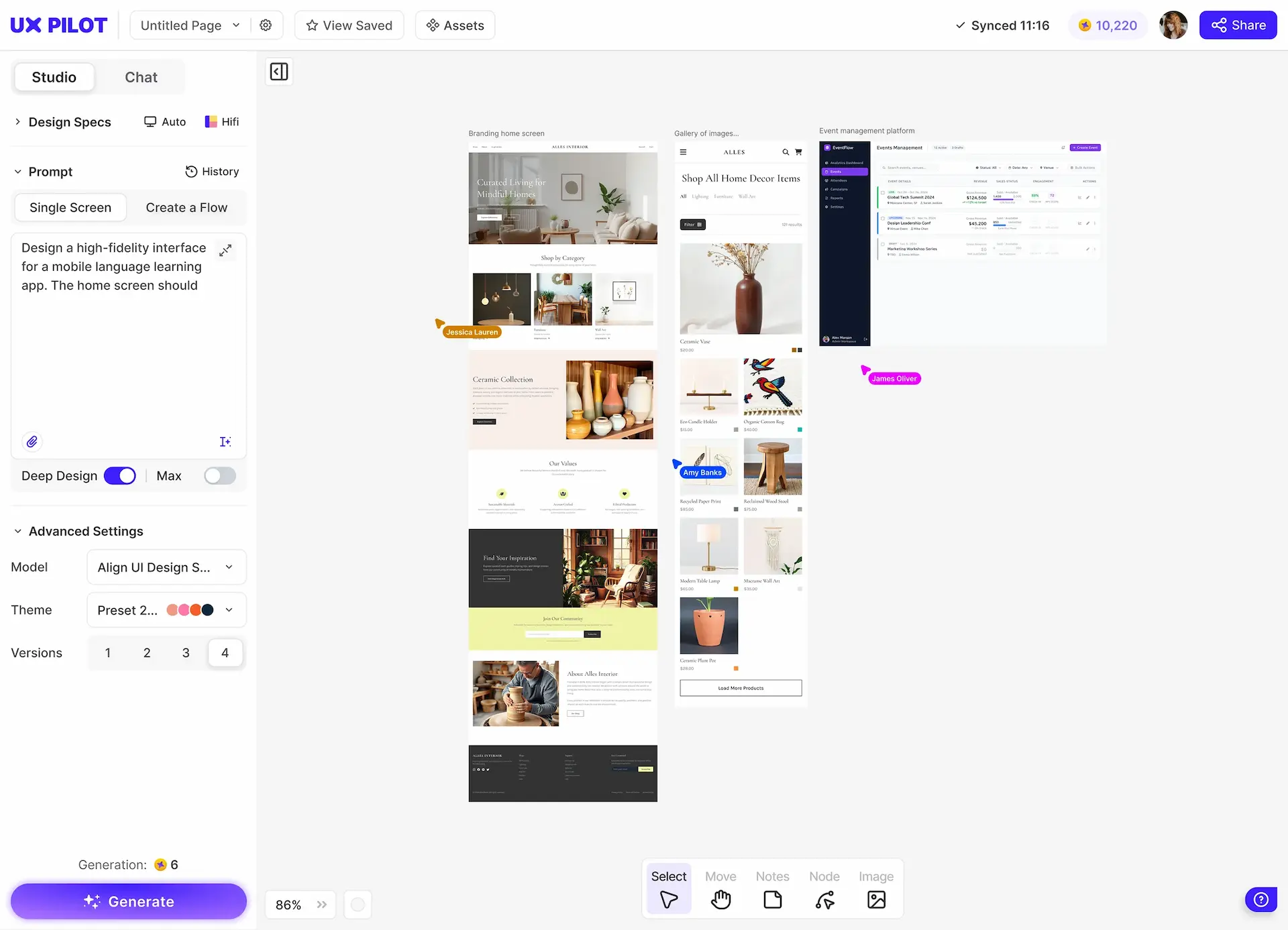
UX Pilot is useful for exploring multiple directions, validating what you built, and handing it off cleanly.
Distinct visual styles instead of typical AI design patterns
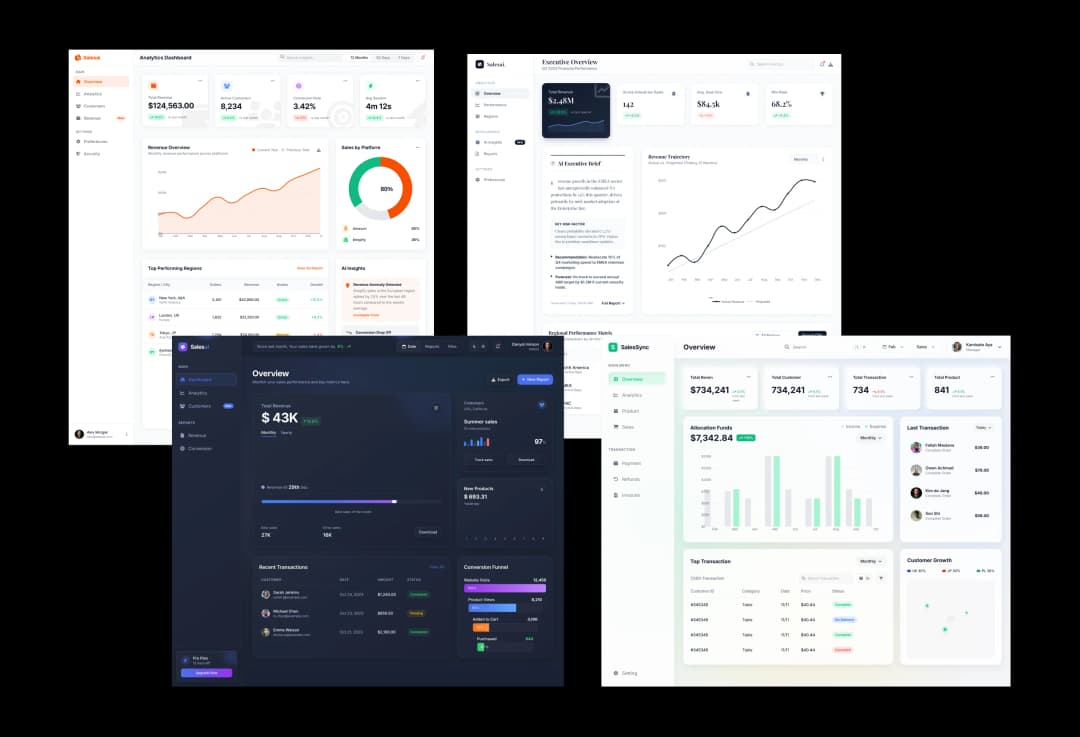
Claude Design outputs share a common aesthetic and generate similar designs across many first drafts. Anthropic's own admin guide acknowledges that turning on Claude Design without a design system gives generic output.
UX Pilot generates four distinct visual and structural directions from a single prompt, with varied treatment from the first screen. You can compare layouts, spacing, and component choices side by side, then pick the one closest to what you want and refine from there. This is particularly useful during early ideation when the strongest direction is not obvious until you see several options next to each other.
AI generations without weekly token anxiety
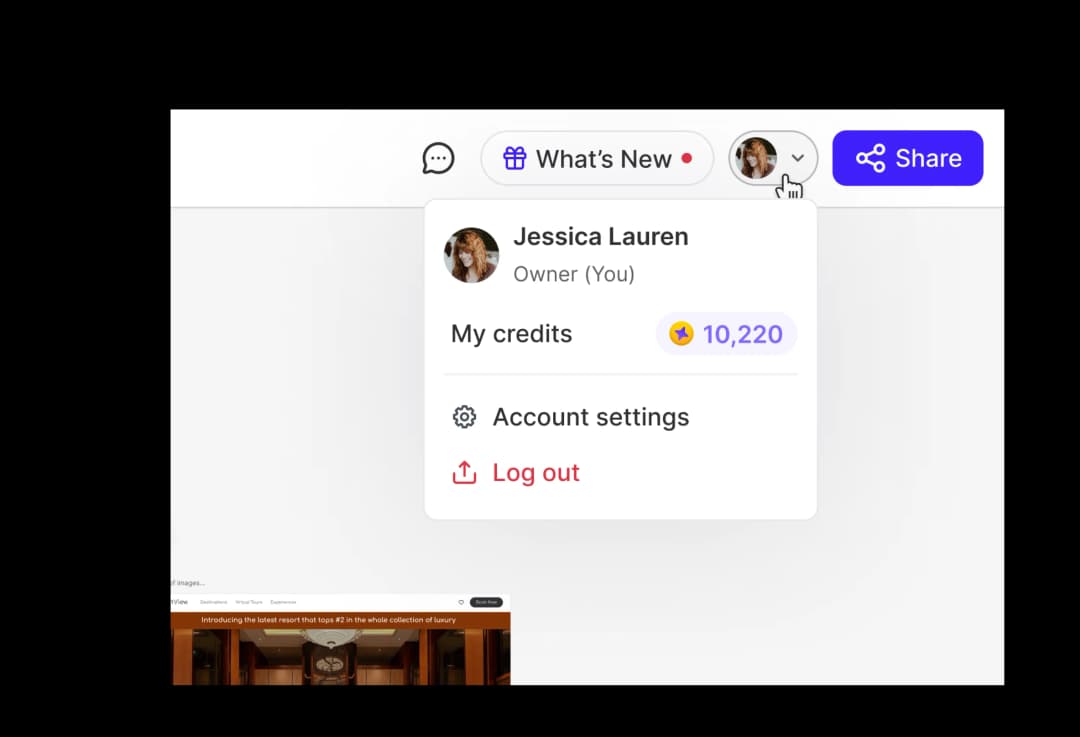
Claude Design draws from separate weekly design allowances that are very token intensive. For teams planning to use the tool daily, that often means upgrading to Max or enabling extra usage purchases, which is a hidden cost when comparing entry-level pricing.
UX Pilot uses credit allowances tied to each plan. Pro includes 750 credits a month, about 125 screens, and your balance is visible in the interface before you run a generation.
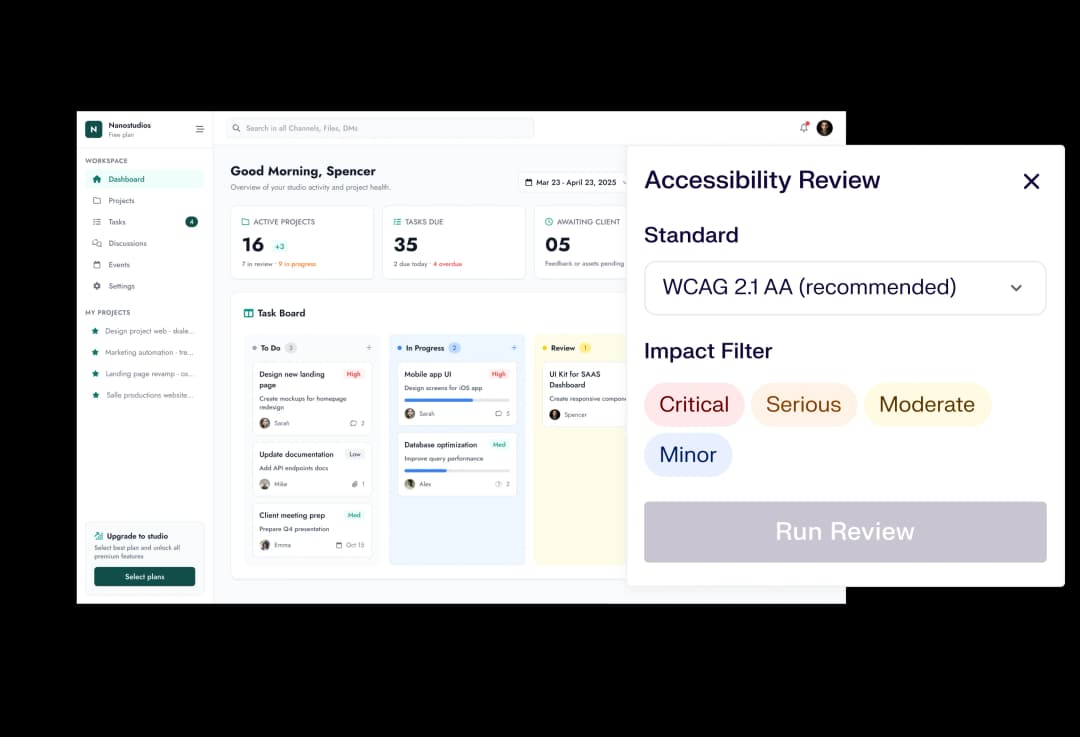
Accessibility and WCAG checks inside the design workspace
UX Pilot runs automated accessibility reviews inside the canvas, checking contrast, unlabeled form fields, touch target sizes, and other WCAG-aligned heuristics. For teams shipping to regulated markets or enterprise buyers who ask about compliance, having this built in will save a separate audit step.
You can ask Claude in chat to review a design for accessibility concerns, which returns a useful text summary, but there is no dedicated validation feature that flags issues visually against the design itself.
Design systems in UX Pilot
Bring your design system, or build one
Start from scratch with AI, or import from a website, a Figma file, a GitHub repository, your codebase or a DESIGN.md. New screens then use your tokens and components.
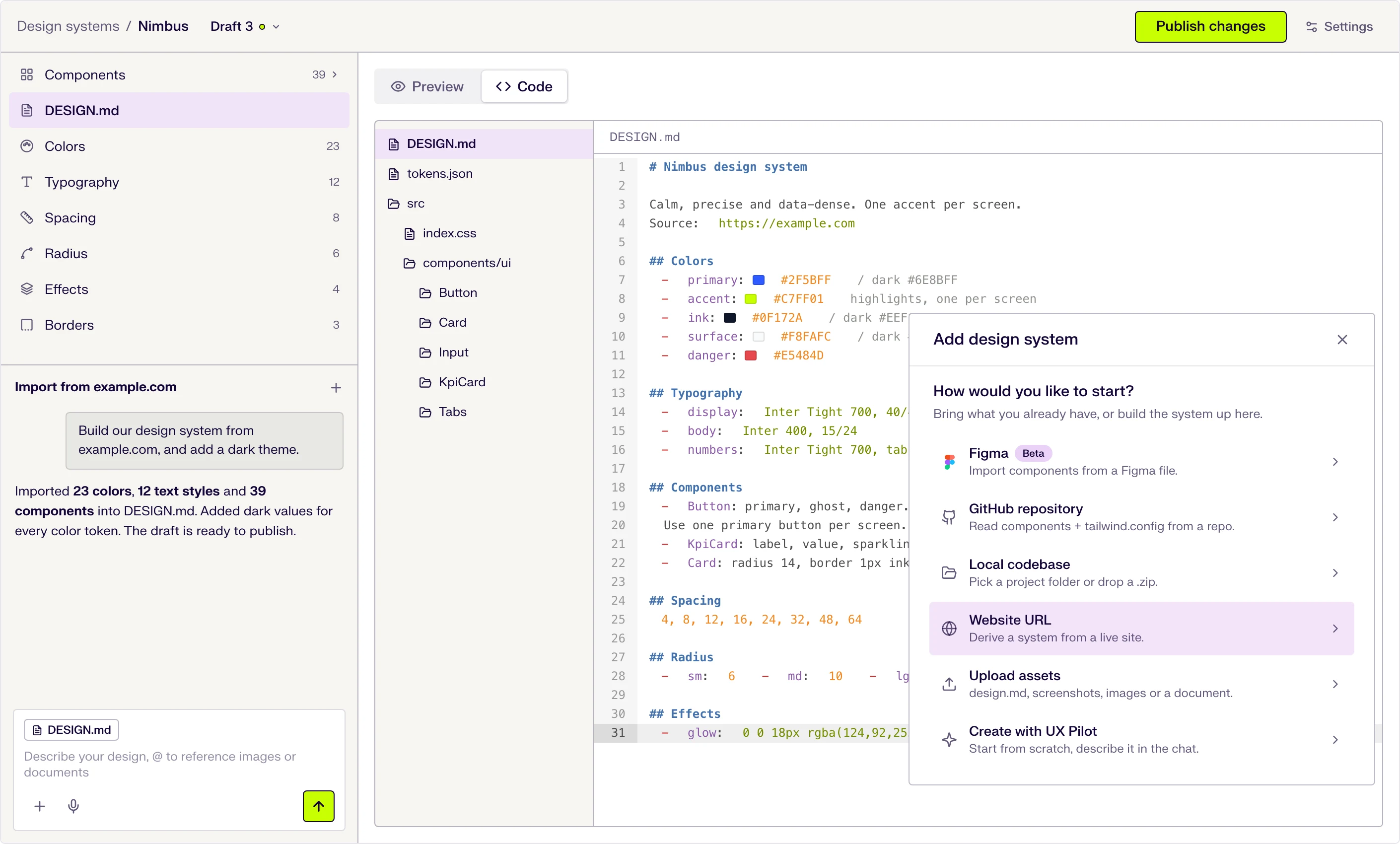
Six ways to start
Describe it in the chat, or import from a website URL, a Figma file (beta), a GitHub repository, a local codebase or uploaded files.
DESIGN.md at the core
Tokens and usage guidance live in one DESIGN.md file that the AI follows when it designs. Edit a token and the file updates.
Draft, publish, repeat
Changes stay in draft until you publish them, and version history keeps every release.

Kresimir Retih,
Project Manager"It has been a game-changer for me! Since signing up, my workflow has become much smoother, and my productivity has increased significantly. I love how intuitive and user-friendly the platform is, making UX tasks much easier and more efficient. Highly recommend it to anyone looking to streamline their UX process!"
What makes UX Pilot a great alternative to Claude Design?
UX Pilot covers the same core use cases as Claude Design, generating prototypes, landing pages, dashboards, and multi-screen flows from prompts, while adding the validation and speed features that come with being a dedicated design product.
Fast generation modes for high-volume ideation
UX Pilot fits the exploration-heavy part of the workflow where you want to see a direction quickly and decide whether to refine or throw it out. When the task is generating a dozen homepage concepts in half an hour, it matches quick ideation workflows.
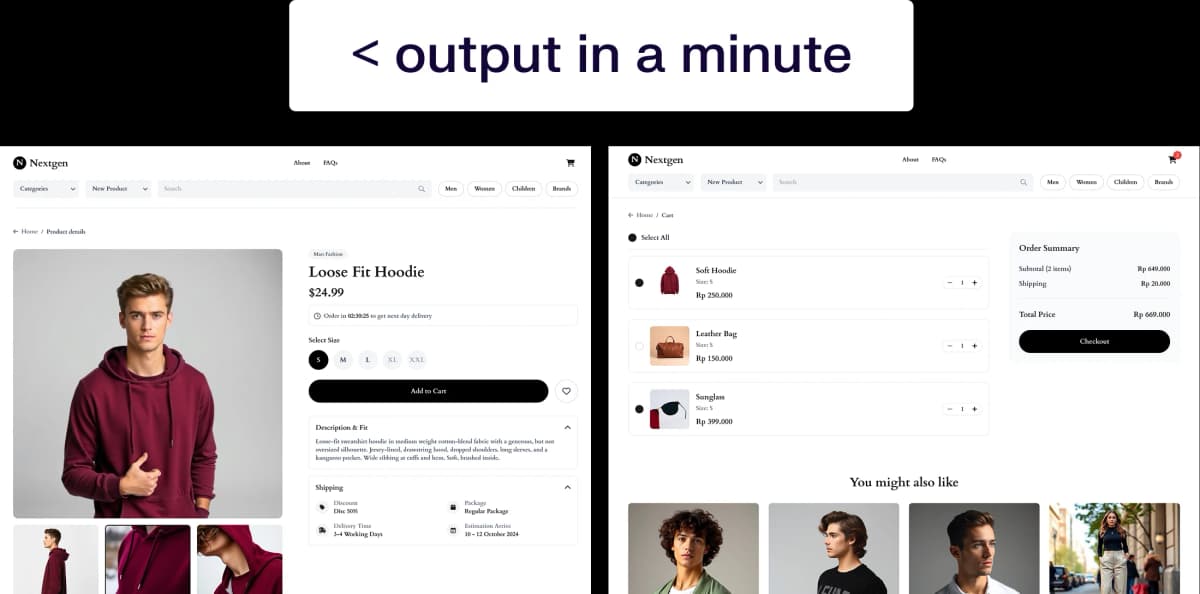
Multi-screen flows for connected user journeys
UX Pilot generates entire multi-screen flows from a single prompt, with consistent navigation, shared components, and continuity between screens. Teams building onboarding sequences, booking flows, or multi-step checkout experiences get a complete journey rather than a set of individually polished assets that need to be stitched together.
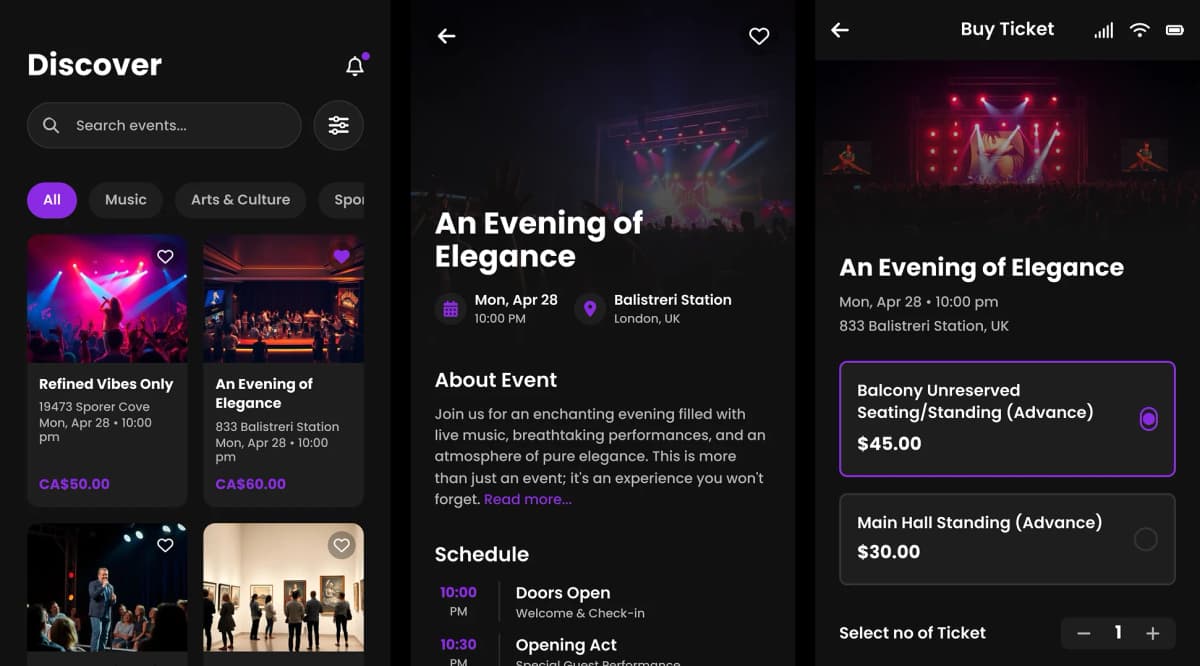
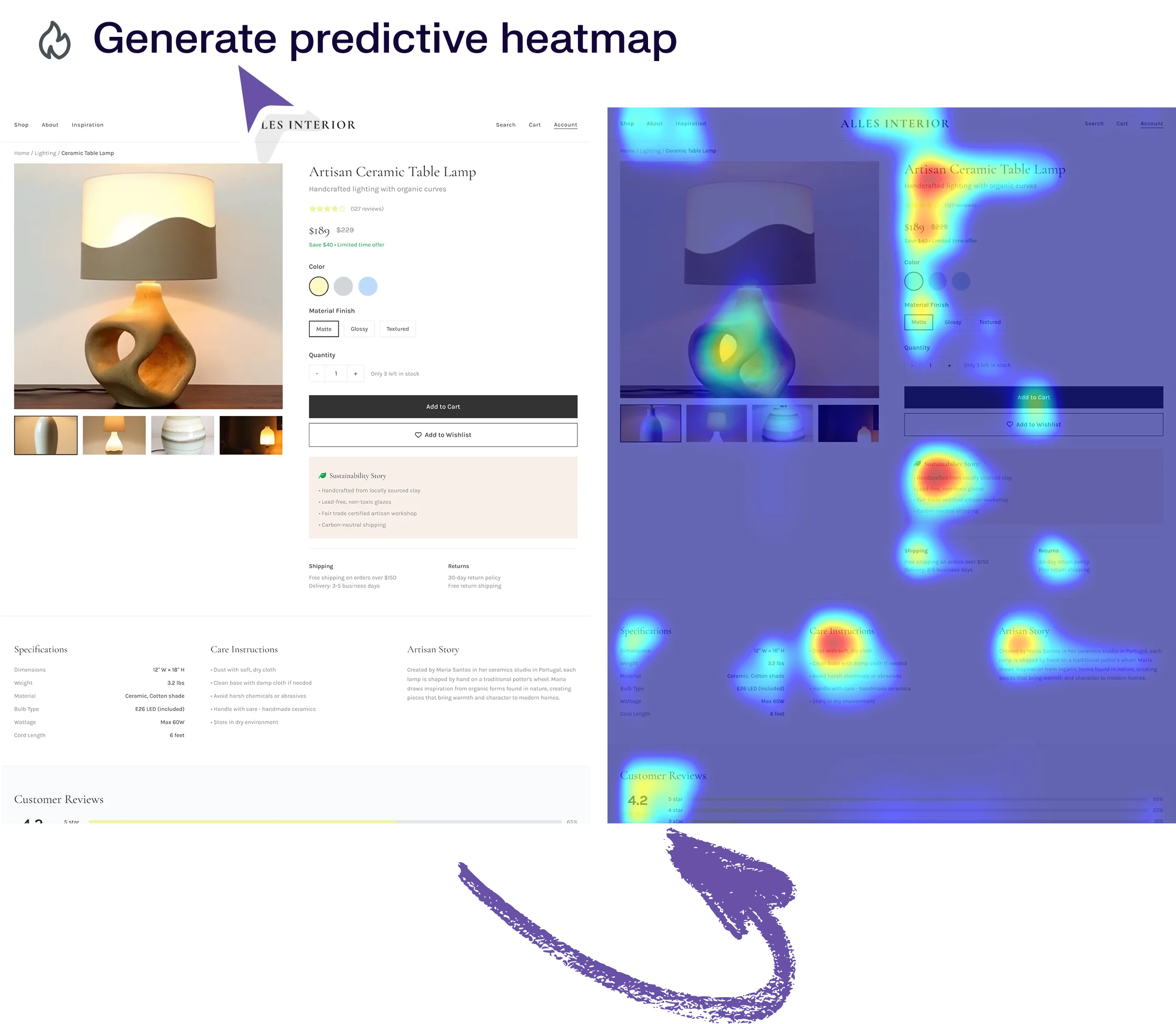
Predictive heatmaps and automated design reviews for validation
UX Pilot’s predictive heatmaps show where users are likely to focus their attention, and automated design reviews surface hierarchy issues, inconsistency, and usability concerns before a design reaches user testing.
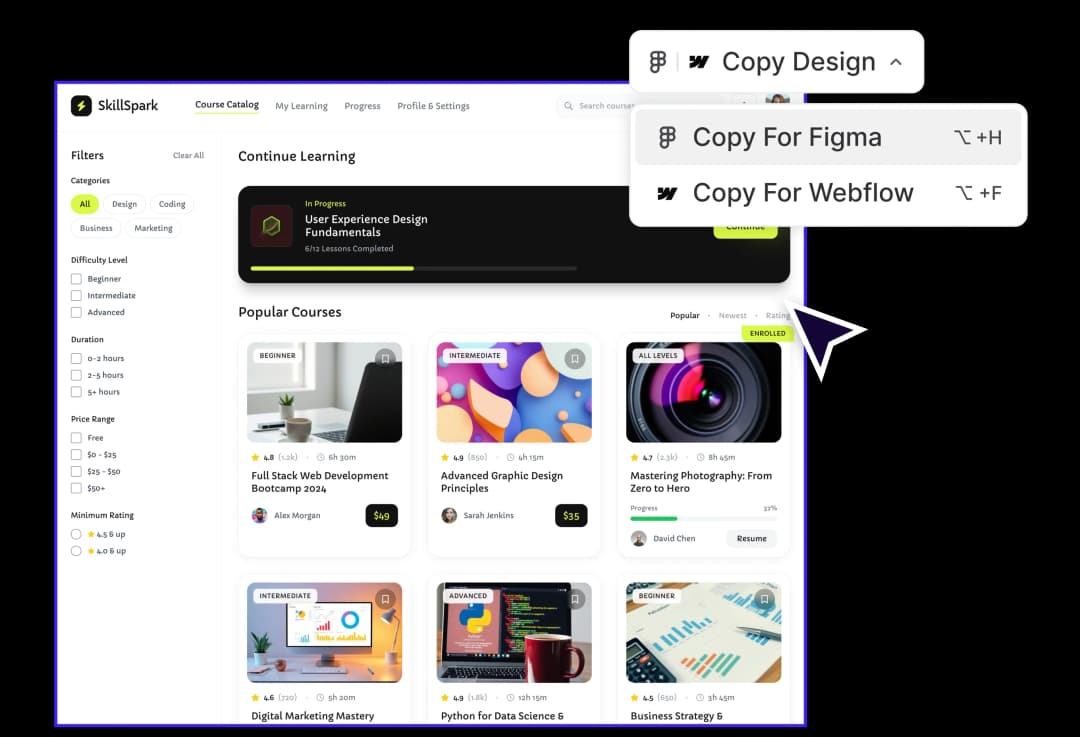
Native Figma integration for teams that already work in Figma
UX Pilot exports generated designs to Figma with layers and component structure intact. Designers can take an AI-generated starting point and continue working inside the tool their team already uses for handoff, tokens, and collaborative review. You can also import your Figma components into UX Pilot’s design system, so subsequent generations match your existing patterns.
Claude Design exports to Canva, PDF, PPTX, and standalone HTML bundles, with no direct Figma integration. Teams with handoff processes in Figma will need to recreate designs manually or move the workflow to Canva, which is a different trade-off depending on how production-ready your output needs to be.
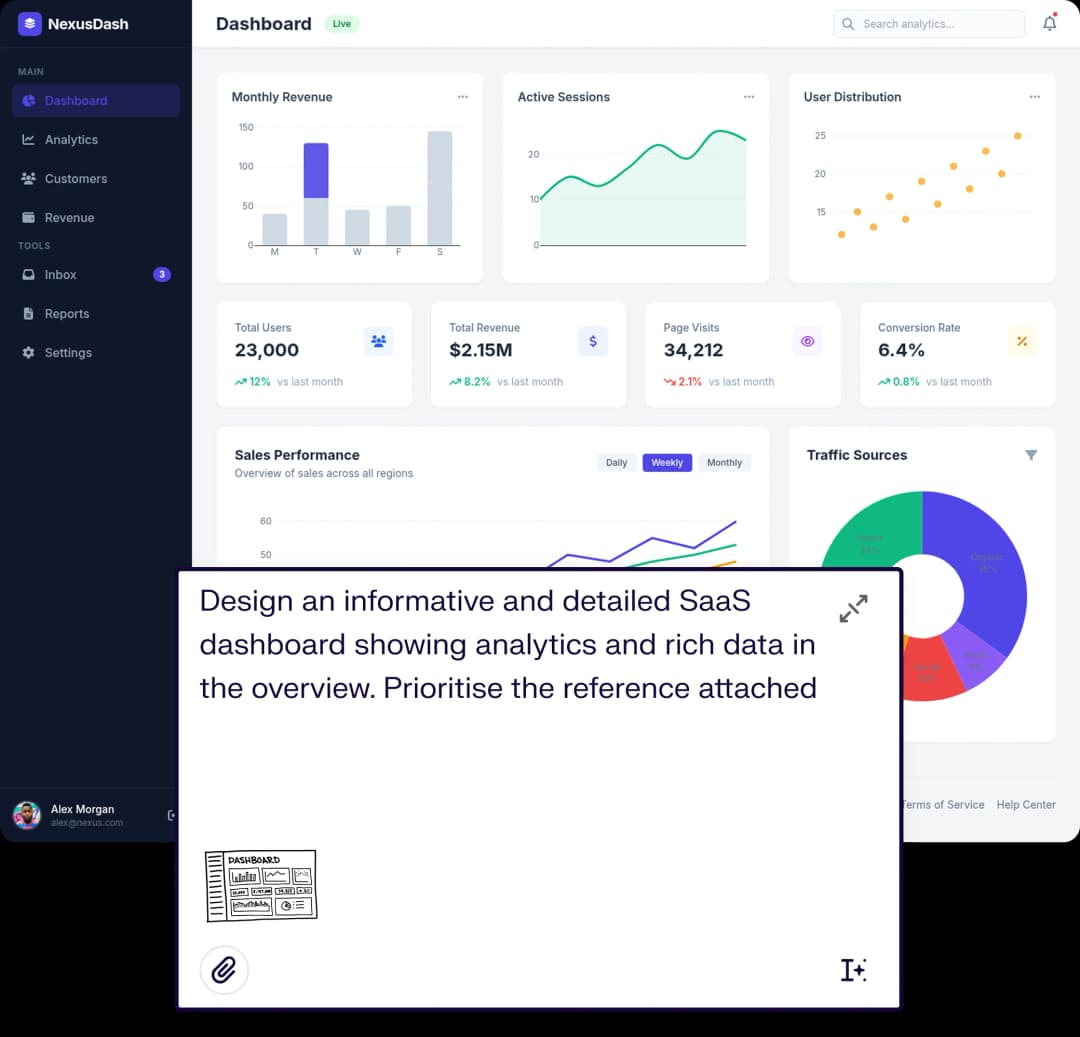
Reference-based generation from sketches, screenshots, and live pages
UX Pilot builds high-fidelity designs from uploaded wireframes, screenshots, or reference pages, interpreting structure and styling cues from what you provide. You can point it at a sketch, a competitor page you like, or an existing internal screen and get back a high-fidelity version that matches the reference.
References uploaded into Claude Design still produce output that results in a default aesthetic, so references influence the design less than a full codebase connection would.
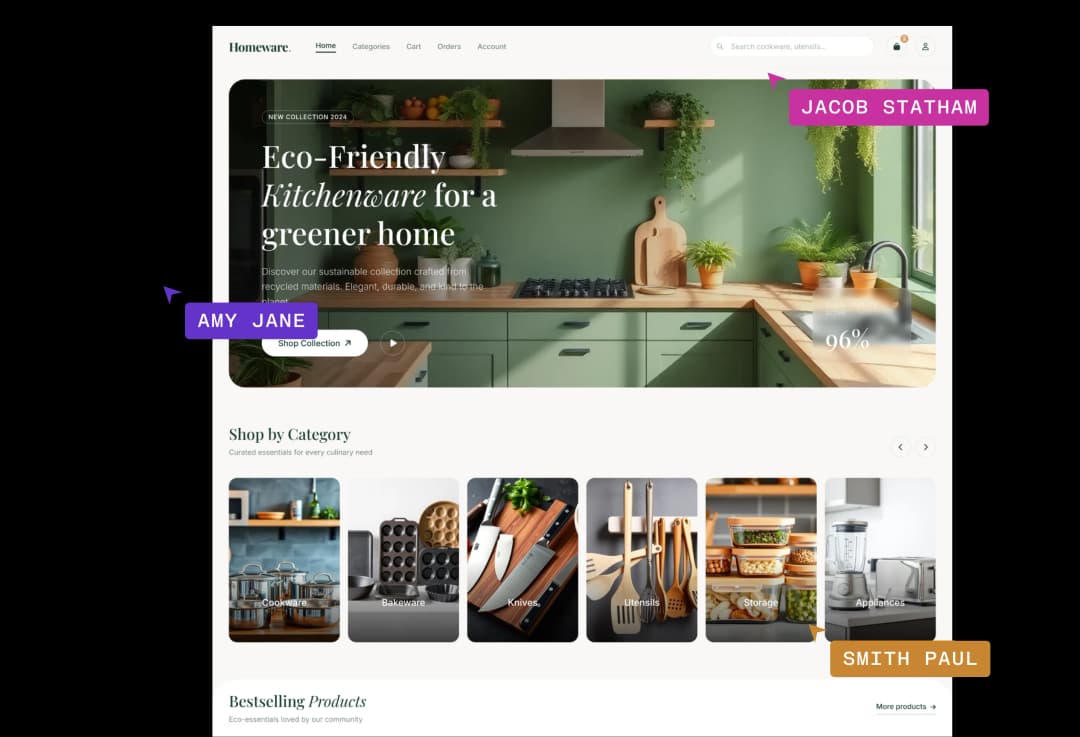
Real-time team collaboration on the same canvas
UX Pilot supports collaborative editing across team seats, letting multiple designers work on the same canvas and see each other's changes. For teams that move quickly, the shared canvas fits into existing workflows.
Claude Design offers organization sharing and group conversations with Claude, which lets colleagues join the same chat and prompt Claude together. It does not currently support shared cursors or simultaneous multi-designer editing in the way UX Pilot does.
PRICING differences
Claude Design is currently included with Claude Pro, Max, Team, and Enterprise subscriptions rather than sold as a standalone product. Usage counts toward your existing Claude subscription limits through a separate weekly Design allowance, and you can enable extra usage beyond those limits at additional cost.
UX Pilot is a standalone design product with plans scaled to screen volume and team size.
| Plan | | |
|---|---|---|
| Free | 45 credits, no credit card required | Not available as standalone access |
For teams evaluating entry-level pricing, UX Pilot Pro at $19 per month billed annually gives you a dedicated design tool with 750 credits a month, about 125 screens. Claude Pro at $20 per month gives you Claude Design bundled alongside the broader Claude assistant, with a shared weekly allowance that multiple reviewers have reported can be consumed in a single design session.
Heavy design use typically pushes Claude Design users toward Max tier subscriptions at $100 or $200 per month, or toward additional usage purchases on top of the base plan.
UX Pilot vs Claude Design: Which is right for me?
Claude Design makes sense for teams that are producing light designs that don't need to go to production. It’s great for internal designs and tooling or if you need a personal dashboard or web UI design.
UX Pilot makes sense when you want a dedicated design product with predictable pricing and the full design workflow built in. If you need multiple variations up front for ideation, validation and accessibility checks inside the canvas and native Figma export for handoff to designers, UX Pilot is better suited to the job.
For lean product teams, agencies, and anyone shipping production UI where design is a first-class deliverable, UX Pilot covers more of the workflow without leaning on a separate AI subscription.
Choose UX Pilot if design is the primary output you need to ship. Choose Claude Design if your team already lives inside Claude and design is one part of a broader AI-assisted workflow.
Frequently asked questions
Everything you want to know about UX Pilot vs Claude Design.
Design that meets professional standards
Choose UX Pilot for workflows where design quality matters from day one. Whether you are building landing pages, product interfaces, or multi-screen user flows, the output is polished enough to use immediately, with heatmaps and accessibility checks on hand to catch issues before they reach users.
Generate designs in seconds