RELUME
Relume Head to Head Comparison of Features and Pricing
Relume makes you plan in grey wireframes first. UX Pilot turns one prompt into finished, original designs.
No credit card needed
Immersive websites, made in UX Pilot
Real estate
Made in UX PilotProduct launch
Made in UX PilotE-commerce
Made in UX PilotDesign studio
Made in UX PilotTravel
Made in UX PilotFintech
Made in UX PilotFashion lookbook
Made in UX PilotMusic festival
Made in UX PilotArchitecture studio
Made in UX PilotFashion drop
Made in UX PilotAudio hardware
Made in UX Pilot
UX Pilot vs Relume comparisons

Workflow
First output
Design approach
Originality
Layouts per prompt
What the AI designs
Multi-screen product flows
Design from references
Predictive heatmaps
Accessibility review
Copy to Webflow and Figma
Code export
Plans
Free plan
Best suited for
Skip the four-step waterfall
Relume still runs the classic agency waterfall: agree a sitemap, lay out grey wireframes, apply a style guide, then publish or export. Each stage waits for the one before it, and you only see the real design at the end.
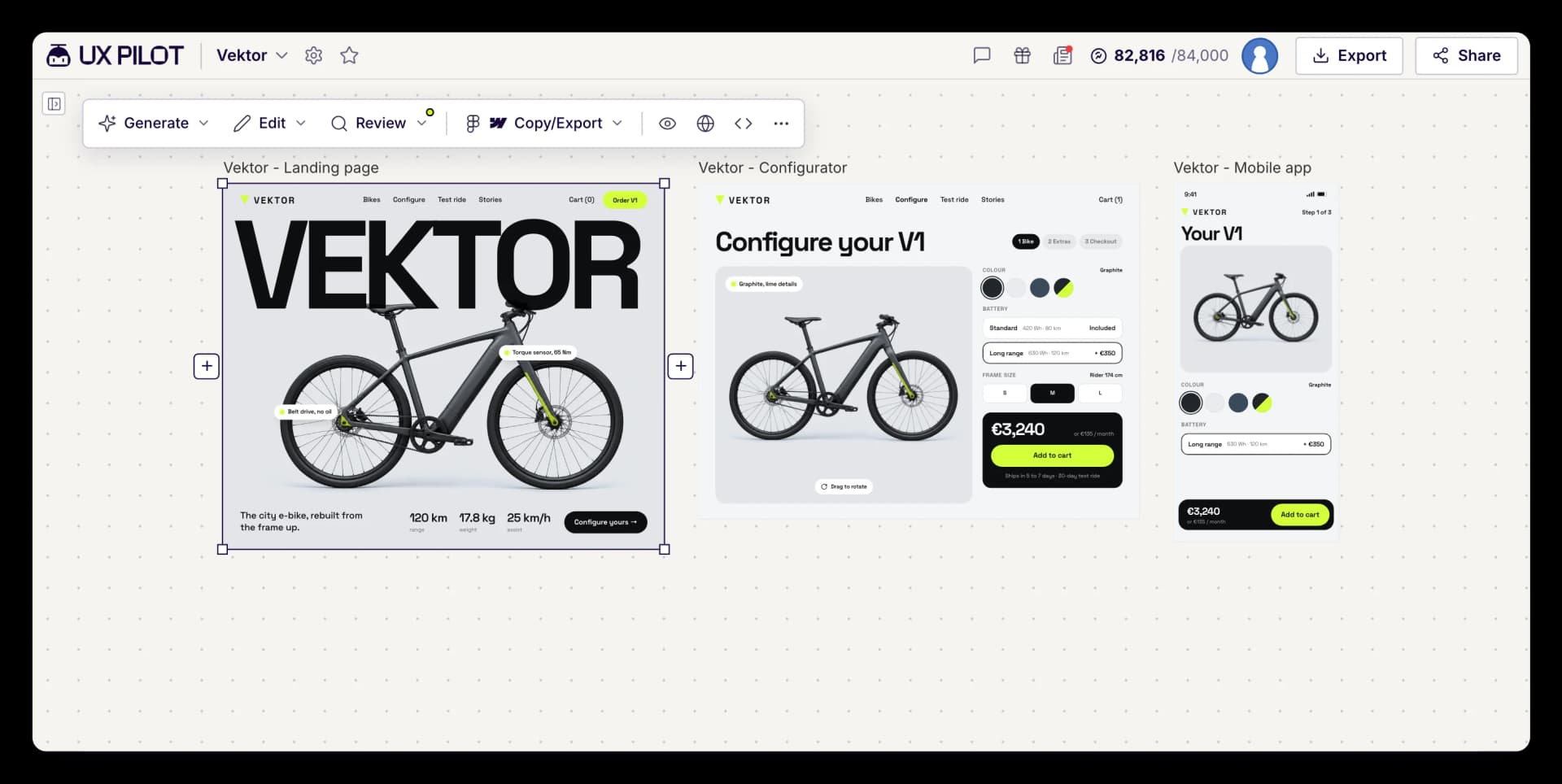
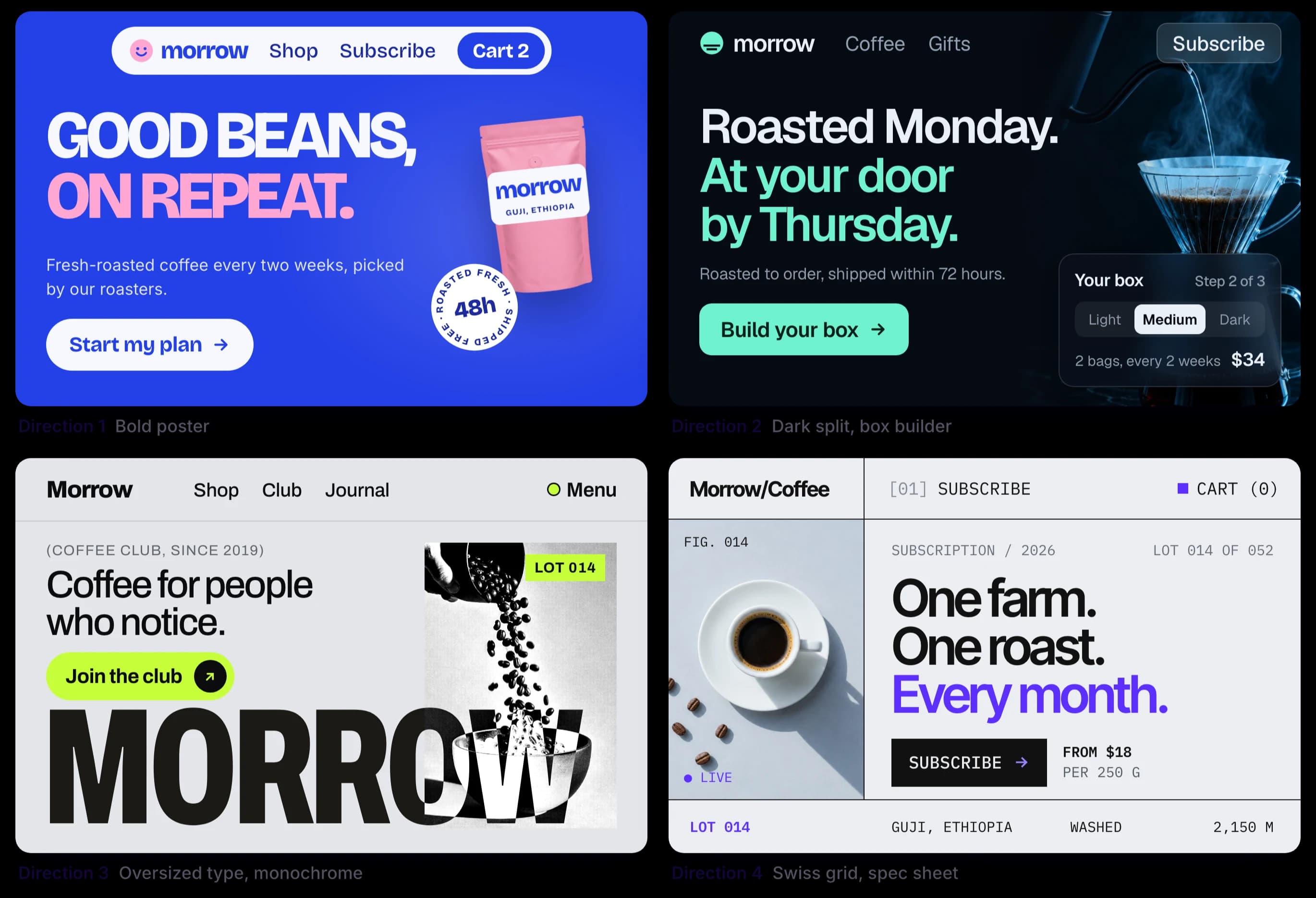
UX Pilot starts where Relume ends. Describe the page or the product, add a sketch or a screenshot if you have one, and get high-fidelity screens back in the same session, with four different directions to choose from.
You still get structure: wireframes, flows and sitemaps are there when you want them. You just do not have to walk through every stage to see what the finished design will look like.
In our own test of Relume's new AI builder on 10 Oct 2026, a six-page site brief took about four minutes and returned one designed page. The other five pages were left empty, and every image slot on the home page was a placeholder.
Made in UX Pilot
What makes UX Pilot different from Relume
Relume helps you plan a site. UX Pilot helps you design it, validate it and hand it off.
Made in UX Pilot
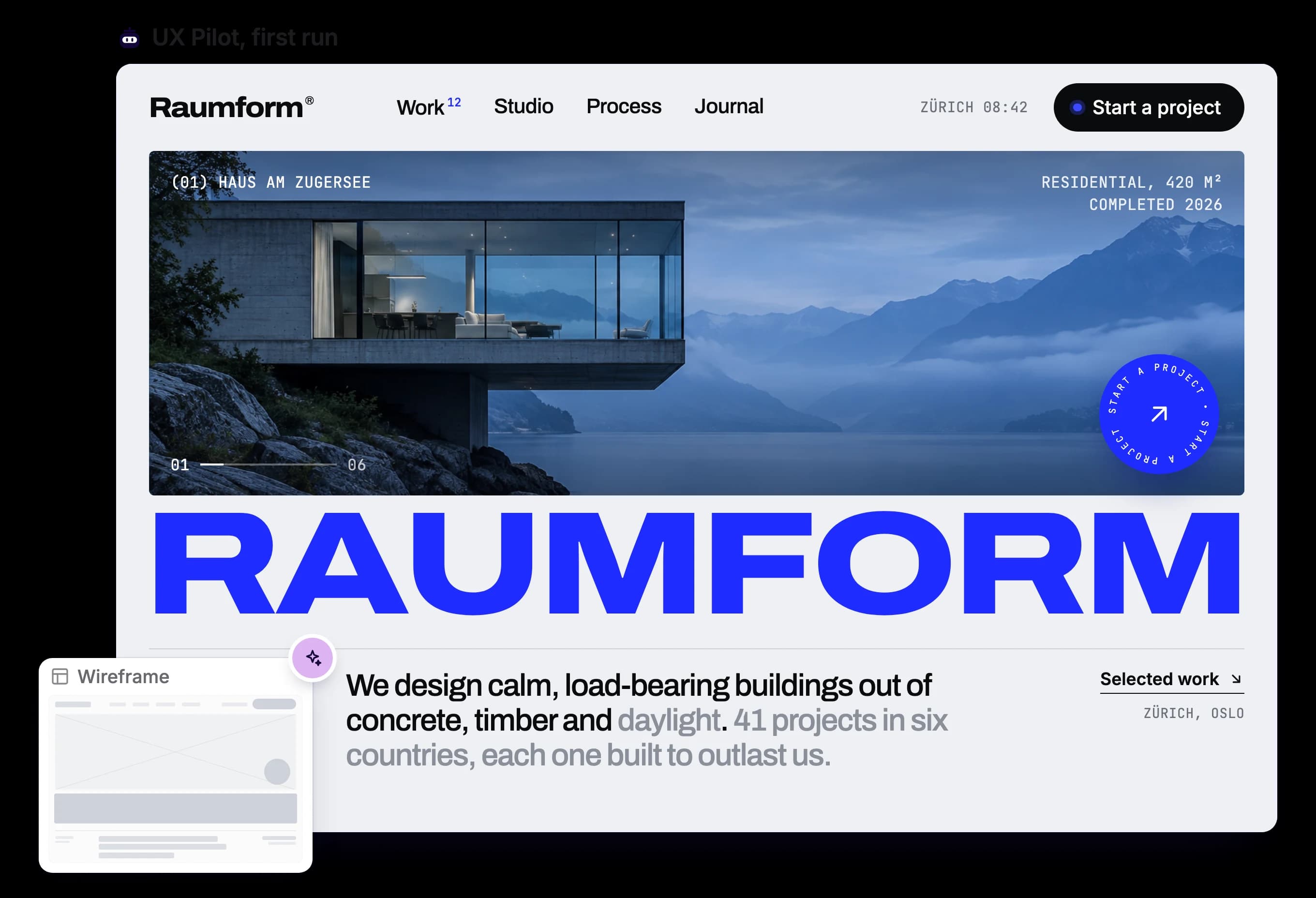
Finished designs, not grey boxes first
UX Pilot generates high-fidelity designs in the first pass. You can still start from a wireframe or ask for one, but the default is a design you could show a client today, with four structural and visual directions side by side.
Relume's process puts low-fidelity wireframes first and styling last. You agree on a structure before you have seen a single real screen, and the visual design arrives at the end, when changing the structure is most expensive.
Made in UX Pilot
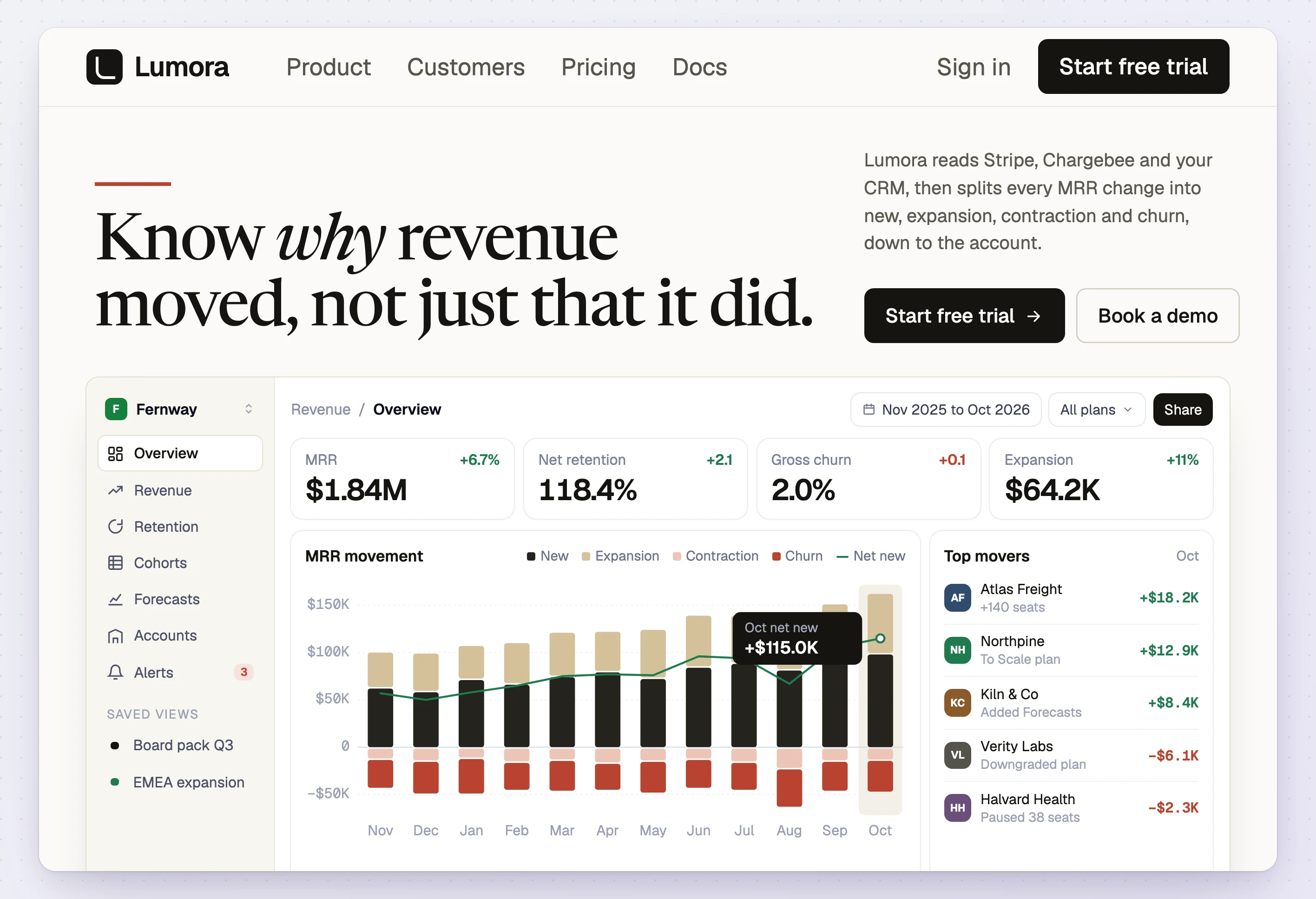
Original designs instead of the familiar component-library look
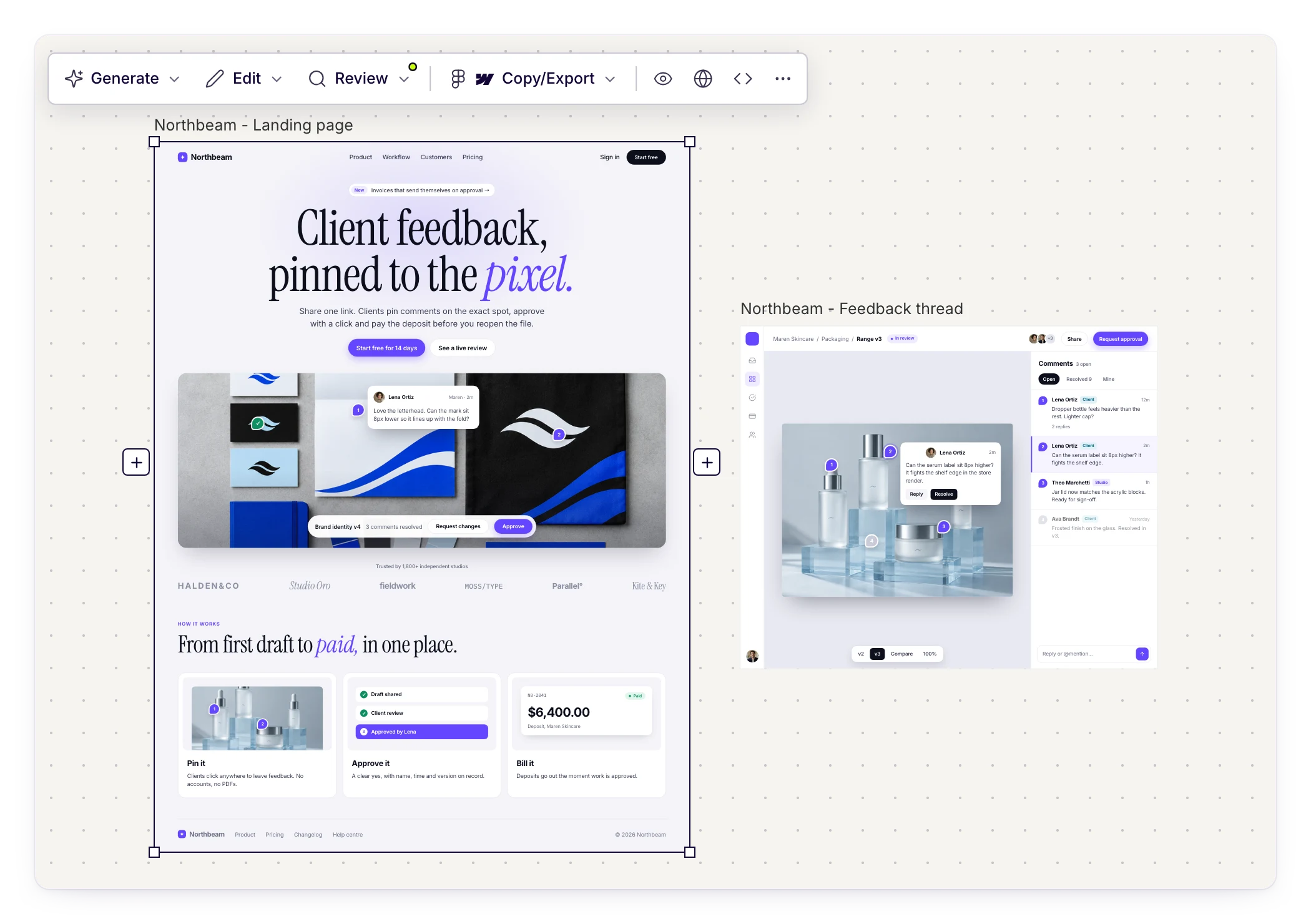
UX Pilot generates layouts for your prompt, your references and your design system, so two products in the same category do not end up looking like the same template. Import your Figma components and new screens follow your patterns, not a library's.
Relume describes its own AI as one that "assembles, not generates": it picks sections from a library of human-made components. That keeps sites consistent, but it also means sites built with it share the same skeleton: eyebrow label, large headline, alternating image and text blocks, an FAQ accordion and a closing banner. Changing colours and fonts does not change that structure.
Made in UX Pilot
Real content in every section, not placeholders
UX Pilot designs the actual screens, including the product interface your marketing page needs to show, so the result works as a design review artifact from the first run rather than a wireframe with words in it.
In our test, Relume's AI builder wrote solid copy but filled every visual slot with a placeholder, wrote a stand-in customer testimonial, and left five of the six requested pages empty for later.

Kresimir Retih,
Project Manager"It has been a game-changer for me! Since signing up, my workflow has become much smoother, and my productivity has increased significantly. I love how intuitive and user-friendly the platform is, making UX tasks much easier and more efficient. Highly recommend it to anyone looking to streamline their UX process!"
What makes UX Pilot a great alternative to Relume?
UX Pilot covers what people use Relume for, landing pages and marketing sites, and goes further: finished visual design from the first run, product screens and flows, and validation before handoff.
Made in UX Pilot
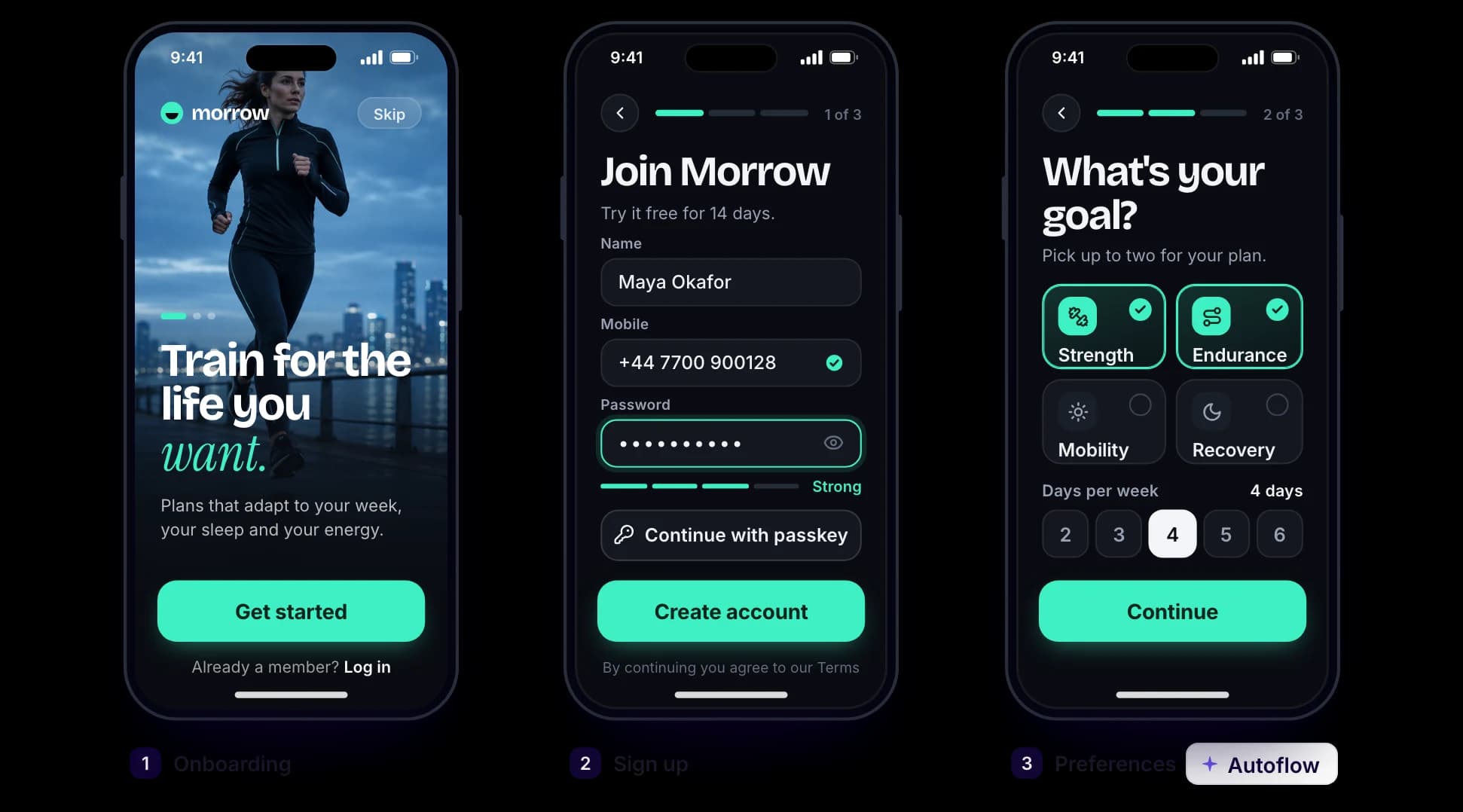
Product flows, not just marketing pages
Autoflow generates every screen in a user journey, with consistent navigation and shared components: onboarding, checkout, booking or a full dashboard. Relume's AI builder is made for marketing websites and stops at the edge of the product.
Made in UX Pilot
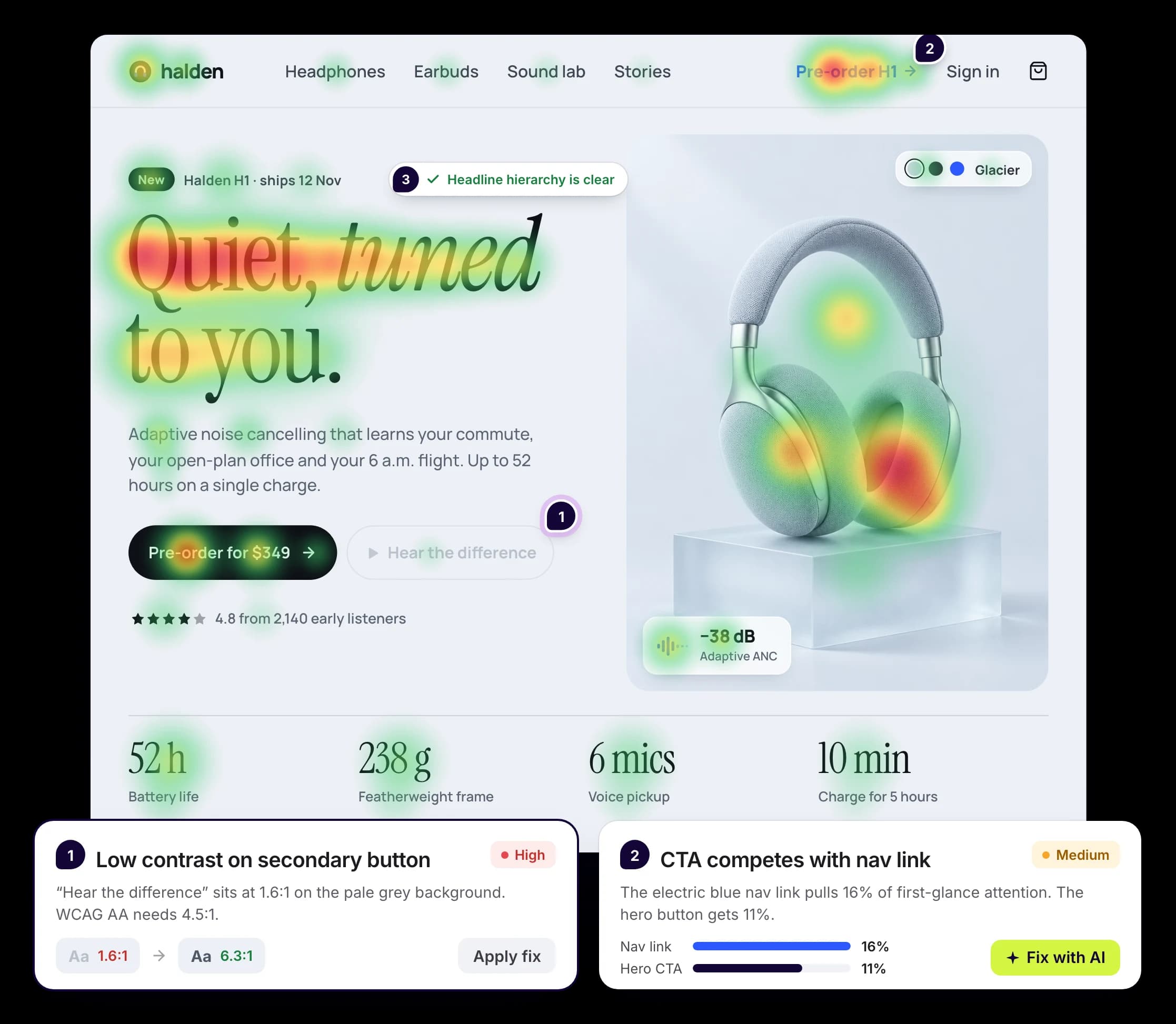
Predictive heatmaps and design reviews before you ship
UX Pilot's predictive heatmaps show where attention is likely to land, and automated reviews flag hierarchy, consistency and accessibility issues, so you fix them before a client or a user ever sees the page.
Made in UX Pilot
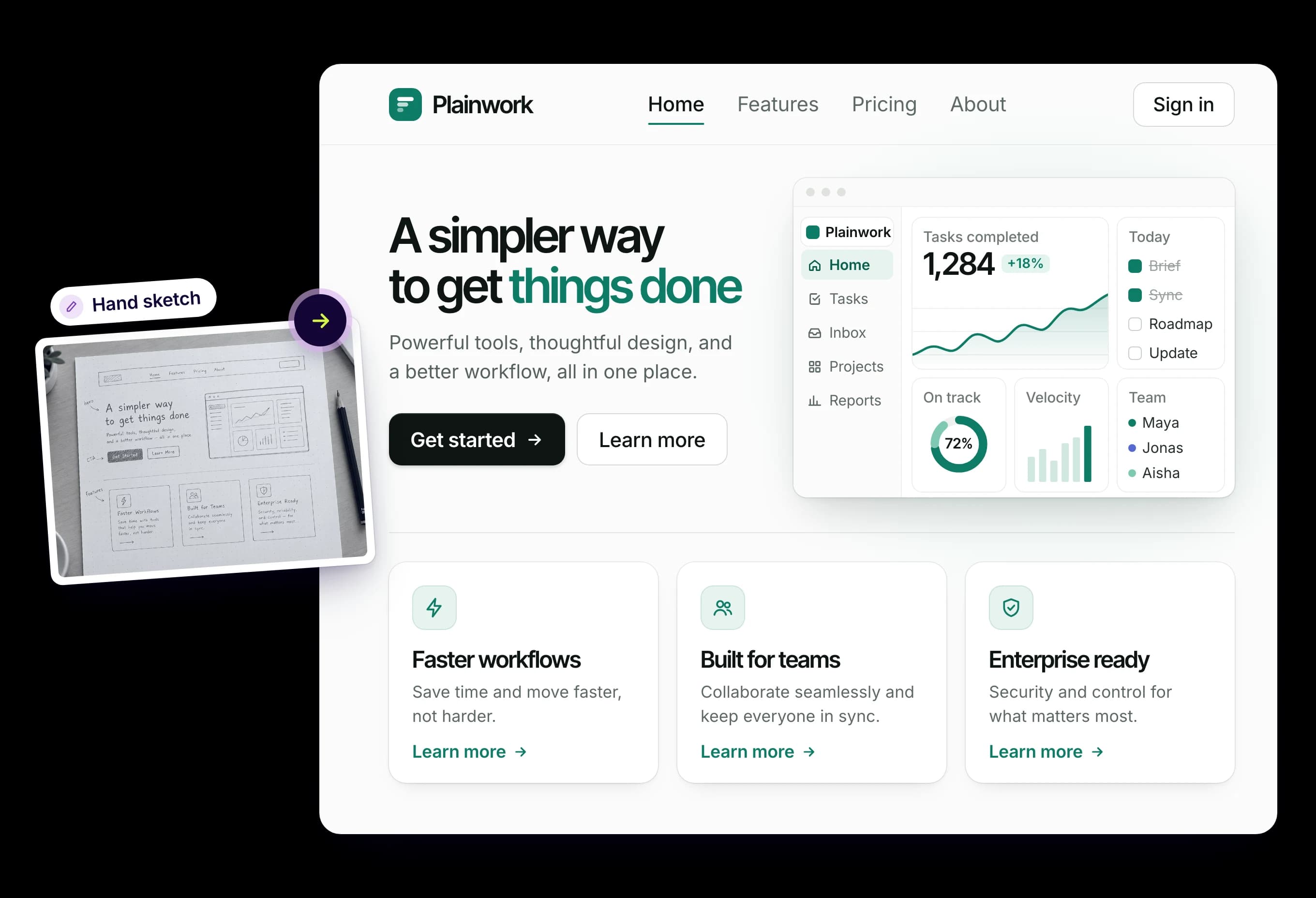
Start from anything: sketches, screenshots and live pages
UX Pilot turns sketches, PDFs, screenshots or an existing page into editable, high-fidelity layouts, reading both structure and styling from what you upload.
Relume starts from a written brief, notes or a URL, then fits that brief into its library of pre-built sections.
Made in UX Pilot
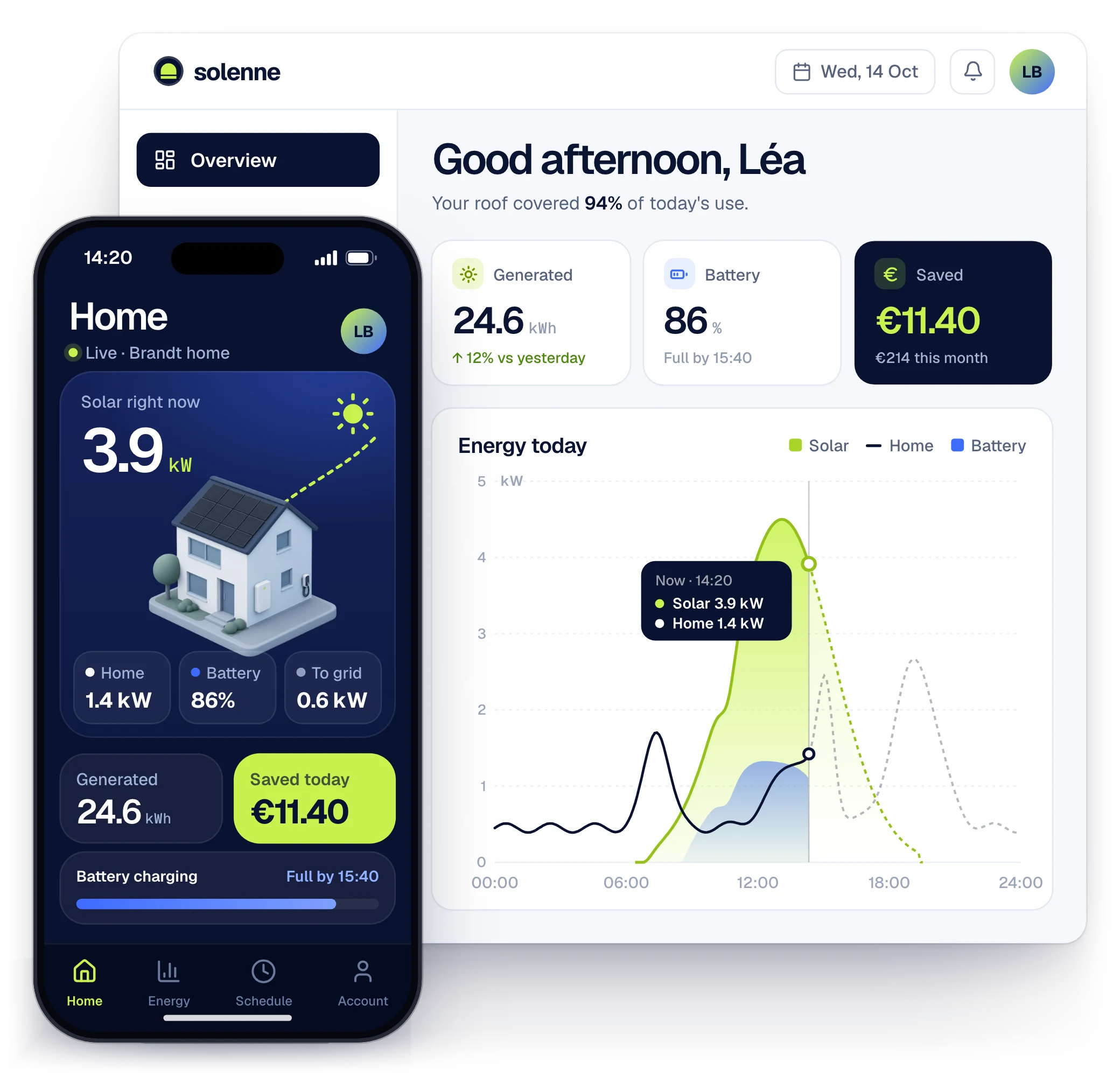
Designs for every screen of the product
Generate web apps, dashboards and mobile screens alongside the marketing site, in the same project and the same visual language, then connect them into flows with Autoflow.
Relume's AI builder is made for marketing websites. Its library has some app components, but it does not generate connected product flows, clickable prototypes or mobile app screens.
Made in UX Pilot
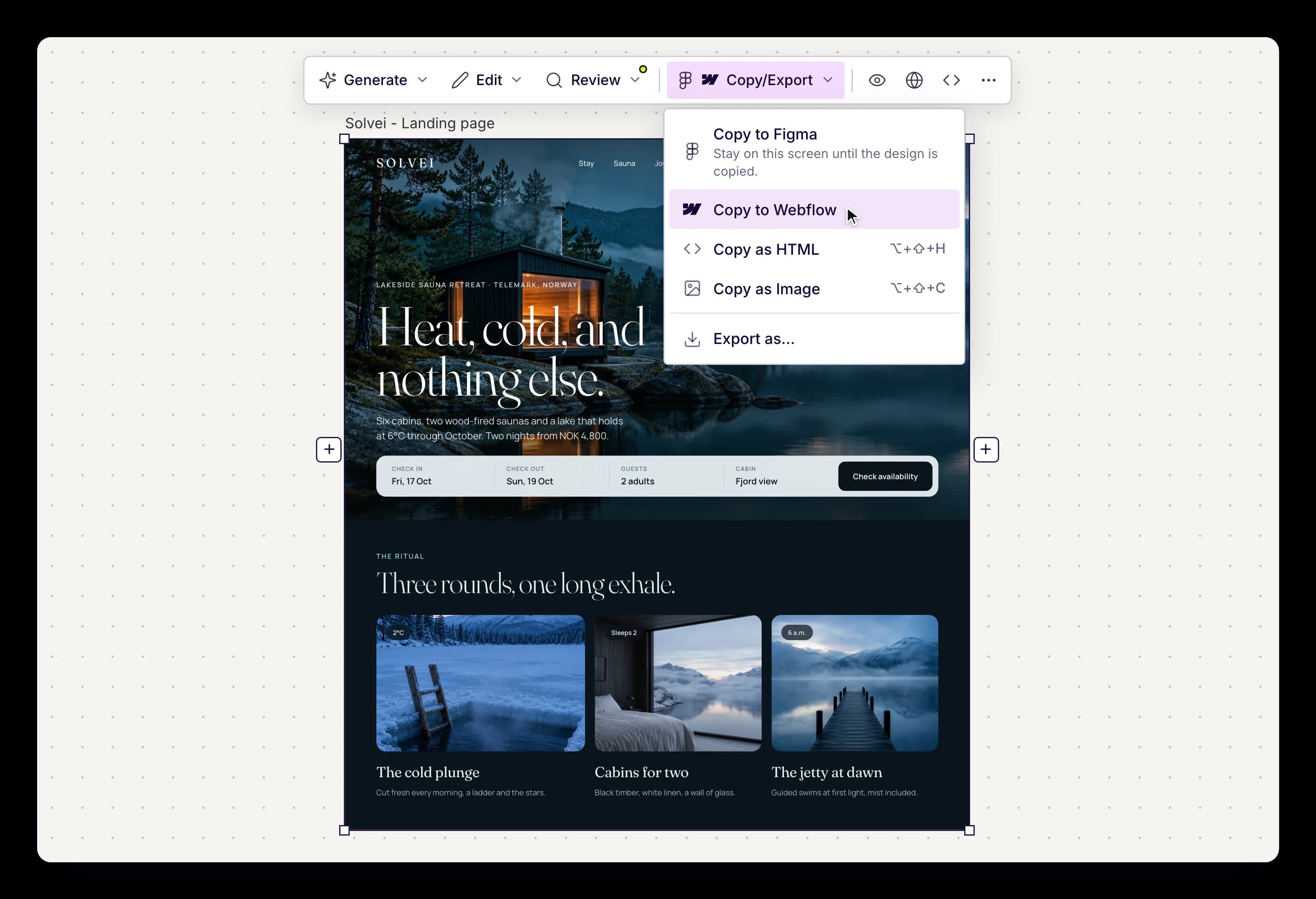
One-click copy to Webflow and Figma
Copy any design to Webflow or Figma in one click, with layers and structure intact. Import your Figma components so new screens stay on your design system, and export HTML, CSS and Tailwind code or sync it to GitHub.
Relume's exports are built for Webflow, Figma and React developers, but Webflow and React export need a paid plan, and its new Publish beta does not export code yet. Relume also says its Design View is not a full design editor like Figma.
PRICING differences
Relume now sells two tracks. Publish, its newer AI site builder with hosting, has a free plan with limited AI usage, enough for one website, and Pro from $14 per month, with custom-domain hosting from $12 per project per month on top. The export plans that unlock Webflow and React export start at $18 per month for Starter and $40 per month for Pro.
UX Pilot sells one product: every plan includes the full design toolkit, and plans scale with credits, projects and seats.
Free
UX Pilot Pro starts at $19 per month billed annually, or $29 billed monthly, and includes the full design toolkit, export to Figma and code, unlimited custom design systems and the website cloner. The Free plan includes every design feature, with no credit card required.
On Relume's Publish plans, AI generation pauses once you reach 100% of your monthly usage, until the reset or an upgrade, and hosting a site on your own domain is billed per project. Teams that want both Relume's AI builder and its exports end up paying for more than one track.
UX Pilot vs Relume: Which is right for me?
Relume makes sense if you run a Webflow agency, already build with Relume's component library and Client-First classes, and want a quick way to agree sitemaps and wireframes with clients before you design.
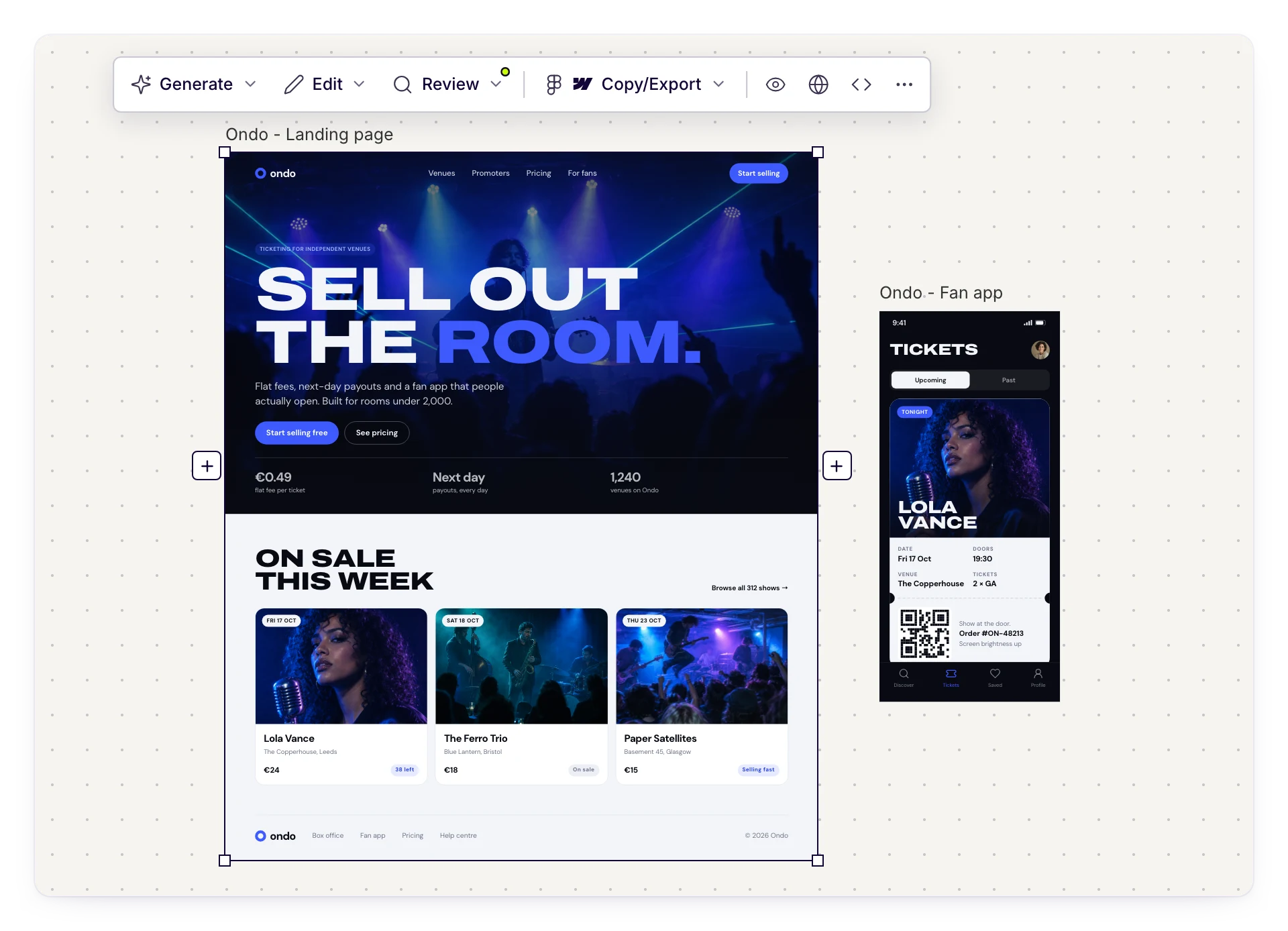
UX Pilot makes sense when the finished design is what you are paid for. You see high-fidelity screens from the first prompt, explore four directions at once, design the product as well as the marketing site, and validate the result with heatmaps and accessibility checks before handoff.
For product teams, freelancers and agencies who want work that looks original rather than assembled from the same sections as every other Relume site, UX Pilot covers more of the job in fewer steps.
Choose UX Pilot if you want finished, original UI fast. Choose Relume if your process is built around sitemaps, grey wireframes and Webflow components.
Made in UX Pilot
Frequently asked questions
Everything you want to know about UX Pilot vs Relume.
Skip the wireframe stage. Ship the design.
Finished, original designs from your first prompt, for the marketing site and the product.
Generate designs in seconds