Visily.AI
Visily Head-to-Head Comparison of Features, Alternatives, and Pricing
No credit card needed
UX Pilot features vs VISILY.AI
A comprehensive comparison of UI design features to help you make an informed decision.
| Compare Features |  |  |
|---|---|---|
| Multi-screen flow consistency | Consistent across all screens | Limited |
| Prototyping | Interactive out of the box | Basic |
| Design quality | Production-ready | Wireframe-level |
| Screen generation speed | Seconds | Standard |
| High-fidelity UI generation | Built-in | Limited |
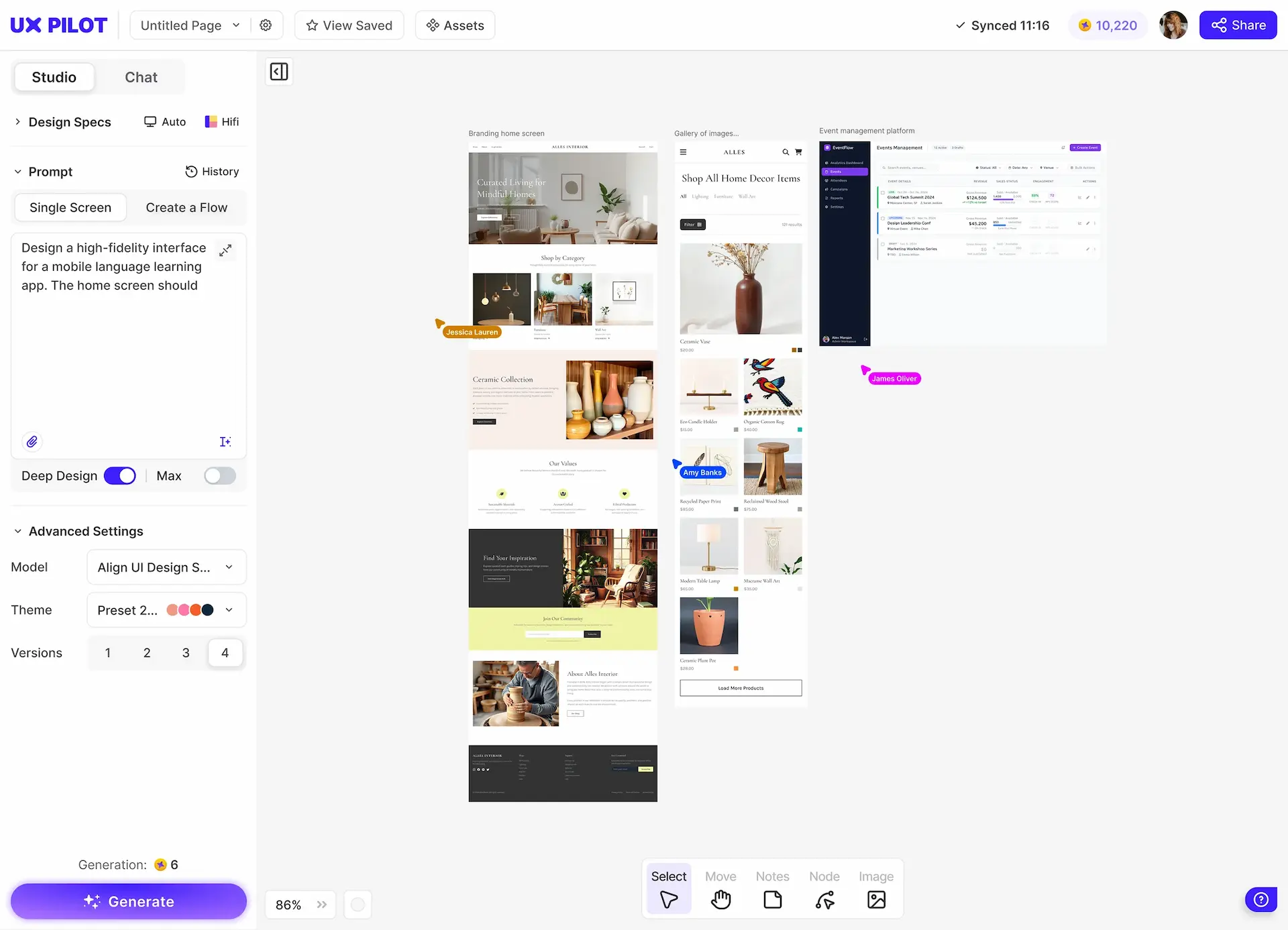
| Design variations | 4 variations at a time | Limited |
| Import your own components | Built-in via Figma import | Via themes only |
| Export to Figma | Export directly with free plugin | Via plugin (paid plans) |
| Predictive heatmaps | Yes | No |
| Automated design review | Built-in | No |
| GitHub code sync | Built-in | No |
| Design system setup | Custom model via Figma import | Themes and presets |
Immersive websites, made in UX Pilot
Websites with motion and depth
UX Pilot designs immersive marketing sites too, with bold type, depth and motion.
Real estate
Made in UX PilotProduct launch
Made in UX PilotE-commerce
Made in UX PilotDesign studio
Made in UX PilotTravel
Made in UX PilotFintech
Made in UX PilotFashion lookbook
Made in UX PilotMusic festival
Made in UX PilotArchitecture studio
Made in UX PilotFashion drop
Made in UX PilotAudio hardware
Made in UX Pilot
UX Pilot vs Visily.AI: Design Output Comparison
We compared results for the same prompts for a variety of scenarios.
PROMPT 1: B2B HR Analytics Dashboard“Design a web dashboard for a B2B HR analytics platform used by People Ops teams. Include top navigation, headcount KPIs, attrition trend chart, department breakdown table, hiring pipeline, and an alert panel. Layout should prioritize data clarity and be suitable for an internal stakeholder presentation.“ | 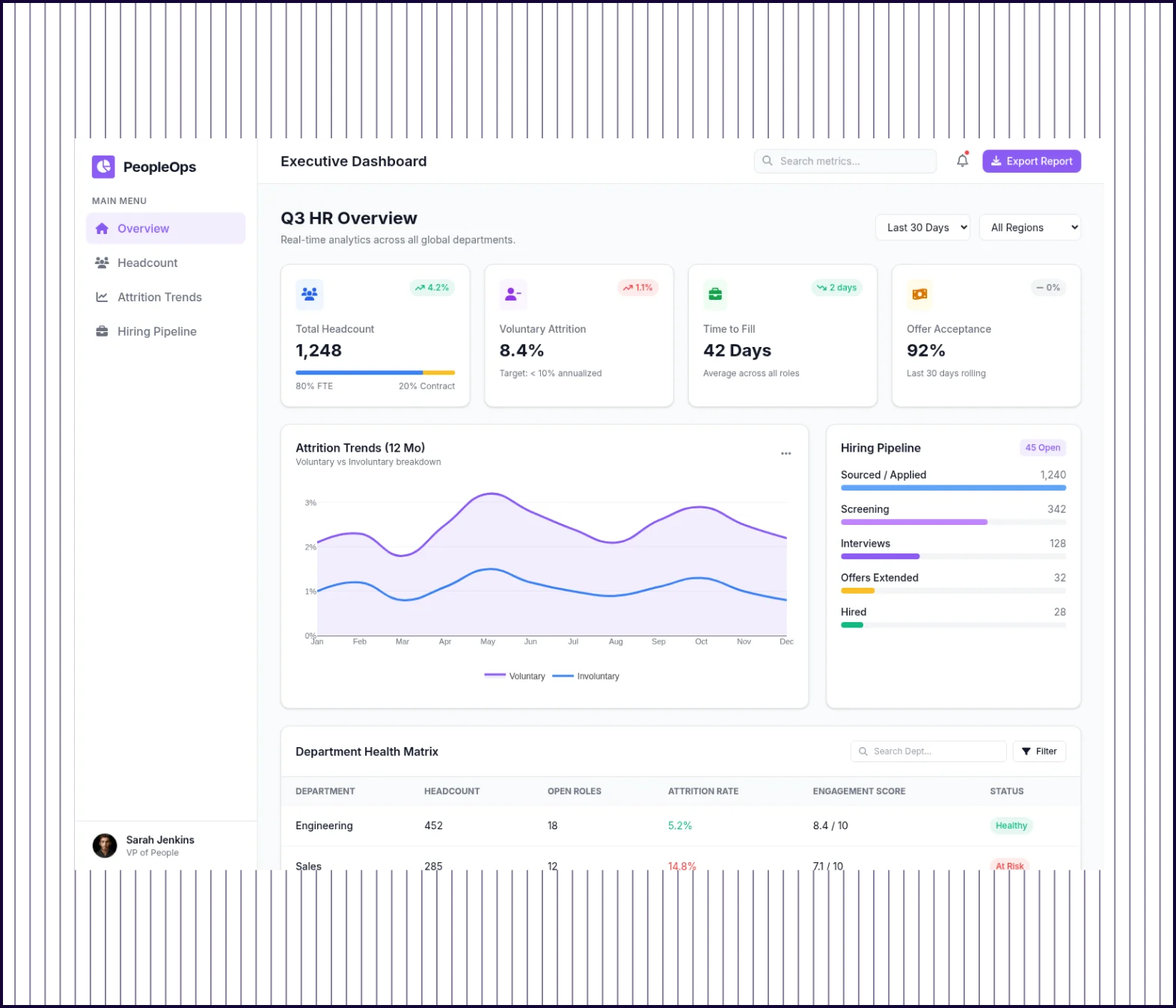 | 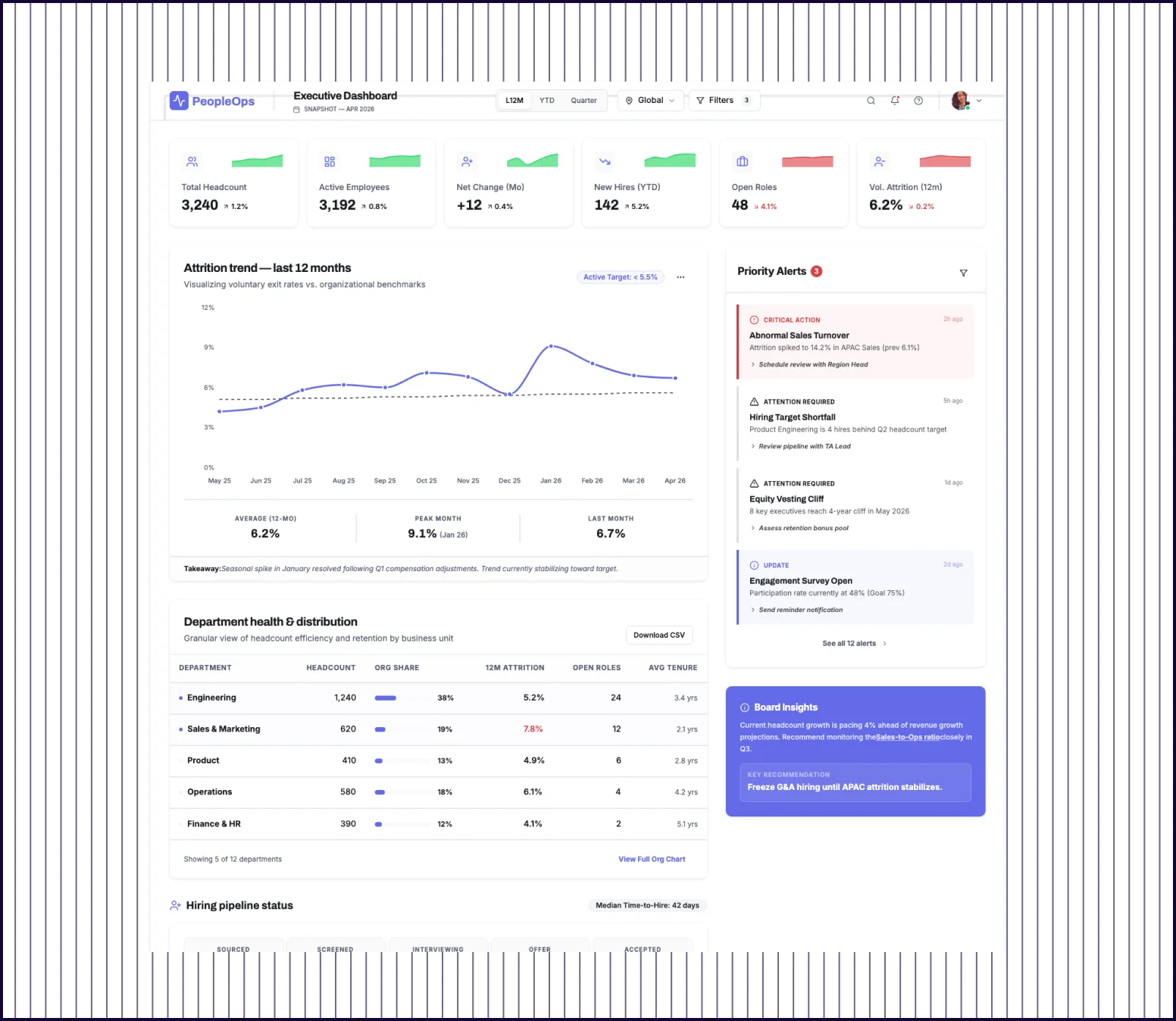 |
|---|---|---|
| Design quality | Purposeful layout: sidebar nav, department health matrix, engagement scores, every element requested. | Clean layout with KPI cards but drifts off-brief adding board insights. |
| Prompt Adherence | Brief matched precisely: KPIs, attrition, department table, hiring pipeline. | Broadly interpreted, added sections would need to be removed. |
| Launch Readiness | Ready to present as-is. Scope matches what a People Ops team expects. | Extra sections shift focus, needs cleanup before review. |
PROMPT 2: SaaS Pricing Page for a B2B Cybersecurity Platform“Design a SaaS pricing page for a B2B cybersecurity platform. Include a 3-tier pricing table, feature comparison grid, annual/monthly toggle, trust badges, FAQ section, and a CTA for a free trial. Style should be dark-themed, professional, and conversion-focused, suitable for a stakeholder review.“ | 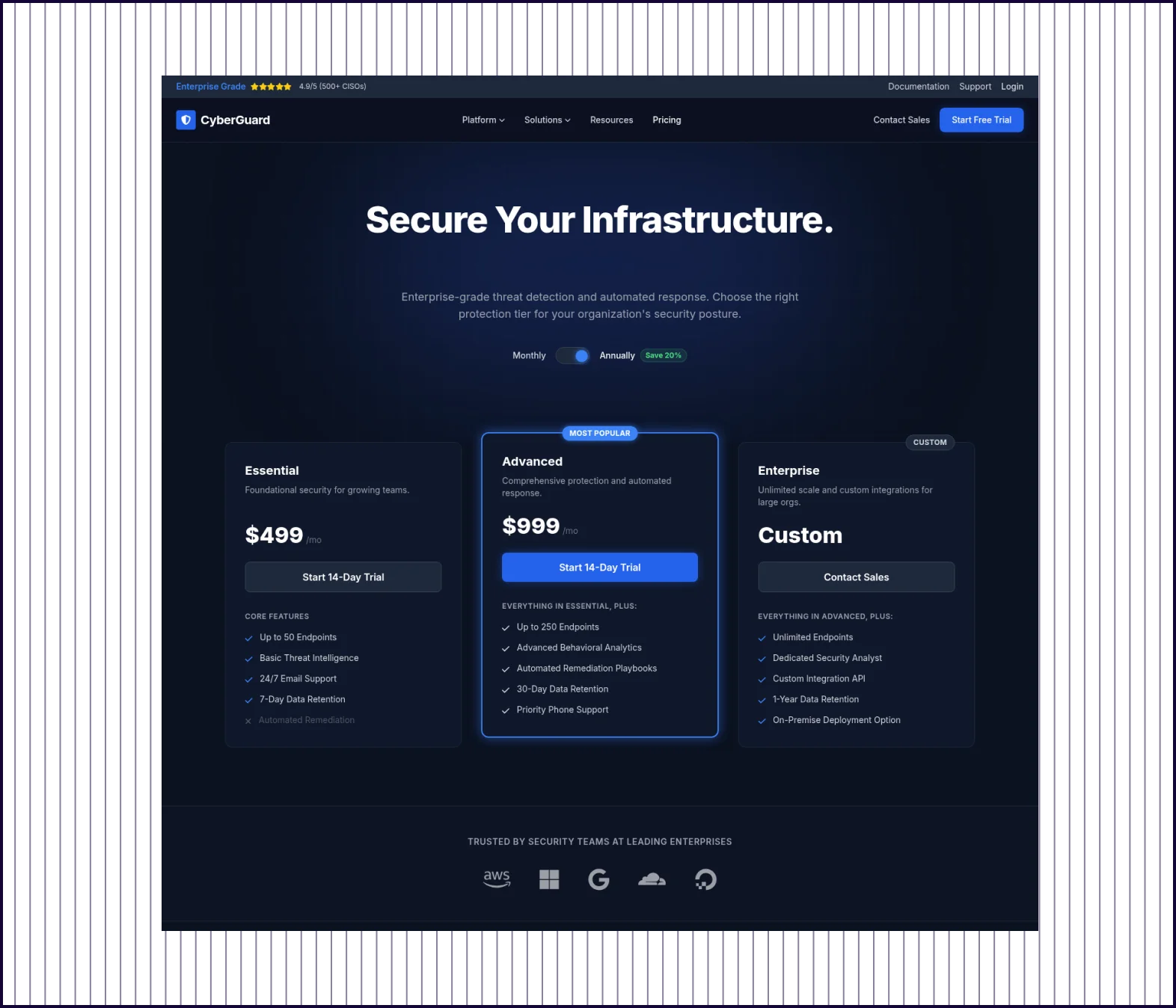 | 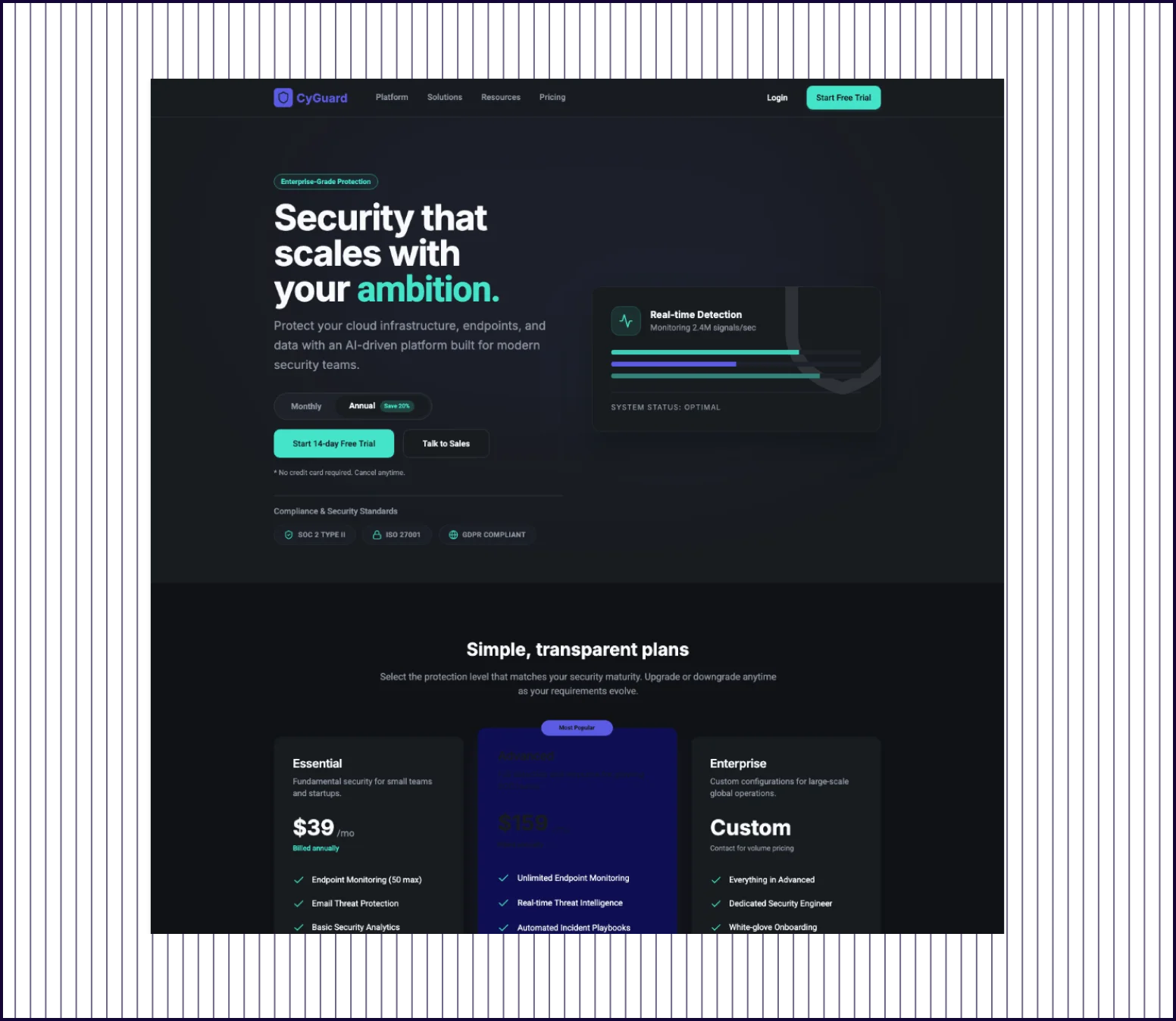 |
|---|---|---|
| Conversion Structure | Recommended plan, clear CTA hierarchy, toggle and trust logos all conversion-optimized as specified. | Adds unrequested compliance badges and a testimonial, pulling focus from the conversion goal. |
| Prompt Adherence | All six elements delivered exactly as requested, developer-ready | Freely interpreted brief that looks rich but answers a different question. |
| Stakeholder Readiness | Every element was explicitly requested, no cleanup needed before the stakeholder meeting. | Added sections introduce claims that need verification before review. |
PROMPT 3: Mobile Onboarding Flow for a B2B Expense Management App“Design a 3-screen mobile onboarding flow for a B2B expense management app used by finance teams. Include a welcome screen with value proposition, a workspace setup step, and a connect bank account screen. Design should feel trustworthy, minimal, and guide the user toward activation.“ | 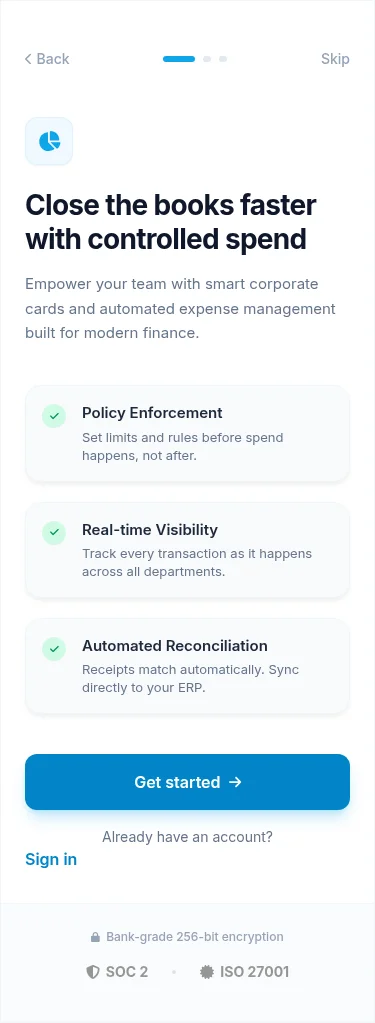 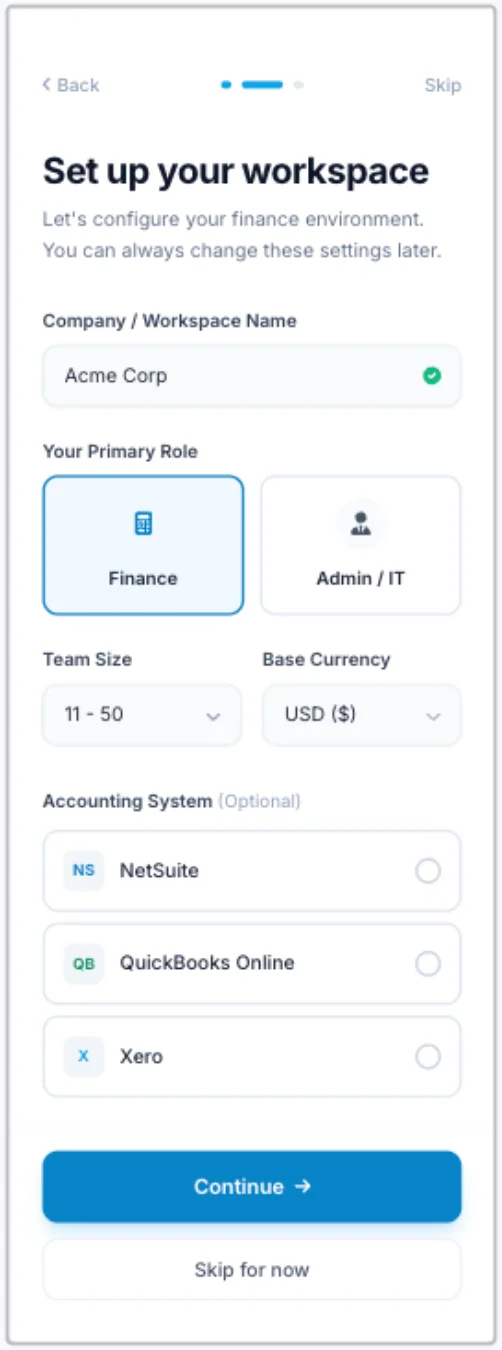 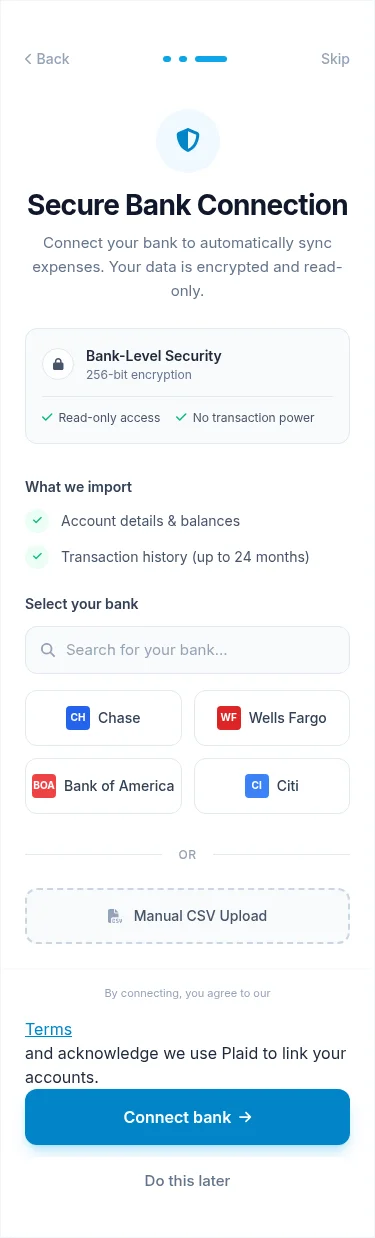 | 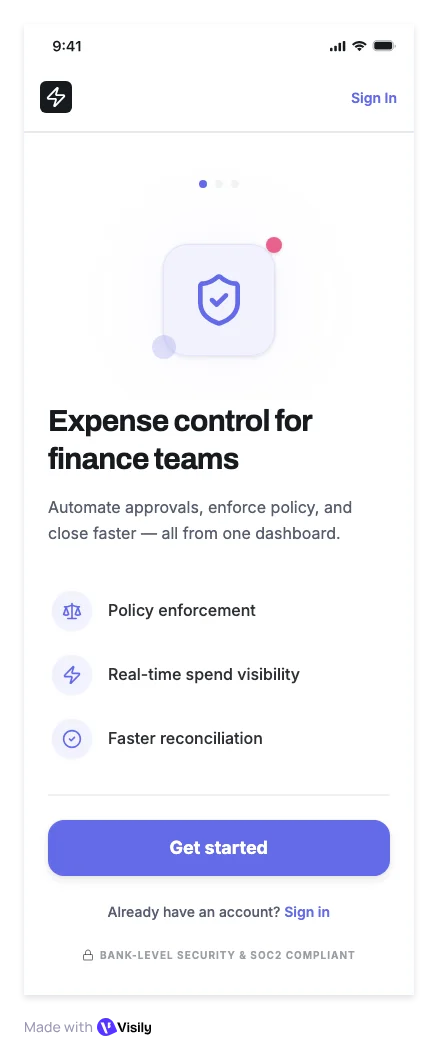 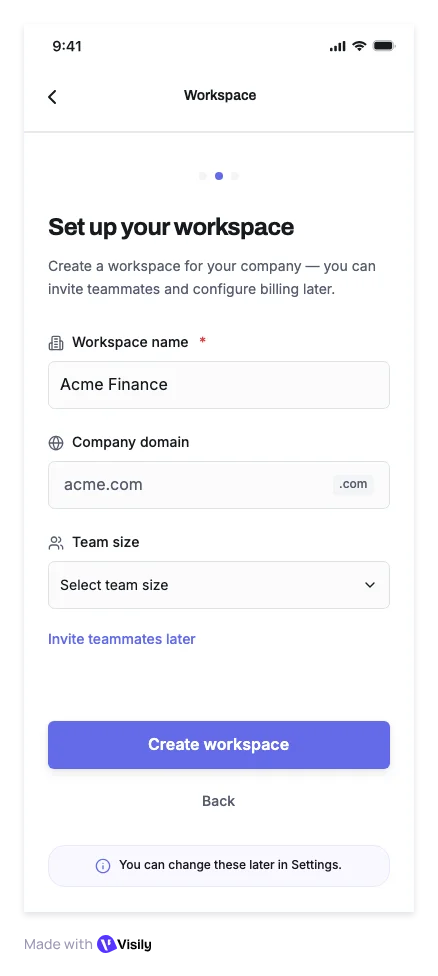 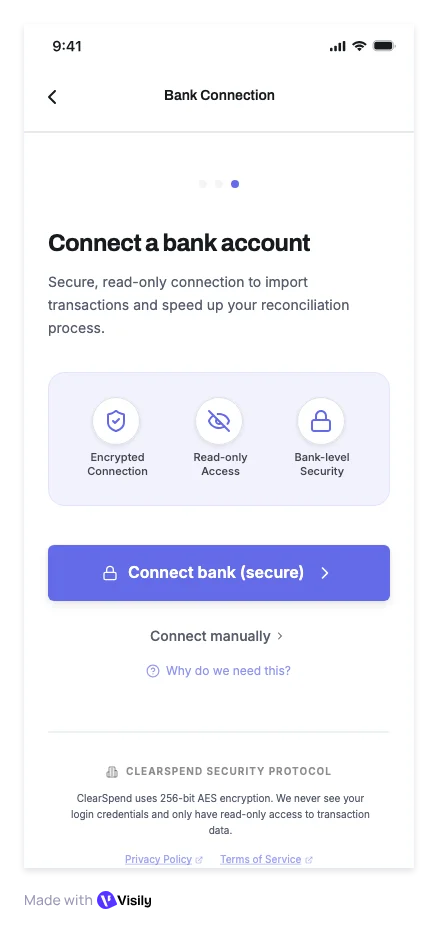 |
|---|---|---|
| Flow Completeness | B2B finance context from screen one with ERP integrations, named bank providers, Plaid connectivity, and CSV fallback. | Basic 3-screen flow with standard trust signals. |
| Prompt Adherence | Finance-aware throughout: real vendor logos, explicit data import scope, SOC 2 and ISO 27001 on the welcome screen. | Generic onboarding that could work for any app. |
| Launch Readiness | Every real objection addressed on screen. Ready to put in front of a finance team today. | Needs several additions before a finance or legal team signs off. |
PROMPT 4: Feature Page for an AI Contract Review Tool“Design a feature page for an AI contract review tool targeting legal and procurement teams at enterprises. Include a headline with an ROI stat, a how-it-works section, integration logos, a case study block, social proof from legal professionals, and a demo request form. Style should feel authoritative and enterprise-grade.“ | 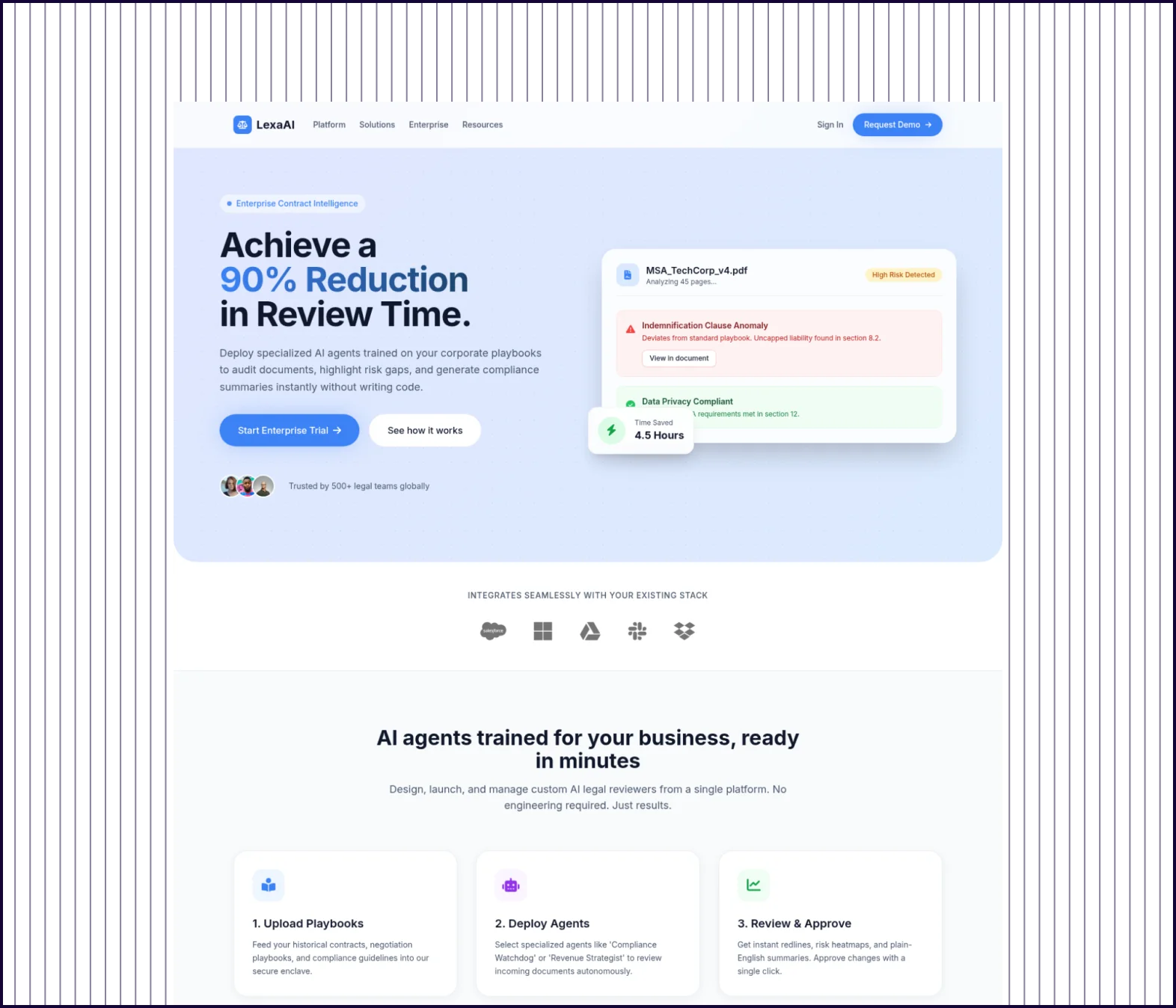 | 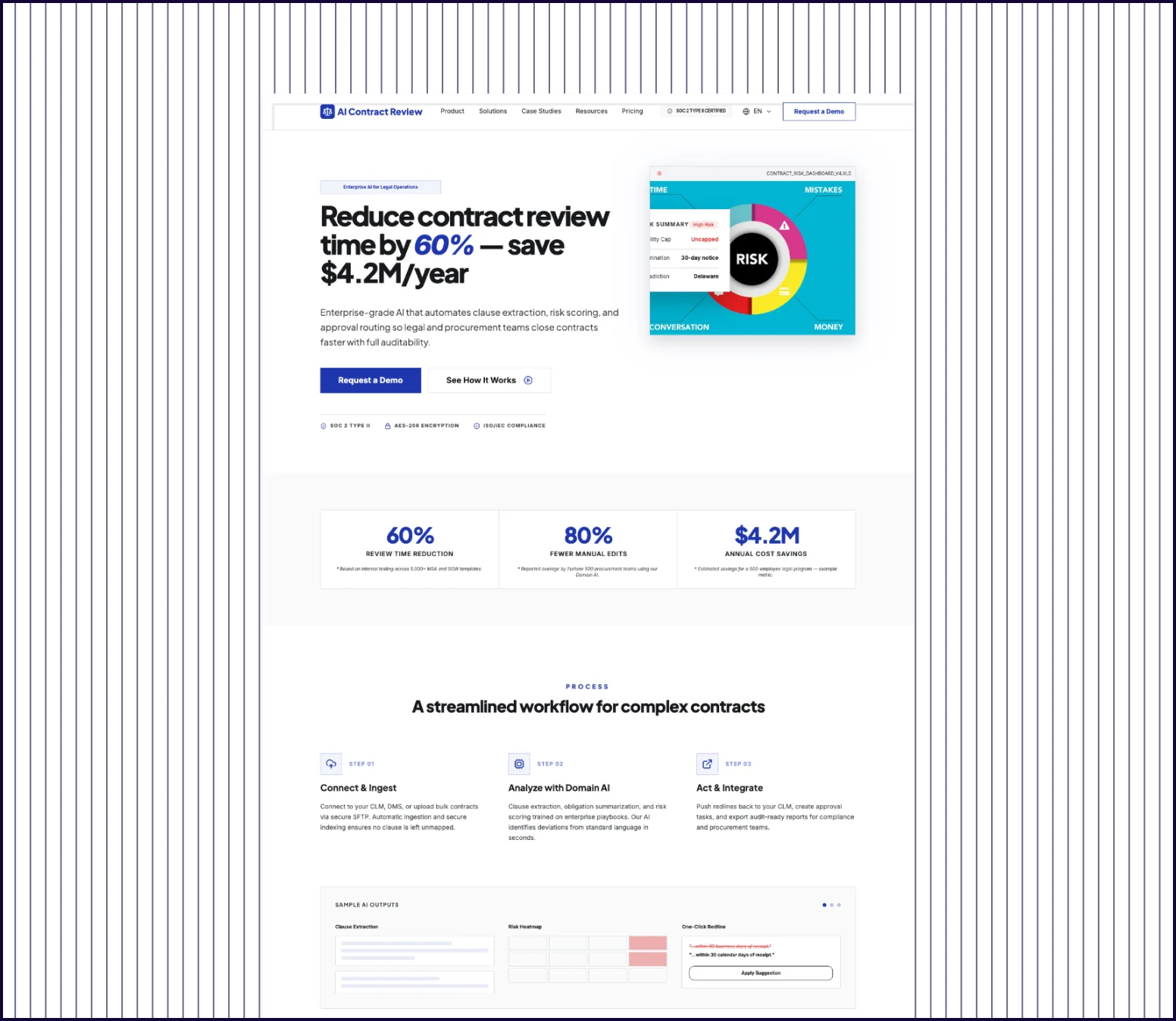 |
|---|---|---|
| Design quality | Clear hierarchy, live document analysis in hero, color-coded risk indicators. | Basic enterprise layout with standard sections and minimal visual depth. |
| Content Depth | Proof-heavy content backed by a real case study with hard numbers, named testimonials, and production-ready integration logos. | Covers core feature descriptions with generic benefit statements. |
| Prompt Adherence | Hits every requirement and raises the bar with named social proof, integration logos, and a demo form built to filter by company size. | All six elements covered at surface level. |
| Launch Readiness | Ready to present to an enterprise legal team or hand off to a developer today. | Functional starting point, but needs content work before client review. |
PROMPT 5: Telehealth Booking Flow for an Enterprise Wellness Platform“Design a 5-screen telehealth platform flow for enterprise employee wellness programs. Include doctor search, doctor profile with credentials, availability calendar, appointment details with visit reason, and confirmation screen. Design should feel calm, accessible, and trustworthy, suitable for a corporate health benefits portal.“ | 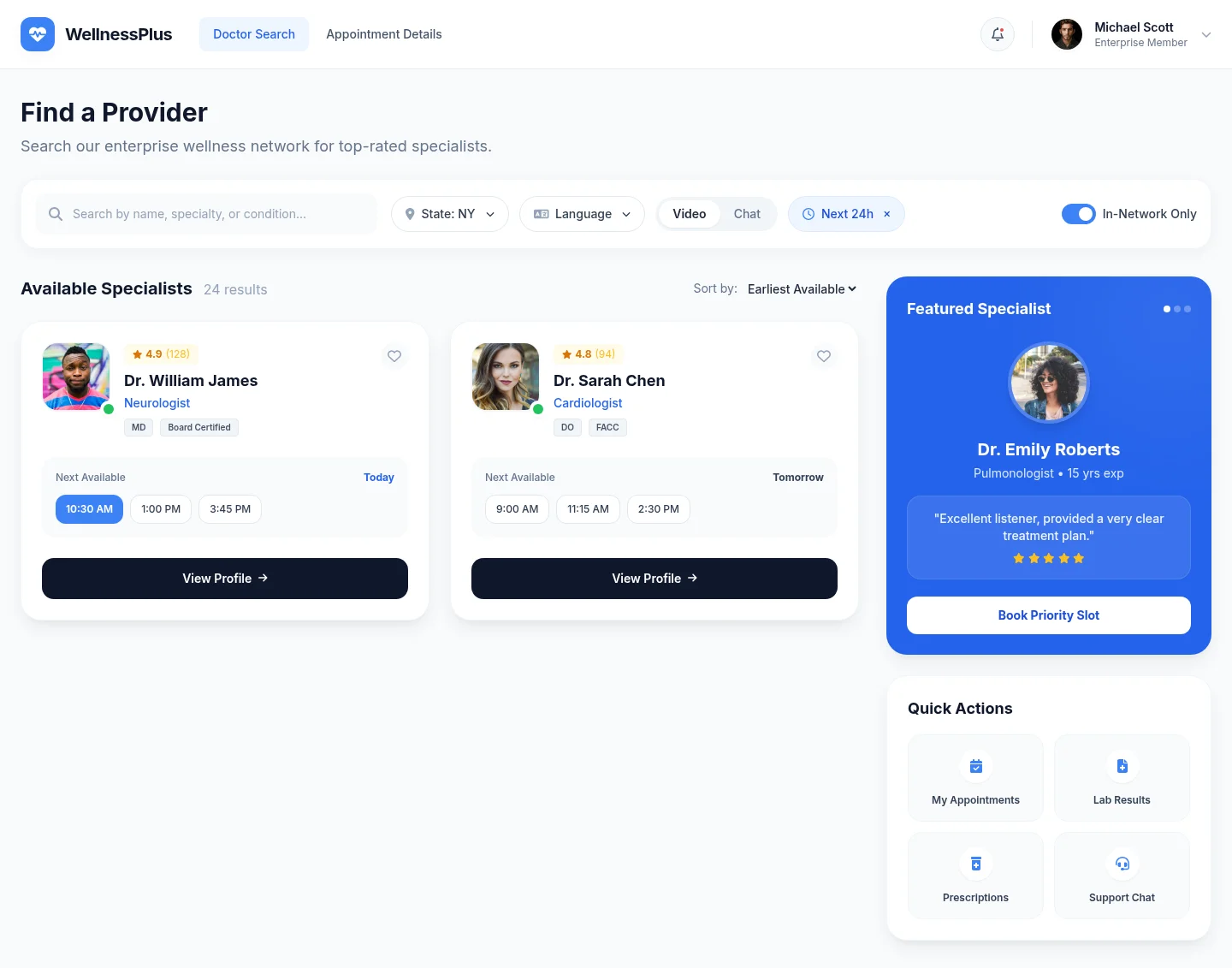 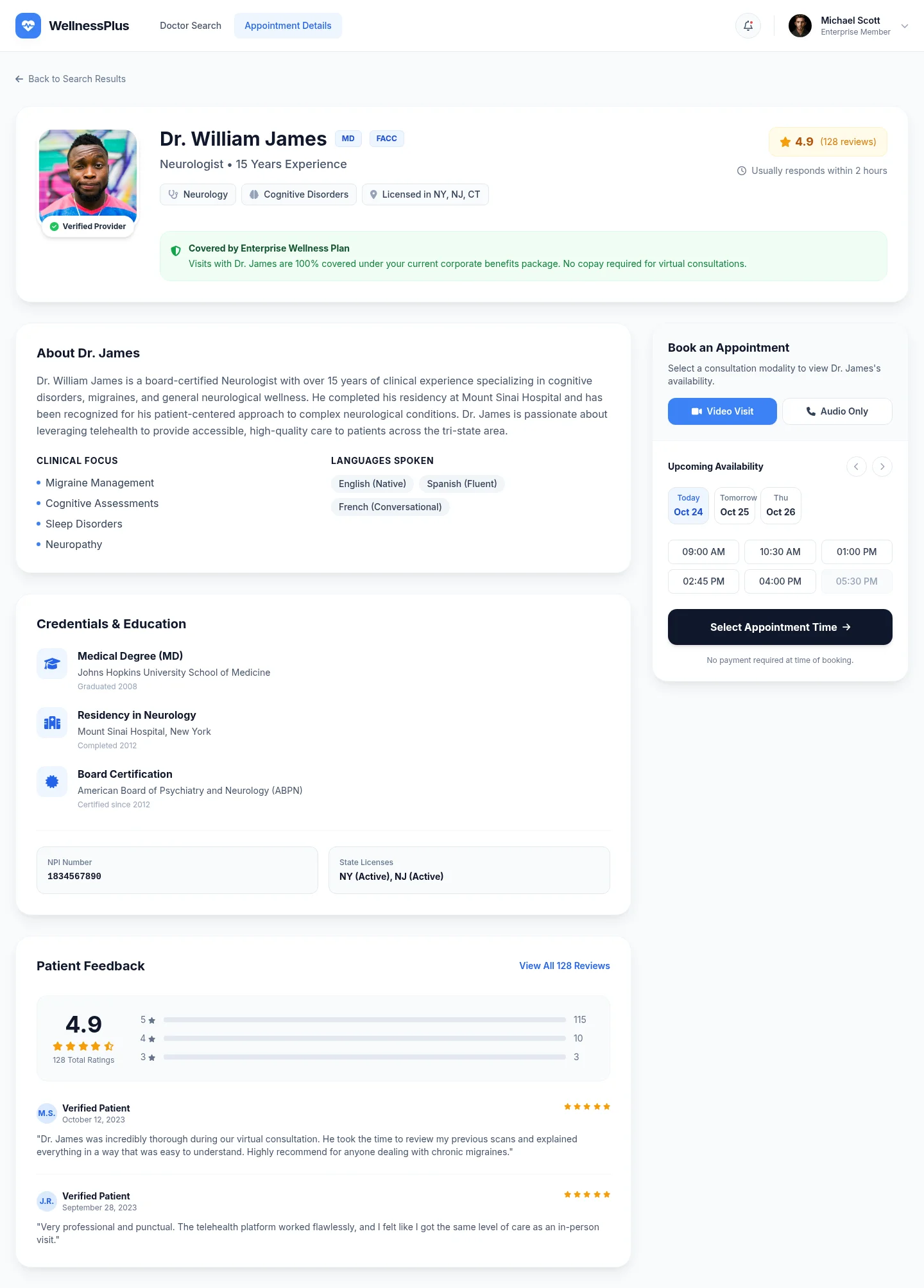 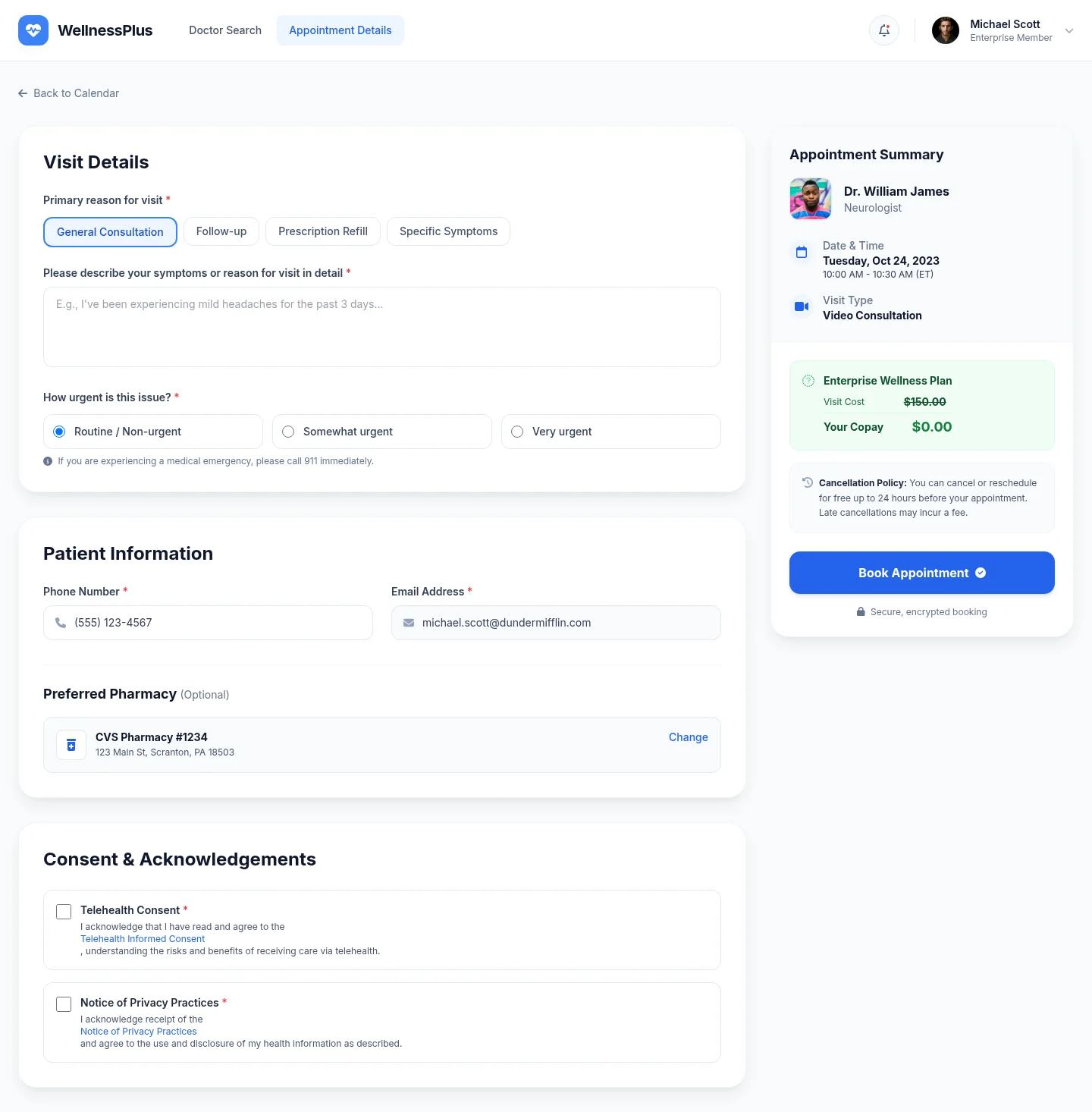 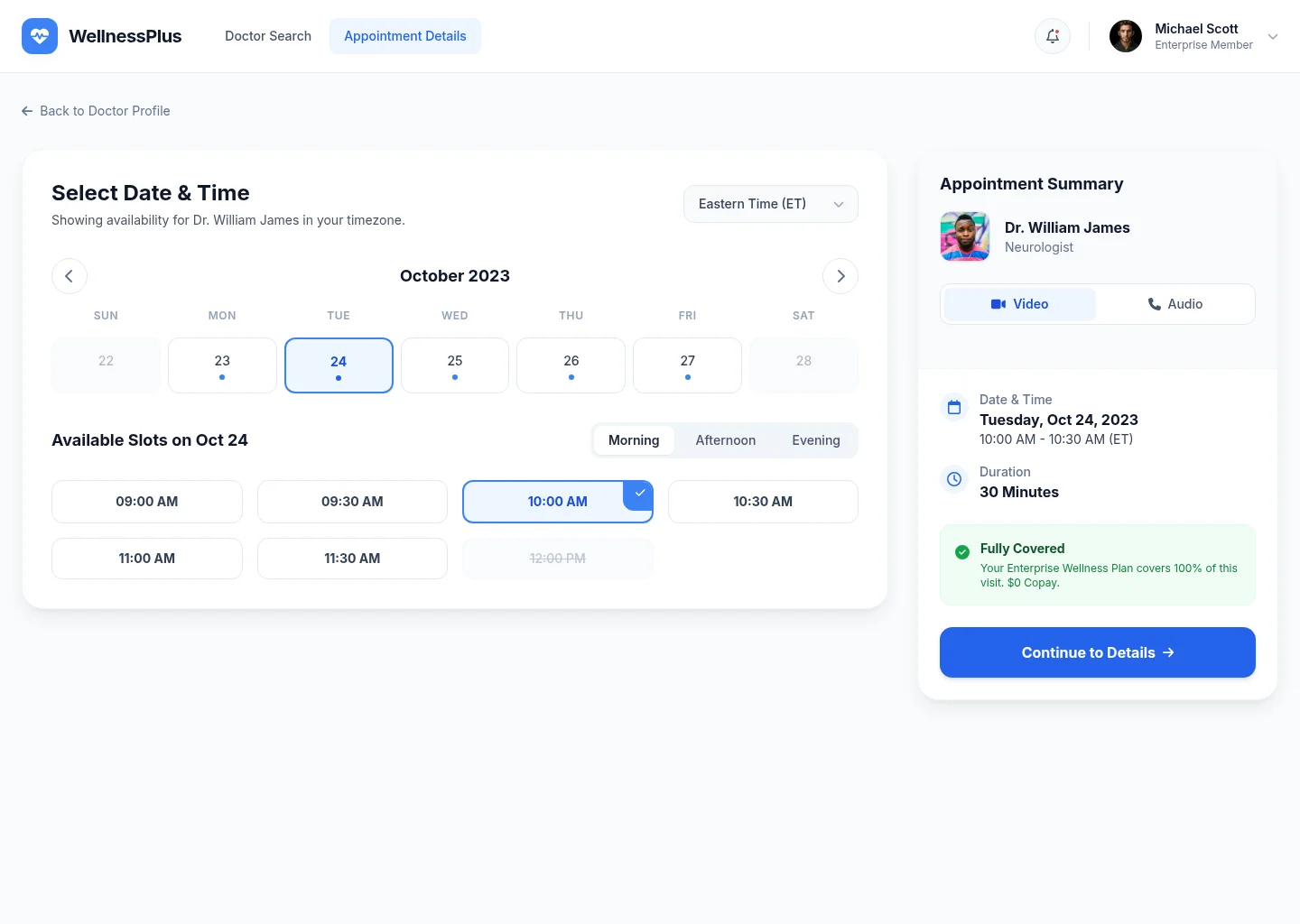 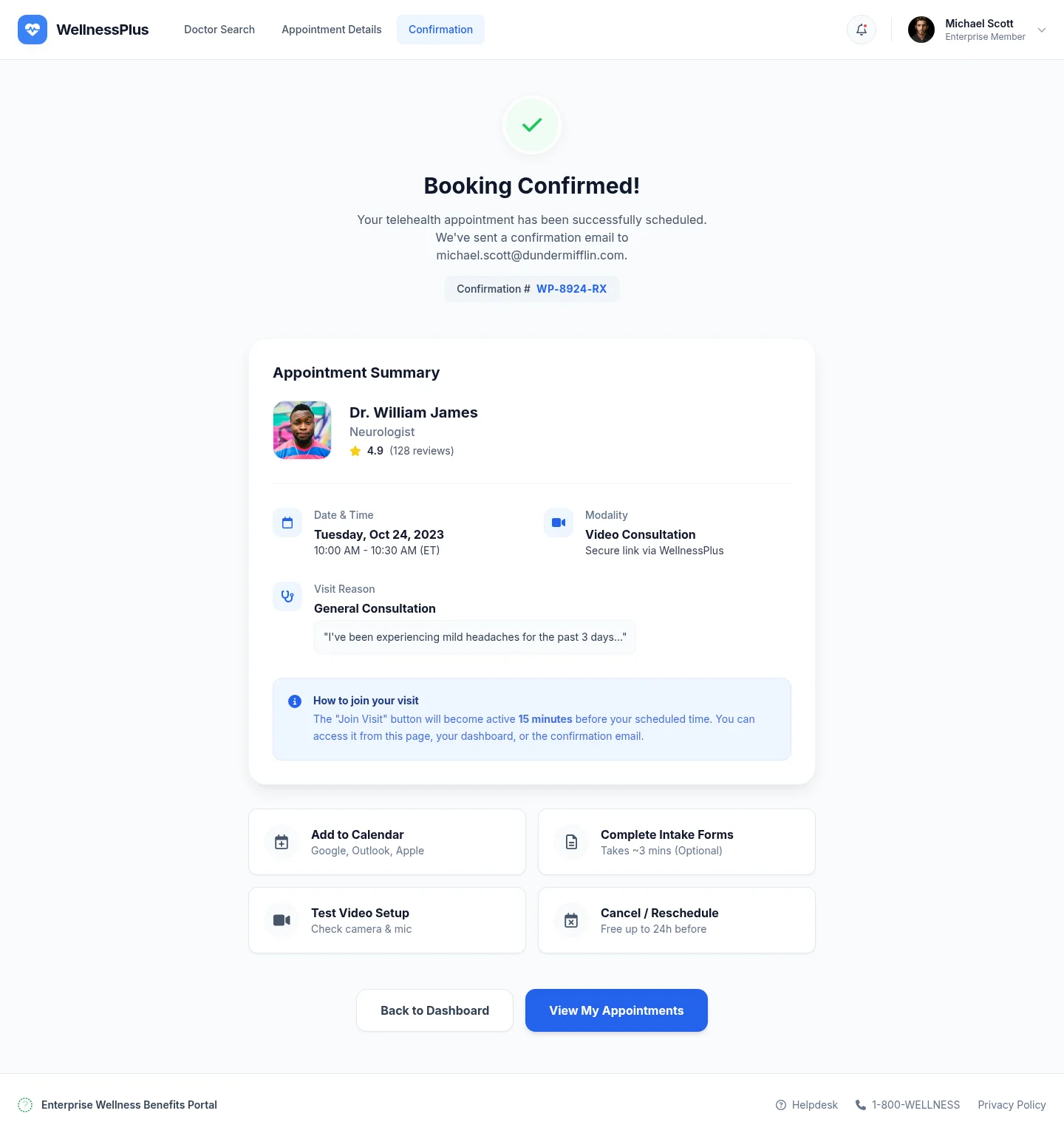 | 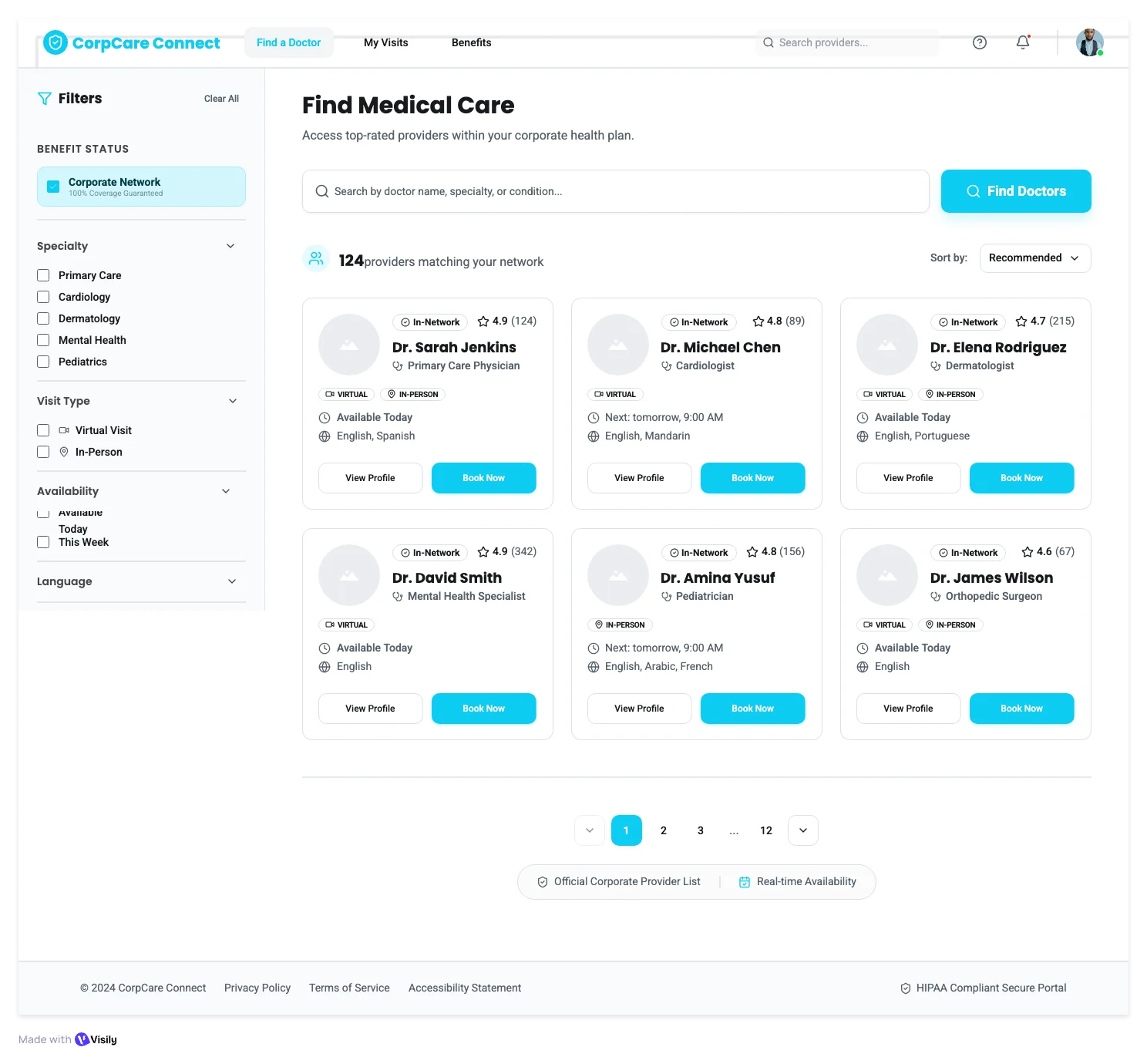 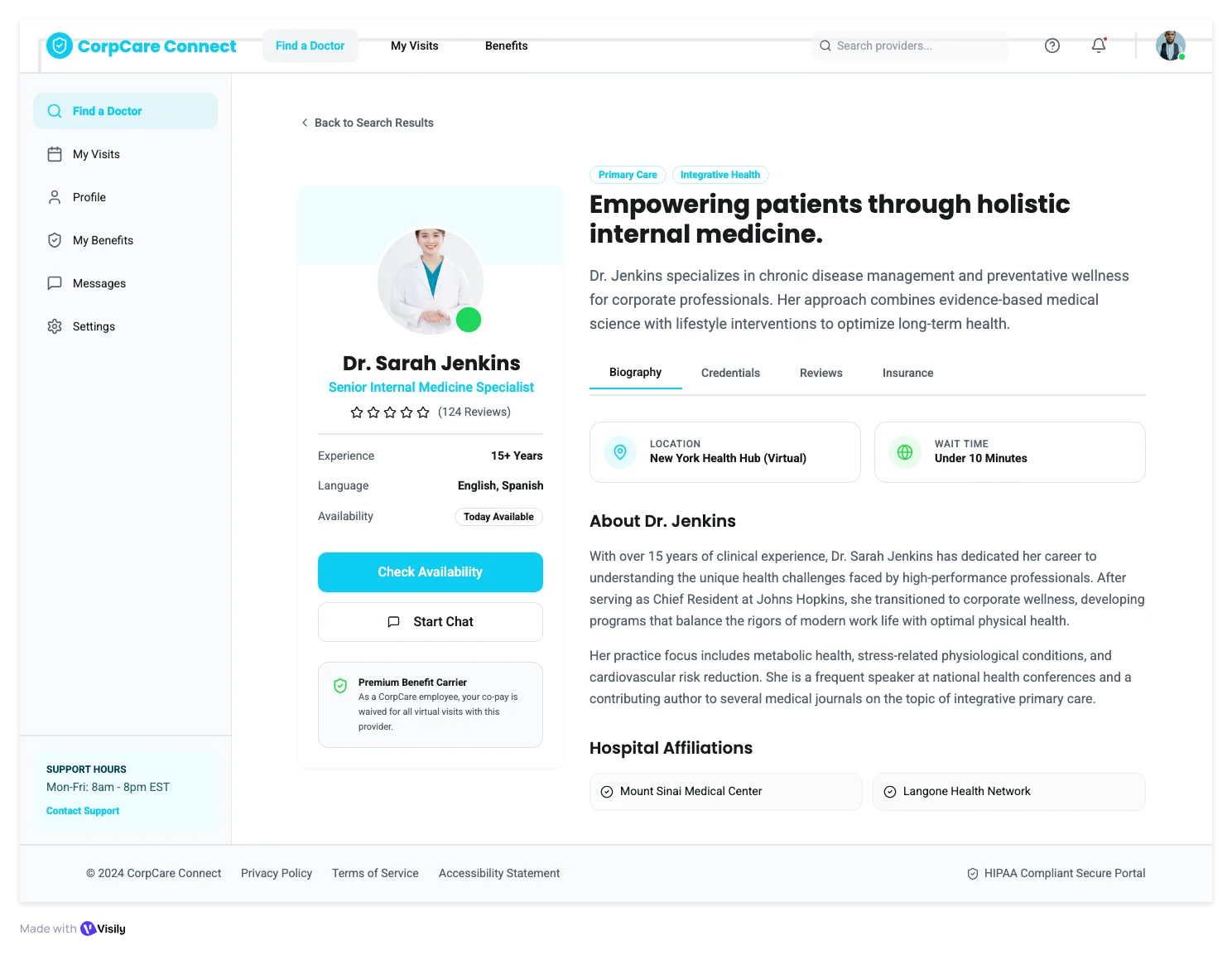 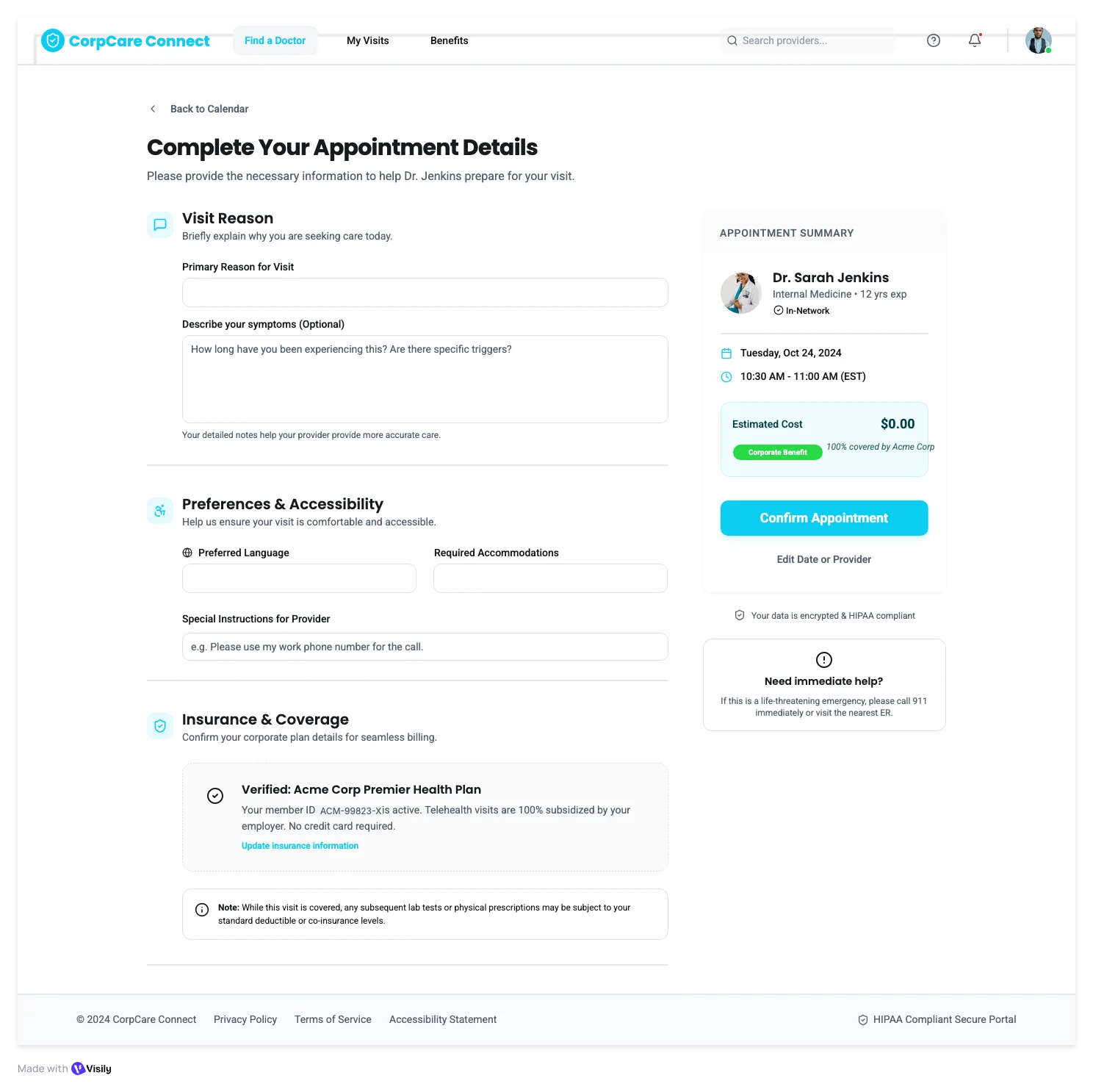 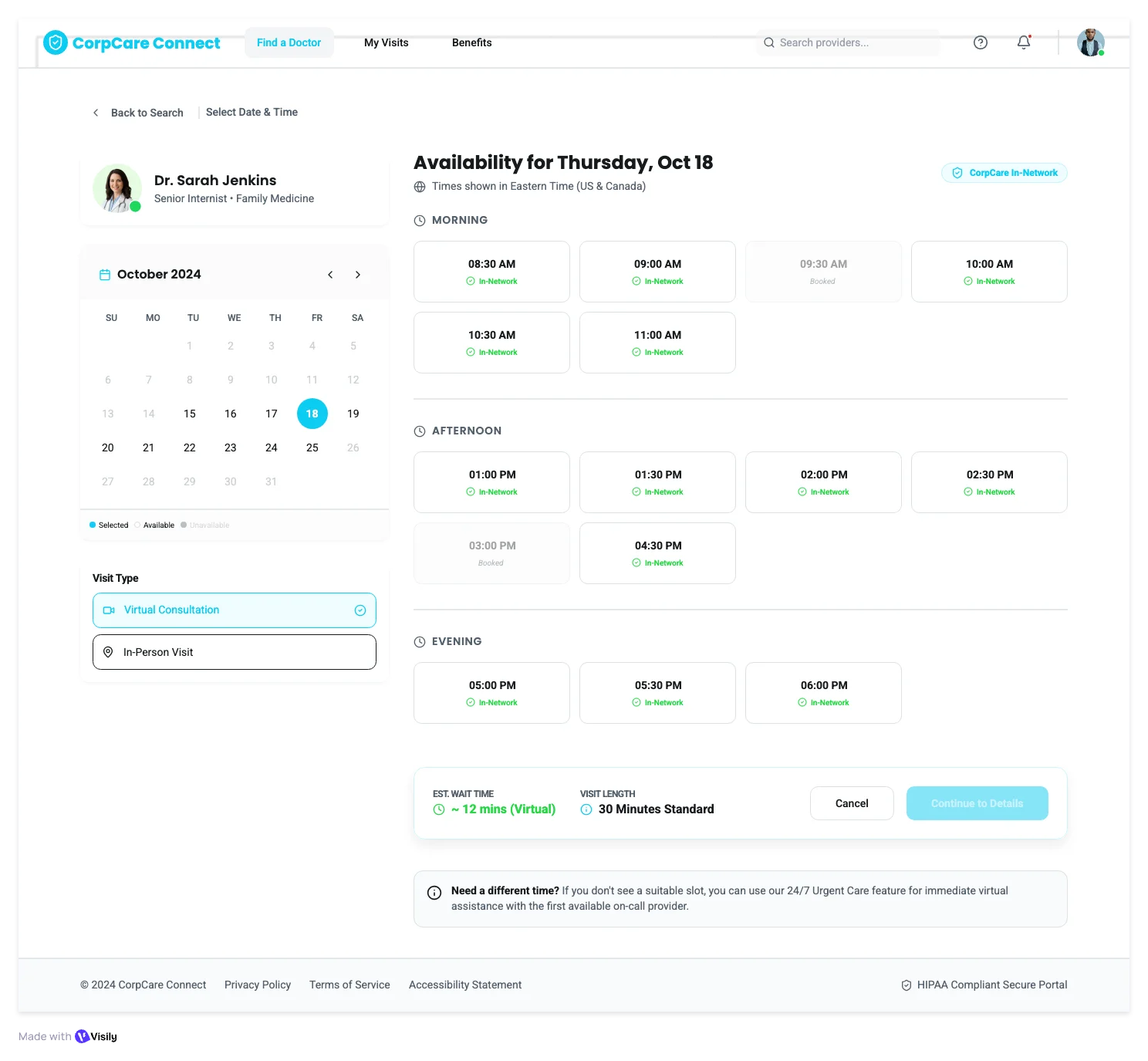 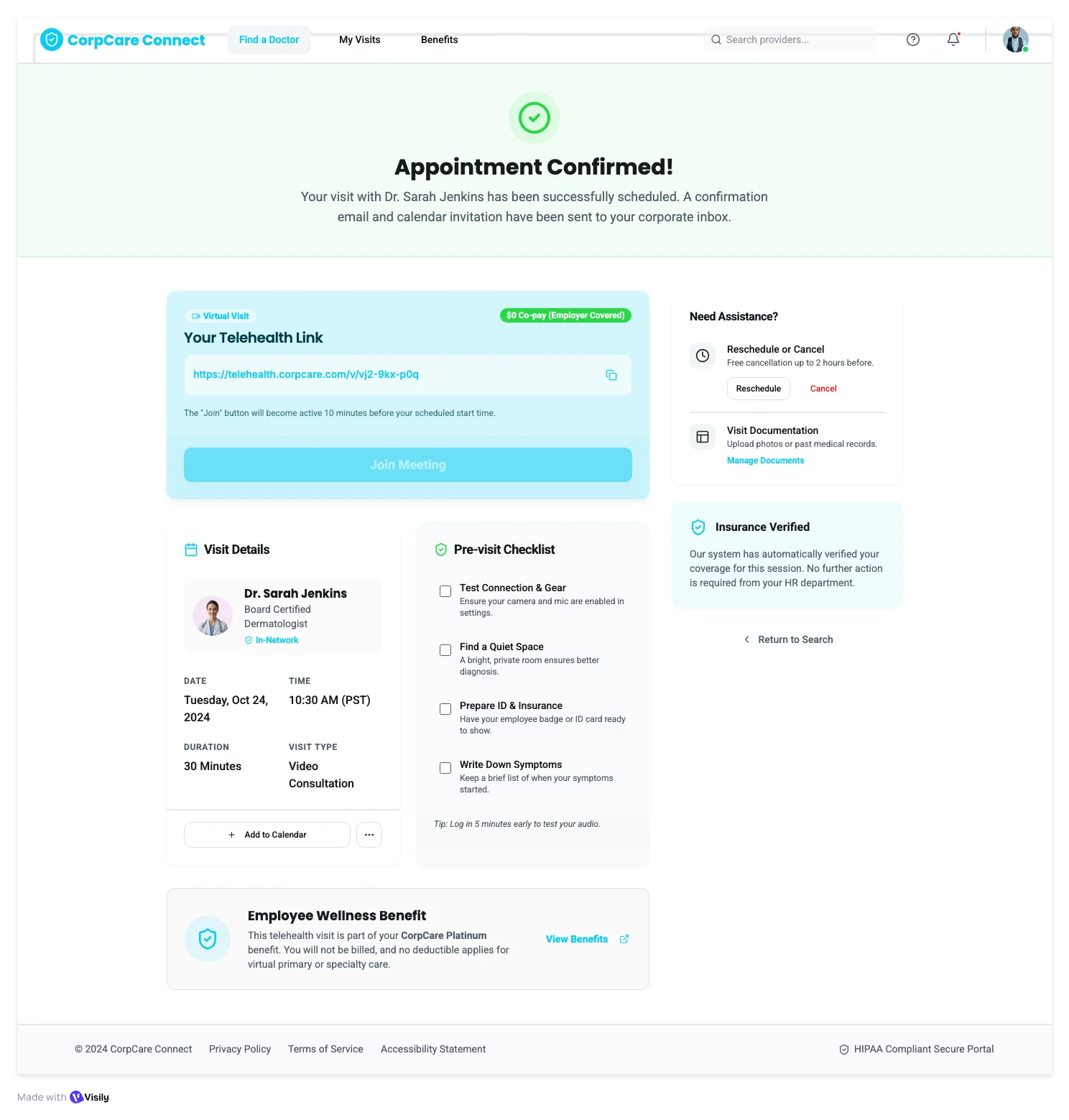 |
|---|---|---|
| Flow Completeness | Seamless end-to-end flow with a persistent booking summary, provider context carried across every screen. | Disjointed screens that feel like separate pages rather than a connected journey. |
| Doctor Profiles | Full clinical profile with verified credentials, insurance, and language details, and an enterprise-grade privacy statement. | Basic profile with name, specialty, and availability. |
| Booking Experience | Smart booking with a visit type selector, symptoms checklist, accessibility options, and a data confidentiality guarantee before checkout. | Standard calendar with time slots and a basic form. |
| Prompt Adherence | Every screen is purpose-built for corporate health: in-network coverage, $0 copay, HIPAA compliance, and accessibility baked into every step. | Covers the 5 requested screens with standard components. |
| Launch Readiness | Production-ready for rollout. Privacy, coverage, and cost concerns are answered before the employee confirms. | Concept-level screens with standard components. |
What makes UX Pilot different from VISILY?
UX Pilot was designed with AI at its core, rather than as an add-on. When you enter a prompt, you receive complete screens that accurately reflect your description. In contrast, Visily’s output can include unnecessary sections, requiring additional time to edit and organize before the design is usable.
UX Pilot also works well for teams without dedicated designers. There's nothing to learn upfront, no expectation that you've already got a design system set up. If you need something presentable for a stakeholder by end of day, UX Pilot gets you there. And you won't spend an hour cleaning it up afterward.
AI-generated designs that match the prompt
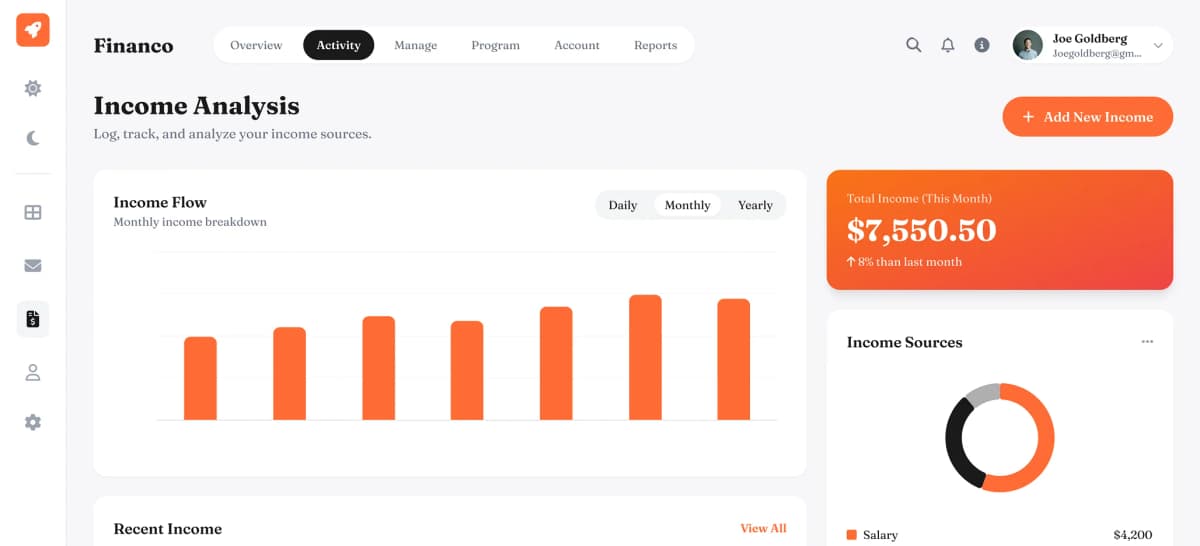
What you ask for is what you get. Every element shows up where it should, with the right visual weight, and no unnecessary additions. For example, if you request a dashboard with KPIs, a hiring pipeline, and an alert panel. That's exactly what appears. Visily reads prompts more loosely and may include components you didn't request, so you end up doing editing before the screen is usable.
Production-ready multi-screen flows
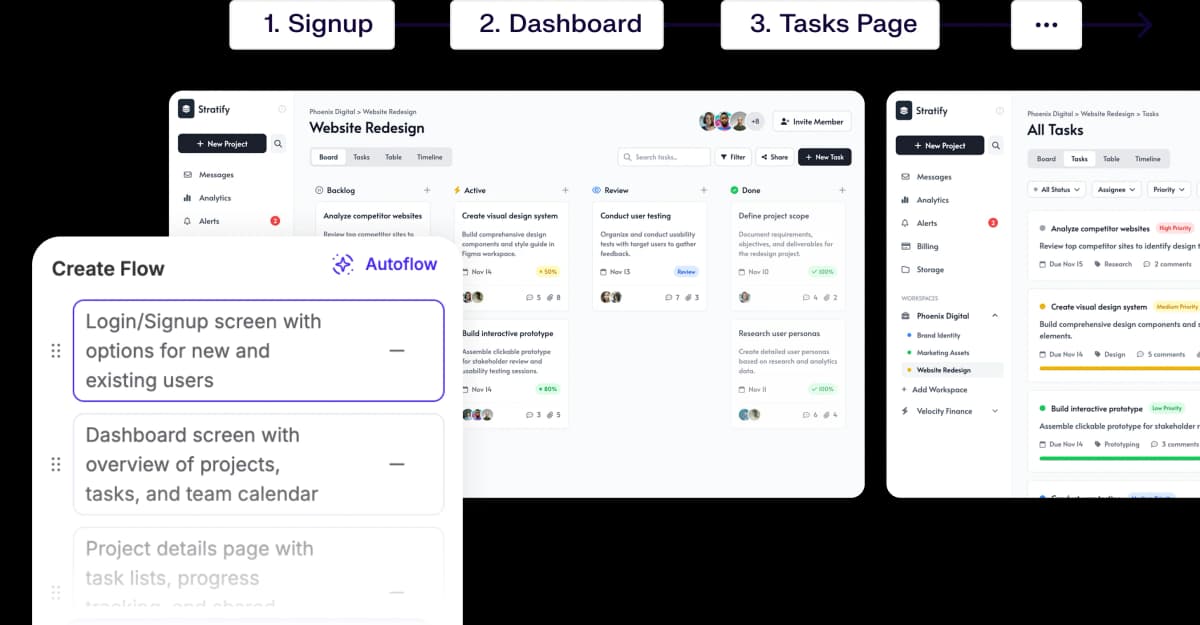
UX Pilot keeps things consistent across screens. User context, visual language, component patterns all hold together from start to finish. The result feels like one product, not a patchwork of separate pages. Visily handles individual screens well, but once you're working across a longer flow, the consistency starts to slip.
UX validation built into your AI design tool
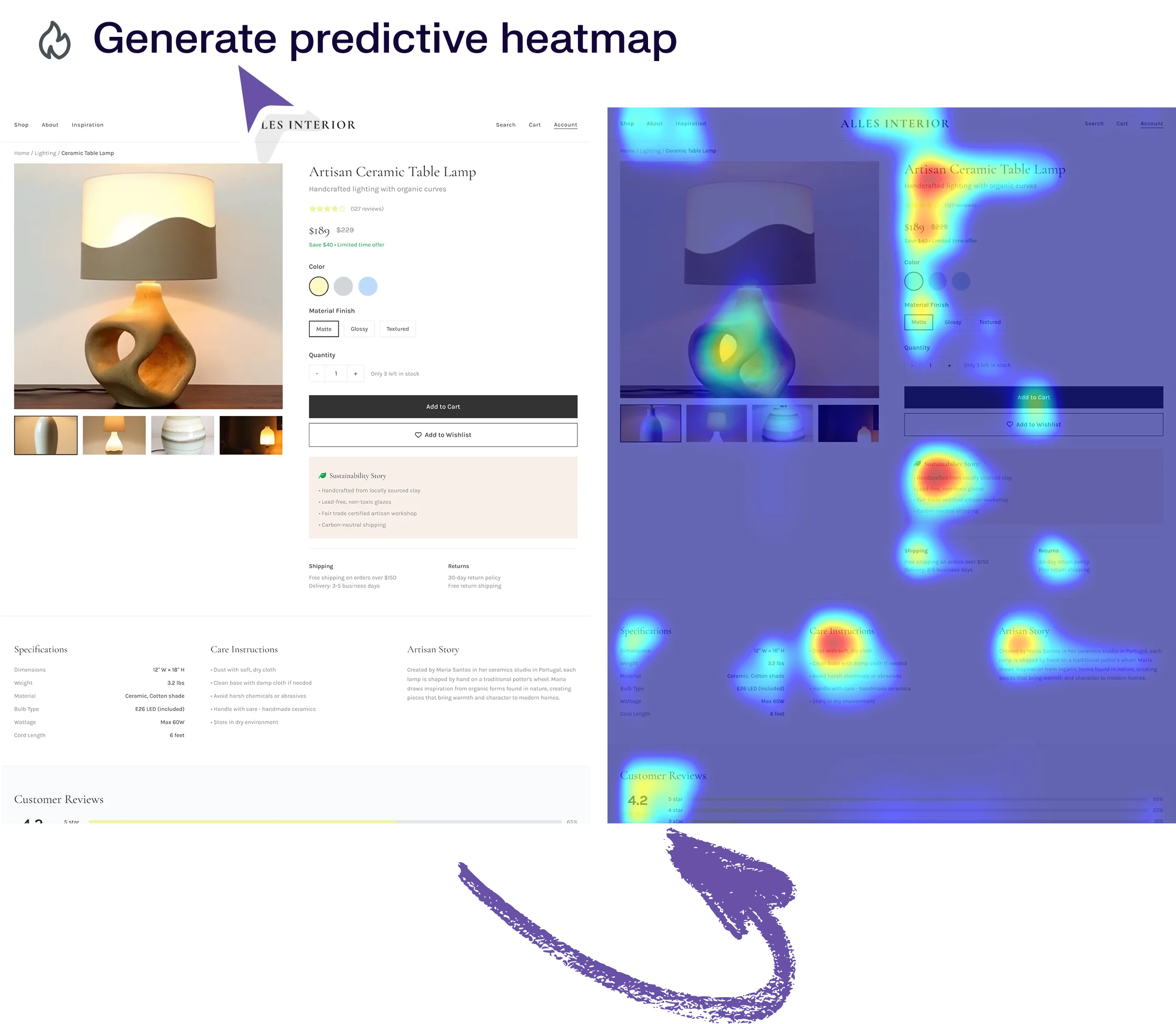
UX Pilot runs predictive heatmaps and automated design checks as part of the generation process. Contrast problems, spacing issues, accessibility gaps are all flagged before anything lands on a developer's desk. Visily is focused on creation and collaboration, but doesn't offer comparable validation tooling at this point.
Design systems in UX Pilot
Bring your design system, or build one
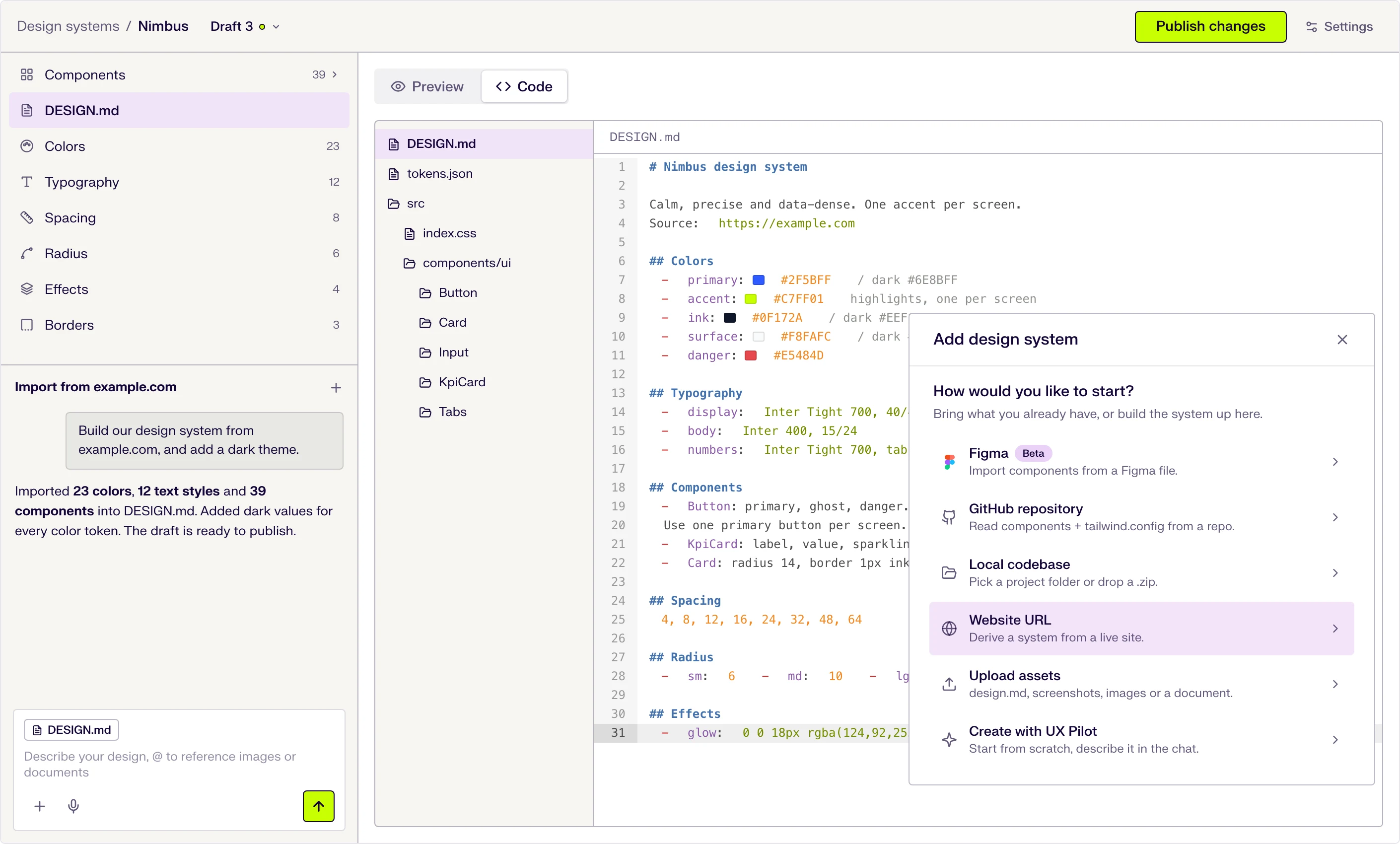
Start from scratch with AI, or import from a website, a Figma file, a GitHub repository, your codebase or a DESIGN.md. New screens then use your tokens and components.
Six ways to start
Describe it in the chat, or import from a website URL, a Figma file (beta), a GitHub repository, a local codebase or uploaded files.
DESIGN.md at the core
Tokens and usage guidance live in one DESIGN.md file that the AI follows when it designs. Edit a token and the file updates.
Draft, publish, repeat
Changes stay in draft until you publish them, and version history keeps every release.

Kresimir Retih,
Project Manager"It has been a game-changer for me! Since signing up, my workflow has become much smoother, and my productivity has increased significantly. I love how intuitive and user-friendly the platform is, making UX tasks much easier and more efficient. Highly recommend it to anyone looking to streamline their UX process!"
What makes UX Pilot a great alternative to Visily?
Both UX Pilot and Visily use AI to generate designs from text prompts. The key differences are in post-generation workflow, design completeness, the extent of required rework, and whether the result is ready to ship or needs further development.
Fewer steps between generation and shipping
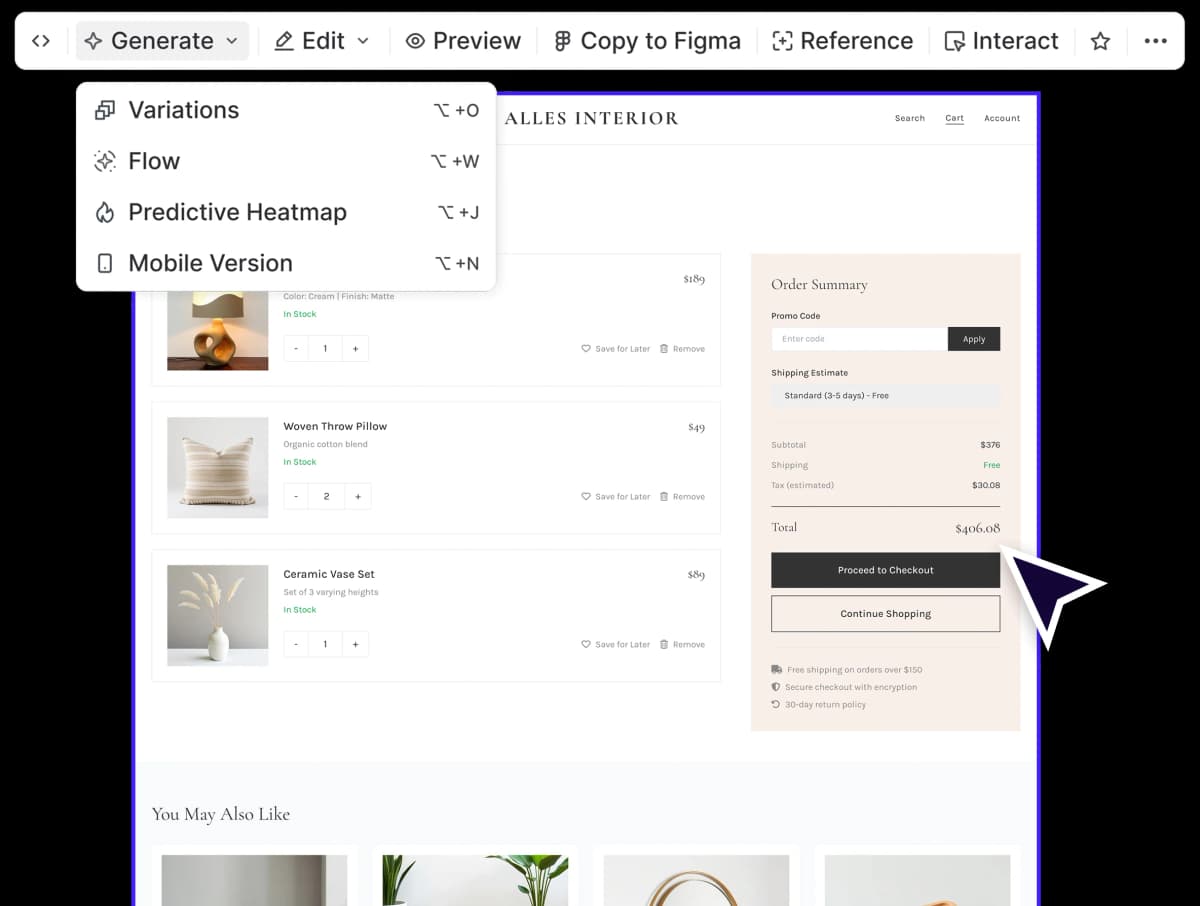
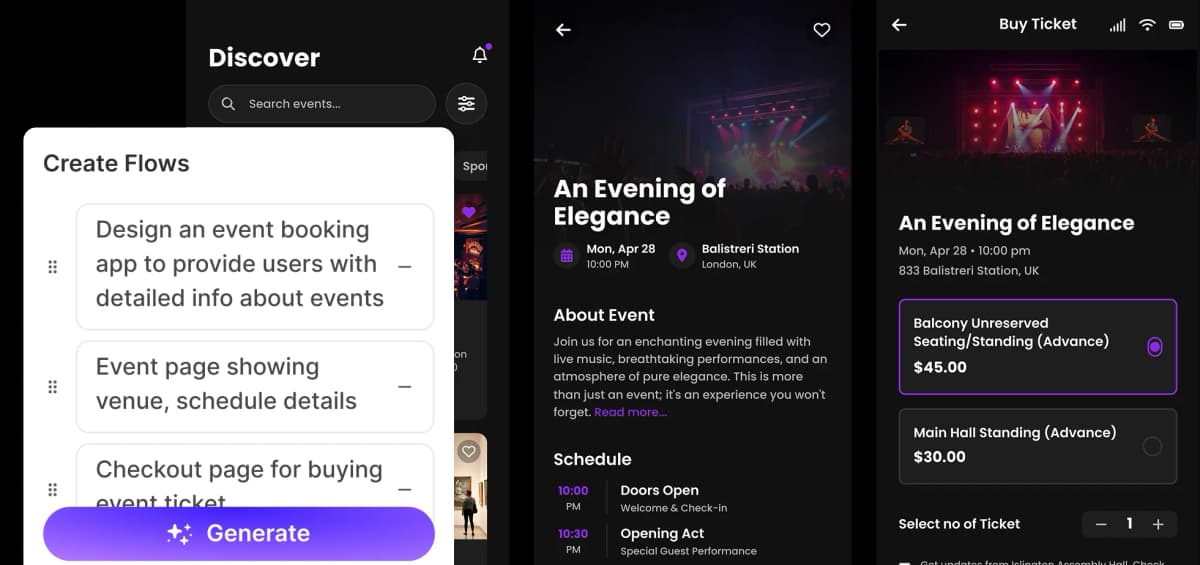
Visily is designed to help teams communicate ideas visually. UX Pilot supports the next phase by enabling seamless transitions to stakeholder reviews, developer handoffs, or Figma refinement without the need to rebuild designs.
Prompts that go deeper on the first pass
UX Pilot's B2B outputs include practical details such as approval workflows in onboarding, urgency selectors in healthcare booking, and skip-with-consequence messaging in bank connection flows. Visily generate more minimal versions of these screens. For teams developing complex B2B products, UX Pilot's approach highlights important edge cases earlier in the process.
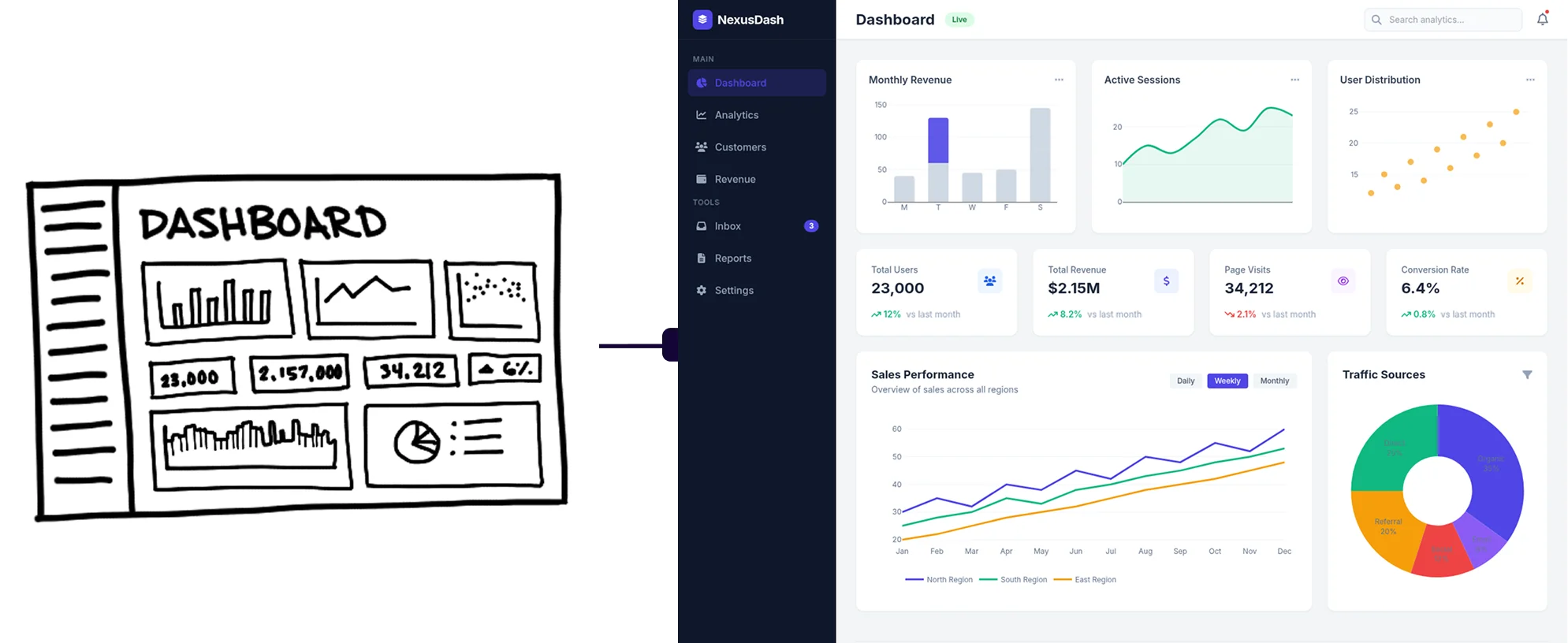
From sketch to handoff without switching tools
Visily is effective for early-stage ideation. UX Pilot supports the entire design process, from wireframing to high-fidelity upgrades, heatmap analysis, targeted chat-based edits, and export to Figma or production HTML. This comprehensive workflow can help teams reduce the number of tools they use.
Pricing
Both tools offer a free plan, but the features included differ significantly.
Visily adds a watermark to all exports on its free plan. So anything you generate comes with a stamp before it reaches a client, a developer, or anyone on your team. You can try the tool, but you can't use what it produces in actual work unless you pay.
UX Pilot gives you predictive heatmaps and automated design review on its free plan. You can generate screens, assess them for contrast, spacing, and accessibility issues, and export without a watermark. This allows you to complete professional work without an upfront payment.
The real cost of a design tool is almost never just the subscription. If your tool doesn't include UX validation, you either skip it or pay for something else to cover that gap. Visily doesn't offer heatmaps or automated design review on any plan, so quality-focused teams often require supplementary solutions.
For paid plans, the primary difference is not price but included features. UX Pilot’s standard plan offers heatmaps, design review, and its latest generation models. Visily doesn't offer the same features on a comparable plan.
A lower subscription cost only provides value if the output is ready to use. If screens require multiple revisions before sharing, the process becomes slower, not more cost-effective. UX Pilot is designed to deliver results that require less rework, enabling teams to focus on building.
UX Pilot vs VISILY: Which is right for me?
UX Pilot is an AI-native design tool that generates complete, high-fidelity interfaces from text prompts. Users describe their needs, such as a landing page, mobile app flow, or dashboard, and UX Pilot delivers the layout, copy, components, and visual styling. It is ideal for anyone seeking professional-quality UI without starting from scratch.
Founders use UX Pilot to build product pages before hiring a designer. Product teams prototype flows before involving engineering. Designers use it to avoid starting from scratch and begin with a refined foundation.
Visily is good for teams that include non-designers who need to collaborate on a shared canvas. Features like follower mode, cursor chat, real-time commenting, and shared libraries support effective collaboration. Visily helps align product teams, clients, and stakeholders with minimal friction.
Choose Visily when alignment is the priority. Choose UX Pilot when building quickly is most important.
Frequently asked questions
Everything you want to know about UX Pilot vs VISILY
Your First Generation Is Already Presentation-Ready
Whether it's a landing page, a user flow, or an enterprise dashboard, the first output is polished enough to present. To a stakeholder. To a developer. To a client who's paying you to get it right.
Generate designs in seconds