Pencil.dev
Pencil Head to Head Comparison of Features, Alternatives and Pricing
No credit card needed
UX Pilot features vs PENCIL.DEV
A comprehensive comparison of UI design features to help you make an informed decision.
| Compare Features |  |  |
|---|---|---|
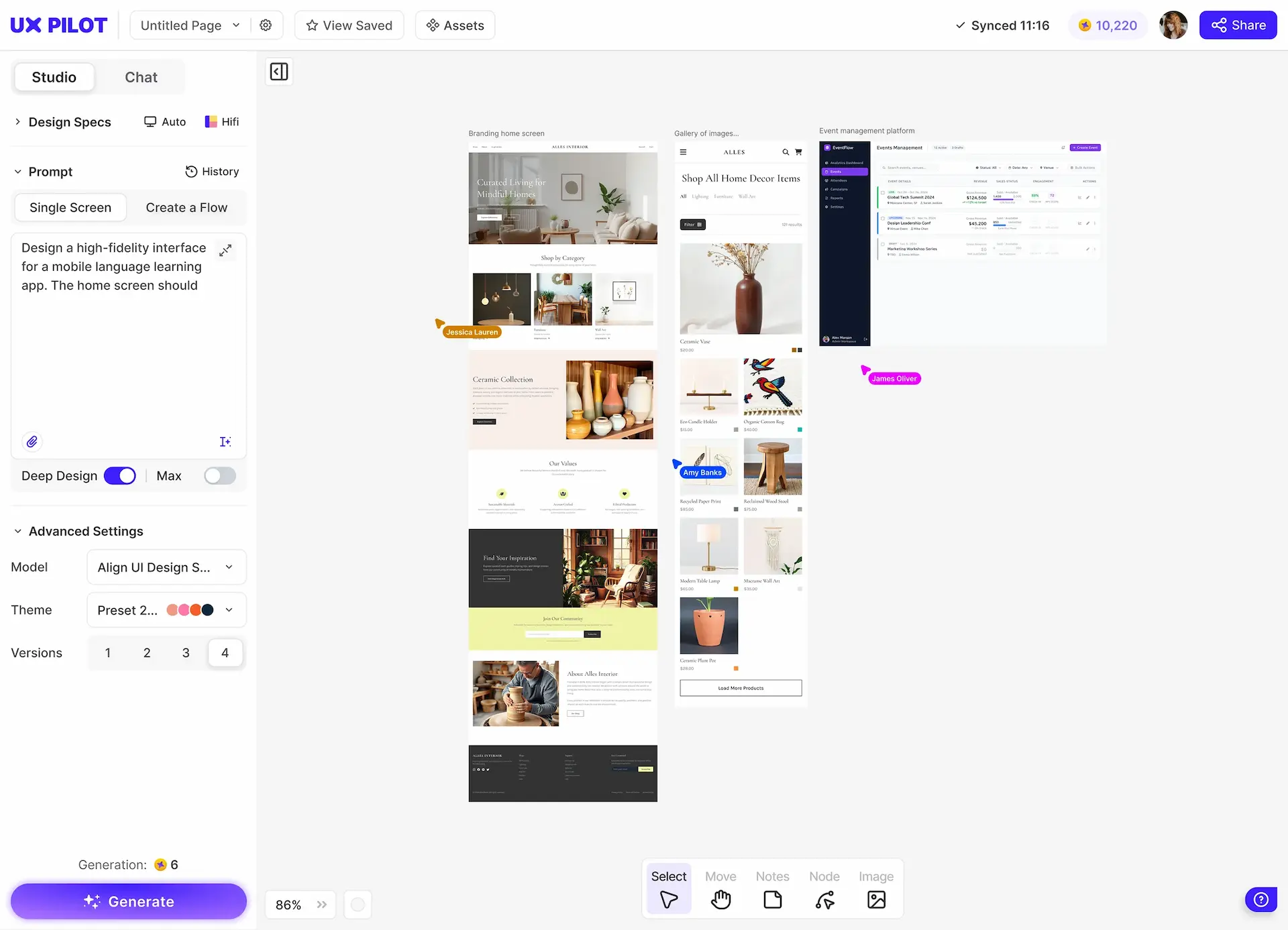
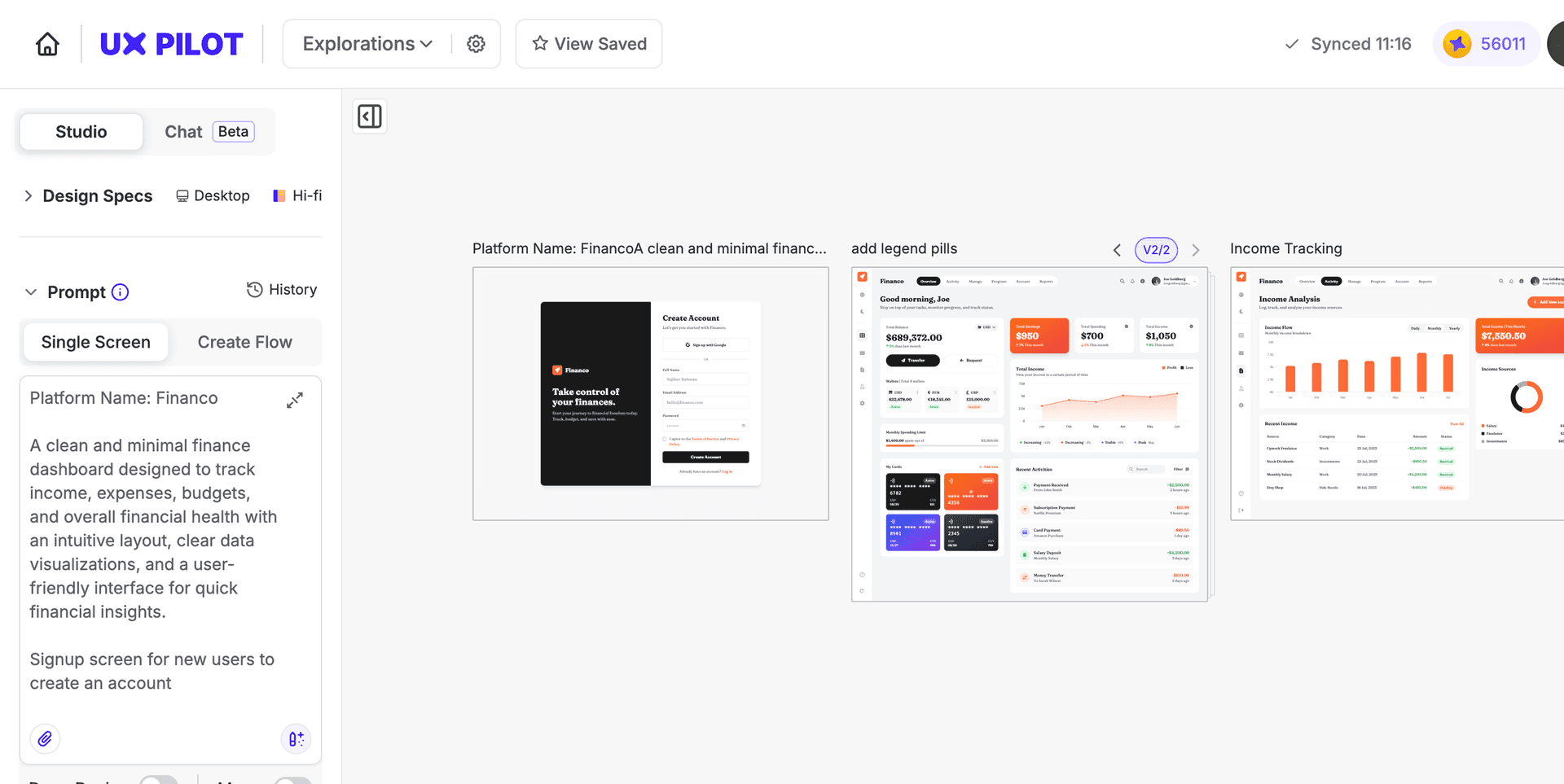
| AI design approach | AI-native (built-in prompt-to-design) | AI-agentic (IDE-native MCP canvas) |
| Built-in AI generation | Yes, prompt to screen in seconds | Requires Claude Code or IDE agent |
| Environment | Browser-based, works anywhere | VS Code / Cursor extension, desktop app |
| Wireframing | Yes, low and high fidelity | Manual sketching on canvas |
| Predictive Heatmaps | Yes | No |
| Design Review | Yes | No |
| Multiple Design Variations | Clickable out of the box | No |
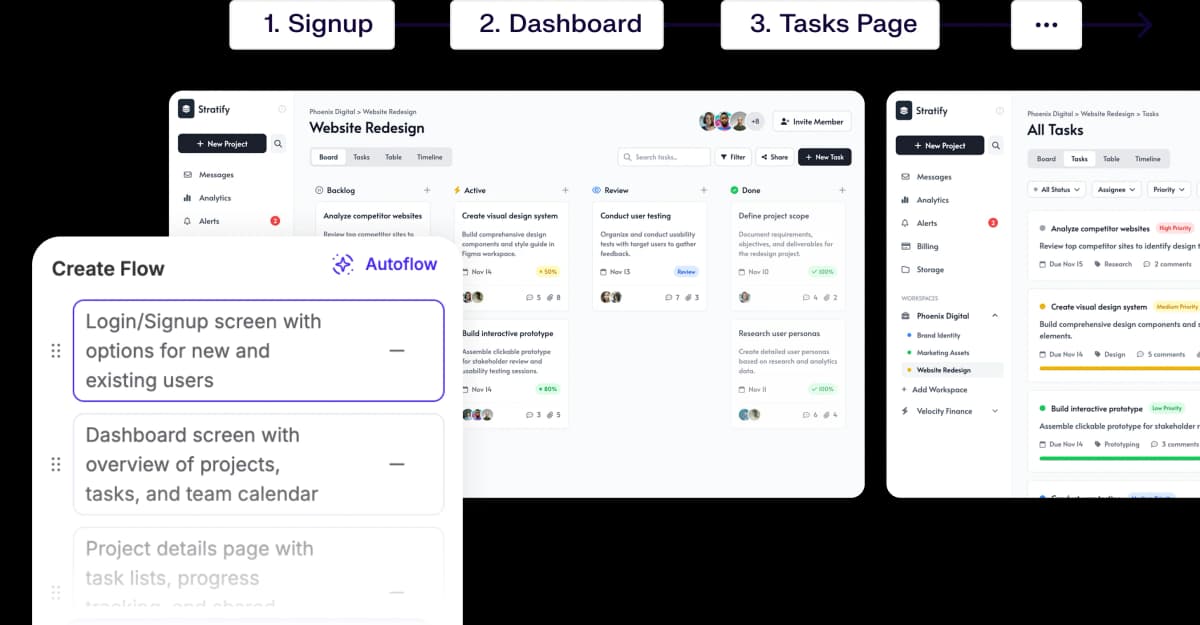
| Screen Flows | Multi-screen from a single prompt | Manual only |
| Interactive Prototypes | Clickable out of the box | No |
| Code Output | HTML and CSS | Repository-ready React, HTML, CSS via MCP |
| Design-as-Code (.pen files) | No | Yes, version-controlled in repo |
| Figma Import | Full sync and plugin | Yes, copy-paste with fidelity |
| Learning Curve | Minimal | Steep (IDE + agent setup required) |
| Best Suited For | Ideation to production for any team | Front-end developers, design engineers |
UX Pilot vs Pencil Dev: Design Output Comparison
Comparing the same prompt in both tools.
PROMPT 1: SaaS Landing Page for an AI Meeting Notes Product“Design a responsive SaaS landing page for an AI meeting notes product. Include a hero section, social proof, feature grid, pricing preview, and FAQ. Keep the design clean, modern, and conversion-focused.“ | 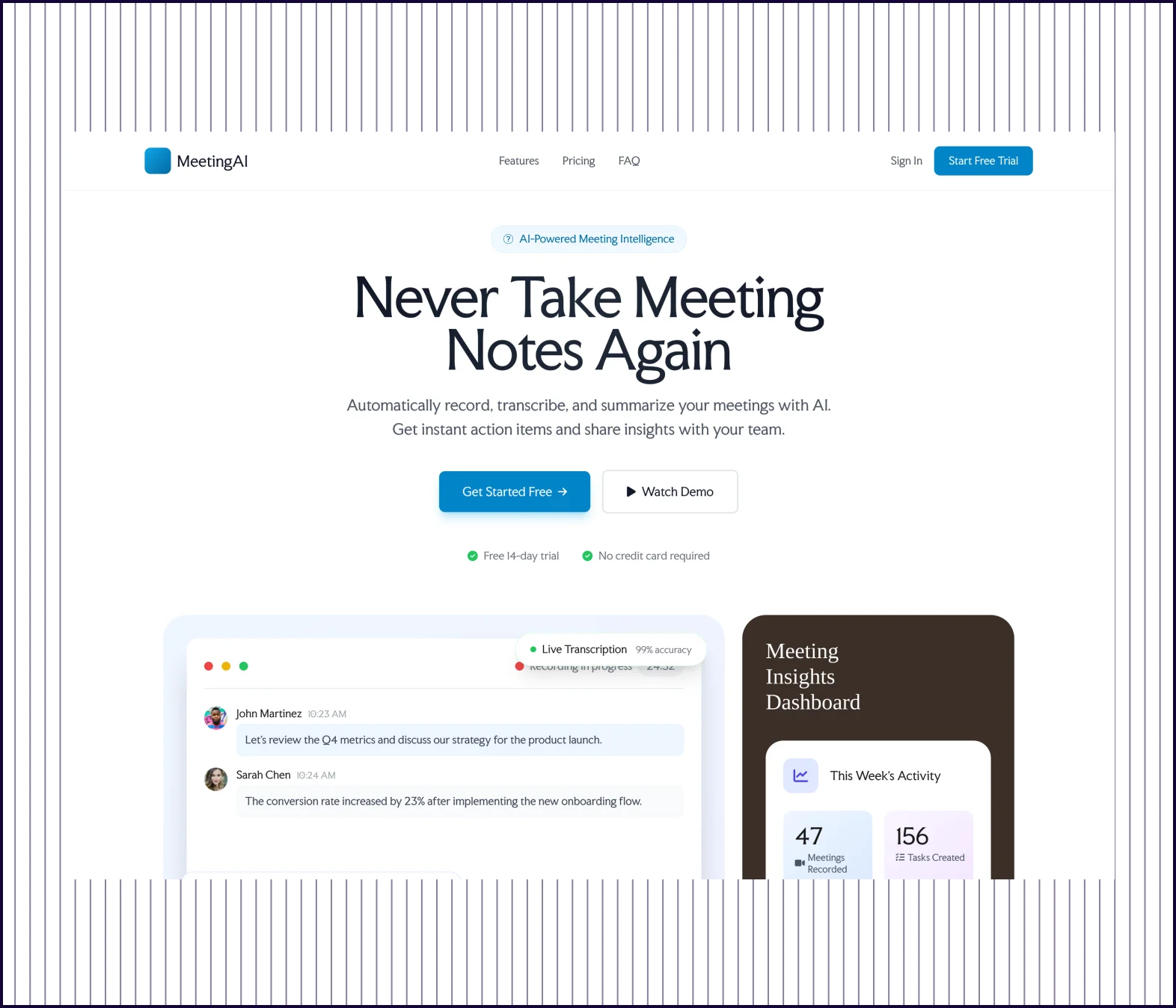 | 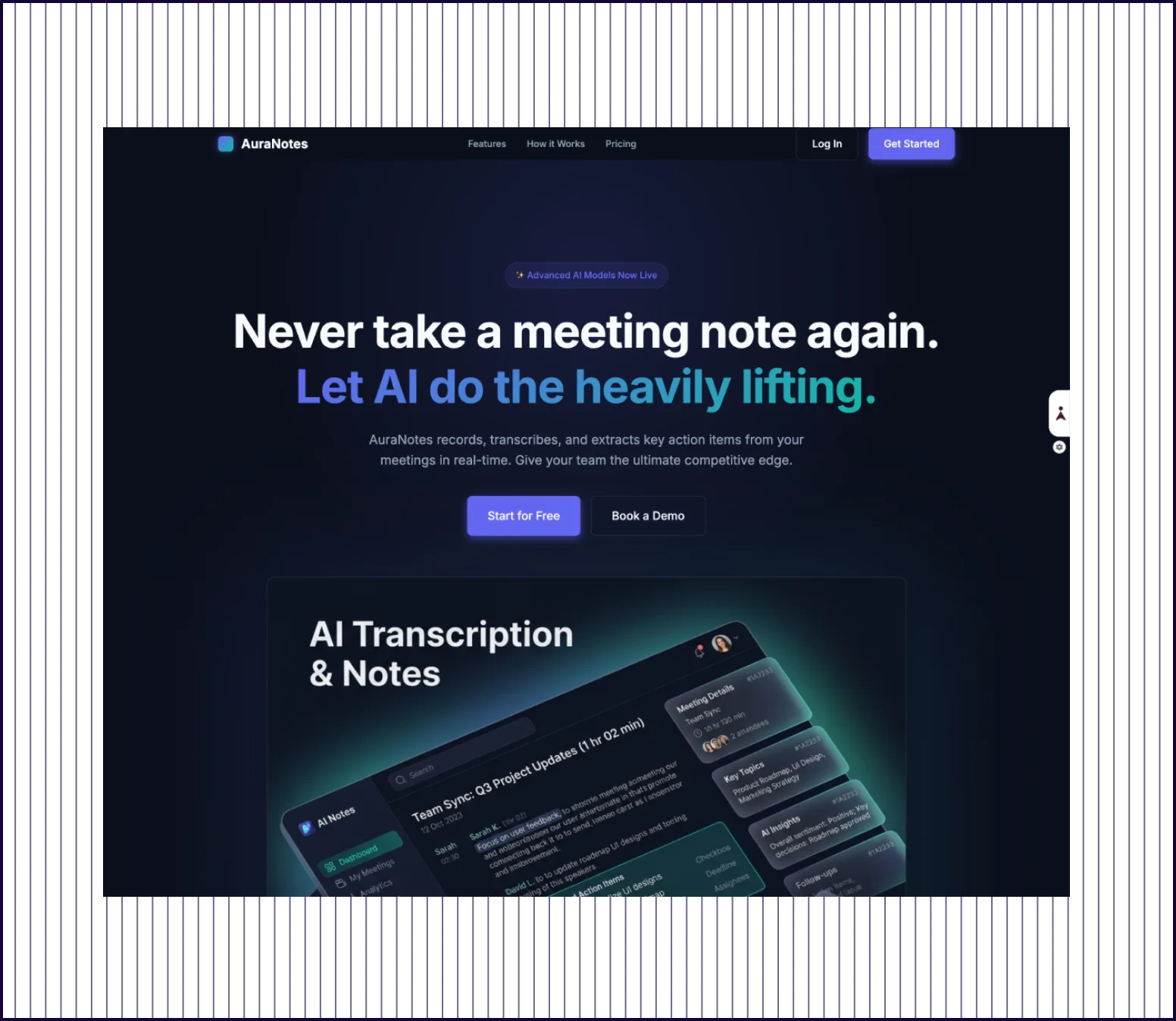 |
|---|---|---|
| Design quality | Visual hierarchy, product screenshots, social proof logos, and conversion-focused structure. | Dark-themed and stylish but heavy on atmosphere over readability. |
| Prompt Adherence | All sections present with clear separation. Social proof includes trust badges and customer counts. | Covers hero, features, pricing, and FAQ. Social proof is minimal—no logos or customer counts. |
| Launch Readiness | Production-ready, aligned with B2B SaaS conventions. Presentable to stakeholders as-is. | Polished visually but sparse social proof needs rework for B2B SaaS. |
PROMPT 2: Subscription Analytics Dashboard“Create a desktop dashboard for a subscription analytics app. Include sidebar navigation, KPI cards, a revenue chart, a churn table, filters, and empty states.“ | 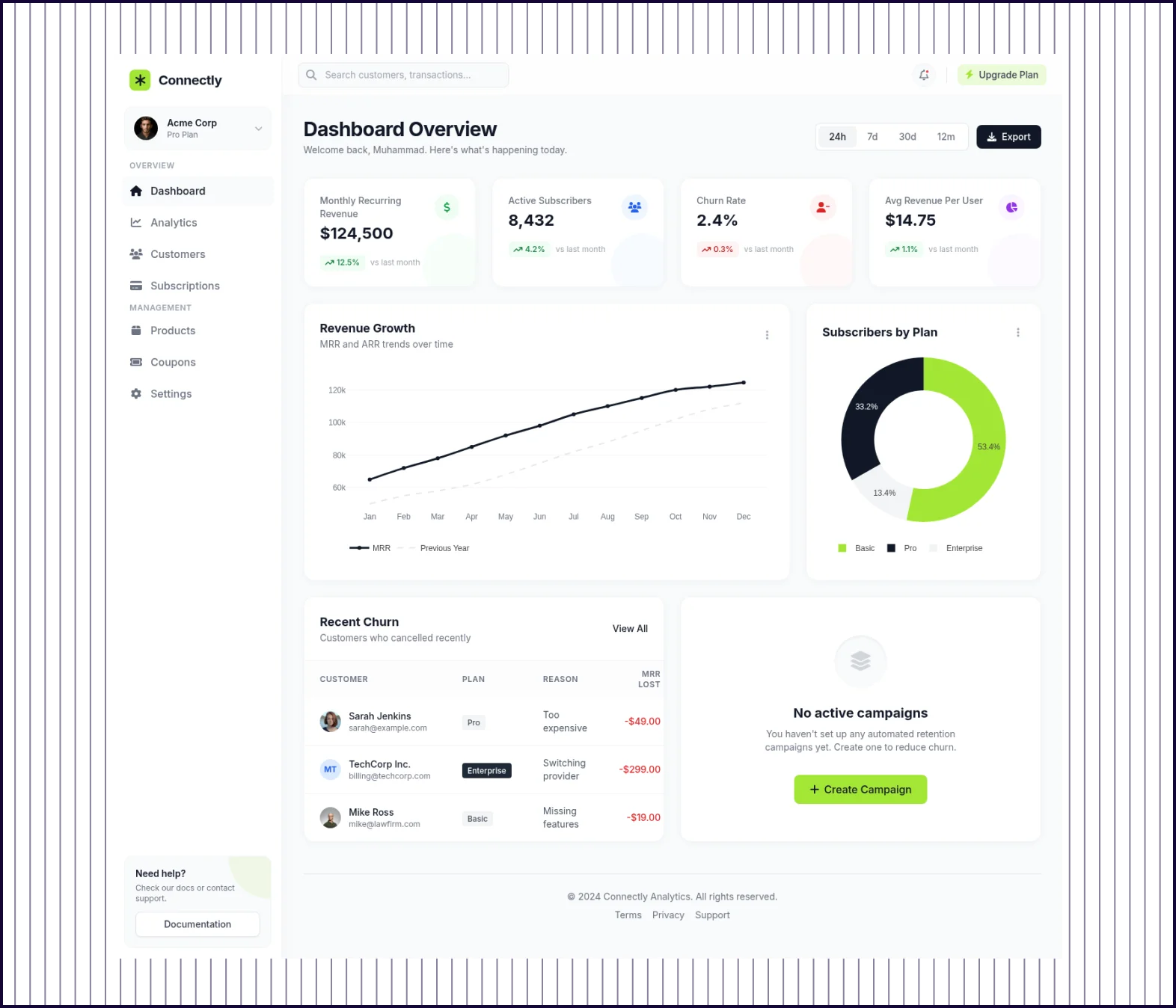 | 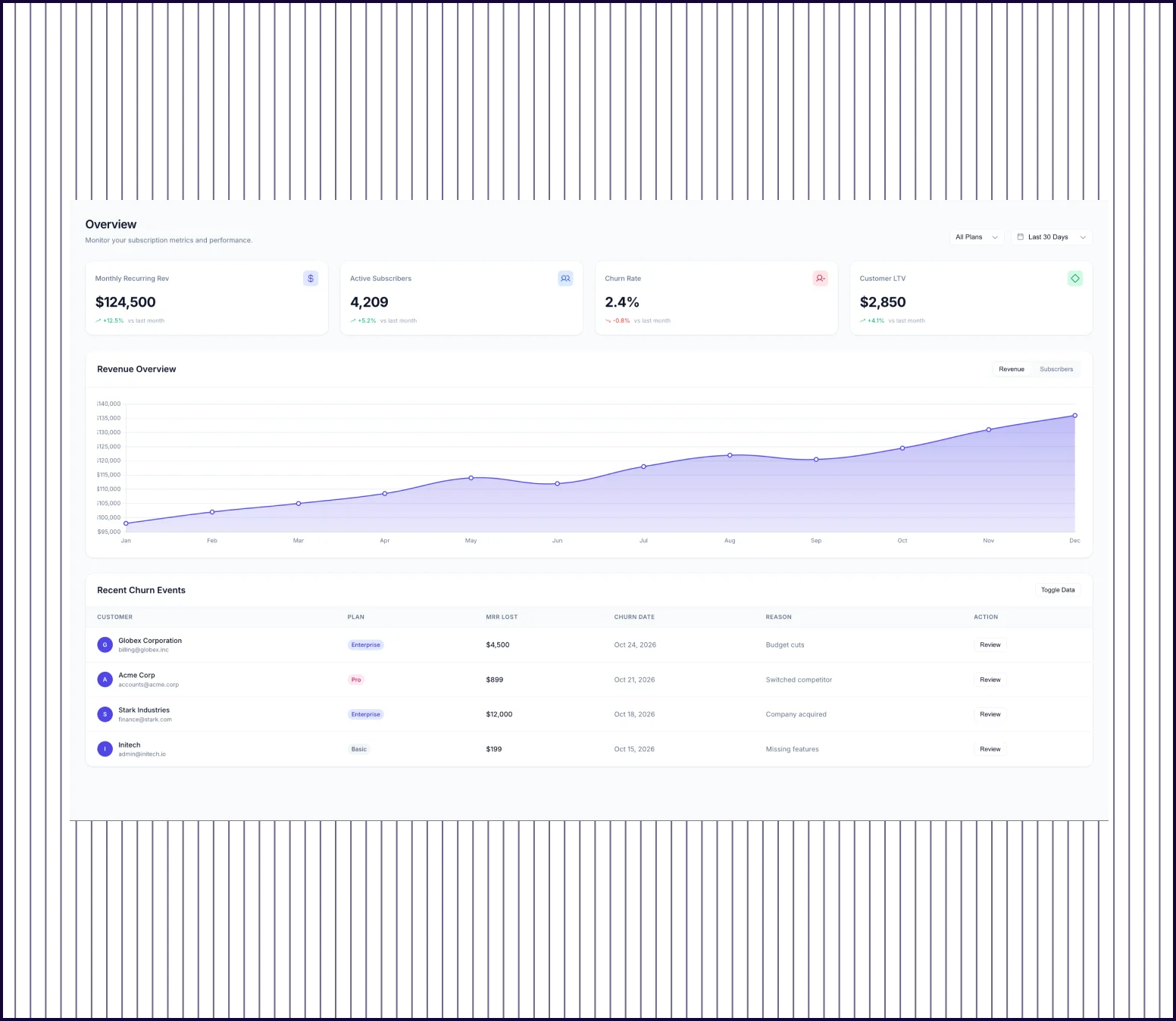 |
|---|---|---|
| Design quality | Full dashboard with sidebar nav, KPI sparklines, revenue chart, churn table, donut chart, and campaign empty state. | Minimal dashboard with KPI cards, revenue chart, and churn table. No sidebar navigation or filters. |
| Prompt Adherence | All requested elements present. Exceeds prompt with a subscribers-by-plan breakdown. | Missing sidebar and filters. Covers KPIs, revenue, and churn but skips key requested elements. |
| Launch Readiness | Production-ready layout suitable for functional spec or developer handoff. | Usable as a starting wireframe. Significant additions needed before stakeholder review. |
PROMPT 3: 3-Step Onboarding Flow“Generate a 3-step onboarding flow for a team collaboration app. Screen one should capture workspace name, screen two should invite teammates, and screen three should choose goals and preferences.“ | 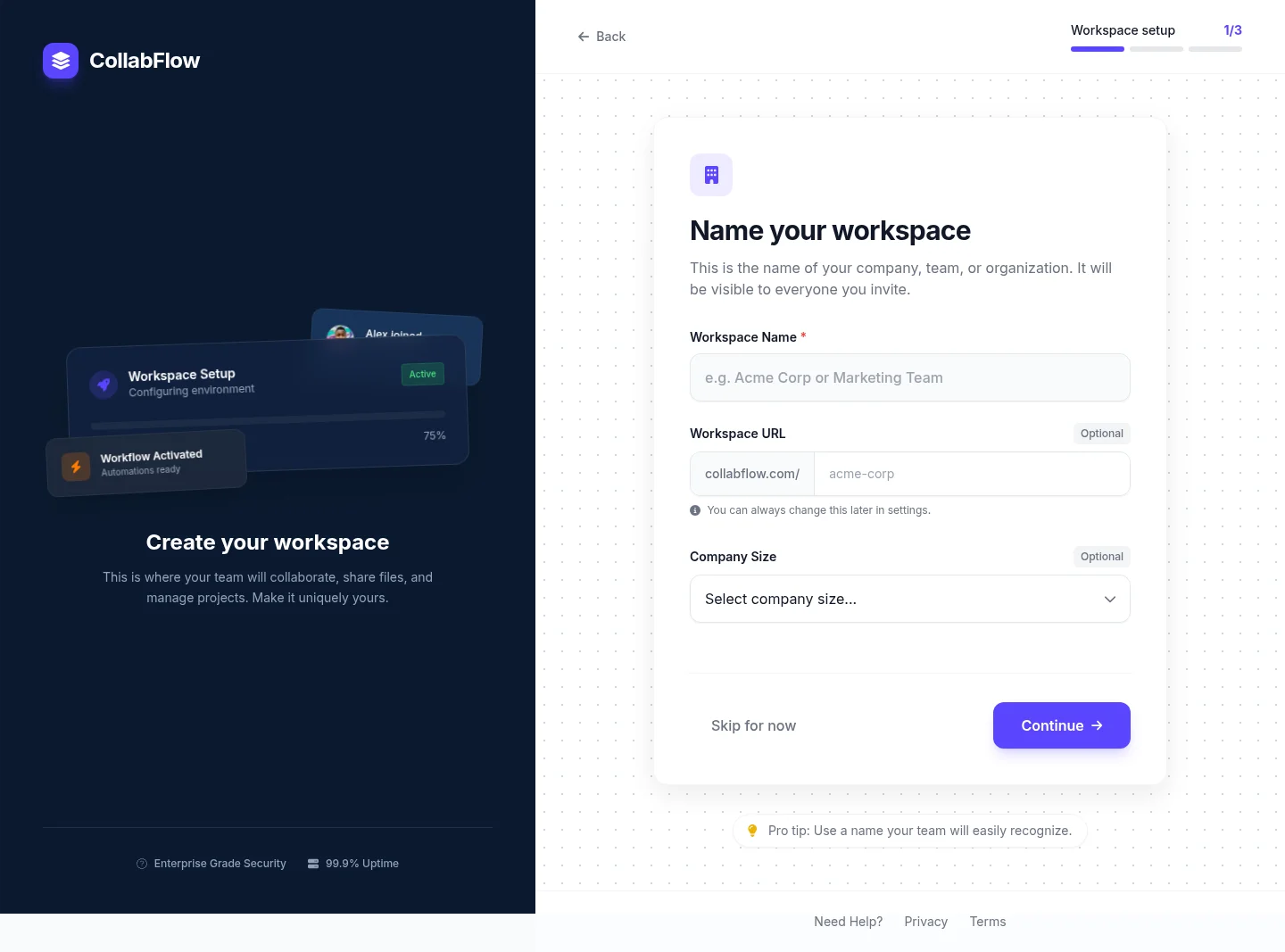 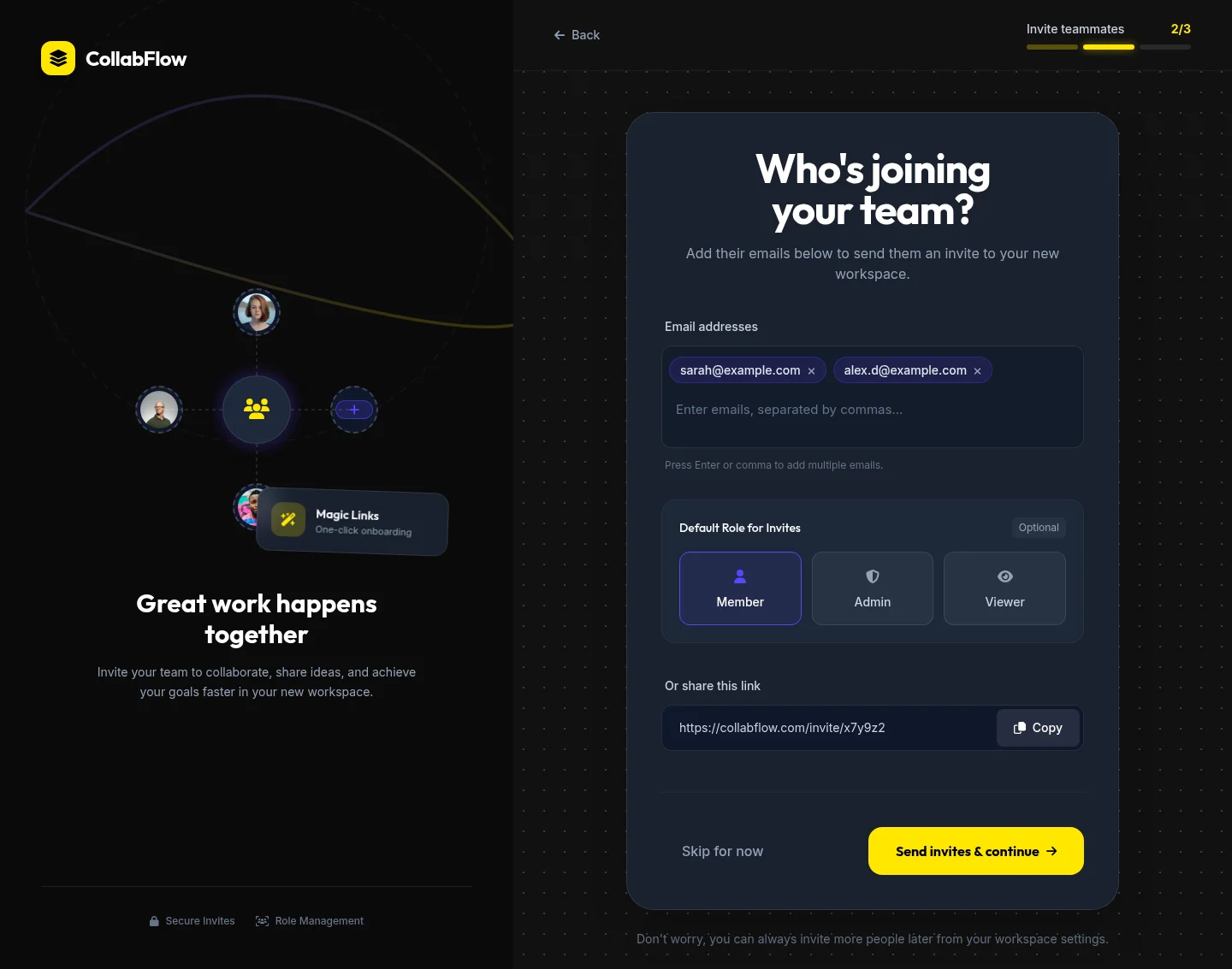 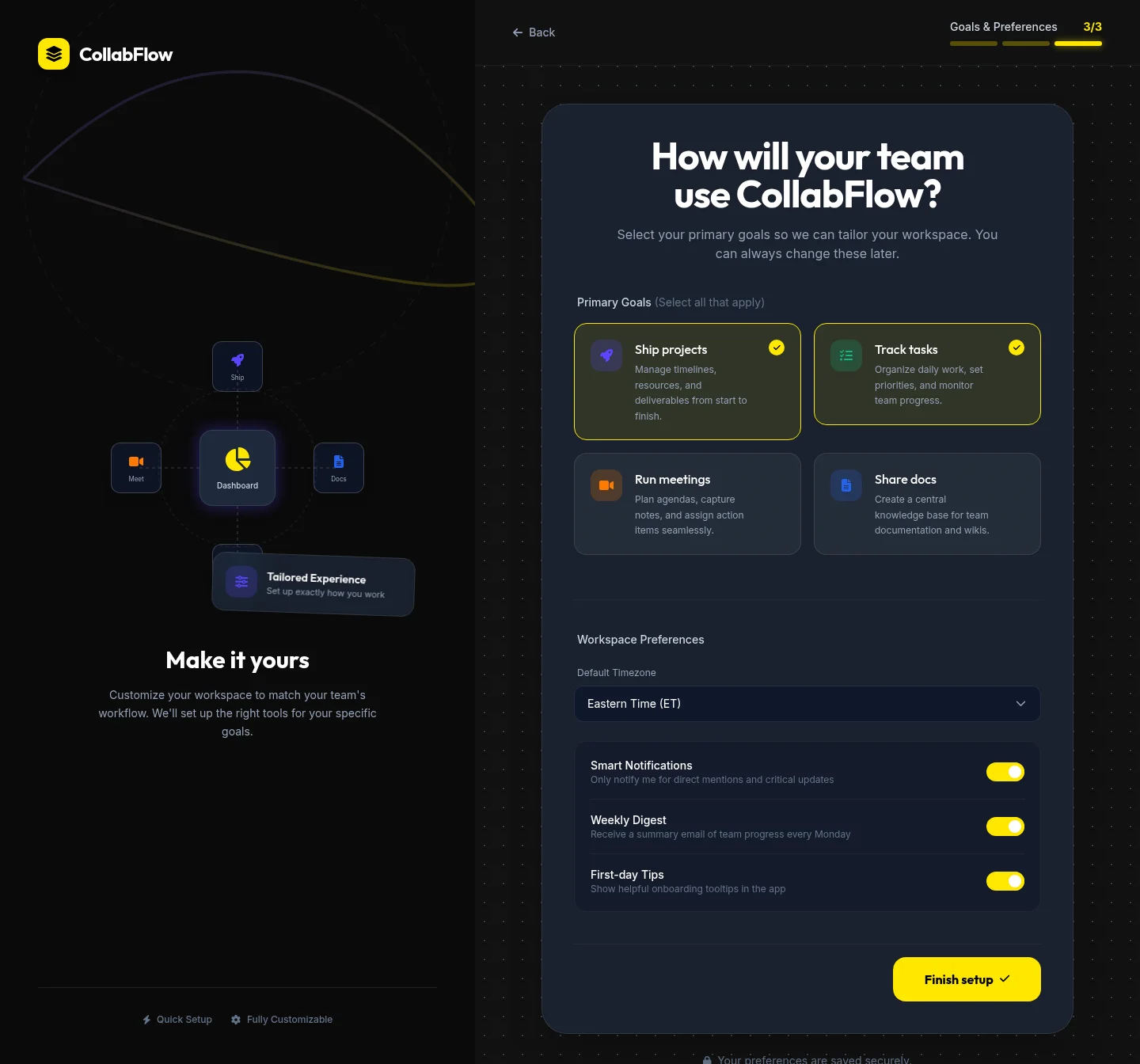 | 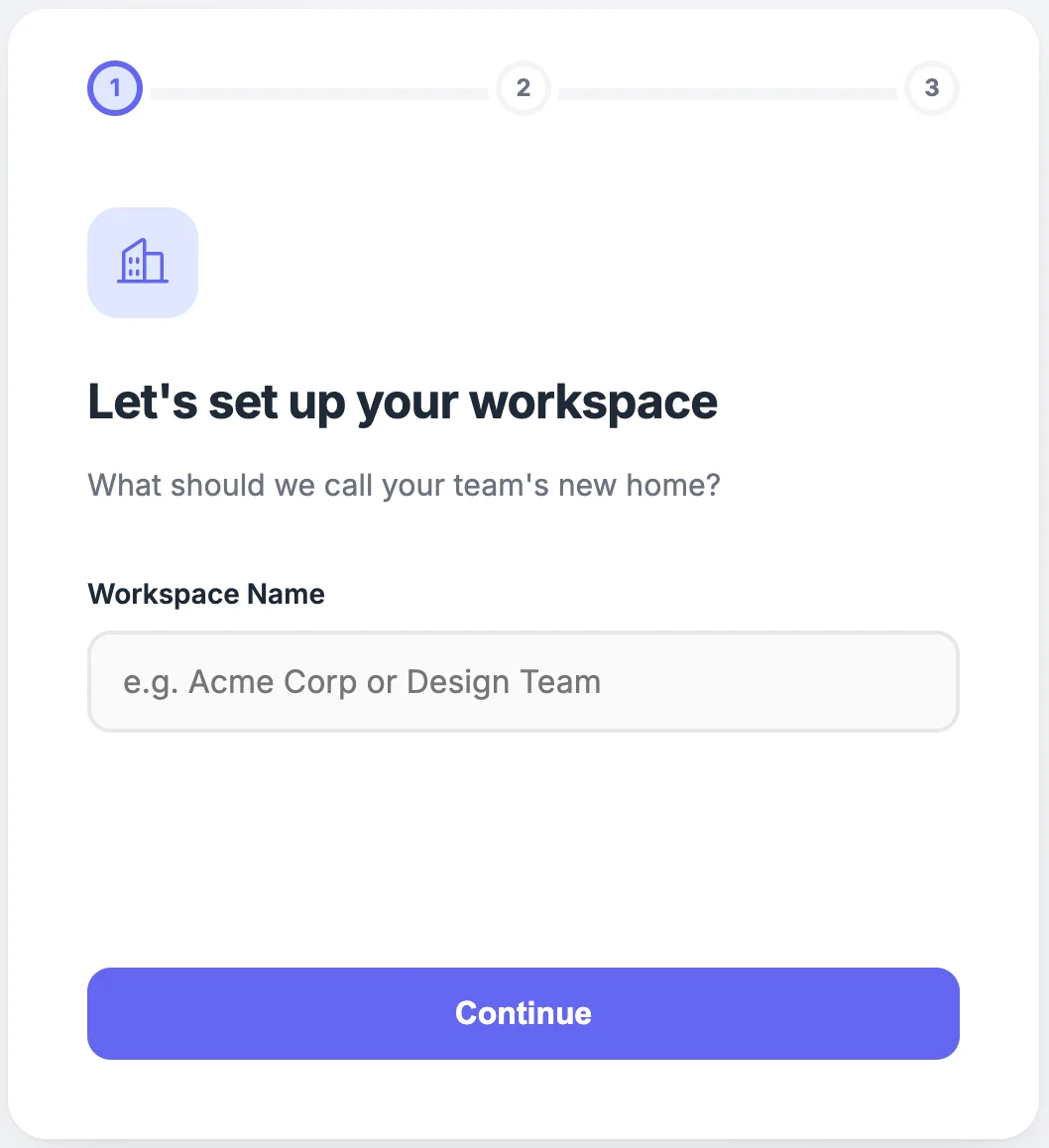 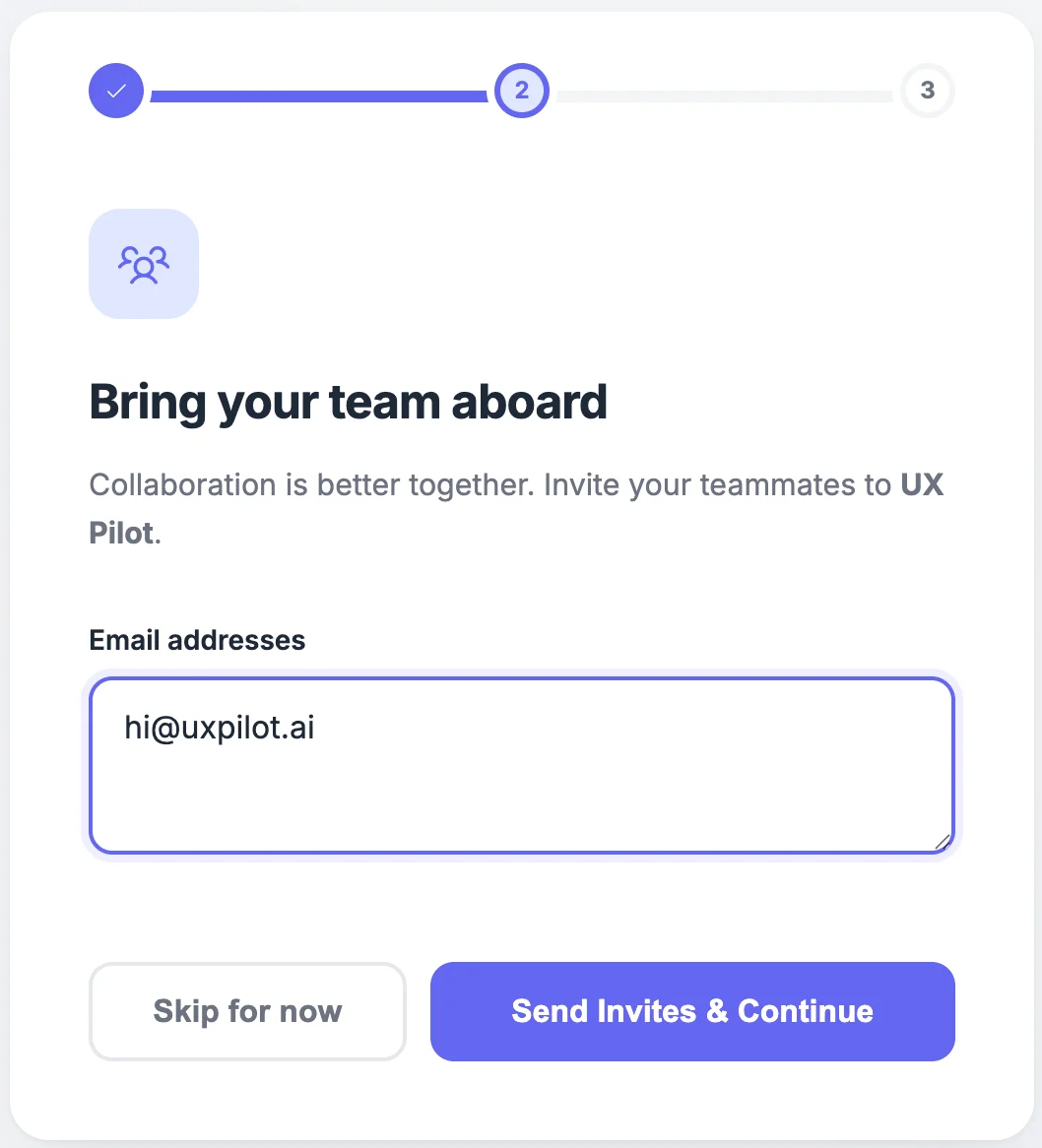 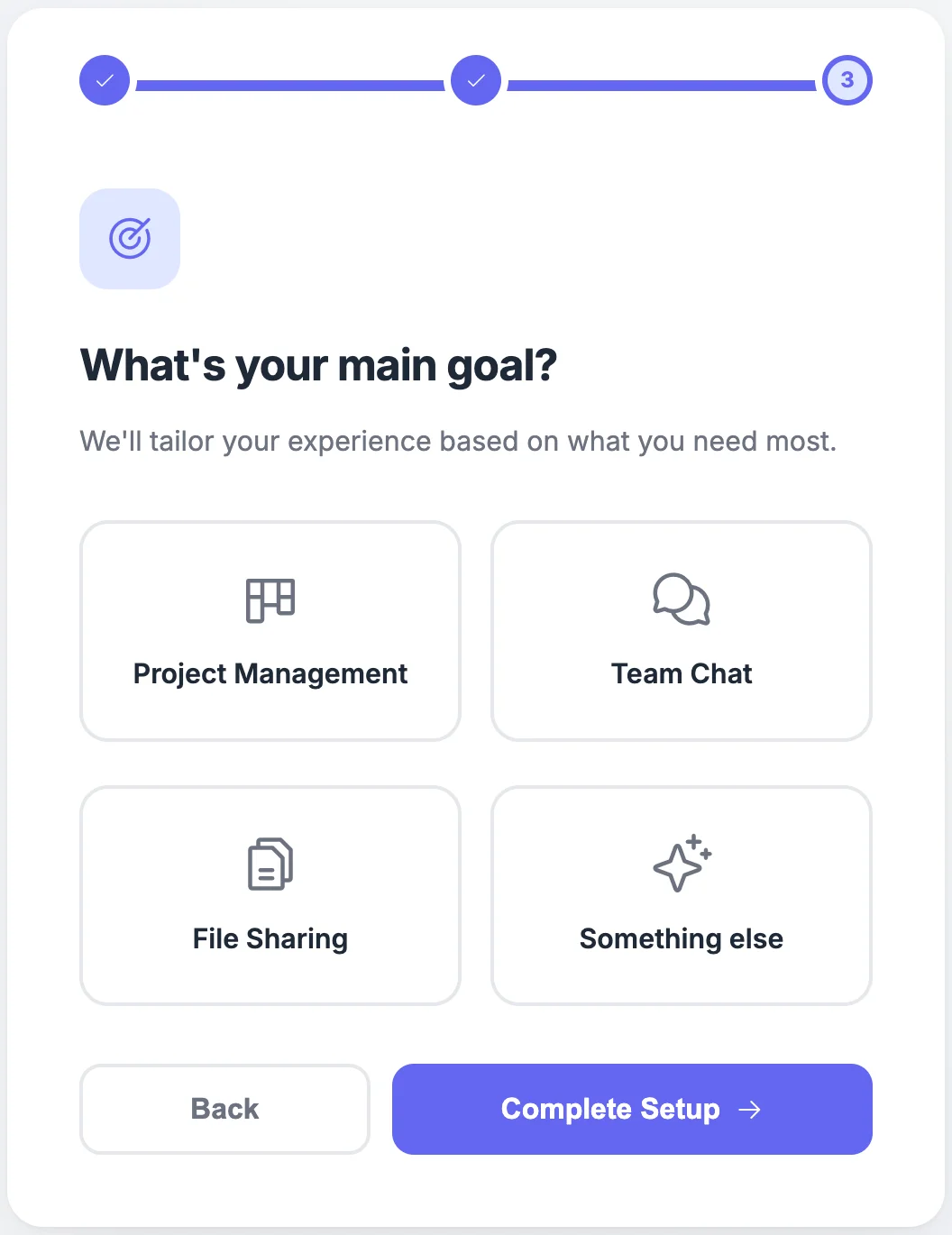 |
|---|---|---|
| Design quality | Three rich full-page screens with branded sidebar illustrations, role-based invite, and preference toggles. | Three clean screens with progress indicators and simple forms. Minimal and functional. |
| Prompt Adherence | All three steps plus additions: company size, shareable invite link, timezone, and notification preferences. | All three steps present with clear progress indicator. Covers workspace name, invite, and goals. |
| Launch Readiness | Production-ready with branded identity and enough detail for direct developer handoff. | Clean but feels like a wireframe. Needs visual branding and content for a real product. |
PROMPT 4: Feature Page for an AI Project Management Assistant“Design a polished feature page for a project management product introducing a new AI assistant. Include a hero section, feature breakdown, use-case examples, customer quote, and a strong call to action.“ | 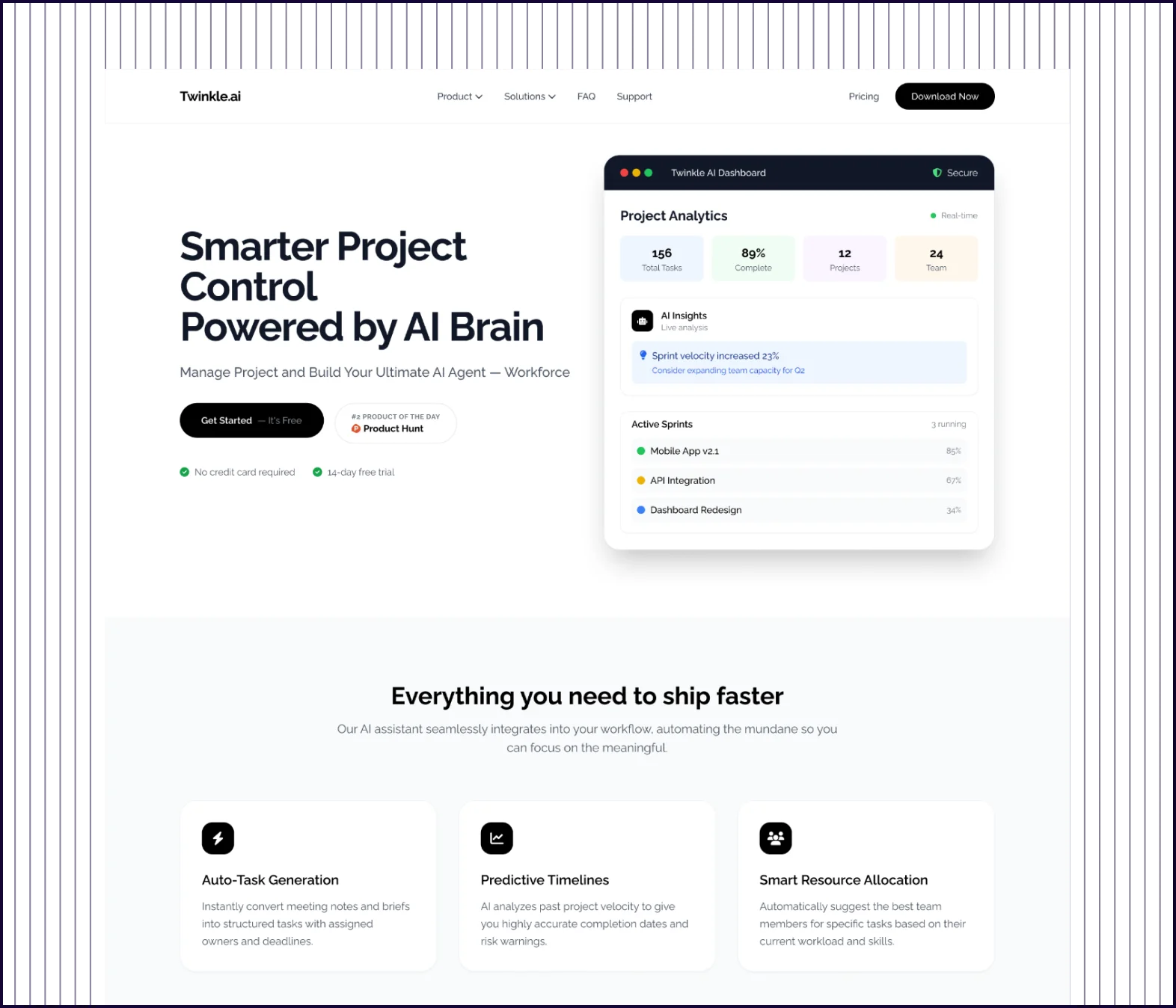 | 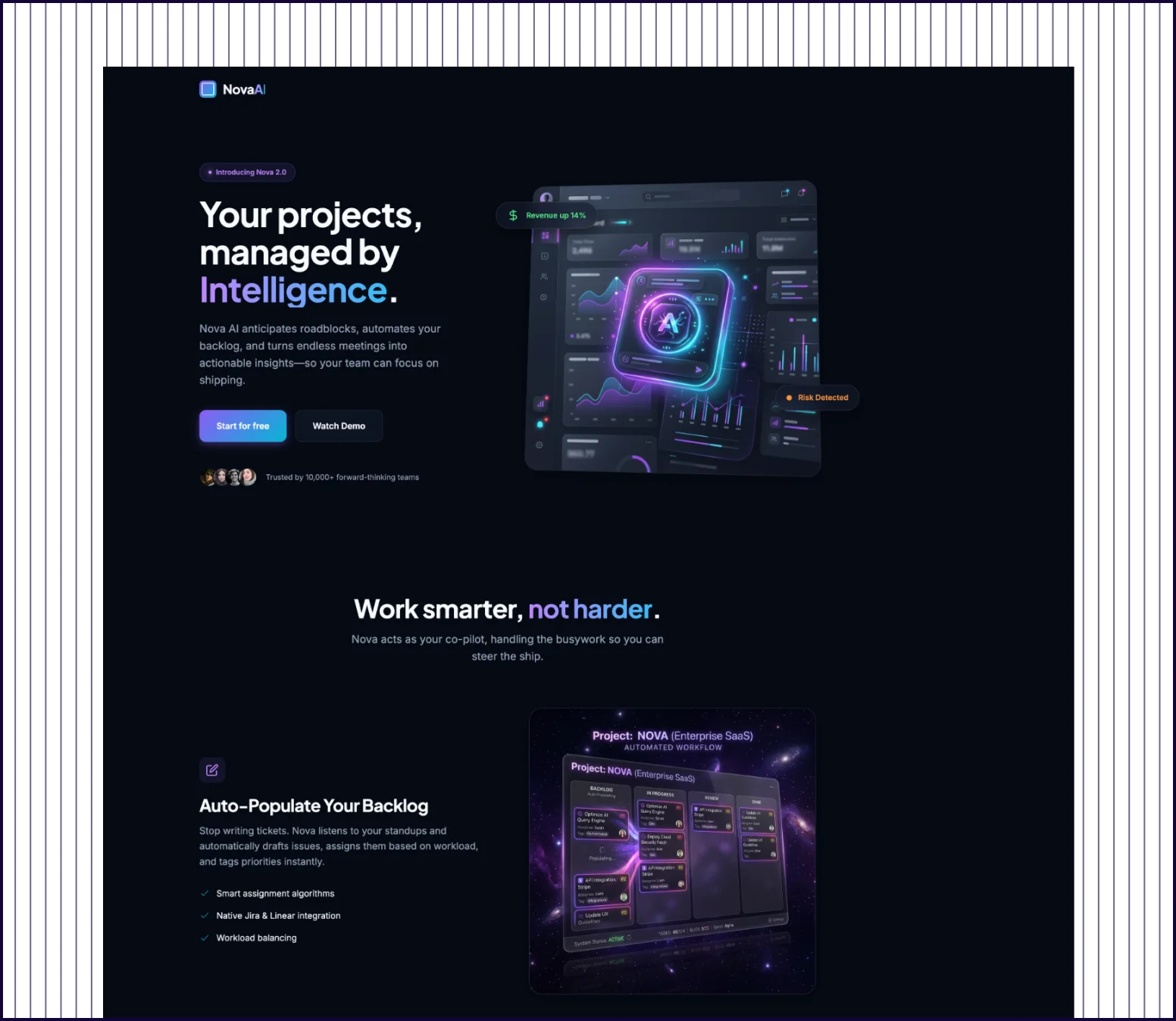 |
|---|---|---|
| Design quality | Clear section breaks, product screenshots, feature grid, customer quote with photo, and impact metrics. | Dark-themed with hero, feature sections, and customer quote. High polish but limited scanability. |
| Prompt Adherence | All sections clearly separated: hero, features, use cases, quote, measurable impact chart, and CTA. | Covers hero, features, quote, and CTA. Use-case examples blend into feature sections. |
| Launch Readiness | Production-ready, consistent with SaaS feature page conventions. No rework needed. | Visually striking but needs restructuring for conventional B2B expectations. |
PROMPT 5: Multi-Screen Telehealth Booking Flow“Design a web flow for booking a telehealth appointment. Include doctor search results, doctor profile, time-slot selection, patient details, payment, and confirmation.“ | 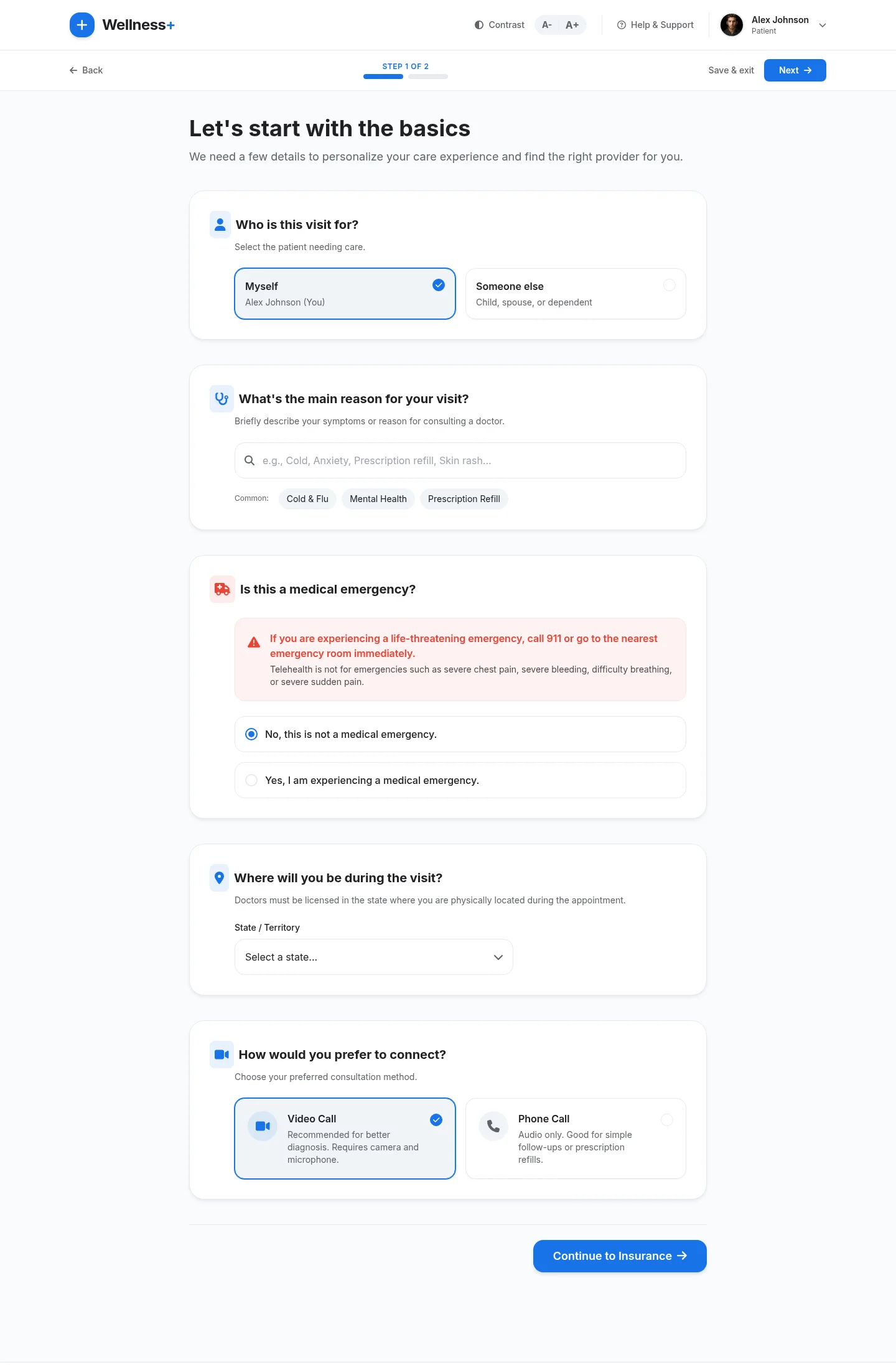 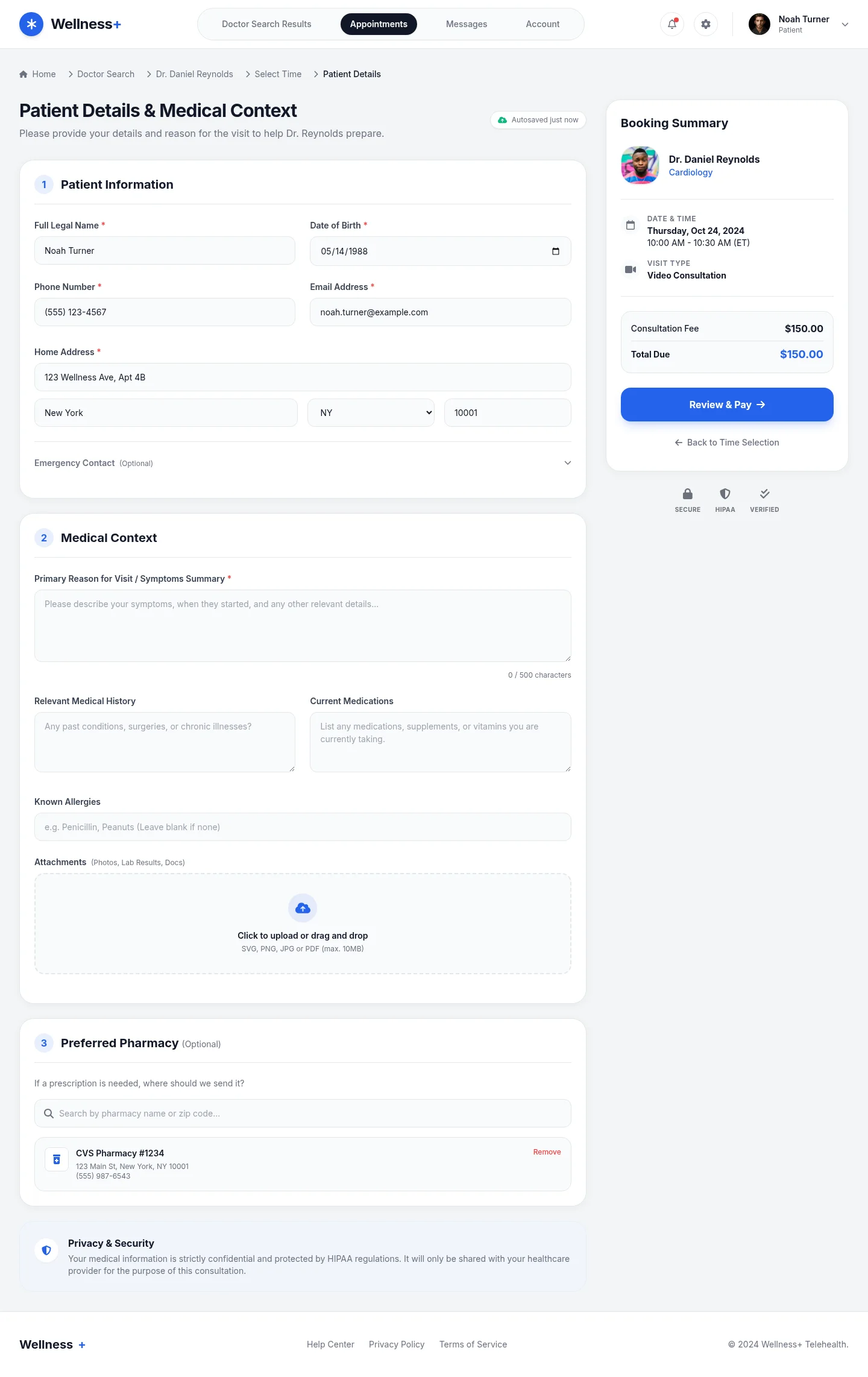 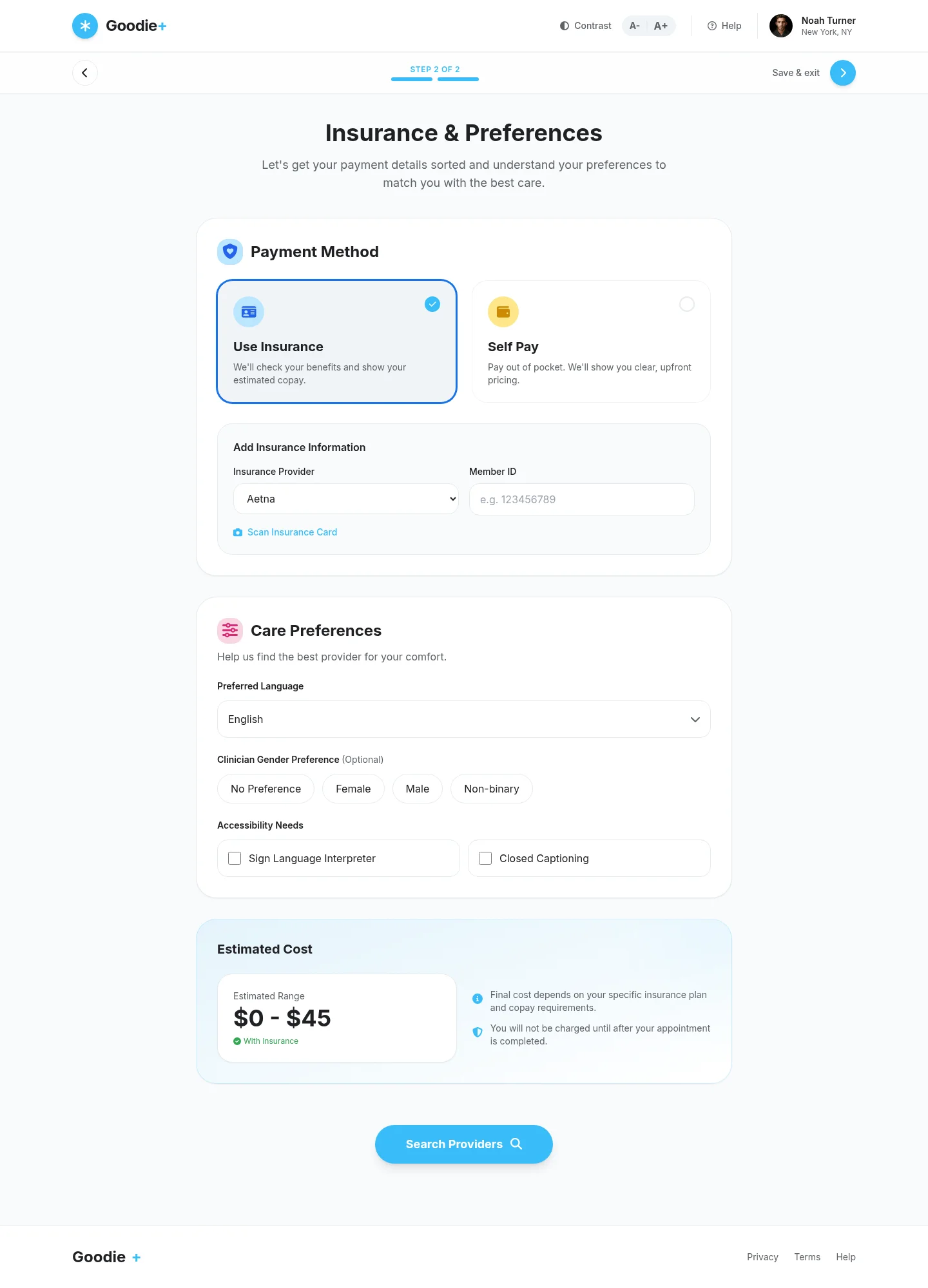 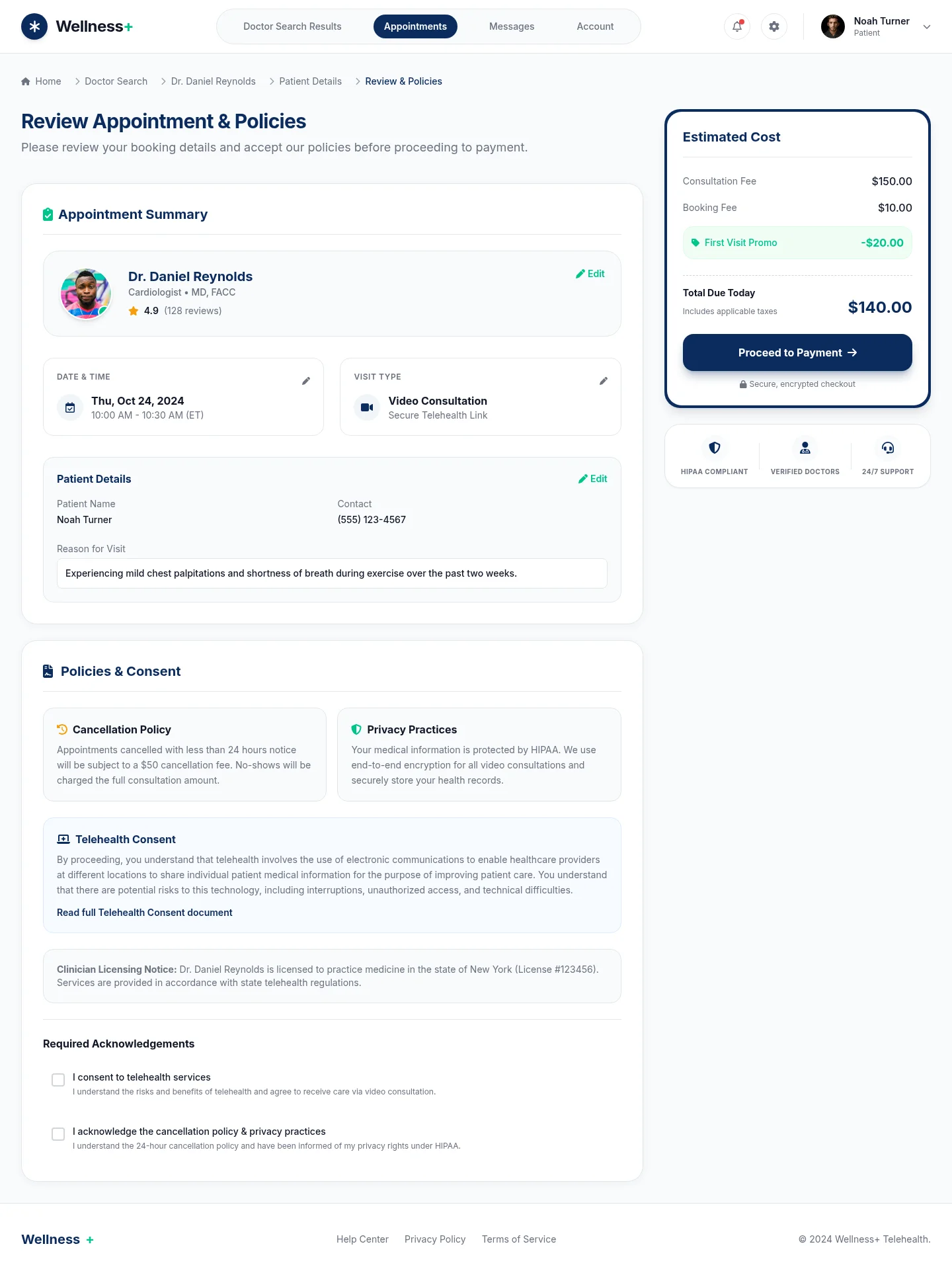 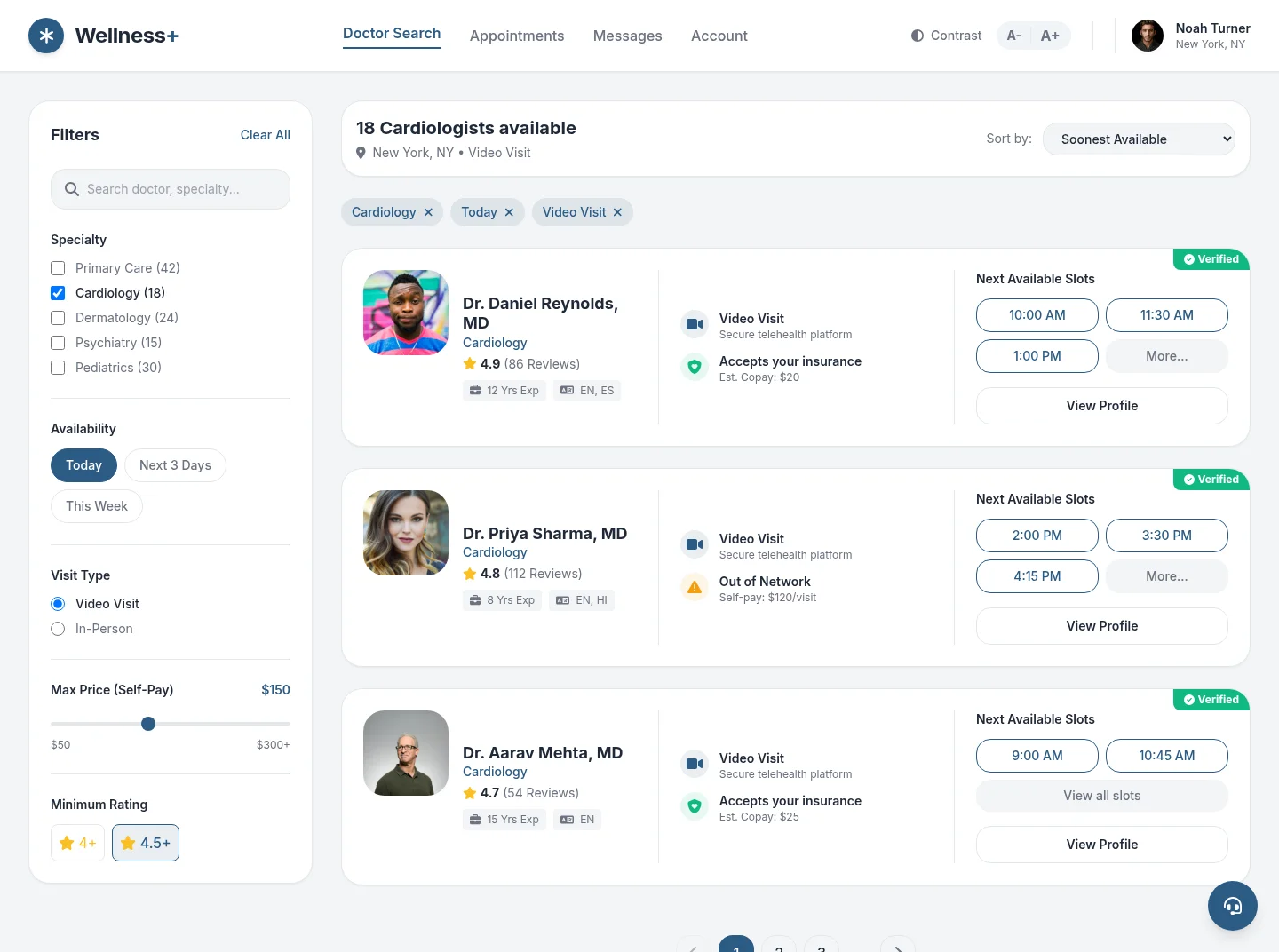 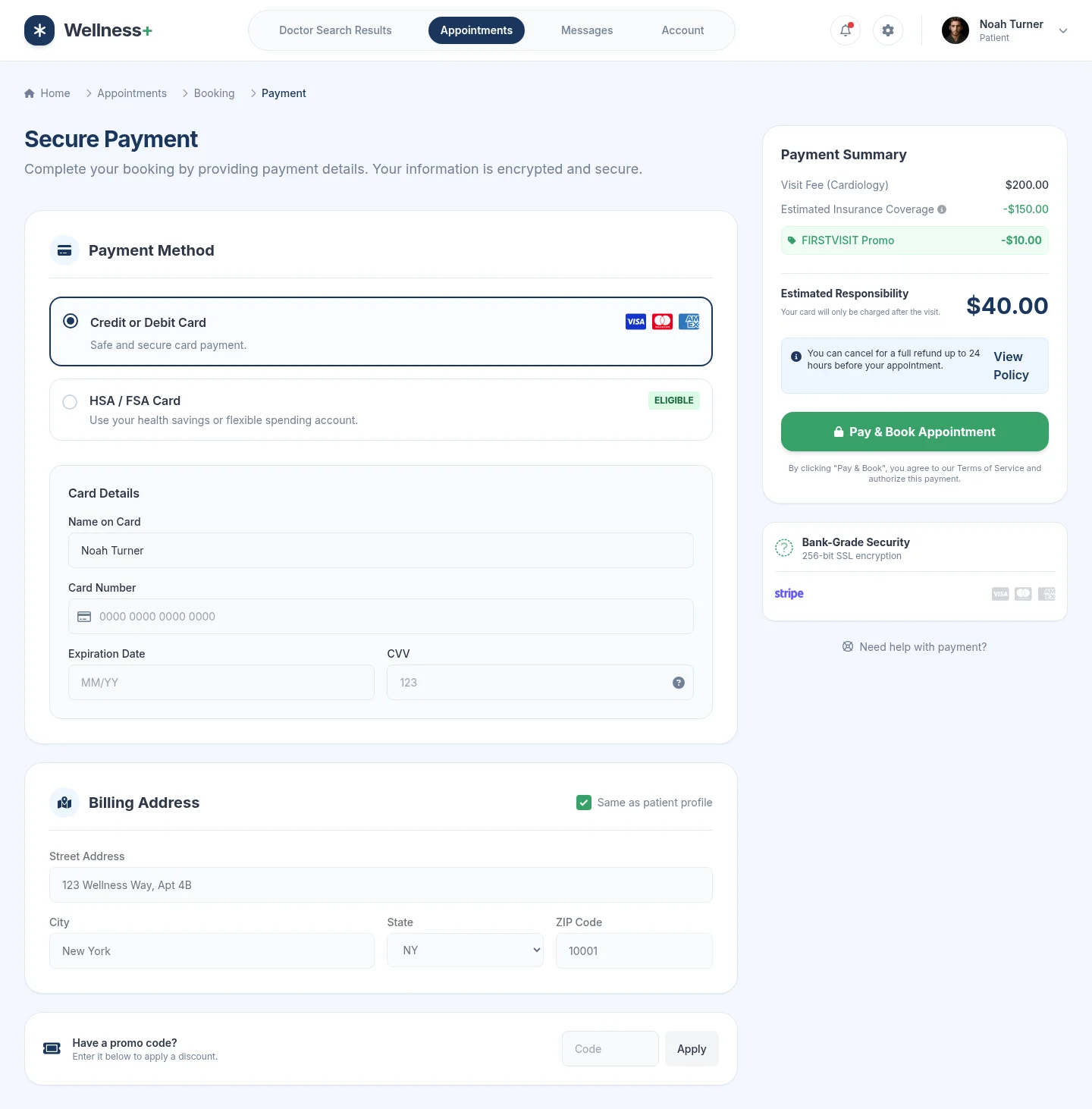 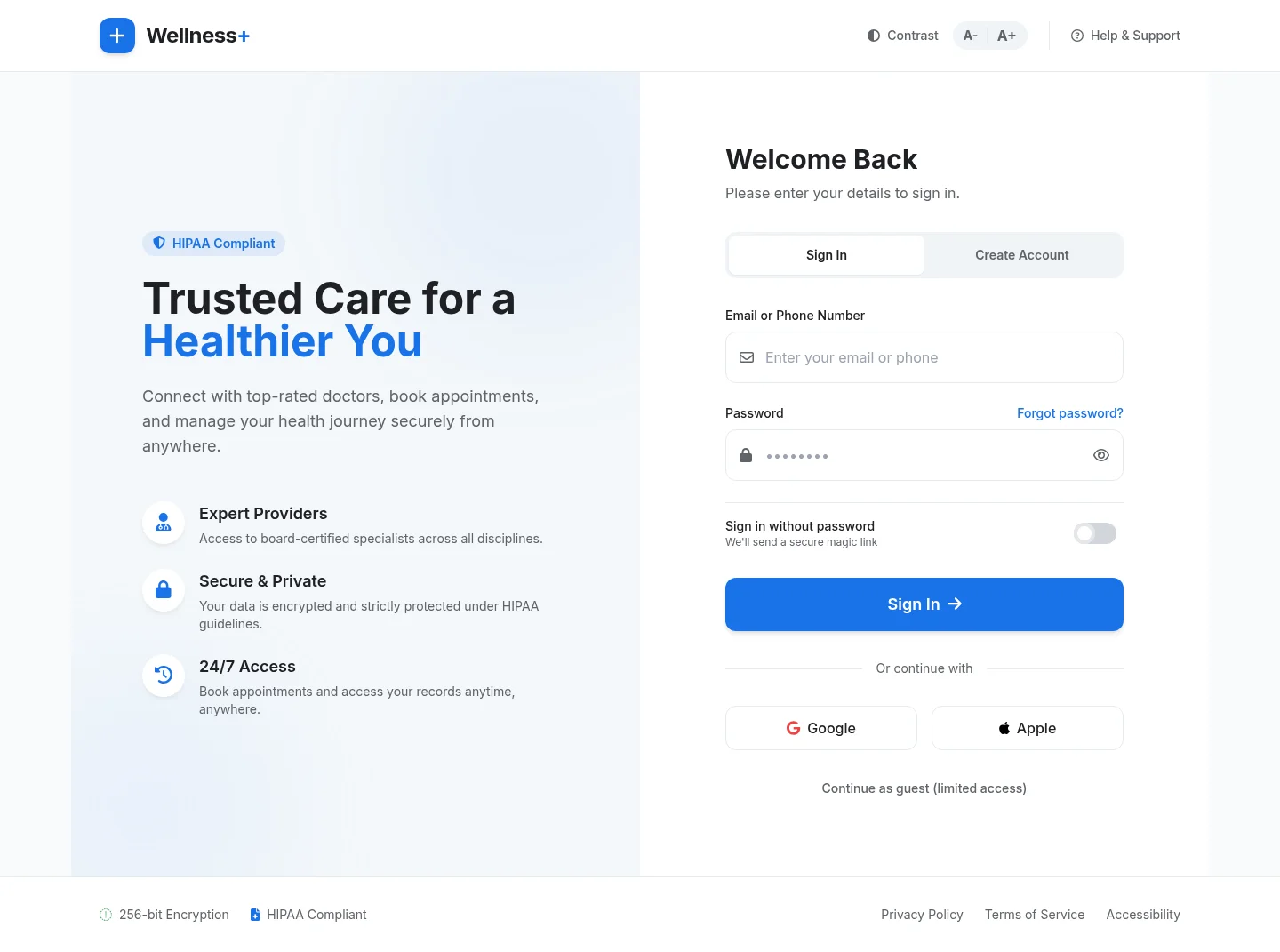 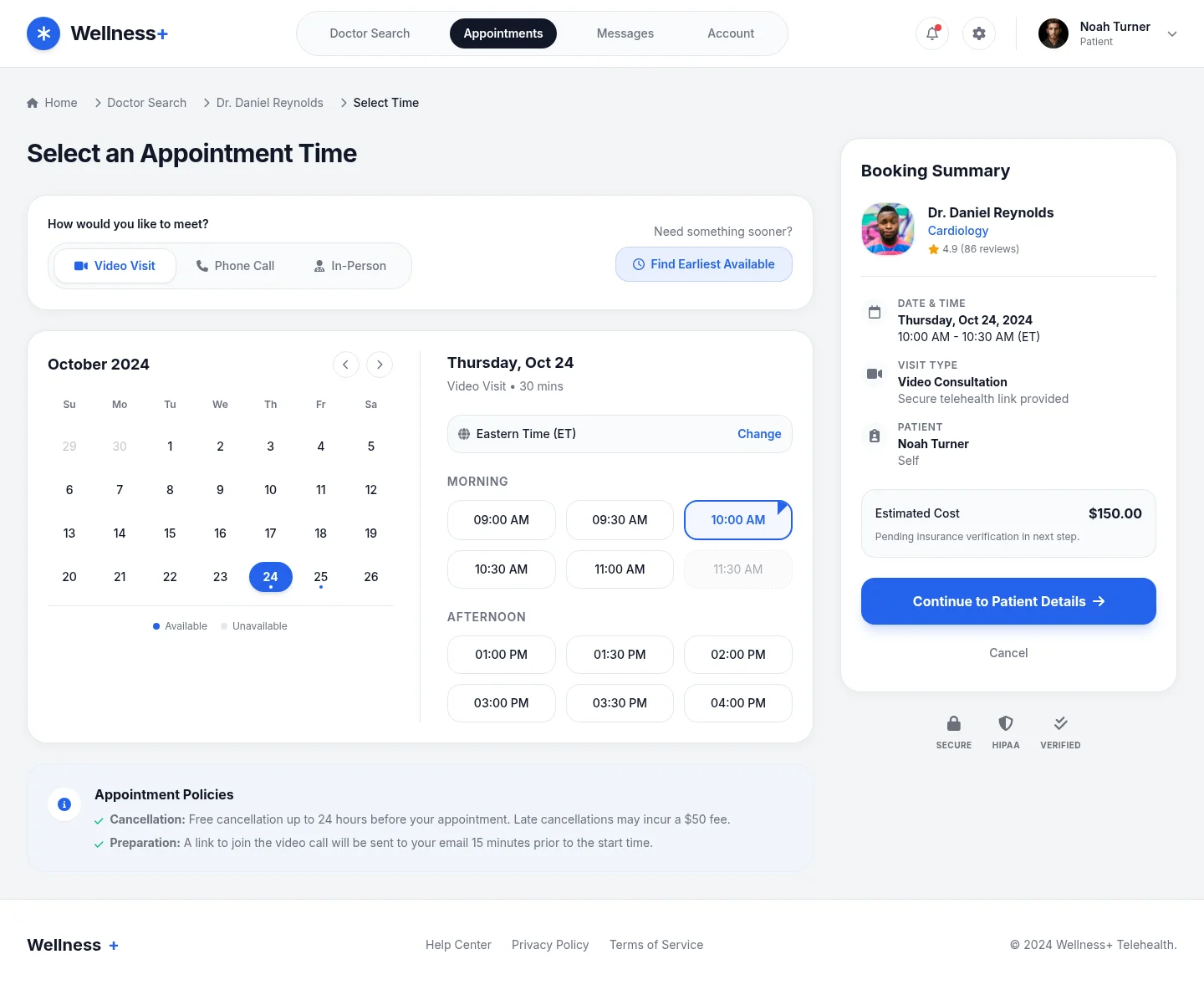 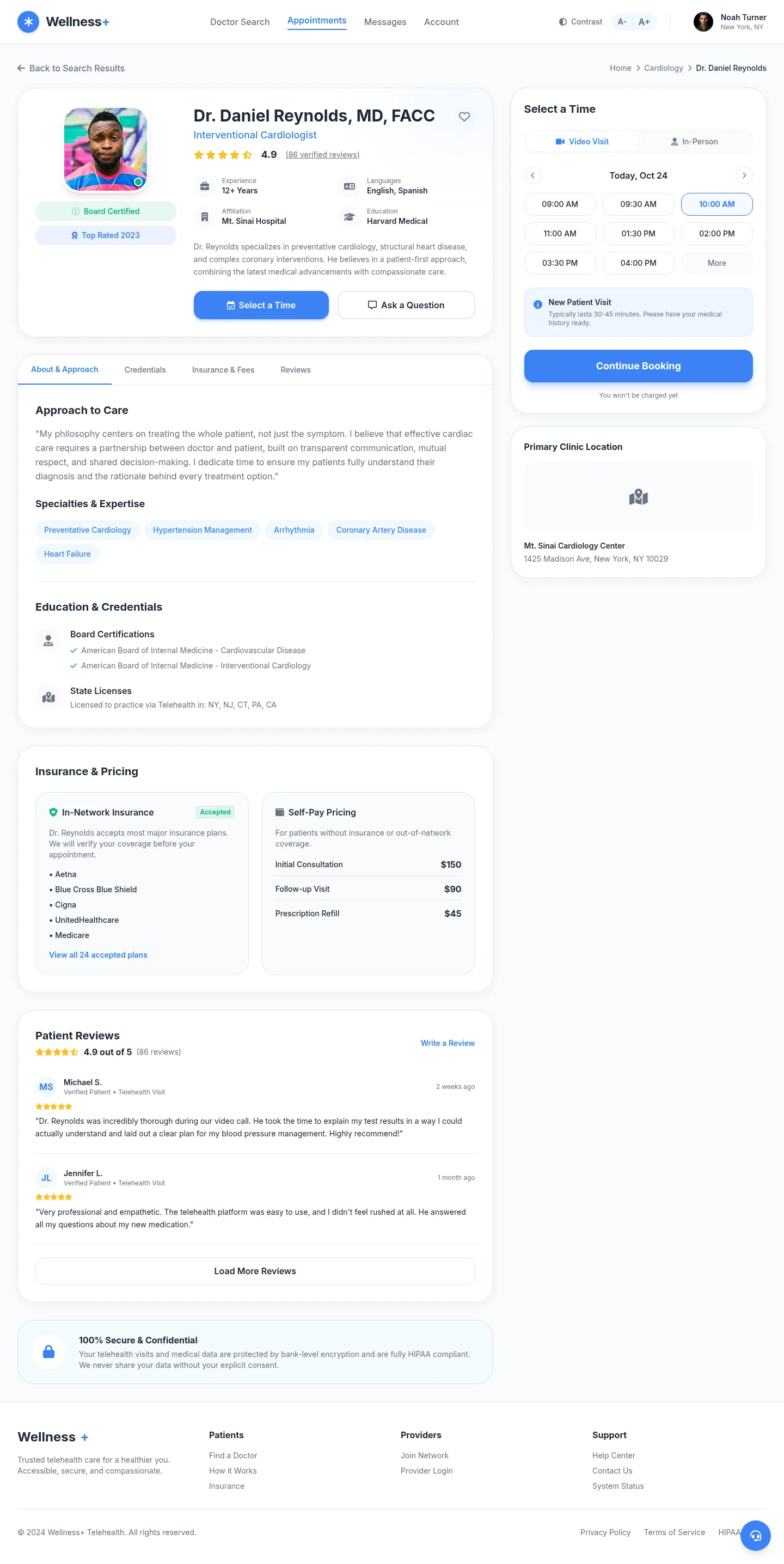 | 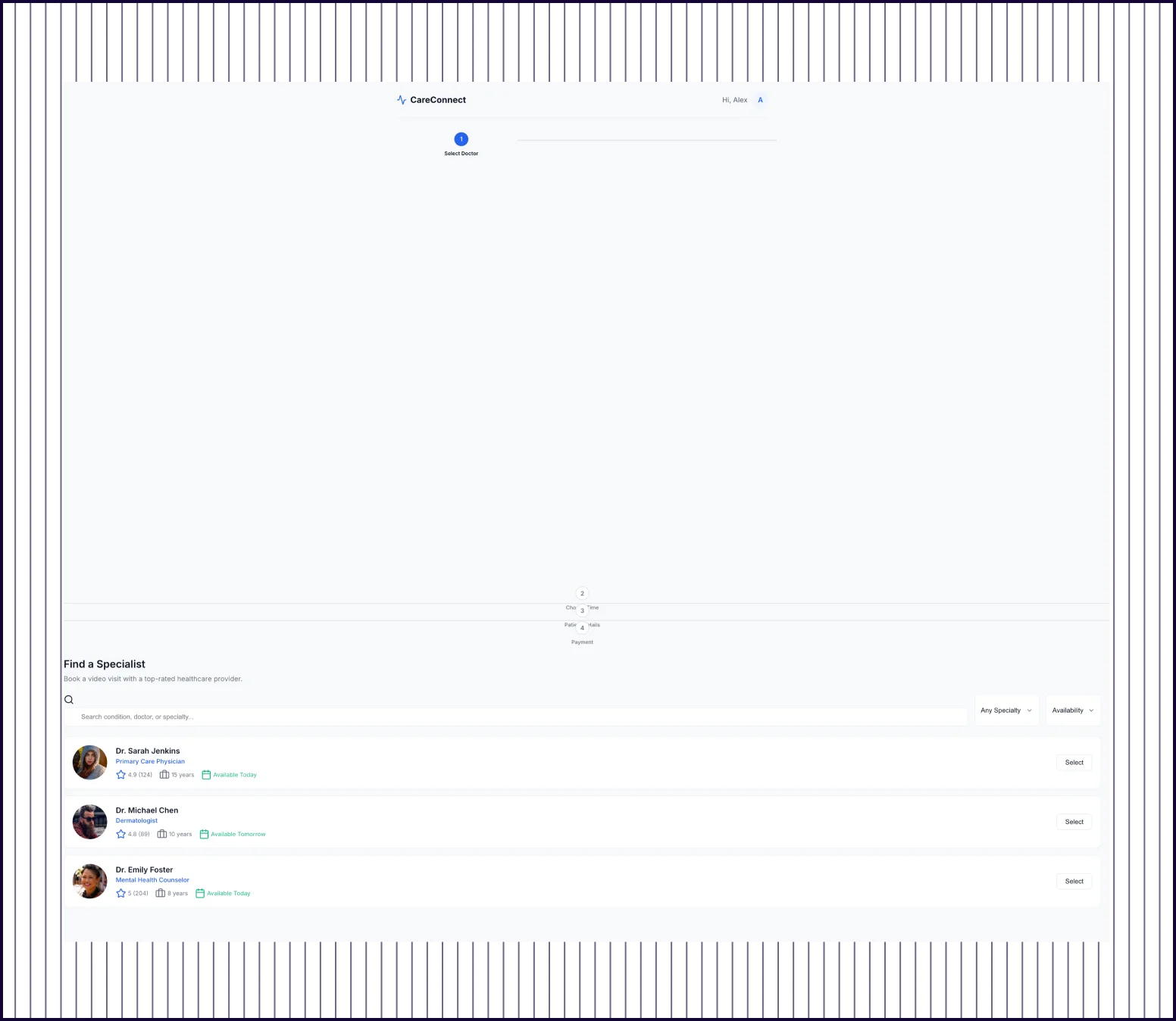 |
|---|---|---|
| Flow Completeness | Complete multi-screen flow: patient intake, filtered doctor search, doctor profile with reviews, and confirmation. | Single-page layout with search results and step indicators. Remaining flow steps not designed. |
| Prompt Adherence | All requested screens present with additions: visit reason, emergency screening, and insurance details. | Doctor search and step indicators present. Profile, time-slot, patient details, and payment screens missing. |
| Launch Readiness | Production-ready booking flow with enough detail for stakeholder review and user testing. | Early wireframe stage. Significant design work needed before the flow is testable. |

Kresimir Retih,
Project Manager"It has been a game-changer for me! Since signing up, my workflow has become much smoother, and my productivity has increased significantly. I love how intuitive and user-friendly the platform is, making UX tasks much easier and more efficient. Highly recommend it to anyone looking to streamline their UX process!"