Trusted 1M+ designers, founders, and product teams
Design PR Review Agent
Review UI changes before they reach production.
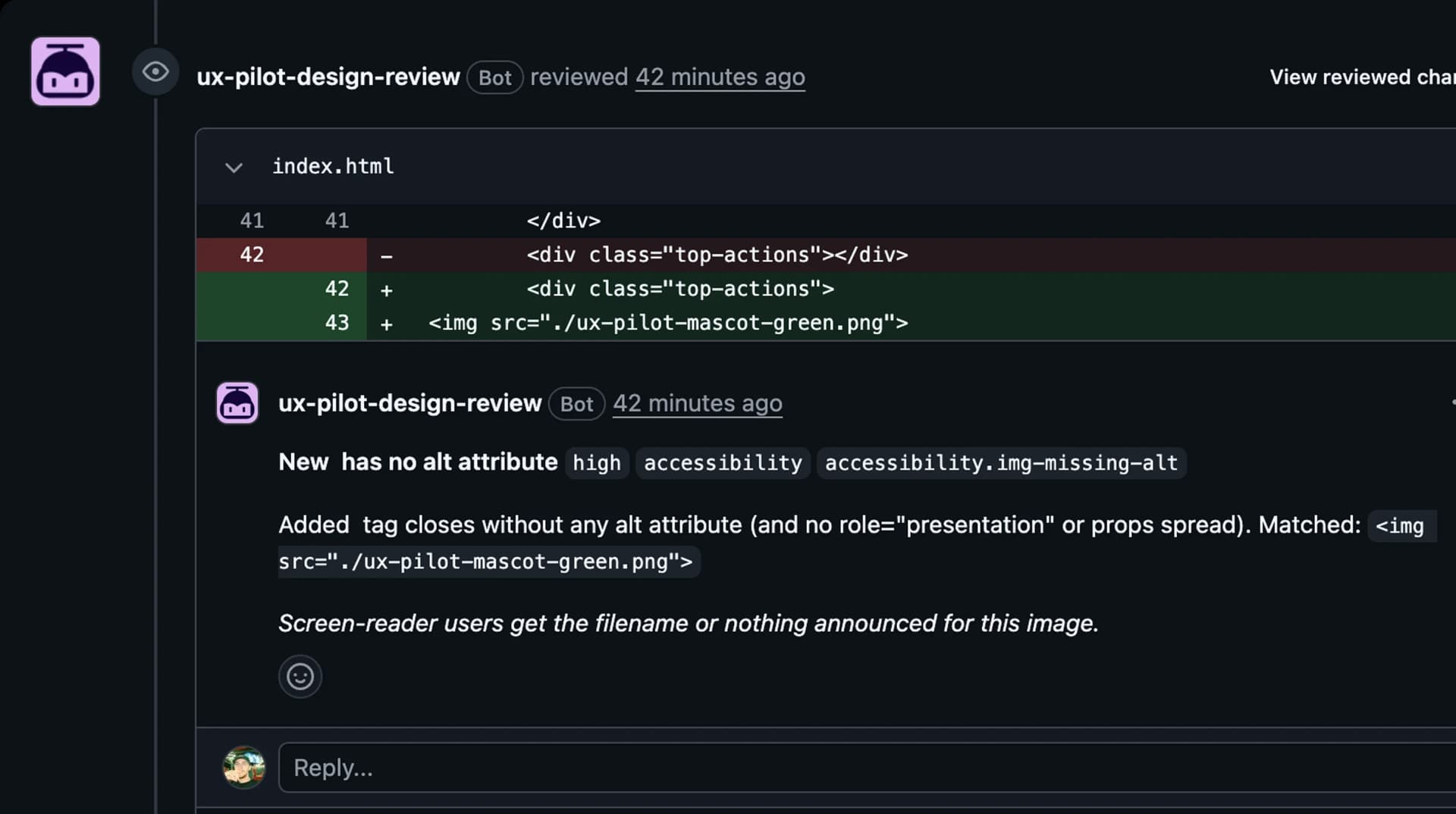
UX Pilot reviews the UI changes in your GitHub pull requests before they ship. You get feedback on accessibility, semantics, responsive behaviour, design system consistency, UX states, and code quality, posted as comments on the exact lines that need attention.
Runs inside GitHub
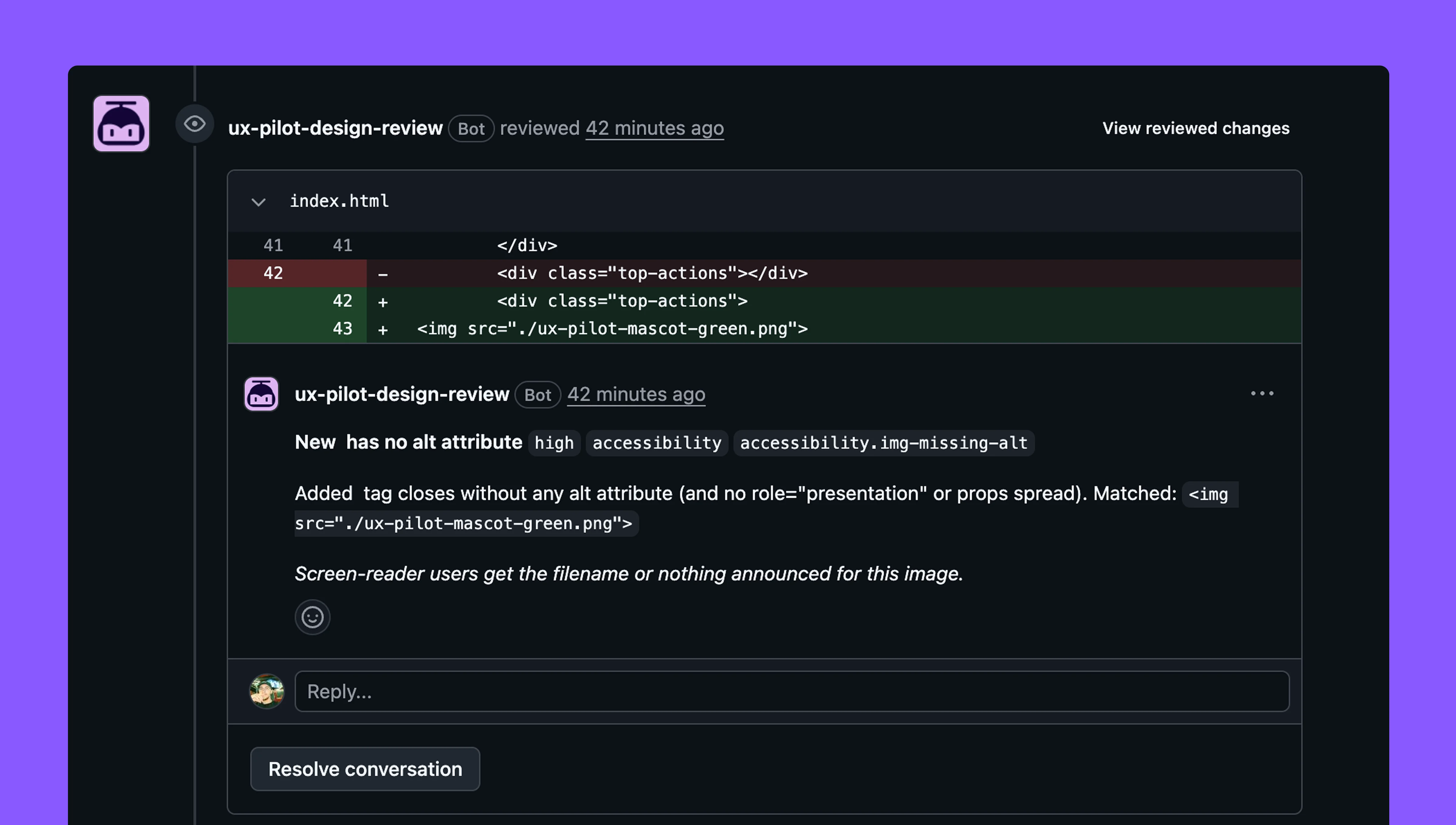
Severity, file, and line on every finding
Setup takes about a minute
// Trusted by top product teams globally









Every pull request reviewed, automatically
Setup lives in GitHub. Install the app, pick your repositories, and the agent handles the rest, on every pull request from then on.
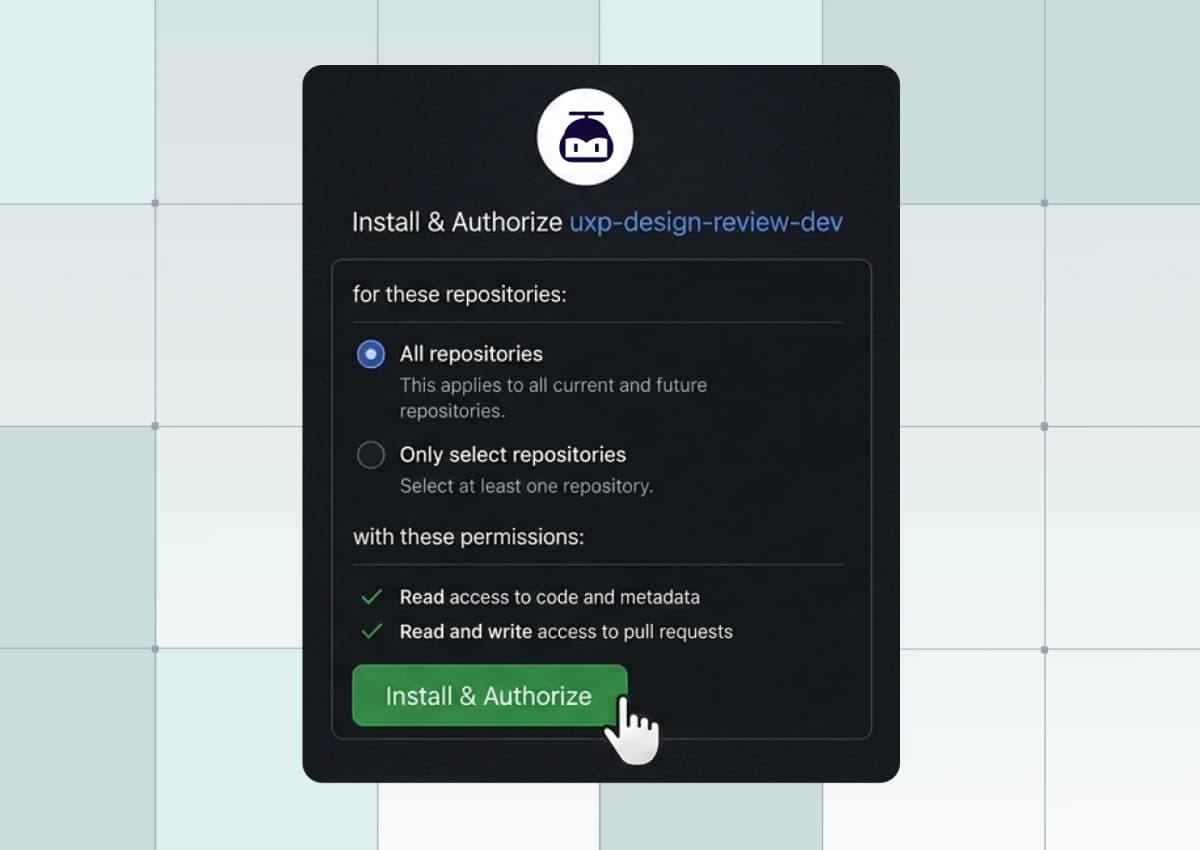
Connect your repositories
Install the UX Pilot GitHub App and choose the repositories you want reviewed. Start with one and add more when your team is ready.
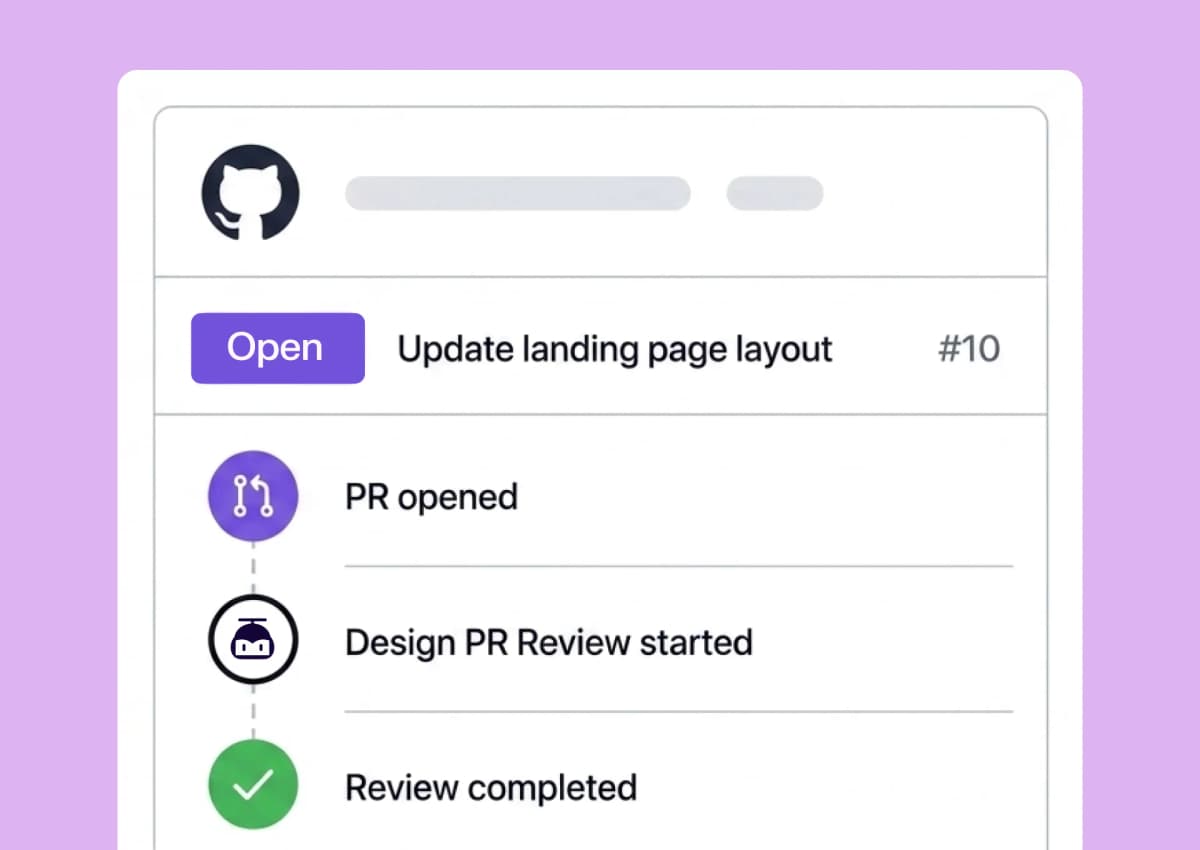
The agent reads your change
It reviews the diff and the code around it, checking against the token and style files already in your repository.
Findings land on the diff
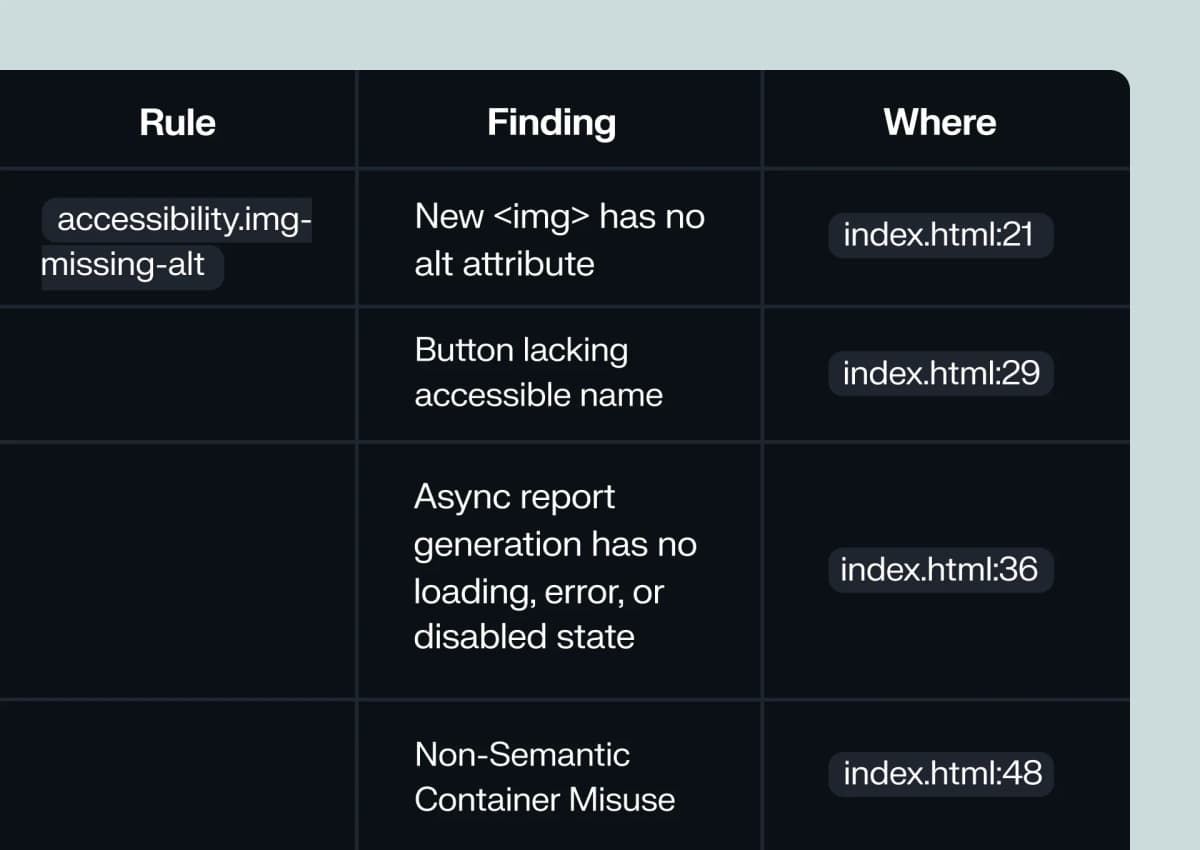
Each finding is posted as a comment on the line that caused it, plus one summary comment on the pull request.
Only confident findings are published
Low-confidence and duplicate findings are dropped, and nothing is posted when your change is clean.
Catch the design issues code review misses
Working code can still ship an interface that is hard to use. Your reviewer is checking whether the change works. The agent checks how it looks and behaves, across six areas on every UI change in the diff.
Know exactly what to fix, and where
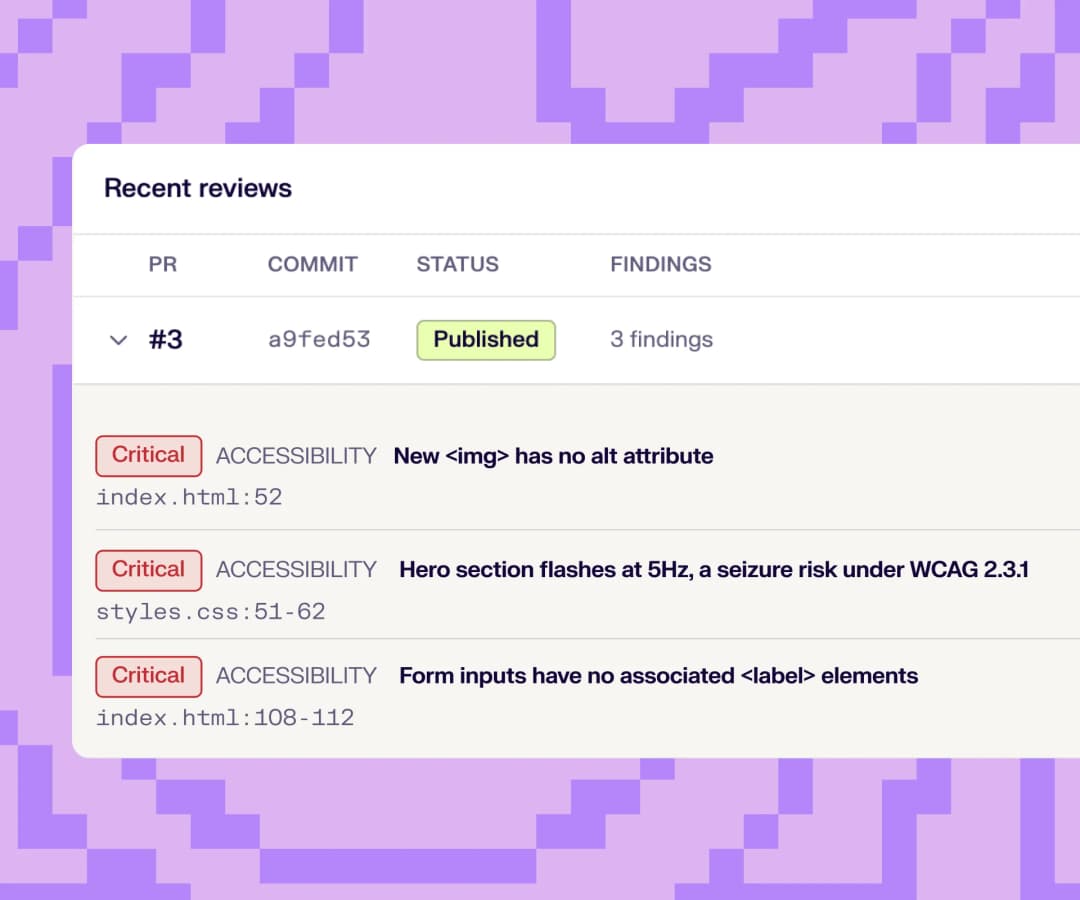
Every finding tells you how serious it is, which area it belongs to, where it lives, and what should change, so nobody has to hunt through the diff to act on it.
Caption: Six findings on one pull request that was otherwise ready to merge.
How findings are ranked: Severity comes from the impact of the issue, with accessibility violations that affect real users ranked highest. Findings that cannot be tied to a specific line, or that repeat one already reported, are not published.
Everything happens in GitHub
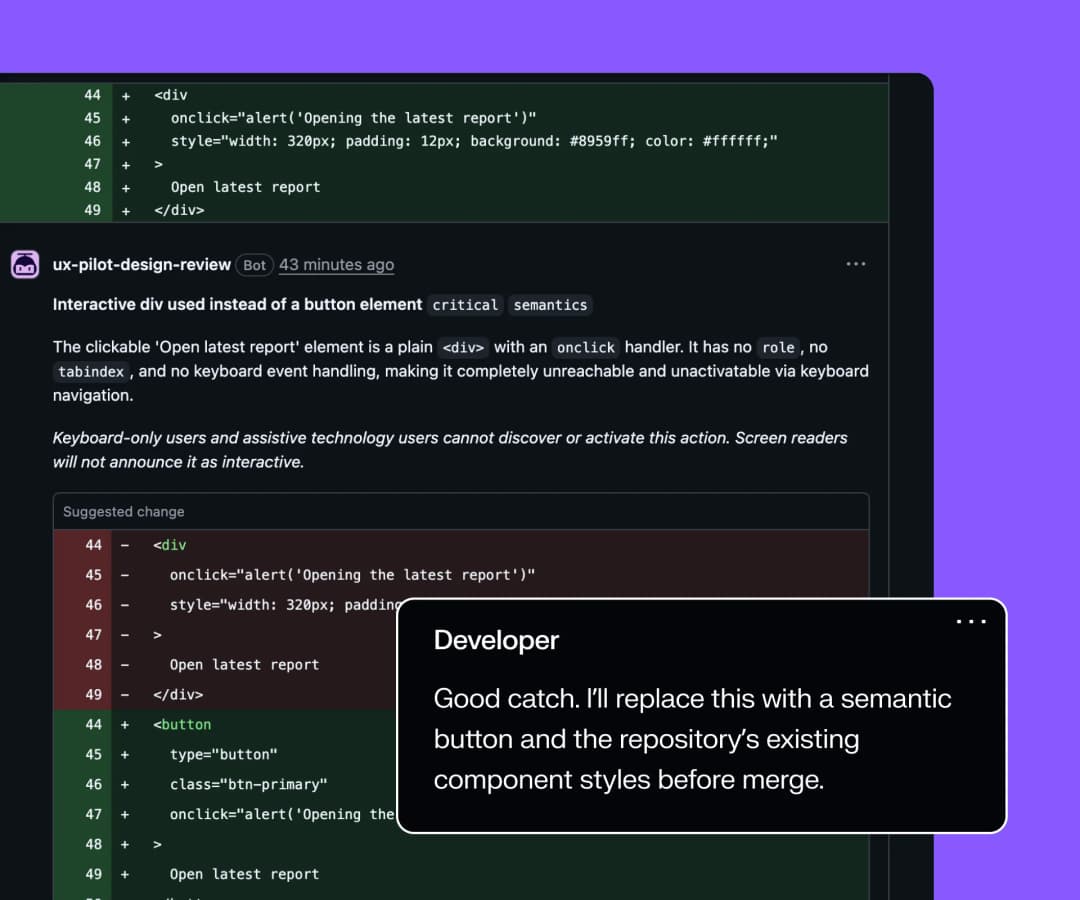
Findings arrive as pull request comments. Your team reads, replies, and resolves them where the work already is, with no new tool to open and no account needed to follow along. It is one review that product, design, and engineering can all read, and the UX Pilot dashboard is only there for setup and history.
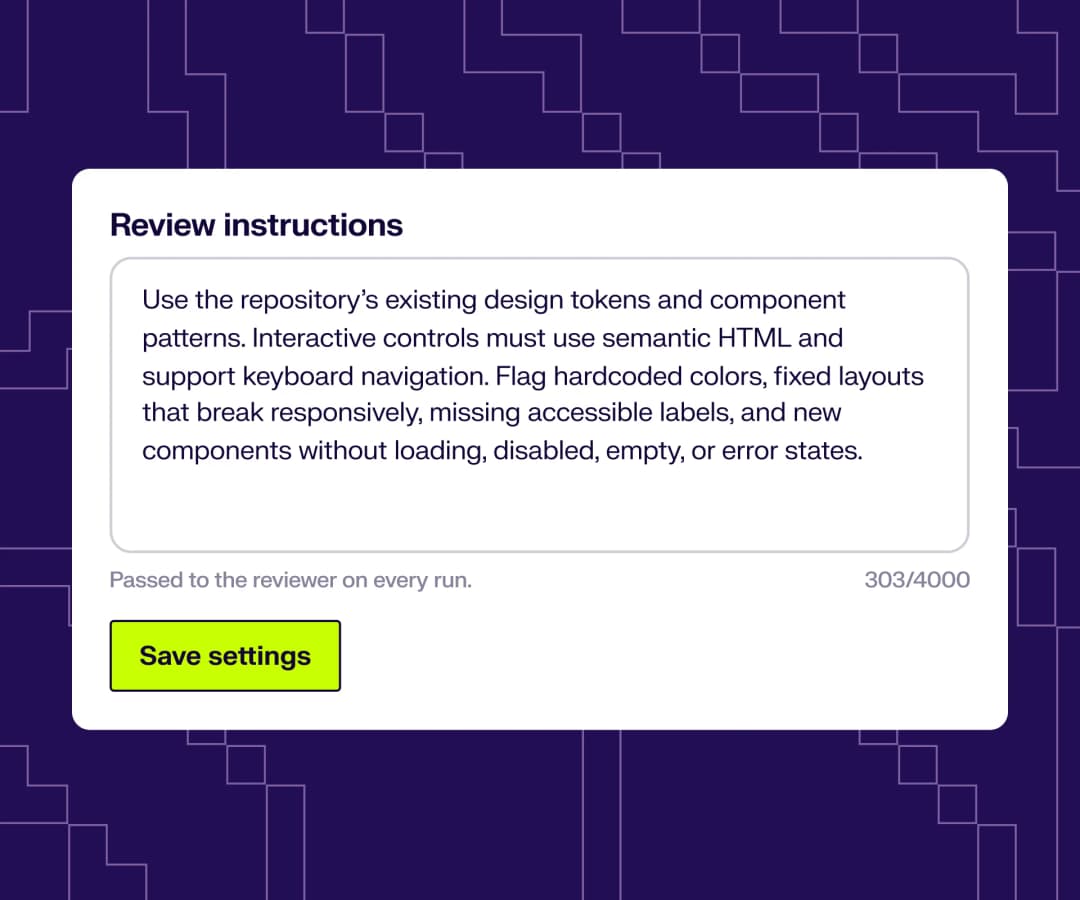
Feedback that matches your design system
The agent reads the token and style files already in your repository, so a hardcoded colour is judged against your palette rather than a generic standard. For the conventions that never make it into code, write them down once in plain English and they are sent with every run.
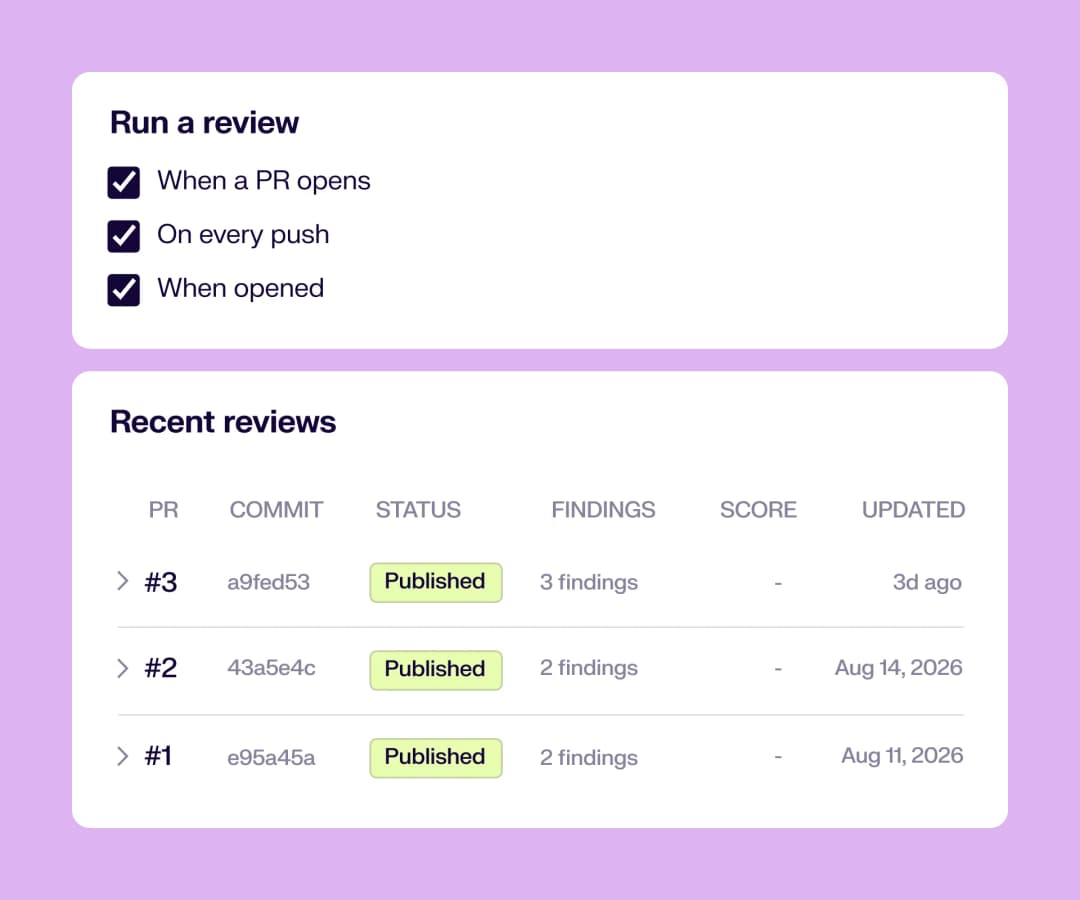
Reviews run when you want them
Turn automatic review on and pick the moments that suit your team:
- When a pull request opens
- On every push
- When a pull request is reopened
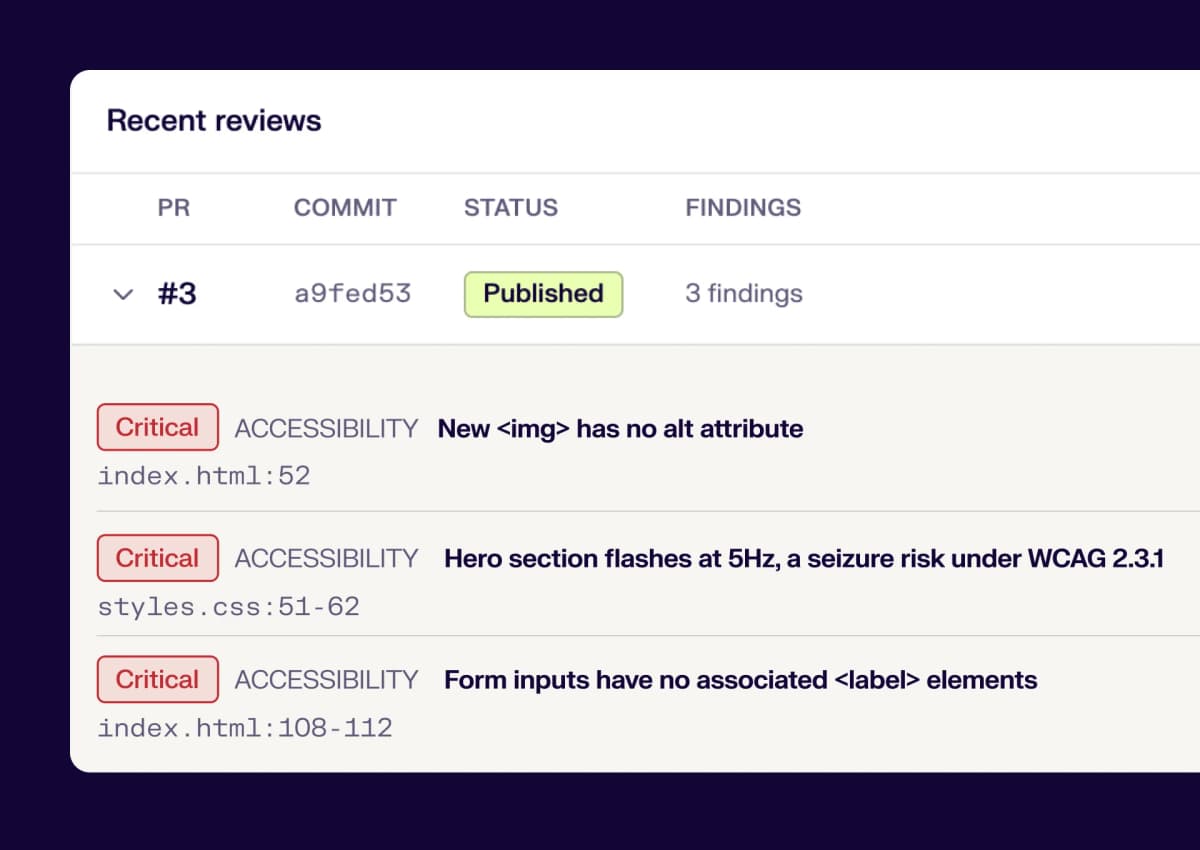
Recent reviews keeps the history in one place, with the pull request, commit, status, and number of findings for every run.
// No CI setup, no account-wide access
// No CI setup, no account-wide access
- Triggered by GitHub events. Nothing runs in your pipeline. There is no workflow file to maintain and no runner minutes to spend.
- Installed per repository. Pick individual repositories instead of granting access to your whole account, and change the selection in GitHub whenever you like.
- Triggered by GitHub events. Nothing runs in your pipeline. There is no workflow file to maintain and no runner minutes to spend.
- Installed per repository. Pick individual repositories instead of granting access to your whole account, and change the selection in GitHub whenever you like.
// Security and access
// Security and access
- The GitHub App is installed per repository. You choose what it can read, and you can change or revoke that access in GitHub at any time.
- Reviews read the code in the pull request to produce findings.
- Access stays tied to your UX Pilot account.
- The GitHub App is installed per repository. You choose what it can read, and you can change or revoke that access in GitHub at any time.
- Reviews read the code in the pull request to produce findings.
- Access stays tied to your UX Pilot account.
1,000,000
designers, product managers and founders
Frequently asked questions
Everything you want to know about UX Pilot's Design PR review agent
Catch UI issues before your next merge
Setup takes about a minute, and the next pull request that touches your UI comes back with findings on the line.