Design Thinking Process Explained in 5 Steps [Real-World Examples]
![Design Thinking Process Explained in 5 Steps [Real-World Examples]](https://www.datocms-assets.com/16499/1778259090-design-thinking.png)

Khanh Linh Le
Created on May 8, 2026
Design thinking is a problem-solving approach that puts user experience at the center of every decision throughout the entire design process.
And it works with measurable business impact. McKinsey & Company found that companies in the top quartile for design outperformed their peers by 32 percentage points in revenue growth and 56 percentage points in total shareholder returns over five years.
In addition, reports from Forrester indicate a consistent ROI between 71% and 107% when you have a mature design thinking practice in place.
But here’s where I think most teams get it wrong.
They treat design thinking as a linear process — empathize, define, ideate, prototype, test — and assume moving through it once is enough. In practice, it's an iterative process. You revisit assumptions, reframe the problem, and loop back when needed.
A well-known example is Doug Dietz at GE Healthcare. His MRI machine worked perfectly from an engineering standpoint, but only when he rethought the patient experience did the design succeed.
So in this article, I’ll break down what the design thinking process looks like and the common mistakes to avoid.
1. Research what your users actually need
The first stage of the design thinking process focuses on user-centric research to gain an empathic understanding of the problem you are trying to solve.
That said, there's a well-known gap between stated human needs and actual behavior. For example, a user might say they want a highly detailed fitness tracking app, but usage data shows they just want a big green button that says "start."
To close that gap, you have to observe people in their context using three core methods:
-
Contextual interviews — Talk to users in the environment where they actually use your product. Think of cases like runners on a track, nurses on a ward, developers in the middle of a build. That context surfaces friction and details they'd never think to mention in a meeting room.
-
Direct observation — Watch users struggle with a task without stepping in to help. It's uncomfortable, but it exposes the physical workarounds people don't even realize they've adopted.
-
Immersion — Experience the product or service yourself. Reading a customer support ticket about a frustrating experience is different from trying to complete the task yourself.
Then to make sense of what you’re seeing, you need to structure it.
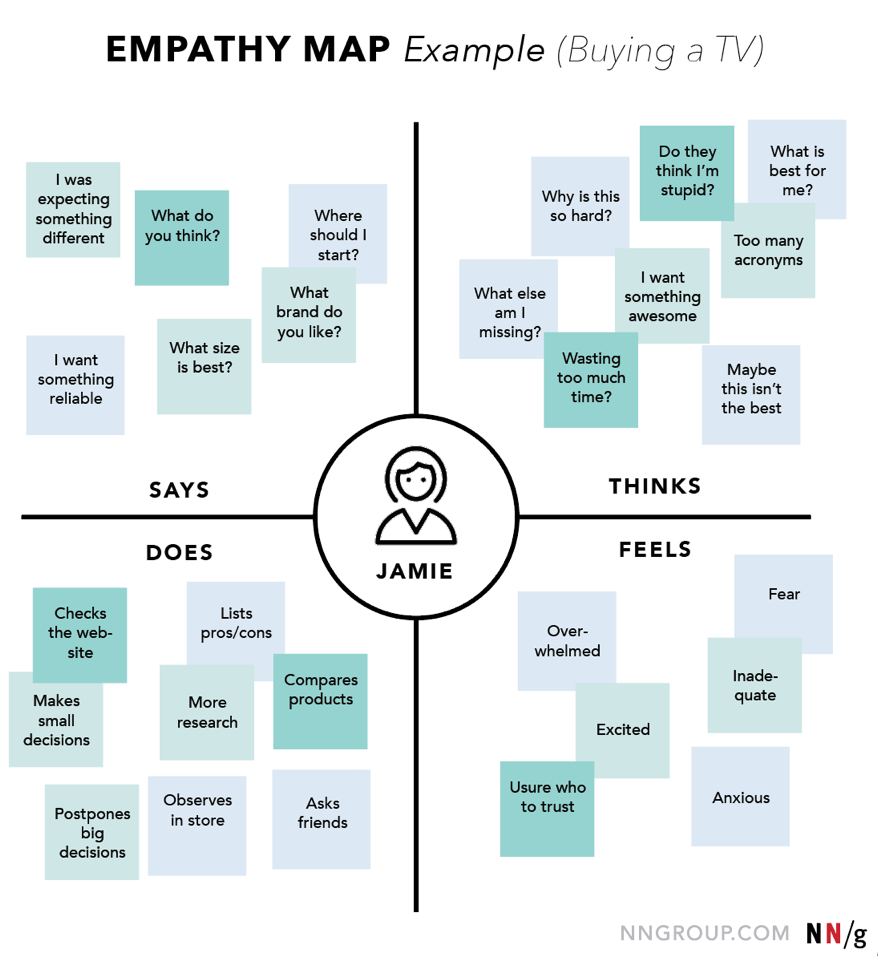
A simple design thinking method that I've seen a lot of teams default to is the empathy map. It’s a simple four-quadrant framework that captures what the user says, thinks, does, and feels.
Source: NNG
The value of it is in the gaps between those quadrants. If a user says the software is “easy to use,” but you see them hesitating, sighing, or struggling to complete a task, that contradiction is input for creating meaningful solutions.
But even when teams do user-centric research, they often fall into two traps.
-
The first is confirmation bias — going into research to validate what you already believe.
-
The second is leading questions — asking things like “don’t you think this is confusing?” instead of letting users describe their experience in their own words. Both give you answers, but not insight.
Let's circle back to the Doug Dietz case I've mentioned at the beginning.
This is exactly what Doug Dietz realized.
Once he saw the gap in his understanding, he stepped out of engineering entirely and adopt a more human centered approach to solving the issue. He enrolled in a design thinking program at Stanford d.school, visited day care centers, shadowed child life specialists, and observed how children react in unfamiliar environments.
And he stumbled upon such a critical insight: a hospital room gives a child zero sense of control. Everything feels clinical, unfamiliar, and intimidating.
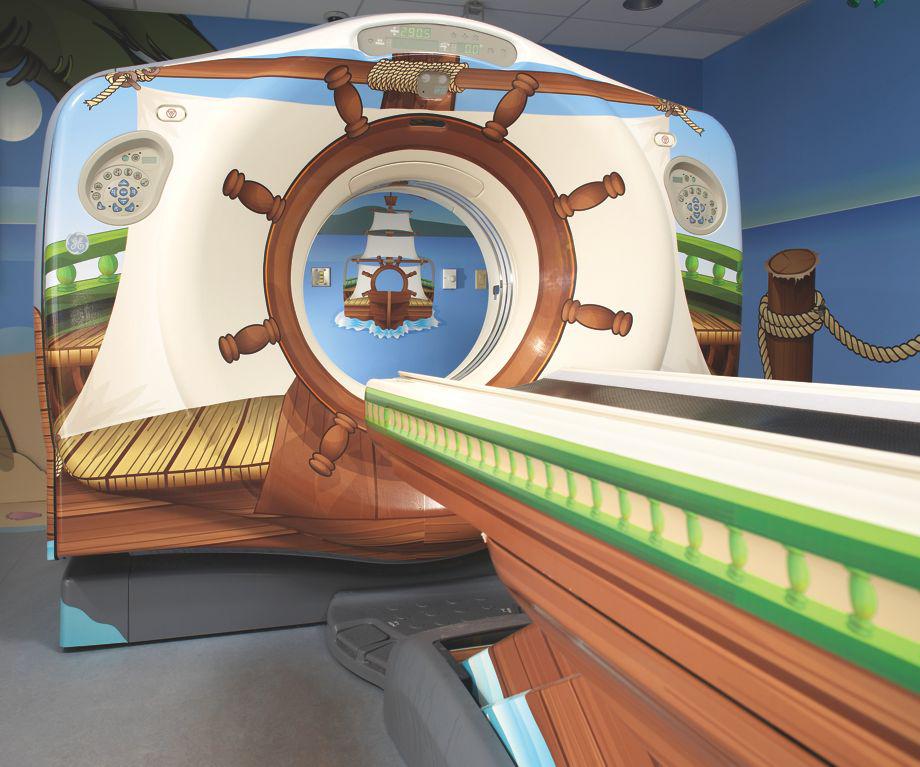
That insight led to his innovative solutions of Adventure Series — MRI rooms redesigned as pirate ships, jungle expeditions, and underwater worlds. The machine didn’t change. The experience did.
Source: Slate
And with that shift, fear dropped, engagement increased, and the need for sedation was dramatically reduced. That’s what good empathy work looks like.
2. Frame the right problem before solving it
Now that you have all the data, quotes, and edge cases, the next step is to define the problem that you're going to solve.
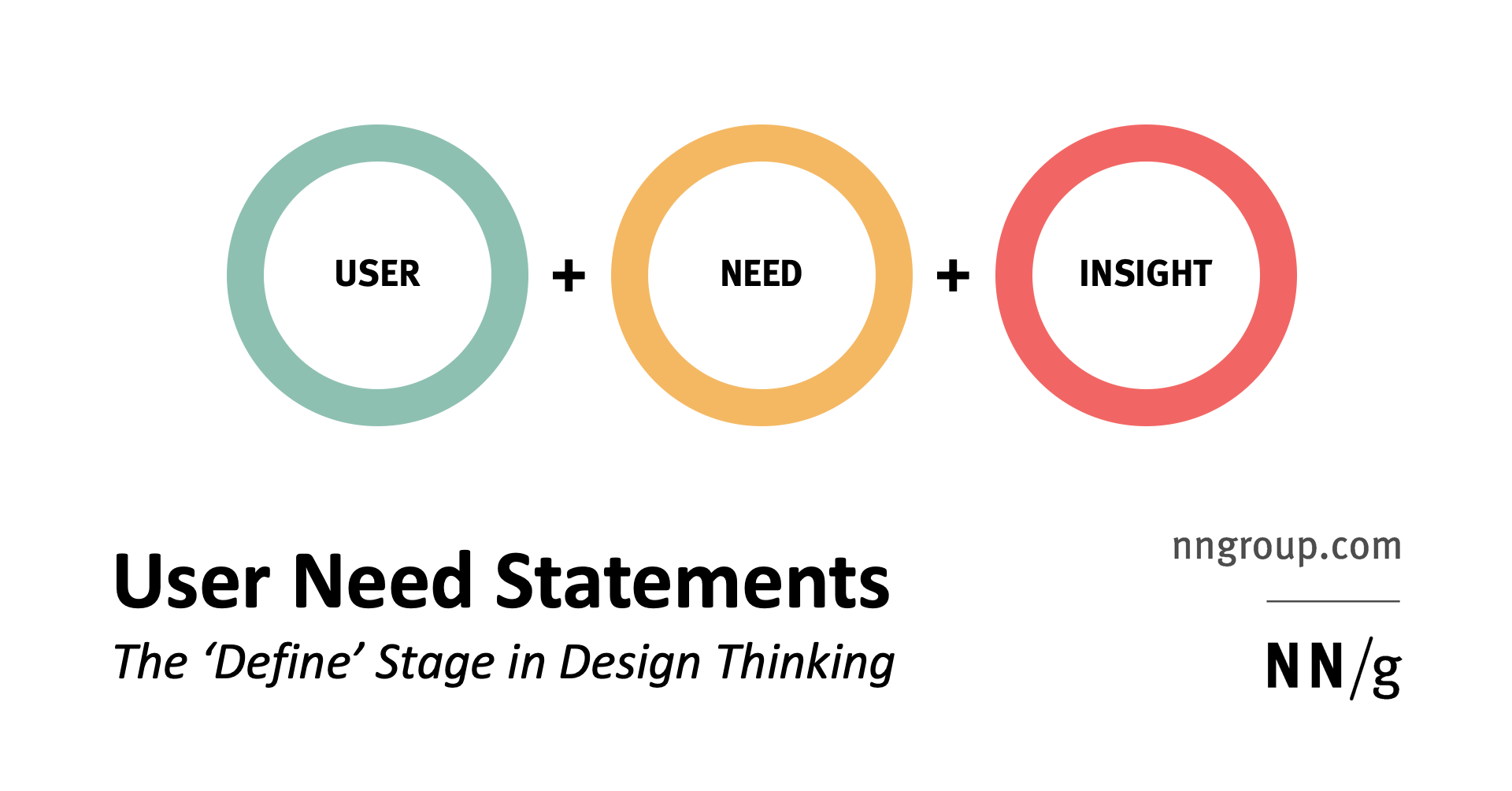
One way I like to force that clarity is through using a simple format:
[User] needs [need] because [insight].
Source: NNG
It sounds almost too basic, but it works. The difference between a vague statement and a specific one is huge. Saying “users need a better checkout” doesn’t really guide anything. But when you say something like “first-time freelance writers need a way to guarantee payment because they’re risking their rent on verbal agreements,” you’re suddenly solving a very different problem.
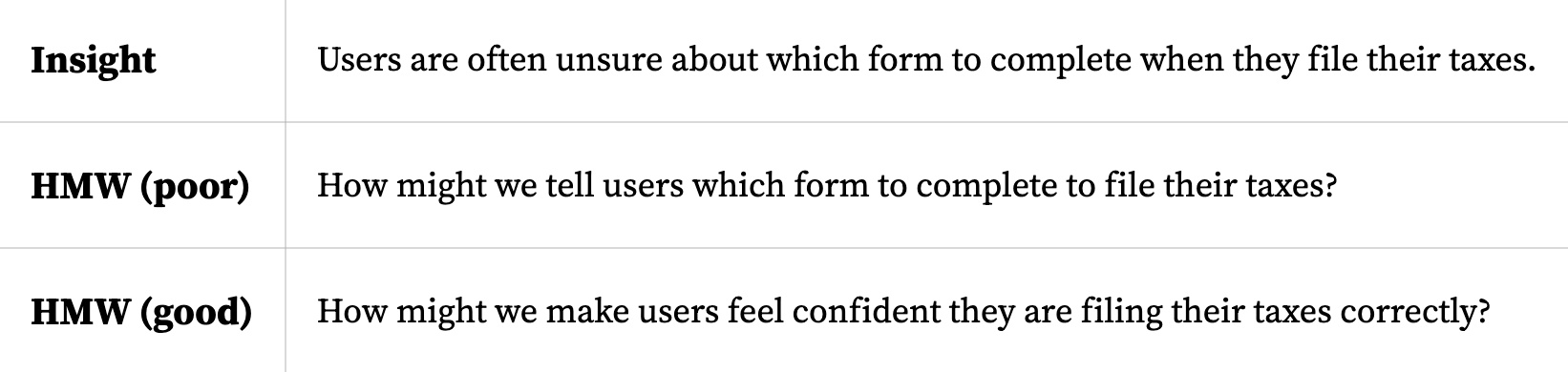
Once you have that, I usually turn it into “How might we” questions to open things up. The phrasing matters more than it looks. “How” assumes there’s a solution, “might” keeps it flexible, and “we” makes it something the team can explore together.
There are some good guardrails here, too. Nielsen Norman Group's guidelines for effective HMW questions recommend using the following five rules:
-
start from research insights rather than assumptions
-
avoid suggesting specific solutions
-
keep questions broad enough to invite diverse ideas
-
focus on desired outcomes
-
phrase everything positively
Source: NNGroup
Also, don’t expect this define stage to be something you can do once and for all. Sometimes when you’re trying to define the problem, you realize you’re missing something and have to go back to research.
Consider Airbnb in 2009 as an example. At that point, the team was trying to decide what to build next — more listings, new categories, better features. All valid directions.
Brian Chesky came back from Christmas break having read a biography of Walt Disney and landed on one idea: storyboarding. Disney had used it to plan Snow White, mapping every emotional beat before a single frame was animated. Chesky wanted to do the same for an Airbnb stay.
They hired a Pixar animator and mapped the entire journey, from first hearing about Airbnb, to the anxiety of knocking on a stranger's door, through the flight home.
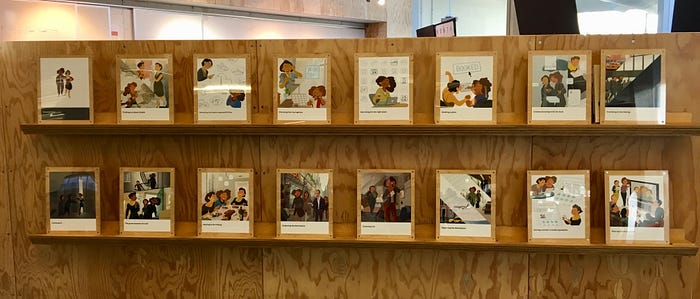
Source: Lenny on Medium
As co-founder Joe Gebbia put it, "We saw it play out in the storyboard." Most of the experience had nothing to do with the website at all. It happened offline, in and around the homes. That single realization reframed the entire problem and pushed Airbnb toward making mobile the center of their product strategy.
They defined the correct problem before spending a dollar trying to solve it.
3. Generate ideas without limits
Now comes idea generation. The whole point is to generate as many possible solutions as you can before you start filtering.
They don't have to be innovative ideas or creative solutions. So at the start, I focus on idea volume even if there are bad ones.
And here are a few ideation techniques that have been proven effective:
-
Brainwriting — Everyone generates ideas silently on paper for 10 minutes before anyone speaks. This neutralizes the loudest-person-in-the-room dynamic and produces more ideas than verbal brainstorming by sidestepping groupthink.
-
SCAMPER — A framework that forces teams to mutate existing ideas by asking structured questions. "Eliminate" asks what happens if you remove the core assumption ("what if a bank had no tellers?" — you invent the ATM). "Reverse" flips the premise ("how do we take the store to the customer?" — you get mobile retail and subscription boxes).
-
Worst possible idea — Deliberately generate the most disastrous, absurd, or offensive way to solve the problem. It's a psychological release valve that removes the pressure to sound smart, and the inverse of a terrible idea frequently hides an insight.
What I’ve also learned is that how you run this matters more than the specific technique you pick. A lot of teams default to open discussion and call it brainstorming, but that’s usually where things break down. According to Nielsen Norman Group, 95% of teams that say their ideation is ineffective rely on unstructured discussions, while more effective teams tend to use some form of structure.
So don’t leave this part unstructured.
Diverse teams help too. Mixing engineering, design, customer support, and sales into the same room produces better ideas than any homogeneous group. When you've got different constraints, you can spot different blind spots.
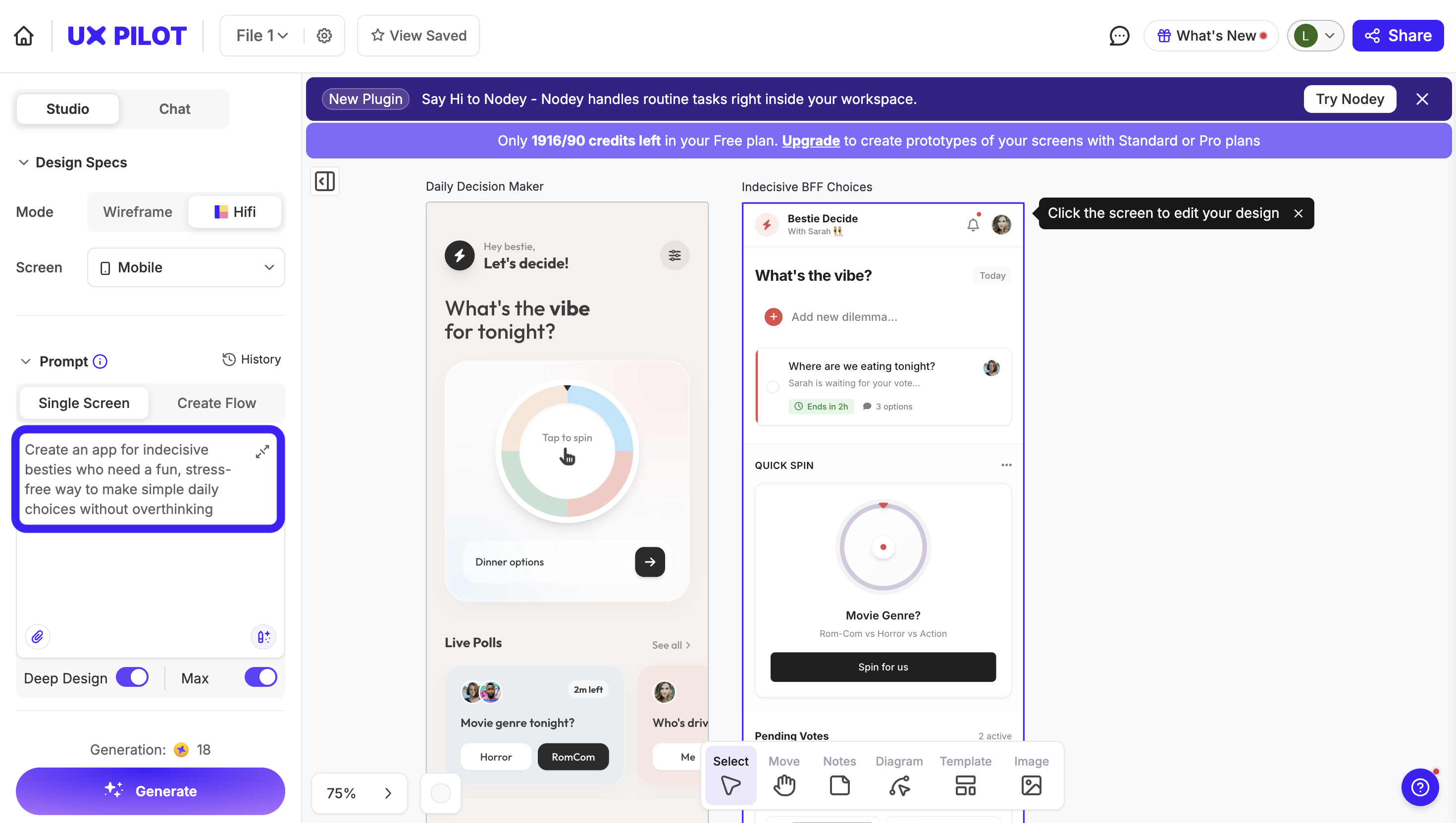
If you’re more visual, you can even leverage AI to generate product sketches from ideas.
Being able to generate rough screens or flows on the spot changes the conversation. Especially in startups, where you don’t have time to go back and forth for days, having something visual to react to makes discussions much more concrete.
For example, this is me testing a product idea using UXPilot. All you have to do is prompt.
Then, once I feel like we’ve explored enough directions, I switch modes.
That’s when you start narrowing things down — grouping similar ideas, voting, and picking a few to move forward with. And this is where the problem statement comes back in. If an idea doesn’t clearly connect to the user need we defined earlier, just drop it.
A good example of why this matters is the Oral-B kids’ toothbrush.
For years, the assumption was that kids needed smaller brushes. It sounds obvious: smaller hands, smaller tool. But when designers actually watched how kids brush their teeth, they noticed something different. Kids don’t use precise finger control; they grip the brush with their whole hand.
Once you see that, the solution changes. Instead of making it smaller, they made the handle bigger and easier to hold. It’s the kind of idea that probably wouldn’t survive a typical brainstorming session if you were just guessing.
4. Turn your best ideas into prototypes
As you proceed to produce prototypes, the main question is whether it works when someone tries to use it.
What’s changed now, which I think is super important, is that prototyping is no longer a bottleneck. It used to be the step where designers disappeared for a few days to turn ideas into something testable. That’s not really true anymore. Now, I can take an idea from the ideation phase and immediately start thinking in flows.
What happens first? What does the user do next? Where do they hesitate? Where do they drop off?
And instead of sketching that manually, I’ll often just generate it.
Tools like UXPilot make this shift pretty obvious. You can go from a rough idea to a full user flow that covers multiple screens, interactions, and even logic in minutes. And it doesn’t really matter whether you’re a designer or not. If you can describe the experience clearly, you can produce something clickable and testable.
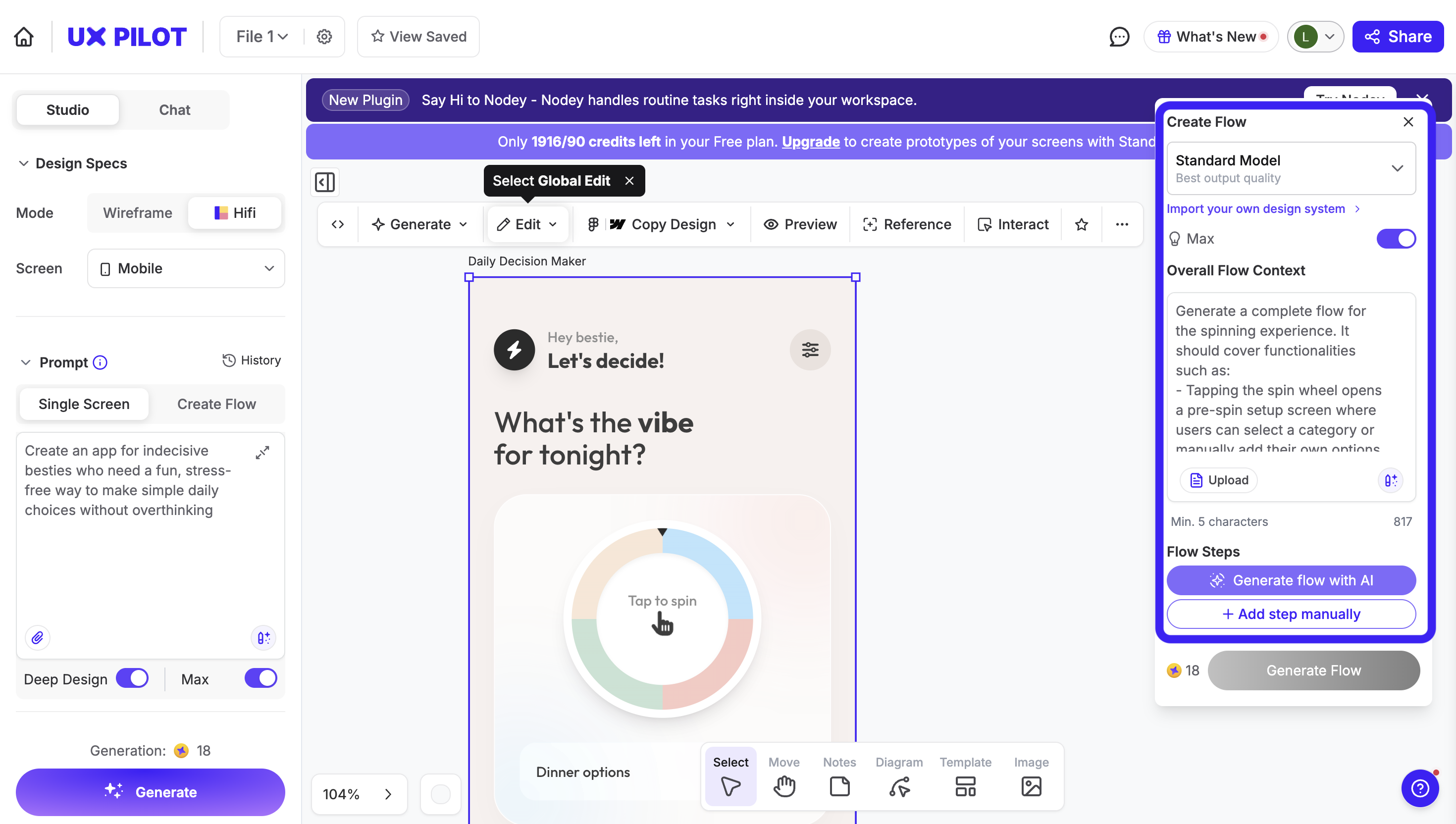
That’s the real change in this “agent” era. The only barrier is to equip yourself with design thinking skills and knowledge to instruct the system. This is also why all the earlier steps matter more now, not less.
So there are a few things to keep in mind:
-
Build up from what you’ve already done: The prototype should be a direct extension of your define and ideate stages. If you can’t clearly say what assumption you’re testing, you’re probably just building for the sake of it.
-
Keep fidelity at the level you need: Go for something usable. You don't need a final product at this stage yet. Sometimes that’s a rough flow, sometimes it’s something clickable.
-
Time-box it: If you leave too much room, you’ll start polishing things that don’t matter yet. A tight time frame forces you to focus on what you’re trying to learn.
-
Put options side by side: Try not to test a single idea in isolation. If you have two or three directions, you can generate all of them and put them side by side. It’s much easier to get feedback when people are comparing.
A good example of this mindset is PillPack. The pharmacy startup, later acquired by Amazon for $1 billion, partnered with IDEO for a three-month design residency.
They didn't build a massive, fully functional pharmacy supply chain to test their theory. They built physical prototypes of pre-sorted medication packets and a travel pouch — tangible, low-fidelity objects people could hold and react to. They tested pricing by doing mall intercepts, literally stopping people near the food court. They validated messaging through Facebook ads. They ran co-creation sessions with target users.
This multi-format prototyping helped PillPack earn an 80 NPS score and a TIME "Best Inventions of 2014" designation, all before reaching mass scale.
5. Test with real users and learn
Testing is when you put the thing in front of someone who hasn’t seen it before and watch what they do with it. For mature SaaS products, that's often done via beta testing, where you give a portion of your users access to new features and iterate from there.
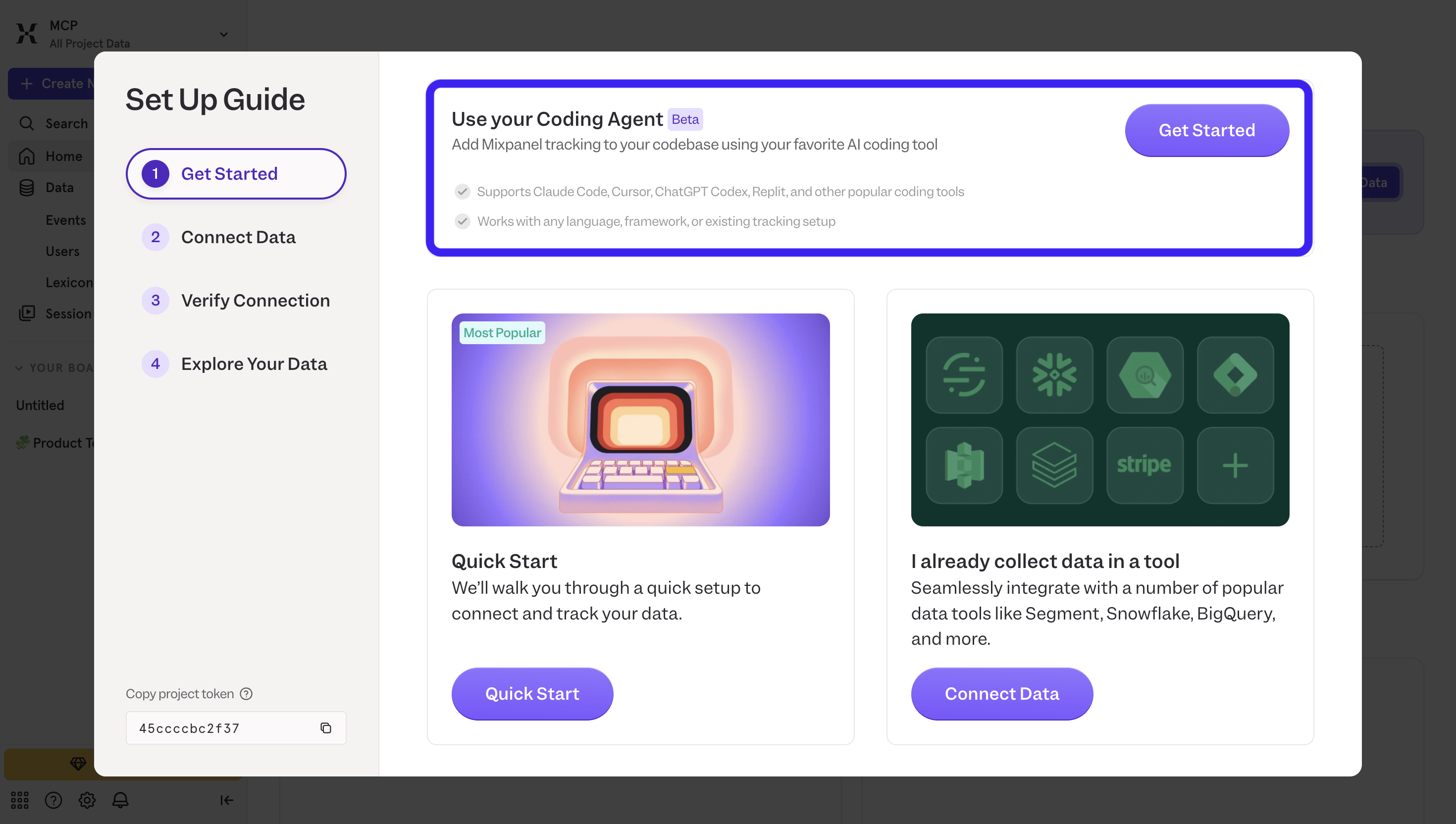
But how about running usability testing for new ideas or your MVP? In most cases, you won’t have a built-in user base to rely on yet. The most feasible option is to use third-party user testing platforms like Maze or Lookback.
There’s also a well-known rule from Nielsen Norman Group that testing with around 5 users will uncover around 85% of usability issues. So the point isn’t that five is a magic number; it’s that you’re better off running small tests repeatedly than waiting to run one perfect study.
Once you have a way to get users in, the structure of testing is still pretty consistent:
-
Start with tasks, not feedback: Give users something concrete to do. “Sign up,” “complete this flow,” “find X.” You’ll learn more from what they do than what they say.
-
Don’t guide or explain: If they get stuck, that’s the point. The friction you’re seeing is exactly what needs to be fixed.
-
Look for patterns, not isolated issues: One person struggling might be noise. Three people struggling at the same point is a signal.
-
Limit each round: Don’t try to fix everything. Pick a few high-impact issues, update, and test again.
What’s changed now in 2026 is how fast this loop runs with the help of agentic AI.
Before, testing meant building something, scheduling sessions, reviewing recordings, and then going back to design. Now, most of that is compressed. You can run AI-moderated interviews or remote tests in Maze, have AI summarize feedback, update your prototype via prompting in UXPilot, and re-test. All within the same day.
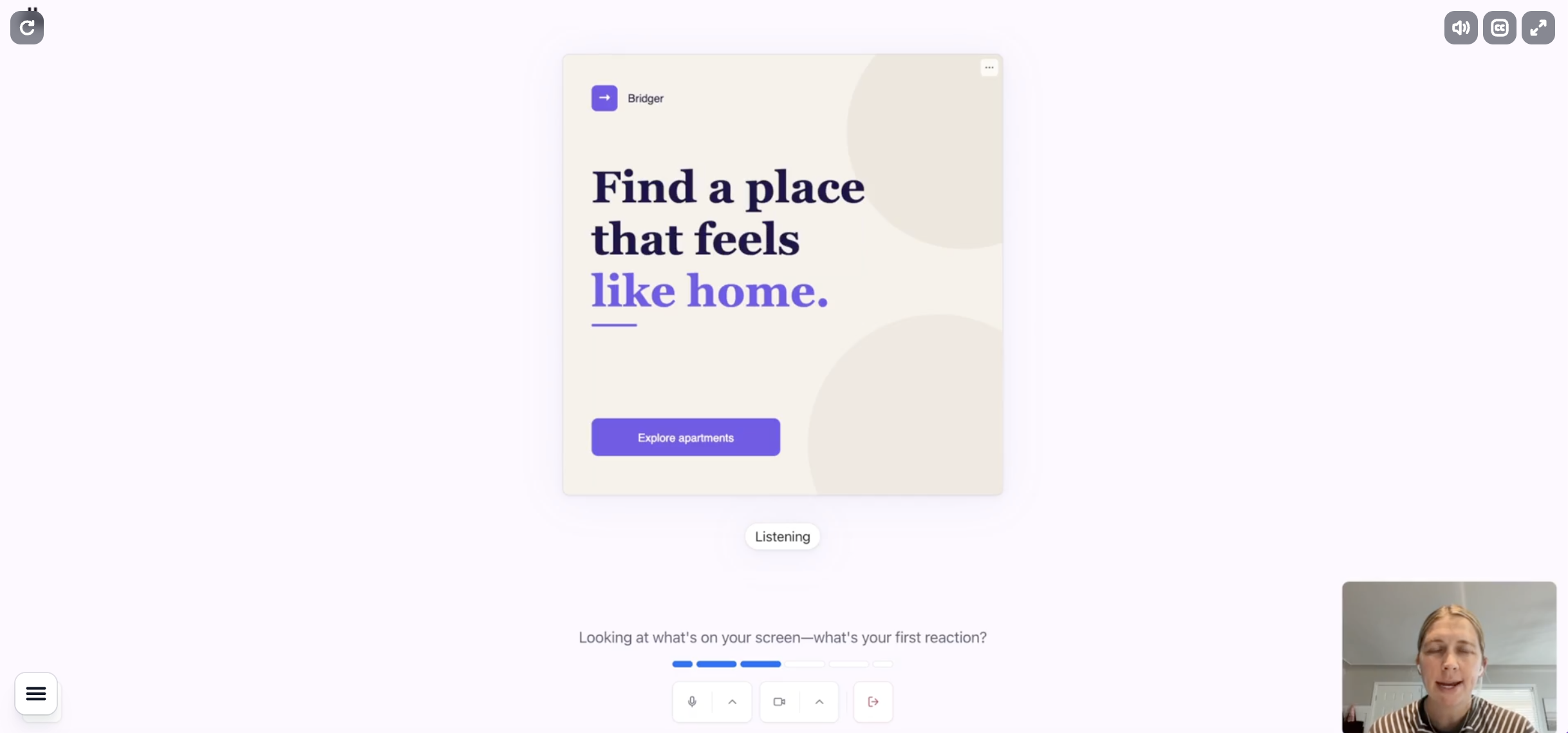
So testing becomes less of a “final phase” and more of a continuous loop. And because of that, it helps you move closer to building meaningful products in a shorter amount of time than ever.
There's no dead time. You're always testing a specific part, always shipping a fix, never waiting on the whole thing to be done before finding out what's broken.
That's also how Nielsen Norman Group approached redesigning their own homepage. Instead of finalizing a design and validating it once, they tested multiple iterations against three distinctive goals, observed how users behaved, and adjusted continuously.
Where design thinking goes wrong (and how to avoid it)
Design thinking has a high failure rate in practice, not because the framework is flawed, but because of three specific mistakes that come up again and again.
So let's break them down:
Skipping user research to save time
Under deadline pressure, teams jump straight to ideation because "we already know our users." You don't. You know your assumptions about your users, which is a very different thing.
The downstream cost of building the wrong thing always exceeds the time you saved by skipping research. And you don't need months of ethnographic study to avoid this. Five 15-minute interviews with real users are enough to shatter assumptions you didn't know you were making.
That's not to mention you can lend such work to AI now, so your design team has no excuses to skip this part. You can have AI running the whole interview and even ask it for interview summaries or reports.
Oral-B almost learned this the hard way. When IDEO proposed field research for the children's toothbrush project, the team pushed back because direct observation felt unnecessary.
The assumption seemed obvious: smaller hands need smaller handles. Had IDEO not insisted on actually watching children brush their teeth, Oral-B would have shipped exactly that, and missed what became the world's best-selling children's toothbrush.
Treating the process as a straight linear process
Teams run through the design thinking process once and call it done. That strips out the iterative loops that make design thinking actually work.
Like any framework, design thinking methodologies are not a rule book. They give you a starting point. The moment you start treating it as a checklist to tick off, you've already lost the plot.
Real design work is messy and recursive. You'll be mid-prototype and realize you defined the wrong problem. You'll be in testing and uncover something that sends you back to ideation.
My advice is to hold a 30-minute retrospective after each testing round, around these three questions
-
what confirmed our hypothesis?
-
what surprised us?
-
what stage do we need to revisit?
It forces an active decision about whether to refine solutions or loop back, instead of just defaulting to "next step."
Even enterprises like IBM built this directly into their Enterprise Design Thinking model with continuous observation-reflection-making cycles. And the result speaks for itself, too. Design time dropped from 16 weeks to 4, speed to market doubled, and they reported a 301% ROI.
Falling in love with your first idea
The tricky thing is that the first idea is often genuinely good. It feels creative, it solves complex problems, the team gets excited, and that excitement is what kills the process. You stop exploring before you've found what's best for your users.
A Stanford study on parallel prototyping also pointed out that designers who developed multiple concepts simultaneously before receiving any feedback consistently outperformed those who iterated on a single idea. Their work scored higher on click-through rates, received better expert ratings, and was judged more diverse and creative.
In practice, I try to keep it in a range that’s manageable. More than one, ideally somewhere around five to ten concepts. That’s enough to explore different directions without overwhelming the team.
Any number beyond that would just create selection paralysis. Generating more ideas doesn’t automatically mean better or more creative ideas. What matters is having enough variety to challenge your assumptions, then narrowing down.
Make design thinking your way of working!
If there’s one thing I’d take away from all of this, it’s that design thinking isn’t something you “run” once.
It’s not a workshop, not a checklist, and definitely not a set of steps you complete and move on from. It’s just a way of working.
The reason it gets labeled as “corporate theater” so often is because teams keep the visible parts — sticky notes, workshops, frameworks — and skip the uncomfortable ones: talking to users, being wrong, throwing ideas away, going back a step when something doesn’t hold up .
And if anything, that matters even more now. Because with AI, the cost of building and prototyping has dropped close to zero. You can generate flows, interfaces, even working prototypes in minutes. Which means the bottleneck isn’t execution but judgment.
If your thinking is off, you’ll just move faster in the wrong direction.
So starting your next project with design thinking doesn’t mean you need to follow a rigid process, it just means holding yourself to a higher standard of how you make decisions.
