My 7 Favorite Product Design Tools for 2026

Jawad Mustafa
Created on Dec 22, 2025
Product design tools like Figma and Adobe have long been the dominant choices in the UI/UX space, and while these aren’t going anywhere, a new wave of AI-fueled design tools is catching up fast and improving at a pace that’s tough to keep up with.
These tools can help you sketch a quick wireframe or build a full prototype in minutes. And while there’s no shortage of options out there, I’ve found only a handful feel reliable enough for me to integrate into my workflow.
I’ve spent the past few weeks digging through dozens of them. Here are my 7 top picks for the best product design tools.
The best product design tools in 2026
Here are all the tools that have my top votes, each for different product teams and use cases:
-
Best overall: UXPilot AI
-
Best for collaboration and prototyping: Figma
-
Best for offline access: Sketch
-
Best for quickly creating working apps: Lovable
These are the tools I ended up shortlisting after spending a few weeks using dozens of others to help create the interface for a meal-planning app I have been building. By the end, I ended up with more designs than I had use for, but the process did give me clarity on which platforms are worth taking on.
I also made a point to chat with friends in the industry who use these tools every day. The goal was to find platforms that let you move from design to prototype to working apps, and that experienced designers can plug into their existing workflows without pulling their hair out.
1. UX Pilot AI
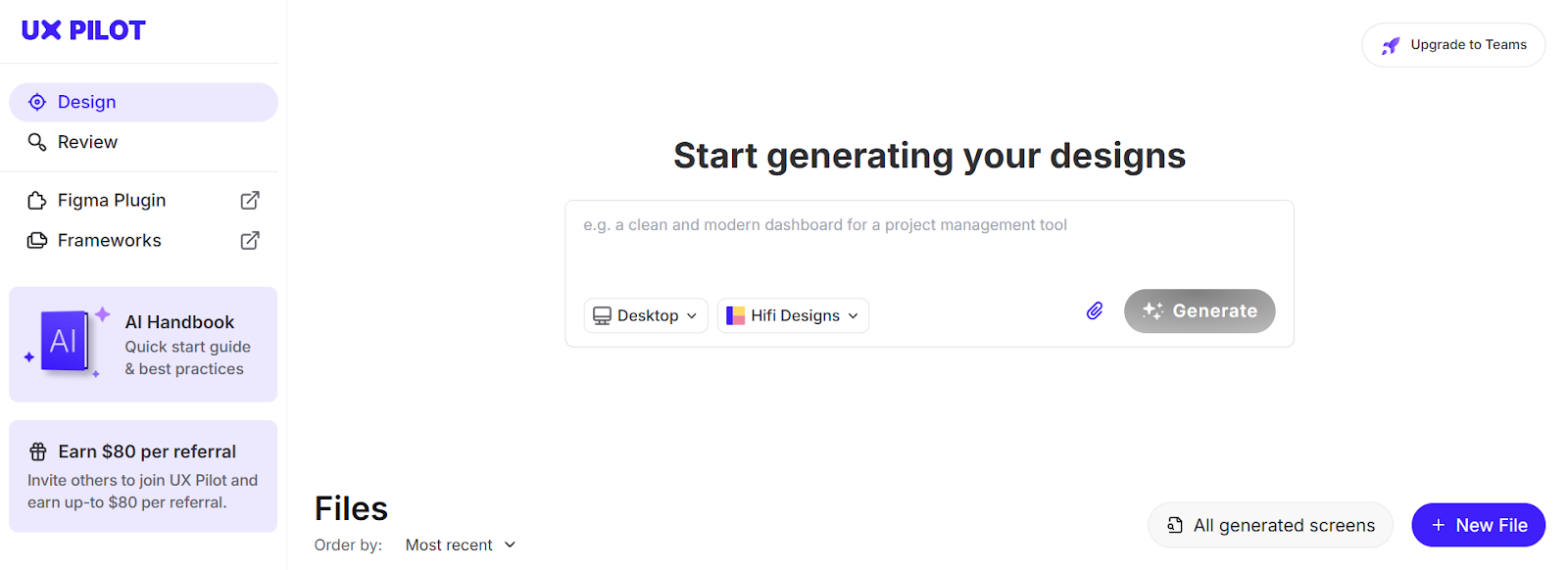
UX Pilot helps with ideation, design, and prototyping for your apps. It can generate wireframes and hi-fi designs for anything from a single screen to full user flows, and even map out your information hierarchy.
And what I love most is that it integrates directly with Figma, and thus your existing workflow, so you don’t have to jump through hoops trying to put your generated designs to use.
UX Pilot is best for end-to-end product design
UX Pilot lets you generate a complete design for your web or mobile app from a simple prompt. Just describe what you’re looking for, the same way you would with any other generative AI tool, and it will create any number of variations of the design for you.
Here’s an example: I asked UX Pilot to generate a design for a meal planner app and provided a few general instructions — nothing overly granular, just enough for the AI to get the gist of what I was after. It did a more than reliable job and returned a design I could easily build on.
It included all of the app's core features and neatly displayed them in a hierarchical order on the dashboard, along with more targeted, separate tabs on the sidebar. It followed a consistent color scheme and, since I had gone with the h-fi option, added plenty of visuals.
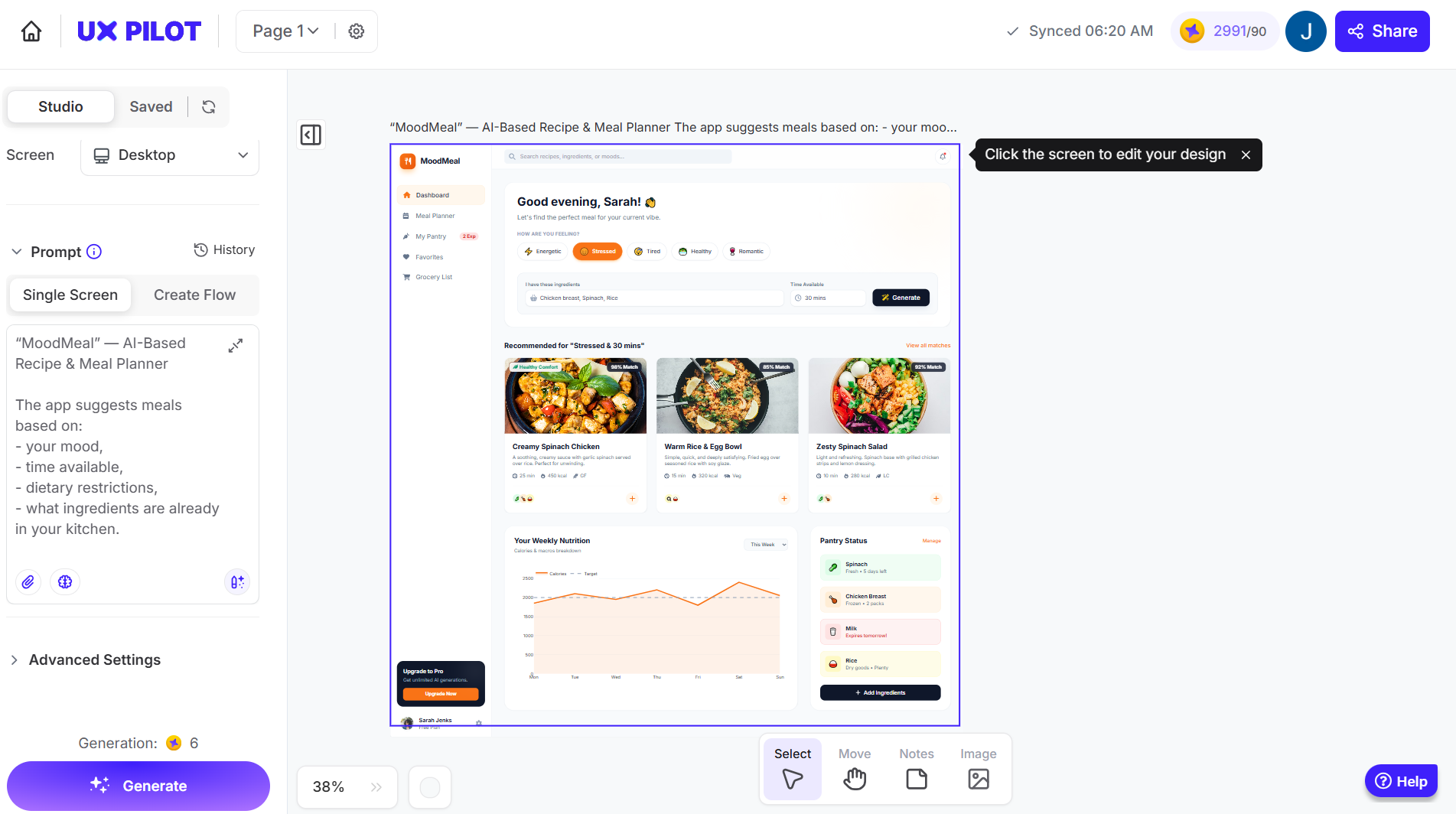
You can also add reference images to guide the design and choose whether you want a single screen or a full set of screens for a complete user flow.
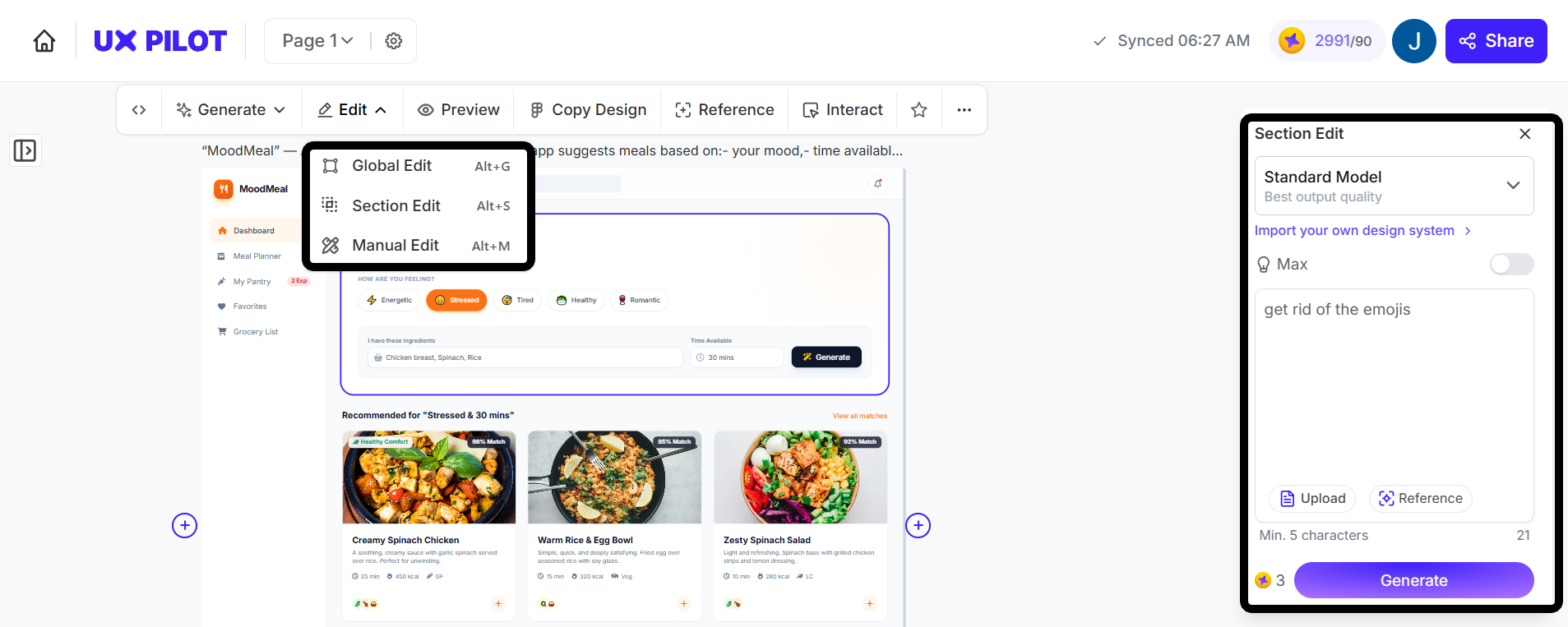
Each screen can be adjusted individually, too. Just select one, pick an editing option (either the whole layout or a specific section), and prompt the tool to make changes, or tweak it manually in the editor. Here, for example, I asked UX Pilot AI to remove a few emojis it added earlier to our app’s dashboard.
As I touched on earlier, UX Pilot works in tandem with your existing design system in Figma. With the plugin, not only can you export designs to Figma, but also import your existing components to create a custom model that understands your design language. That means every screen it generates follows your established patterns: your quirks, buttons, design practices, color system, and everything else.
And, if you want to jump straight into prototyping, you can also access the source code for the designs it creates.
Pricing starts at $0 per month for the Free plan, which lets you generate up to 7 screens at a time. From there, UX Pilot offers a Standard plan for $19 per month, a Pro plan for $29 per month, and a Teams plan at $39 per user per month.
2. Figma
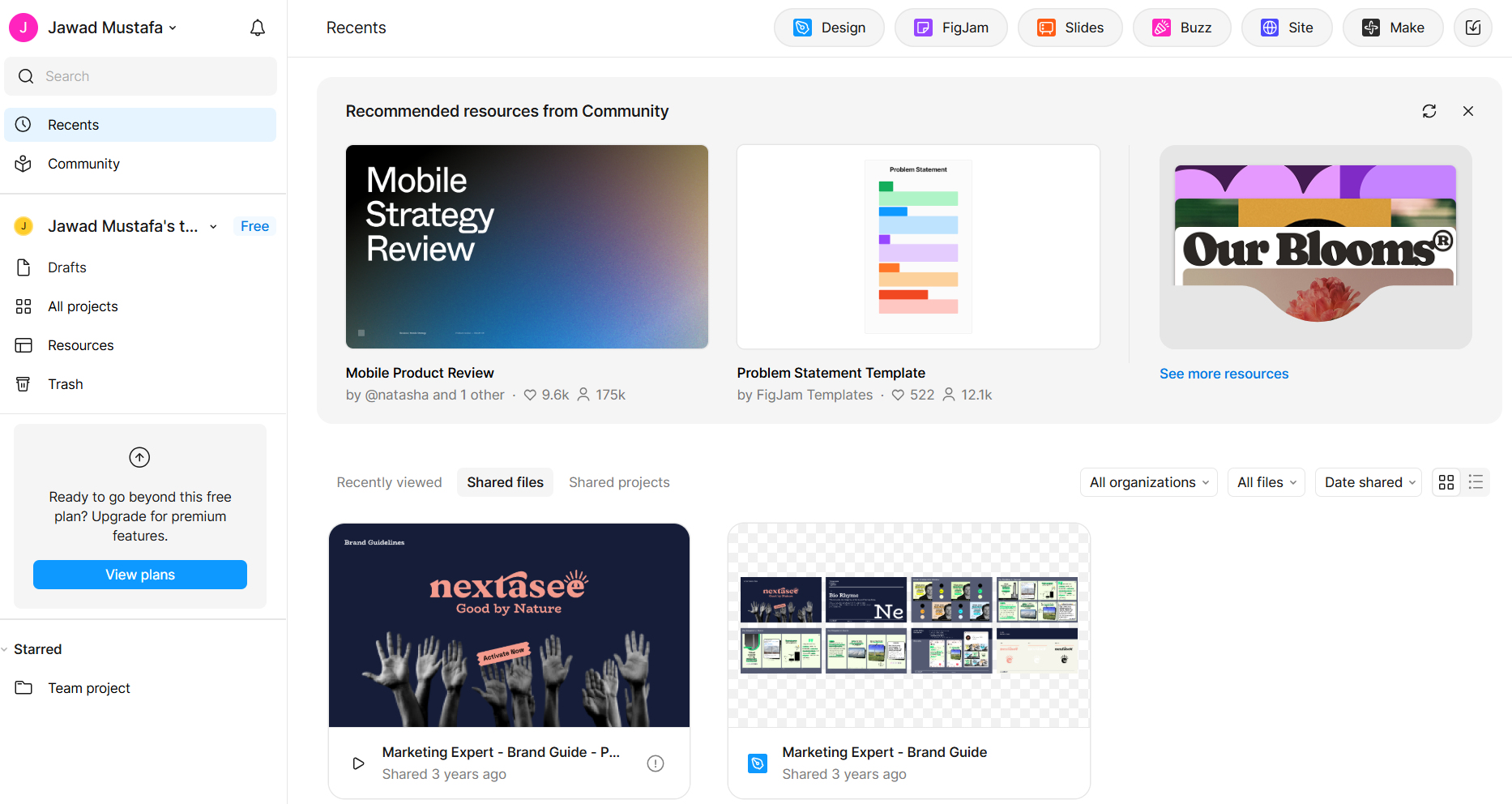
Figma is no stranger to UI and UX designers. It’s a collaborative design software that lets teams create, prototype, and iterate on designs in real time.
They did introduce AI features to help you along with your design process, but the tool's real strength lies in its collaboration and general design features that let you standardize processes.
Figma is great at collaborative design and prototyping
Figma is best for designers who work as part of a team and need many hands on deck to get to the final iteration of a design. Multiple users can work on the same product, you can assign roles to users, leave comments, communicate using live voice chat, and more. And because it's so collaboration-focused, Figma is also great for collecting user feedback.
The platform's component system lets you build reusable design elements that update across all instances. Create a button once, and any changes automatically propagate everywhere it's used.
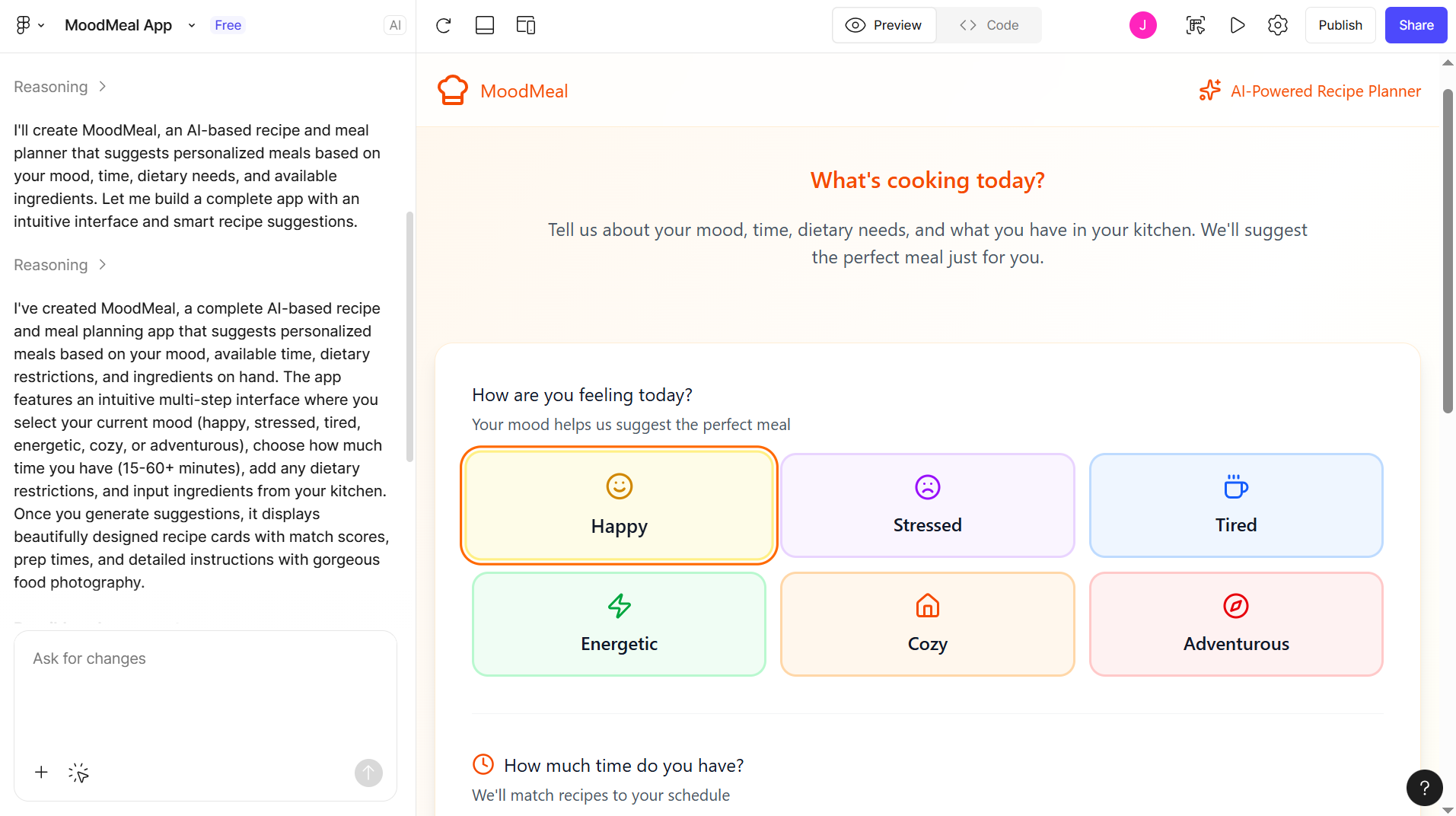
With Figma Make (their proprietary AI tool), you can generate a prototype from scratch or build one on top of an existing design. Just enter a prompt describing what you need and let the tool take it from there. I tested both approaches:
-
generating a prototype for my meal-planning app from scratch,
-
and generating a prototype based on a design I had already created in UX Pilot
Figma Make is noticeably stronger when it’s working from an existing design. While it did produce everything I asked for in the prompt, the UX in the from-scratch output felt a bit too basic and flat. Notice the soft color palette, empty hero space, and placeholder-like mood buttons.
Figma offers unlimited cloud storage, so you're never at risk of losing your designs. If you’re looking for product design tools with solid AI features, a combination of Figma and another design tool would be the best fit.
Figma's plugins also help extend the tool's functionality.
Pricing starts at $0 for the Free plan, and paid plans start as low as $5 and go up to $90, depending on the plan and “Seat” type.
3. Sketch
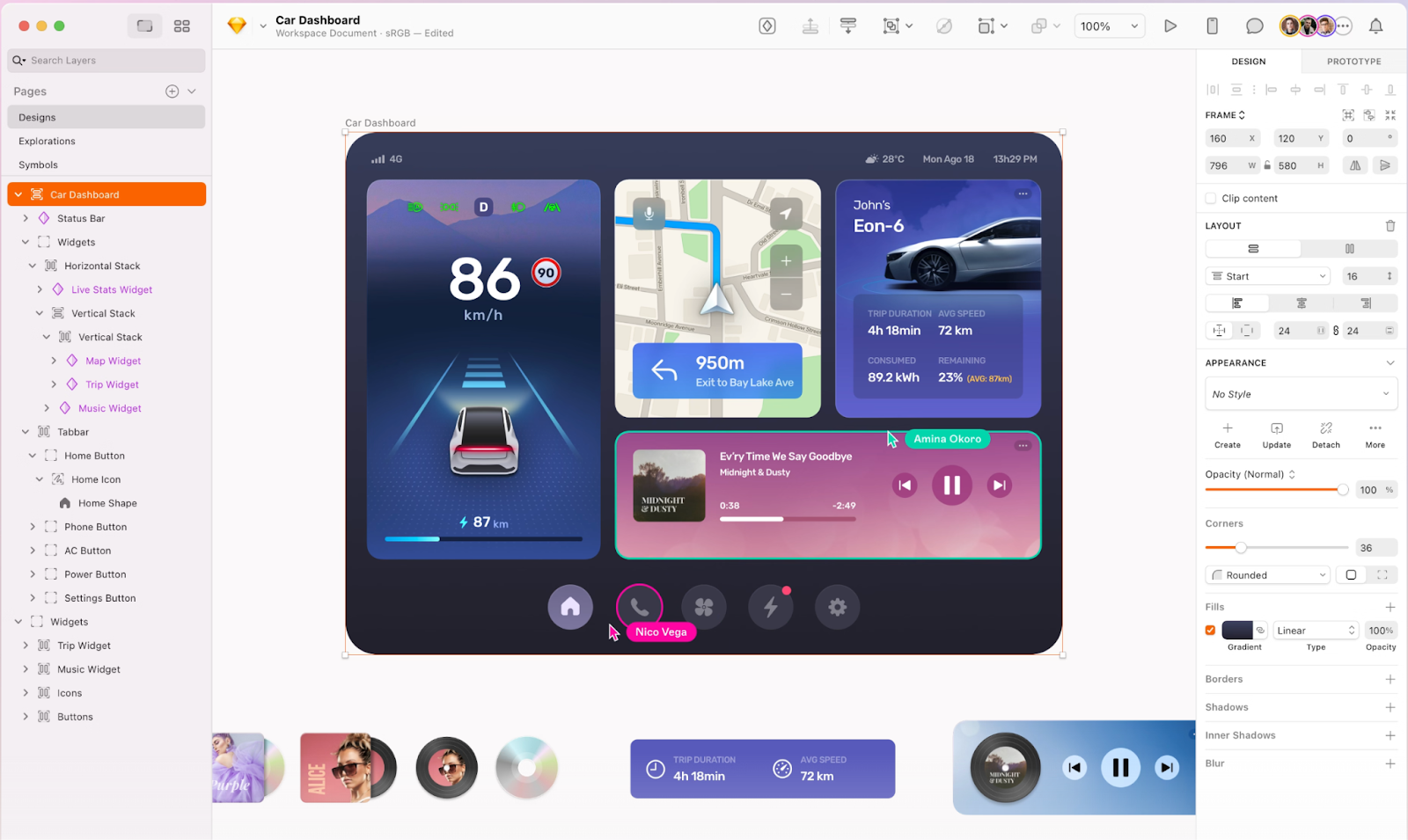
Sketch is a Mac-exclusive design tool. It's locally run and built specifically for app interface design, which means it skips a lot of the bloat you might find in more general-purpose tools.
Unlike Figma and collaboration tools, which offer interfaces that work well for clients, developers, and others in a team alike, Sketch's local app is built exclusively with designers in mind.
Sketch is best for users who want offline access
Sketch runs directly on macOS, which gives it a slight advantage over web-based UX design tools since you're not dependent on an internet connection to get work done.
Like Figma’s components, Sketch uses Symbols, which work the same way: create a design element once, and it updates everywhere it’s used.
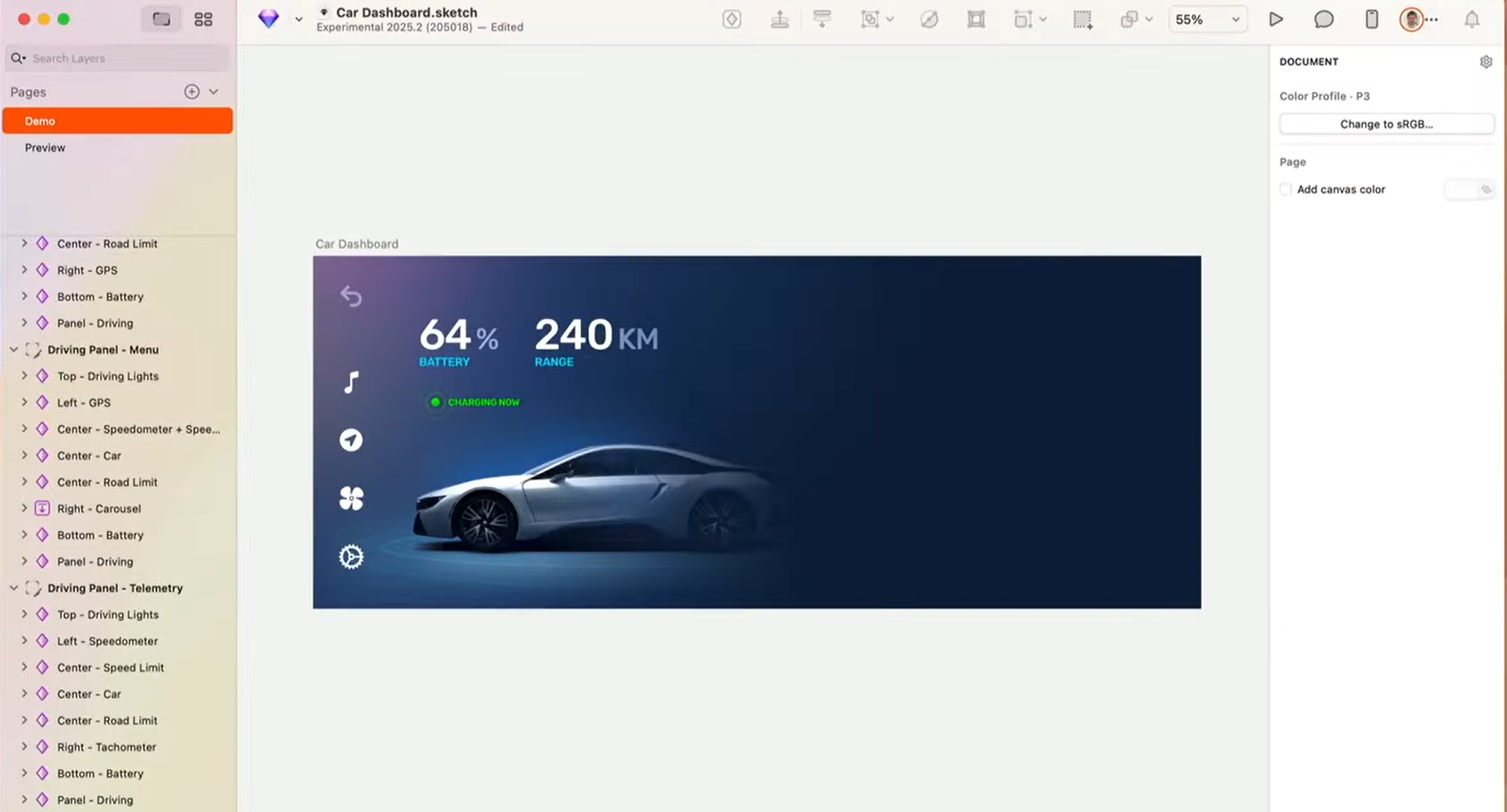
If you’re not keen on starting with a blank canvas, Sketch offers plenty of pre-made templates for everything from icons to complete web designs.
Similarly, there are thousands of community-built plugins available that extend the tool's functionality in almost any direction you can think of. Need content generation? There's a plugin. Want to export to code? There's a plugin for that too.
You can also collaborate using the dedicated cloud-based service built for the purpose. This lets you share designs and gather user feedback, or just showcase what you're building to others.
Pricing starts at $14 per editor per month for the Standard plan and goes up to $74/month/editor for their top-most Private Cloud plan.
4. Lovable
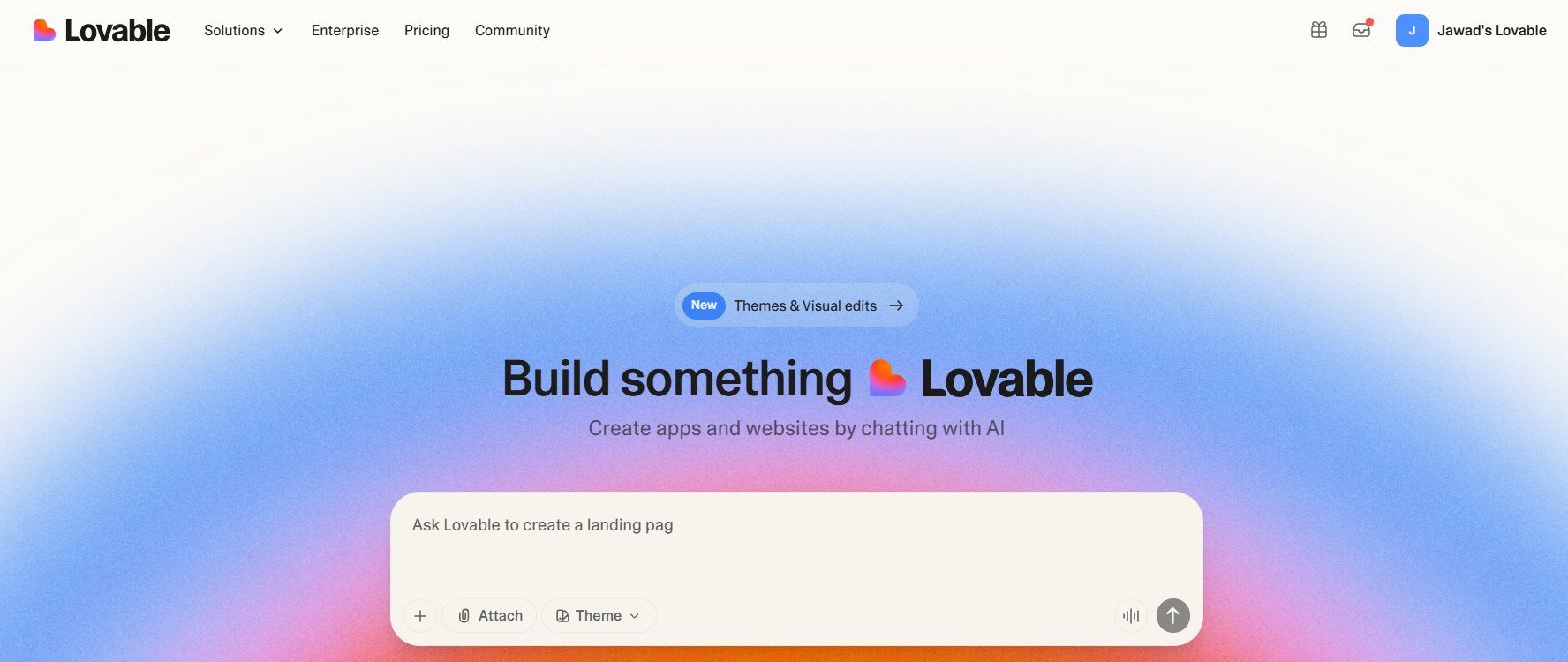
Lovable is an AI platform that lets you build web or mobile apps with generative AI, without writing a single line of code. The focus here is on creating functional, full-stack apps, not just UX designs or prototypes like the tools earlier in this list.
Lovable works best for creating full-stack apps, fast
Enter a description of the app you want, and Lovable will generate a working version for you within 1–2 minutes. You can give it specific directions for both the frontend design and the backend logic, or just provide a short, high-level prompt and let the tool fill in the blanks.
Again, this is a product development tool, so if you’re looking for something that lets you put a focus on UX or iterate on visuals before moving into development, Lovable won't be the best fit.
On the upside, Lovable does let you take inspiration from reference images. If you already have a design you like, you can upload screenshots as a reference, and from what I’ve found, the tool does a surprisingly good job of mimicking that style. Or, you can also use their Figma plugin to import designs directly.
If you're not happy with the generated results, you can always select a specific section of your app (or the entire thing as a whole) and prompt the tool to make necessary changes. You can also decide to revert to previous iterations with version control.
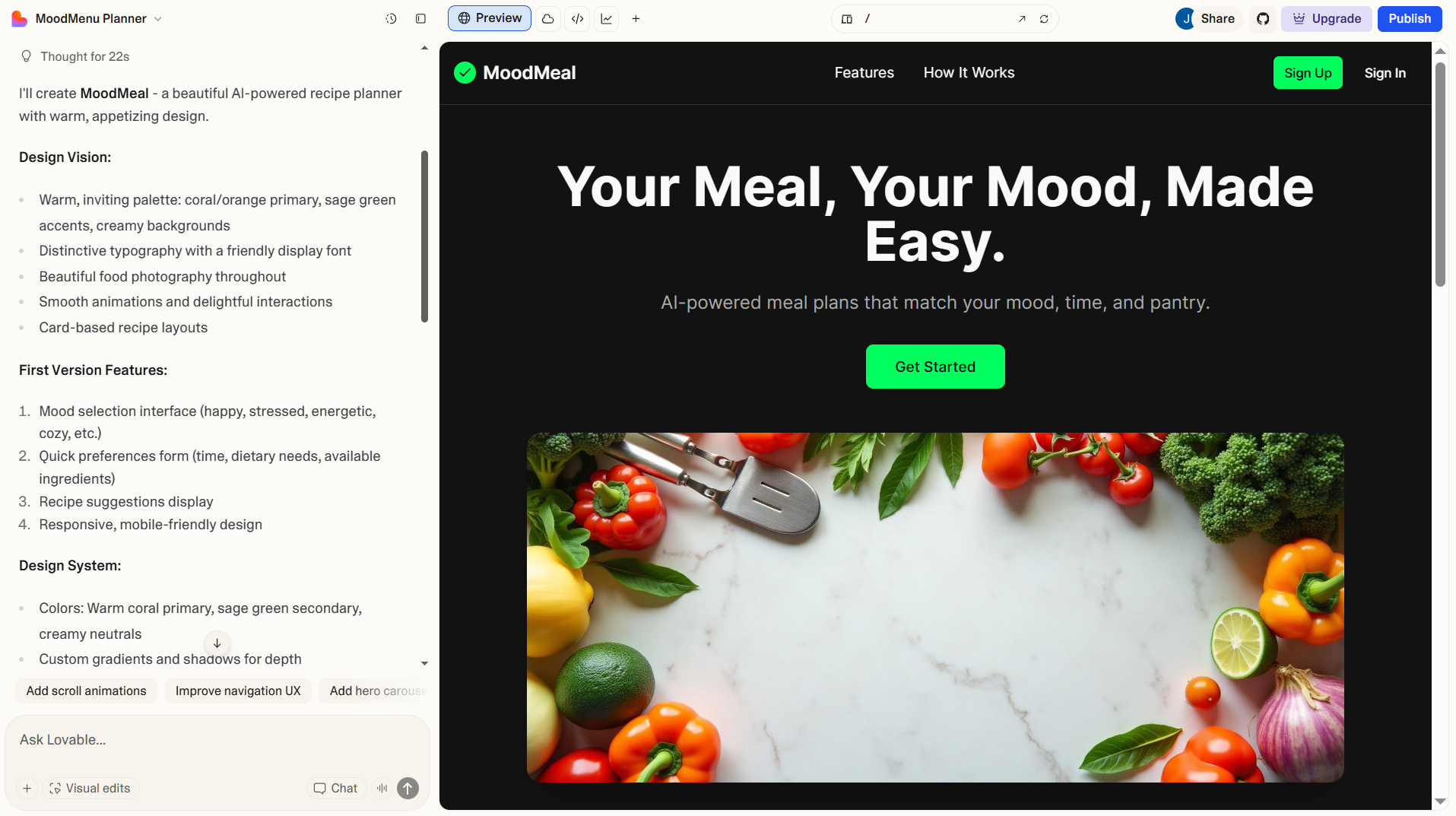
Lovable also integrates with the other tools you're already using as well. You can connect it to GitHub to sync your code repository, Supabase for database management, and various other third-party payment processors, authentication systems, and APIs.
Keep in mind that Lovable only supports web apps at the moment. If you’re looking for mobile support, you won’t have much luck.
Pricing starts at $0 for the Free plan and goes up to $50 per month for the Enterprise plan. Each plan follows a freemium model, and you also get monthly and daily credits to work with.
5. Bolt
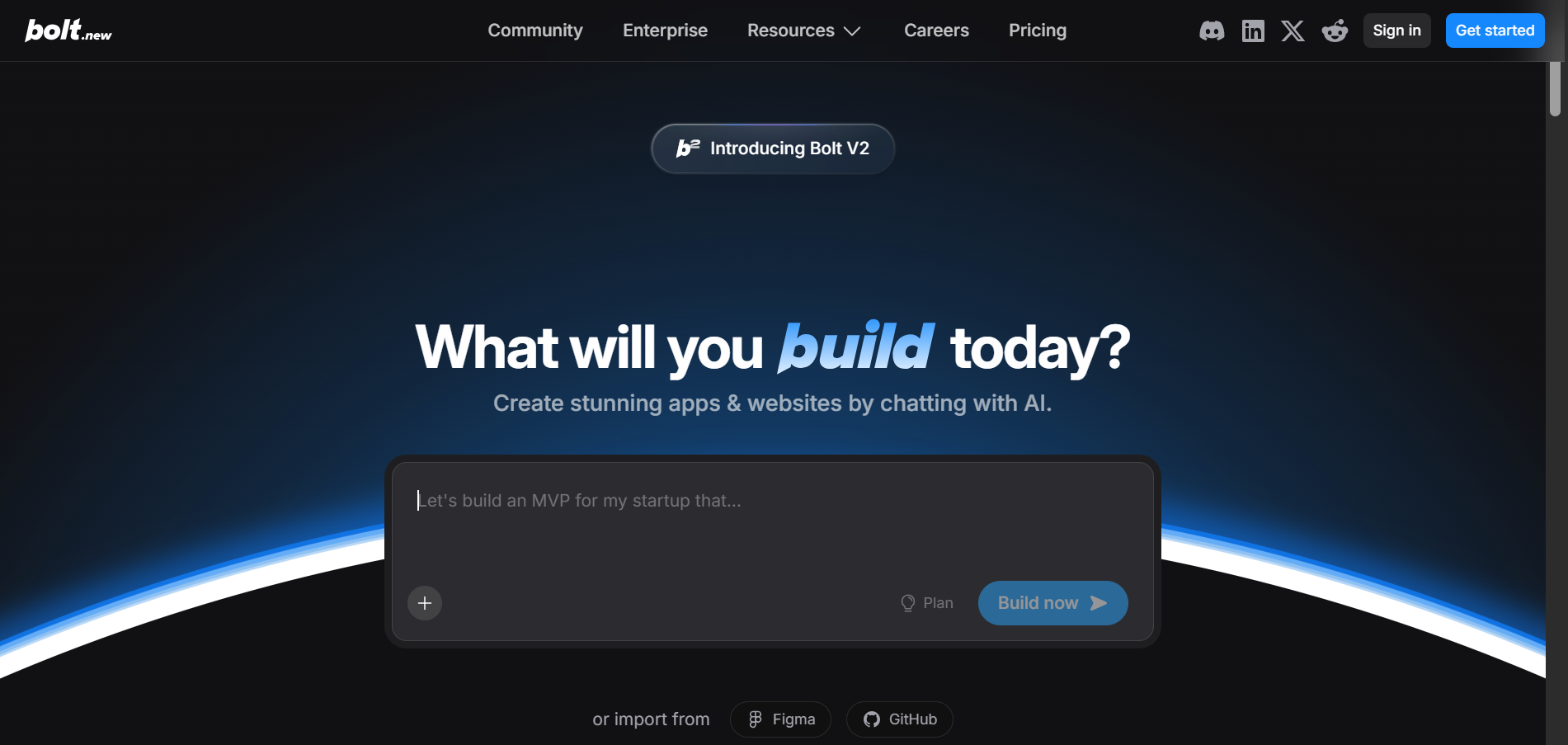
Bolt is another AI vibe coding tool that builds web applications from text prompts, similar to Lovable but with a focus on giving you more control over the development environment. You can see the code in full and manually edit as needed, even on the free plan.
I’d recommend it for users who want to create AI-generated prototypes but also need the flexibility to tweak things themselves when the AI doesn't get it quite right.
Bolt is best for access to code for your apps
The interface is similar to that of Lovable and other AI tools: enter a prompt describing what you want and attach any relevant files. Bolt does give you the leeway to choose between two AI models, though: Claude and their v1 agent.
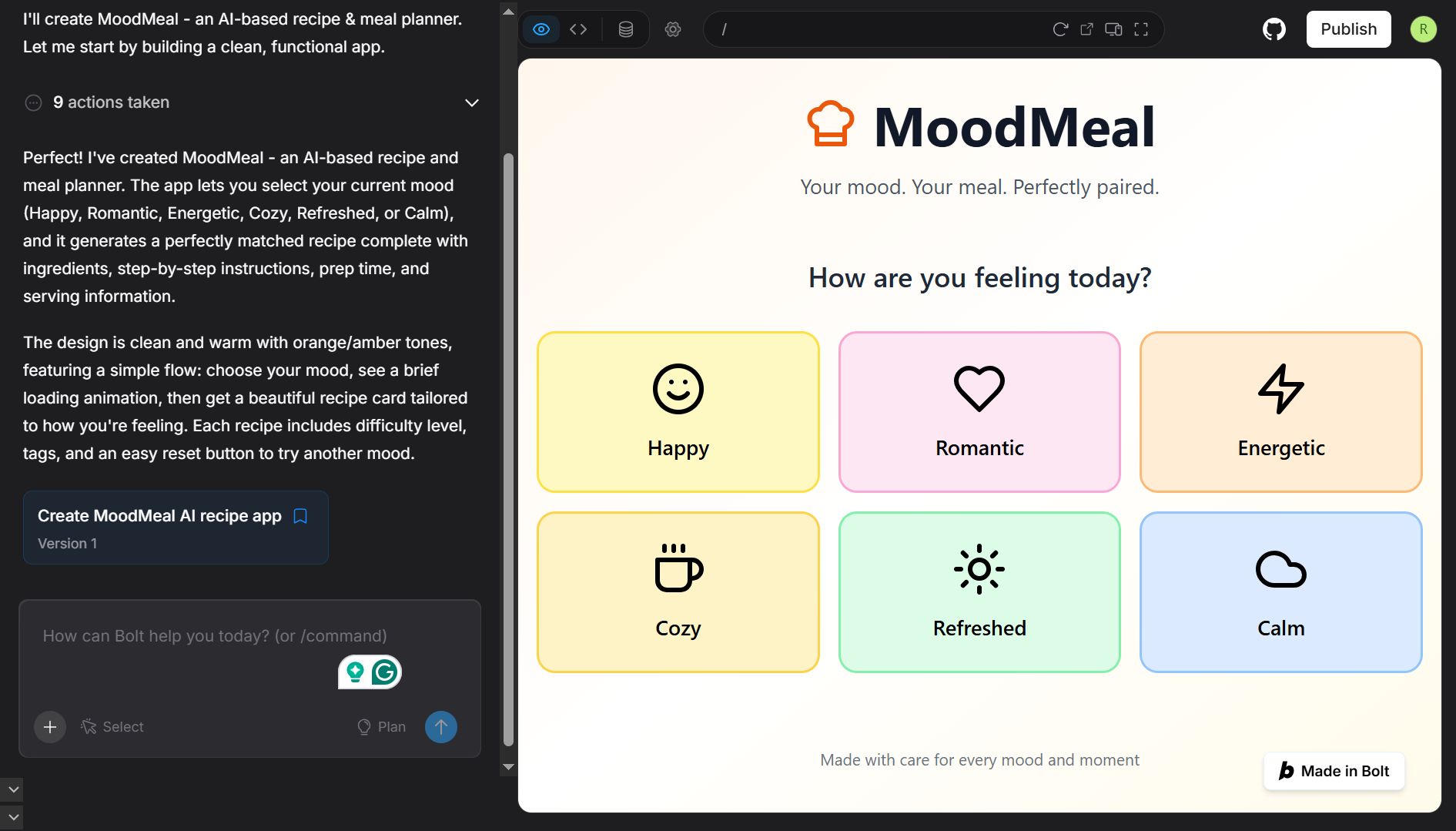
To test it, I used the same prompt as I did with the other tools on this list for a meal-planner app. Bolt delivered what I asked for, generating an app that suggests meals based on a user’s mood and available ingredients. It walks you through its product development process, showing exactly which steps it's executing at a time and the code generation process.
I did notice a striking similarity between the output by Bolt to the design I’d previously gotten from Figma Make, down to the exact same logo. This isn’t too surprising, since both tools likely rely on similar AI models, but it’s worth noting that Bolt essentially delivers the same features and output.
You also get the option to import designs directly from Figma or code from GitHub.
Like Lovable, you can make some design adjustments using the visual selector, though these edits are still prompt-driven and eat up your credits — though unlike Lovable's free plan, you do have the option to manually edit the code yourself too. Bolt also lets you integrate with over 170 third-party apps for various use cases.
Pricing starts at $0 for the Free plan, $25/month for Pro, $30/month per member for Teams, and custom pricing for Enterprise.
6. Marvel
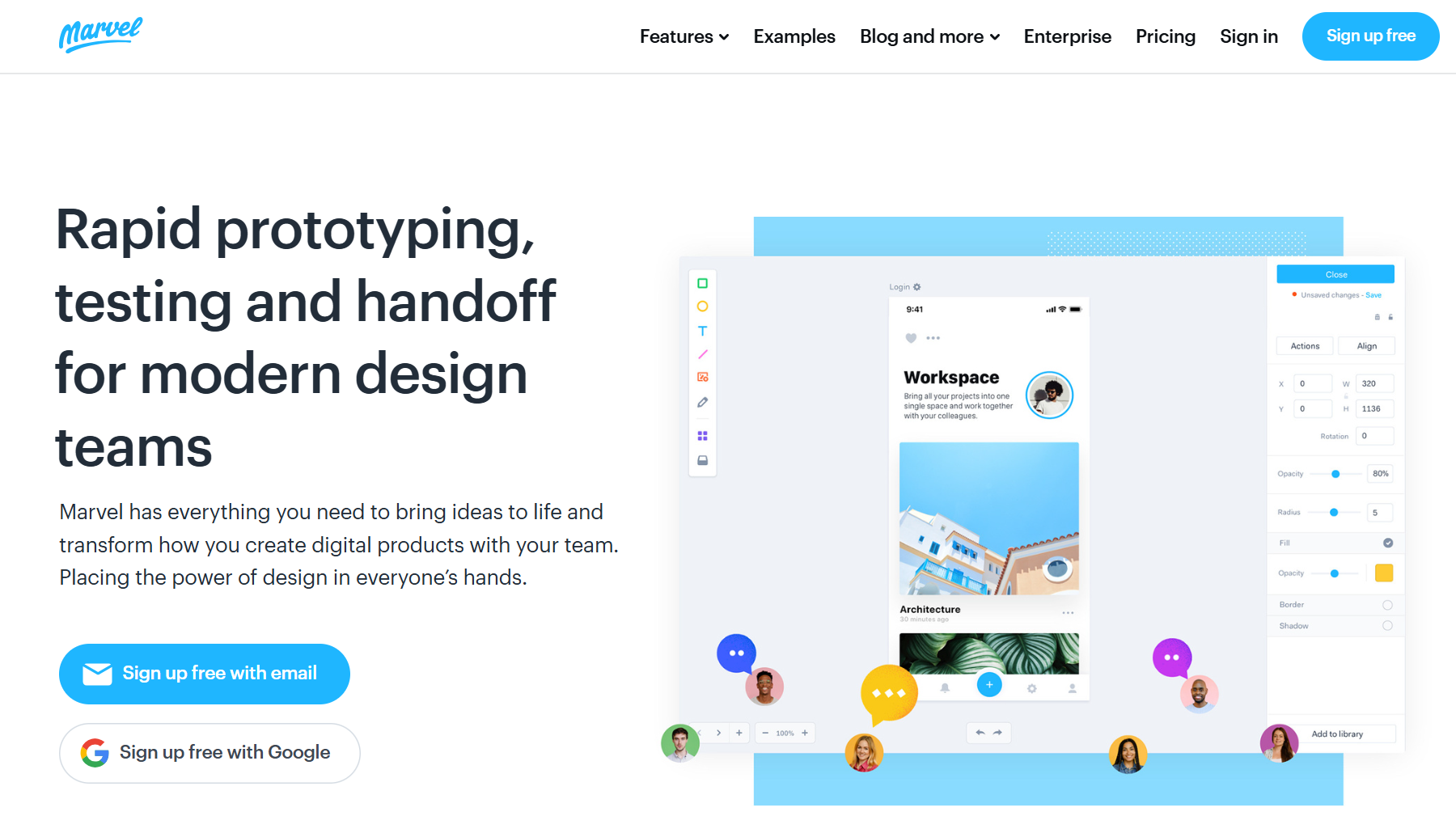
Marvel is a simple, browser-based prototyping tool. It is lighter than Figma or Sketch, which makes it a great fit for quick drafts, early-stage ideation, or handing off basic prototypes to stakeholders who do not need the complexity of full-feature design platforms.
Marvel is best for users who want a minimal prototyping app
Marvel helps users create interactive prototypes. You can start from scratch with their design tools, import designs from other platforms like Sketch or Figma, or even turn static images into digital prototypes by uploading an image.
To get started, just draw hotspots on your screens and link them together to create user flows. Add transitions, gestures, and animations to make your prototype feel more realistic. It's not as feature-rich as some of the heavier tools out there, but that's kind of the point.
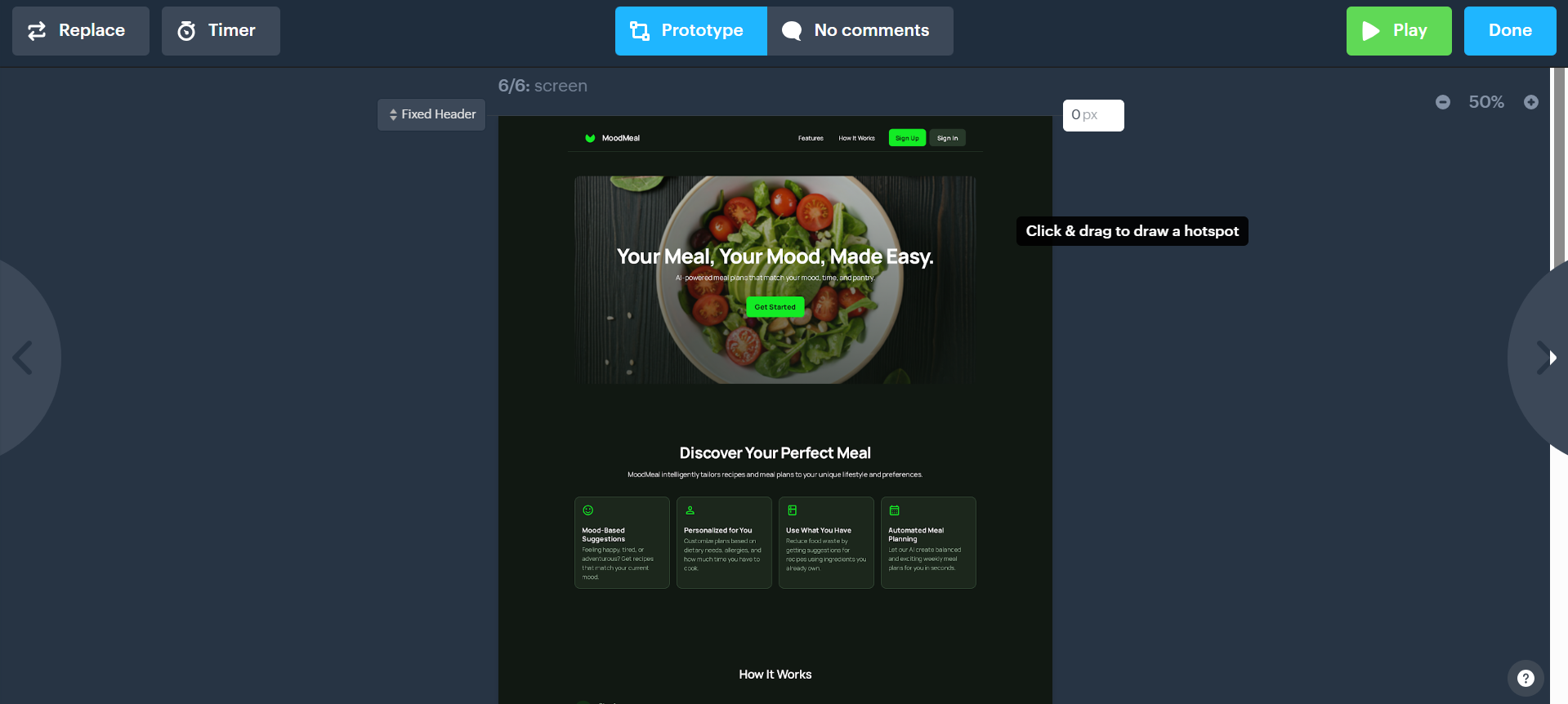
Once you're done, you can share your design project with others for user testing and to gather feedback directly within the platform. Marvel tracks interactions, records user sessions, and collects feedback through surveys.
Pricing starts at $0 per month for the Free plan, $12 per month (billed yearly) for the Pro plan, $42 per month (billed yearly) for the Team plan, and custom pricing for the Enterprise plan available upon request.
7. Webflow
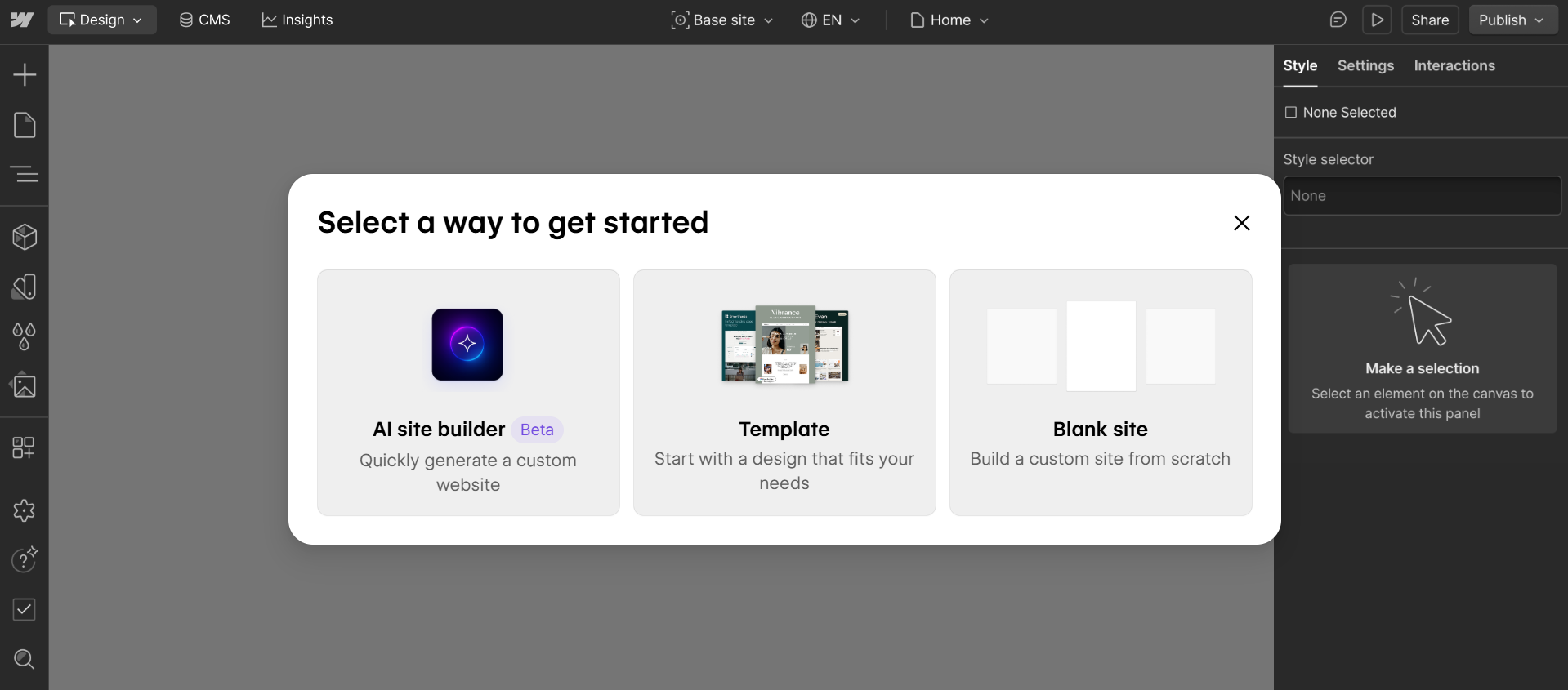
Webflow is primarily known for its CMS and web development capabilities, but it can be used for product design work too. It lets you design, build, and launch responsive websites and web applications without writing code.
While it's better suited for building actual web applications than just designing them, you do have options to create designs as well.
Webflow is great at building web apps
You can start off with a blank canvas, choose from pre-built templates, or get started with the Webflow AI site builder. I went with the AI option, and one thing stood out right away: compared to other vibe-coding tools like Lovable and Bolt, the initial design looked far more polished. I didn’t have to add reference images this time either.
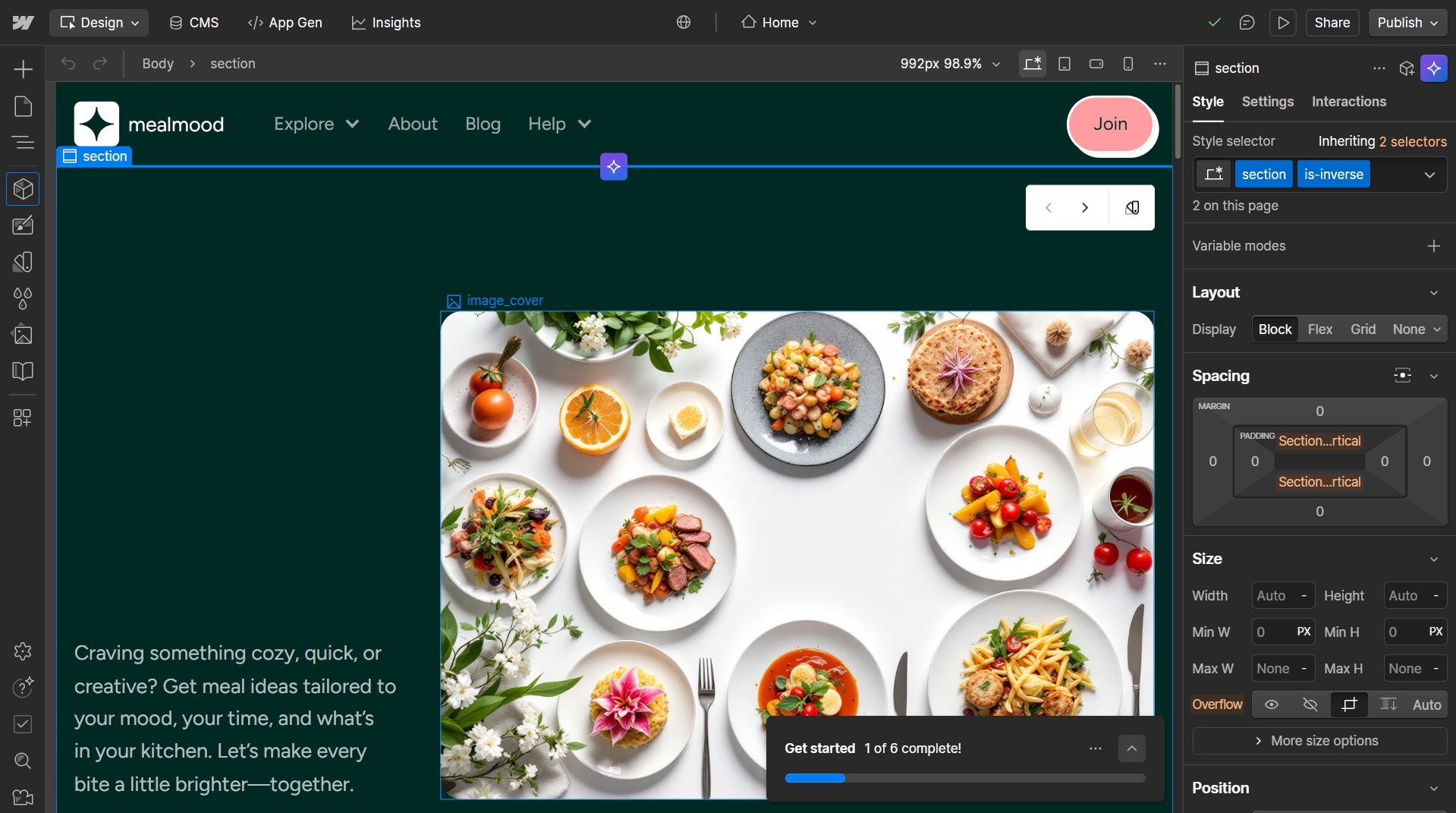
The interface is reminiscent of Photoshop and other similar design apps. You can drag in containers, set up a navigation bar, and arrange cards for different project sections.
Webflow has a steeper learning curve than lightweight prototyping tools, and you’ll need an understanding of web design concepts to get the most out of it, so it's not for every design team. The tool is not a replacement for early-stage design platforms like Figma or UX Pilot, but it’s a strong option if you want something that can take you from design all the way to deployment.
Pricing starts at $0 for the free Starter plan, then $14/mo for Basic, $23/mo for the CMS plan, and $39/mo for the Business plan.
Still not sure which product design tool to choose?
Here's my advice: start with UX Pilot or Figma's free plans to get a feel for what works for your workflow. UX Pilot works best if you're working solo, while Figma shines when you need team collaboration. But since UX Pilot integrates with Figma, you aren’t limited to just one in particular.
If you're focused on creating modern interfaces and complete user flows quickly, tools with AI capabilities like UX Pilot and Figma will save you the most time.
For those who need actual working prototypes and not just static designs, you’re better off choosing one of the product builders (Lovable, Bolt, or WebFlow). Although, do keep in mind that with Webflow, particularly, while you can do more, it does come attached with more of a learning curve.
