My 7 Best AI Tools for UI Design

Khanh Linh Le
Created on Jan 4, 2026
AI tools for UI design are everywhere right now, and they’ve truly become a game-changer for designers. What once required hours of meticulous work can now be accelerated with the right AI tools.
Nevertheless, the challenge is figuring out which ones actually help you design better, faster, and with less rework. That's why I've tested a dozen tools and put this list together.
Below, I’ll walk you through my 7 best AI design tools, focusing on what they’re genuinely good at, where they fall short, and who they’re best for.
Best AI tools for UI design
Here are my top AI UI design tool picks, organized by user type and use case:
Best for AI-generated UI with built-in UX validation: UX Pilot
Best for teams already living in Figma who want AI without leaving it: Figma AI (Make)
Best for agencies building marketing sites destined for Webflow: Relume AI
Best for fast AI-generated UI concepts: Google Stitch
Best for developer-first UI generation: v0 by Vercel
Best for responsive web design + deployment: Framer
Best for product idea visualization and prototypes: Uizard
I’m not going to pretend there’s a single “best” tool across the board, especially after spending time building flows, exporting files, and comparing visual outputs. Therefore, what matters is what each tool does best and what it’s optimized for.
Here's a side-by-side comparison before we get into the details:
Tool | What it's actually for | Who it fits | Output type | Figma handoff | Starts at |
|---|---|---|---|---|---|
UX Pilot | AI wireframe + UX flow generation with predictive heatmaps and accessibility testing | UX designers, PMs validating layouts | Wireframes → Figma or HTML/CSS | Native plugin, layer-intact export | Free / $14/mo |
Figma AI (Make) | Generative design inside Figma — variations, prototypes, live app via Figma Sites | Design teams already on Figma | Editable Figma layers, deployable via Figma Sites + Supabase | Native (it is Figma) | Free / ~$16/editor/mo |
Relume AI | AI sitemap + wireframe planning + Webflow-ready component library | Web designers and agencies using Webflow | Wireframes → Webflow or Figma | Figma plugin | Free / ~$26/mo |
Google Stitch | Prompt or sketch → UI screen in minutes, React/Tailwind code out | Designers and devs in early ideation | Front-end code + Figma export | Figma export | Free (beta) |
Framer AI | Design and publish a responsive site without switching tools | Marketing teams, web designers | Live hosted site (not just mockups) | Figma import supported | Free / ~$10/mo |
V0 by Vercel | Text prompt → production-ready React + Tailwind code, no canvas involved | Frontend devs, technical founders | React/Tailwind code → deploy on Vercel | No Figma integration | Free / ~$30/mo |
Uizard | Screenshot, sketch, or prompt → editable mockup in seconds | PMs, non-designers, early-stage teams | Prototype → Figma or CSS/React export | Figma plugin | Free / ~$12/mo |
1. UX Pilot for AI-generated UI with built-in UX validation
UX Pilot is built to design with AI that understands UX from the ground up. It supports the full flow from first prompt to production-ready handoff, so your team never has to leave the loop.
AI-powered UI generation through text prompts, image references, or uploaded sketches and PDFs, producing structured layouts that follow UX conventions because our AI models are custom-trained on UI and UX patterns.
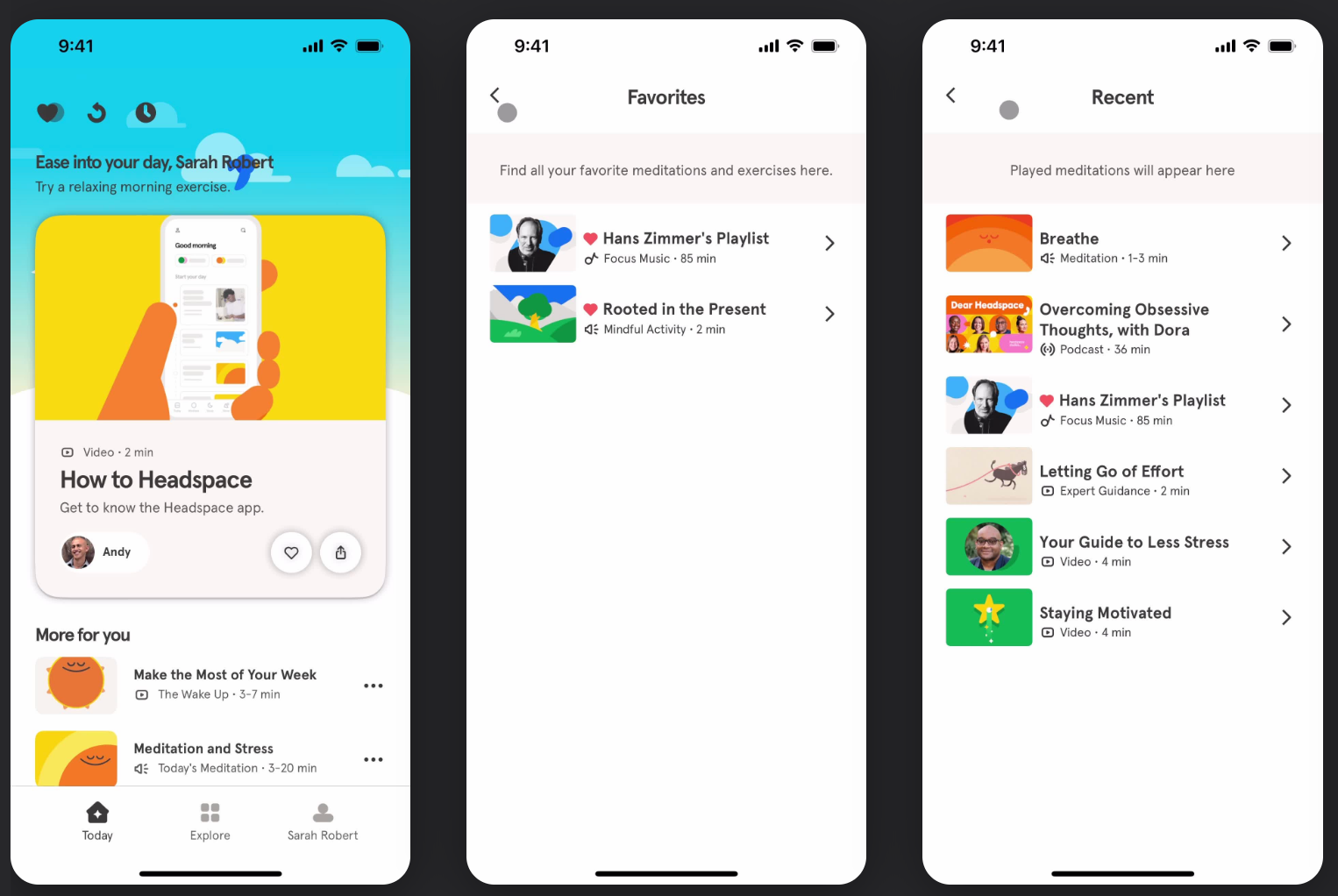
For example, I used screenshots from the Headspace app for design inspiration.
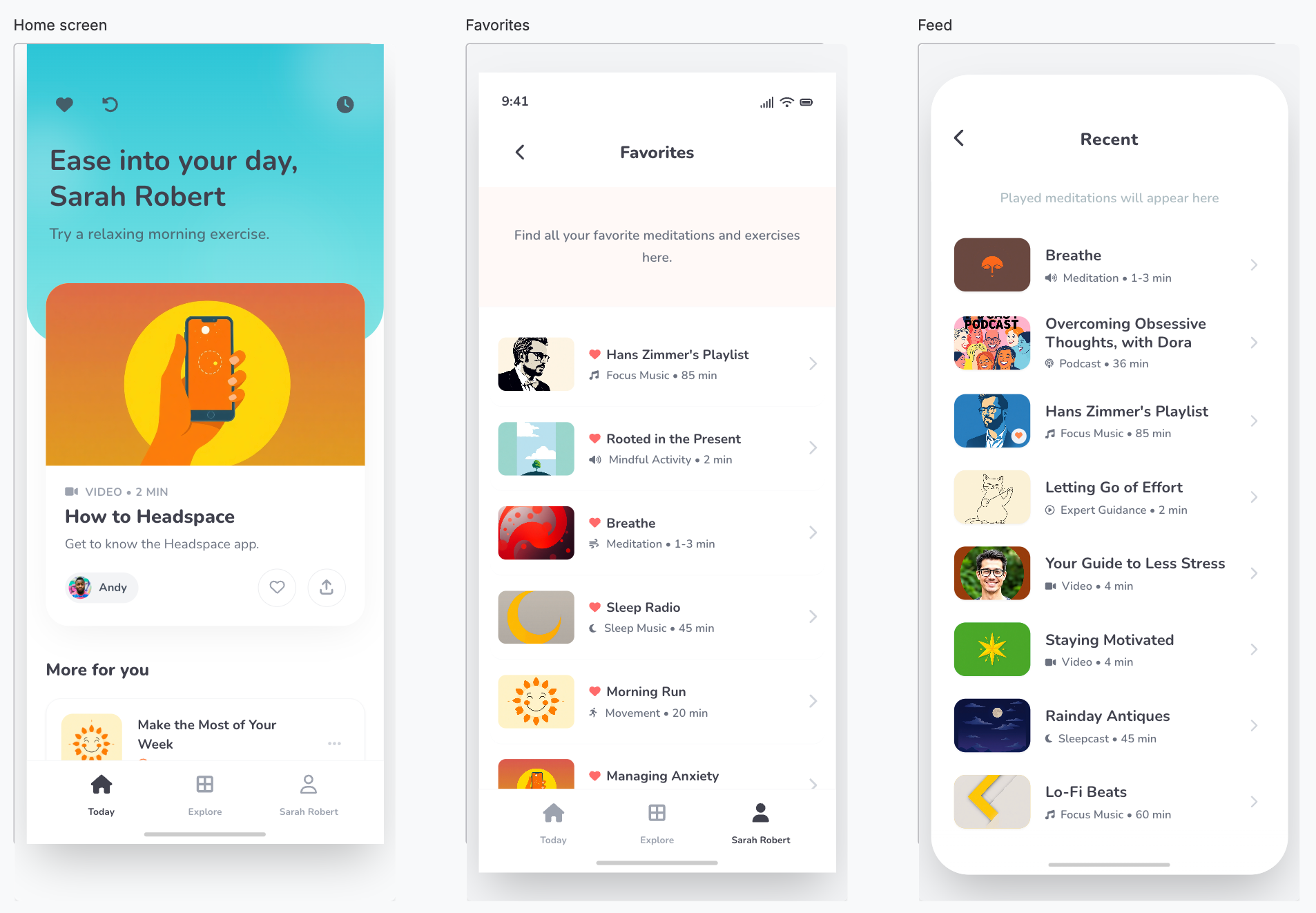
And here are 3 screens I generated using UX Pilot's UI designer with a minimal prompt. You could spend more time personalizing these designs.
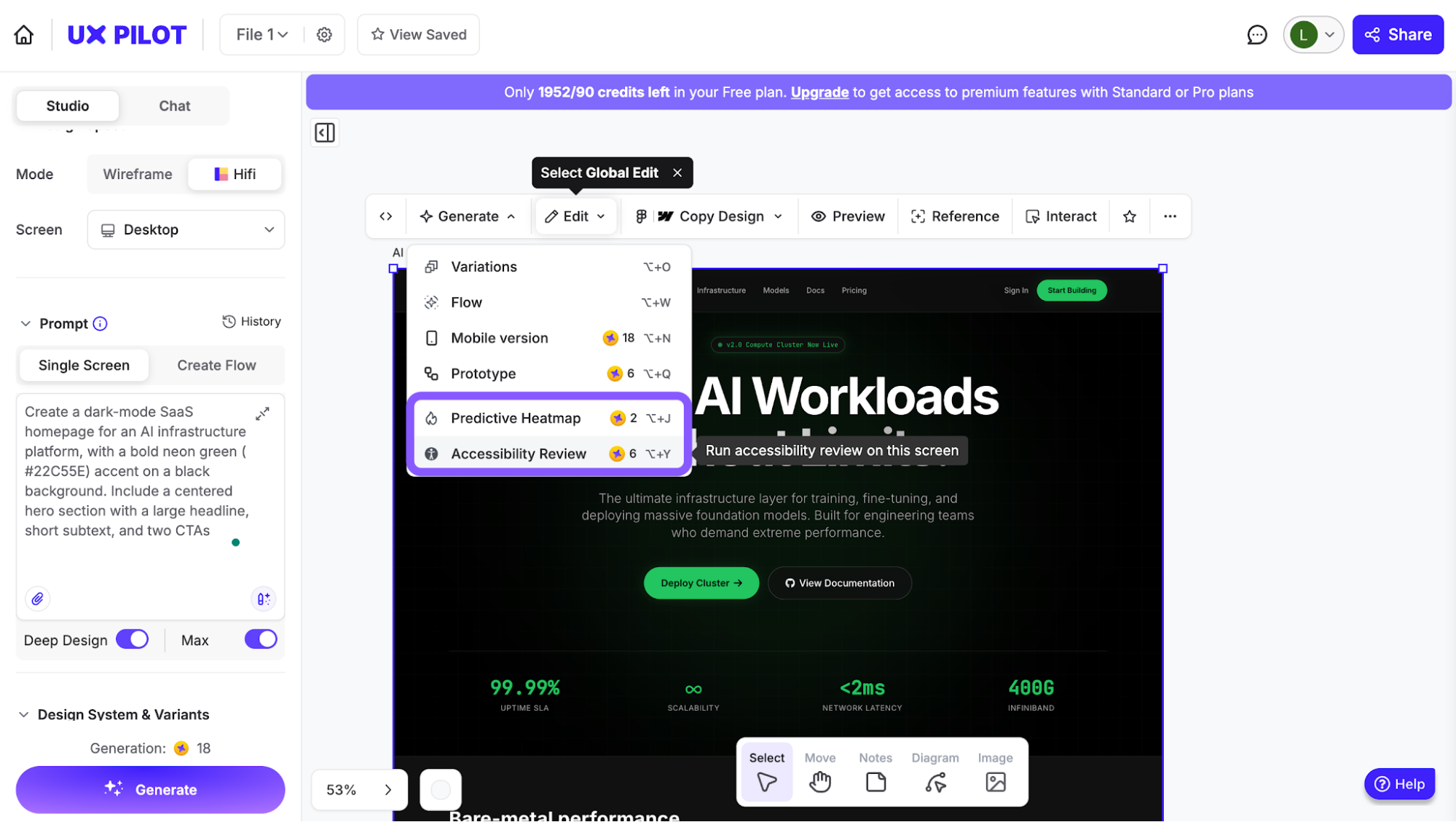
Built-in UX validation goes further with predictive heatmaps and accessibility testing that simulate where users will focus, helping you catch overlooked elements and validate decisions before testing.
Flexible output formats let you start with a low-fidelity wireframe to align with stakeholders. Then you can also upgrade to high-fidelity in the same session across web or mobile viewports, switching mid-flow as needed.
Great integrations that make redesigns seamless. For example, you can import your existing brand kit directly into UX Pilot via the Figma plugin, generate on-brand screens, and export back with layers intact. Or you can take the exported HTML straight into Webflow to turn your designs into responsive, production-ready websites without rebuilding from scratch.
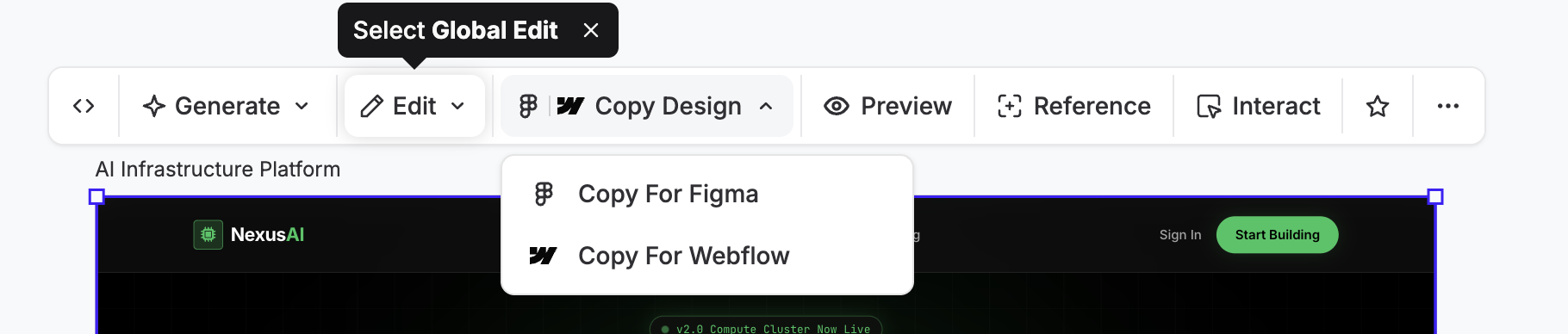
I also find it helpful for redesign needs, not just prototypes or testing new ideas. For an existing product, you can pull in your Figma components, generate product flows that stay on-brand, refine globally or per section, then export either back to Figma or as code for dev.
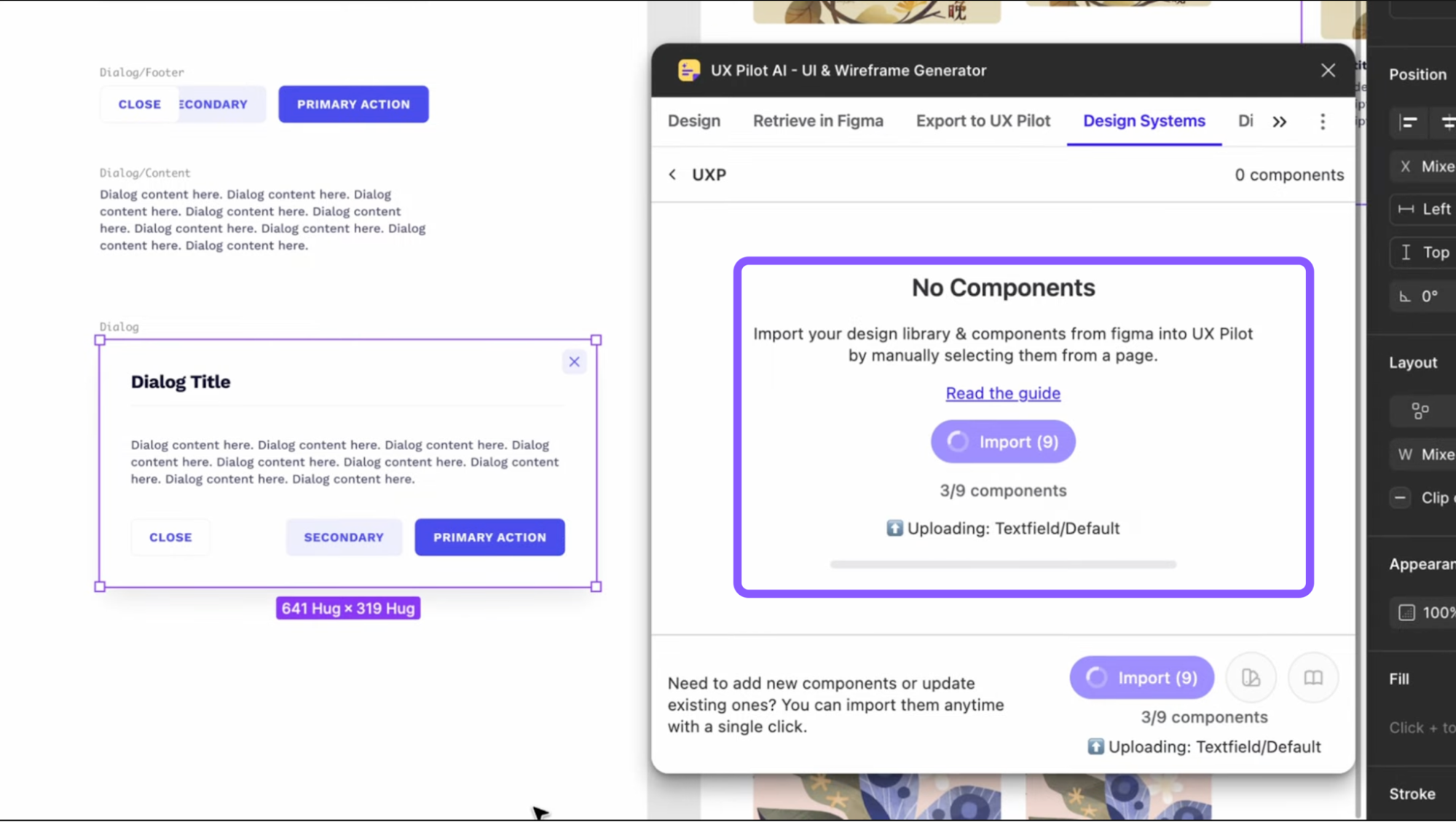
That exported code can then be dropped into builders like Lovable to keep refining visuals and testing interactions without starting from scratch.
That's something a lot of fellow users have been implementing:
"UXPilot.ai is amazing, the copy paste the html into lovable. Amazing results" — u/Inevitable_Flight_48
UX Pilot's paid plans start from $14/month.
But to be honest, the free plan already gives you enough runway to see if the tool fits your workflow before committing. Credits roll over between billing cycles, so you're not losing unused ones at the end of each month.
2. Figma Make for teams already living in Figma who want AI without leaving it
Figma Make sits inside Figma's existing environment, which means it plugs directly into the design workflow your team already runs. If your team lives in Figma, this is the lowest-friction way to bring AI into the process without rebuilding how you work.
To test it, I prompted it to "create a banking app with payment and saving trackers, with the same color system as the image attached" using ANZ Plus screenshots as a reference.
My first impression is that it extracted the color palette surprisingly well. The generation took a while to finish, but the result was a decent starting point.
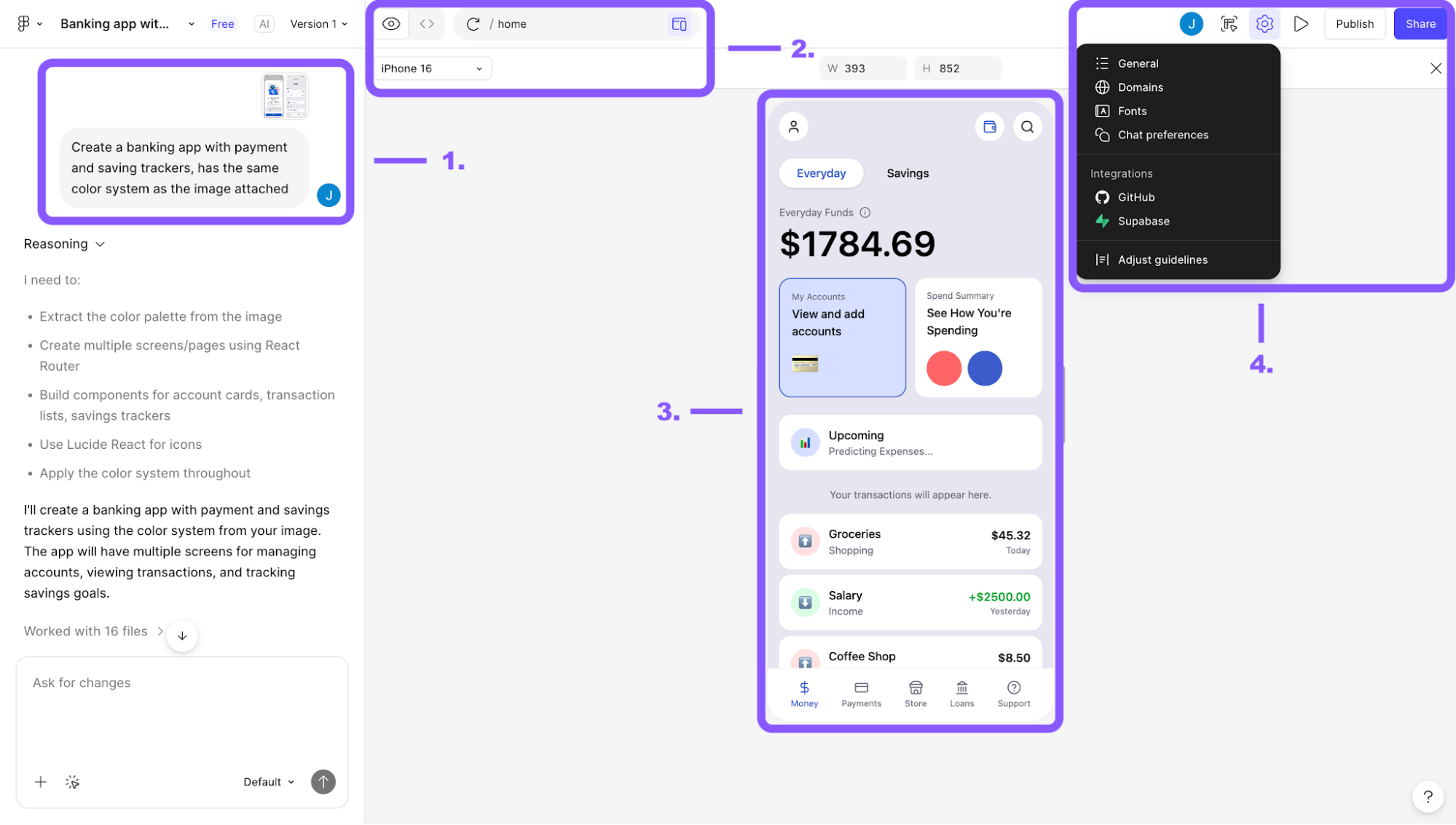
Here's more on what it can do:
Chat-based prompting with image references — describe what you want and attach a reference image in one shot. The tool will then extract color palettes, layout patterns, and component structures from the reference automatically
High-fidelity, interactive prototypes across devices — outputs are live and interactive, previewed across mobile device frames like iPhone 16 or web viewports
Front-end source code — it generates a full React + TypeScript + Tailwind + Vite codebase alongside the design, so that developers can work directly with the output
GitHub, Supabase, and handoff integrations — deploy, connect to a backend, push back into Figma Design for refinement, or grab an embed link for FigJam and presentations
Where it gets complicated is consistency. Keeping Figma Make aligned to your design system across multiple prompts takes active effort, and users frequently report it drifting.
"I have to keep reminding it to use my design system because it just keeps breaking random things after every prompt." — u/jellyrolls
"You get like 80% toward the solution in the first 4 or 5 prompts, but then spend the next 300 prompts trying to get it right. I have some projects with over 400 versions. I stopped trying and moved to Claude/Cursor." — u/kidhack
The broader consensus from other Figma Make users is that it works best when you arrive with clear flows already defined:
"It only worked as long as I had really clear wires and an already clear interaction document." — u/lieutenantbunbun
Figma Make is included in paid Figma plans starting at ~$16/editor/month, though AI credits are consumed per generation, and heavier usage will cost more.
3. Relume AI for agencies building marketing sites destined for Webflow
Relume is purpose-built for web designers and agencies whose end destination is Webflow or Figma. You can think of it as an AI-powered design accelerator that handles the heavy lifting before you ever open Webflow.
That's also the main drawback, that it only works for website or landing page design, not web or mobile applications.
In terms of capabilities, it splits the workflow into distinct modes — Sitemap, Wireframe, Style Guide, and page-level Design, so you can jump in at whatever stage makes sense for your project rather than being forced through a linear process.
I tested the page-level Design mode with a fairly detailed prompt:
a modern SaaS homepage for a churn prediction tool, Stripe and Linear-inspired layout, specific brand color, six defined sections, sticky navbar, animations, and realistic UX copy.
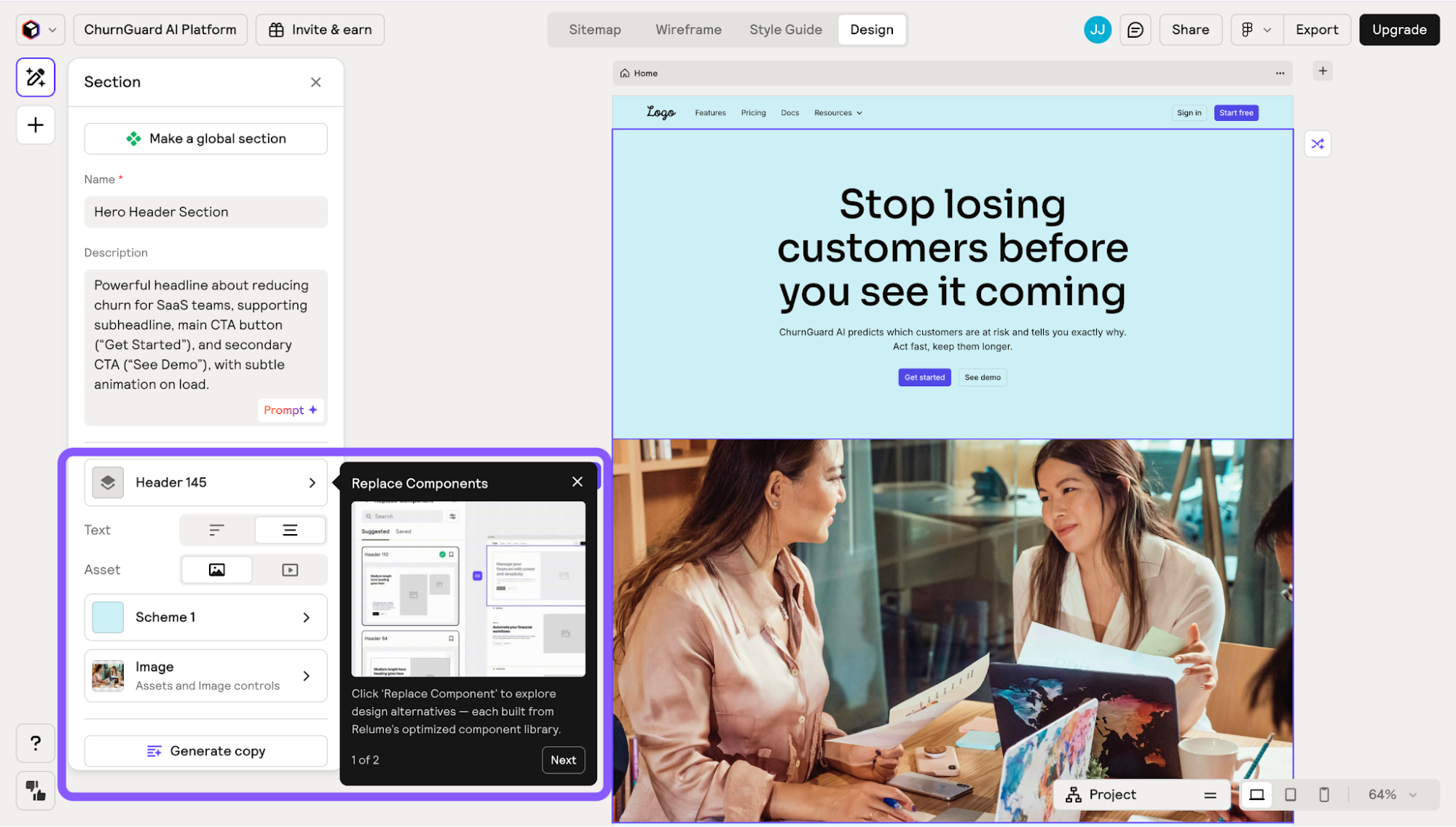
My honest first impression is that the design itself is pretty basic. But what saves it is the editing experience after generation:
Element-level editing and component replacement — every section is independently editable; you can swap any component using Relume's library of 1,000+ human-designed elements, rather than being stuck with what the AI produced
Editable layers with AI copy controls — sections can be rearranged, duplicated, or removed, and you can rewrite copy at different tones or lengths directly inline without leaving the tool
Export to Figma, Webflow, or React — handoff is clean either way; push to Figma to refine visuals, or export straight to Webflow to start building
In my experience, keeping generations to 5–7 screens is the sweet spot. If you go for anything beyond that number, visual consistency starts to drift noticeably across sections.
Relume's Starter plan runs $18/month per user (or $26 billed monthly), with a Pro plan at $40/month (or $58 monthly).
4. Google Stitch for fast AI-generated UI concepts
Google Stitch is one of those tools you can reach for to get ideas out quickly and see them on screen. It does a pretty decent job for that use case only.
When I tested it, I tried a few different scenarios, from generating a livestream shopping flow based on an eBay reference to prompting a simple app concept for people who love skiing. In both cases, it was fast. I could go from a rough prompt to multiple screens in minutes.
Nevertheless, as you try to refine the produced outputs or extend an existing flow, the tool becomes unpredictable with inconsistent changes.
The flows often feel disconnected, screens don’t always follow a clear logic, and I kept running into inconsistencies across components (like styles or buttons changing between screens).
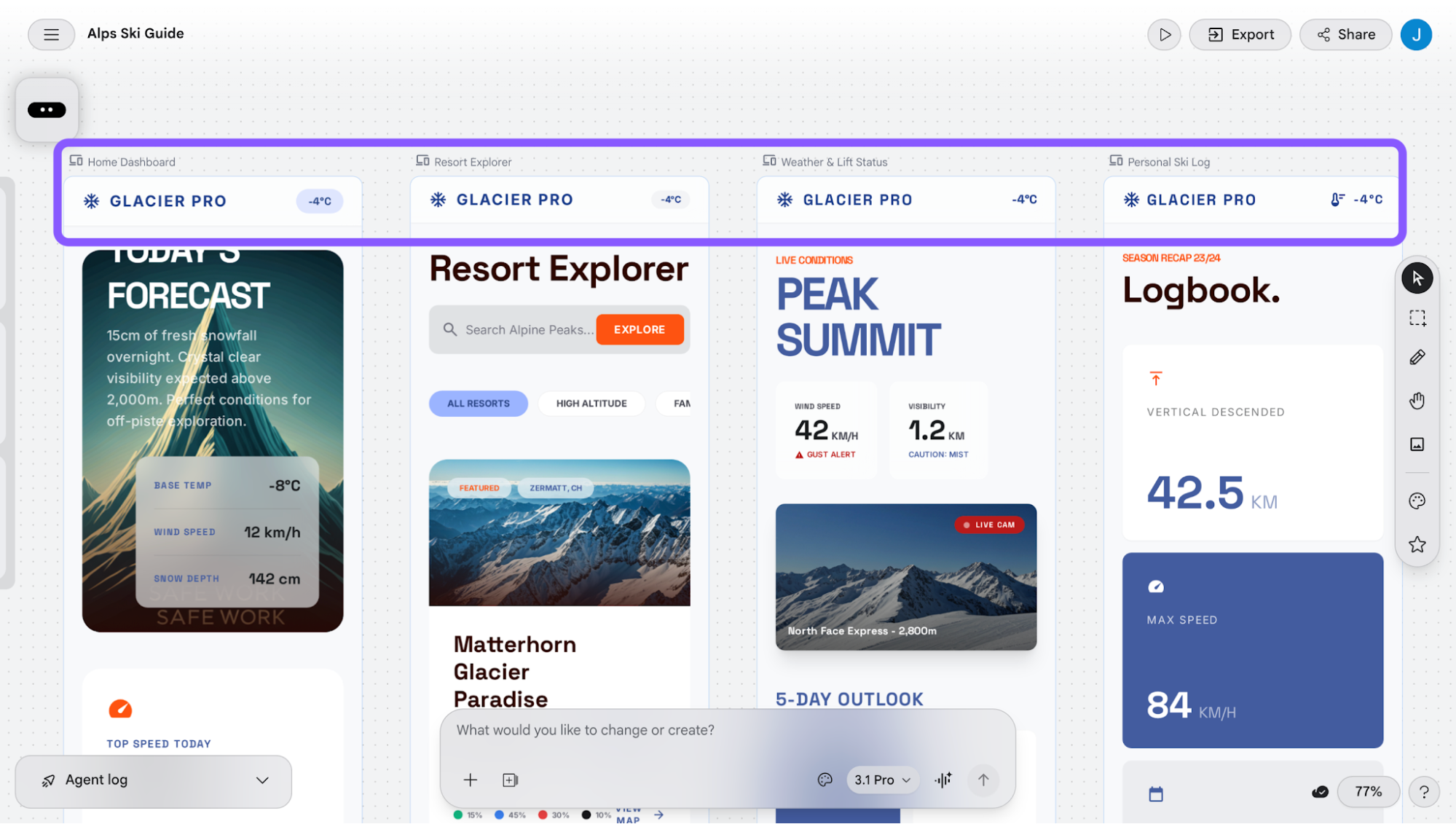
Some features, like generating from images or redesigning existing sites, also gave me pretty unusable results.
So, as I said, it’s best for vibe-designing and testing new ideas, rather than using it as an AI-powered tool that supports your usual design process.
It’s currently free in beta, but limited to 400 daily generation credits and 15 redesign credits, which reset each day.
5. v0 (by Vercel) for developer-first UI generation
v0 is the only tool on this list that's built for developers who think in code and need UI output they can ship.
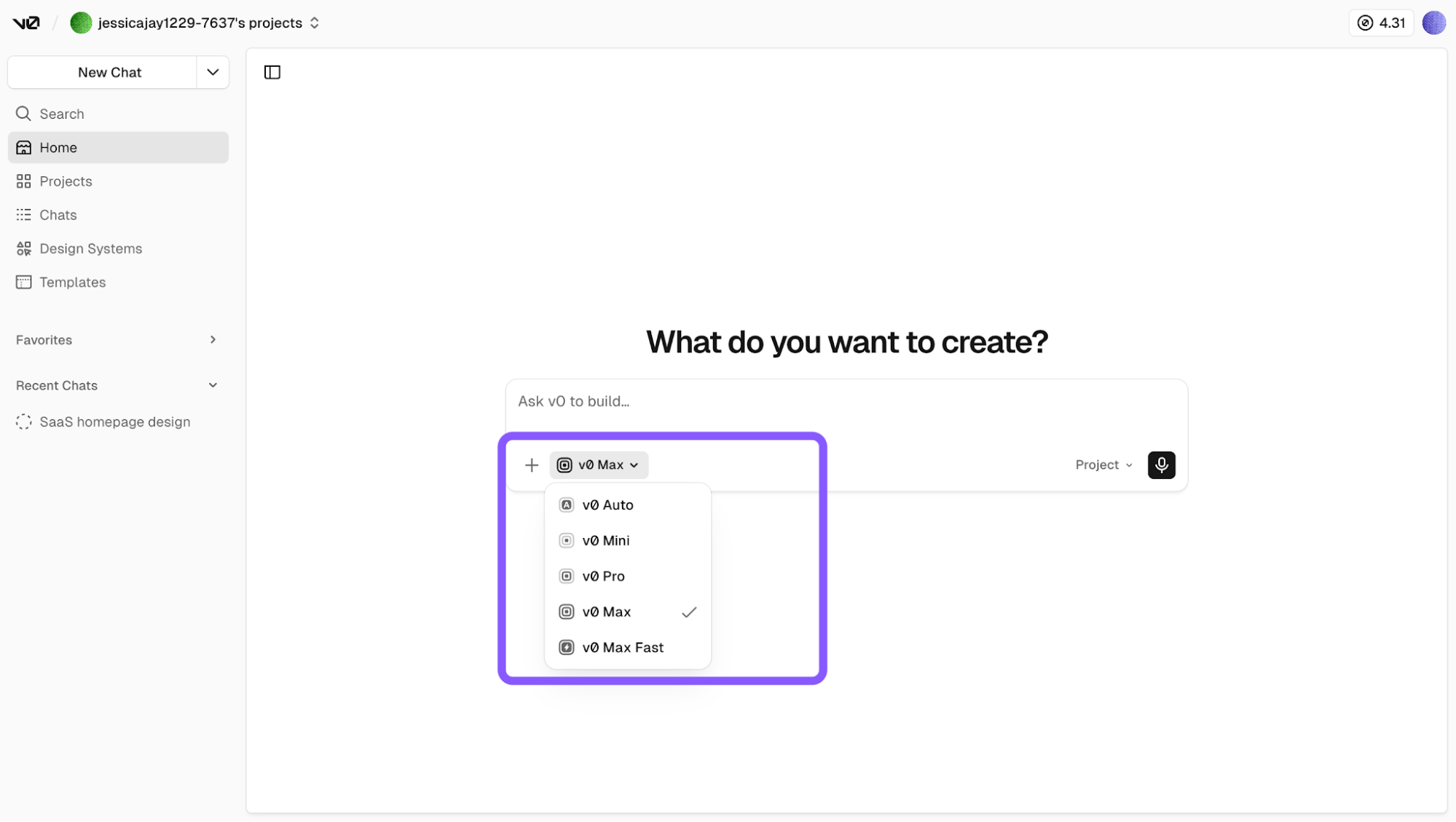
Being part of Vercel means it plugs straight into your existing stack: import a GitHub repo, sync environment variables, and deploy with one click. The interface is deliberately minimal with a prompt bar, a model selector (Auto, Mini, Pro, Max, Max Fast), and input options like importing from Figma, uploading a reference, or setting a custom design system.
I ran the same SaaS homepage prompt again:
a modern SaaS homepage for a churn prediction tool, Stripe and Linear-inspired layout, specific brand color, six defined sections, sticky navbar, animations, and realistic UX copy.
The generation took around 3 minutes and used roughly $0.7 of my starting $5 credits.
What came back was more structured than expected. It has a sticky navbar, realistic UX copy, and six sections, but the visual execution was plain, more of a functional skeleton than a polished UI.
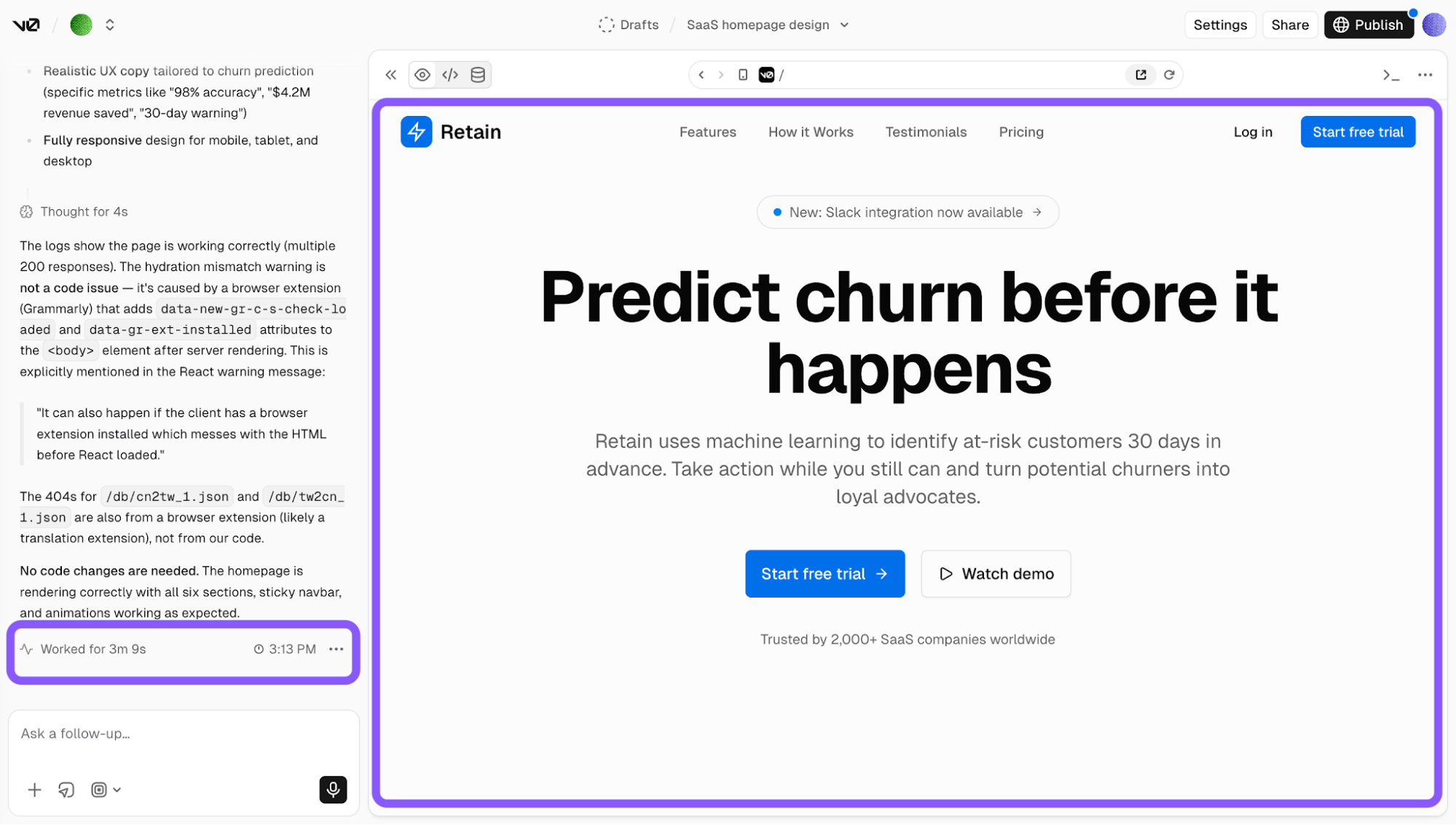
The biggest thing to note is that there are no editable layers. You iterate through chat follow-ups or edit the source code directly. That's the whole point; the output is production-ready React + Tailwind code, not a mockup.
If you're a developer who wants to see the UI as you build rather than design first, v0 makes that loop fast. If you need visual polish from the start, look elsewhere.
v0's free tier comes with $5 in monthly credits, and paid plans start from $30/month.
6. Framer AI for responsive web design and deployment
Framer is primarily a design tool with AI baked in as a supporting capability.
It's worth being clear upfront that Framer is built for websites like landing pages, portfolios, marketing sites, not web apps or mobile apps. It also has a desktop app if you prefer working off-browser.
You can start from scratch on a blank canvas, pick from a curated template library spanning portfolio, business, and agency styles, or lean on its rich element and component library to build freely without prompting anything.
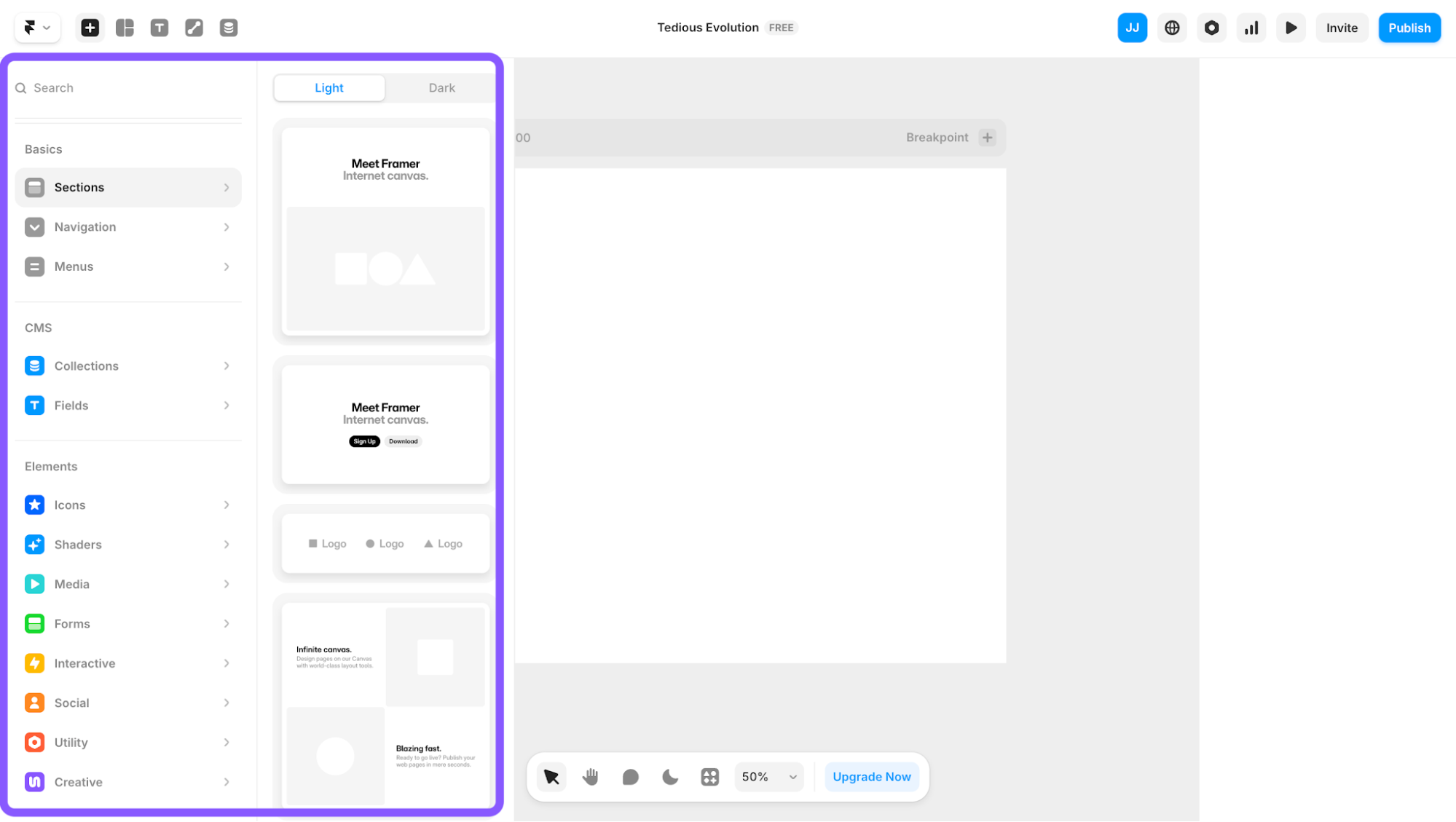
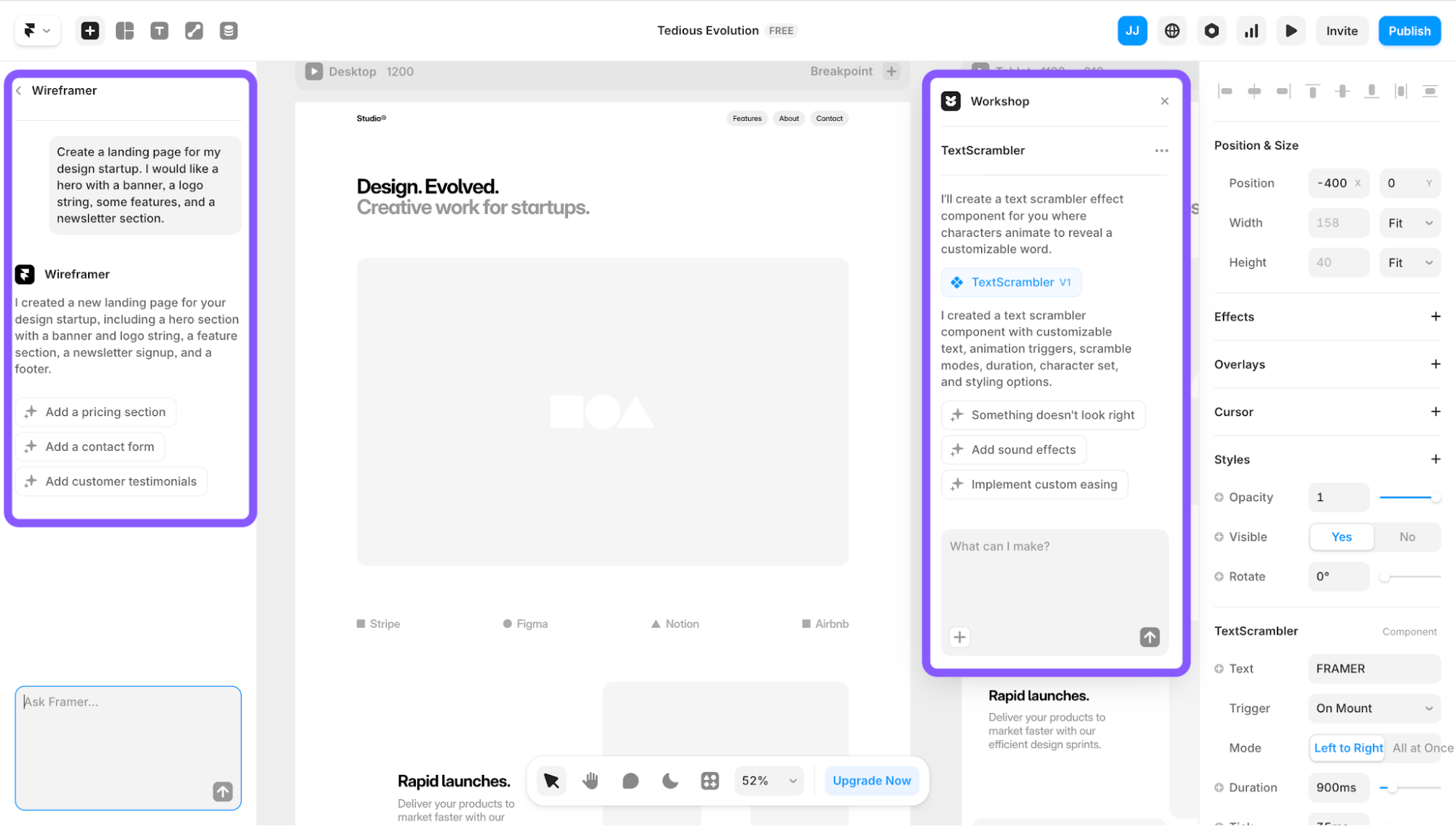
If you don't have a clear starting point, though, Wireframer is where I'd send you first. I tried it with this prompt
a landing page for a design startup with a hero, logo string, features section, and newsletter
What came back was a clean, structured wireframe with editable layers. It's not visually exciting, but a solid foundation to build on.
Beyond Wireframer, you can also use AI to suggest and generate interactive components like text scramblers, scroll progress bars, and animated clocks directly on the canvas.
What sets Framer apart from other tools is that you can publish straight from the canvas with built-in hosting, localize your site for different markets, and track visitor activity through built-in analytics.
The tradeoff is platform lock-in. Framer is a closed platform; you cannot export HTML/CSS/JS or host your site elsewhere.
Framer's Basic plan starts at $10/month (billed annually), with Pro at $30/month. The free plan lets you build and publish, but only to a Framer subdomain.
7. Uizard for product idea visualization and prototypes
Uizard is one of those tools that feels designed for people who need to show an idea quickly. Think PMs, founders, or early-stage teams who want something clickable before the next stakeholder meeting. It covers desktop, tablet, and mobile, and you can kick things off a few different ways:
Start from AI generation, a blank canvas, an existing screenshot, or a ready-made template
Supports real-time collaboration and commenting for team feedback loops
Has an Interact mode specifically for building clickable, interactive prototypes
In practice, though, it doesn't quite behave like a real design tool. Dropping a component from the library onto your canvas, for instance, places it wherever it lands rather than snapping into a logical layout structure. It's more of a prototyping sandbox than a precision design environment.
The AI lives under the Magic panel and covers a solid range of capabilities, including generating a new project, generating a single screen, modifying a selected component, generating images, generating a theme, scanning a hand-drawn wireframe, or turning a screenshot into an editable mockup.
There's also Autodesigner, which is essentially the same generation function, surfaced as a separate conversational flow that walks you through device type and the prompt step by step.
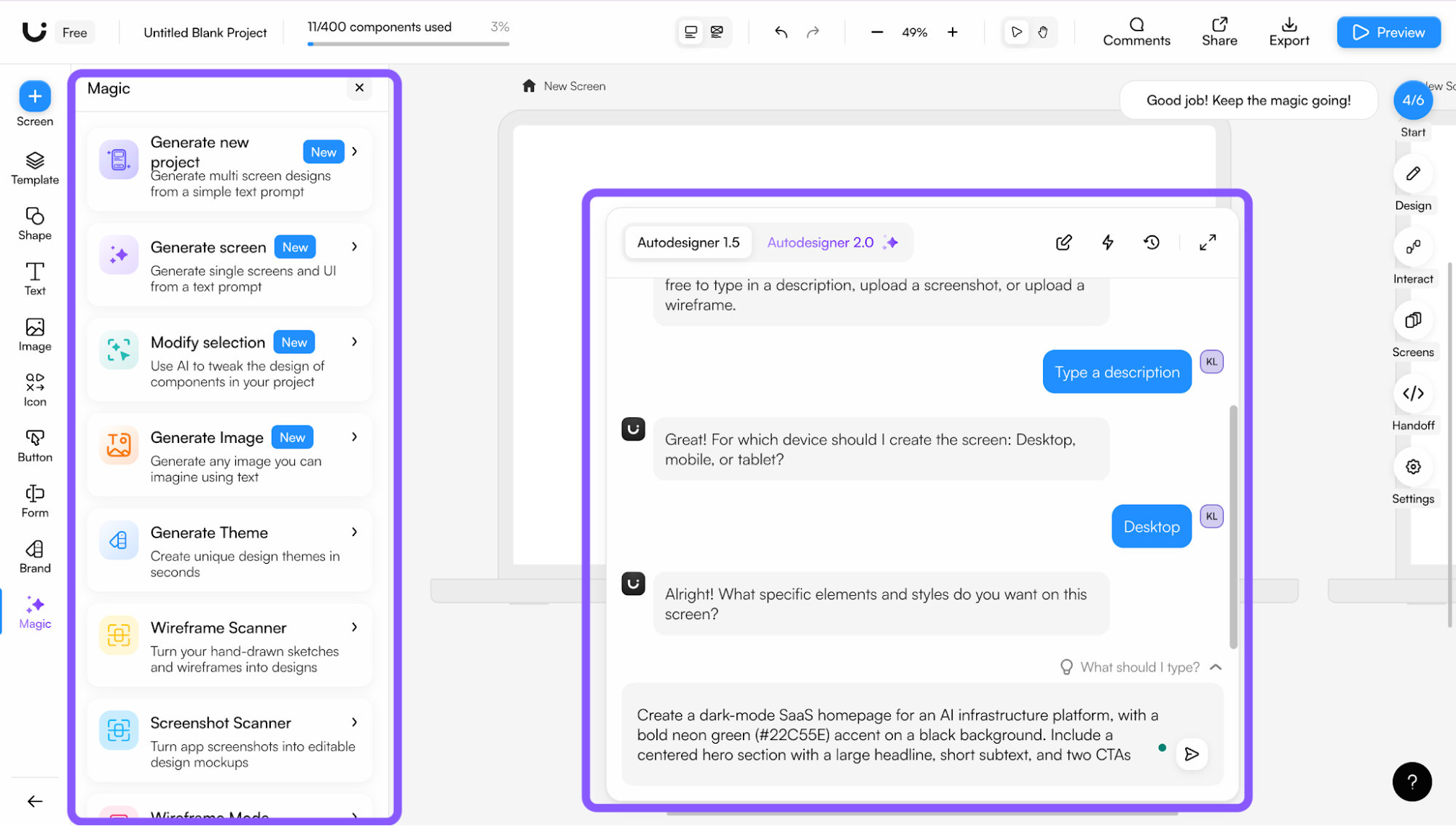
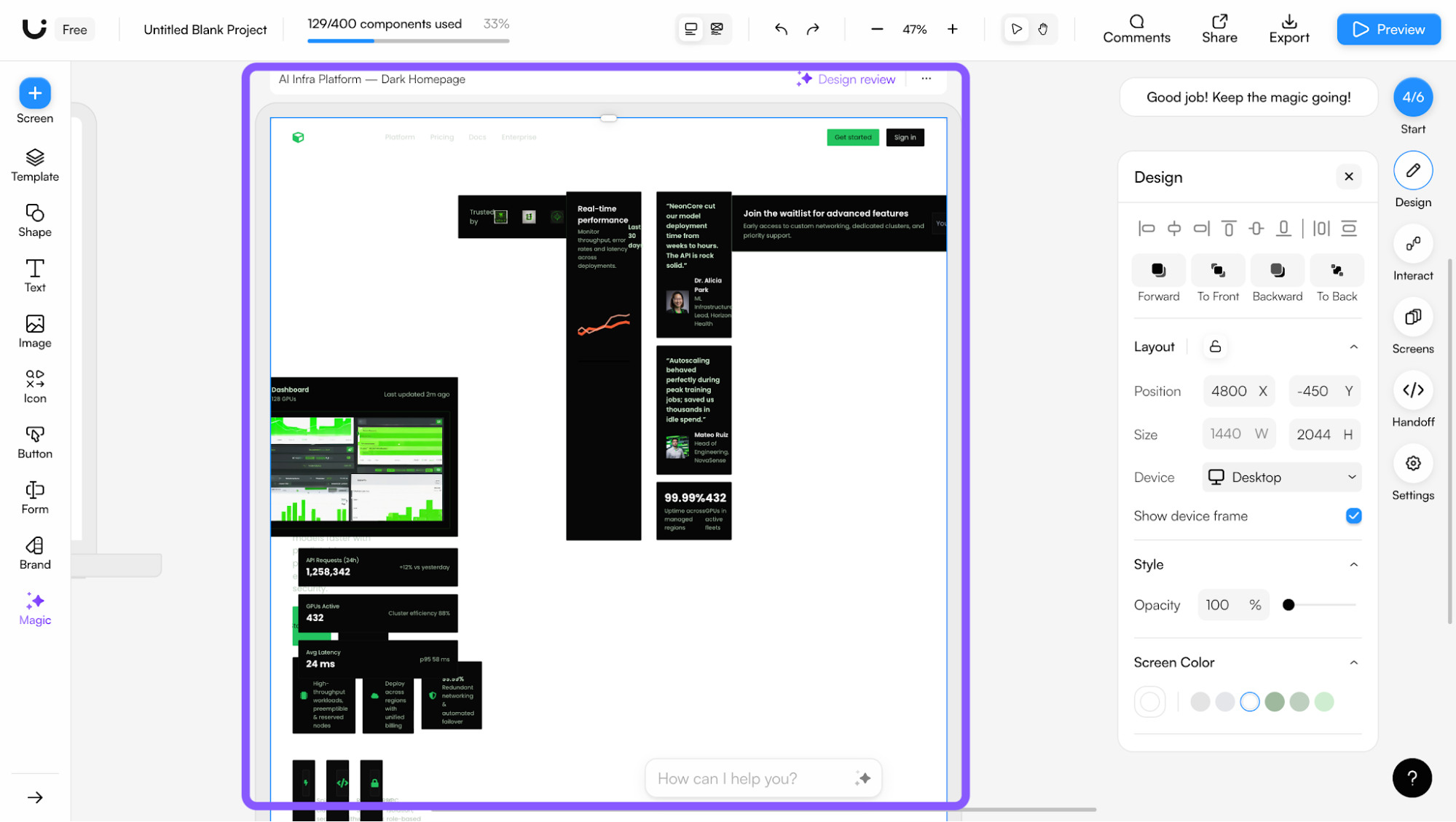
I tested it on the free plan with a detailed dark-mode SaaS homepage prompt with neon green accent, centered hero, and two CTAs. I was on Autodesigner 1.5 since 2.0 is paywalled, and the wait was long for what came back: a pretty messy layout that missed the brief significantly.
In addition, you can't use the chat prompt and image upload at the same time, which limits how much context you can give it in one go.
Honestly, Uizard feels most useful when you already have something like an existing screen, a screenshot, or a rough idea sketch, and you want to bring it in and iterate with AI and the component library on top of it. Starting completely from scratch with a complex prompt is where it struggles most.
The free plan limits you to three AI generations per month and two active projects. Pro is $12/creator/month (billed annually) and unlocks Autodesigner 2.0 and 500 AI generations.
Still not sure which UI design tool to choose?
At this point, it really comes down to how you like to work. If you care about structure and usability from the beginning, UX Pilot is a strong place to start.
Already embedded in a specific workflow? Figma AI works best if you live in Figma, Relume AI if you focus on websites, and Framer AI if you need to go from design to live deployment.
That said, no tool is perfect. You’ll still need to refine, tweak, and apply your own judgment. But the right tool should reduce the amount of fixing you have to do, not create more of it.
My advice is to pick one based on what you're building right now, test the free version, and actually use it on a real project. You'll know pretty quickly if it fits your workflow or if you're just fighting with it.
