12 Best Product Design Portfolios Analyzed for UX

Khanh Linh Le
Created on Jan 30, 2026
If you’re applying for a UX role, your portfolio matters more than almost anything else. According to the State of UX Hiring Report, around 90% of hiring managers expect a strong portfolio even for entry-level design positions, and nearly a third call it very important.
In a crowded market with hundreds of applicants per role, a strong portfolio is often the first filter recruiters use to decide who moves forward.
That’s why I put this article together. I analyzed 12 real product design portfolios from designers who’ve worked at companies like Google, Apple, Meta, Canva, and more.
I’ll break down what each portfolio does well, and what you can borrow to improve your own.
What makes a product design portfolio stand out
Here are the key elements that set you apart from other designers applying for the same role:
-
Strong case studies with clear outcomes. It’s not enough to show what you designed. The strongest portfolios clearly frame the problem, your role, and what changed because of your work. Outcomes don’t always need to be perfect metrics, but they should show direction, learning, or real-world impact.
-
Demonstration of the UX process. A strong product design portfolio should include a mix of work samples from each part of the design process, such as research insights, concept sketches, wireframes, and prototypes.
-
User-centered thinking. UX and product design are all about people. The strongest portfolios make it clear that your choices were rooted in user insights.
-
Strong storytelling with a compelling narrative.Storytelling is an essential tool for engaging potential employers in product design portfolios. Clear structure, context, and explanation help readers quickly understand what matters and why.
-
Evidence of business impact. Metrics, behavior change, adoption, retention, or even directional results help. They signal that you understand design as a tool to achieve business goals.
From everything I've studied about UX hiring, the portfolio websites that perform best are the ones that explain thinking and demonstrate a user-centric mindset.
There’s also the presentation layer to consider. Research shows that 94% of first impressions are design-related, which means your portfolio itself must demonstrate good UX.
That said, personality still has a place. You can sprinkle it in where it supports the story, as long as it never gets in the way of professionalism, readability, or clarity.
In the examples below, you’ll see how top designers put all of this into practice.
12 Portfolio case study examples from product designers
Instead of talking about what should work, I wanted to see what does. So I analyzed 12 UX case studies below.
Let’s examine what sets these examples apart and how they communicate value to potential clients and employers.
1. Bethany Heck — Leading design at Medium
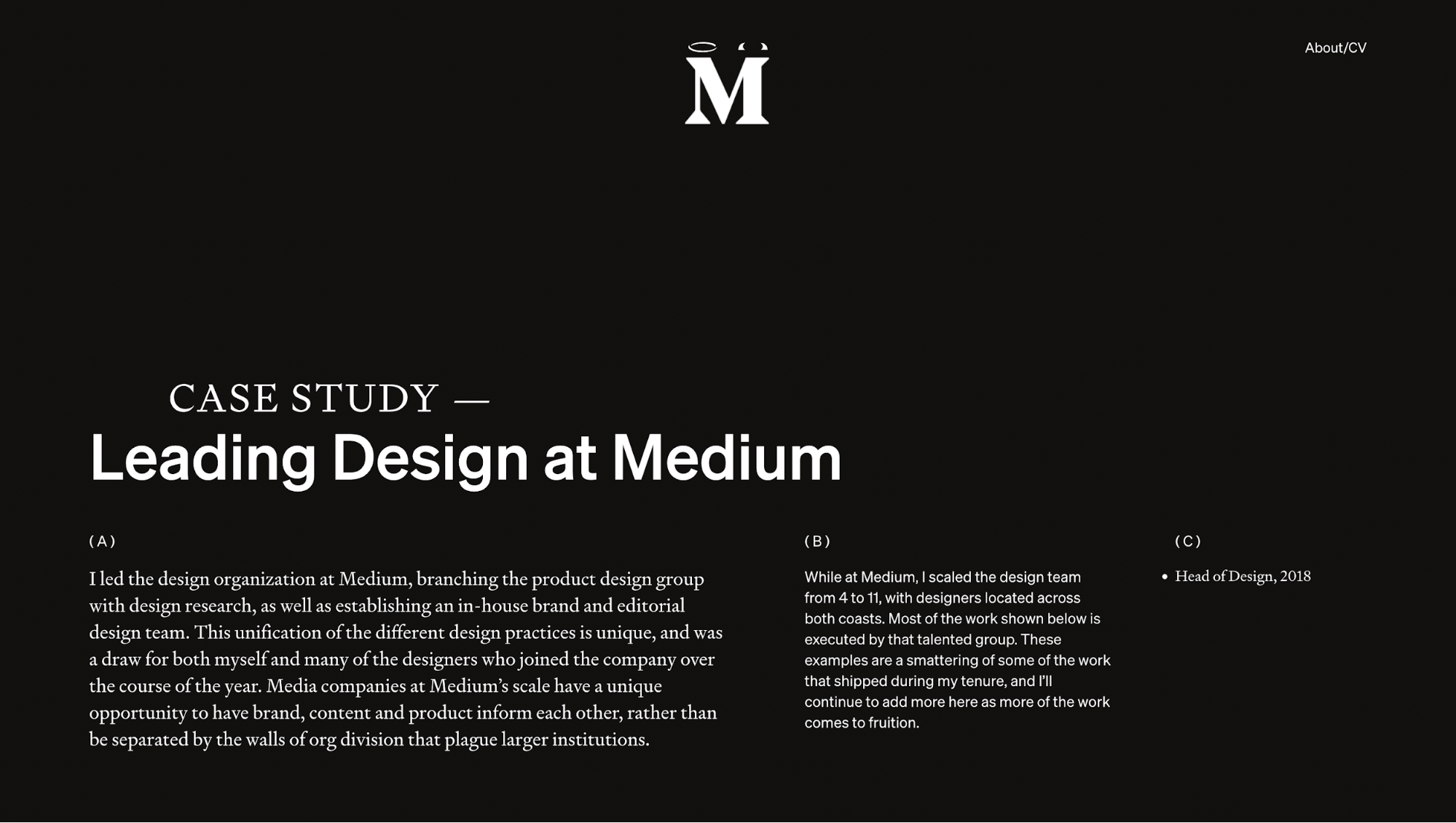
Heck's Medium case study is a great one because it shows you exactly how to present design leadership. She opens with her organizational vision, which covers unifying product, brand, and editorial design under one team. Then she walks through specific problems her team solved while crediting designers by name throughout.
Let me give you a quick summary of her case study structure:
-
The observed problem: Authors buried under stacked UI, users confused by complex layouts, brand-product visual disconnect
-
The research: Performance data showing imageless posts tanked, user confusion matching headlines to images
-
The insights: UI elements could be contextual instead of fixed, and complexity obscured what mattered
-
The solutions: Adaptive author lockups, simplified feature chunks, unified typography with Zerfallen
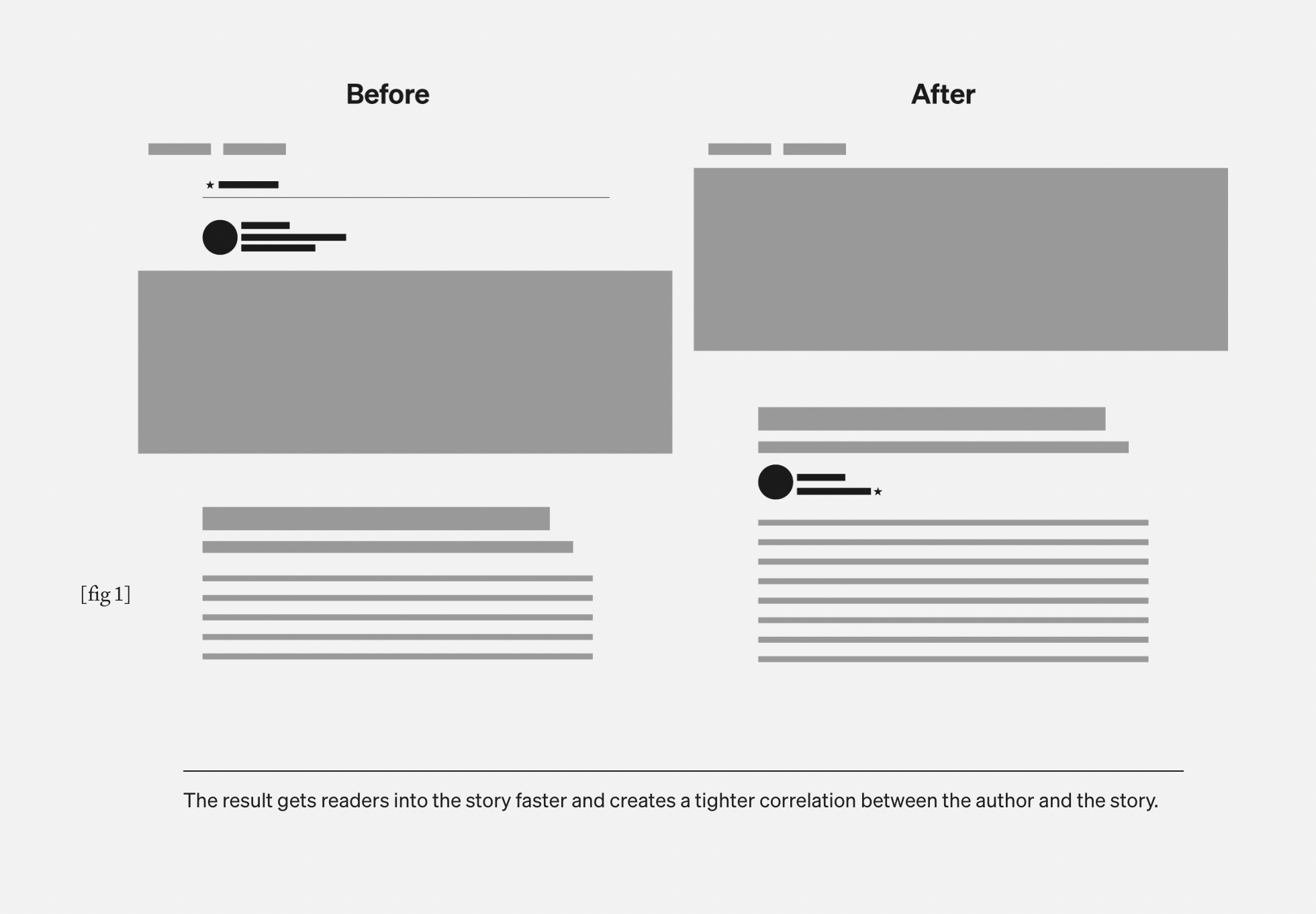
Take the hamburger effect problem as an example of how she thinks and solves problems. Initially, Medium's editor space is sacred, as what you write must match what the editor publishes.
So when Medium adds paywalls and meters, there is nowhere to put new UI except stacking it above and below the content. This pushes authors to the top, buries them under Chrome, and forces readers to scroll through clutter to reach the story.
Instead of accepting this constraint, she questions whether UI elements have to be fixed blocks. What if the author's lockup can adapt to story structure? Can they set up different configurations? Such questions help her shape later design decisions.
She works with designer Sarah Klearman to document every possible story configuration to ensure the contextual system maintains consistency across all edge cases. This single solution helps her team solve three problems: reclaiming space, keeping authors visible, and moving Medium closer to their vision of a flexible writing surface.
I think what makes this worth studying is how she grounds every problem in evidence, such as performance drops, user confusion, and strategic misalignment, and then demonstrates her reasoning with acknowledged trade-offs.
2. Simon Pan — Redesigning Uber's pickup experience
When you read Simon Pan’s Uber case study, you follow a single, unfolding narrative about how he makes the pickup experience work again.
Uber redesigned the pickup process by emphasizing transparent communication, clear steps, and an intuitive user interface.
Simon starts with field research, challenges assumptions about how people expect the app to behave, and builds toward a redesign that measurably improves key pickup metrics.
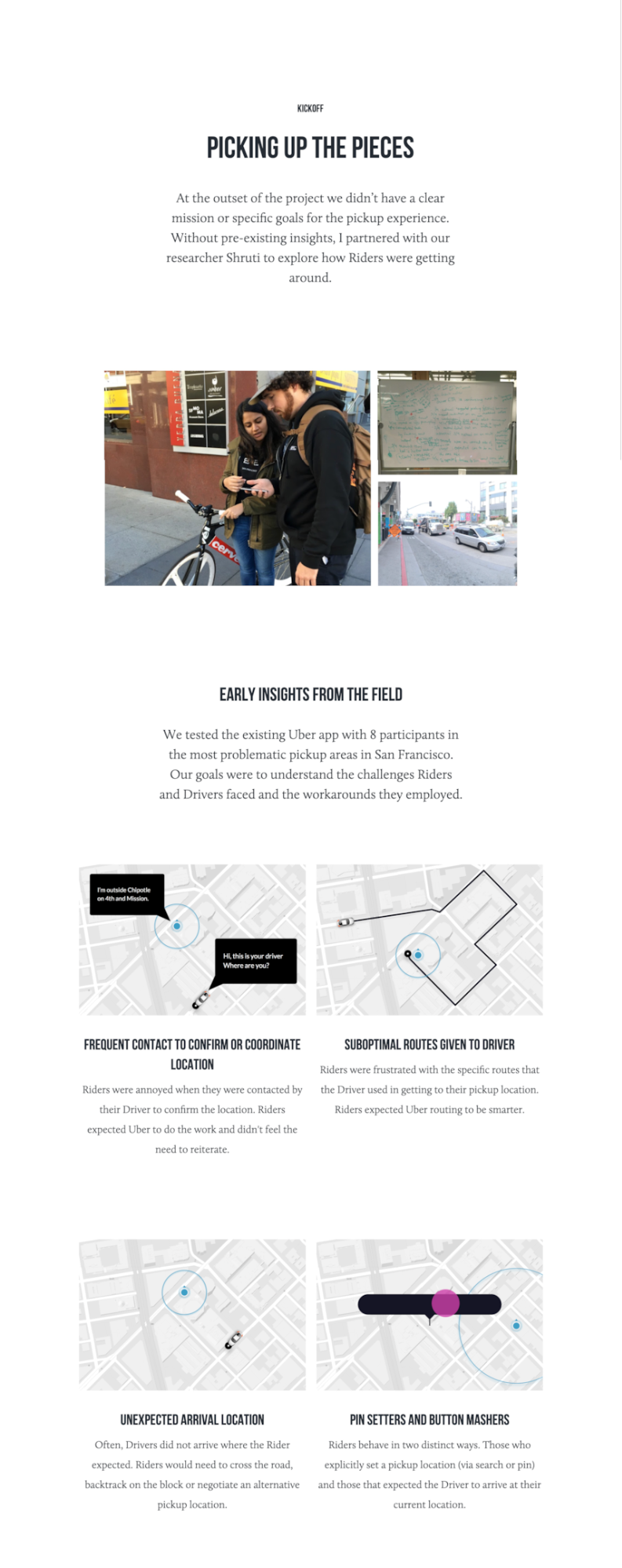
Here’s a look at how he structures the entire case study:
-
Problem framing (Design by accretion, Recapture the Magic in 10 Months)
-
Research and insight generation (Early insights from the field, Rider expectations changed over time)
-
Reframing the problem (Reframing the problem, Working backwards from perfect)
-
Solution design (Introducing Rendezvous, Better understanding where the rider is, Communicating location more intuitively)
-
Impact and reflection (Positive results and much more to do)
Across those sections, you'll notice how he helps solve three core problems:
-
Riders and drivers often miss each other because pickup points are unclear
-
Users waste time coordinating or walking to meet
-
The app adds features without reducing coordination effort
One innovative solution worth zooming in on is pickup inefficiency. Simon doesn’t accept the assumption that poor GPS alone causes pickup problems. So he goes on field research and asks why riders struggle to meet drivers in the first place. It later shows that 50 % of riders don’t set a pickup location, and half of all sessions are >100 m inaccurate. This means Uber often sends drivers to the wrong place.
This also results in costly operations. For example, in dense cities like San Francisco, failed pickups cost Uber over $1 million per week.
From that insight, he reframes the problem. Instead of making riders pick a precise location, ask for the destination first and use that time to warm up the GPS and infer a better pickup plan.
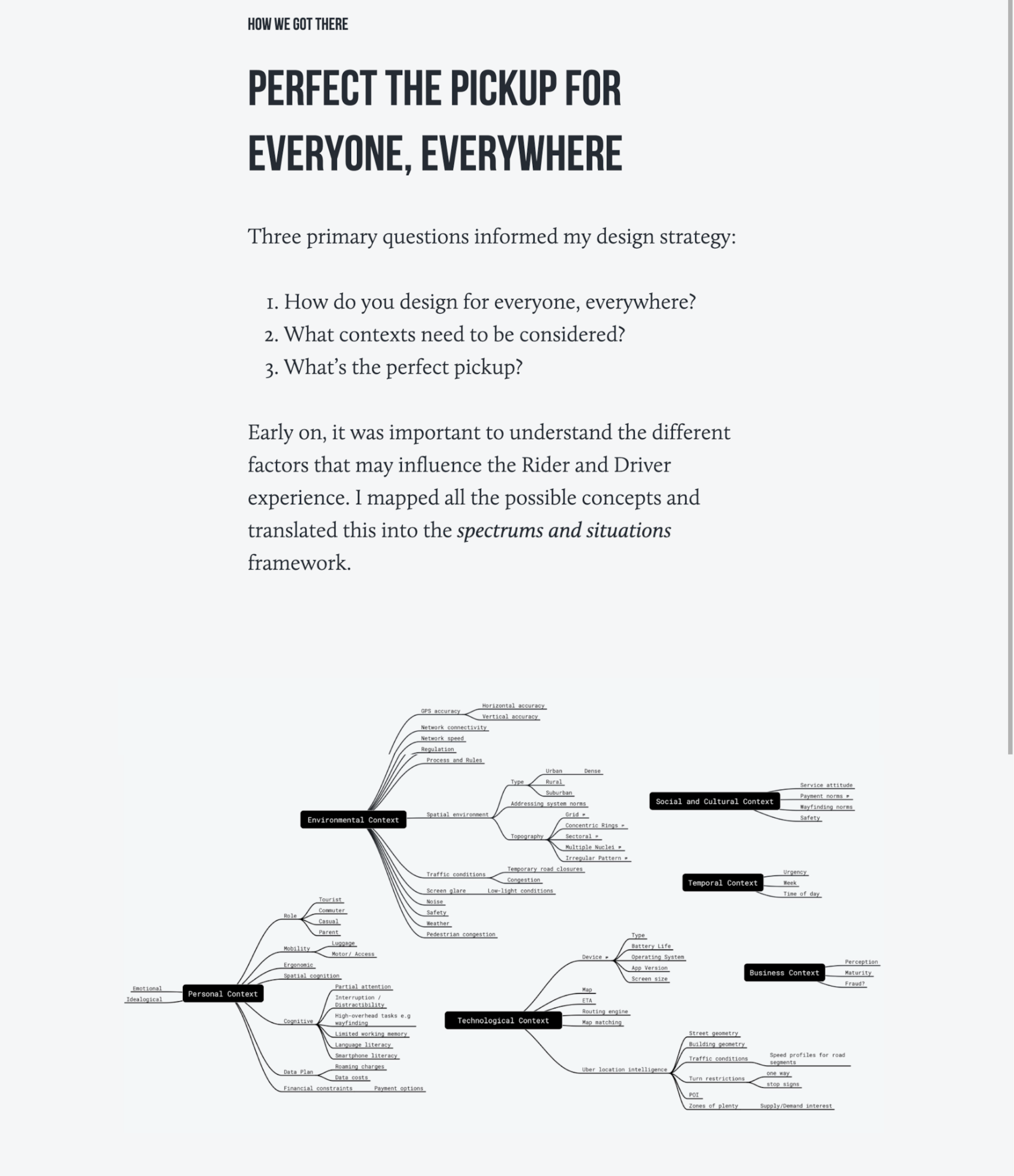
This shift leads to Live Locations and Destination First, and measurable impact across key metrics. This includes a 34% reduction in error distance, a 20% decrease in driver wait times, and a 17% increase in high-precision pickups.
3. Morgan Bathe — Adding social recommendations to Spotify
When you don't have real work experience yet, I think Morgan Bathe's approach is brilliant for showing how to build a credible case study to present your skills as a UX designer.
Her method is pretty straightforward. That is to pick a brand you know well, treat it like a real project, and document every step.
She starts by thinking of a potential problem that Spotify might have. In her case, she defines it as boosting engagement through expanded social capabilities.
What impresses me is how rigorous her research gets:
-
Market stats showing Spotify's massive user base and mobile dominance
-
Competitive analysis highlighting differentiation gaps
-
Seven in-person user interviews about listening habits and music sharing
Every research phase produces a deliverable you can see, such as empathy maps with color-coded sticky notes, provisional personas, and app audits.
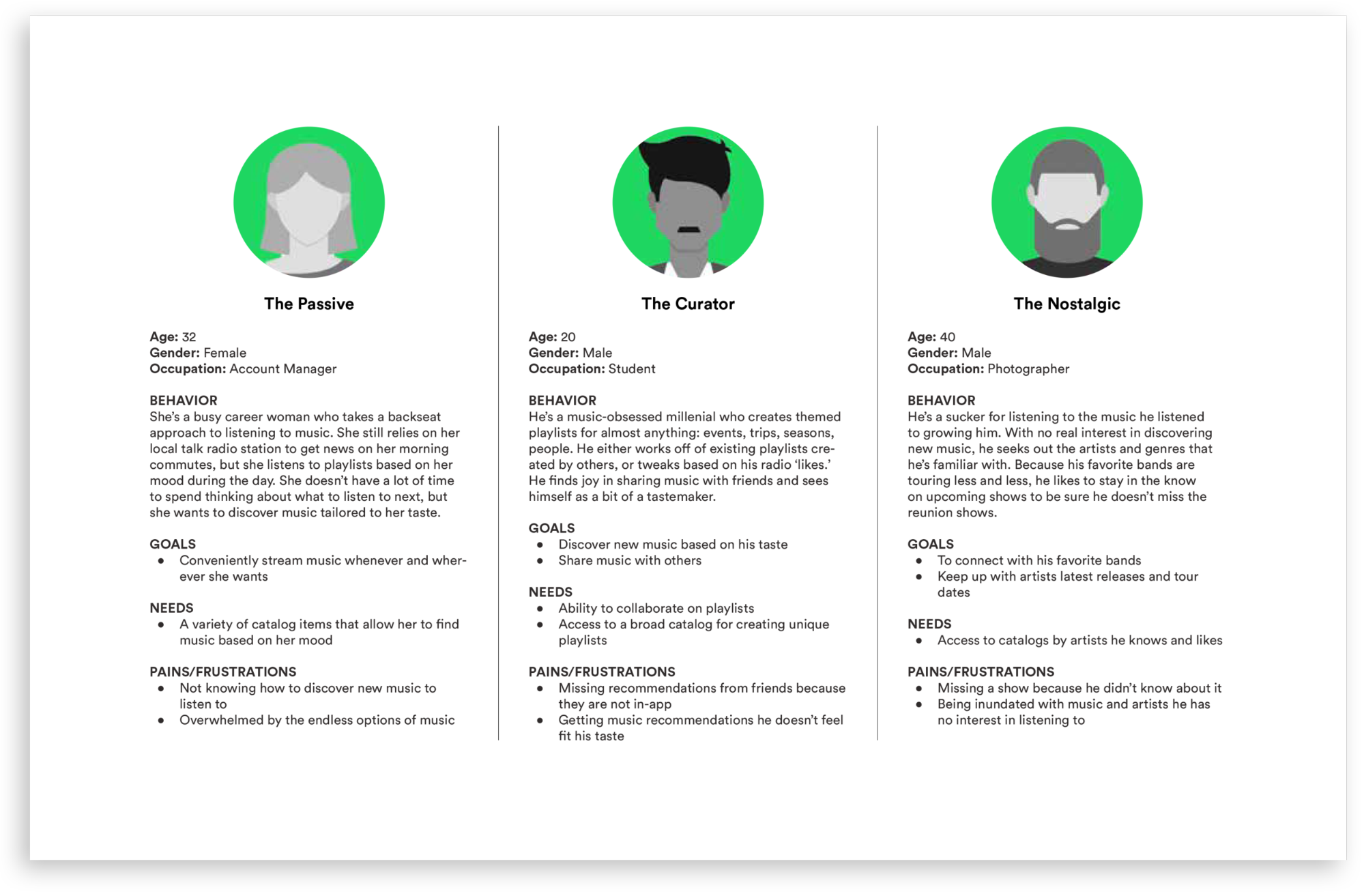
From that research, she synthesizes core insights and user needs like wanting direct music sharing, connecting with friends who have similar tastes, and collaborating on playlists.
She frames these as Point-of-View statements and How Might We questions, then brainstorms solutions, aligning user needs with Spotify's business mission.
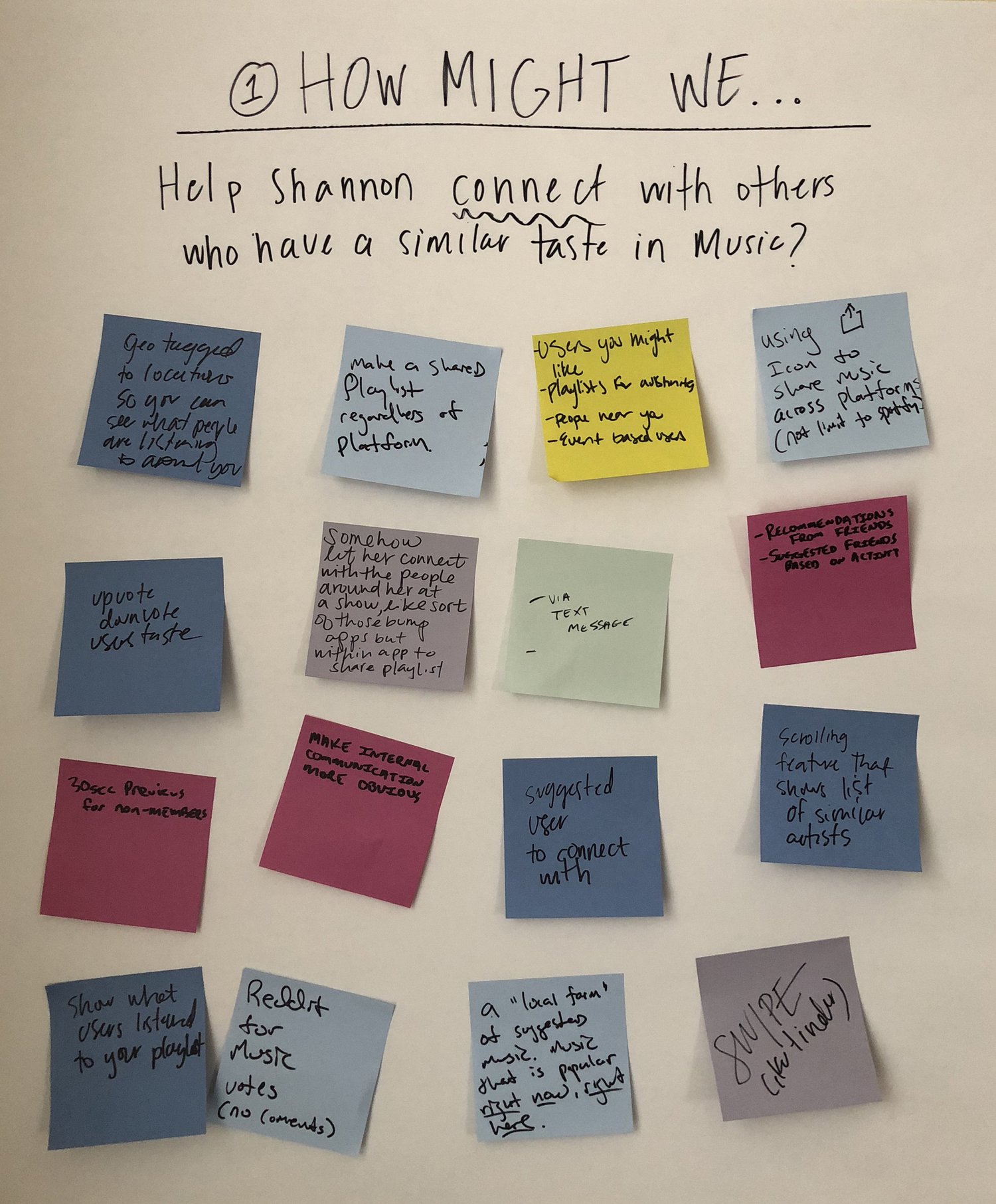
With that foundation, she is able to:
-
Build user flows and wireframes,
-
Test prototypes with real users,
-
Use feedback (e.g., people expect recommendation history outside the profile page) to iterate.
Nonetheless, that isn't without reflection. At the end, she realizes that some of these features don’t truly belong inside a music streaming app, so she steps back from continuing the design process.
I still think there’s a lot to learn here, regardless of whether this is for a job or not. The value lies in seeing how someone questions their own ideas, revisits assumptions, and reshapes a solution to better fit the product’s core purpose.
4. Nate Bauer — Designing Centene's recovery platform
Nate Bauer’s Centene Recovery Platform case study is a great example of how to present a long-term, high-complexity product initiative in your portfolio.
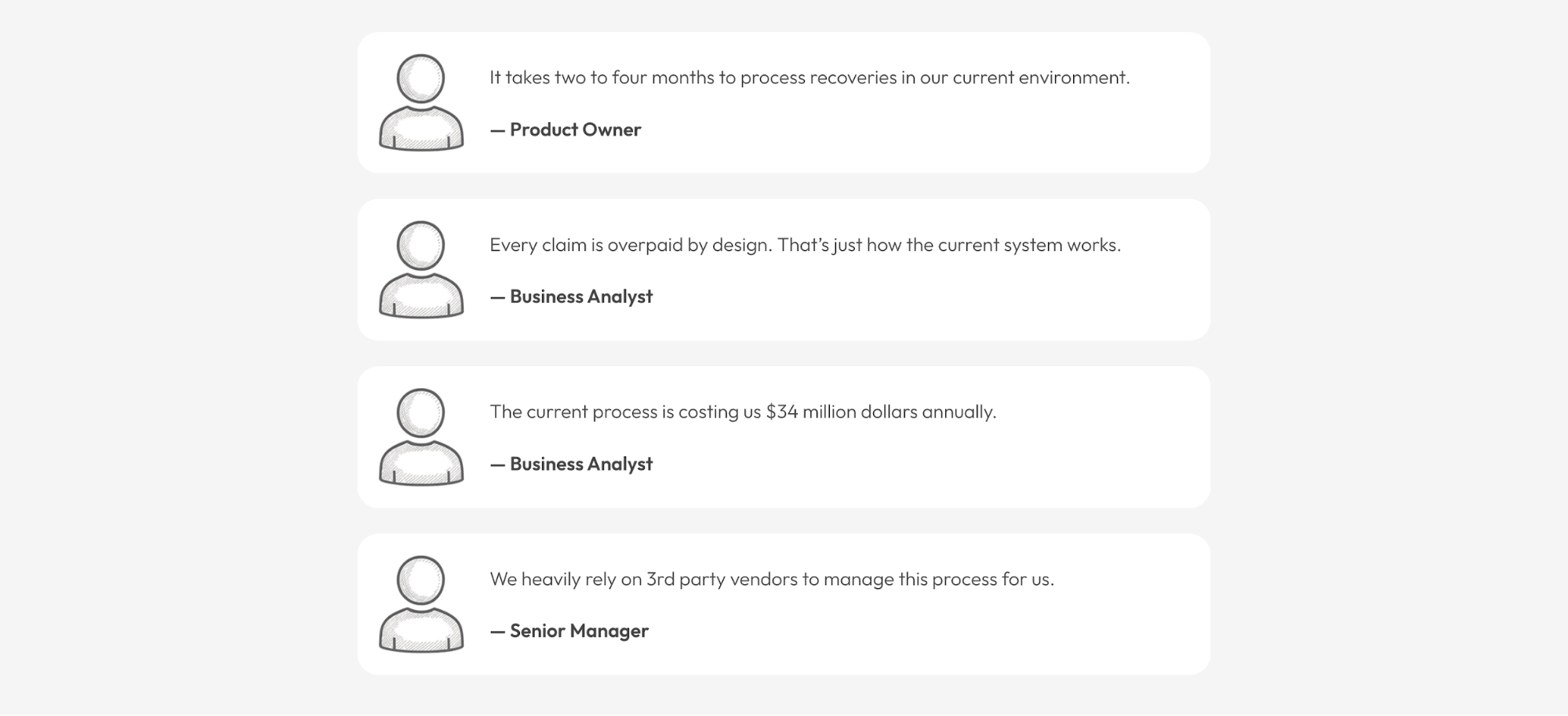
At the outset, hospitals and insurers face a system where every claim is overpaid by design, leading to 2–4 months of recovery processing, lots of errors, and $34 million in annual waste.
To solve that, he organizes his approach around team alignment and measurable outcomes instead of features:
-
Team setup & alignment: He brings people together from product, engineering, and analytics using tools like the Product Canvas so everyone agrees on what the problem is and why it matters.
-
Dual-Track Agile: He introduces a cadence that keeps discovery (research and design) ahead of delivery (build), enabling design to inform development instead of trailing it.
-
Hypothesis prioritization: He turns insights from the Product Canvas into testable hypotheses and maps them against effort and impact. This is a critical process that aligns product owners, developers, and analysts on what to validate first.
When it comes time to design and build, Nate uses an innovative method called Slicing. Rather than redesigning the full platform at once, he slices the recovery experience into smaller capabilities that can be designed, tested, and delivered independently.
The diagrams that show slices mapped against hypotheses and delivery cycles make such an approach even more explicit.
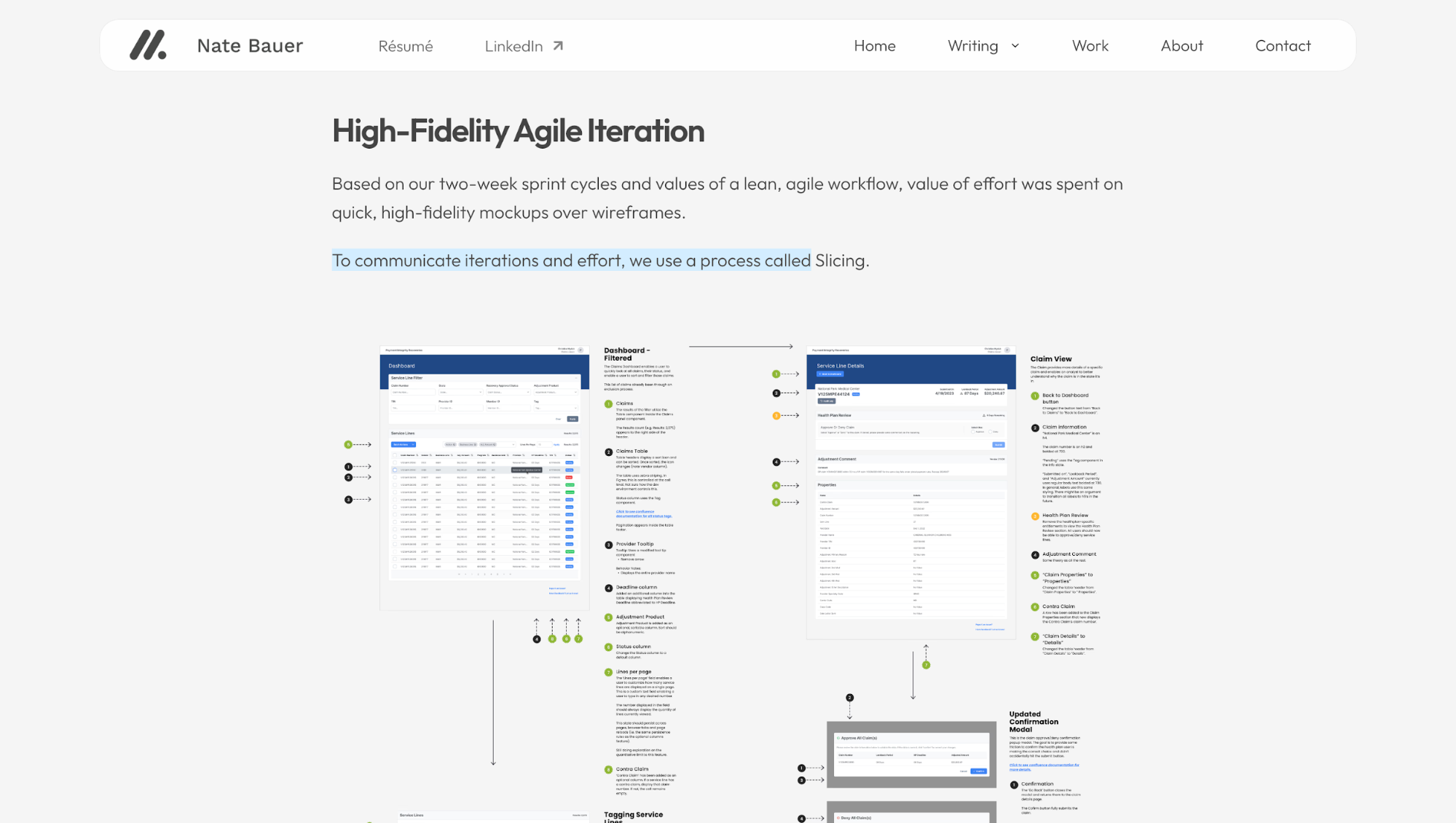
By the end of the two-year initiative, the result is a validated set of outcomes with 182 tested hypotheses, 64 conducted usability tests, and 207 addressed user needs.
If you want your portfolio to communicate senior-level thinking, you can use Nate's method. That is to show how you break down big problems into workable parts.
5. Jesse Warren — Building DemocracyOS for civic engagement
Jesse Warren's DemocracyOS case study shows you how to present a 0-to-1 product as both a business opportunity and a solution to a systemic problem.
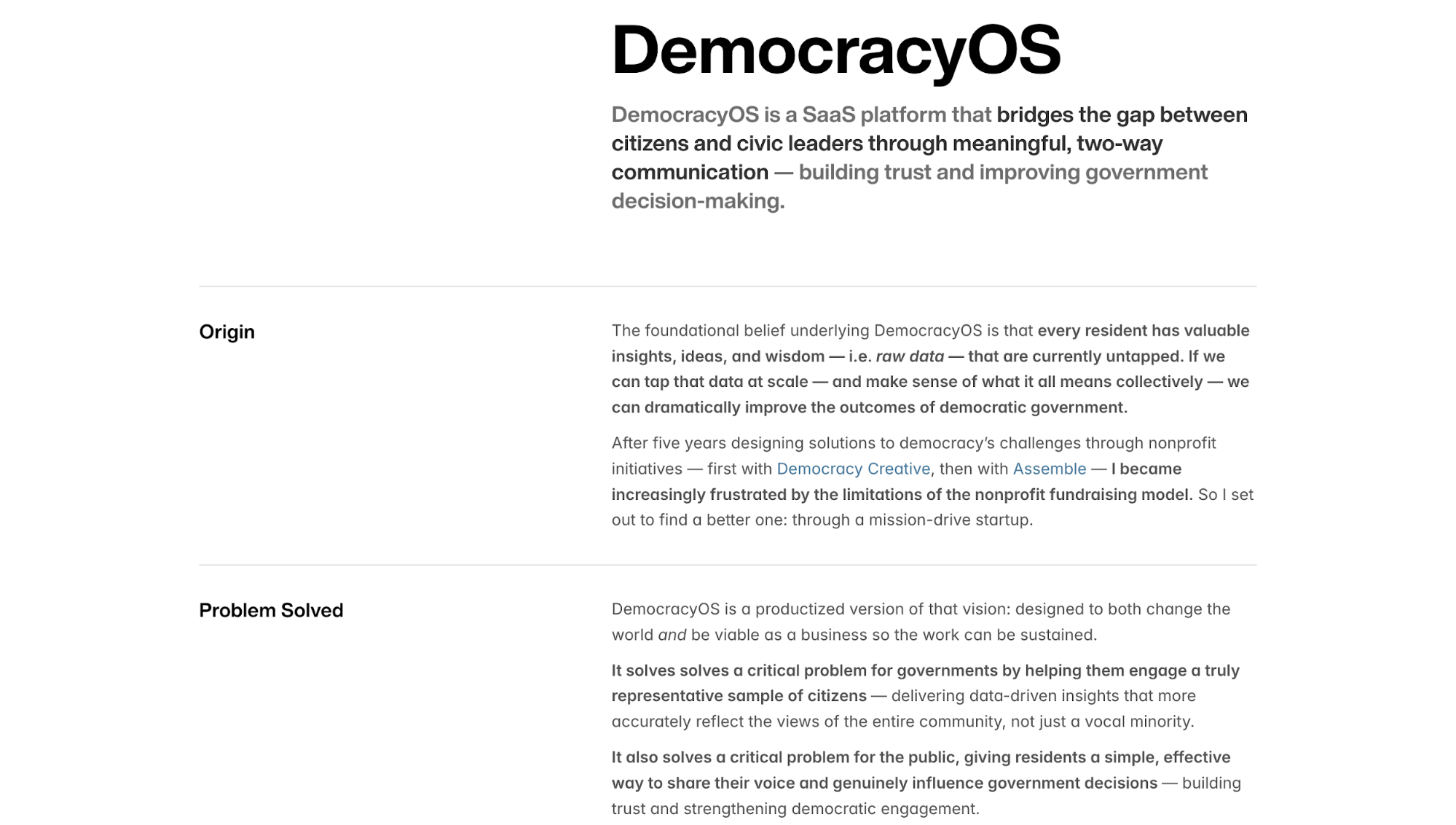
The very first thing he does is to gather data. He interviews 22 civic leaders and residents and consistently hears the same things. That participation feels pointless, and governments keep hearing from the same small group of people.
Using Tony Fadell’s framework, he organizes the research into eight concrete pain points, split cleanly across both sides of the system:
-
For civic leaders: limited resources, overwhelming volumes of data, poor representation, and slow insight generation
-
For the public: lack of agency, confusion about civic processes, weak community connection, declining trust
I think this step matters because it prevents the work from drifting into abstract “engagement” goals.
This synthesis sets up the next step in which Jesse reframes each pain point into “How might we” questions and clusters them into four themes. What's clever is how these themes literally become his product architecture, where Collection equals SMS, Representation means random sampling, and Trust is built through feedback loops.
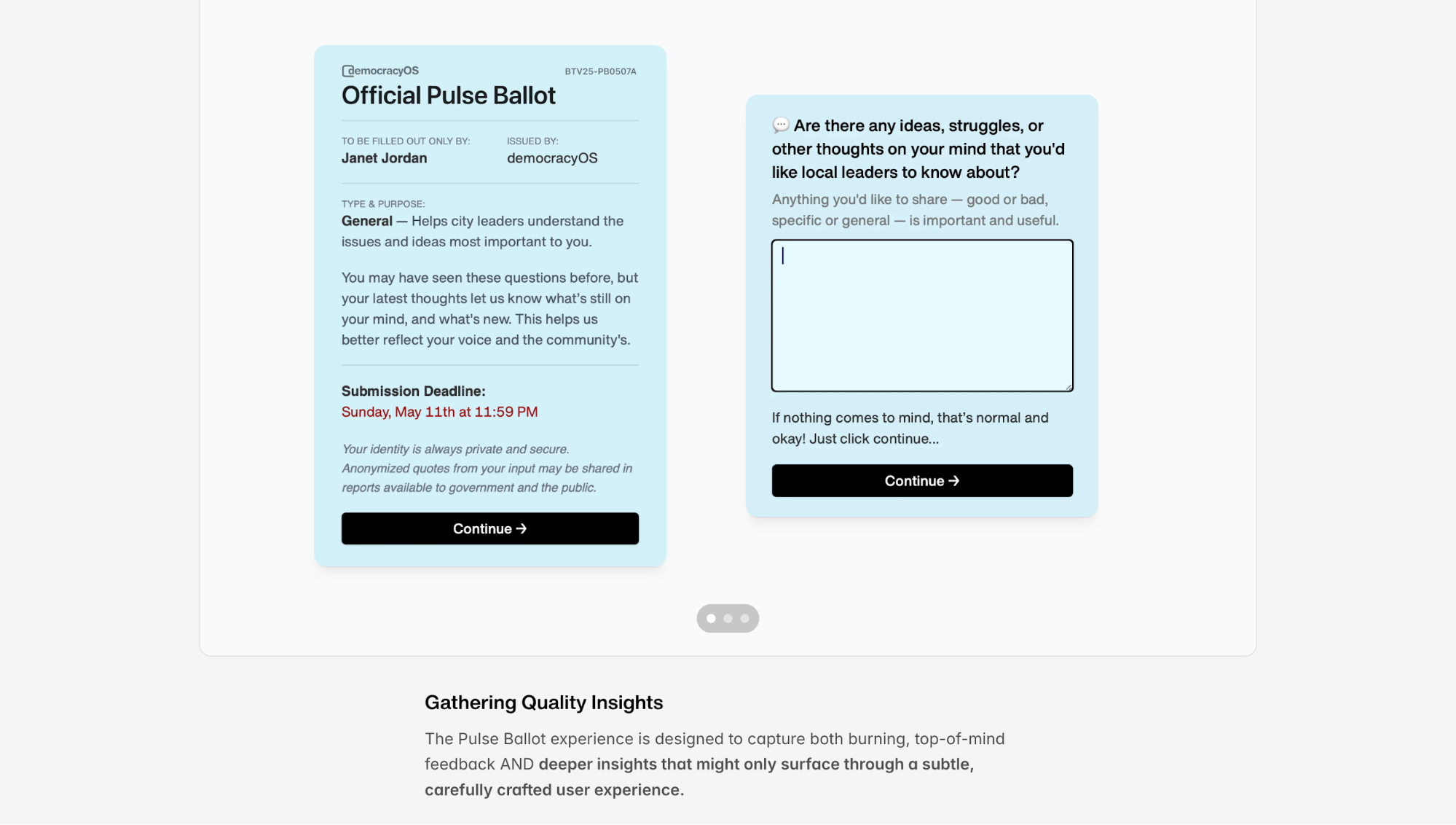
From there, he tests the idea through prototyping. For example, when his first approach to collecting feedback via open-ended questions fails, he tries to restructure the interaction instead of adding prompts or copy.
By anchoring users with a clear choice first, then inviting explanation, his “Pick Then Probe” survey method successfully unlocks 89-word average responses. This is far deeper than what most civic surveys produce.
From my perspective, this approach works best if you're designing speculative products, passion projects, or startup concepts where you're trying to prove market need and strategic thinking.
It's also perfect for product design positions where you need to show end-to-end thinking from problem discovery to solution validation.
Nevertheless, it might be less useful for interaction design roles focused purely on execution.
6. Adam Fard Studio — Transforming an EdTech SaaS platform
What stands out about Adam Fard's EdTech case study is the sheer scope. This wasn't a two-week sprint but 19 months of continuous work on a live product. That said, the way he structures this much work without overwhelming you is worth studying.
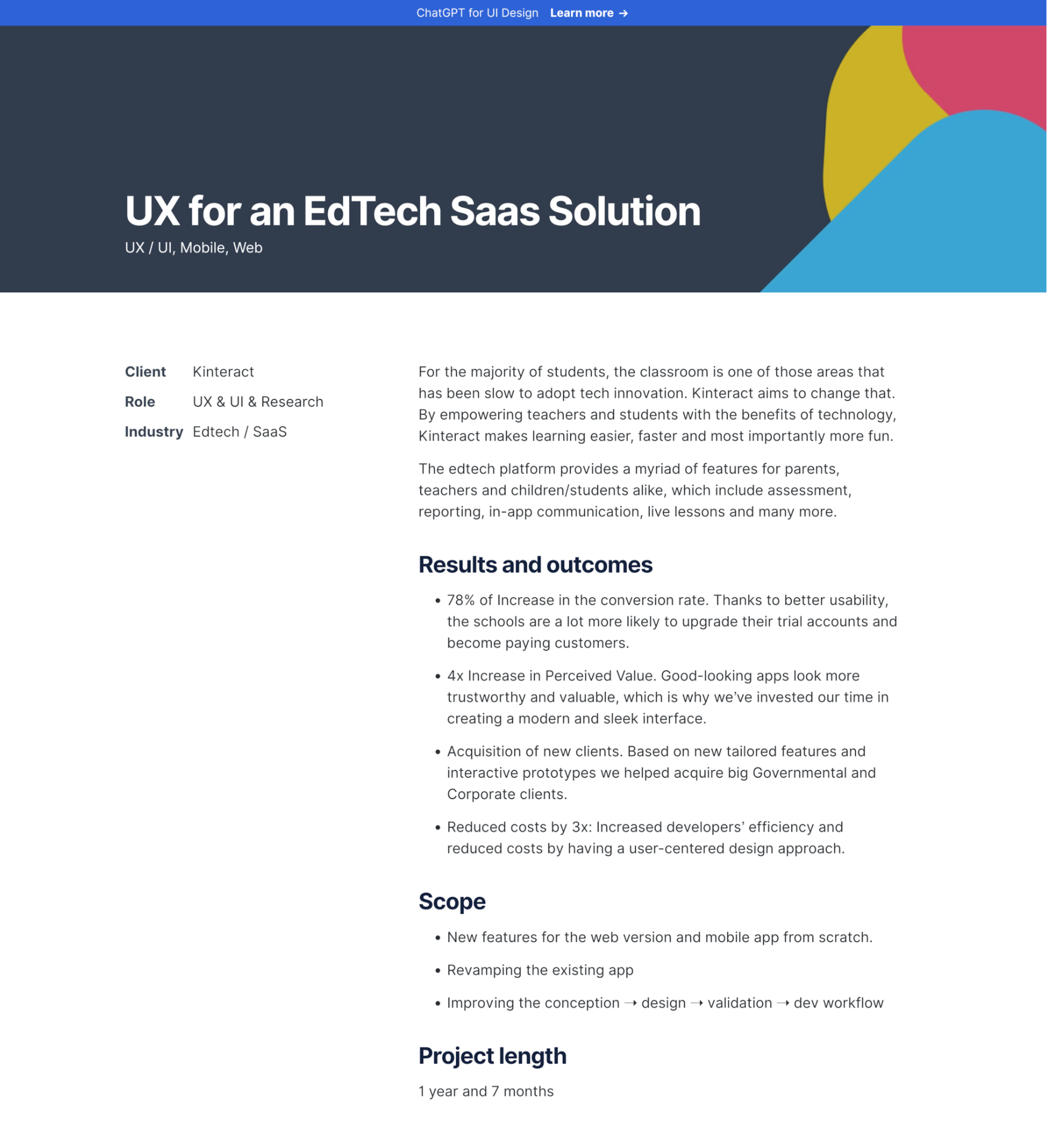
He splits the case study into two parts: first explaining his design process generically, then showing how that process produced specific features.
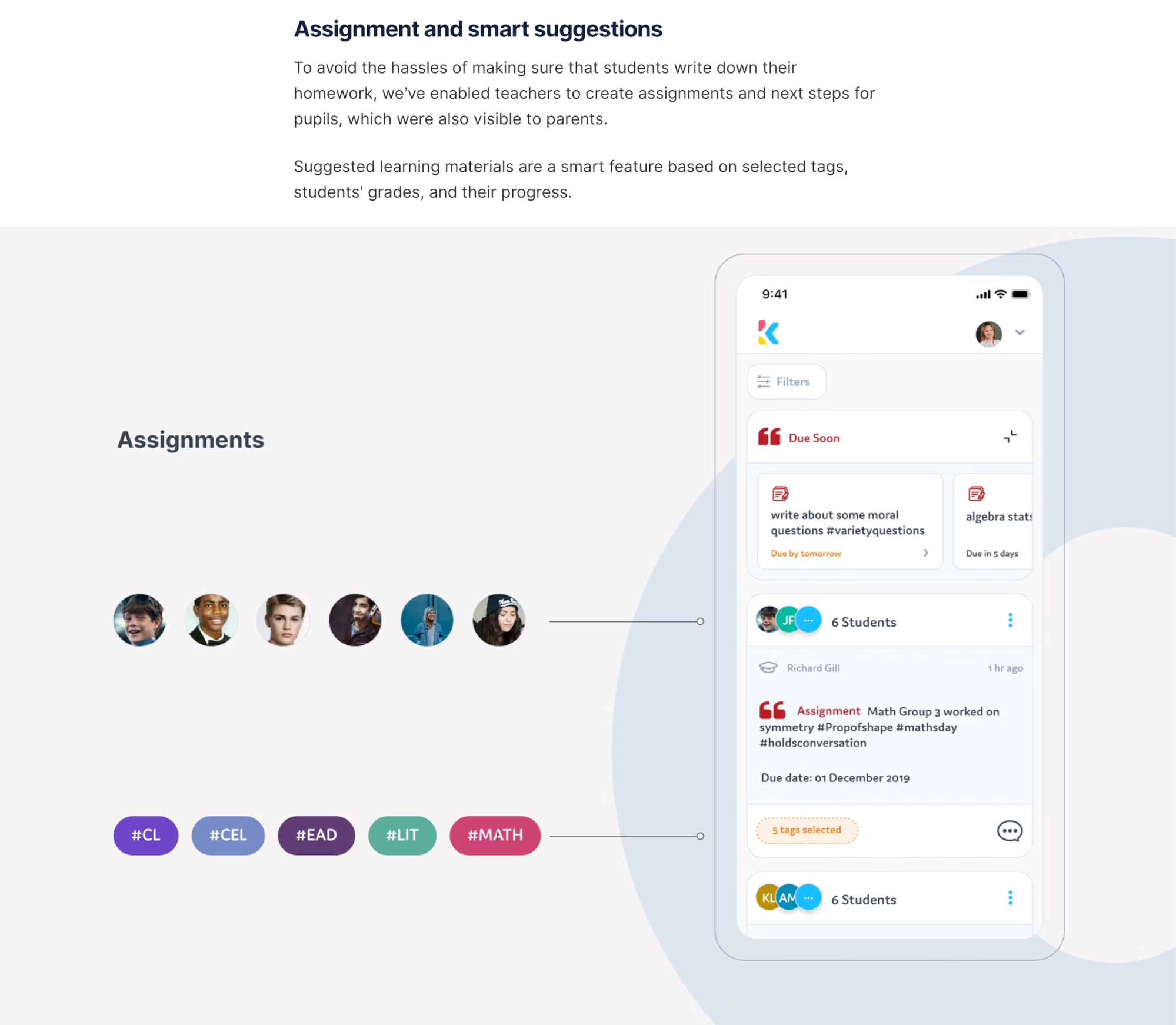
What I appreciate is how Adam front-loads the "how we work" section with concrete activities such as eliciting requirements, auditing existing designs, wireframing, and validation. He shows you from sketches, mid-fi wireframes, to final designs in sequence.
Then, in part two, he showcases individual features (assignments, student management, resource management) as mini case studies. Each feature gets context around why it exists, what pain point it solves, and how users tested it.
This is not to mention that his reasoning process is surprisingly straightforward. Adam combines three inputs to decide what features to build:
-
the product team's vision
-
his agency's expertise
-
user research findings
He calls this making features "viable."
For example, the Assignments feature exists because "students don't write down their homework," creating hassles for teachers and parents. So his solution is to let teachers create assignments digitally that are visible to both students and parents.
7. Jacob Dilley — Building a conference platform for the scientific community
Jacob’s case study is a good example of a narrative-driven portfolio, where explanation does most of the work. This isn’t a visual-heavy breakdown, and it doesn’t try to be.
Instead, the value comes from how clearly he explains the problem space and his role in solving it across the case study page.
He opens by setting the context of who the client is, why the platform needed to exist during the pandemic, and what “success” meant beyond simply hosting talks online.
From there, Jacob walks you through how each decision leads to the next. He breaks the problem down into core conference needs, such as attending talks, asking questions, networking, and staying engaged over multiple days.
All of these are to evaluate how well existing tools support each one, and later help him arrive at the solution design.
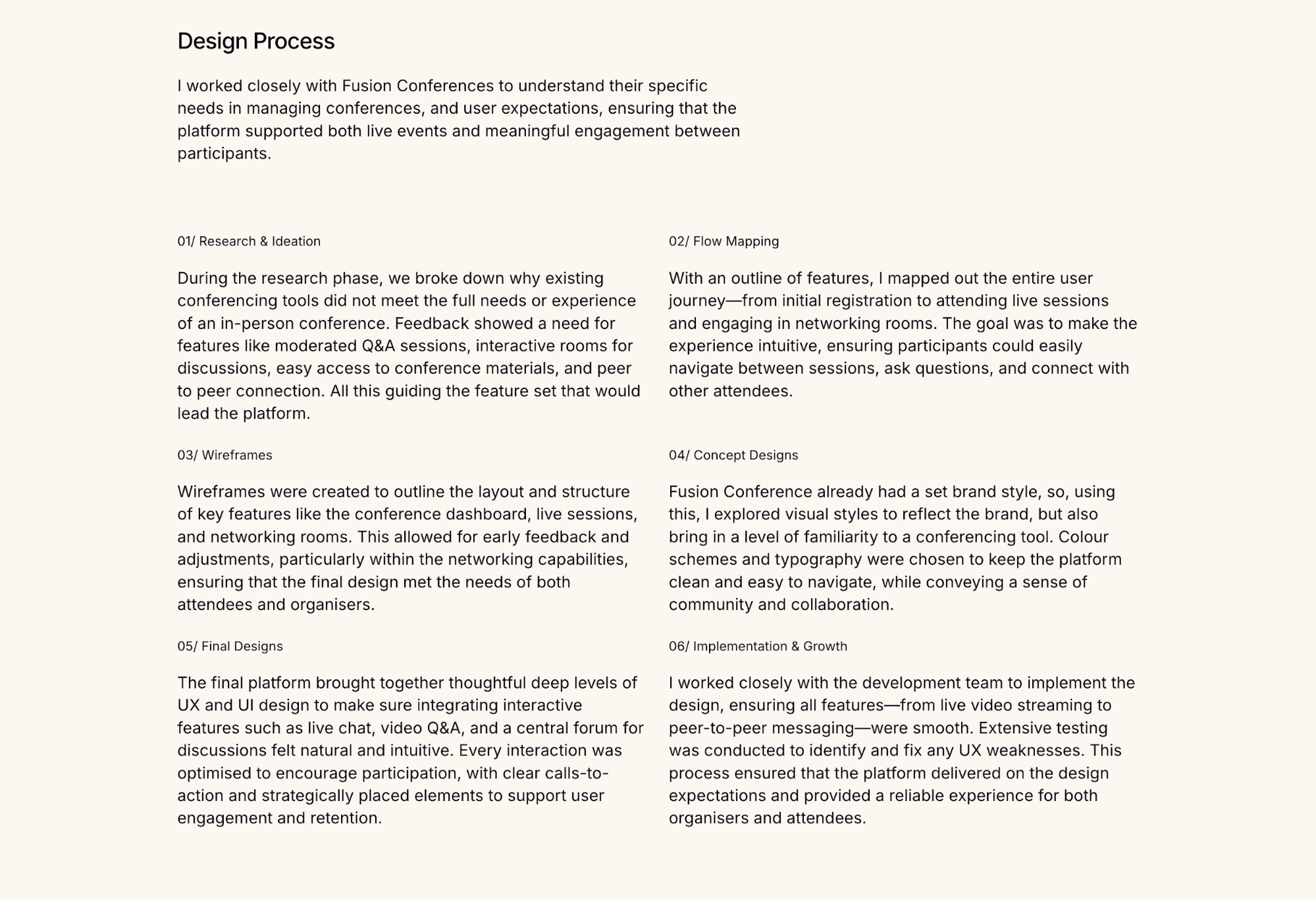
For example, when looking at Q&A, Jacob explains that existing webinar tools either bury questions in fast-moving chats or surface them without context.
Rather than adding another chat layer, he reframes the problem as one of visibility and flow. He designs a structured Q&A system tied to each talk, where questions persist, can be moderated, and remain accessible after sessions end.
8. Ramachandran — Reimagining SBI Banking Through Augmented Reality
When you land on Ram's SBI AR Pay case study, the first thing you’ll notice is how he takes you on a journey, starting with why this project exists, what problem it’s trying to solve.
This is exactly how you should structure a case study if you want your audience to understand your reasoning.
From there, the structure breaks down into clear sections:
-
Project Overview explains scope, tools, and intent, grounding the work as a conceptual exploration.
-
Challenge frames traditional banking as complex, physical, and fragmented.
-
Solution introduces AR Pay as an ecosystem rather than a single feature.
-
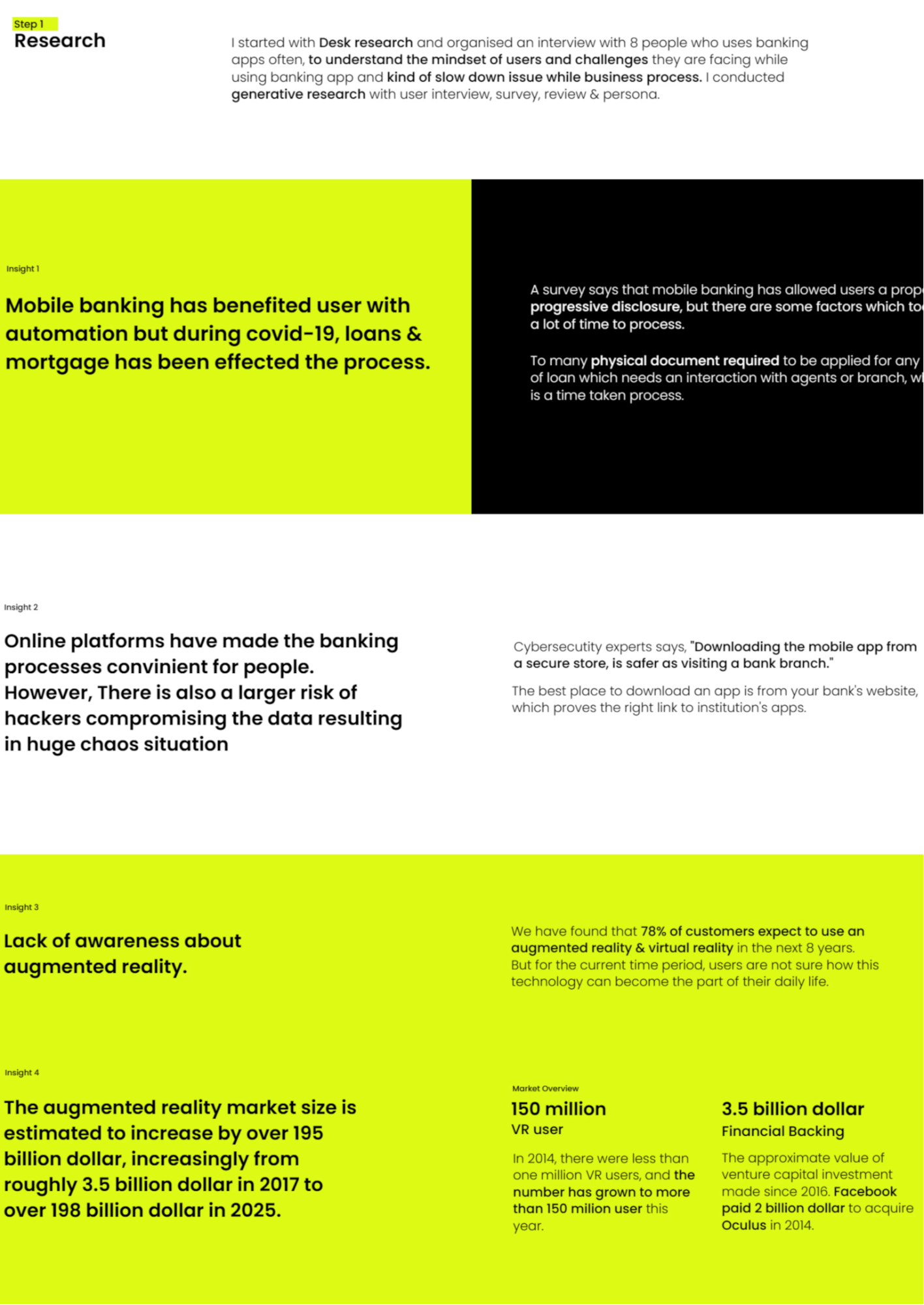
Research & Insights justify why AR makes sense for finance.
-
Concept & Ideation shows flows, diagrams, and system thinking.
-
Design & Prototyping presents UI, AR interactions, and real-world demos.
-
Learnings & Conclusion reflect on future scalability and limitations.
What’s important is that these sections don’t exist in isolation. Ram uses them to gradually narrow your focus, from a broad vision of AR banking down to specific and solvable problems.
You see this most clearly in how he moves from challenge to research to concept. Let's dissect how he arrives at the feature Virtual Locker as an example.
Once Ram moves from challenge into research, the focus narrows from a broad critique of banking to specific pain points. One of the most prominent is document management, where users repeatedly struggle to store, retrieve, and submit sensitive financial documents at the right moment.
To address that need, he doesn’t ask, “How do I design document upload?” He asks, “How do people access and trust important documents?” From there, Virtual Locker makes sense.
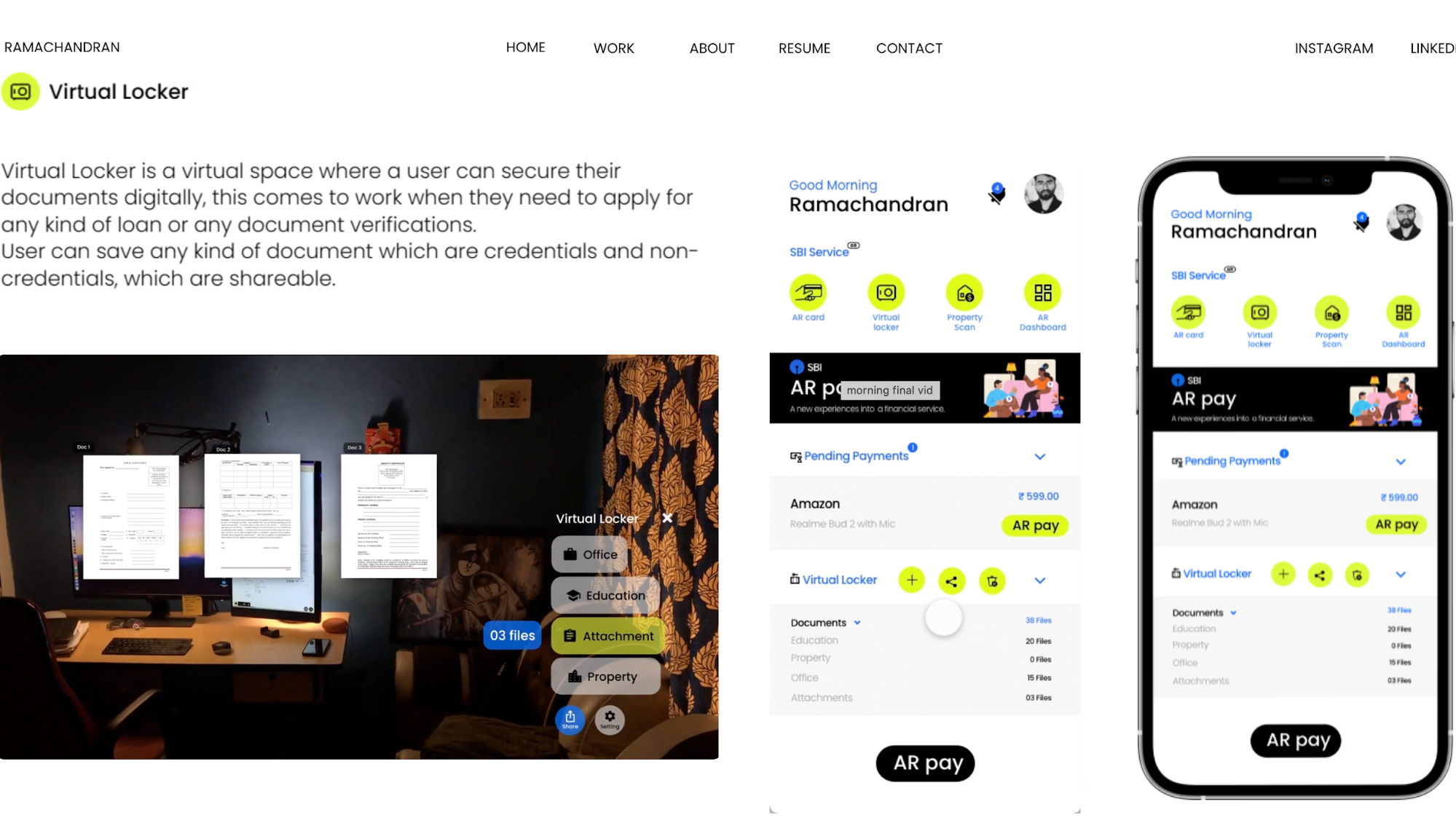
Using AR to organize documents spatially becomes a logical extension of the earlier insight that banking should feel more contextual and less abstract.
9. Angelica Araujo — Elevating the Paperchase e-commerce experience
Angelica’s Paperchase e-commerce redesign is a great example for learning how to apply the Double Diamond framework in your UX design process.
She starts in Discovery, where she grounds every decision in data from Google Analytics, heatmaps, customer feedback, and empathy maps. She treats these inputs as connected signals and uses them together to understand the current user experience.
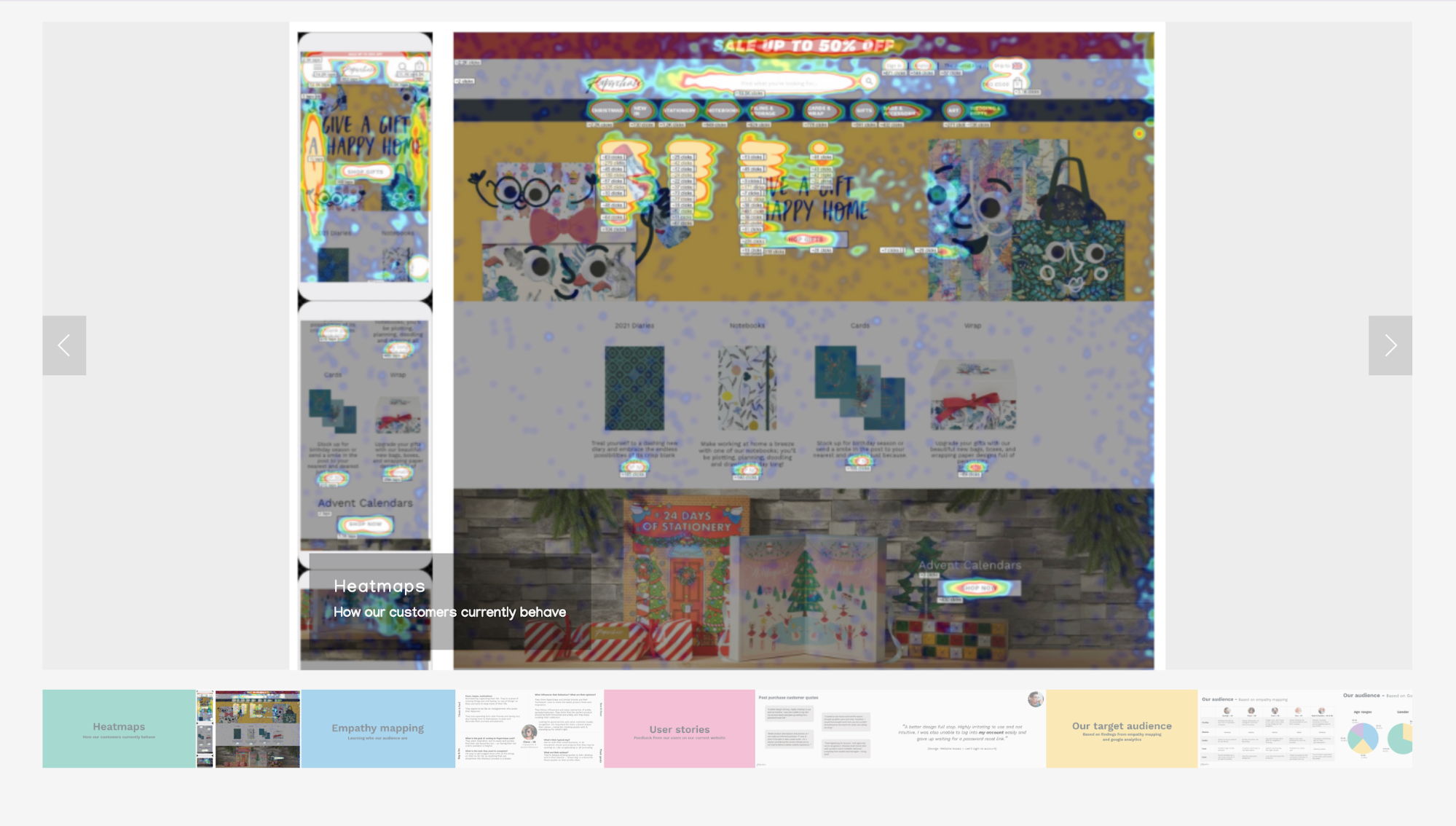
From these insights, she has a better view of how users move through the site and where content loses attention or conversion points break down.
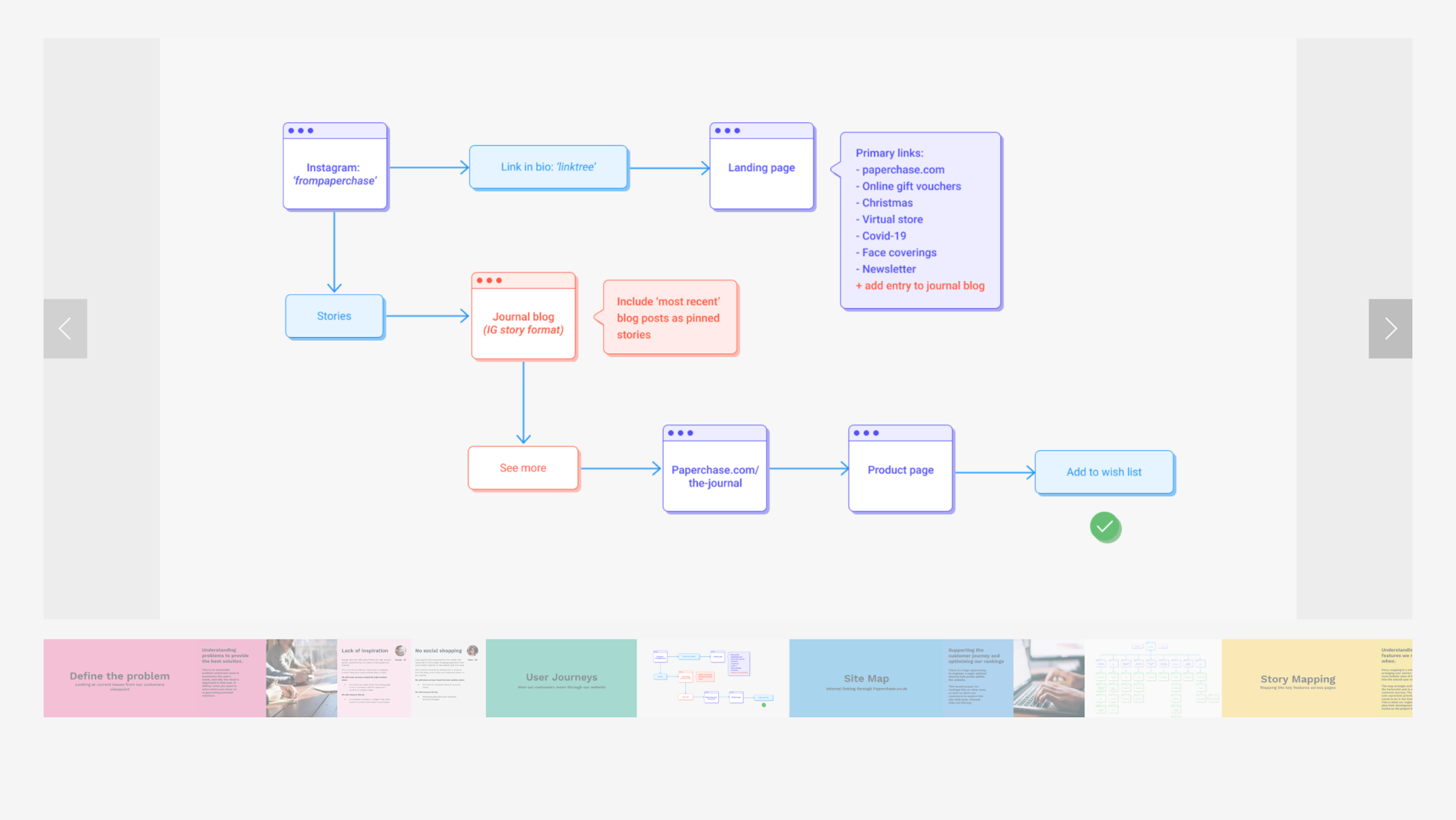
With this clarity in place, the shift into the Define stage feels straightforward. She directly translates behavioral patterns into structure by using
-
User journeys and site maps to expose friction
-
Story mapping to prioritize features
-
Benchmarking against other e-commerce platforms
She also builds personas directly from analytics data, which keeps the project anchored in reality rather than assumptions.
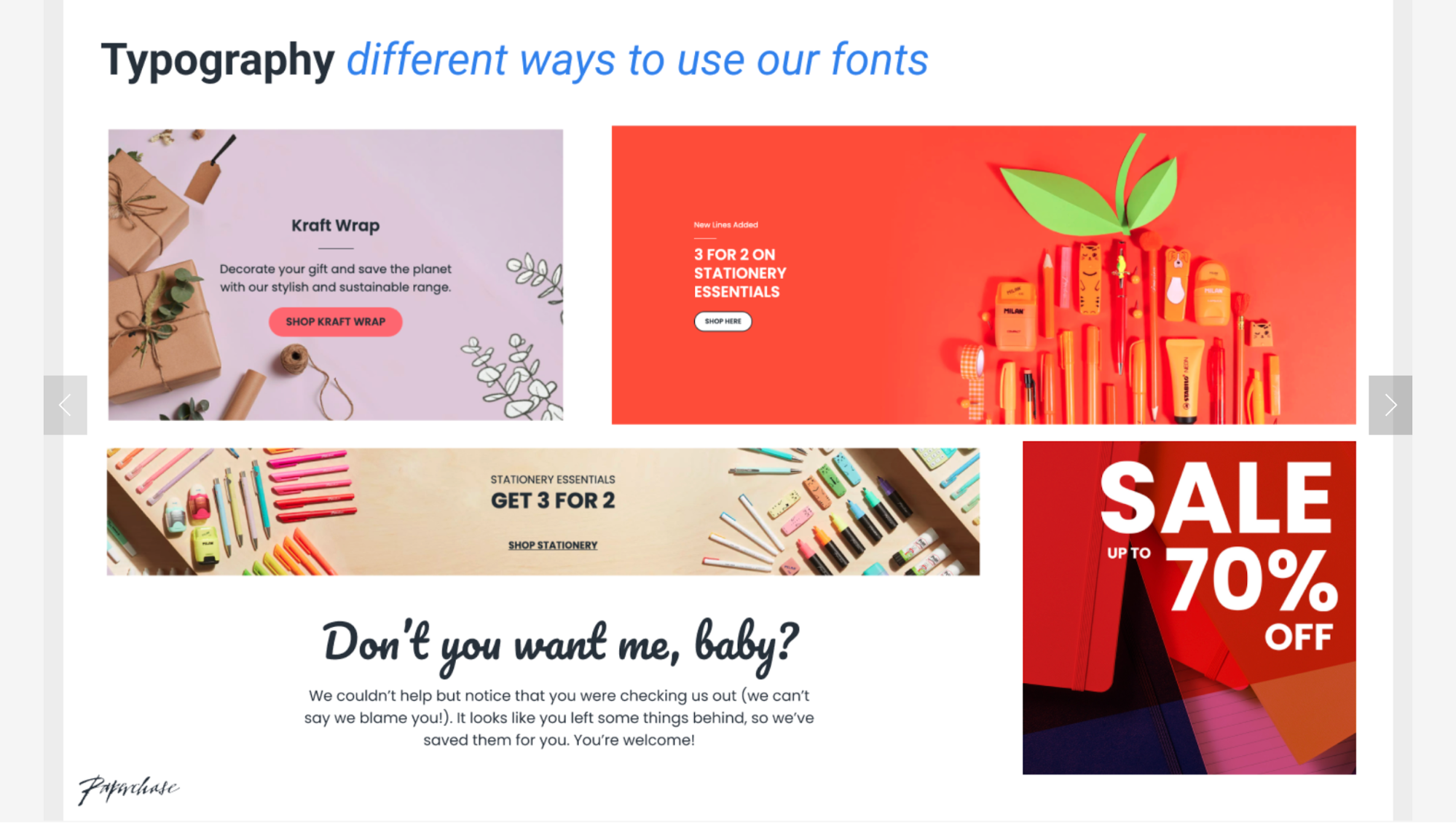
During Ideation, Angelica evaluates the current UI and design system while exploring new directions. She:
-
Runs UI audits and wireframe explorations
-
Reviews competitors for patterns worth borrowing
-
Tests color palettes for accessibility and contrast
-
Designs scalable components that balance usability, business goals, and technical constraints
What I like most about Angelica’s design thinking is how consistently she triangulates her decisions. She never relies on just one data source.
She's always validating user feedback against analytics, checking her assumptions with competitive benchmarks, and balancing user needs with "commercial" (business) requirements. That's something we should totally learn from her.
10. Gloria Lo – Using research frameworks to drive prioritization
Gloria Lo's Rokt case study caught my attention because of how she presents her research process.
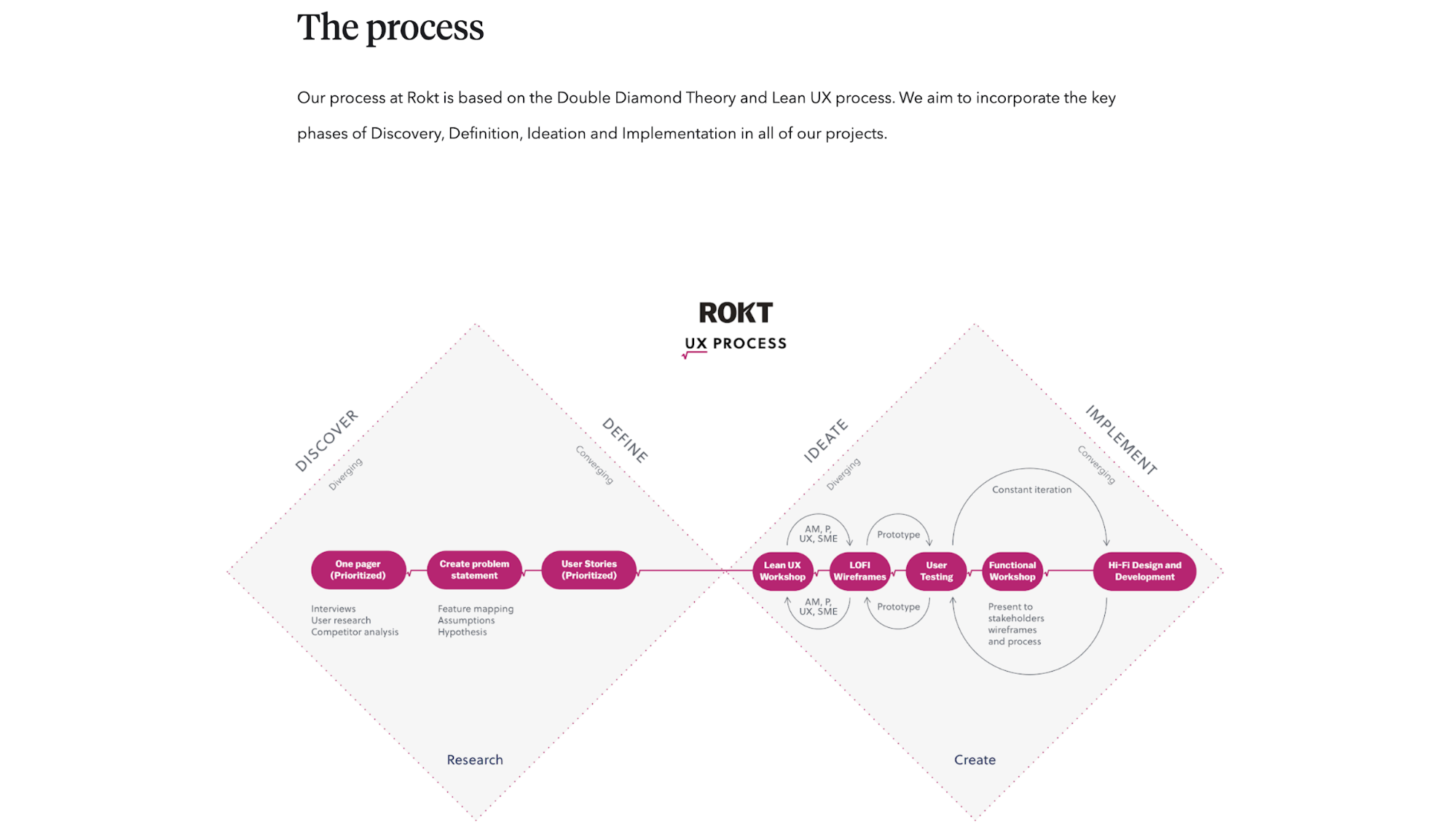
After interviewing seven account managers about a beta platform release, she used affinity mapping to group issues by theme.
Then, she applied a severity framework that calculates: task criticality × impact × frequency = severity score.
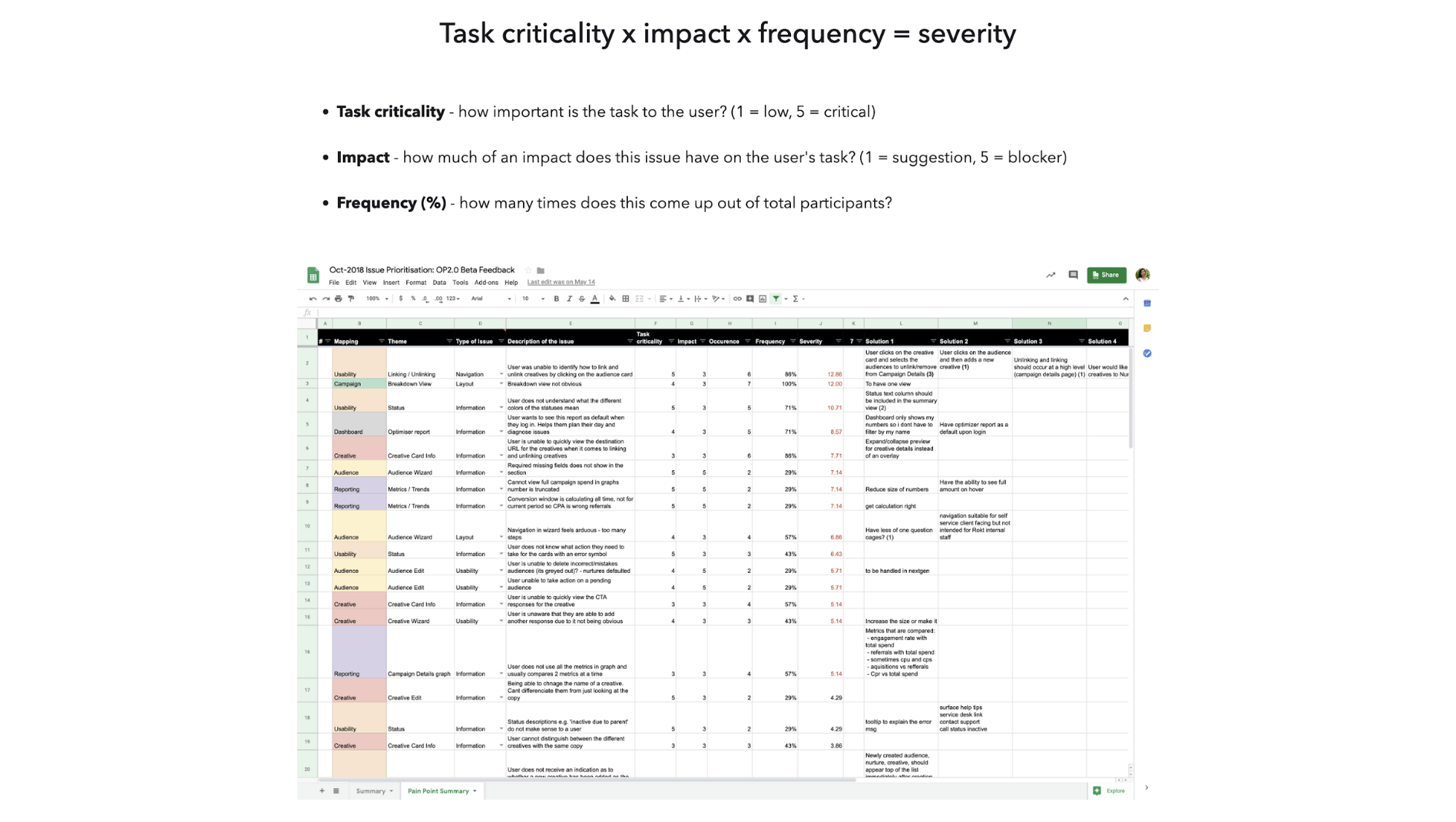
This formula gave her objective rankings. Instead of arguing about what to fix first, she could show Product and Engineering teams exactly which issues mattered most based on data. The Audience Wizard scored highest, so that's what they rebuilt.
The wireframes and final designs are also solid, but honestly, they're secondary to the research story. What makes this case study interesting for me is watching her move from "users are frustrated" to "here's the exact order we should fix things" using a repeatable method.
If you're trying to show strategic thinking or transition into more senior IC roles, you can study how Gloria structures her research-to-prioritization flow.
11. Sebastien Gabriel — Redesigning Chrome for Windows
When I read Sebastien's case study on Redesigning Chrome Desktop, the first thing that struck me was how he structures the case study like a design narrative.
He begins by grounding the reader in context and goals, which is the rollout of Chrome’s Material Design (MD) and why the desktop needed a rethink after years of piecemeal changes. That establishes a clear baseline, which is to address long-standing inconsistencies across form factors and resolutions.
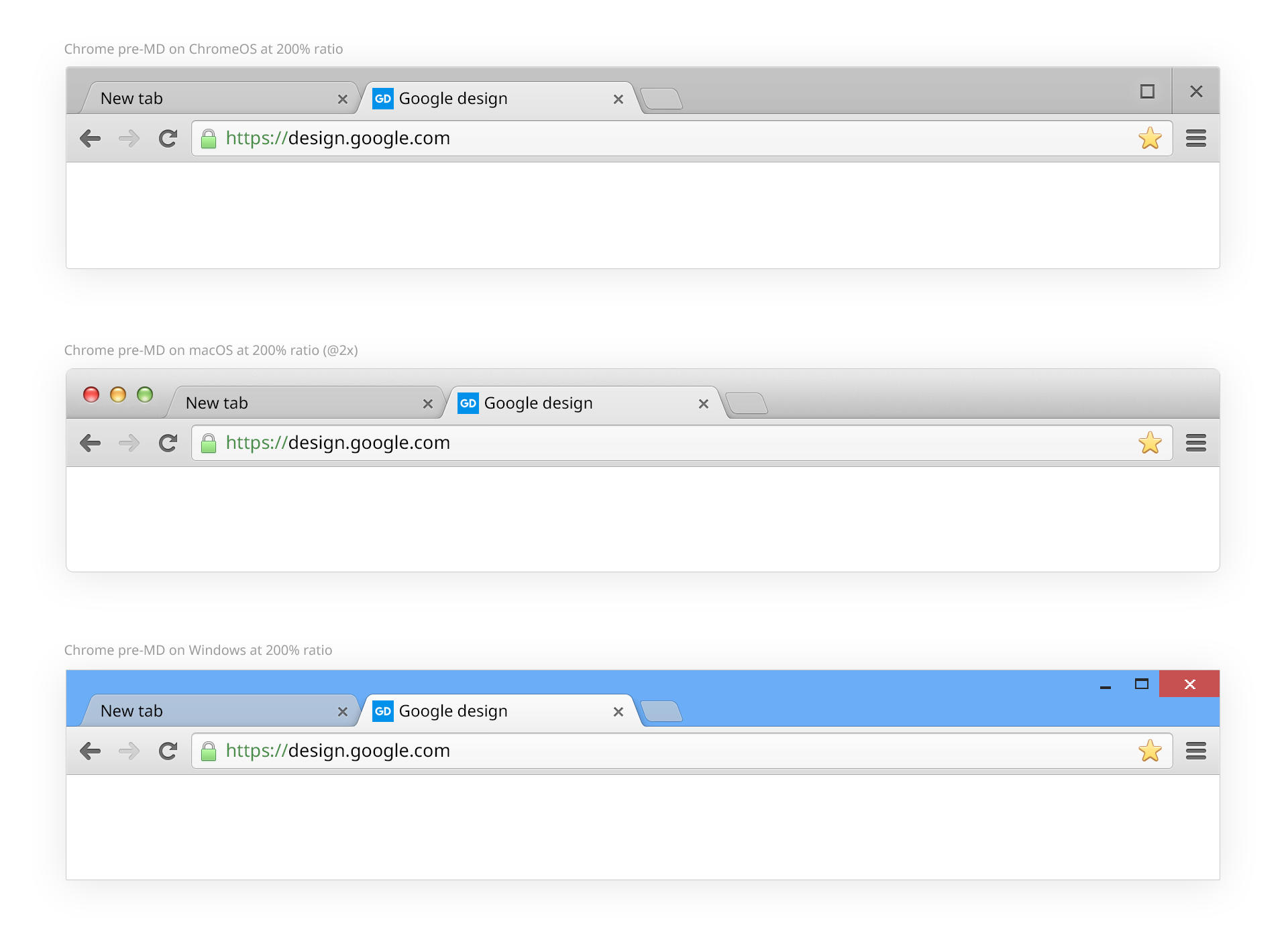
From there, he shifts into constraints and opportunities, explaining the challenges with legacy bitmaps and multi-PPI support.
This directly connects to how the team chose the design direction. He walks through the hybrid layout concept and the need for a flexible system that could serve both traditional laptops and convertible/touch-oriented devices.
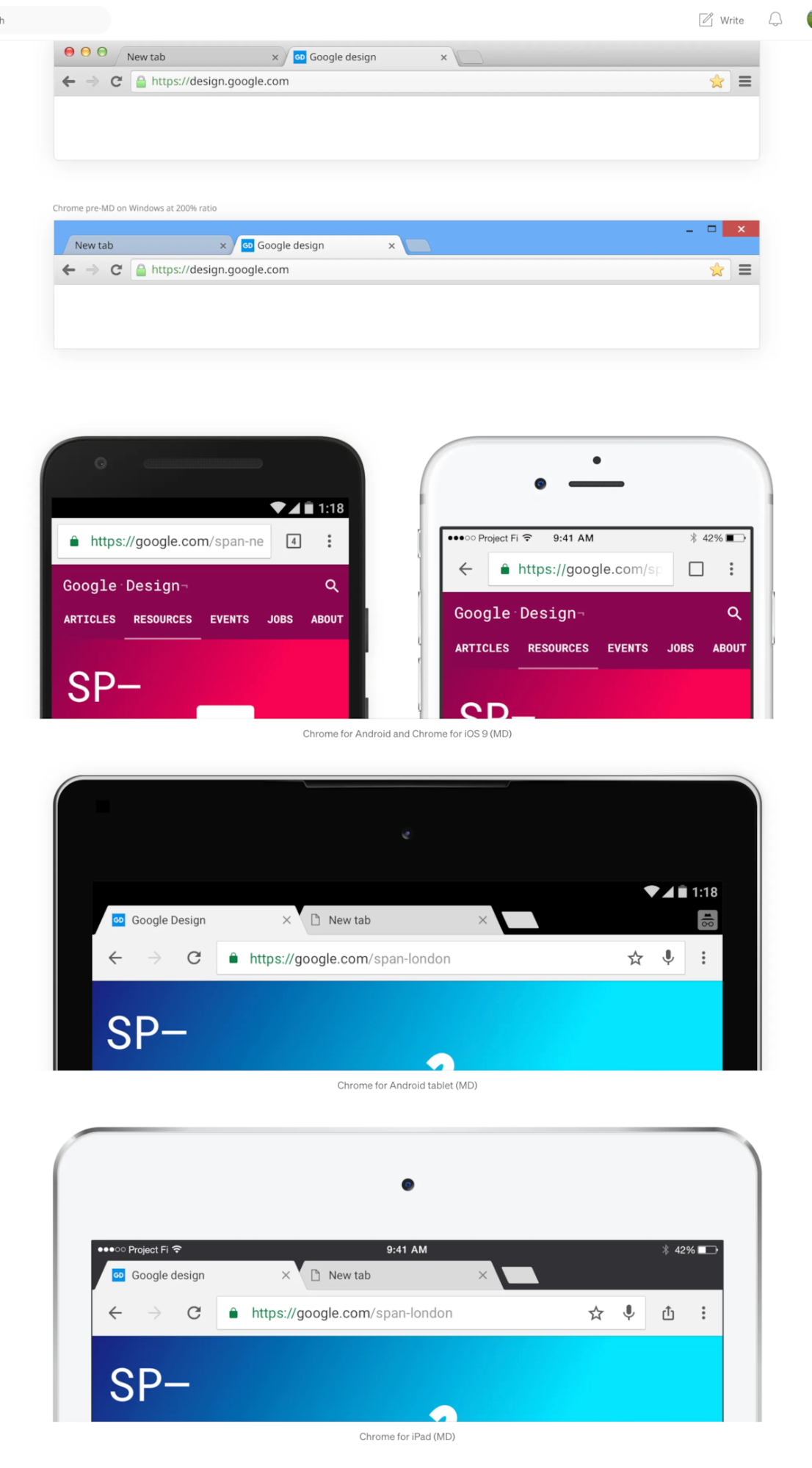
However, I feel like the meat of his write-up is in detailed design decisions. A standout example for me is how they tackled the icon system.
Instead of dropping in the standard 24×24 pt Material icons (which worked well on mobile but didn’t fit the tighter desktop UI), they derived a 16×16 pt grid that aligned with their new 4 pt layout system.
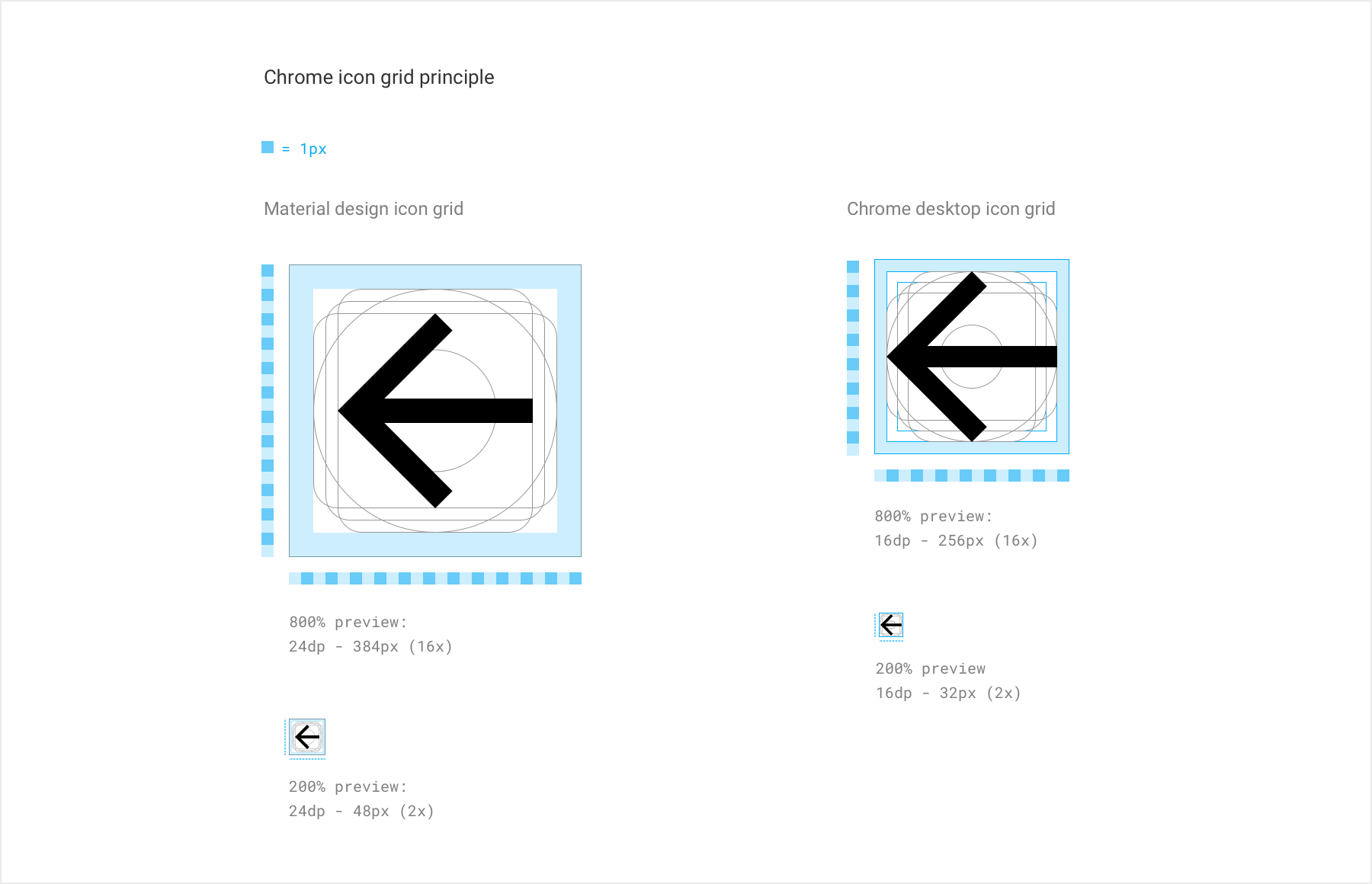
They adjusted internal padding and created flexible spacing rules so icons stayed crisp across densities. The team also rebuilt key icons for pixel-perfect rendering at lower PPIs, eliminating blurry artifacts that plagued the old system.
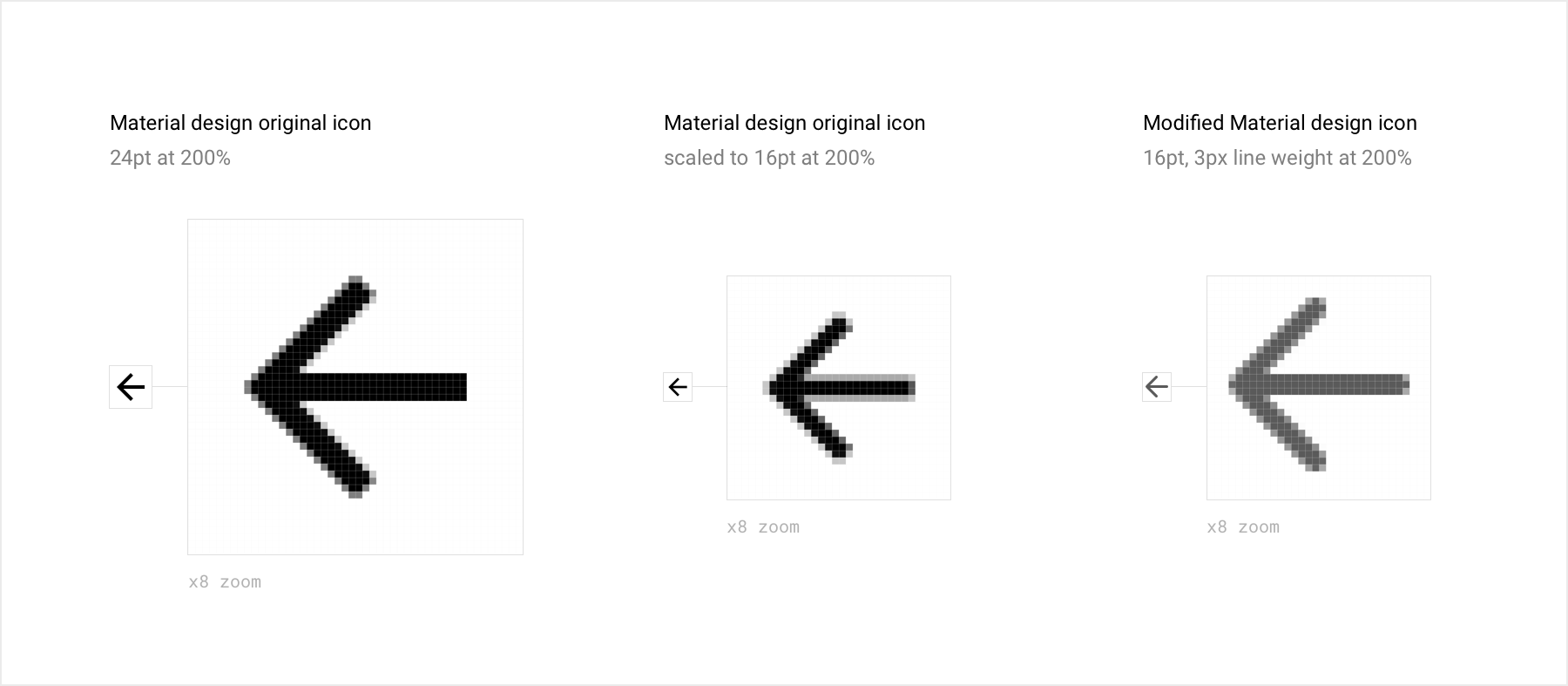
By interleaving reasoning, constraints, and visuals, the case study feels like a guided walkthrough. That’s what made it educational for me, as you see why each decision matters and how it solves a problem in the product.
12. Robin Noguier — Exploring playful UI concepts with FUN
What I love about Robin Noguier’s FUN project is how he stress-tests a single product idea through exploration. The original idea is to build a video-only dating app that combines Tinder's matching with TikTok's video format.

To get there, he tackles a wide range of interactions. For example:
-
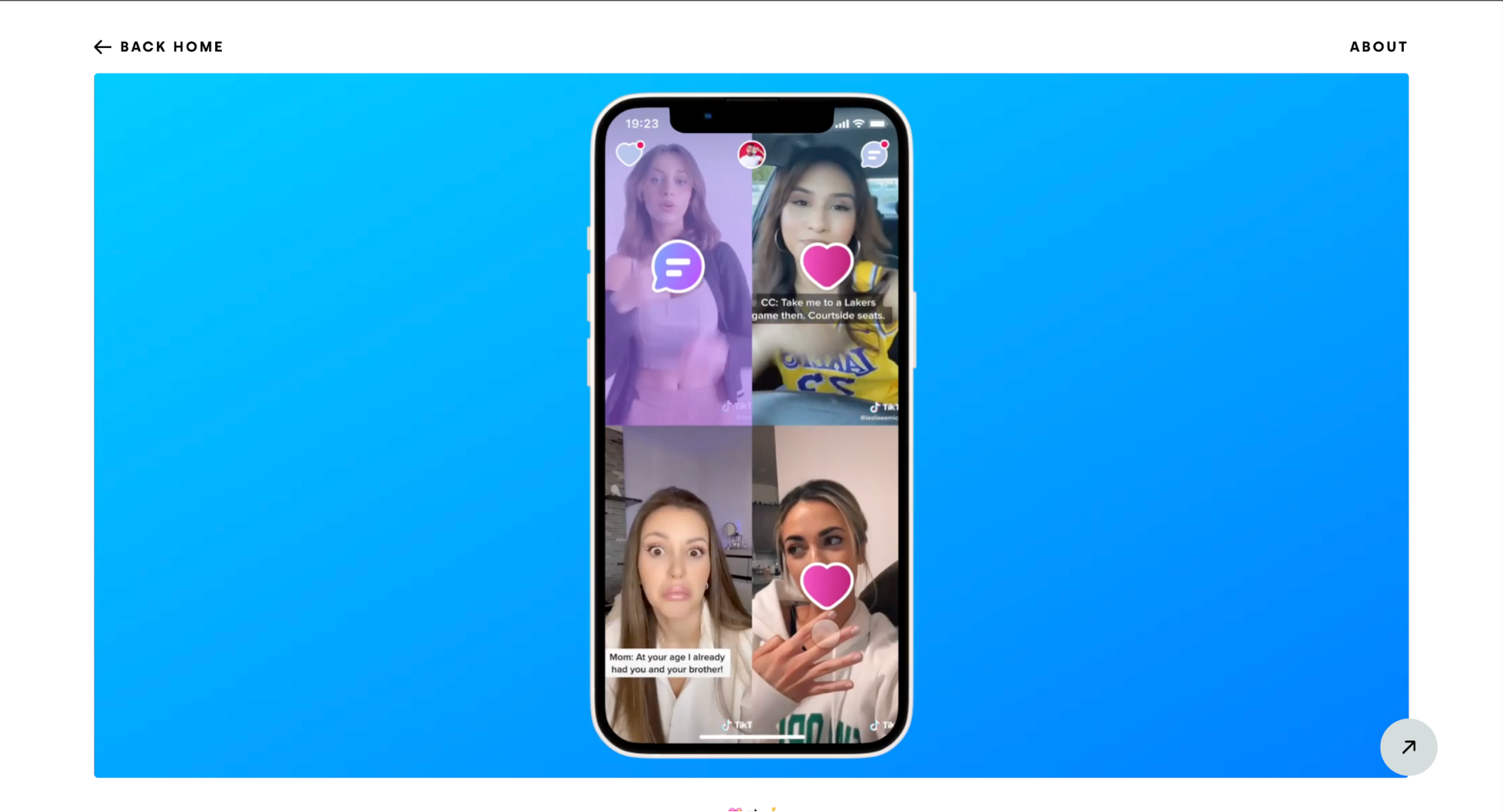
Feed fatigue. Traditional dating apps lock you into endless single-card feeds. Robin designs a 4-profile grid instead. You only tap what interests you. This kills mindless swiping while looking nothing like Tinder.
-
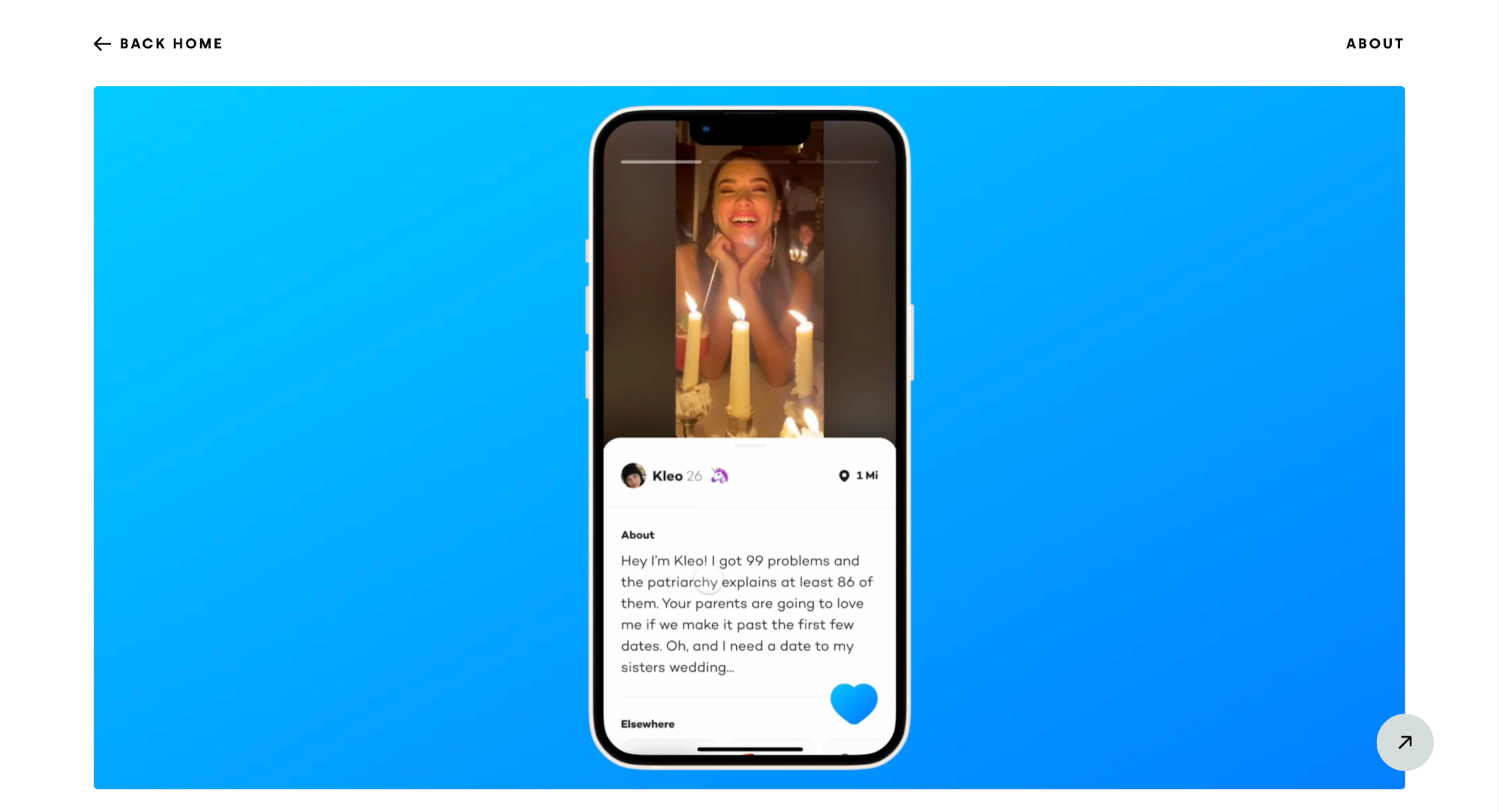
Profile depth vs. speed: Users want to learn more without losing momentum. He creates Picture-in-Picture profiles where you can read someone's bio while still seeing their face, plus vertical scroll for additional info without leaving the video.
-
Reaction complexity: Early testing shows that the “Funwheel”, a multi-emoji reaction system, creates decision paralysis. This means users spend too long choosing emojis and end up sending fewer reactions. In response, Robin strips this back to a simple like-only interaction to remove friction and increase engagement.
-
Matching mechanics: After testing multiple interaction patterns (up/down swipes, vertical scroll, and left/right gestures), he ultimately settles on familiar left-right swiping. This is simply because "dating app users are already used to it."
As a result, Fun reads less like a feature spec and more like a design investigation into what video-first dating could realistically become.
What to avoid in your portfolio
Here are a few common mistakes that you should avoid in your portfolio:
-
No high-level context about who you are. If I land on your site and don’t immediately understand who you are, what you design, and what kind of roles you’re aiming for, you’ve already created friction.
-
Jumping into details without an overview. Screens and wireframes mean very little if you don’t first explain the problem, goal, and constraints.
-
Project thumbnails linking straight to live products. Hiring managers expect a case study, not to reverse-engineer your thinking from a finished app.
-
Unclear personal contribution to team projects. If you worked with others, you need to clearly state what you owned. Otherwise, your impact gets lost.
Even a simple portfolio already puts you ahead of most applicants, but you have to guide people through your decisions.
And since your portfolio is a product too, clear navigation and structure can instantly raise how hiring teams perceive your work.
Use these product design case studies as guides
If you take one thing away from these examples, let it be that strong portfolios don’t happen by accident. All of these designers I've mentioned made intentional choices about how to walk you through their work.
What I like most is that none of these portfolios makes you work to understand them. They respect your time, surface the important context early, and guide you step by step through the thinking.
Therefore, if you approach your portfolio the same way as a UX UI problem in itself, you make it easier for reviewers to quickly grasp your thinking, remember your work, and form a clear impression of you as a designer.
That clarity is often what separates portfolios that get shortlisted from those that get skimmed and forgotten.
What should a strong product design portfolio include?
A strong product design portfolio should include 3–5 case studies that clearly explain the problem, your role, your process, and the final outcome. It should show how you think, not just what you designed, so recruiters can evaluate your decision-making.
To make it more convincing, include context like goals, constraints, key UX decisions, and what you learned. Even if the visuals are simple, a clear narrative and outcomes make your portfolio feel more credible and complete.
How many case studies should you include in a product design portfolio?
Most product design portfolios perform best with 3 to 5 high-quality case studies. This is enough to show range without overwhelming the reader. It also helps you focus on depth, which matters more than listing every project you’ve worked on.
If you have more work, choose the most relevant projects for the roles you want. A smaller portfolio with strong storytelling and clear impact usually beats a large portfolio with shallow explanations.
What makes a product design case study stand out to recruiters?
A product design case study stands out when it explains the “why” behind your decisions, not just the final screens. Recruiters want to understand how you approach problem-solving, handle trade-offs, and collaborate with others throughout the process.
The best case studies use a clear structure: problem, context, process, solution, and results. Adding real constraints, feedback loops, and what changed over time makes your work feel realistic and job-ready.
How do you write a product design portfolio case study if you can’t share confidential details?
If you can’t share confidential details, focus on what you can explain: the problem, your role, your design approach, and the reasoning behind your choices. You can remove sensitive numbers, blur screens, or describe the solution at a higher level.
Recruiters still want to see your thinking. Even without full visuals, you can show wireframes, user flows, assumptions you tested, and what you learned from the project without breaking confidentiality.
Do product design portfolios need metrics and outcomes?
Product design portfolios don’t always need exact metrics, but they should show outcomes whenever possible. Results help prove your work made a difference, whether that’s improving usability, reducing friction, or supporting business goals.
If you don’t have access to data, you can still describe qualitative outcomes like user feedback, stakeholder approval, fewer support issues, or what changed after launch. Even small evidence builds trust in your case study.
What’s the best format for a product design portfolio in 2026?
The best product design portfolio format in 2026 is a simple, scannable website with clear case study navigation. Recruiters should be able to understand your strengths within minutes, without hunting for key information or getting lost in long pages.
Use consistent layouts, short sections, and strong headings. Your portfolio should load fast, look clean on mobile, and make it easy to skim your role, process, and results for each project.
How do you tailor a product design portfolio for different job applications?
To tailor a product design portfolio, choose case studies that match the role you’re applying for and highlight the skills that job values most. For example, one role may prioritize UX research while another cares more about UI systems and execution.
You don’t need to rebuild your portfolio each time. Small changes like reordering projects, adjusting intros, and emphasizing relevant decisions can make your portfolio feel more targeted and persuasive.
